Introduction
Release management tools help software teams plan, coordinate, test, deploy, monitor, and communicate application releases across development and production environments. These platforms streamline the entire release lifecycle by improving collaboration between development, QA, DevOps, IT operations, and business stakeholders. As organizations adopt faster deployment cycles, cloud-native architectures, and DevOps workflows, release management has become increasingly complex. Modern businesses need tools that reduce deployment risk, automate workflows, improve visibility, and ensure software releases remain reliable and compliant. Release management platforms now combine automation, orchestration, CI/CD integrations, governance controls, analytics, and deployment tracking in a centralized operational environment.
Real-world use cases include:
- Coordinating enterprise application deployments
- Automating CI/CD release pipelines
- Managing multi-environment software rollouts
- Reducing deployment failures and downtime
- Improving compliance and audit visibility
Key buyer Evaluation criteria include:
- Deployment automation capabilities
- CI/CD and DevOps integrations
- Multi-cloud and hybrid environment support
- Governance and approval workflows
- Security and compliance controls
- Scalability for enterprise operations
- Monitoring and rollback functionality
- Ease of use and onboarding
- Collaboration workflows
- Reporting and analytics visibility
Best for: DevOps teams, enterprise IT organizations, SaaS providers, software engineering teams, platform engineering groups, and regulated industries managing complex deployment workflows.
Not ideal for: Very small development teams with infrequent deployments or organizations relying only on lightweight manual deployment scripts without operational complexity.
Key Trends in Release Management Tools
- AI-assisted deployment analysis is helping teams predict release risks and reduce deployment failures.
- GitOps and infrastructure-as-code integrations are becoming central to release orchestration.
- Progressive delivery strategies such as canary releases and blue-green deployments are gaining widespread adoption.
- Multi-cloud and hybrid deployment management capabilities are becoming enterprise requirements.
- Integrated observability and deployment analytics are improving release visibility.
- Security-first release governance is growing in importance for regulated industries.
- Self-service deployment portals are simplifying release workflows for developers.
- Kubernetes-native release orchestration is becoming standard in cloud-native environments.
- Low-code automation capabilities are helping cross-functional teams manage releases more efficiently.
- Compliance-driven audit trails and approval workflows are increasingly important for enterprise operations.
How We Selected These Tools
The tools in this list were evaluated using a balanced SaaS and DevOps product assessment framework.
Selection criteria included:
- Market adoption and enterprise mindshare
- Deployment automation depth
- Release orchestration capabilities
- Integration ecosystem maturity
- Security and governance readiness
- Scalability across large deployment environments
- Reliability and rollback functionality
- Ease of deployment and onboarding
- Support for modern DevOps practices
- Overall operational visibility and analytics
We also considered support quality, cloud-native readiness, and long-term platform maturity for enterprise release operations.
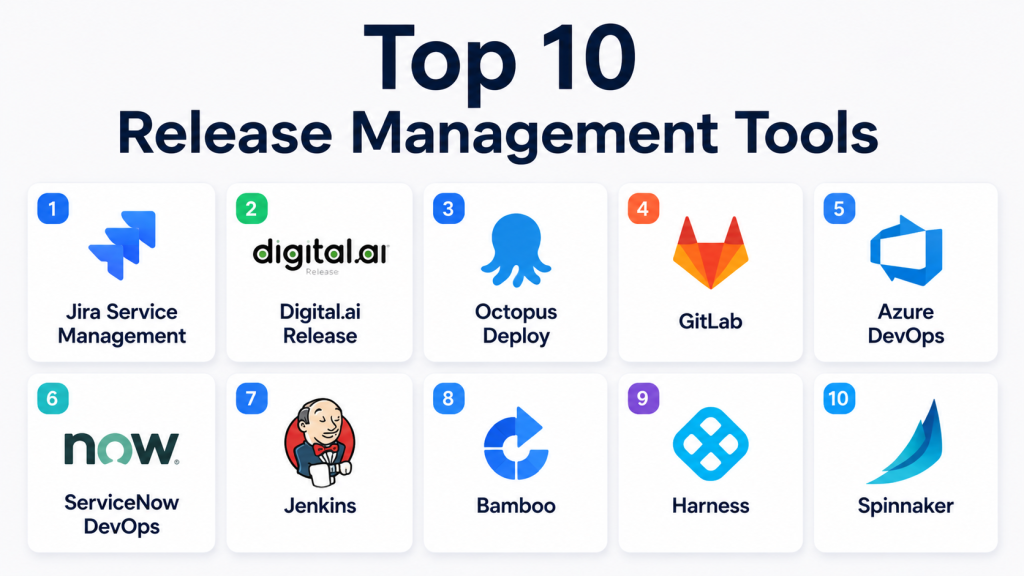
Top 10 Release Management Tools
1- Jira Service Management
Key Features
- Change and release management workflows
- ITIL-aligned deployment processes
- Approval and governance automation
- Incident and release coordination
- DevOps integration support
- Audit and compliance tracking
- Service dependency visibility
Pros
- Strong enterprise governance capabilities
- Excellent ITSM and DevOps integration ecosystem
- Flexible workflow customization
Cons
- Advanced configurations can become complex
- Requires onboarding for non-technical users
- Premium enterprise features increase cost
Platforms / Deployment
- Web
- Cloud / Self-hosted
Security & Compliance
- SSO/SAML
- MFA support
- RBAC controls
- Audit logs
- SOC 2
- GDPR support
Integrations & Ecosystem
Jira Service Management integrates deeply with DevOps, ITSM, and engineering ecosystems to support enterprise release coordination.
- Bitbucket
- GitHub
- Jenkins
- Slack
- ServiceNow
- Azure DevOps
Support & Community
Very large enterprise ecosystem with mature onboarding resources, extensive documentation, and strong partner support.
2- Digital.ai Release
Key Features
- Enterprise release orchestration
- Deployment pipeline automation
- Multi-environment release tracking
- Governance and approvals
- CI/CD integrations
- Release analytics dashboards
- Automated rollback support
Pros
- Strong enterprise-scale orchestration
- Excellent release visibility across teams
- Mature compliance and governance controls
Cons
- Enterprise pricing structure
- Learning curve for advanced workflows
- Smaller SMB adoption footprint
Platforms / Deployment
- Web
- Cloud / Hybrid
Security & Compliance
- SSO support
- RBAC
- Audit logging
- Encryption controls
- Additional certifications not publicly stated
Integrations & Ecosystem
Digital.ai Release supports enterprise DevOps orchestration and deployment automation workflows.
- Jenkins
- GitLab
- Jira
- Azure DevOps
- Kubernetes
- APIs
Support & Community
Strong enterprise support model with implementation guidance and advanced onboarding services.
3- Octopus Deploy
Key Features
- Automated deployment pipelines
- Multi-cloud deployment support
- Kubernetes deployments
- Release version tracking
- Deployment approvals
- Environment promotion workflows
- Rollback automation
Pros
- Excellent deployment automation experience
- Strong Windows and cloud deployment support
- Easy release promotion workflows
Cons
- Advanced enterprise governance is limited compared to ITSM-focused platforms
- UI complexity can increase at scale
- Pricing grows with infrastructure size
Platforms / Deployment
- Web
- Cloud / Self-hosted
Security & Compliance
- RBAC controls
- SSO support
- Audit logs
- Encryption support
- Additional certifications not publicly stated
Integrations & Ecosystem
Octopus Deploy integrates well with CI/CD, cloud, and infrastructure automation environments.
- Azure DevOps
- Jenkins
- Kubernetes
- AWS
- Terraform
- GitHub
Support & Community
Strong DevOps-focused community with excellent technical documentation and deployment tutorials.
4- GitLab
Key Features
- Integrated CI/CD pipelines
- Release orchestration workflows
- GitOps support
- Kubernetes deployment management
- Security scanning integration
- Deployment monitoring
- Automated rollback workflows
Pros
- Unified DevOps platform experience
- Excellent automation capabilities
- Strong developer workflow integration
Cons
- Enterprise features require premium tiers
- Advanced pipeline configuration can be complex
- Resource-intensive deployments in large environments
Platforms / Deployment
- Web
- Cloud / Self-hosted
Security & Compliance
- SSO/SAML
- RBAC controls
- Security scanning support
- Audit logs
- SOC 2 support
Integrations & Ecosystem
GitLab provides an extensive DevOps ecosystem for release automation and deployment orchestration.
- Kubernetes
- Terraform
- Jira
- Slack
- AWS
- Google Cloud
Support & Community
Large global developer community with strong documentation and extensive DevOps learning resources.
5- Azure DevOps
Key Features
- CI/CD release pipelines
- Deployment approvals
- Infrastructure automation
- Test automation workflows
- Artifact management
- Environment tracking
- Enterprise governance support
Pros
- Strong Microsoft ecosystem integration
- Good scalability for enterprise teams
- Comprehensive DevOps functionality
Cons
- UI complexity for beginners
- Best experience often tied to Microsoft environments
- Advanced configurations require expertise
Platforms / Deployment
- Web
- Cloud / Self-hosted
Security & Compliance
- SSO support
- MFA
- RBAC
- Audit logging
- Enterprise security controls
Integrations & Ecosystem
Azure DevOps integrates deeply with Microsoft infrastructure and cloud-native DevOps workflows.
- GitHub
- Kubernetes
- Jenkins
- Azure Cloud
- Terraform
- Jira
Support & Community
Strong enterprise documentation and extensive support ecosystem backed by Microsoft.
6- ServiceNow DevOps
Key Features
- Change and release automation
- Governance workflows
- Risk-based deployment approvals
- Compliance tracking
- DevOps orchestration
- Audit-ready release visibility
- Workflow automation
Pros
- Excellent governance and compliance support
- Strong ITSM alignment
- Enterprise-scale operational visibility
Cons
- Complex enterprise implementation
- Higher licensing costs
- Smaller appeal for SMB teams
Platforms / Deployment
- Web
- Cloud
Security & Compliance
- SSO/SAML
- RBAC
- Audit logging
- Enterprise governance support
- Additional certifications vary by deployment
Integrations & Ecosystem
ServiceNow DevOps connects operational governance with engineering deployment workflows.
- Jenkins
- Azure DevOps
- GitHub
- Jira
- Kubernetes
- CI/CD pipelines
Support & Community
Mature enterprise support ecosystem with extensive professional services capabilities.
7- Jenkins
Key Features
- Open-source CI/CD automation
- Extensive plugin ecosystem
- Deployment pipeline automation
- Multi-platform support
- Scripted release workflows
- Kubernetes integrations
- Infrastructure automation support
Pros
- Highly flexible automation platform
- Large open-source ecosystem
- Strong community support
Cons
- Requires operational maintenance
- UI feels outdated for some users
- Advanced scaling can become difficult
Platforms / Deployment
- Web
- Self-hosted
Security & Compliance
- RBAC plugins
- Access control support
- Security configuration varies
- Additional certifications not publicly stated
Integrations & Ecosystem
Jenkins offers one of the largest automation ecosystems in DevOps.
- GitHub
- Docker
- Kubernetes
- Terraform
- AWS
- Azure DevOps
Support & Community
Massive global open-source community with extensive plugins and deployment tutorials.
8- Bamboo
Key Features
- CI/CD release automation
- Deployment project management
- Environment permissions
- Automated testing workflows
- Release version tracking
- Integration with Atlassian ecosystem
- Deployment visibility dashboards
Pros
- Strong Jira ecosystem integration
- Easy deployment management workflows
- Good team collaboration capabilities
Cons
- Smaller ecosystem than GitLab or Jenkins
- Primarily optimized for Atlassian users
- Cloud-native flexibility is more limited
Platforms / Deployment
- Web
- Self-hosted
Security & Compliance
- RBAC support
- SSO integration
- Audit visibility
- Additional certifications not publicly stated
Integrations & Ecosystem
Bamboo works closely with Atlassian development and collaboration products.
- Jira
- Bitbucket
- Confluence
- Docker
- AWS
- Kubernetes
Support & Community
Strong documentation and support resources for Atlassian-centric organizations.
9- Harness
Key Features
- Continuous delivery automation
- AI-assisted deployment verification
- Canary and blue-green deployments
- Cloud cost visibility
- Kubernetes deployment automation
- Rollback orchestration
- Security and governance controls
Pros
- Strong cloud-native deployment automation
- AI-driven deployment analysis
- Excellent Kubernetes support
Cons
- Premium pricing for advanced features
- Learning curve for complex pipelines
- Smaller community compared to older platforms
Platforms / Deployment
- Web
- Cloud / Hybrid
Security & Compliance
- RBAC controls
- SSO support
- Audit logging
- Encryption support
- Additional certifications not publicly stated
Integrations & Ecosystem
Harness supports modern cloud-native release automation and progressive delivery workflows.
- Kubernetes
- GitHub
- GitLab
- Jenkins
- Terraform
- AWS
Support & Community
Strong enterprise support with growing adoption among cloud-native engineering organizations.
10- Spinnaker
Key Features
- Multi-cloud deployment orchestration
- Continuous delivery workflows
- Canary deployment automation
- Kubernetes-native operations
- Pipeline management
- Rollback automation
- Cloud deployment visibility
Pros
- Excellent multi-cloud deployment support
- Strong progressive delivery capabilities
- Good Kubernetes integration depth
Cons
- Complex operational management
- Requires experienced DevOps expertise
- Setup and maintenance can be resource intensive
Platforms / Deployment
- Web
- Self-hosted / Hybrid
Security & Compliance
- RBAC support
- Authentication integrations
- Audit capabilities
- Additional certifications not publicly stated
Integrations & Ecosystem
Spinnaker focuses heavily on large-scale cloud deployment orchestration.
- Kubernetes
- AWS
- Google Cloud
- Azure
- Jenkins
- Terraform
Support & Community
Strong cloud-native community with extensive enterprise deployment guidance.
Comparison Table
| Tool Name | Best For | Platforms Supported | Deployment | Standout Feature | Public Rating |
|---|---|---|---|---|---|
| Jira Service Management | ITSM-driven release management | Web | Cloud / Self-hosted | ITIL release governance | N/A |
| Digital.ai Release | Enterprise orchestration | Web | Cloud / Hybrid | Enterprise release automation | N/A |
| Octopus Deploy | Deployment automation | Web | Cloud / Self-hosted | Environment promotion workflows | N/A |
| GitLab | Unified DevOps workflows | Web | Cloud / Self-hosted | Integrated CI/CD ecosystem | N/A |
| Azure DevOps | Microsoft enterprise DevOps | Web | Cloud / Self-hosted | Enterprise pipeline automation | N/A |
| ServiceNow DevOps | Governance-heavy operations | Web | Cloud | Compliance-driven workflows | N/A |
| Jenkins | Open-source automation | Web | Self-hosted | Extensive plugin ecosystem | N/A |
| Bamboo | Atlassian-centric teams | Web | Self-hosted | Jira integration depth | N/A |
| Harness | Cloud-native delivery | Web | Cloud / Hybrid | AI-assisted deployment verification | N/A |
| Spinnaker | Multi-cloud orchestration | Web | Self-hosted / Hybrid | Progressive delivery automation | N/A |
Evaluation & Scoring of Release Management Tools
| Tool Name | Core | Ease | Integrations | Security | Performance | Support | Value | Weighted Total |
| Jira Service Management | 9 | 8 | 9 | 9 | 9 | 9 | 7 | 8.5 |
| Digital.ai Release | 9 | 7 | 8 | 9 | 9 | 8 | 6 | 8.1 |
| Octopus Deploy | 8 | 8 | 8 | 8 | 8 | 8 | 8 | 8.0 |
| GitLab | 9 | 7 | 9 | 9 | 9 | 8 | 8 | 8.5 |
| Azure DevOps | 9 | 7 | 9 | 9 | 9 | 9 | 7 | 8.4 |
| ServiceNow DevOps | 9 | 6 | 8 | 9 | 9 | 8 | 6 | 7.9 |
| Jenkins | 8 | 6 | 10 | 7 | 8 | 9 | 9 | 8.0 |
| Bamboo | 7 | 8 | 7 | 7 | 7 | 7 | 8 | 7.4 |
| Harness | 9 | 8 | 8 | 8 | 9 | 8 | 7 | 8.2 |
| Spinnaker | 8 | 6 | 8 | 7 | 9 | 7 | 8 | 7.7 |
These scores are comparative and intended to help organizations evaluate release management tools based on operational priorities. Enterprise-focused platforms generally score higher in governance and scalability, while open-source and cloud-native tools often deliver stronger flexibility and cost efficiency.
Which Release Management Tool Is Right for You?
Solo / Freelancer
Solo developers and smaller engineering teams often benefit from lightweight automation tools such as Jenkins or GitLab. These platforms provide strong CI/CD capabilities without requiring complex enterprise governance workflows.
SMB
SMBs usually need balanced automation, usability, and scalability. Octopus Deploy, GitLab, and Bamboo provide good deployment automation while remaining relatively manageable for growing teams.
Mid-Market
Mid-market organizations often require stronger deployment governance, analytics, and cross-team visibility. Harness and Azure DevOps provide scalable release orchestration with modern DevOps integrations.
Enterprise
Enterprise organizations should prioritize governance, audit visibility, security controls, and scalability. Jira Service Management, Digital.ai Release, and ServiceNow DevOps are strong options for large-scale release operations.
Budget vs Premium
Open-source platforms such as Jenkins provide excellent flexibility and lower licensing costs but may require higher operational effort. Premium enterprise tools deliver stronger governance and automation but often involve higher implementation complexity.
Feature Depth vs Ease of Use
Some platforms prioritize deep enterprise orchestration and compliance workflows, while others focus on deployment simplicity and developer productivity. Buyers should evaluate operational complexity carefully.
Integrations & Scalability
Organizations managing hybrid environments or multiple cloud providers should prioritize integration depth and deployment scalability. Kubernetes, GitOps, and API support are increasingly important.
Security & Compliance Needs
Regulated industries should evaluate audit logging, RBAC, SSO support, and governance workflows carefully. Compliance-heavy organizations often require structured approval workflows and deployment visibility.
Frequently Asked Questions
1. What are release management tools?
Release management tools help organizations plan, coordinate, automate, monitor, and control software deployments across development and production environments. They reduce operational risk and improve deployment efficiency.
2. Why are release management tools important?
Modern software teams deploy updates frequently across cloud, hybrid, and containerized environments. Release management platforms improve visibility, reduce deployment failures, and streamline collaboration between teams.
3. How are release management tools different from CI/CD tools?
CI/CD tools focus mainly on build and deployment automation, while release management platforms add governance, approvals, orchestration, analytics, compliance tracking, and operational visibility.
4. Can release management tools support Kubernetes deployments?
Yes, many modern platforms support Kubernetes-native deployments, GitOps workflows, and cloud-native orchestration strategies such as canary and blue-green deployments.
5. Which industries benefit most from these tools?
SaaS providers, financial services, healthcare organizations, telecom companies, and enterprise IT operations teams often rely heavily on release management platforms.
6. Are open-source release management tools available?
Yes, Jenkins and Spinnaker are popular open-source options widely used for deployment automation and release orchestration in cloud-native environments.
7. What features should buyers prioritize?
Important features include deployment automation, rollback support, integrations, governance workflows, monitoring, scalability, analytics, and security controls.
8. Are AI features becoming common in release management?
Yes, AI is increasingly being used for deployment risk analysis, anomaly detection, rollback recommendations, and release performance monitoring.
9. What is the biggest challenge in release management?
Coordinating deployments across multiple environments, teams, and cloud platforms while maintaining security, compliance, and operational reliability is often the biggest challenge.
10. How should organizations choose the right release management tool?
Organizations should evaluate deployment complexity, cloud strategy, integration requirements, compliance needs, and operational maturity before selecting a release management platform.
Conclusion
Release management tools have become critical for organizations managing fast-moving software delivery environments. As deployment frequency increases across cloud-native, hybrid, and multi-environment infrastructures, businesses need platforms that improve automation, governance, collaboration, and operational visibility. Some tools focus heavily on CI/CD automation and developer productivity, while others prioritize enterprise compliance, audit tracking, and release orchestration at scale. The right solution depends on deployment complexity, team size, infrastructure strategy, and security requirements. SMBs may benefit from simpler deployment automation platforms, while enterprises often require advanced governance, analytics, and multi-team coordination capabilities. Before making a final decision, organizations should shortlist two or three tools, test integration compatibility with existing DevOps workflows, validate security and compliance requirements, and run pilot deployments to identify the best long-term operational fit.

Find Trusted Cardiac Hospitals
Compare heart hospitals by city and services — all in one place.
Explore Hospitals
This gave me a better understanding of how release management tools help streamline deployments and reduce delivery risks. I’d like to explore which tool fits best for modern DevOps teams.