Introduction
Firewall Management Tools help security and network teams centrally manage firewall policies, rules, configurations, compliance checks, access controls, and change workflows across physical firewalls, virtual firewalls, cloud firewalls, and hybrid security environments. Instead of manually managing firewall rules across many devices, these platforms provide visibility, automation, policy cleanup, risk analysis, audit reporting, and governance from one control layer. Firewall management matters now because organizations are operating across data centers, cloud platforms, remote users, branch offices, SaaS applications, and zero-trust environments. Firewall rules can quickly become complex, duplicated, outdated, or risky without centralized governance. A strong firewall management tool helps reduce misconfigurations, improve compliance, accelerate change approvals, and strengthen overall security posture.
Common Real-world use cases include:
- Managing firewall rules across multi-vendor environments
- Auditing risky, unused, or duplicate firewall policies
- Automating firewall change requests and approvals
- Supporting compliance reporting for regulated industries
- Improving visibility across hybrid cloud and on-prem networks
Key Evaluation criteria buyers should consider include:
- Multi-vendor firewall support
- Rule analysis and policy cleanup
- Change management automation
- Compliance and audit reporting
- Cloud firewall visibility
- Risk scoring and security analytics
- Integration with SIEM, ITSM, and SOAR tools
- Role-based access control
- Scalability across distributed environments
- Ease of deployment and administration
Best for: Security operations teams, network security engineers, compliance teams, managed security service providers, enterprises, financial institutions, healthcare organizations, telecom companies, and businesses managing large or multi-vendor firewall environments.
Not ideal for: Very small organizations with one basic firewall, limited security policy complexity, or teams that already rely fully on a managed firewall service with no internal policy administration needs.
Key Trends in Firewall Management Tools
- AI-assisted policy analysis is becoming more common for identifying risky firewall rules, unused policies, and misconfiguration patterns.
- Zero-trust network access alignment is pushing firewall tools to support identity-aware policies, segmentation, and least-privilege access.
- Cloud firewall governance is becoming essential as organizations manage security groups, cloud-native firewalls, and hybrid policy layers.
- Policy automation workflows are reducing manual approval bottlenecks and improving change accuracy.
- Firewall rule cleanup is becoming a priority because stale rules increase attack surface and audit risk.
- Multi-vendor security management is increasingly important for enterprises using different firewall brands across regions or business units.
- Integration with ITSM and SOAR platforms is helping teams automate requests, approvals, alerts, and remediation steps.
- Continuous compliance reporting is replacing periodic manual firewall audits.
- Application-centric policy management is helping teams understand business services rather than only IPs, ports, and protocols.
- Hybrid deployment models are gaining traction as companies combine on-prem firewalls, virtual appliances, cloud firewalls, and SASE tools.
How We Selected These Tools Methodology
The tools below were selected using practical security operations and enterprise firewall management criteria including:
- Market adoption and security industry recognition
- Firewall policy management depth
- Multi-vendor and hybrid firewall support
- Rule analysis, cleanup, and optimization capabilities
- Compliance reporting and audit readiness
- Automation and workflow management strength
- Cloud security and hybrid infrastructure visibility
- Integrations with SIEM, ITSM, SOAR, and security platforms
- Scalability for distributed enterprises
- Support maturity, documentation, and operational usability
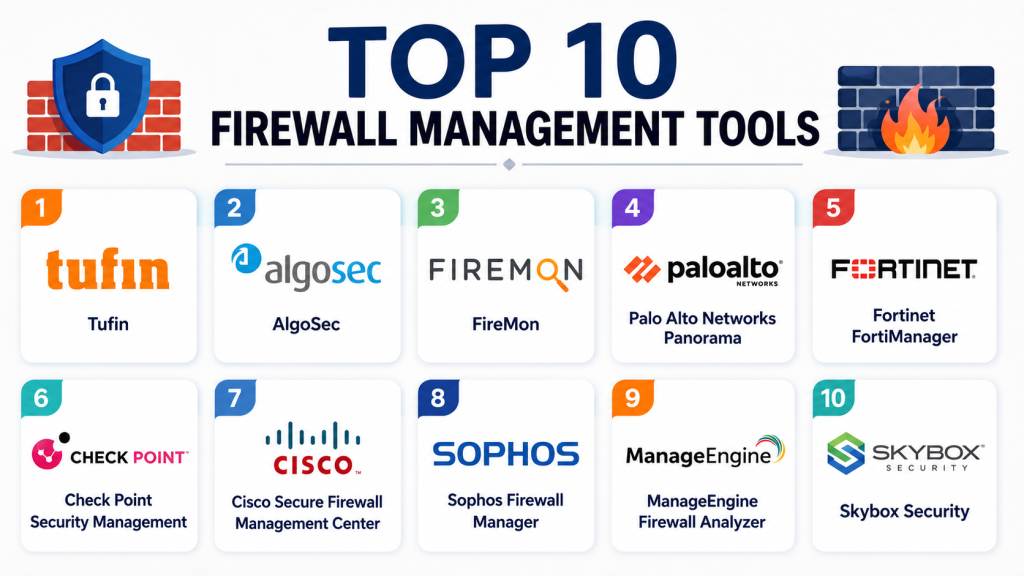
Top 10 Firewall Management Tools
1- Tufin
Short description: Tufin is an enterprise firewall policy management and network security automation platform built for complex hybrid and multi-vendor environments. It helps teams analyze firewall rules, automate changes, enforce compliance, and reduce network security risk.
Key Features
- Firewall policy analysis and optimization
- Multi-vendor firewall rule management
- Automated change workflows
- Network security policy orchestration
- Compliance reporting and audit support
- Rule cleanup and risk visibility
- Hybrid cloud security policy management
Pros
- Strong enterprise firewall governance capabilities
- Good support for complex multi-vendor environments
- Useful for compliance-heavy organizations
Cons
- Can require careful implementation planning
- Better suited for mature security teams
- Pricing and deployment complexity may be high for smaller organizations
Platforms / Deployment
- Cloud
- Self-hosted
- Hybrid
Security & Compliance
- RBAC
- Audit logging
- Secure policy workflows
- Compliance reporting
- SSO/SAML support varies by deployment
Integrations & Ecosystem
Tufin integrates with firewall vendors, cloud platforms, ITSM systems, and security operations workflows. It is commonly used where firewall policy governance must connect with change management and compliance processes.
- Palo Alto Networks
- Check Point
- Fortinet
- Cisco
- ServiceNow
- Cloud security platforms
Support & Community
Tufin provides enterprise support, implementation resources, documentation, and professional services. It is best suited for organizations with structured security operations and firewall governance processes.
2- AlgoSec
Short description: AlgoSec is a security policy management platform focused on firewall rule analysis, risk reduction, compliance, and application connectivity management. It is designed for enterprises that need visibility across hybrid networks and multi-vendor firewall estates.
Key Features
- Firewall rule risk analysis
- Application connectivity mapping
- Automated policy change management
- Compliance and audit reporting
- Multi-vendor firewall visibility
- Cloud security policy support
- Rule cleanup recommendations
Pros
- Strong application-centric visibility
- Useful compliance and audit workflows
- Good support for complex hybrid environments
Cons
- May require onboarding time for large rulebases
- Advanced features can be complex
- Smaller teams may not need the full platform depth
Platforms / Deployment
- Cloud
- Self-hosted
- Hybrid
Security & Compliance
- RBAC
- Audit trails
- Compliance reporting
- Secure workflow approvals
- SSO/SAML support varies by deployment
Integrations & Ecosystem
AlgoSec integrates with leading firewall platforms, cloud environments, and enterprise IT workflows. Its ecosystem is especially useful for organizations that need to connect application owners, security teams, and network teams.
- Palo Alto Networks
- Check Point
- Fortinet
- Cisco
- ServiceNow
- AWS
- Azure
Support & Community
AlgoSec offers enterprise-grade support, technical documentation, onboarding assistance, and professional services for large firewall environments.
3- FireMon
Short description: FireMon provides firewall policy management, rule analysis, compliance automation, and security posture improvement for enterprise and managed security environments. It is used to identify risk, clean up rules, and improve firewall governance.
Key Features
- Firewall rule analysis
- Policy cleanup recommendations
- Compliance reporting
- Change tracking and auditing
- Security posture visibility
- Multi-vendor firewall support
- Automation workflows
Pros
- Strong rulebase visibility
- Useful for audit and compliance teams
- Good fit for multi-firewall environments
Cons
- Advanced policy analysis requires configuration effort
- Interface and workflows may require training
- Best value appears in larger environments
Platforms / Deployment
- Cloud
- Self-hosted
- Hybrid
Security & Compliance
- RBAC
- Audit logging
- Compliance dashboards
- Secure access controls
- Reporting for internal governance
Integrations & Ecosystem
FireMon integrates with firewall vendors, security tools, and operational workflows. It supports teams that need continuous policy monitoring and firewall risk management.
- Palo Alto Networks
- Check Point
- Fortinet
- Cisco
- SIEM tools
- ITSM platforms
Support & Community
FireMon provides enterprise support, documentation, training resources, and implementation assistance for complex firewall policy environments.
4- Palo Alto Networks Panorama
Short description: Palo Alto Networks Panorama is a centralized firewall management platform for Palo Alto Networks firewalls and security policies. It helps teams manage firewall configurations, policies, logs, and security operations across distributed environments.
Key Features
- Centralized Palo Alto firewall management
- Policy and configuration control
- Log collection and visibility
- Device group management
- Template-based configuration
- Security policy enforcement
- Integration with Palo Alto security ecosystem
Pros
- Excellent for Palo Alto Networks environments
- Strong centralized policy management
- Deep integration with Palo Alto security tools
Cons
- Best suited mainly for Palo Alto customers
- Not a multi-vendor firewall management platform
- Can require expertise for large deployments
Platforms / Deployment
- Virtual appliance
- Hardware appliance
- Cloud
- Hybrid
Security & Compliance
- RBAC
- Admin roles
- Audit logging
- Authentication integrations
- Secure policy control
Integrations & Ecosystem
Panorama integrates deeply with Palo Alto Networks firewalls, cloud security, endpoint security, and threat intelligence ecosystems. It is most valuable when organizations are standardized on Palo Alto infrastructure.
- Palo Alto Networks firewalls
- Prisma ecosystem
- Cortex ecosystem
- SIEM integrations
- Cloud environments
- Logging and analytics tools
Support & Community
Palo Alto Networks provides strong enterprise support, documentation, technical training, certifications, and a large security administrator community.
5- Fortinet FortiManager
Short description: Fortinet FortiManager is a centralized management platform for Fortinet security infrastructure, including FortiGate firewalls. It helps teams manage policies, configurations, security objects, and distributed firewall operations.
Key Features
- Centralized FortiGate management
- Policy and object control
- Configuration templates
- Workflow approvals
- Firewall rule administration
- Device management
- Integration with Fortinet Security Fabric
Pros
- Strong for Fortinet environments
- Centralized control across distributed firewalls
- Good integration with Fortinet ecosystem
Cons
- Primarily focused on Fortinet products
- Multi-vendor support is limited
- Advanced workflows require Fortinet expertise
Platforms / Deployment
- Hardware appliance
- Virtual appliance
- Cloud
- Hybrid
Security & Compliance
- RBAC
- Admin profiles
- Audit logging
- Secure device management
- Authentication integration support
Integrations & Ecosystem
FortiManager works best inside Fortinet Security Fabric and integrates with Fortinet analytics, firewalls, endpoint security, and security operations tools.
- FortiGate
- FortiAnalyzer
- FortiClient
- FortiSIEM
- APIs
- Cloud platforms
Support & Community
Fortinet provides extensive documentation, technical support, partner resources, and a large firewall administrator community.
6- Check Point Security Management
Short description: Check Point Security Management provides centralized policy, firewall, threat prevention, and security management for Check Point environments. It is designed for enterprises that need strong policy control and security visibility.
Key Features
- Centralized firewall policy management
- Security gateway administration
- Threat prevention policy control
- Object and rule management
- Logging and monitoring
- Compliance visibility
- Multi-domain management options
Pros
- Strong Check Point ecosystem integration
- Mature enterprise policy management
- Good visibility across Check Point deployments
Cons
- Best suited for Check Point customers
- Not a broad multi-vendor firewall management tool
- Can be complex for new administrators
Platforms / Deployment
- Self-hosted
- Cloud
- Hybrid
Security & Compliance
- RBAC
- Audit logs
- Secure administrator access
- Authentication controls
- Policy governance
Integrations & Ecosystem
Check Point Security Management integrates deeply with Check Point firewalls, gateways, threat intelligence, cloud security, and security operations systems.
- Check Point gateways
- CloudGuard
- SIEM integrations
- APIs
- Threat intelligence tools
- Security operations platforms
Support & Community
Check Point provides enterprise support, training, certification paths, documentation, and a long-established security professional community.
7- Cisco Secure Firewall Management Center
Short description: Cisco Secure Firewall Management Center provides centralized management for Cisco Secure Firewall environments. It helps teams manage access policies, threat policies, intrusion prevention, events, and distributed firewall operations.
Key Features
- Centralized Cisco firewall management
- Access control policy administration
- Intrusion prevention policy control
- Event visibility and reporting
- Device health monitoring
- Security intelligence integration
- Policy deployment workflows
Pros
- Strong Cisco security ecosystem integration
- Useful centralized control for Cisco firewalls
- Good event visibility and policy administration
Cons
- Best suited for Cisco firewall environments
- Can feel complex in large deployments
- Multi-vendor firewall governance is limited
Platforms / Deployment
- Hardware appliance
- Virtual appliance
- Cloud
- Hybrid
Security & Compliance
- RBAC
- Audit logging
- Secure administrator controls
- Authentication integrations
- Policy access controls
Integrations & Ecosystem
Cisco Secure Firewall Management Center integrates with Cisco security, network, and observability ecosystems, supporting organizations standardized on Cisco infrastructure.
- Cisco Secure Firewall
- Cisco SecureX
- Cisco ISE
- SIEM platforms
- APIs
- Threat intelligence tools
Support & Community
Cisco provides enterprise support, documentation, certifications, and a large global networking and security community.
8- Sophos Firewall Manager
Short description: Sophos Firewall Manager helps organizations centrally manage Sophos firewalls, security policies, and distributed firewall operations. It is commonly used by SMBs, mid-market teams, and managed service providers.
Key Features
- Centralized Sophos firewall management
- Policy configuration
- Firewall rule administration
- Reporting and visibility
- Security object management
- Device monitoring
- Remote firewall administration
Pros
- Good fit for SMB and mid-market environments
- Easier to manage than many enterprise-heavy platforms
- Strong Sophos ecosystem integration
Cons
- Primarily focused on Sophos firewalls
- Limited broad multi-vendor governance
- Advanced enterprise automation may be limited
Platforms / Deployment
- Cloud
- Self-hosted
- Hybrid
Security & Compliance
- RBAC
- Secure administrator access
- Audit logging support
- MFA support varies by deployment
Integrations & Ecosystem
Sophos Firewall Manager integrates with the wider Sophos security ecosystem, including endpoint, firewall, and cloud security operations.
- Sophos Firewall
- Sophos Central
- Endpoint security tools
- Reporting tools
- APIs
- MSP workflows
Support & Community
Sophos provides documentation, partner support, MSP resources, and a strong SMB security community.
9- ManageEngine Firewall Analyzer
Short description: ManageEngine Firewall Analyzer focuses on firewall log analysis, security reporting, compliance visibility, and traffic monitoring across firewall environments. It helps teams understand firewall activity and generate audit-ready reports.
Key Features
- Firewall log analysis
- Traffic and bandwidth reporting
- Security event visibility
- Compliance reporting
- VPN usage reports
- Policy usage insights
- Multi-vendor firewall log support
Pros
- Strong reporting capabilities
- Cost-effective for SMB and mid-market teams
- Good visibility into firewall usage
Cons
- More analytics-focused than full policy orchestration
- Advanced change automation is limited
- Large deployments may need careful tuning
Platforms / Deployment
- Windows
- Linux
- Self-hosted
Security & Compliance
- RBAC
- Audit reports
- Compliance templates
- Secure access controls
Integrations & Ecosystem
ManageEngine Firewall Analyzer integrates with firewalls, SIEM workflows, and broader IT operations tools. It is useful for teams that need reporting and monitoring more than full firewall policy automation.
- Cisco
- Fortinet
- Palo Alto Networks
- Check Point
- SIEM tools
- IT operations platforms
Support & Community
ManageEngine provides strong SMB and mid-market documentation, support options, and a broad IT administrator community.
10- Skybox Security
Short description: Skybox Security provides security policy management, attack surface visibility, vulnerability correlation, and firewall assurance for enterprises with complex security environments. It helps teams understand risk across firewall policies and network paths.
Key Features
- Firewall assurance
- Network path analysis
- Security policy management
- Attack surface visibility
- Vulnerability correlation
- Compliance reporting
- Risk-based prioritization
Pros
- Strong risk-focused security visibility
- Useful for large enterprise environments
- Combines firewall policy with exposure context
Cons
- Complex implementation for smaller teams
- Premium enterprise focus
- Requires mature security operations to maximize value
Platforms / Deployment
- Cloud
- Self-hosted
- Hybrid
Security & Compliance
- RBAC
- Audit logging
- Compliance reporting
- Secure access controls
- Risk governance workflows
Integrations & Ecosystem
Skybox integrates with firewalls, vulnerability scanners, network tools, and security operations platforms to provide broader risk context.
- Firewall vendors
- Vulnerability scanners
- SIEM tools
- CMDB platforms
- ITSM platforms
- Cloud security tools
Support & Community
Skybox provides enterprise support, professional services, documentation, and implementation guidance for large security environments.
Comparison Table
| Tool Name | Best For | Platform Supported | Deployment | Standout Feature | Public Rating |
|---|---|---|---|---|---|
| Tufin | Enterprise firewall governance | Web | Cloud, Self-hosted, Hybrid | Automated policy orchestration | N/A |
| AlgoSec | Application-centric firewall policy management | Web | Cloud, Self-hosted, Hybrid | Application connectivity mapping | N/A |
| FireMon | Firewall rule cleanup and compliance | Web | Cloud, Self-hosted, Hybrid | Rulebase risk visibility | N/A |
| Palo Alto Networks Panorama | Palo Alto firewall environments | Web, Appliance | Cloud, Hybrid | Centralized Palo Alto firewall control | N/A |
| Fortinet FortiManager | Fortinet firewall environments | Web, Appliance | Cloud, Hybrid | Fortinet Security Fabric management | N/A |
| Check Point Security Management | Check Point security environments | Web | Cloud, Self-hosted, Hybrid | Mature Check Point policy control | N/A |
| Cisco Secure Firewall Management Center | Cisco firewall operations | Web, Appliance | Cloud, Hybrid | Cisco firewall and threat policy control | N/A |
| Sophos Firewall Manager | SMB and MSP firewall administration | Web | Cloud, Self-hosted, Hybrid | Simplified Sophos firewall management | N/A |
| ManageEngine Firewall Analyzer | Firewall log reporting and compliance | Windows, Linux | Self-hosted | Firewall traffic and audit reporting | N/A |
| Skybox Security | Risk-based firewall assurance | Web | Cloud, Self-hosted, Hybrid | Attack surface and policy risk analysis | N/A |
Evaluation & Scoring of Firewall Management Tools
| Tool Name | Core | Ease | Integrations | Security | Performance | Support | Value | Weighted Total |
|---|---|---|---|---|---|---|---|---|
| Tufin | 9 | 7 | 9 | 9 | 8 | 8 | 7 | 8.2 |
| AlgoSec | 9 | 7 | 9 | 9 | 8 | 8 | 7 | 8.2 |
| FireMon | 8 | 7 | 8 | 8 | 8 | 8 | 7 | 7.8 |
| Palo Alto Networks Panorama | 9 | 7 | 8 | 9 | 9 | 8 | 7 | 8.1 |
| Fortinet FortiManager | 8 | 8 | 8 | 8 | 8 | 8 | 8 | 8.0 |
| Check Point Security Management | 8 | 7 | 8 | 9 | 8 | 8 | 7 | 7.8 |
| Cisco Secure Firewall Management Center | 8 | 7 | 8 | 9 | 8 | 8 | 7 | 7.8 |
| Sophos Firewall Manager | 7 | 8 | 7 | 8 | 7 | 7 | 8 | 7.4 |
| ManageEngine Firewall Analyzer | 7 | 8 | 7 | 7 | 7 | 8 | 9 | 7.5 |
| Skybox Security | 9 | 6 | 8 | 9 | 8 | 8 | 6 | 7.8 |
These scores are comparative and should be interpreted based on organizational needs rather than as absolute rankings. Enterprise-focused tools generally score higher in policy automation, governance, and security depth, but they may require more implementation effort. Vendor-native platforms are often strongest inside their own firewall ecosystems, while independent platforms are better for multi-vendor governance. SMB and mid-market teams may prefer simpler tools with faster deployment and lower operational overhead.
Which Firewall Management Tool Is Right for You?
Solo / Freelancer
Solo professionals usually do not need full enterprise firewall management unless they manage client environments. For lightweight reporting and firewall visibility, ManageEngine Firewall Analyzer or native firewall dashboards may be more practical than a full orchestration platform.
SMB
SMBs should prioritize ease of use, cost control, and simple reporting. Sophos Firewall Manager, Fortinet FortiManager, and ManageEngine Firewall Analyzer are good fits when the organization is already standardized on supported firewall environments.
Mid-Market
Mid-market organizations often need better rule visibility, policy governance, and compliance reporting without excessive complexity. FireMon, AlgoSec, Fortinet FortiManager, and Palo Alto Networks Panorama can be strong choices depending on firewall vendor mix and security maturity.
Enterprise
Large enterprises should focus on multi-vendor support, automation workflows, compliance readiness, and hybrid cloud visibility. Tufin, AlgoSec, FireMon, and Skybox Security are strong options for complex firewall estates, while Panorama, FortiManager, Check Point Security Management, and Cisco Secure Firewall Management Center are strong inside vendor-standardized environments.
Budget vs Premium
Budget-conscious teams may prefer ManageEngine Firewall Analyzer, Sophos Firewall Manager, or vendor-native tools bundled into existing security investments. Premium enterprise platforms typically provide deeper automation, advanced policy analysis, and stronger compliance workflows.
Feature Depth vs Ease of Use
Tools like Tufin, AlgoSec, Skybox, and FireMon provide deep policy analysis and automation but require implementation planning. Simpler tools are easier to start with but may not support advanced multi-vendor governance or large-scale automation.
Integrations & Scalability
Organizations using ITSM, SIEM, SOAR, cloud firewalls, and DevOps workflows should prioritize platforms with mature APIs and integration ecosystems. This is especially important for enterprises managing thousands of firewall rules or frequent change requests.
Security & Compliance Needs
Regulated organizations should prioritize audit logging, RBAC, workflow approvals, compliance reporting, rule risk scoring, and continuous policy validation. Firewall management tools should help prove that security policies are reviewed, approved, documented, and aligned with compliance requirements.
Frequently Asked Questions FAQs
1. What are Firewall Management Tools?
Firewall Management Tools help teams centrally manage firewall rules, policies, configurations, logs, compliance reports, and change workflows. They reduce manual administration and improve visibility across distributed security environments.
2. Why do businesses need firewall management platforms?
Businesses need them to reduce risky rules, prevent misconfigurations, simplify audits, and manage firewall changes more efficiently. They are especially useful when multiple firewalls, vendors, locations, or cloud environments are involved.
3. Are firewall management tools only for enterprises?
No. Enterprises benefit most from advanced automation and compliance features, but SMBs can also use firewall management tools for reporting, visibility, and simplified administration. The right choice depends on network complexity.
4. What is firewall rule cleanup?
Firewall rule cleanup means identifying and removing unused, duplicate, expired, overly permissive, or risky firewall rules. This reduces attack surface and improves policy performance and audit readiness.
5. Can firewall management tools support cloud firewalls?
Many modern platforms support cloud firewall policy visibility, cloud security groups, and hybrid firewall governance. Buyers should verify support for their specific cloud platforms before choosing a tool.
6. What is the difference between vendor-native and multi-vendor firewall management?
Vendor-native tools manage firewalls from one vendor very deeply, while multi-vendor platforms provide governance across different firewall brands. Enterprises with mixed environments often need multi-vendor capabilities.
7. Do firewall management tools improve compliance?
Yes. They help generate reports, track changes, document approvals, identify risky rules, and support continuous policy review. This can simplify internal audits and regulatory assessments.
8. What integrations should buyers look for?
Common integrations include SIEM, ITSM, SOAR, CMDB, vulnerability scanners, cloud platforms, and identity systems. These integrations help connect firewall governance with broader security operations.
9. How difficult is implementation?
Implementation difficulty depends on the number of firewalls, vendors, rules, integrations, and compliance requirements. Smaller deployments can be quick, while enterprise rollouts require planning and stakeholder alignment.
10. How should organizations choose the best firewall management tool?
Organizations should evaluate firewall vendor support, rule analysis depth, automation needs, compliance reporting, integrations, ease of use, scalability, and total cost. A pilot project is often the best way to validate fit.
Conclusion
Firewall Management Tools are now essential for organizations that need stronger control over firewall rules, policy changes, compliance reporting, and hybrid security operations. The best platform depends on firewall vendor mix, organizational size, compliance obligations, cloud adoption, and security maturity. Vendor-native tools such as Panorama, FortiManager, Check Point Security Management, and Cisco Secure Firewall Management Center are excellent when the environment is standardized around one firewall ecosystem. Independent platforms such as Tufin, AlgoSec, FireMon, and Skybox Security are stronger for multi-vendor policy governance and advanced risk analysis. SMBs and mid-market teams may prefer simpler tools focused on reporting, administration, and operational visibility. The practical next step is to shortlist two or three tools, run a pilot using real firewall policies, validate integrations with ITSM and SIEM workflows, and confirm that the platform improves rule cleanup, audit readiness, and long-term security operations.

Find Trusted Cardiac Hospitals
Compare heart hospitals by city and services — all in one place.
Explore Hospitals
I wanted to know how organizations manage multiple firewalls, and this article explained it in a very easy way.