Introduction
Computer Vision Platforms help machines understand, analyze, and interpret visual information from images, videos, cameras, and real-world environments. These platforms combine artificial intelligence, deep learning, image processing, and automation to power modern applications such as facial recognition, quality inspection, autonomous systems, medical imaging, retail analytics, and intelligent surveillance.As AI adoption accelerates across industries, computer vision has become a core business technology rather than a niche research capability. Organizations now use computer vision to automate manual processes, improve operational accuracy, reduce costs, and enable real-time decision-making. The rise of edge AI, multimodal AI systems, and generative AI has further expanded the role of computer vision platforms in enterprise transformation.
Real-world use cases include:
- Manufacturing quality inspection
- Retail customer behavior analytics
- Autonomous vehicle perception systems
- Medical image diagnostics
- Security and surveillance automation
- OCR and document intelligence
- Smart city traffic management
Key Evaluation criteria buyers should consider:
- AI model accuracy and performance
- Edge and cloud deployment support
- Real-time processing capabilities
- Pre-trained model availability
- Custom training flexibility
- Integration with AI/ML ecosystems
- Scalability and infrastructure efficiency
- Security and compliance controls
- GPU acceleration support
- Developer usability and APIs
Best for: AI engineers, developers, enterprises, manufacturing companies, healthcare organizations, smart city operators, robotics teams, and businesses building intelligent automation systems.
Not ideal for: Small teams without AI expertise, organizations with limited visual data use cases, or companies seeking only simple image editing capabilities rather than enterprise AI vision workflows.
Key Trends in Computer Vision Platforms for 2026 and Beyond
- Multimodal AI models are combining text, video, image, and sensor analysis into unified AI systems.
- Edge AI deployment is growing rapidly for real-time industrial and IoT applications.
- Vision-language models are improving contextual image understanding and automation.
- Generative AI is increasingly used for synthetic image training and visual simulation.
- AI governance and explainability are becoming mandatory in regulated industries.
- Computer vision platforms are integrating directly into MLOps and DataOps pipelines.
- Low-code and no-code vision model training tools are expanding adoption among non-experts.
- Real-time video analytics demand is increasing in retail, logistics, and smart infrastructure.
- Hardware acceleration optimization for GPUs, TPUs, and NPUs is becoming a key differentiator.
- Privacy-preserving visual AI and federated learning adoption are growing in healthcare and public sector environments.
How We Selected These Tools (Methodology)
The platforms in this list were selected based on practical enterprise and developer considerations:
- Strong market adoption and ecosystem maturity
- Breadth of computer vision AI capabilities
- Real-world deployment reliability
- Support for edge, cloud, and hybrid AI environments
- Availability of pre-trained and custom AI models
- Security and governance capabilities
- Integration with AI/ML workflows and cloud ecosystems
- Scalability for enterprise production workloads
- Documentation quality and developer experience
- Innovation in generative AI and multimodal AI support
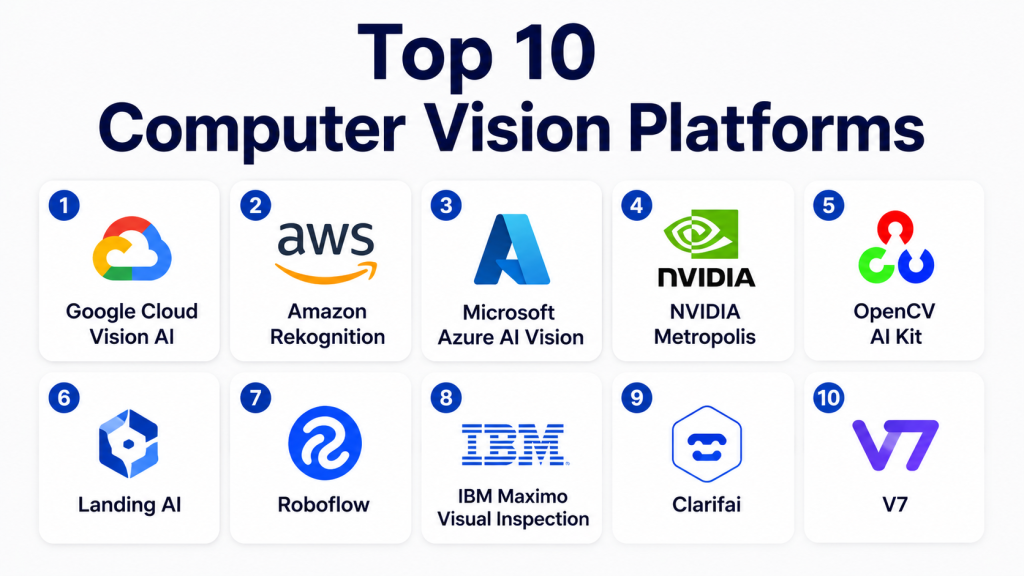
Top 10 Computer Vision Platforms
1- Google Cloud Vision AI
Short description: Google Cloud Vision AI is a powerful enterprise computer vision platform offering image analysis, OCR, object detection, and AI model customization capabilities for organizations building scalable visual AI applications.
Key Features
- Image labeling and object detection
- OCR and document AI processing
- Custom AutoML Vision model training
- Video intelligence APIs
- Facial and landmark recognition
- Multilingual image understanding
- Scalable cloud infrastructure
Pros
- Strong AI model accuracy
- Deep Google Cloud ecosystem integration
- Excellent scalability for enterprise workloads
Cons
- Usage costs can increase quickly at scale
- Advanced customization may require ML expertise
Platforms / Deployment
- Cloud
Security & Compliance
- Encryption
- IAM controls
- RBAC
- Audit logging
- GDPR support
- Compliance certifications vary by Google Cloud service
Integrations & Ecosystem
Google Cloud Vision AI integrates tightly with Google’s AI, analytics, and infrastructure ecosystem, making it suitable for enterprise-scale AI pipelines.
- Vertex AI
- BigQuery
- TensorFlow
- Kubernetes
- REST APIs
- Google Cloud Storage
Support & Community
Strong enterprise support, extensive documentation, and a large global developer ecosystem.
2- Amazon Rekognition
Short description: Amazon Rekognition is AWS’s computer vision service focused on image analysis, facial recognition, video analytics, and security-related AI automation.
Key Features
- Facial analysis and recognition
- Real-time video analytics
- Object and scene detection
- PPE and safety monitoring
- Text extraction
- Celebrity and content moderation detection
- Deep AWS ecosystem integration
Pros
- Easy AWS integration
- Good scalability and infrastructure reliability
- Strong security-focused features
Cons
- Limited advanced custom vision flexibility
- Pricing complexity at enterprise scale
Platforms / Deployment
- Cloud
Security & Compliance
- Encryption
- IAM
- Audit logging
- MFA support through AWS ecosystem
- Compliance capabilities vary by AWS deployment
Integrations & Ecosystem
Rekognition integrates seamlessly with AWS AI, storage, analytics, and serverless services.
- AWS Lambda
- S3
- SageMaker
- Kinesis
- API Gateway
- CloudWatch
Support & Community
Extensive AWS documentation and large developer community with enterprise support options.
3- Microsoft Azure AI Vision
Short description: Azure AI Vision provides enterprise-grade computer vision, OCR, image analytics, and custom AI model development capabilities within the Microsoft ecosystem.
Key Features
- OCR and document intelligence
- Image classification
- Spatial analysis
- Video indexing
- Face detection
- Custom vision training
- AI model deployment tooling
Pros
- Strong enterprise integrations
- Good hybrid cloud flexibility
- Enterprise-grade governance support
Cons
- Advanced configurations can become complex
- Some AI capabilities require multiple Azure services
Platforms / Deployment
- Cloud / Hybrid
Security & Compliance
- RBAC
- SSO
- Encryption
- Audit logging
- GDPR support
- Compliance programs vary by Azure region
Integrations & Ecosystem
Azure AI Vision integrates deeply with Microsoft’s enterprise and AI ecosystems.
- Azure ML
- Power Platform
- Microsoft Fabric
- Kubernetes
- REST APIs
- Active Directory
Support & Community
Strong enterprise support and excellent documentation for developers and IT teams.
4- NVIDIA Metropolis
Short description: NVIDIA Metropolis is an AI vision platform optimized for edge AI, smart cities, industrial automation, and GPU-accelerated real-time analytics.
Key Features
- GPU-accelerated video analytics
- Edge AI deployment
- Smart city analytics
- Real-time object detection
- Industrial inspection support
- DeepStream SDK integration
- Multi-camera AI orchestration
Pros
- Excellent real-time performance
- Strong edge AI capabilities
- Optimized for GPU-intensive workloads
Cons
- Requires NVIDIA hardware ecosystem
- Enterprise deployments may require specialized expertise
Platforms / Deployment
- Cloud / Edge / Hybrid
Security & Compliance
- Encryption
- RBAC
- Secure edge deployment tooling
- Additional certifications vary
Integrations & Ecosystem
Metropolis integrates closely with NVIDIA AI infrastructure and edge AI frameworks.
- CUDA
- TensorRT
- DeepStream
- Kubernetes
- AI edge devices
- APIs
Support & Community
Strong AI engineering community and enterprise partner ecosystem.
5- OpenCV AI Kit
Short description: OpenCV AI Kit combines hardware and software tools for edge computer vision development, robotics, and embedded AI systems.
Key Features
- Edge AI processing
- Stereo depth perception
- Embedded vision support
- Open-source computer vision libraries
- AI model deployment
- Camera integration support
- Real-time inference
Pros
- Strong developer flexibility
- Open-source ecosystem strength
- Good for robotics and embedded AI
Cons
- Requires technical expertise
- Enterprise governance features are limited
Platforms / Deployment
- Windows / macOS / Linux
- Edge / Self-hosted
Security & Compliance
- Not publicly stated
Integrations & Ecosystem
OpenCV AI Kit integrates with robotics, AI development, and embedded systems environments.
- Python
- ROS
- TensorFlow
- PyTorch
- Embedded devices
- APIs
Support & Community
Massive global open-source community with extensive tutorials and documentation.
6- Landing AI
Short description: Landing AI focuses on industrial computer vision applications including manufacturing quality inspection and defect detection automation.
Key Features
- Visual inspection AI
- Defect detection models
- Low-code model training
- Industrial edge deployment
- AI-assisted labeling
- Manufacturing optimization
- Rapid deployment tooling
Pros
- Strong manufacturing focus
- Easier AI onboarding for industrial teams
- Good low-code experience
Cons
- Less suitable for broad general-purpose vision use cases
- Enterprise-focused pricing
Platforms / Deployment
- Cloud / Edge / Hybrid
Security & Compliance
- RBAC
- Encryption
- Audit controls
- Additional certifications not publicly stated
Integrations & Ecosystem
Landing AI integrates with manufacturing systems and AI deployment environments.
- Industrial cameras
- APIs
- Manufacturing systems
- Cloud platforms
Support & Community
Strong enterprise onboarding and industrial AI consulting support.
7- Roboflow
Short description: Roboflow is a developer-friendly computer vision platform focused on dataset management, annotation, training, and deployment workflows.
Key Features
- Dataset annotation tools
- AI model training workflows
- Image preprocessing automation
- Edge deployment support
- API-based inference
- Collaboration tooling
- Model version management
Pros
- Excellent developer usability
- Strong annotation workflow support
- Good rapid prototyping experience
Cons
- Advanced enterprise governance features are limited
- Large-scale deployments may require optimization
Platforms / Deployment
- Cloud / Hybrid
Security & Compliance
- RBAC
- Encryption
- SSO support
- Additional certifications vary
Integrations & Ecosystem
Roboflow integrates with modern AI and machine learning development stacks.
- YOLO
- TensorFlow
- PyTorch
- APIs
- Edge devices
- Python SDK
Support & Community
Very active developer community and excellent educational resources.
8- IBM Maximo Visual Inspection
Short description: IBM Maximo Visual Inspection helps enterprises automate industrial inspections and asset monitoring using AI-powered computer vision.
Key Features
- Industrial anomaly detection
- Asset inspection automation
- AI model training
- Manufacturing analytics
- Edge AI support
- Operational workflow integration
- Visual defect analysis
Pros
- Strong industrial enterprise capabilities
- Good integration with IBM ecosystems
- Reliable inspection workflows
Cons
- Less flexible for general-purpose vision projects
- Complex enterprise deployment process
Platforms / Deployment
- Cloud / Hybrid
Security & Compliance
- RBAC
- Encryption
- Audit logging
- Enterprise IAM integration
- Compliance varies by deployment
Integrations & Ecosystem
IBM Maximo integrates with enterprise asset management and industrial AI environments.
- IBM Maximo
- APIs
- IoT systems
- Analytics platforms
Support & Community
Strong enterprise support and industrial consulting ecosystem.
9- Clarifai
Short description: Clarifai is an AI lifecycle and computer vision platform focused on image recognition, multimodal AI, and enterprise AI operations.
Key Features
- Image and video recognition
- Generative AI support
- Multimodal AI workflows
- Custom model training
- AI lifecycle management
- Workflow orchestration
- API-driven deployment
Pros
- Strong multimodal AI direction
- Flexible AI deployment options
- Good developer APIs
Cons
- Enterprise onboarding can be complex
- Advanced AI workflows may require expertise
Platforms / Deployment
- Cloud / Hybrid
Security & Compliance
- Encryption
- RBAC
- Audit logging
- SSO support
- Additional certifications vary
Integrations & Ecosystem
Clarifai integrates with enterprise AI pipelines and modern ML workflows.
- Kubernetes
- Python SDK
- APIs
- AI frameworks
- Cloud environments
Support & Community
Good documentation and growing enterprise AI community.
10- V7
Short description: V7 is a modern computer vision platform focused on annotation, medical imaging, and AI training workflow automation.
Key Features
- AI-assisted annotation
- Medical imaging workflows
- Video labeling support
- Dataset management
- Auto-labeling automation
- Team collaboration tools
- AI model training integration
Pros
- Excellent annotation experience
- Strong healthcare imaging capabilities
- Efficient AI-assisted workflows
Cons
- Primarily annotation-focused
- Enterprise governance depth varies
Platforms / Deployment
- Cloud
Security & Compliance
- RBAC
- Encryption
- SSO support
- Compliance details vary
Integrations & Ecosystem
V7 integrates with AI training frameworks and medical imaging workflows.
- TensorFlow
- PyTorch
- APIs
- DICOM workflows
- Cloud storage
Support & Community
Strong onboarding experience and active AI annotation community.
Comparison Table (Top 10)
| Tool Name | Best For | Platform(s) Supported | Deployment | Standout Feature | Public Rating |
|---|---|---|---|---|---|
| Google Cloud Vision AI | Enterprise AI analytics | Web | Cloud | Scalable AI image analysis | N/A |
| Amazon Rekognition | AWS-centric organizations | Web | Cloud | Real-time video analytics | N/A |
| Microsoft Azure AI Vision | Enterprise hybrid AI | Web | Cloud / Hybrid | Deep Microsoft integration | N/A |
| NVIDIA Metropolis | Edge AI and smart cities | Linux | Edge / Hybrid | GPU-accelerated analytics | N/A |
| OpenCV AI Kit | Robotics and embedded AI | Windows/macOS/Linux | Self-hosted / Edge | Open-source flexibility | N/A |
| Landing AI | Manufacturing inspection | Web | Cloud / Hybrid | Industrial defect detection | N/A |
| Roboflow | Developers and startups | Web | Cloud / Hybrid | Dataset workflow automation | N/A |
| IBM Maximo Visual Inspection | Industrial enterprises | Web | Cloud / Hybrid | Asset inspection AI | N/A |
| Clarifai | Multimodal AI workflows | Web | Cloud / Hybrid | AI lifecycle management | N/A |
| V7 | Medical imaging and annotation | Web | Cloud | AI-assisted labeling | N/A |
Evaluation & Scoring of Computer Vision Platforms
| Tool Name | Core (25%) | Ease (15%) | Integrations (15%) | Security (10%) | Performance (10%) | Support (10%) | Value (15%) | Weighted Total |
|---|---|---|---|---|---|---|---|---|
| Google Cloud Vision AI | 9 | 8 | 9 | 9 | 9 | 8 | 7 | 8.5 |
| Amazon Rekognition | 8 | 8 | 9 | 9 | 8 | 8 | 7 | 8.2 |
| Microsoft Azure AI Vision | 9 | 7 | 9 | 9 | 8 | 8 | 7 | 8.3 |
| NVIDIA Metropolis | 9 | 6 | 8 | 8 | 10 | 8 | 6 | 8.0 |
| OpenCV AI Kit | 8 | 6 | 8 | 5 | 8 | 9 | 10 | 7.8 |
| Landing AI | 8 | 8 | 7 | 8 | 8 | 7 | 7 | 7.7 |
| Roboflow | 8 | 9 | 8 | 7 | 7 | 8 | 8 | 8.0 |
| IBM Maximo Visual Inspection | 8 | 6 | 8 | 9 | 8 | 8 | 6 | 7.7 |
| Clarifai | 8 | 7 | 8 | 8 | 8 | 7 | 7 | 7.7 |
| V7 | 8 | 9 | 7 | 7 | 7 | 8 | 8 | 7.9 |
These scores are comparative and intended to help buyers evaluate strengths across different operational priorities. Enterprise-focused tools often score higher in governance and scalability, while open-source and developer-first platforms may offer stronger flexibility and value. Organizations should prioritize the criteria that matter most to their specific use cases, infrastructure strategy, and AI maturity level.
Which Computer Vision Platform Is Right for You?
Solo / Freelancer
Independent developers and AI researchers often benefit most from OpenCV AI Kit or Roboflow. These tools provide flexibility, lower entry costs, and strong community resources for experimentation and prototyping.
SMB
Small and mid-sized businesses usually prioritize ease of use and deployment speed. Roboflow and Landing AI are strong options for rapid AI adoption without large infrastructure overhead.
Mid-Market
Mid-market organizations often require better integrations and governance while maintaining operational flexibility. Clarifai and Azure AI Vision provide balanced enterprise-grade capabilities.
Enterprise
Large enterprises handling industrial automation, healthcare imaging, or smart infrastructure should evaluate Google Cloud Vision AI, NVIDIA Metropolis, IBM Maximo Visual Inspection, or Amazon Rekognition.
Budget vs Premium
Open-source ecosystems like OpenCV provide strong value but require technical expertise. Premium enterprise platforms justify higher costs through scalability, governance, and managed AI infrastructure.
Feature Depth vs Ease of Use
Developer-oriented platforms offer greater flexibility and customization, while enterprise suites simplify deployment and governance but may increase operational complexity.
Integrations & Scalability
Organizations deeply invested in AWS, Azure, Google Cloud, or NVIDIA ecosystems should prioritize tools aligned with their existing infrastructure strategy.
Security & Compliance Needs
Healthcare, manufacturing, finance, and public sector organizations should prioritize audit logging, encryption, RBAC, and compliance-aligned AI governance capabilities.
Frequently Asked Questions FAQs
1. What is a computer vision platform?
A computer vision platform provides AI tools and infrastructure for analyzing images, videos, and visual data automatically using machine learning and deep learning technologies.
2. Which industries benefit most from computer vision?
Manufacturing, healthcare, retail, automotive, logistics, agriculture, security, and smart city operations are among the largest adopters of computer vision technologies.
3. Can SMBs use computer vision platforms effectively?
Yes. Many modern platforms now provide low-code tools, APIs, and managed AI services that simplify adoption for smaller organizations and startups.
4. What is the difference between image processing and computer vision?
Image processing focuses on modifying or enhancing images, while computer vision aims to understand and interpret visual information intelligently using AI models.
5. Are open-source computer vision tools reliable?
Open-source tools like OpenCV are highly respected and widely used for research, robotics, and AI experimentation, though enterprise governance features may be limited.
6. Why is GPU acceleration important in computer vision?
Computer vision workloads often involve real-time image and video processing. GPUs significantly improve inference speed, training efficiency, and scalability.
7. Can computer vision run on edge devices?
Yes. Many platforms support edge AI deployments for robotics, industrial inspection, IoT systems, and smart cameras requiring low-latency processing.
8. What are common implementation challenges?
Challenges often include poor data quality, labeling complexity, infrastructure costs, model drift, and integration difficulties with enterprise systems.
9. Are computer vision platforms secure?
Most enterprise platforms provide encryption, RBAC, IAM integration, and audit logging, though security maturity varies between vendors and deployment models.
10. How should organizations choose a computer vision platform?
Organizations should evaluate AI accuracy, scalability, deployment flexibility, integrations, governance, infrastructure strategy, and long-term operational costs before selecting a platform.
Conclusion
Computer Vision Platforms are becoming foundational technologies for AI-driven automation across industries ranging from manufacturing and healthcare to retail and smart infrastructure. The market now offers a wide range of solutions including hyperscale cloud AI services, industrial inspection platforms, developer-first annotation tools, and edge AI ecosystems. As visual AI continues evolving through multimodal AI, generative AI, and edge computing innovations, organizations must carefully evaluate both current requirements and future scalability needs. The best platform depends heavily on operational context, AI maturity, infrastructure strategy, compliance requirements, and technical expertise. Some organizations may prioritize rapid deployment and ease of use, while others require advanced customization, edge deployment, or enterprise governance capabilities. The most practical next step is to shortlist two or three platforms aligned with your workflows, run a focused pilot project, validate integration and security requirements, and measure real-world performance before committing to large-scale deployment.

Find Trusted Cardiac Hospitals
Compare heart hospitals by city and services — all in one place.
Explore Hospitals
Computer vision platforms are very powerful because they help machines understand and analyze images or videos, making automation and visual recognition tasks much easier.