Introduction
CRM platforms help businesses manage customer relationships across sales, marketing, service, account management, and revenue operations. A CRM stores customer data, tracks interactions, manages leads and deals, automates follow-ups, supports customer service, and gives teams visibility into the full customer lifecycle. Instead of scattered spreadsheets, email threads, chat notes, and disconnected sales records, CRM platforms create one shared system for customer-facing teams. CRM matters because buyers now expect faster responses, personalized communication, consistent service, and smooth handoffs between teams. Businesses also need better pipeline visibility, customer retention insights, automation, AI-assisted workflows, and clean reporting for decision-making.
Real World Use Cases
- Managing leads, contacts, accounts, and customer records
- Tracking sales pipelines, opportunities, renewals, and forecasts
- Automating follow-ups, email sequences, tasks, and customer workflows
- Connecting marketing, sales, support, billing, and success teams
- Building dashboards for revenue, customer engagement, and team performance
Evaluation Criteria for Buyers
- Contact and account management
- Sales pipeline and opportunity tracking
- Marketing, service, and customer success support
- Workflow automation and AI features
- Reporting, forecasting, and analytics
- Email, calendar, calling, and communication integrations
- Customization and scalability
- Mobile access and usability
- Security, permissions, and audit controls
- Pricing fit for company size and growth stage
Best for: CRM platforms are best for sales teams, marketing teams, customer support teams, founders, revenue operations leaders, account managers, service businesses, SaaS companies, agencies, manufacturers, distributors, retailers, and enterprises that need a shared customer system.
Not ideal for: Very small businesses with only a few customers and no formal sales process may not need a full CRM platform. A spreadsheet, email inbox, or simple contact manager may be enough until lead volume, customer interactions, team size, or reporting needs increase.
Key Trends in CRM Platforms for Modern Businesses
- AI-powered CRM workflows are becoming standard: Modern CRM platforms increasingly include AI for lead scoring, email drafting, call summaries, customer insights, forecasting, next-best actions, and support automation.
- Unified customer data is a major priority: Businesses want one reliable customer profile that combines sales, marketing, support, billing, product usage, and engagement data.
- CRM is expanding beyond sales: CRM platforms now support marketing automation, customer service, customer success, field service, commerce, revenue operations, and account management.
- Low-code and no-code customization is growing: Business teams want to build workflows, dashboards, forms, automations, and approval processes without heavy developer dependency.
- Customer retention is becoming as important as acquisition: CRM tools are now used to track renewals, expansion opportunities, churn signals, support history, and customer health.
- Sales automation is becoming more intelligent: CRM systems are moving beyond reminders and field updates toward guided selling, automated data capture, and deal risk signals.
- Omnichannel communication is expected: Teams want email, phone, chat, social, website forms, meetings, and customer support channels connected to the CRM.
- Integration depth matters more than standalone features: CRM platforms must connect with marketing tools, ERP, billing, CPQ, help desk, data warehouses, collaboration tools, and finance systems.
- Security and governance are stronger buying factors: CRM systems store customer, revenue, contract, communication, and sometimes payment-related data, so access controls and audit readiness matter.
- Industry-specific CRM workflows are increasing: Companies increasingly want CRM setups for real estate, healthcare, financial services, manufacturing, education, professional services, retail, and B2B SaaS.
How We Selected These Tools
The tools below were selected using practical evaluation logic for CRM depth, customer lifecycle coverage, automation, scalability, usability, integration ecosystem, and business fit.
- Market adoption and recognition: Preference was given to platforms widely recognized by sales, marketing, customer service, revenue operations, SMB, mid-market, and enterprise teams.
- CRM feature completeness: Tools were evaluated for contact management, account management, pipeline tracking, workflow automation, service workflows, reporting, and analytics.
- Sales and customer lifecycle support: Strong platforms should support lead management, sales conversion, customer engagement, service, retention, and expansion workflows.
- Ease of use: User adoption matters, so the interface, navigation, mobile access, and day-to-day team usability were considered.
- Automation depth: Lead routing, task automation, workflow triggers, AI features, approvals, email sequences, and process automation were important factors.
- Integration ecosystem: Marketing, email, calendar, calling, help desk, ERP, billing, CPQ, data, and collaboration integrations were considered.
- Scalability: The list includes options for startups, SMBs, mid-market teams, enterprise organizations, and industry-specific CRM needs.
- Customization: Custom fields, objects, pipelines, dashboards, permissions, workflows, and extensions were evaluated.
- Security posture signals: Role-based access, admin controls, audit logs, authentication options, and data governance were considered where confidently known.
- No invented ratings: Public ratings are not guessed. Where rating confidence is not strong, “N/A” is used.
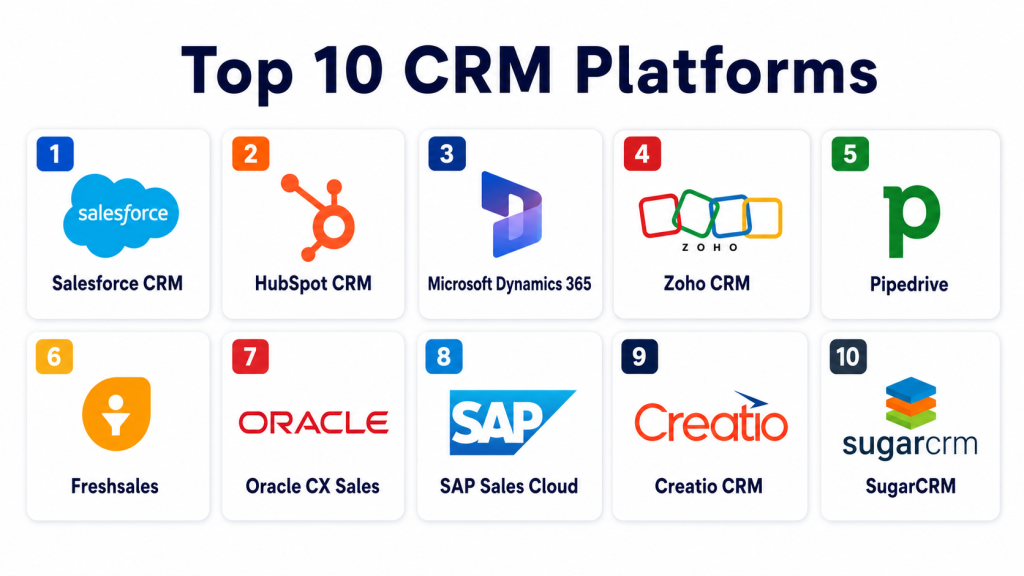
Top 10 CRM Platforms
1- Salesforce CRM
Short description: Salesforce CRM is a leading customer relationship management platform used by businesses to manage sales, service, marketing, analytics, automation, and customer data. It is best for mid-market and enterprise teams that need deep customization, ecosystem breadth, and scalable CRM workflows.
Key Features
- Lead, contact, account, and opportunity management
- Sales pipeline and forecasting workflows
- Customer service and case management options
- Marketing and customer engagement ecosystem
- AI-assisted insights depending on package
- Custom dashboards, fields, workflows, and objects
- Large integration and app marketplace ecosystem
Pros
- Highly scalable and customizable for complex businesses
- Strong ecosystem of apps, partners, and integrations
- Suitable for enterprise sales, service, and customer lifecycle workflows
Cons
- Can be complex for small teams without CRM administration support
- Costs can increase with add-ons, users, and advanced features
- Implementation requires planning for data, workflows, and adoption
Platforms / Deployment
Web / iOS / Android
Cloud
Security & Compliance
Salesforce provides enterprise-grade administration, user permissions, authentication options, and data governance capabilities. Specific certifications, SSO, MFA, audit logs, RBAC, and compliance details should be verified directly during vendor review.
Integrations & Ecosystem
Salesforce has one of the broadest CRM ecosystems, connecting sales, service, marketing, commerce, analytics, finance, and operations workflows.
- Marketing automation integrations
- Customer service and help desk workflows
- CPQ and quoting connections
- ERP and finance integrations
- Data warehouse and analytics workflows
- App marketplace extensions
Support & Community
Salesforce provides documentation, training resources, implementation partners, community learning, customer success options, and enterprise support tiers. Support depth depends on package and contract.
2- HubSpot CRM
Short description: HubSpot CRM is a user-friendly CRM platform for managing contacts, companies, deals, marketing campaigns, sales activity, service tickets, and customer engagement. It is best for startups, SMBs, and growing teams that want an easy-to-adopt CRM connected with marketing and service workflows.
Key Features
- Contact, company, and deal management
- Sales pipeline tracking
- Email tracking, templates, and sequences
- Marketing automation ecosystem
- Service ticketing and customer support workflows
- Reporting dashboards
- Workflow automation depending on plan
Pros
- Easy to learn and adopt for small and growing teams
- Strong alignment between marketing, sales, and service workflows
- Good fit for businesses that want one connected customer platform
Cons
- Advanced customization can be limited compared with enterprise CRM systems
- Costs can grow as teams add hubs and higher tiers
- Complex enterprise workflows may need deeper configuration or integrations
Platforms / Deployment
Web / iOS / Android
Cloud
Security & Compliance
HubSpot provides account security, permissions, admin controls, and user access features. Specific certifications, SSO, MFA, audit logs, RBAC, and compliance documentation should be verified directly.
Integrations & Ecosystem
HubSpot CRM works well for teams that want marketing, sales, service, content, and customer data connected in one environment.
- Email and calendar integrations
- Marketing automation workflows
- Sales engagement tools
- Customer support connections
- App marketplace integrations
- Reporting and analytics workflows
Support & Community
HubSpot provides documentation, onboarding resources, training academy content, customer support, partner services, and a large user community. Support depth varies by plan.
3- Microsoft Dynamics 365
Short description: Microsoft Dynamics 365 is a business application platform that includes CRM capabilities for sales, customer service, field service, marketing, finance, and operations. It is best for organizations already using Microsoft productivity, data, and enterprise tools.
Key Features
- Sales, service, marketing, and field service modules
- Lead, account, contact, and opportunity management
- Sales forecasting and analytics
- AI-assisted insights depending on configuration
- Power Platform workflow automation
- Microsoft 365 and Teams integration
- Enterprise reporting and dashboards
Pros
- Strong fit for Microsoft-centered organizations
- Good enterprise customization and business process support
- Connects CRM with productivity, analytics, and business applications
Cons
- Setup can require Microsoft ecosystem expertise
- May be complex for small teams with simple CRM needs
- Best value depends on broader Microsoft adoption
Platforms / Deployment
Web / Windows / iOS / Android
Cloud / Hybrid options may vary by configuration
Security & Compliance
Microsoft Dynamics 365 supports enterprise identity, permissions, admin controls, and data governance capabilities. Specific certifications, SSO, MFA, audit logs, RBAC, and compliance documentation should be verified directly.
Integrations & Ecosystem
Dynamics 365 connects with Microsoft productivity, analytics, automation, collaboration, ERP, and business applications.
- Microsoft 365 integrations
- Teams collaboration workflows
- Power BI analytics
- Power Platform automation
- ERP and finance workflows
- Email and calendar sync
Support & Community
Microsoft provides documentation, support plans, partner implementation services, training resources, and a large enterprise technology ecosystem. Support depends on licensing and service agreement.
4- Zoho CRM
Short description: Zoho CRM is a flexible CRM platform for managing leads, contacts, deals, customer interactions, sales automation, analytics, and omnichannel engagement. It is best for SMB and mid-market teams that want strong CRM functionality with practical pricing and a broad business app ecosystem.
Key Features
- Lead, contact, account, and deal management
- Sales pipeline and forecasting
- Workflow automation
- Email, phone, and social interaction tracking
- AI-assisted sales features depending on plan
- Custom dashboards and analytics
- Integration with Zoho business applications
Pros
- Strong value for SMB and mid-market teams
- Broad ecosystem across sales, marketing, finance, support, and operations
- Flexible customization for different sales and customer processes
Cons
- Interface can feel busy for new users
- Advanced features may require higher-tier plans
- Large enterprises should validate governance and integration depth
Platforms / Deployment
Web / iOS / Android
Cloud
Security & Compliance
Zoho CRM provides roles, profiles, permissions, security settings, and administrative controls. Specific certifications, MFA, SSO, audit logs, RBAC, and compliance documentation should be verified directly.
Integrations & Ecosystem
Zoho CRM connects naturally with the Zoho suite and many third-party business tools.
- Zoho ecosystem integrations
- Email and calendar integrations
- Marketing automation workflows
- Help desk and support connections
- Finance and invoicing workflows
- API and marketplace extensions
Support & Community
Zoho provides documentation, onboarding resources, customer support, community forums, and partner assistance. Support depth may vary by plan and region.
5- Pipedrive
Short description: Pipedrive is a sales-focused CRM platform built around visual pipeline management, activity tracking, deal progress, and sales productivity. It is best for SMB sales teams that want a simple, pipeline-first CRM.
Key Features
- Visual sales pipeline management
- Lead and deal tracking
- Activity reminders and task automation
- Email integration and communication tracking
- Sales forecasting and reporting
- Workflow automation
- Mobile CRM access
Pros
- Simple and sales-rep-friendly interface
- Strong fit for pipeline-driven sales teams
- Fast adoption for SMBs and growing sales teams
Cons
- Less suited to complex enterprise CRM environments
- Advanced analytics and automation may require higher plans or add-ons
- Broader customer lifecycle workflows may need integrations
Platforms / Deployment
Web / iOS / Android
Cloud
Security & Compliance
Pipedrive provides account security, user permissions, admin controls, and business data management features. Specific certifications, SSO, MFA, audit logs, RBAC, and compliance documentation should be verified directly.
Integrations & Ecosystem
Pipedrive supports sales teams that need communication, marketing, lead generation, and reporting connections.
- Email and calendar integrations
- Calling and communication tools
- Marketing automation connections
- Lead generation integrations
- Reporting and dashboard tools
- App marketplace extensions
Support & Community
Pipedrive provides documentation, onboarding resources, support options, sales learning materials, and community resources. Support availability depends on plan and region.
6- Freshsales
Short description: Freshsales is a CRM platform from Freshworks that supports contact management, deal tracking, email, phone, workflows, lead scoring, and sales engagement. It is best for SMB and mid-market teams that want customer engagement and sales automation in one simple CRM.
Key Features
- Contact, account, and deal management
- Sales pipeline tracking
- Built-in phone and email workflows
- Lead scoring depending on package
- Workflow automation
- AI-assisted insights depending on plan
- Reporting and dashboards
Pros
- Good fit for SMB and mid-market sales teams
- Combines communication and sales tracking
- Easier to adopt than many complex enterprise CRM systems
Cons
- Advanced enterprise customization may be limited
- Complex sales organizations should validate workflow depth
- Some advanced features depend on selected plan
Platforms / Deployment
Web / iOS / Android
Cloud
Security & Compliance
Freshsales provides role-based permissions, admin controls, and business data management features. Specific certifications, SSO, MFA, audit logs, and compliance documentation should be verified directly.
Integrations & Ecosystem
Freshsales works well for teams using Freshworks products or needing connected sales, support, and engagement workflows.
- Freshworks ecosystem integrations
- Email and phone workflows
- Marketing automation connections
- Customer support integrations
- API and app marketplace options
- Reporting exports
Support & Community
Freshworks provides documentation, onboarding resources, customer support, community resources, and product training options. Support depth depends on selected package.
7- Oracle CX Sales
Short description: Oracle CX Sales is an enterprise CRM and sales automation platform for managing accounts, opportunities, territories, forecasting, customer engagement, and revenue workflows. It is best for large organizations that need CRM connected with broader Oracle enterprise applications.
Key Features
- Lead, account, and opportunity management
- Sales forecasting and pipeline analytics
- Territory and quota support
- AI-assisted recommendations depending on configuration
- Workflow automation
- Enterprise reporting
- Integration with Oracle business applications
Pros
- Strong fit for enterprise CRM environments
- Good alignment with Oracle business technology ecosystems
- Useful for complex account, territory, and sales management
Cons
- May be too complex for SMBs
- Implementation can require enterprise CRM expertise
- Best value depends on Oracle ecosystem fit
Platforms / Deployment
Web / iOS / Android
Cloud
Security & Compliance
Oracle CX Sales supports enterprise administration, role-based access, identity controls, and data governance capabilities. Specific certifications, SSO, MFA, audit logs, and compliance documentation should be verified directly.
Integrations & Ecosystem
Oracle CX Sales connects with Oracle applications, finance, service, marketing, analytics, and enterprise data systems.
- Oracle business application integrations
- Marketing and service workflows
- ERP and finance connections
- Analytics and reporting
- Data integration workflows
- Enterprise process automation
Support & Community
Oracle provides documentation, enterprise support, implementation partners, training resources, and customer success programs. Support depth depends on contract and deployment scope.
8- SAP Sales Cloud
Short description: SAP Sales Cloud is an enterprise CRM and sales automation solution for lead management, opportunity tracking, forecasting, account planning, and customer engagement. It is best for organizations using SAP business systems or needing CRM connected to ERP and enterprise operations.
Key Features
- Lead and opportunity management
- Account and contact management
- Forecasting and sales analytics
- Sales workflow automation
- Territory and account planning support
- Mobile sales access
- Integration with SAP ecosystem
Pros
- Strong fit for SAP-centered organizations
- Useful for sales processes connected to ERP and customer operations
- Supports enterprise sales governance and reporting
Cons
- May require implementation and integration expertise
- Smaller teams may find it more complex than needed
- Best value depends on SAP ecosystem alignment
Platforms / Deployment
Web / iOS / Android
Cloud
Security & Compliance
SAP Sales Cloud supports enterprise administration, access controls, and governance capabilities. Specific certifications, MFA, SSO, audit logs, RBAC, and compliance details should be verified directly.
Integrations & Ecosystem
SAP Sales Cloud works best when sales processes need to connect with SAP ERP, commerce, customer service, finance, and enterprise reporting.
- SAP ecosystem integrations
- ERP and finance workflows
- Commerce and service connections
- Sales analytics
- Mobile sales workflows
- Reporting exports
Support & Community
SAP provides documentation, enterprise support, implementation partners, training, and customer success programs. Support depth depends on contract, region, and deployment complexity.
9- Creatio CRM
Short description: Creatio CRM is a no-code CRM platform for sales, marketing, service, workflow automation, and customer lifecycle management. It is best for businesses that want customizable CRM workflows without heavy custom development.
Key Features
- Sales, marketing, and service CRM capabilities
- No-code workflow automation
- Lead, account, and opportunity management
- Customer service and case workflows
- Campaign and customer engagement support
- Custom dashboards and analytics
- Process automation tools
Pros
- Strong no-code process customization
- Useful for companies with unique customer workflows
- Supports sales, marketing, and service use cases
Cons
- Requires thoughtful process design for best results
- Smaller teams may not need deep customization
- Integration needs should be validated before rollout
Platforms / Deployment
Web / iOS / Android
Cloud / Self-hosted options may vary
Security & Compliance
Creatio provides platform permissions, access controls, and process governance features. Specific certifications, SSO, MFA, audit logs, RBAC, and compliance documentation should be verified directly.
Integrations & Ecosystem
Creatio CRM connects customer workflows with no-code automation, business processes, and enterprise data systems.
- CRM integrations
- Marketing and service workflows
- API-based connections
- Business process automation
- Reporting and analytics exports
- Data import and export workflows
Support & Community
Creatio provides documentation, customer support, partner services, training, and community resources. Support depth depends on product package and deployment type.
10- SugarCRM
Short description: SugarCRM is a configurable CRM platform for managing accounts, leads, opportunities, sales workflows, marketing activity, and customer service processes. It is best for organizations that want flexible CRM capabilities across customer-facing teams.
Key Features
- Lead, account, contact, and opportunity management
- Sales pipeline tracking
- Forecasting and reporting
- Workflow automation
- Customer relationship history
- Marketing and service alignment
- Custom fields and dashboards
Pros
- Configurable CRM for different sales and customer processes
- Useful for teams that want sales, marketing, and service visibility
- Can support mid-market and enterprise CRM needs
Cons
- Implementation effort depends on customization needs
- User experience may require training for some teams
- Ecosystem size may be smaller than the largest CRM platforms
Platforms / Deployment
Web / iOS / Android
Cloud / Self-hosted options may vary
Security & Compliance
SugarCRM provides administration, access controls, and CRM data governance features. Specific certifications, SSO, MFA, audit logs, RBAC, and compliance documentation should be verified directly.
Integrations & Ecosystem
SugarCRM connects with sales, marketing, customer service, productivity, and reporting systems to support customer lifecycle workflows.
- Email and calendar integrations
- Marketing automation connections
- Customer support workflows
- Reporting and analytics tools
- API integrations
- Data import and export options
Support & Community
SugarCRM provides documentation, support options, implementation partners, training resources, and community support. Support depth depends on deployment and customer agreement.
Comparison Table
| Tool Name | Best For | Platform Supported | Deployment | Standout Feature | Public Rating |
|---|---|---|---|---|---|
| Salesforce CRM | Mid-market and enterprise teams | Web, iOS, Android | Cloud | Deep customization and CRM ecosystem scale | N/A |
| HubSpot CRM | Startups, SMBs, and growing teams | Web, iOS, Android | Cloud | Easy sales, marketing, and service alignment | N/A |
| Microsoft Dynamics 365 | Microsoft-centered organizations | Web, Windows, iOS, Android | Cloud / Hybrid varies | CRM connected with Microsoft business ecosystem | N/A |
| Zoho CRM | SMB and mid-market teams | Web, iOS, Android | Cloud | Flexible CRM at practical value | N/A |
| Pipedrive | Pipeline-focused sales teams | Web, iOS, Android | Cloud | Visual sales pipeline management | N/A |
| Freshsales | SMB and mid-market sales teams | Web, iOS, Android | Cloud | Built-in sales communication and automation | N/A |
| Oracle CX Sales | Large enterprise sales teams | Web, iOS, Android | Cloud | Enterprise CRM connected with Oracle ecosystem | N/A |
| SAP Sales Cloud | SAP-centered enterprise teams | Web, iOS, Android | Cloud | Sales workflows connected with SAP operations | N/A |
| Creatio CRM | Custom process-driven organizations | Web, iOS, Android | Cloud / Self-hosted varies | No-code CRM workflow automation | N/A |
| SugarCRM | Configurable CRM teams | Web, iOS, Android | Cloud / Self-hosted varies | Flexible sales, marketing, and service workflows | N/A |
Evaluation & Scoring of CRM Platforms
| Tool Name | Core 25% | Ease 15% | Integrations 15% | Security 10% | Performance 10% | Support 10% | Value 15% | Weighted Total |
|---|---|---|---|---|---|---|---|---|
| Salesforce CRM | 9.6 | 7.6 | 9.6 | 9.0 | 9.0 | 8.6 | 7.5 | 8.72 |
| HubSpot CRM | 8.6 | 9.2 | 8.7 | 8.4 | 8.7 | 8.5 | 8.5 | 8.63 |
| Microsoft Dynamics 365 | 9.1 | 7.8 | 9.2 | 8.9 | 8.8 | 8.5 | 7.8 | 8.61 |
| Zoho CRM | 8.5 | 8.5 | 8.6 | 8.3 | 8.4 | 8.2 | 8.8 | 8.48 |
| Pipedrive | 8.0 | 9.0 | 8.1 | 8.1 | 8.3 | 8.0 | 8.7 | 8.33 |
| Freshsales | 8.2 | 8.6 | 8.2 | 8.2 | 8.3 | 8.1 | 8.5 | 8.32 |
| Oracle CX Sales | 8.9 | 7.6 | 8.8 | 8.8 | 8.8 | 8.4 | 7.5 | 8.38 |
| SAP Sales Cloud | 8.8 | 7.6 | 8.8 | 8.7 | 8.7 | 8.4 | 7.5 | 8.35 |
| Creatio CRM | 8.5 | 8.1 | 8.4 | 8.3 | 8.4 | 8.2 | 8.1 | 8.29 |
| SugarCRM | 8.1 | 8.0 | 8.0 | 8.2 | 8.2 | 8.0 | 8.2 | 8.10 |
Which CRM Platform Is Right for You?
Solo / Freelancer
Solo professionals usually need simple contact tracking, pipeline notes, reminders, email history, and customer follow-up workflows. Pipedrive, HubSpot CRM, Zoho CRM, or Freshsales can be practical options because they are easier to adopt than large enterprise platforms.
A solo user should avoid overbuilding a complex CRM unless they manage long sales cycles, many accounts, recurring services, or planned team growth.
SMB
SMBs need ease of use, contact management, pipeline visibility, email integration, task automation, reporting, and affordability. HubSpot CRM, Zoho CRM, Pipedrive, Freshsales, and SugarCRM can be strong options.
SMBs should prioritize adoption, clean workflows, support quality, and pricing clarity rather than buying the most complex platform.
Mid-Market
Mid-market companies often need multiple pipelines, sales forecasting, marketing automation, customer service workflows, custom dashboards, approval rules, and integration with finance or ERP systems. Salesforce CRM, Microsoft Dynamics 365, Zoho CRM, HubSpot CRM, Creatio CRM, and SugarCRM may be relevant.
Mid-market buyers should validate CRM data model flexibility, automation depth, reporting, permission structures, and integration with existing business systems.
Enterprise
Enterprises need scalable CRM architecture, advanced security, global user support, complex workflows, territory management, customer service operations, reporting governance, and ecosystem depth. Salesforce CRM, Microsoft Dynamics 365, Oracle CX Sales, SAP Sales Cloud, and Creatio CRM are strong candidates.
Enterprise buyers should involve sales, marketing, service, IT, security, finance, revenue operations, and customer success stakeholders before choosing a platform.
Budget vs Premium
Budget-conscious teams should consider Zoho CRM, Pipedrive, Freshsales, HubSpot CRM, and SugarCRM depending on required workflows and user count. These tools can deliver strong CRM value without unnecessary complexity.
Premium buyers should evaluate Salesforce CRM, Microsoft Dynamics 365, Oracle CX Sales, SAP Sales Cloud, and Creatio CRM when they need advanced automation, enterprise governance, deep integrations, and global scalability.
Feature Depth vs Ease of Use
HubSpot CRM, Pipedrive, Freshsales, and Zoho CRM are strong for ease of use and fast adoption. Salesforce, Microsoft Dynamics 365, Oracle CX Sales, SAP Sales Cloud, and Creatio CRM offer deeper customization and enterprise workflows but often need more implementation planning.
The right choice depends on whether your priority is simplicity, marketing alignment, sales pipeline control, customer service workflows, industry customization, or enterprise governance.
Integrations & Scalability
CRM platforms must connect with email, calendar, marketing automation, customer support, CPQ, billing, ERP, finance, collaboration tools, data warehouses, and analytics systems. Buyers should test integrations before rollout.
Scalability depends on user count, number of teams, customer lifecycle complexity, custom objects, automation rules, security roles, reporting needs, and global operations.
Security & Compliance Needs
CRM systems store sensitive customer, deal, communication, contract, support, and revenue data. Buyers should review SSO, MFA, encryption, role-based access, audit logs, data retention, admin controls, and vendor security documentation.
Companies in regulated industries should also validate record-level permissions, approval logs, data export controls, customer data retention, and compliance reporting needs.
Frequently Asked Questions
1. What is a CRM platform?
A CRM platform is software that helps businesses manage customer relationships, contact records, sales opportunities, support interactions, marketing activities, and customer lifecycle data in one system.
2. Who needs CRM software?
Sales teams, marketing teams, customer support teams, account managers, founders, and service teams can benefit from CRM software. It becomes especially useful when customer data is spread across emails, spreadsheets, and disconnected tools.
3. What is the difference between CRM and sales automation?
CRM is the broader customer relationship system. Sales automation is one part of CRM that focuses on automating sales tasks, follow-ups, pipeline movement, reminders, and forecasting.
4. How much do CRM platforms cost?
Pricing varies by vendor, user count, features, automation depth, storage, AI capabilities, integrations, and support level. Buyers should calculate costs based on real user roles and required modules.
5. Can CRM platforms support marketing and customer service?
Yes, many CRM platforms support marketing automation, customer service tickets, customer success workflows, campaigns, chat, forms, and account management. Feature depth varies by platform and plan.
6. What are common mistakes when choosing a CRM?
Common mistakes include choosing based only on brand name, ignoring user adoption, over-customizing too early, skipping data cleanup, and not testing integrations before rollout.
7. Are CRM platforms secure?
Business-grade CRM platforms usually provide security and access controls. Buyers should verify SSO, MFA, encryption, role-based access, audit logs, and data governance documentation.
8. How long does CRM implementation take?
Implementation depends on team size, data migration, customization, automation, integrations, and training needs. Small teams can launch quickly, while enterprise rollouts may require phased deployment.
9. Can CRM platforms integrate with accounting and ERP systems?
Yes, many CRM platforms integrate with accounting, billing, ERP, finance, CPQ, and analytics systems. Buyers should test data flow, field mapping, permissions, and reporting before rollout.
10. Can small businesses use CRM software?
Yes, small businesses can benefit from CRM tools when they need better follow-up, pipeline visibility, customer records, and sales organization. Lightweight options are usually better than enterprise-heavy platforms.
Conclusion
CRM platforms help businesses organize customer data, improve sales execution, align teams, automate follow-ups, support customer service, and make better revenue decisions. The best CRM depends on company size, sales process complexity, customer lifecycle needs, budget, integrations, reporting requirements, and security expectations. Salesforce CRM is strong for enterprise customization, while HubSpot CRM, Zoho CRM, Pipedrive, and Freshsales are strong options for SMB and growing teams. Microsoft Dynamics 365, Oracle CX Sales, SAP Sales Cloud, Creatio CRM, and SugarCRM are useful for organizations needing deeper customization, enterprise workflows, or ecosystem alignment. The right next step is to shortlist two or three CRM platforms, test them with real customer workflows, validate integrations and permissions, train a pilot team, and confirm that the CRM improves both team productivity and customer visibility before scaling it across the business.

Find Trusted Cardiac Hospitals
Compare heart hospitals by city and services — all in one place.
Explore Hospitals
CRM platforms are most valuable when they help organizations centralize customer information, manage relationships, and coordinate sales, marketing, and support activities through a unified system. By providing contact and lead management, sales pipeline tracking, customer interaction history, task automation, marketing integration, customer service tools, reporting, analytics, workflow automation, and mobile access, these platforms enable businesses to improve customer visibility, streamline processes, strengthen engagement, increase sales productivity, and build stronger long-term customer relationships.