Introduction
Kitchen Display Systems KDS are digital screens and workflow tools used in restaurant kitchens to replace paper tickets, organize orders, route items to the right preparation stations, and help kitchen teams prepare food faster with fewer mistakes. A KDS receives orders from POS systems, online ordering channels, self-service kiosks, QR ordering, delivery apps, and sometimes drive-thru systems, then displays them clearly for chefs, expediters, and kitchen staff. KDS tools matter because restaurants now handle dine-in, takeaway, delivery, pickup, marketplace orders, and mobile orders at the same time. Paper tickets can easily get lost, delayed, duplicated, or misunderstood. A strong KDS improves order accuracy, kitchen speed, staff coordination, preparation timing, and guest experience.
Real World Use Cases
- Sending POS orders directly to kitchen screens
- Routing grill, fryer, bar, dessert, and expo items to separate stations
- Tracking ticket times, preparation delays, and kitchen performance
- Managing dine-in, pickup, delivery, and online orders in one kitchen workflow
- Coordinating front-of-house, kitchen, and delivery handoff operations
Evaluation Criteria for Buyers
- POS and online ordering integration
- Station routing and order prioritization
- Ticket timing and kitchen performance tracking
- Offline or local network reliability
- Ease of use for kitchen staff
- Hardware compatibility and screen durability
- Multi-location and menu configuration support
- Reporting for prep time, delays, and order accuracy
- Security, permissions, and admin controls
- Total cost including software, screens, mounts, networking, and support
Best for: Quick-service restaurants, full-service restaurants, cafés, bars, cloud kitchens, hotel kitchens, food trucks, cafeterias, franchises, delivery-focused kitchens, and multi-location restaurant groups that need faster order routing and better kitchen visibility.
Not ideal for: Very small food businesses with low order volume, simple menus, and minimal kitchen complexity; restaurants that only need a basic receipt printer; or teams that do not have the staff readiness to adopt digital kitchen workflows.
Key Trends in Kitchen Display Systems KDS
- Paperless kitchen operations: More restaurants are replacing paper tickets with digital screens to reduce waste, prevent ticket loss, and improve kitchen visibility.
- Multi-channel order consolidation: KDS platforms increasingly manage dine-in, pickup, delivery, QR ordering, kiosk orders, and marketplace orders in one kitchen queue.
- Station-based routing: Restaurants want smarter routing by prep area, item category, kitchen station, fulfillment type, and timing requirements.
- Expo and order orchestration: Modern KDS tools help expediters track which items are ready, delayed, or waiting so complete orders can leave the kitchen at the right time.
- Real-time kitchen analytics: Operators are using prep-time data, ticket time, order volume, and bottleneck reports to improve staffing, training, and menu design.
- Cloud POS integration: KDS tools are increasingly bundled with restaurant POS platforms, making setup easier but also making platform compatibility more important.
- Drive-thru and pickup optimization: Quick-service and fast-casual restaurants need KDS workflows that support drive-thru timers, pickup shelves, delivery handoff, and order status displays.
- AI-assisted kitchen insights: AI is beginning to support demand prediction, prep timing, staffing recommendations, menu performance insights, and bottleneck detection.
- Better offline resilience: Restaurants still need kitchens to function during internet outages, so local network reliability and failover workflows remain important.
- Hardware flexibility: Operators want systems that can work with tablets, commercial-grade displays, bump bars, touchscreens, printers, and kitchen-safe mounting setups.
How We Selected These Tools
- We selected tools widely recognized in restaurant POS, kitchen display workflows, restaurant operations, and food service technology.
- We prioritized KDS tools that support order routing, kitchen station workflows, ticket timing, display management, and POS integration.
- We included options suitable for quick-service, full-service, fast casual, cafés, bars, food trucks, cloud kitchens, and enterprise restaurant groups.
- We considered systems that are standalone KDS tools as well as KDS modules included within broader restaurant management platforms.
- We evaluated fit for different operating models, including dine-in, pickup, delivery, drive-thru, and multi-location food service.
- We considered usability for kitchen staff, expediters, servers, managers, and operations leaders.
- We reviewed integration potential with POS systems, online ordering, delivery tools, menu management, kitchen printers, and reporting systems.
- We considered reliability factors such as offline mode, hardware ecosystem, local network stability, and support availability.
- We avoided guessing public ratings, certifications, exact pricing, or unsupported compliance claims.
- We focused on practical buyer fit rather than naming one universal best KDS.
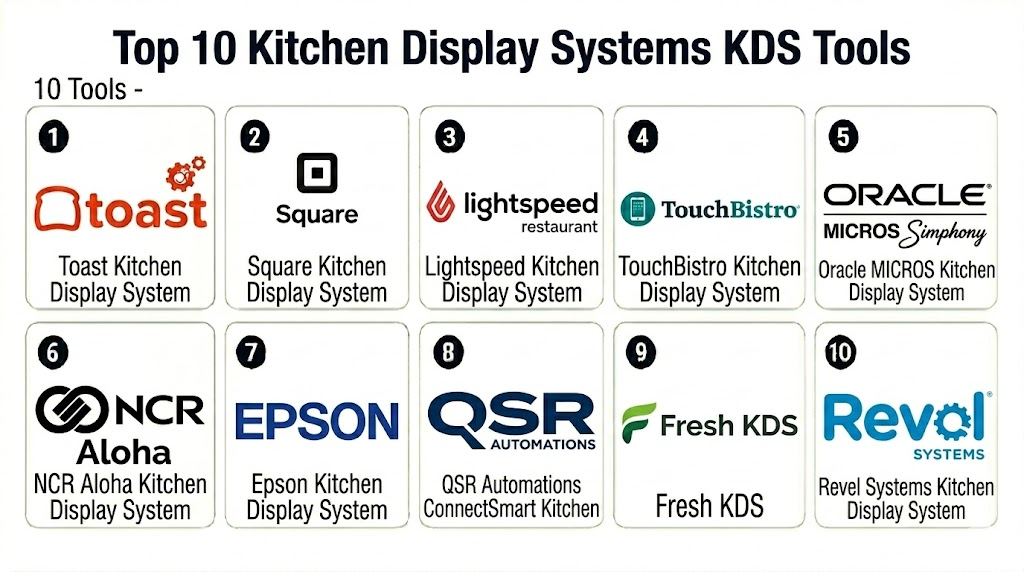
Top 10 Kitchen Display Systems KDS Tools
1 — Toast Kitchen Display System
Short description: Toast Kitchen Display System is a restaurant-focused KDS built into the Toast restaurant ecosystem. It helps restaurants route orders from Toast POS, online ordering, and service channels to kitchen stations, improving ticket visibility and speed.
Key Features
- Direct integration with Toast POS
- Station-based order routing
- Real-time ticket timing and order status
- Expo screen support for completed order coordination
- Support for dine-in, takeout, and delivery workflows
- Menu and modifier visibility
- Kitchen performance reporting through the Toast ecosystem
Pros
- Strong fit for restaurants already using Toast
- Restaurant-specific workflow design
- Reduces dependence on paper kitchen tickets
Cons
- Best suited for Toast-based operations
- Hardware and ecosystem commitment should be reviewed
- Restaurants using another POS may need a different KDS
Platforms / Deployment
Web / Android-based Toast hardware
Cloud
Security & Compliance
Security capabilities vary by Toast plan, hardware, and configuration. Buyers should verify staff permissions, device controls, payment-related data separation, encryption, audit logs, and compliance documentation directly with the vendor.
Integrations & Ecosystem
Toast KDS works best inside the Toast restaurant ecosystem, where POS, online ordering, payment, and kitchen workflows are connected.
- Toast POS
- Toast Online Ordering
- Delivery workflows
- Guest engagement tools
- Menu management
- Restaurant reporting
Support & Community
Toast provides onboarding resources, restaurant-focused support, training content, and implementation guidance. Support depth may vary by plan and restaurant size.
2 — Square Kitchen Display System
Short description: Square Kitchen Display System works with Square for Restaurants to help kitchens receive, organize, and complete orders digitally. It is useful for cafés, quick-service restaurants, food trucks, and smaller restaurants that want easy setup and simple kitchen workflows.
Key Features
- Integration with Square for Restaurants
- Digital ticket display
- Order routing by station
- Order status and completion workflows
- Support for dine-in, pickup, and online orders
- Basic kitchen timing visibility
- Simple setup for Square-based restaurants
Pros
- Easy to adopt for Square users
- Good fit for small and mid-sized restaurants
- Simple interface for kitchen teams
Cons
- Best suited for Square ecosystem users
- Advanced enterprise kitchen workflows may be limited
- Hardware and feature options should be validated by region
Platforms / Deployment
Web / iOS / Android options may vary
Cloud
Security & Compliance
Security capabilities vary by Square setup and plan. Buyers should verify device permissions, staff access controls, encryption, account security, and compliance responsibilities.
Integrations & Ecosystem
Square KDS works best when connected with Square POS, Square Online, payments, and restaurant management tools.
- Square for Restaurants
- Square Online
- Payment workflows
- Menu management
- Pickup and delivery workflows
- Team management tools
Support & Community
Square provides documentation, onboarding materials, support resources, and hardware guidance. Support availability may vary by plan and region.
3 — Lightspeed Kitchen Display System
Short description: Lightspeed Kitchen Display System supports digital order routing and kitchen workflow management for restaurants using Lightspeed Restaurant. It is useful for restaurants that need cloud-based POS and kitchen coordination across service areas.
Key Features
- Integration with Lightspeed Restaurant
- Digital kitchen ticket management
- Station routing and item organization
- Order status visibility
- Tableside ordering support
- Reporting through Lightspeed ecosystem
- Support for multi-location restaurant operations
Pros
- Good fit for Lightspeed Restaurant users
- Useful for service workflows and multi-station kitchens
- Supports cloud-based restaurant operations
Cons
- Best value comes with Lightspeed POS adoption
- Hardware support may vary by region
- Complex workflows may require setup planning
Platforms / Deployment
Web / iOS options may vary
Cloud
Security & Compliance
Security capabilities vary by Lightspeed plan and configuration. Buyers should verify user permissions, device access controls, encryption, admin settings, and compliance documentation.
Integrations & Ecosystem
Lightspeed KDS connects kitchen workflows with POS, ordering, payments, reporting, and restaurant integrations.
- Lightspeed Restaurant
- Payment workflows
- Online ordering tools
- Inventory integrations
- Reporting dashboards
- Hospitality integrations
Support & Community
Lightspeed provides documentation, onboarding resources, support options, and hospitality-focused guidance. Support depth may vary by region and plan.
4 — TouchBistro Kitchen Display System
Short description: TouchBistro KDS helps restaurants manage kitchen tickets digitally from TouchBistro POS. It is especially useful for full-service restaurants, bars, cafés, and casual dining businesses that use tableside ordering and need better kitchen coordination.
Key Features
- Integration with TouchBistro POS
- Kitchen ticket display
- Station and course routing support
- Ticket timing visibility
- Order completion and bump workflows
- Tableside ordering connection
- Menu and modifier detail visibility
Pros
- Restaurant-specific design
- Good fit for table service and casual dining workflows
- Helps reduce communication gaps between servers and kitchen
Cons
- Best suited for TouchBistro POS users
- Advanced multi-location workflows should be tested
- Add-ons and hardware requirements should be reviewed
Platforms / Deployment
iOS / Web management options may vary
Cloud / Local network support may vary
Security & Compliance
Security capabilities vary by setup and plan. Buyers should verify staff permissions, device access, encryption, admin controls, payment separation, and compliance documentation.
Integrations & Ecosystem
TouchBistro KDS works best when used with TouchBistro POS and restaurant operations modules.
- TouchBistro POS
- Tableside ordering
- Online ordering
- Reservations
- Loyalty and gift cards
- Reporting workflows
Support & Community
TouchBistro provides restaurant-focused support, onboarding materials, documentation, and training resources. Support depth may vary by plan.
5 — Oracle MICROS Kitchen Display System
Short description: Oracle MICROS KDS is part of the Oracle MICROS restaurant and hospitality ecosystem. It is best for enterprise restaurant chains, hotels, stadiums, casinos, and complex food service operations that require centralized control and reliable kitchen workflows.
Key Features
- Enterprise kitchen display workflows
- Integration with Oracle MICROS Simphony
- Station routing and production management
- Multi-location restaurant support
- Order status and timing visibility
- Centralized configuration controls
- Enterprise reporting and operational insights
Pros
- Strong fit for enterprise hospitality and restaurant groups
- Supports complex kitchen operations
- Useful for centralized multi-location control
Cons
- Implementation can be complex
- Not ideal for small restaurants needing simple setup
- Requires enterprise planning and support resources
Platforms / Deployment
Web / Restaurant hardware environment varies
Cloud / Hybrid options may vary
Security & Compliance
Security capabilities depend on Oracle environment, deployment model, and configuration. Buyers should verify SSO, RBAC, encryption, audit logs, device management, admin controls, and compliance documentation.
Integrations & Ecosystem
Oracle MICROS KDS fits enterprise hospitality environments where kitchen workflows must connect with POS, finance, property systems, and operational reporting.
- Oracle MICROS Simphony
- Hospitality systems
- Payment processors
- Inventory and procurement tools
- Enterprise reporting
- Kitchen production workflows
Support & Community
Oracle provides enterprise support, documentation, implementation partners, and hospitality technology services. Support model depends on contract and deployment scope.
6 — NCR Aloha Kitchen Display System
Short description: NCR Aloha KDS supports restaurant kitchen routing, production workflows, and order visibility within the NCR Aloha restaurant ecosystem. It is well suited for quick-service restaurants, full-service restaurants, bars, and enterprise food service operations.
Key Features
- Integration with NCR Aloha POS
- Kitchen routing and item display
- Station-specific order workflows
- Production timing and order status visibility
- Support for quick-service and full-service operations
- Multi-location restaurant support
- Reporting and operational visibility
Pros
- Strong fit for restaurants using NCR Aloha
- Reliable for established restaurant operations
- Useful for quick-service and full-service kitchen workflows
Cons
- Best suited for NCR Aloha ecosystem users
- Implementation may require configuration expertise
- Interface and setup may feel more traditional than newer cloud-first tools
Platforms / Deployment
Web / Windows / Restaurant hardware environment varies
Cloud / Hybrid options may vary
Security & Compliance
Security capabilities vary by deployment and configuration. Buyers should verify payment security separation, staff permissions, encryption, audit controls, device access, and compliance documentation.
Integrations & Ecosystem
NCR Aloha KDS connects with the Aloha POS ecosystem and broader restaurant operations workflows.
- NCR Aloha POS
- Kitchen production systems
- Payment workflows
- Online ordering tools
- Inventory systems
- Reporting platforms
Support & Community
NCR provides enterprise support, implementation services, documentation, and restaurant technology resources. Support terms may vary by partner, contract, and deployment model.
7 — Epson Kitchen Display System
Short description: Epson Kitchen Display System is a kitchen workflow solution built around Epson kitchen display and printer ecosystems. It is useful for restaurants that want flexible kitchen screens, printer integration, and order routing support across compatible POS environments.
Key Features
- Kitchen display screen support
- Integration with Epson printer environments
- Order routing and station display workflows
- Ticket status and bump functionality
- Support for kitchen production visibility
- Hardware ecosystem flexibility
- POS integration options through compatible partners
Pros
- Strong hardware and kitchen printer ecosystem
- Useful for restaurants modernizing from printer-based workflows
- Flexible for compatible POS environments
Cons
- Feature depth depends on POS and integration setup
- May require reseller or implementation support
- Not a full restaurant management system by itself
Platforms / Deployment
Web / Hardware-based environment varies
Cloud / Local network options may vary
Security & Compliance
Security capabilities depend on POS integration, network setup, hardware configuration, and deployment model. Buyers should verify device access, local network security, admin controls, and data handling.
Integrations & Ecosystem
Epson KDS is most useful where kitchen display workflows need to work alongside receipt printers, kitchen printers, and compatible POS systems.
- Restaurant POS systems
- Kitchen printers
- Order routing tools
- Local network setups
- Hardware peripherals
- Reporting through connected systems
Support & Community
Support may depend on Epson partners, resellers, POS providers, and hardware support channels. Buyers should confirm installation and service responsibilities.
8 — QSR Automations ConnectSmart Kitchen
Short description: QSR Automations ConnectSmart Kitchen is a kitchen automation and display system for restaurants that need advanced kitchen routing, production timing, quote time management, and operational visibility. It is especially useful for high-volume and complex kitchen environments.
Key Features
- Advanced kitchen display workflows
- Smart order routing and production management
- Quote time and prep timing support
- Expo and station coordination
- Integration with restaurant POS systems
- Kitchen analytics and performance visibility
- Support for high-volume restaurant operations
Pros
- Strong kitchen automation depth
- Useful for complex and high-volume restaurants
- Helps improve order timing and kitchen coordination
Cons
- May be more advanced than small restaurants need
- Implementation requires workflow planning
- Integration fit should be validated with existing POS systems
Platforms / Deployment
Web / Hardware environment varies
Cloud / Hybrid options may vary
Security & Compliance
Security capabilities vary by deployment, POS integration, and configuration. Buyers should verify permissions, device controls, encryption, audit logs, and compliance documentation.
Integrations & Ecosystem
ConnectSmart Kitchen fits restaurant operations that need kitchen automation connected with POS, guest management, reservations, and production workflows.
- Restaurant POS systems
- Reservation and guest systems
- Kitchen display hardware
- Production management workflows
- Restaurant reporting tools
- Enterprise restaurant systems
Support & Community
QSR Automations provides implementation support, documentation, training, and restaurant operations expertise. Support scope depends on solution and deployment size.
9 — Fresh KDS
Short description: Fresh KDS is a lightweight kitchen display system designed for restaurants, cafés, food trucks, and small businesses that need simple digital kitchen tickets without heavy enterprise complexity. It is useful for teams that want a straightforward KDS with common POS integrations.
Key Features
- Digital kitchen order display
- Ticket status and bump workflows
- Order routing support
- Timer and order tracking
- POS integration options
- Simple kitchen interface
- Multi-screen workflows depending on setup
Pros
- Easy to use for small and mid-sized restaurants
- Practical alternative to paper tickets
- Suitable for kitchens that do not need heavy enterprise workflows
Cons
- May not support complex enterprise kitchen automation
- Integration availability should be validated before purchase
- Advanced analytics may be limited compared with larger platforms
Platforms / Deployment
Web / iOS / Android options may vary
Cloud
Security & Compliance
Security capabilities vary by setup and integrations. Buyers should verify account permissions, device access controls, encryption, data handling, and compliance documentation.
Integrations & Ecosystem
Fresh KDS fits restaurants that want simple digital tickets connected with common POS systems and kitchen workflows.
- Restaurant POS systems
- Online ordering workflows depending on POS
- Kitchen screens
- Order routing tools
- Reporting through connected systems
- Local kitchen operations
Support & Community
Fresh KDS provides help resources, setup guidance, and support options. Support depth may vary by plan and integration setup.
10 — Revel Systems Kitchen Display System
Short description: Revel Systems KDS works with Revel’s restaurant POS and management platform to route orders, display tickets, and support kitchen operations. It is best for quick-service restaurants, multi-location operators, and food service businesses using Revel Systems.
Key Features
- Integration with Revel Systems POS
- Digital kitchen ticket routing
- Order timing and status workflows
- Station-based kitchen display support
- Menu and modifier visibility
- Multi-location restaurant support
- Reporting through Revel ecosystem
Pros
- Good fit for restaurants already using Revel Systems
- Supports quick-service and multi-location workflows
- Helps connect POS, kitchen, and operational reporting
Cons
- Best suited for Revel POS environments
- Setup planning may be needed for complex kitchens
- Smaller restaurants may prefer simpler KDS options
Platforms / Deployment
Web / iOS
Cloud
Security & Compliance
Security capabilities vary by plan and configuration. Buyers should verify device access, staff permissions, encryption, audit logs, admin controls, and compliance documentation.
Integrations & Ecosystem
Revel KDS connects with Revel POS, restaurant operations, ordering, payments, inventory, and reporting workflows.
- Revel Systems POS
- Payment systems
- Online ordering workflows
- Inventory tools
- Restaurant reporting
- Multi-location management
Support & Community
Revel provides onboarding, documentation, training, and support resources. Support depth may vary by plan and implementation scope.
Comparison Table
| Tool Name | Best For | Platform Supported | Deployment | Standout Feature | Public Rating |
|---|---|---|---|---|---|
| Toast Kitchen Display System | Toast-based restaurants | Web / Android hardware | Cloud | KDS deeply connected with Toast restaurant ecosystem | N/A |
| Square Kitchen Display System | Small restaurants and cafés | Web / iOS / Android varies | Cloud | Simple kitchen display for Square users | N/A |
| Lightspeed Kitchen Display System | Cloud restaurant POS users | Web / iOS varies | Cloud | KDS connected with Lightspeed Restaurant workflows | N/A |
| TouchBistro Kitchen Display System | Full-service restaurants and bars | iOS / Web varies | Cloud / Local network varies | Tableside ordering connected to kitchen display | N/A |
| Oracle MICROS Kitchen Display System | Enterprise hospitality and restaurant groups | Web / Hardware varies | Cloud / Hybrid varies | Enterprise kitchen control and centralized operations | N/A |
| NCR Aloha Kitchen Display System | Established QSR and full-service restaurants | Web / Windows / Hardware varies | Cloud / Hybrid varies | Durable restaurant kitchen routing workflows | N/A |
| Epson Kitchen Display System | Hardware and printer-connected kitchens | Web / Hardware varies | Cloud / Local varies | KDS connected with Epson kitchen hardware ecosystem | N/A |
| QSR Automations ConnectSmart Kitchen | High-volume and complex kitchens | Web / Hardware varies | Cloud / Hybrid varies | Advanced kitchen automation and production timing | N/A |
| Fresh KDS | Small and mid-sized restaurants | Web / iOS / Android varies | Cloud | Lightweight digital kitchen ticketing | N/A |
| Revel Systems Kitchen Display System | Revel POS restaurants | Web / iOS | Cloud | KDS connected with Revel restaurant operations | N/A |
Evaluation & Scoring of Kitchen Display Systems KDS
| Tool Name | Core 25% | Ease 15% | Integrations 15% | Security 10% | Performance 10% | Support 10% | Value 15% | Weighted Total |
|---|---|---|---|---|---|---|---|---|
| Toast Kitchen Display System | 9 | 8 | 9 | 8 | 9 | 8 | 8 | 8.45 |
| Square Kitchen Display System | 8 | 9 | 8 | 8 | 8 | 8 | 9 | 8.30 |
| Lightspeed Kitchen Display System | 8 | 8 | 8 | 8 | 8 | 8 | 8 | 8.00 |
| TouchBistro Kitchen Display System | 8 | 8 | 8 | 7 | 8 | 8 | 8 | 7.85 |
| Oracle MICROS Kitchen Display System | 10 | 6 | 9 | 9 | 9 | 9 | 7 | 8.50 |
| NCR Aloha Kitchen Display System | 9 | 6 | 8 | 8 | 9 | 8 | 7 | 7.95 |
| Epson Kitchen Display System | 7 | 7 | 8 | 7 | 8 | 7 | 8 | 7.45 |
| QSR Automations ConnectSmart Kitchen | 9 | 7 | 8 | 8 | 9 | 8 | 7 | 8.05 |
| Fresh KDS | 7 | 9 | 7 | 7 | 8 | 7 | 9 | 7.75 |
| Revel Systems Kitchen Display System | 8 | 7 | 8 | 8 | 8 | 8 | 8 | 7.85 |
Which Kitchen Display Systems KDS Tool Is Right for You?
Solo / Freelancer
Food trucks, pop-up kitchens, and very small food businesses usually need a simple digital ticket screen or a reliable printer before investing in advanced KDS automation. Square Kitchen Display System, Fresh KDS, or a basic POS-connected KDS can be practical starting points. The focus should be simple order visibility, low setup effort, and fast staff adoption.
SMB
Independent restaurants, cafés, bars, and casual dining businesses should prioritize ease of use, POS compatibility, station routing, ticket timing, and kitchen staff adoption. Toast KDS, Square KDS, TouchBistro KDS, Lightspeed KDS, Fresh KDS, and Revel KDS are strong candidates depending on the existing POS. Restaurants should test busy service scenarios before choosing a system.
Mid-Market
Growing restaurant groups need consistent kitchen workflows, multi-location reporting, menu sync, online order routing, delivery order visibility, and stronger hardware reliability. Toast, Lightspeed, Revel Systems, QSR Automations, NCR Aloha, and Epson-based solutions may fit depending on restaurant format. These buyers should evaluate station setup, expo screens, modifiers, pickup workflows, and order throttling.
Enterprise
Enterprise restaurant chains, hotels, stadiums, casinos, and high-volume QSRs should prioritize centralized management, scalability, advanced routing, production timing, security, integrations, and support. Oracle MICROS KDS, NCR Aloha KDS, QSR Automations ConnectSmart Kitchen, Toast KDS, and Revel Systems KDS are strong candidates depending on existing infrastructure. Enterprise teams should pilot the system across different kitchen formats before rollout.
Budget vs Premium
Budget-conscious restaurants may prefer Fresh KDS, Square KDS, or the KDS module included with their current POS. Premium buyers may choose Oracle MICROS, NCR Aloha, QSR Automations, Toast, or Revel when kitchen complexity, multi-location operations, and reporting justify the investment. Total cost should include screens, mounts, bump bars, tablets, network upgrades, software, setup, and training.
Feature Depth vs Ease of Use
Fresh KDS and Square KDS are easier for simpler kitchens. Toast, Lightspeed, TouchBistro, and Revel provide deeper POS-connected restaurant workflows. QSR Automations offers stronger kitchen automation and production timing. Oracle MICROS and NCR Aloha provide enterprise depth but require more planning and implementation support. Epson KDS is useful when hardware and printer ecosystem flexibility matter.
Integrations & Scalability
A KDS should connect with POS, online ordering, delivery apps, QR ordering, kiosks, kitchen printers, menu management, inventory, reporting, and order status display systems. Buyers should test station routing, order edits, voids, modifiers, split courses, rush orders, delivery orders, pickup timing, and offline behavior. Scalability matters when restaurants add locations, kitchen stations, menus, and channels.
Security & Compliance Needs
KDS tools may not handle payment data directly, but they still process order details, customer names, table numbers, fulfillment details, staff actions, and operational data. Restaurants should verify staff permissions, device access, network security, encryption, user roles, admin controls, audit visibility, and data retention. Multi-location operators should also review centralized configuration access and device management.
Frequently Asked Questions FAQs
1. What is a Kitchen Display System KDS?
A Kitchen Display System KDS is a digital screen system that shows restaurant orders in the kitchen. It replaces paper tickets and helps kitchen staff route, prepare, track, and complete orders more efficiently.
2. How does a KDS work?
A KDS receives orders from the POS, online ordering, QR ordering, kiosks, or delivery channels. It then displays each order on kitchen screens by station, priority, service type, and preparation status.
3. Is a KDS better than a kitchen printer?
A KDS is usually better for busy kitchens because it provides order status, timing, routing, and reporting. Kitchen printers are simpler and cheaper, but paper tickets can be lost, delayed, or harder to track.
4. What is the best KDS for small restaurants?
Square KDS, Fresh KDS, TouchBistro KDS, Toast KDS, and Lightspeed KDS can be practical options for small restaurants. The best choice depends heavily on the POS system already in use.
5. What is the best KDS for enterprise restaurants?
Oracle MICROS KDS, NCR Aloha KDS, QSR Automations ConnectSmart Kitchen, Toast KDS, and Revel Systems KDS are strong enterprise candidates. Buyers should evaluate routing depth, support, integrations, and centralized administration.
6. Can a KDS support online and delivery orders?
Yes, many KDS tools can show online, pickup, delivery, dine-in, and marketplace orders. Restaurants should test how orders enter the kitchen, how they are labeled, and how delays are handled.
7. What hardware does a KDS need?
A KDS may use tablets, touchscreens, commercial kitchen displays, bump bars, mounts, network equipment, and sometimes backup printers. Hardware needs depend on kitchen layout, heat, grease, moisture, and workflow complexity.
8. Can a KDS work offline?
Some KDS tools support local network or offline behavior, but capabilities vary. Restaurants should test what happens during internet outages, POS interruptions, device failures, and network delays.
9. What are common mistakes when choosing a KDS?
Common mistakes include choosing a KDS without testing real kitchen workflows, ignoring screen placement, skipping staff training, underestimating network needs, and failing to validate POS or online ordering integrations.
10. Can a KDS improve kitchen speed?
Yes, a KDS can improve speed by organizing orders, routing items to the right stations, showing timers, reducing lost tickets, and helping expediters coordinate completed items. Results depend on kitchen process and staff adoption.
Conclusion
Kitchen Display Systems KDS help restaurants move from paper-based kitchen communication to digital order routing, station coordination, ticket timing, and performance visibility. The right KDS can reduce lost tickets, improve order accuracy, speed up kitchen workflows, support delivery and pickup operations, and give managers clearer insight into bottlenecks. Toast, Square, Lightspeed, TouchBistro, and Revel are strong choices when restaurants already use those POS ecosystems. Oracle MICROS and NCR Aloha are better suited for enterprise restaurant groups and complex hospitality environments. QSR Automations ConnectSmart Kitchen is a strong fit for high-volume and advanced kitchen automation needs, while Fresh KDS is practical for smaller kitchens that want simple digital tickets. Epson KDS can be useful where hardware and printer ecosystem flexibility are important. The best choice depends on restaurant size, POS system, service model, kitchen layout, order volume, delivery mix, hardware needs, and budget. Start by shortlisting two or three systems, test real ticket flows during busy service scenarios, validate POS and online ordering integrations, review hardware and network requirements, and choose the KDS that helps your kitchen work faster, cleaner, and more consistently.

Find Trusted Cardiac Hospitals
Compare heart hospitals by city and services — all in one place.
Explore Hospitals
Kitchen display systems help restaurants manage orders more smoothly and improve communication between kitchen staff and servers.