Introduction
Classroom Management Software helps schools, teachers, administrators, and educational institutions manage classroom activities, student engagement, assignments, behavior tracking, attendance, communication, and digital learning workflows from a centralized platform. These systems improve classroom organization while helping educators streamline teaching operations across in-person, hybrid, and online learning environments. Modern classrooms are becoming increasingly digital because schools must manage hybrid learning environments, remote collaboration, device monitoring, student engagement analytics, and communication across multiple stakeholders. Traditional classroom management methods often create inefficiencies, fragmented communication, inconsistent student monitoring, and administrative overhead. Modern Classroom Management Software now combines AI-assisted analytics, cloud collaboration, mobile accessibility, digital assignments, behavior management tools, and integration ecosystems to improve learning experiences and operational efficiency.
Real-World Use Cases Include:
- Managing assignments, attendance, and student participation
- Monitoring classroom devices and digital learning activities
- Improving communication between teachers, students, and parents
- Supporting hybrid and remote classroom environments
- Tracking student behavior, engagement, and academic progress
Evaluation Criteria for Buyers:
- Classroom monitoring and management capabilities
- Ease of use for teachers and students
- Assignment and workflow automation
- Parent and student communication tools
- Device and digital classroom management support
- Reporting and analytics functionality
- Integration with LMS and SIS platforms
- Security and student privacy controls
- Mobile accessibility and remote learning support
- Scalability for school-wide deployments
Best for: K-12 schools, higher education institutions, online learning providers, coaching centers, hybrid classrooms, and educational organizations managing digital learning workflows.
Not ideal for: institutions that only require basic attendance tracking or minimal classroom coordination without digital learning management capabilities.
Key Trends in Classroom Management Software
- AI-assisted student engagement analytics are helping educators identify participation and learning gaps earlier.
- Cloud-native classroom management platforms are replacing fragmented classroom workflows.
- Hybrid and remote classroom support is becoming a standard requirement.
- Real-time classroom monitoring and device management are improving operational visibility.
- Mobile-first learning workflows are expanding rapidly.
- Integrated communication ecosystems are improving collaboration between teachers, parents, and students.
- Automated assignment grading and workflow management are reducing teacher workloads.
- Data privacy and student security controls are becoming stronger institutional priorities.
- Gamified engagement and classroom participation tools are increasing student interaction.
- LMS and SIS interoperability is becoming increasingly important for education ecosystems.
How We Selected These Tools
The tools below were selected using a practical classroom operations and digital learning evaluation framework:
- Market adoption across schools and educational institutions
- Breadth of classroom management capabilities
- Ease of use for teachers and students
- Student engagement and communication workflows
- Integration ecosystem strength
- Scalability for institutions and districts
- Reporting and analytics maturity
- Security and compliance readiness
- Vendor reputation within education technology markets
- Long-term relevance for evolving hybrid learning ecosystems
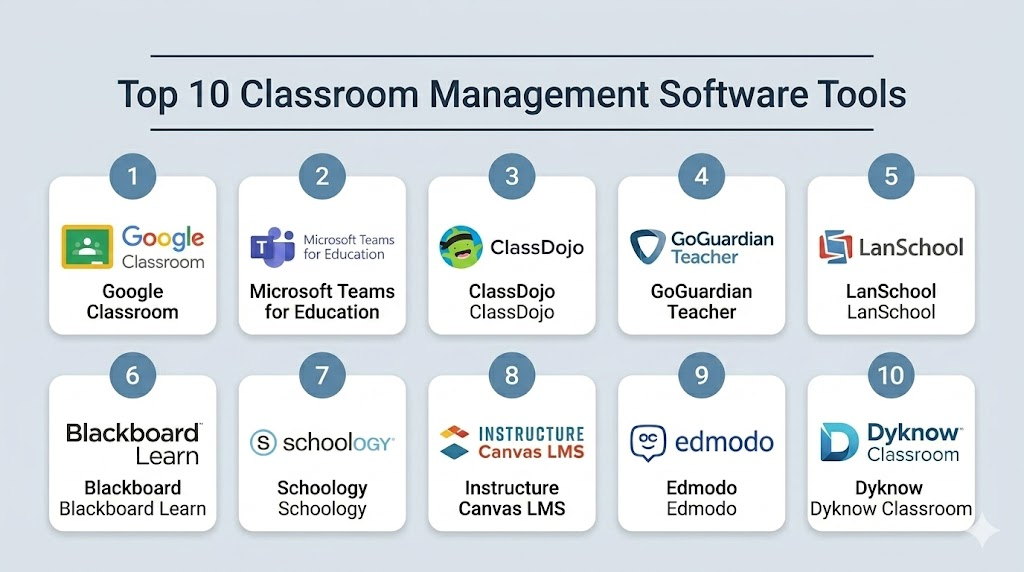
Top 10 Classroom Management Software Tools
1- Google Classroom
Short description: Google Classroom provides cloud-based classroom management and assignment workflows for schools, universities, and online learning environments.
Key Features
- Assignment and grading workflows
- Classroom announcements
- Google Workspace integration
- Real-time collaboration
- Attendance tracking
- Mobile classroom access
- Cloud file sharing
Pros
- Easy teacher onboarding
- Strong collaboration workflows
- Broad education adoption
Cons
- Advanced analytics limited
- Enterprise customization varies
- Deep behavior management capabilities limited
Platforms / Deployment
Web / Android / iOS / Cloud
Security & Compliance
Security controls available.
Integrations & Ecosystem
Google Classroom integrates deeply with education and productivity ecosystems.
- Google Workspace
- Learning platforms
- Cloud storage systems
- Communication tools
- API integrations
Support & Community
Strong global education support ecosystem.
2- Microsoft Teams for Education
Short description: Microsoft Teams for Education provides digital classroom collaboration, communication, and assignment management workflows for educational institutions.
Key Features
- Virtual classroom collaboration
- Assignment workflows
- Video conferencing
- Classroom communication
- Attendance tracking
- File sharing support
- Education analytics
Pros
- Strong collaboration capabilities
- Good hybrid learning support
- Broad enterprise integration
Cons
- Advanced configuration complexity
- Requires Microsoft ecosystem familiarity
- Public pricing transparency varies
Platforms / Deployment
Web / Windows / macOS / Android / iOS / Cloud
Security & Compliance
Enterprise-grade controls available.
Integrations & Ecosystem
Microsoft Teams integrates classroom workflows with enterprise and academic ecosystems.
- Microsoft 365
- Learning platforms
- Identity providers
- Communication systems
- API integrations
Support & Community
Strong enterprise education support ecosystem.
3- ClassDojo
Short description: ClassDojo provides classroom communication and student behavior management workflows for K-12 schools and teachers.
Key Features
- Behavior tracking
- Parent communication
- Student engagement tools
- Classroom announcements
- Attendance workflows
- Student portfolios
- Gamified participation tools
Pros
- Strong parent engagement support
- Easy teacher usability
- Good student participation workflows
Cons
- Enterprise reporting limited
- Higher education workflows limited
- Advanced LMS capabilities vary
Platforms / Deployment
Web / Android / iOS / Cloud
Security & Compliance
Security controls available.
Integrations & Ecosystem
ClassDojo integrates classroom communication and engagement workflows with education ecosystems.
- Parent communication systems
- Classroom collaboration tools
- Student portfolios
- Learning tools
- Mobile ecosystems
Support & Community
Strong K-12 teacher community support.
4- GoGuardian Teacher
Short description: GoGuardian Teacher provides classroom monitoring and student device management workflows for digital learning environments.
Key Features
- Student device monitoring
- Classroom screen management
- Web filtering workflows
- Student activity insights
- Classroom communication
- Tab management
- Real-time supervision tools
Pros
- Strong digital classroom monitoring
- Good student device visibility
- Useful remote learning support
Cons
- Device-dependent workflows
- Higher education focus limited
- Public pricing details limited
Platforms / Deployment
Web / Cloud
Security & Compliance
Security controls available.
Integrations & Ecosystem
GoGuardian integrates classroom monitoring workflows with educational technology ecosystems.
- Chromebook management
- Learning platforms
- School IT systems
- Reporting tools
- API integrations
Support & Community
Strong K-12 digital learning support ecosystem.
5- LanSchool
Short description: LanSchool provides classroom management and student monitoring workflows for schools managing digital classrooms and learning devices.
Key Features
- Device monitoring
- Classroom broadcasting
- Student screen sharing
- Attendance tracking
- Application controls
- Classroom messaging
- Testing workflows
Pros
- Strong classroom visibility
- Useful IT management support
- Good classroom supervision workflows
Cons
- Advanced analytics limited
- Cloud flexibility varies
- Public pricing transparency limited
Platforms / Deployment
Windows / macOS / Cloud
Security & Compliance
Security controls available.
Integrations & Ecosystem
LanSchool integrates classroom management with school IT and learning ecosystems.
- Device management systems
- School networks
- Reporting tools
- Classroom software
- API integrations
Support & Community
Strong classroom technology support ecosystem.
6- Blackboard Learn
Short description: Blackboard Learn provides learning and classroom management workflows for higher education and enterprise learning environments.
Key Features
- Assignment management
- Virtual classrooms
- Discussion workflows
- Assessment tools
- Learning analytics
- Mobile accessibility
- Course management
Pros
- Strong higher education support
- Good analytics capabilities
- Broad LMS functionality
Cons
- Enterprise implementation complexity
- UI usability varies
- Public pricing details limited
Platforms / Deployment
Web / Android / iOS / Cloud
Security & Compliance
Enterprise-grade controls available.
Integrations & Ecosystem
Blackboard integrates classroom workflows with enterprise academic ecosystems.
- SIS platforms
- Content management systems
- Assessment tools
- Video platforms
- API integrations
Support & Community
Strong enterprise higher education support ecosystem.
7- Schoology
Short description: Schoology provides classroom collaboration and learning management workflows for K-12 and higher education institutions.
Key Features
- Assignment workflows
- Classroom collaboration
- Gradebook management
- Discussion forums
- Learning analytics
- Mobile learning support
- Assessment workflows
Pros
- Strong LMS integration
- Good collaboration support
- Flexible academic workflows
Cons
- Advanced reporting varies
- Enterprise customization may require planning
- Public pricing details limited
Platforms / Deployment
Web / Android / iOS / Cloud
Security & Compliance
Security controls available.
Integrations & Ecosystem
Schoology integrates classroom management with digital learning ecosystems.
- SIS platforms
- Assessment tools
- Video conferencing
- Content management systems
- API integrations
Support & Community
Strong academic implementation support ecosystem.
8- Canvas LMS
Short description: Canvas LMS provides classroom management and digital learning workflows for schools, universities, and enterprise learning environments.
Key Features
- Course management
- Assignment workflows
- Grading tools
- Learning analytics
- Mobile classroom support
- Communication workflows
- Content management
Pros
- Strong usability
- Good mobile accessibility
- Flexible learning workflows
Cons
- Enterprise governance varies
- Advanced customization may require expertise
- Public pricing transparency limited
Platforms / Deployment
Web / Android / iOS / Cloud
Security & Compliance
Security controls available.
Integrations & Ecosystem
Canvas integrates classroom workflows with modern education ecosystems.
- SIS platforms
- Assessment tools
- Communication systems
- Learning applications
- API integrations
Support & Community
Strong global education support ecosystem.
9- Edmodo
Short description: Edmodo provides classroom collaboration and communication workflows for schools and teachers managing digital learning environments.
Key Features
- Classroom communication
- Assignment workflows
- Discussion forums
- Parent collaboration
- Resource sharing
- Mobile accessibility
- Classroom announcements
Pros
- Good collaboration workflows
- Easy teacher onboarding
- Useful parent communication support
Cons
- Enterprise analytics limited
- Advanced classroom monitoring limited
- Public pricing details limited
Platforms / Deployment
Web / Android / iOS / Cloud
Security & Compliance
Security controls available.
Integrations & Ecosystem
Edmodo integrates classroom communication with academic collaboration workflows.
- Learning platforms
- Parent communication systems
- Content sharing tools
- Academic workflows
- Mobile ecosystems
Support & Community
Strong teacher-focused support ecosystem.
10- Dyknow Classroom
Short description: Dyknow Classroom provides student device monitoring and classroom engagement workflows for digital learning environments.
Key Features
- Student screen monitoring
- Classroom analytics
- Device supervision
- Attention tracking
- Classroom messaging
- Web filtering support
- Engagement insights
Pros
- Strong classroom visibility
- Useful student engagement insights
- Good hybrid classroom support
Cons
- Device-dependent workflows
- Enterprise customization varies
- Public pricing details limited
Platforms / Deployment
Web / Cloud
Security & Compliance
Security controls available.
Integrations & Ecosystem
Dyknow integrates classroom monitoring workflows with educational technology ecosystems.
- Device management systems
- Learning platforms
- Reporting tools
- Communication systems
- API integrations
Support & Community
Strong digital classroom implementation support.
Comparison Table
| Tool Name | Best For | Platform Supported | Deployment | Standout Feature | Public Rating |
|---|---|---|---|---|---|
| Google Classroom | Cloud classroom workflows | Web / Mobile | Cloud | Google Workspace integration | N/A |
| Microsoft Teams for Education | Hybrid learning collaboration | Web / Desktop / Mobile | Cloud | Enterprise collaboration | N/A |
| ClassDojo | Parent engagement | Web / Mobile | Cloud | Behavior tracking | N/A |
| GoGuardian Teacher | Classroom device monitoring | Web | Cloud | Real-time supervision | N/A |
| LanSchool | Classroom device management | Windows / macOS | Hybrid | Student screen management | N/A |
| Blackboard Learn | Higher education workflows | Web / Mobile | Cloud | Enterprise learning management | N/A |
| Schoology | Academic collaboration | Web / Mobile | Cloud | LMS flexibility | N/A |
| Canvas LMS | Digital classroom workflows | Web / Mobile | Cloud | Mobile learning support | N/A |
| Edmodo | Classroom communication | Web / Mobile | Cloud | Collaboration simplicity | N/A |
| Dyknow Classroom | Student engagement monitoring | Web | Cloud | Attention analytics | N/A |
Evaluation & Scoring of Classroom Management Software
| Tool Name | Core 25% | Ease 15% | Integrations 15% | Security 10% | Performance 10% | Support 10% | Value 15% | Weighted Total |
|---|---|---|---|---|---|---|---|---|
| Google Classroom | 8 | 9 | 9 | 8 | 8 | 8 | 9 | 8.50 |
| Microsoft Teams for Education | 9 | 7 | 9 | 9 | 8 | 8 | 8 | 8.35 |
| ClassDojo | 7 | 9 | 7 | 7 | 7 | 8 | 9 | 7.75 |
| GoGuardian Teacher | 8 | 8 | 7 | 8 | 8 | 8 | 7 | 7.75 |
| LanSchool | 8 | 7 | 7 | 8 | 8 | 7 | 7 | 7.50 |
| Blackboard Learn | 9 | 7 | 8 | 9 | 8 | 8 | 7 | 8.00 |
| Schoology | 8 | 8 | 8 | 8 | 8 | 8 | 8 | 8.00 |
| Canvas LMS | 9 | 9 | 8 | 8 | 8 | 8 | 8 | 8.40 |
| Edmodo | 7 | 8 | 7 | 7 | 7 | 7 | 8 | 7.35 |
| Dyknow Classroom | 8 | 8 | 7 | 8 | 8 | 7 | 7 | 7.65 |
Which Classroom Management Software Is Right for You?
Solo / Freelancer
Independent educators and tutors may prioritize lightweight classroom collaboration and communication workflows. Google Classroom and ClassDojo are often practical options for simple academic coordination and assignment management.
SMB
Small schools and coaching institutions should focus on usability, communication workflows, affordability, and mobile accessibility. ClassDojo, Schoology, and Canvas LMS are often suitable for these environments.
Mid-Market
Mid-sized schools and educational groups typically require stronger reporting, classroom monitoring, and LMS integration capabilities. Google Classroom, Schoology, and GoGuardian Teacher can provide balanced functionality.
Enterprise
Large universities, districts, and enterprise education ecosystems should evaluate Microsoft Teams for Education, Blackboard Learn, and Canvas LMS for scalability, governance, and enterprise integration capabilities.
Budget vs Premium
Premium classroom management platforms provide broader analytics, monitoring, collaboration, and governance capabilities. Smaller schools should focus first on operational simplicity and communication workflows.
Feature Depth vs Ease of Use
Enterprise-grade platforms deliver advanced reporting and administration features but often require experienced administrators and IT support. Cloud-native classroom management systems generally simplify onboarding and classroom collaboration workflows.
Integrations & Scalability
Integration quality is critical because classroom management software commonly connects with LMS platforms, SIS systems, communication tools, assessment systems, identity providers, and cloud collaboration ecosystems.
Security & Compliance Needs
Strong access controls, student privacy protections, audit logging, role-based permissions, encryption, and classroom monitoring governance are essential because these platforms manage highly sensitive educational and student interaction data.
Frequently Asked Questions FAQs
1. What is Classroom Management Software?
Classroom Management Software helps teachers and schools manage assignments, attendance, communication, student behavior, classroom collaboration, and digital learning workflows. These systems improve classroom organization and operational efficiency. Modern platforms also support hybrid and online learning environments. Adoption is growing rapidly across education ecosystems.
2. Who typically uses Classroom Management Software?
Schools, colleges, universities, online learning providers, coaching institutions, teachers, and educational administrators commonly use classroom management platforms. Students and parents may also interact with these systems regularly. Larger institutions often deploy them across entire districts or campuses. Digital learning growth continues driving adoption.
3. Why is classroom management software important today?
Educational institutions must now manage hybrid learning environments, digital collaboration, mobile learning workflows, and student engagement at scale. Manual classroom coordination often creates communication gaps and operational inefficiencies. Classroom management software improves visibility and collaboration significantly. Automation also reduces administrative workloads.
4. What features are most important in classroom management software?
Important features include assignment workflows, attendance management, communication tools, classroom collaboration, analytics, device management, mobile access, and integration support. Schools should also evaluate scalability and student engagement capabilities carefully. Security and privacy controls are equally important. Ease of use remains a major adoption factor.
5. Can Classroom Management Software support hybrid learning?
Yes, many modern classroom management platforms support hybrid and online learning workflows with virtual classrooms, collaboration tools, mobile accessibility, and cloud-native infrastructure. Hybrid learning support has become increasingly important for schools and universities. Real-time communication workflows improve operational coordination. Cloud deployments simplify remote learning management.
6. Can classroom management tools integrate with LMS and SIS platforms?
Yes, most enterprise classroom management systems integrate with Learning Management Systems, Student Information Systems, communication platforms, analytics tools, and identity providers. Strong integrations improve operational consistency and reduce administrative duplication. Buyers should validate integration maturity before deployment. API flexibility is increasingly important.
7. Are classroom monitoring platforms safe for students?
Most enterprise vendors provide security controls, encryption, access management, and governance workflows. However, schools should carefully review student privacy policies, monitoring practices, and compliance requirements before deployment. Transparency with students and parents is also important. Institutional governance policies should guide implementation decisions.
8. What mistakes should schools avoid during implementation?
Common mistakes include underestimating training requirements, ignoring integration planning, focusing only on pricing, and failing to define governance policies for classroom monitoring. Some institutions also overlook scalability requirements. Poor implementation planning can reduce adoption and operational efficiency. Pilot testing is highly recommended.
9. Are cloud-based classroom management systems better than local software?
Cloud-based systems simplify remote access, collaboration, scalability, updates, and mobile accessibility. However, some institutions may still prefer local deployments for infrastructure control or compliance reasons. The best choice depends on operational and governance requirements. Cloud adoption continues growing rapidly in education environments.
10. How long does Classroom Management Software implementation usually take?
Implementation timelines vary depending on institutional size, integrations, user training, and deployment complexity. Smaller classroom-focused deployments may move relatively quickly, while district-wide rollouts can take several months. Workflow customization and governance planning often require significant preparation. Institutions should use phased deployment strategies whenever possible.
Conclusion
Classroom Management Software has become essential infrastructure for digital learning, classroom collaboration, hybrid education workflows, and student engagement management. As schools and universities continue expanding cloud-based learning ecosystems and remote education capabilities, institutions need scalable platforms capable of supporting communication, assignments, monitoring, analytics, collaboration, and classroom operations from a centralized environment. The best platform depends on institutional size, learning models, monitoring requirements, integration needs, and operational priorities. Large districts and enterprise education ecosystems may prioritize Microsoft Teams for Education, Blackboard Learn, and Canvas LMS for scalability and governance, while smaller schools and classroom-focused environments may prefer Google Classroom, ClassDojo, or Schoology for usability and communication simplicity. Before selecting a Classroom Management Software platform, institutions should shortlist a few vendors, validate integrations carefully, test communication and classroom workflows, review privacy and security controls, and run pilot deployments using realistic academic scenarios.

Find Trusted Cardiac Hospitals
Compare heart hospitals by city and services — all in one place.
Explore Hospitals
Good overview! I learned how classroom management tools can help teachers stay organized and keep students more engaged during lessons.