Introduction
Patient Engagement Platforms help healthcare organizations communicate with patients, automate follow-ups, manage appointments, collect forms, send reminders, support digital check-ins, and improve the overall care experience. These platforms connect patients with providers through SMS, email, mobile apps, patient portals, voice, chat, and secure digital workflows. patient engagement matters because hospitals, clinics, and specialty practices need to reduce no-shows, improve patient satisfaction, support preventive care, and make healthcare access more convenient. Modern platforms are no longer limited to reminders; they now support AI-powered outreach, digital intake, care navigation, telehealth, payments, surveys, education, and EHR-connected workflows.
Real-world use cases include:
- Appointment Reminders: Clinics send automated SMS, email, or voice reminders to reduce missed appointments.
- Digital Intake: Patients complete registration forms, insurance details, medical history, and consent forms before visits.
- Care Follow-Ups: Providers send post-visit instructions, medication reminders, and care plan updates after appointments.
- Patient Communication: Care teams manage secure messaging, FAQs, callbacks, and routine patient questions from one platform.
- No-Show Reduction: Practices use reminders, confirmations, and rescheduling workflows to improve appointment attendance.
- Patient Payments: Clinics send digital statements, payment links, and balance reminders to improve collection workflows.
- Patient Feedback: Healthcare teams collect surveys, experience scores, and service feedback to improve care delivery.
What buyers should evaluate:
- Communication Channels: Check whether the platform supports SMS, email, voice, chat, mobile apps, and patient portal messaging.
- EHR and EMR Integration: Confirm smooth connectivity with existing EHR, EMR, scheduling, billing, and patient record systems.
- Automation Depth: Evaluate appointment reminders, recalls, intake, follow-ups, payments, and care campaign automation.
- Ease of Use: Make sure front-desk staff, care teams, administrators, and patients can use the platform without heavy confusion.
- Security and Compliance: Look for MFA, RBAC, audit logs, encryption, secure messaging, and healthcare privacy controls.
- Patient Experience: Review mobile usability, language support, accessibility, self-service features, and message personalization.
- Analytics and Reporting: Evaluate dashboards for no-show rates, message performance, campaign outcomes, patient satisfaction, and staff workload.
- Scalability: Make sure the platform can support more patients, providers, locations, campaigns, and communication volume.
- Customization: Check whether workflows, templates, branding, forms, reminders, and campaigns can be configured.
- Total Cost of Ownership: Compare licensing, implementation, messaging fees, integrations, support plans, payment processing, and training costs.
Best for: hospitals, specialty clinics, ambulatory practices, dental groups, behavioral health providers, multi-location healthcare networks, patient experience teams, and healthcare administrators that want better patient communication, digital access, care follow-up, and operational efficiency.
Not ideal for: very small practices that only need basic calendar reminders, non-clinical wellness businesses, or organizations that do not need secure healthcare communication, EHR integration, or patient data workflows.
Key Trends in Patient Engagement Platforms for 2026 and Beyond
- AI-powered patient communication is becoming more common for answering routine questions, routing messages, summarizing patient needs, and guiding patients to the right next step.
- Omnichannel engagement is now expected, with patients wanting communication through SMS, email, voice, portal messages, mobile apps, and chat.
- Digital intake is moving earlier in the patient journey, helping practices collect forms, insurance information, consent, and health history before the visit.
- No-show prevention is becoming more intelligent, using reminders, confirmations, waitlists, two-way texting, and automated rescheduling workflows.
- Patient payments are becoming part of engagement, with platforms supporting digital statements, payment links, reminders, and financial communication.
- EHR-connected workflows are becoming essential, because patient engagement must connect with scheduling, records, care plans, billing, and provider workflows.
- Personalized care campaigns are growing, especially for preventive screenings, chronic care follow-ups, vaccination reminders, and post-procedure instructions.
- Security and consent management are stronger priorities, especially for protected health information, opt-in messaging, audit logs, and role-based access.
- Analytics is becoming more action-oriented, helping organizations track patient response rates, call reduction, satisfaction, no-shows, and campaign ROI.
- Multilingual and accessibility support is gaining importance, especially for large healthcare networks serving diverse patient populations.
How We Selected These Tools
- We selected platforms with strong market recognition in patient engagement, patient communication, digital intake, reminders, surveys, and healthcare workflow automation.
- We included a balanced mix of enterprise healthcare platforms, ambulatory practice tools, patient communication systems, and patient experience platforms.
- We evaluated feature completeness, including reminders, two-way messaging, forms, scheduling, payments, surveys, campaigns, and reporting.
- We considered integration strength with EHR, EMR, practice management, billing, scheduling, telehealth, and patient portal systems.
- We reviewed security posture signals, including access control, auditability, secure messaging, encryption expectations, and healthcare compliance readiness.
- We prioritized tools that support real patient engagement, not only basic reminders or simple marketing messages.
- We considered fit across small practices, mid-sized provider groups, hospitals, and large health systems.
- We considered implementation complexity, because patient engagement platforms require workflow mapping, staff training, message templates, and adoption planning.
- We avoided guessed public ratings, prices, certifications, or unsupported claims.
- We treated scoring as a practical comparison, not a universal ranking for every organization.
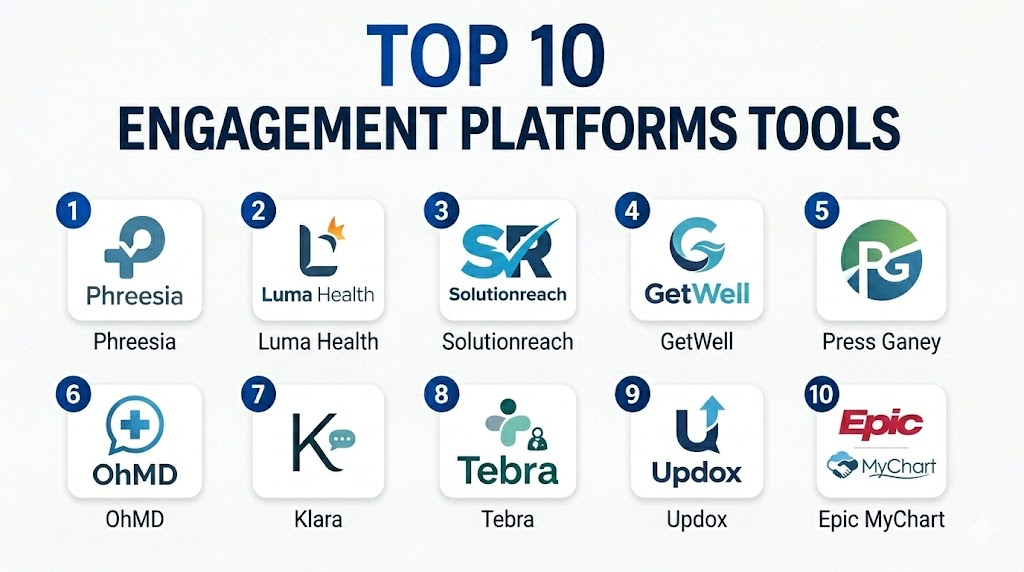
Top 10 Patient Engagement Platforms Tools
1- Phreesia
Short description: Phreesia is a patient intake and engagement platform used by healthcare organizations to manage registration, digital forms, payments, patient communication, and front-office workflows. It is useful for practices and health systems that want to improve patient access and reduce manual administrative work.
Key Features
- Digital patient intake and registration workflows
- Insurance, demographic, and consent form collection
- Appointment reminders and communication workflows
- Patient payment and balance collection tools
- Check-in workflows for in-person and digital visits
- Reporting for patient access and operational performance
- Integration options with healthcare systems and practice workflows
Pros
- Strong fit for patient intake and front-desk automation.
- Helps reduce paperwork and manual registration workload.
- Useful for improving patient access and payment workflows.
Cons
- May require workflow changes for front-desk and registration teams.
- Best value depends on strong integration with scheduling and EHR systems.
- Smaller practices should validate cost and setup effort.
Platforms / Deployment
Web / mobile access varies by workflow
Cloud
Security & Compliance
Phreesia is used in healthcare environments that manage sensitive patient information. Expected controls may include secure access, auditability, data protection, and healthcare privacy workflows. Specific certifications should be verified directly.
Integrations & Ecosystem
Phreesia commonly connects with healthcare operations, patient access, intake, payment, and practice management workflows. It is especially useful when registration, forms, payments, and scheduling need to work together.
- EHR and PM system integrations
- Scheduling workflows
- Digital intake forms
- Patient payment tools
- Communication workflows
- Reporting and analytics
Support & Community
Phreesia provides implementation support, onboarding resources, documentation, and customer support. Buyers should confirm integration support, training plans, message configuration, and ongoing optimization assistance.
2- Luma Health
Short description: Luma Health is a patient engagement platform focused on patient communication, scheduling, reminders, referrals, intake, and care journey automation. It is designed for clinics, specialty groups, and health systems that want to automate patient access workflows.
Key Features
- Appointment reminders and two-way texting
- Patient scheduling and rescheduling workflows
- Digital intake and form automation
- Referral management and patient outreach
- Waitlist and recall campaign support
- Care journey communication workflows
- Analytics for engagement and access performance
Pros
- Strong fit for patient access and scheduling automation.
- Helpful for reducing no-shows and improving appointment utilization.
- Supports multi-step patient communication workflows.
Cons
- Best results depend on EHR and scheduling integration quality.
- Workflow setup can require planning and template design.
- Smaller teams should confirm which modules they actually need.
Platforms / Deployment
Web / mobile communication access varies by workflow
Cloud
Security & Compliance
Luma Health serves healthcare organizations that require secure patient communication workflows. Expected controls may include secure access, auditability, and protected data handling. Specific certifications should be verified directly.
Integrations & Ecosystem
Luma Health is built around patient access automation and can connect with scheduling, EHR, referral, intake, and communication workflows.
- EHR integrations
- Scheduling systems
- Referral workflows
- Digital intake tools
- SMS and communication channels
- Analytics dashboards
Support & Community
Luma Health provides onboarding, support, implementation guidance, and workflow configuration assistance. Buyers should clarify integration scope, training resources, support tiers, and optimization services.
3- Solutionreach
Short description: Solutionreach is a patient communication and relationship management platform for healthcare practices. It supports appointment reminders, messaging, recalls, surveys, reputation workflows, and patient outreach.
Key Features
- Automated appointment reminders
- Two-way texting and patient messaging
- Recall and reactivation campaigns
- Patient surveys and feedback workflows
- Online scheduling and communication support
- Reputation and review management features
- Practice performance and engagement reporting
Pros
- Good fit for practices focused on patient communication and recalls.
- Helps reduce manual phone calls and front-desk workload.
- Useful for improving patient retention and engagement.
Cons
- May not provide the same depth as enterprise patient access platforms.
- Integration capabilities should be validated for each EHR.
- Advanced workflows may require configuration and staff training.
Platforms / Deployment
Web / mobile communication access varies by workflow
Cloud
Security & Compliance
Solutionreach is used by healthcare practices that need secure patient communication. Expected controls may include secure access and protected patient communication workflows. Specific certifications should be verified directly.
Integrations & Ecosystem
Solutionreach connects with practice systems to support reminders, recalls, messaging, surveys, and patient communication campaigns.
- EHR and PM integrations
- Appointment reminders
- Two-way texting
- Recall campaigns
- Patient surveys
- Reputation workflows
Support & Community
Solutionreach provides customer support, training resources, onboarding help, and documentation. Buyers should confirm integration support, template setup, staff training, and ongoing service expectations.
4- GetWell
Short description: GetWell is a patient engagement platform focused on digital care experiences across hospitals, health systems, and care journeys. It supports patient education, communication, rounding, digital care plans, and engagement across inpatient and outpatient settings.
Key Features
- Patient education and digital care guidance
- Care journey engagement workflows
- Inpatient and outpatient patient experience support
- Communication and follow-up workflows
- Survey, feedback, and patient experience tools
- Support for health system-level engagement programs
- Analytics for patient engagement and care experience
Pros
- Strong fit for hospitals and health systems.
- Useful for structured care journeys and patient education.
- Supports broader engagement beyond basic reminders.
Cons
- May be more than small clinics need.
- Implementation can require care pathway planning.
- Integration and workflow design should be validated carefully.
Platforms / Deployment
Web / mobile / patient-facing access varies by solution
Cloud / hybrid options vary by implementation
Security & Compliance
GetWell works with healthcare organizations that manage sensitive patient engagement data. Expected controls may include secure access, auditability, and protected patient information workflows. Specific certifications should be verified directly.
Integrations & Ecosystem
GetWell can connect with healthcare systems, EHRs, patient experience workflows, and care management programs.
- EHR integrations
- Patient education workflows
- Care journey tools
- Inpatient engagement
- Feedback and surveys
- Analytics and reporting
Support & Community
GetWell provides implementation support, customer success resources, training, and workflow guidance. Buyers should confirm support for care pathway design, integration, staff training, and patient adoption.
5- Press Ganey
Short description: Press Ganey is widely used for patient experience, feedback, surveys, reputation insights, and healthcare experience management. It is especially relevant for hospitals and health systems that want to measure and improve patient satisfaction and care experience.
Key Features
- Patient experience surveys and feedback collection
- Healthcare reputation and review insights
- Experience analytics and benchmarking workflows
- Care team and operational feedback programs
- Patient communication and improvement insights
- Enterprise reporting for healthcare leadership
- Support for large-scale experience management programs
Pros
- Strong fit for hospitals focused on patient experience measurement.
- Useful for identifying service gaps and experience improvement areas.
- Supports enterprise-level feedback and analytics programs.
Cons
- More focused on experience intelligence than daily scheduling workflows.
- May need other tools for reminders, intake, and payments.
- Smaller practices may not need enterprise experience analytics.
Platforms / Deployment
Web / platform access varies by solution
Cloud
Security & Compliance
Press Ganey operates in healthcare experience and patient feedback environments. Security and compliance controls should be verified directly based on the selected solution and data handling scope.
Integrations & Ecosystem
Press Ganey supports patient experience workflows, surveys, feedback analysis, and healthcare improvement programs. It is often part of a broader patient engagement and experience strategy.
- Patient surveys
- Feedback analytics
- Reputation insights
- Experience benchmarking
- Healthcare leadership reporting
- Operational improvement workflows
Support & Community
Press Ganey provides enterprise support, consulting, reporting guidance, and implementation resources. Buyers should validate onboarding, survey methodology support, analytics services, and account management.
6- OhMD
Short description: OhMD is a patient communication platform focused on secure texting, patient messaging, reminders, and team communication. It is useful for practices that want simple, fast, and patient-friendly communication workflows.
Key Features
- Two-way patient texting
- Secure messaging workflows
- Appointment reminders and follow-ups
- Team inbox for patient communication
- Broadcast messaging and outreach
- Patient conversation history
- Integration options with healthcare systems
Pros
- Easy-to-use communication platform for practices.
- Helps reduce phone calls and improve response speed.
- Strong fit for teams that prioritize texting and messaging.
Cons
- May not cover full patient intake or enterprise journey orchestration.
- Larger hospitals may need broader workflow capabilities.
- Integration depth should be validated before purchase.
Platforms / Deployment
Web / mobile access varies by module
Cloud
Security & Compliance
OhMD is designed for healthcare communication workflows. Expected controls may include secure messaging and protected communication features. Specific compliance and certification details should be verified directly.
Integrations & Ecosystem
OhMD connects communication workflows with practice operations and patient messaging needs.
- EHR integration options
- Patient texting
- Team inbox workflows
- Appointment reminders
- Broadcast messaging
- Communication analytics
Support & Community
OhMD provides onboarding resources, documentation, and customer support. Buyers should confirm integration setup, training, messaging templates, and support availability.
7- Klara
Short description: Klara is a patient communication platform used by healthcare practices to manage messaging, patient conversations, forms, reminders, and team collaboration. It is useful for practices that want to modernize communication and reduce phone-based workflows.
Key Features
- Patient messaging and two-way communication
- Team inbox and internal collaboration
- Digital forms and document collection
- Appointment reminders and follow-up communication
- Patient conversation tracking
- Workflow routing for staff and care teams
- Integration options with healthcare systems
Pros
- Strong fit for communication-heavy practices.
- Helps centralize patient conversations in one place.
- Useful for reducing front-desk phone workload.
Cons
- May not replace full patient engagement suites with payments or surveys.
- Advanced configuration may require workflow planning.
- Buyers should validate EHR integration details.
Platforms / Deployment
Web / mobile access varies by module
Cloud
Security & Compliance
Klara is used for healthcare communication and patient messaging. Expected controls may include secure communication workflows and access permissions. Specific certifications should be verified directly.
Integrations & Ecosystem
Klara supports patient communication workflows and can connect with healthcare systems depending on configuration.
- Patient messaging
- Team inbox
- Digital forms
- Appointment reminders
- EHR integration options
- Staff workflow routing
Support & Community
Klara provides implementation resources, support, and workflow guidance. Buyers should confirm setup support, training, integrations, and response times.
8- Tebra
Short description: Tebra provides practice growth, patient communication, scheduling, billing, and patient engagement workflows for independent healthcare practices. It is useful for smaller practices that want connected front-office, engagement, and practice management capabilities.
Key Features
- Patient communication and engagement workflows
- Appointment scheduling and reminders
- Practice management and billing support
- Patient intake and registration options
- Reputation and practice growth features
- Cloud-based access for independent practices
- Reporting for practice operations
Pros
- Good fit for independent practices and smaller clinics.
- Combines engagement with practice management workflows.
- Easier to approach than large enterprise platforms.
Cons
- May not fit large hospital engagement needs.
- Advanced integrations should be validated by workflow.
- Feature availability may vary by package.
Platforms / Deployment
Web / platform access varies by module
Cloud
Security & Compliance
Tebra serves healthcare practices that manage patient information. Expected controls may include secure access and protected data workflows. Specific certifications should be verified directly.
Integrations & Ecosystem
Tebra connects patient engagement with practice operations, scheduling, billing, and communication.
- Practice management workflows
- Scheduling and reminders
- Patient communication
- Billing workflows
- Intake and registration
- Reporting tools
Support & Community
Tebra provides onboarding, documentation, and customer support resources. Buyers should review setup assistance, migration support, training, and support response expectations.
9- Updox
Short description: Updox is a healthcare communication and patient engagement platform that supports messaging, forms, telehealth, reminders, fax, and workflow communication. It is useful for practices that want to centralize digital communication in one platform.
Key Features
- Secure patient messaging
- Digital forms and intake support
- Appointment reminders and communication workflows
- Telehealth and virtual visit support
- Electronic fax and document workflows
- Broadcast messaging and patient outreach
- Integration options with EHR and practice systems
Pros
- Broad communication toolkit for healthcare practices.
- Useful for replacing disconnected phone, fax, and messaging workflows.
- Supports both patient engagement and administrative communication.
Cons
- Interface and workflow fit should be tested by staff.
- Larger organizations may need advanced enterprise orchestration.
- Buyers should validate EHR integration and module availability.
Platforms / Deployment
Web / mobile access varies by module
Cloud
Security & Compliance
Updox supports healthcare communication workflows that involve patient information. Expected controls may include secure messaging, access control, and protected communication features. Specific certifications should be verified directly.
Integrations & Ecosystem
Updox connects with healthcare workflows across communication, forms, fax, telehealth, and patient outreach.
- EHR integrations
- Secure messaging
- Digital forms
- Telehealth workflows
- Electronic fax
- Patient reminders
Support & Community
Updox provides onboarding, documentation, support, and training resources. Buyers should clarify integration assistance, workflow setup, support tiers, and staff training needs.
10- Epic MyChart
Short description: Epic MyChart is a widely recognized patient portal and engagement platform for hospitals and health systems using Epic. It supports patient communication, appointment access, test results, billing, health records, and care coordination.
Key Features
- Patient portal access to records and results
- Appointment scheduling and visit management
- Secure messaging between patients and care teams
- Prescription refill and medication access
- Billing and payment workflows
- Mobile access for patient self-service
- Deep connection with Epic EHR workflows
Pros
- Strong fit for enterprise hospitals using Epic.
- Mature patient-facing experience across many care workflows.
- Supports broad engagement through records, messaging, scheduling, and payments.
Cons
- Best suited for organizations already using Epic.
- Implementation and optimization require enterprise resources.
- Smaller practices may need simpler engagement tools.
Platforms / Deployment
Web / iOS / Android
Cloud / hosted / hybrid options vary by implementation
Security & Compliance
Epic MyChart is used in regulated healthcare environments. Expected controls may include secure authentication, audit logs, role-based workflows, and protected patient data handling. Specific certifications should be verified directly.
Integrations & Ecosystem
Epic MyChart is deeply integrated with Epic’s clinical, scheduling, billing, and patient engagement ecosystem.
- Epic EHR integration
- Scheduling workflows
- Secure messaging
- Billing and payments
- Patient records access
- Interoperability options
Support & Community
Epic provides enterprise implementation resources, documentation, training, and customer programs. Healthcare organizations should plan patient adoption campaigns, staff training, and workflow governance.
Comparison Table
| Tool Name | Best For | Platform(s) Supported | Deployment | Standout Feature | Public Rating |
|---|---|---|---|---|---|
| Phreesia | Digital intake and front-office automation | Web, mobile access varies | Cloud | Patient intake, forms, and payments | N/A |
| Luma Health | Patient access and scheduling automation | Web, mobile communication access varies | Cloud | Reminders, referrals, and care journey automation | N/A |
| Solutionreach | Practice communication and recalls | Web, mobile communication access varies | Cloud | Patient reminders and relationship management | N/A |
| GetWell | Hospitals and structured care journeys | Web, mobile access varies | Cloud / Hybrid varies | Patient education and digital care journeys | N/A |
| Press Ganey | Patient experience and feedback programs | Web, platform access varies | Cloud | Patient experience surveys and analytics | N/A |
| OhMD | Secure texting and patient messaging | Web, mobile access varies | Cloud | Simple two-way patient texting | N/A |
| Klara | Patient communication and team inbox workflows | Web, mobile access varies | Cloud | Centralized patient conversations | N/A |
| Tebra | Independent practices and practice growth | Web, platform access varies | Cloud | Engagement plus practice management workflows | N/A |
| Updox | Communication, forms, fax, and telehealth | Web, mobile access varies | Cloud | Unified healthcare communication workflows | N/A |
| Epic MyChart | Enterprise hospitals using Epic | Web, iOS, Android | Cloud / Hosted / Hybrid varies | Deep EHR-connected patient portal engagement | N/A |
Evaluation & Scoring of Patient Engagement Platforms
| Tool Name | Core 25% | Ease 15% | Integrations 15% | Security 10% | Performance 10% | Support 10% | Value 15% | Weighted Total |
|---|---|---|---|---|---|---|---|---|
| Phreesia | 9 | 8 | 8 | 8 | 8 | 8 | 7 | 8.10 |
| Luma Health | 9 | 8 | 8 | 8 | 8 | 8 | 8 | 8.25 |
| Solutionreach | 8 | 8 | 7 | 7 | 8 | 7 | 8 | 7.65 |
| GetWell | 8 | 7 | 8 | 8 | 8 | 8 | 7 | 7.75 |
| Press Ganey | 8 | 7 | 7 | 8 | 8 | 8 | 7 | 7.55 |
| OhMD | 7 | 9 | 7 | 7 | 8 | 7 | 8 | 7.60 |
| Klara | 7 | 8 | 7 | 7 | 8 | 7 | 8 | 7.45 |
| Tebra | 7 | 8 | 7 | 7 | 7 | 7 | 8 | 7.30 |
| Updox | 8 | 8 | 7 | 7 | 8 | 7 | 8 | 7.65 |
| Epic MyChart | 10 | 7 | 10 | 9 | 9 | 9 | 7 | 8.75 |
Which Patient Engagement Platforms Tool Is Right for You?
Solo / Freelancer
Solo providers and independent clinicians usually need simple tools for appointment reminders, patient messaging, forms, and basic communication. OhMD, Klara, Tebra, or Updox can be practical options if the goal is to reduce phone calls and improve patient response time.
A solo provider should avoid complex enterprise platforms unless they are part of a larger healthcare network. The right tool should be easy to set up, affordable, and simple for patients to use.
SMB
Small and mid-sized practices usually need stronger workflows for reminders, recalls, digital intake, two-way texting, payments, and review requests. Solutionreach, Luma Health, Phreesia, Tebra, Updox, OhMD, and Klara may be good options depending on the practice’s main challenge.
SMBs should focus on reducing manual front-desk tasks. The best platform should help staff spend less time on phone calls, paperwork, appointment confirmations, and repetitive patient questions.
Mid-Market
Mid-market provider groups need multi-location support, workflow automation, reporting, EHR integration, and campaign management. Luma Health, Phreesia, GetWell, Solutionreach, Updox, and Press Ganey can be relevant depending on whether the priority is intake, communication, patient experience, or care journeys.
Mid-market buyers should involve operations leaders, front-desk teams, care coordinators, billing teams, and IT. Patient engagement should connect with real workflows, not sit as a separate communication tool.
Enterprise
Large hospitals and health systems need platforms that can support patient experience, care journeys, digital front door strategy, secure communication, analytics, and EHR-connected engagement. Epic MyChart, GetWell, Press Ganey, Phreesia, and Luma Health are stronger candidates for enterprise environments.
Enterprise buyers should focus on interoperability, governance, patient identity, accessibility, security, analytics, and large-scale adoption. A successful rollout requires internal training, patient education, workflow routing, and executive sponsorship.
Budget vs Premium
Budget-focused practices should compare subscription fees, messaging costs, implementation charges, integration fees, payment processing costs, and support plans. A lower-cost communication tool may be enough if the practice only needs reminders and texting.
Premium platforms usually provide deeper automation, better analytics, stronger integrations, and broader workflows. However, premium tools only make sense if the organization will actually use those advanced features.
Feature Depth vs Ease of Use
Feature depth is valuable for large care teams and multi-location organizations, but it can slow adoption if staff find the system difficult. Small practices should prioritize simplicity, while larger organizations may need advanced workflows, routing, and analytics.
During demos, test real scenarios such as appointment confirmation, patient intake, missed appointment follow-up, payment reminders, survey delivery, and secure messaging. A platform should improve daily operations, not create another inbox to manage.
Integrations & Scalability
Patient engagement platforms should connect with EHR, EMR, scheduling, billing, telehealth, patient portals, payment systems, and analytics tools. Integration quality is one of the most important buying factors because disconnected engagement tools create duplicate work.
Scalability means supporting more patients, providers, locations, languages, campaigns, templates, and communication volume. Growing healthcare organizations should choose platforms that can expand without requiring a complete replacement later.
Security & Compliance Needs
Patient engagement platforms may handle sensitive health information, appointment details, payment reminders, and care instructions. Buyers should evaluate MFA, SSO, RBAC, audit logs, encryption, consent management, and secure messaging.
Compliance teams should review data handling terms, vendor responsibilities, opt-in workflows, message content rules, and access permissions. Never assume a platform is compliant without reviewing documentation and contracts.
Frequently Asked Questions
1. What is a Patient Engagement Platform?
A Patient Engagement Platform is software that helps healthcare organizations communicate with patients, automate reminders, collect forms, manage follow-ups, send education, and improve digital care access. It connects patients and providers through digital channels.
2. How is patient engagement software different from a patient portal?
A patient portal usually gives patients access to records, results, messages, and appointments. Patient engagement software is broader and may include reminders, campaigns, texting, intake, surveys, payments, recalls, and care journey automation.
3. How much does patient engagement software cost?
Pricing varies based on patient volume, modules, messaging usage, integrations, locations, implementation, and support. Buyers should compare total cost of ownership instead of only monthly subscription fees.
4. Can patient engagement software reduce no-shows?
Yes, reminders, confirmations, two-way texting, waitlists, and automated rescheduling can help reduce no-shows. Results depend on message timing, patient behavior, scheduling workflows, and staff follow-up.
5. Does patient engagement software integrate with EHR systems?
Many platforms integrate with EHR, EMR, practice management, scheduling, billing, and patient portal systems. Buyers should verify integration depth, cost, setup timeline, and support ownership.
6. Is patient engagement software secure?
It can be secure when it includes strong authentication, access controls, encryption, audit logs, and protected communication workflows. Buyers should verify security documentation and compliance responsibilities before purchase.
7. What are common buying mistakes?
Common mistakes include buying only for reminders, ignoring EHR integration, underestimating staff training, sending too many messages, skipping consent workflows, and failing to measure patient adoption.
8. How long does implementation take?
Implementation can take a few weeks for small practices and several months for larger healthcare organizations. Timeline depends on integrations, templates, forms, workflows, staff training, and testing.
9. What features should a good platform include?
A good platform should include reminders, two-way messaging, digital intake, secure communication, recalls, surveys, payments, reporting, automation, and EHR integration. The exact feature mix depends on organization size and goals.
10. What is the best option for small practices?
Small practices may prefer OhMD, Klara, Tebra, Solutionreach, or Updox depending on communication needs. The best choice should be easy to use, affordable, and connected to daily front-office workflows.
11. What is the best option for hospitals?
Hospitals may prefer Epic MyChart, GetWell, Press Ganey, Phreesia, or Luma Health depending on patient experience, intake, engagement, and EHR strategy. The best option depends on the hospital’s digital front door roadmap.
12. Can patient engagement platforms improve revenue?
Yes, they can support revenue by reducing no-shows, improving appointment utilization, automating payment reminders, improving patient retention, and reducing manual administrative work. Financial impact depends on adoption and workflow quality.
Conclusion
Patient Engagement Platforms are becoming essential for healthcare organizations that want better patient communication, digital access, appointment attendance, care follow-up, and patient experience. The best platform depends on organization size, existing EHR, patient population, budget, communication channels, integration needs, and staff capacity. Epic MyChart is strong for enterprise Epic environments, while Phreesia and Luma Health are strong for access, intake, and automation. Solutionreach, OhMD, Klara, Tebra, and Updox are practical for clinics that need better communication and front-office efficiency, while GetWell and Press Ganey support broader patient experience and care journey programs. Buyers should not choose only by brand name or feature count. The best next step is to shortlist two or three tools, run real workflow demos, validate EHR integration and security controls, compare total cost, and pilot the platform before full rollout.

Find Trusted Cardiac Hospitals
Compare heart hospitals by city and services — all in one place.
Explore Hospitals
Patient engagement platforms are most valuable when they empower patients to take an active role in their healthcare through convenient digital communication and self-service tools. By offering appointment scheduling, secure messaging, reminders, educational resources, and access to health records, these platforms improve patient satisfaction, strengthen care coordination, and support better health outcomes.