Introduction
Patient Portal Platforms are secure digital platforms that help patients access their medical records, lab results, appointments, prescriptions, billing information, and care communication from a web or mobile interface. They connect patients with healthcare providers and make routine healthcare tasks easier without requiring phone calls or in-person visits. patient portals matter because healthcare organizations are expected to provide faster communication, digital self-service, better patient engagement, and secure access to personal health information. Modern portals are moving beyond simple record access and now support online scheduling, secure messaging, digital intake, telehealth, payment workflows, and AI-assisted patient support.
Real-world use cases include:
- Appointment Management: Patients can book, reschedule, or cancel doctor appointments without calling the front desk.
- Lab Result Access: Patients can view test results, clinical summaries, and diagnostic reports from a secure portal.
- Secure Messaging: Patients and care teams can exchange non-urgent medical questions, follow-up instructions, and care updates.
- Prescription Refills: Patients can request medication refills and review prescription history through the portal.
- Patient Billing: Healthcare organizations can offer digital statements, online payments, and balance visibility.
- Digital Intake Forms: Clinics can collect medical history, insurance details, consent forms, and visit information before appointments.
- Care Plan Follow-Up: Providers can share treatment instructions, preventive care reminders, and chronic care updates.
What buyers should evaluate:
- Ease of Use: Check whether patients of different age groups can easily use the portal on web and mobile.
- EHR and EMR Integration: Confirm whether the portal connects smoothly with existing EHR, EMR, scheduling, billing, and clinical systems.
- Security and Compliance: Evaluate MFA, RBAC, audit logs, encryption, secure messaging, and healthcare privacy controls.
- Patient Engagement Features: Look for appointment booking, messaging, reminders, forms, payments, and test result access.
- Mobile Experience: Make sure the portal works well on iOS, Android, tablets, and responsive web browsers.
- Customization: Check whether branding, forms, workflows, notifications, and portal permissions can be configured.
- Interoperability: Review support for healthcare data exchange, APIs, FHIR, HL7, and third-party integrations.
- Support and Training: Evaluate onboarding support, patient education materials, staff training, and vendor responsiveness.
- Scalability: Make sure the platform can support more patients, providers, locations, specialties, and digital services.
- Total Cost of Ownership: Compare licensing, implementation, integrations, payment processing, support, and long-term maintenance costs.
Best for: hospitals, clinics, health systems, specialty practices, ambulatory groups, digital health teams, and healthcare administrators that want better patient engagement, self-service access, communication, and digital care coordination.
Not ideal for: very small practices that only need basic appointment scheduling, non-clinical wellness businesses, or providers that do not need secure patient data access, EHR integration, or healthcare compliance workflows.
Key Trends in Patient Portal Platforms
- AI-powered patient support is becoming more common, especially for FAQs, appointment guidance, billing questions, intake assistance, and care navigation.
- Mobile-first patient experience is now essential because patients expect portals to work smoothly on phones, tablets, and mobile browsers.
- Digital intake and pre-visit workflows are expanding, helping clinics collect insurance details, consent forms, symptoms, and medical history before the visit.
- EHR integration remains a core requirement, because patient portals must connect with medical records, prescriptions, lab results, appointments, and billing data.
- Secure messaging is becoming more structured, with care teams using routing, templates, response rules, and escalation workflows to manage patient communication.
- Online payments are becoming standard, allowing patients to view balances, pay bills, download statements, and manage payment communication digitally.
- Interoperability is gaining importance, especially for hospitals and networks that need data exchange across multiple providers and care settings.
- Patient identity and access security are stronger priorities, with more focus on MFA, login protection, consent management, and auditability.
- Portal adoption is now a business metric, because healthcare organizations want patients to actively use digital access instead of calling front desks for every task.
- Personalized health journeys are growing, with portals supporting care reminders, preventive screening alerts, chronic care follow-ups, and targeted patient education.
How We Selected These Tools
- We selected platforms with strong market recognition in patient portal, EHR-connected patient engagement, and digital healthcare access.
- We included a balanced mix of enterprise hospital portals, ambulatory practice portals, and SMB-friendly patient engagement tools.
- We evaluated feature completeness, including records access, appointment booking, secure messaging, digital forms, billing, payments, and mobile access.
- We considered EHR and EMR ecosystem strength, because patient portals are most useful when connected to clinical workflows.
- We looked at interoperability and integration support, including APIs, patient data exchange, scheduling, lab results, billing, and payment workflows.
- We considered security posture signals, such as access control, auditability, encryption expectations, and healthcare privacy workflows.
- We prioritized tools that support real patient engagement, not just basic login access to records.
- We avoided guessed ratings, certifications, pricing, and compliance claims where details are not confidently known.
- We considered fit across segments, from small practices to large hospitals and health systems.
- We treated scoring as a practical comparison, not a universal ranking for every healthcare organization.
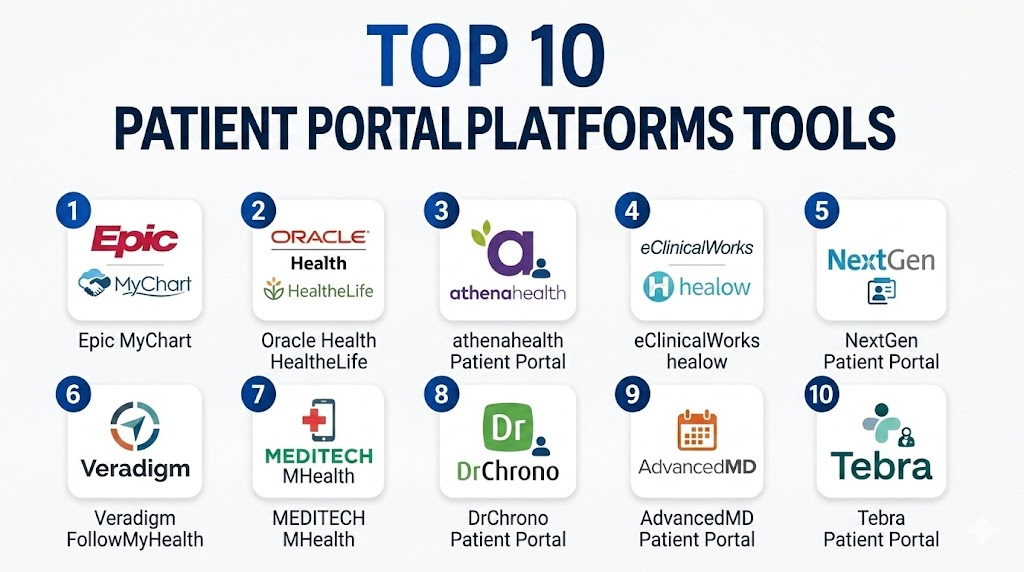
Top 10 Patient Portal Platforms Tools
1- Epic MyChart
Short description: Epic MyChart is one of the most recognized patient portal platforms for hospitals, academic medical centers, and large health systems using the Epic ecosystem. It helps patients access records, appointments, test results, messages, prescriptions, and billing information.
Key Features
- Patient access to medical records, visit summaries, and test results
- Appointment scheduling, reminders, and visit preparation workflows
- Secure messaging between patients and care teams
- Prescription refill requests and medication history access
- Billing, payments, and financial communication support
- Mobile app access for iOS and Android
- Deep integration with the Epic EHR ecosystem
Pros
- Strong fit for large hospitals and integrated health systems.
- Mature patient engagement experience with broad feature depth.
- Excellent connection with Epic clinical and administrative workflows.
Cons
- Best suited for organizations already using Epic.
- Implementation and optimization can require significant resources.
- Smaller practices may find it too enterprise-focused.
Platforms / Deployment
Web / iOS / Android
Cloud / hosted / hybrid options vary by implementation
Security & Compliance
Epic MyChart is used in regulated healthcare environments. Expected controls may include secure authentication, audit logs, role-based access, encrypted data workflows, and healthcare privacy controls. Specific certifications should be verified directly.
Integrations & Ecosystem
Epic MyChart is deeply connected with Epic’s clinical, scheduling, billing, and patient engagement ecosystem. It is strongest when used as part of a broader Epic environment.
- Epic EHR integration
- Scheduling workflows
- Lab results and diagnostic reports
- Billing and payment workflows
- Secure messaging
- Interoperability and data exchange options
Support & Community
Epic provides enterprise implementation support, documentation, training resources, and customer programs. Support strength is high for large organizations, but successful adoption requires internal workflow planning and patient education.
2- Oracle Health HealtheLife
Short description: Oracle Health HealtheLife is a patient portal platform designed for organizations using Oracle Health systems. It supports secure patient access to health information, appointments, communication, and care management workflows.
Key Features
- Access to personal health records and clinical information
- Appointment, visit, and care communication workflows
- Secure patient-provider messaging
- Lab result and document access
- Medication and prescription-related workflows
- Support for large healthcare organizations
- Integration with Oracle Health clinical ecosystem
Pros
- Strong fit for Oracle Health hospital and provider environments.
- Supports enterprise patient engagement needs.
- Useful for organizations that need connected clinical and patient access workflows.
Cons
- Best value is usually within the Oracle Health ecosystem.
- Smaller practices may need simpler patient portal tools.
- Implementation scope can vary by organization and configuration.
Platforms / Deployment
Web / mobile access varies by implementation
Cloud / hosted / hybrid options vary by customer environment
Security & Compliance
Oracle Health solutions are used in healthcare environments requiring secure patient data handling. Expected controls may include access management, auditability, secure authentication, and protected health information workflows. Specific certifications should be verified directly.
Integrations & Ecosystem
HealtheLife is designed to connect with Oracle Health clinical and administrative systems, helping healthcare organizations provide patient access to care information and communication tools.
- Oracle Health EHR integration
- Appointment and visit workflows
- Secure messaging
- Patient record access
- Lab and results visibility
- Healthcare data exchange options
Support & Community
Support depends on implementation model, contract scope, and organization size. Buyers should confirm onboarding, configuration help, patient adoption support, and long-term optimization services.
3- athenahealth Patient Portal
Short description: athenahealth’s patient portal, commonly connected with athenaOne, supports patient communication, scheduling, forms, payments, and health record access for ambulatory practices and physician groups. It is useful for cloud-first healthcare organizations.
Key Features
- Patient access to records, appointments, and visit information
- Online scheduling and communication workflows
- Secure messaging between patients and care teams
- Patient intake and digital form support
- Billing and payment workflows
- Cloud-based access for practices and patients
- Integration with athenahealth EHR and practice management
Pros
- Good fit for ambulatory practices and physician groups.
- Strong connection between patient engagement, billing, and practice workflows.
- Cloud-first model supports easier access and updates.
Cons
- Less suitable as a standalone portal outside athenahealth workflows.
- Customization may depend on configuration and package.
- Enterprise hospitals may need broader platform depth.
Platforms / Deployment
Web / iOS / Android availability varies by module
Cloud
Security & Compliance
athenahealth is used in healthcare settings requiring secure patient information workflows. Expected controls include secure access, auditability, role-based workflows, and protected patient data handling. Specific certifications should be verified directly.
Integrations & Ecosystem
athenahealth’s portal connects with scheduling, EHR, billing, payments, and patient communication workflows, making it useful for practices that want a connected front-office and clinical experience.
- athenaOne integration
- Scheduling and reminders
- Patient intake workflows
- Billing and payments
- Secure messaging
- Reporting and practice workflows
Support & Community
athenahealth provides onboarding, customer support, training resources, and practice performance services. Buyers should validate patient portal setup, migration needs, support response times, and patient adoption resources.
4- eClinicalWorks healow
Short description: healow is the patient engagement and portal platform connected with eClinicalWorks. It supports patient access, appointments, telehealth, reminders, records, messaging, and mobile engagement for ambulatory and multi-specialty practices.
Key Features
- Patient portal and mobile app access
- Appointment scheduling and reminders
- Secure patient-provider communication
- Health record and test result access
- Telehealth and digital care support
- Medication and refill-related workflows
- Integration with eClinicalWorks EHR
Pros
- Strong fit for eClinicalWorks users and ambulatory practices.
- Combines portal, mobile engagement, and telehealth workflows.
- Helpful for practices focused on patient communication and self-service.
Cons
- Best suited for organizations already using eClinicalWorks.
- Patient adoption may require training and communication.
- Advanced integration needs should be validated before rollout.
Platforms / Deployment
Web / iOS / Android
Cloud
Security & Compliance
healow is used in healthcare environments that handle protected patient information. Expected security capabilities may include secure login, access controls, auditability, and protected data workflows. Specific certifications should be verified directly.
Integrations & Ecosystem
healow is designed to work closely with the eClinicalWorks ecosystem and support patient access to clinical and administrative workflows.
- eClinicalWorks EHR integration
- Patient scheduling
- Telehealth workflows
- Secure messaging
- Patient records access
- Reminders and engagement tools
Support & Community
Support is connected to eClinicalWorks customer resources, training, documentation, and implementation services. Buyers should clarify onboarding support, patient education materials, and workflow configuration options.
5- NextGen Patient Portal
Short description: NextGen Patient Portal supports secure patient access, communication, appointment workflows, and healthcare engagement for practices and provider groups using NextGen systems. It is especially relevant for specialty and ambulatory care organizations.
Key Features
- Secure patient access to health information
- Appointment requests and communication workflows
- Patient forms and intake support
- Messaging between patients and providers
- Billing and payment-related workflows
- Integration with NextGen EHR and practice management
- Support for specialty practice workflows
Pros
- Good fit for specialty practices and provider groups.
- Works well with NextGen clinical and practice management workflows.
- Supports patient communication and self-service needs.
Cons
- Best value is within the NextGen ecosystem.
- Some workflows may need configuration.
- Smaller practices should validate setup effort and patient adoption support.
Platforms / Deployment
Web / mobile access varies by module
Cloud / hosted options vary by implementation
Security & Compliance
NextGen is used in healthcare organizations requiring secure patient data workflows. Expected controls may include role-based access, audit logs, secure messaging, and protected information handling. Specific certifications should be verified directly.
Integrations & Ecosystem
NextGen Patient Portal connects with NextGen EHR, practice management, billing, and patient communication workflows.
- NextGen EHR integration
- Practice management workflows
- Patient forms
- Secure messaging
- Billing and payments
- Reporting and care coordination
Support & Community
NextGen offers onboarding, documentation, training, implementation services, and customer support. Support experience may vary by product package and practice size.
6- Veradigm FollowMyHealth
Short description: Veradigm FollowMyHealth is a patient engagement and portal platform that helps patients access health records, communicate with providers, manage appointments, and stay connected with care teams. It is used by provider organizations and healthcare networks.
Key Features
- Patient access to health records and visit information
- Secure messaging and communication workflows
- Appointment-related tools and reminders
- Personal health information management
- Support for multi-provider patient engagement
- Integration with healthcare systems and provider workflows
- Mobile and web access options
Pros
- Useful for healthcare organizations needing patient engagement across provider settings.
- Supports patient access and communication workflows.
- Can fit organizations looking for a portal layer beyond one narrow workflow.
Cons
- Product fit depends on integration environment.
- Buyers should validate current roadmap and support model.
- Customization and adoption strategy may require planning.
Platforms / Deployment
Web / mobile access varies by implementation
Cloud / hosted options vary by customer environment
Security & Compliance
FollowMyHealth operates in healthcare environments that require secure handling of patient data. Expected capabilities may include secure access, auditability, and protected health information workflows. Specific certifications should be verified directly.
Integrations & Ecosystem
FollowMyHealth can connect with healthcare data sources, clinical systems, and patient engagement workflows depending on implementation.
- Patient record access
- Provider communication
- Appointment workflows
- EHR connectivity
- Mobile patient engagement
- Healthcare data exchange
Support & Community
Support varies by customer agreement, implementation model, and healthcare environment. Buyers should confirm onboarding, integration assistance, patient support materials, and technical service levels.
7- MEDITECH MHealth
Short description: MEDITECH MHealth is a mobile patient portal application for healthcare organizations using MEDITECH systems. It helps patients access health information, manage care communication, and interact digitally with their providers.
Key Features
- Mobile patient access to health information
- Appointment and visit-related workflows
- Secure communication with care teams
- Test result and clinical document access
- Integration with MEDITECH Expanse and related systems
- Patient engagement for community hospitals and health systems
- Support for mobile-first patient access
Pros
- Good fit for MEDITECH hospitals and health systems.
- Supports mobile-friendly patient engagement.
- Useful for community hospitals seeking connected patient access.
Cons
- Best suited for MEDITECH environments.
- Feature depth depends on configuration and implementation.
- Patient adoption may require education and rollout planning.
Platforms / Deployment
Web / iOS / Android availability varies by implementation
Cloud / hosted / hybrid options vary by MEDITECH environment
Security & Compliance
MEDITECH systems are used in regulated healthcare organizations. Expected controls may include secure access, auditability, role-based permissions, and protected patient data workflows. Specific certifications should be verified directly.
Integrations & Ecosystem
MHealth is designed to work with MEDITECH systems and support patient access to hospital and clinical information.
- MEDITECH EHR integration
- Patient record access
- Appointment workflows
- Secure communication
- Mobile engagement
- Hospital patient engagement workflows
Support & Community
MEDITECH provides implementation resources, training, documentation, and support programs. Buyers should clarify patient portal setup, mobile rollout support, and adoption best practices.
8- DrChrono Patient Portal
Short description: DrChrono Patient Portal supports patient access, scheduling, communication, forms, and billing workflows for small practices and specialty providers using DrChrono. It is useful for mobile-friendly and cloud-first clinical teams.
Key Features
- Patient portal access for records and communication
- Appointment scheduling and intake workflows
- Secure messaging between patients and providers
- Billing and payment-related workflows
- Custom forms and specialty templates
- Integration with DrChrono EHR and practice management
- Mobile-friendly patient and provider experience
Pros
- Strong fit for small practices and mobile-first teams.
- Combines portal, EHR, scheduling, and billing workflows.
- Easier to adopt than many large enterprise portals.
Cons
- Not ideal for large hospital portal requirements.
- Advanced customization should be validated before purchase.
- Feature availability may vary by plan.
Platforms / Deployment
Web / iOS / Android availability varies by module
Cloud
Security & Compliance
DrChrono is used in healthcare settings requiring secure patient data access. Expected controls may include secure login, protected data handling, and access management. Specific certifications should be verified directly.
Integrations & Ecosystem
DrChrono’s portal connects with its EHR, billing, scheduling, patient intake, and communication workflows.
- DrChrono EHR integration
- Scheduling workflows
- Patient forms
- Billing and payments
- Secure messaging
- Mobile access
Support & Community
Support varies by plan and implementation needs. Buyers should confirm onboarding, migration help, patient portal setup support, training resources, and technical response times.
9- AdvancedMD Patient Portal
Short description: AdvancedMD Patient Portal supports patient self-service, communication, scheduling, payments, and access to health information for practices using AdvancedMD. It is useful for independent and growing practices that need connected clinical and billing workflows.
Key Features
- Patient access to records and visit information
- Appointment requests and reminders
- Patient payment and statement workflows
- Secure communication tools
- Intake and registration support
- Integration with AdvancedMD EHR and practice management
- Reporting and administrative workflow connection
Pros
- Good fit for independent and mid-sized practices.
- Connects patient engagement with billing and practice workflows.
- Cloud-based access supports remote and multi-location use.
Cons
- Best suited for AdvancedMD users.
- Setup and patient adoption still require planning.
- Enterprise hospitals may need broader portal capabilities.
Platforms / Deployment
Web / mobile access varies by module
Cloud
Security & Compliance
AdvancedMD is used in healthcare environments requiring secure patient data handling. Expected controls may include access controls, secure communication, and protected information workflows. Specific certifications should be verified directly.
Integrations & Ecosystem
AdvancedMD Patient Portal connects with practice management, EHR, scheduling, billing, and patient communication workflows.
- AdvancedMD EHR integration
- Scheduling and reminders
- Patient payments
- Intake workflows
- Secure messaging
- Practice reporting
Support & Community
AdvancedMD provides onboarding, documentation, training, and support options. Buyers should validate patient portal setup, migration support, billing connection, and support response expectations.
10- Tebra Patient Portal
Short description: Tebra Patient Portal supports patient communication, scheduling, intake, payments, and practice engagement for independent practices and small healthcare organizations. It is useful for practices that want a simpler cloud-based patient access experience.
Key Features
- Patient communication and self-service workflows
- Appointment and scheduling support
- Digital intake and form collection
- Patient payment and billing workflows
- Practice management connection
- Cloud-based access for smaller practices
- Support for independent provider operations
Pros
- Good fit for independent practices and smaller clinics.
- Easier to approach than enterprise patient portal systems.
- Supports practical front-office and patient engagement workflows.
Cons
- May not fit large hospital or enterprise health system needs.
- Advanced integrations should be validated before purchase.
- Feature availability may vary by package.
Platforms / Deployment
Web / platform access varies by module
Cloud
Security & Compliance
Tebra serves healthcare practices that manage patient information. Expected controls may include secure access and protected data workflows. Specific certifications and compliance details should be verified directly.
Integrations & Ecosystem
Tebra Patient Portal connects with practice workflows such as scheduling, payments, communication, and intake.
- Practice management workflows
- Scheduling
- Patient intake
- Payments
- Communication tools
- Reporting options
Support & Community
Tebra provides onboarding resources, documentation, and customer support options. Buyers should review setup support, patient communication tools, training, and technical support expectations.
Comparison Table
| Tool Name | Best For | Platform(s) Supported | Deployment | Standout Feature | Public Rating |
|---|---|---|---|---|---|
| Epic MyChart | Large hospitals and health systems | Web, iOS, Android | Cloud / Hosted / Hybrid varies | Deep Epic ecosystem integration | N/A |
| Oracle Health HealtheLife | Oracle Health hospitals and provider networks | Web, mobile access varies | Cloud / Hosted / Hybrid varies | Enterprise patient access for Oracle Health users | N/A |
| athenahealth Patient Portal | Ambulatory practices and physician groups | Web, iOS, Android varies | Cloud | Cloud portal with scheduling, billing, and messaging | N/A |
| eClinicalWorks healow | eClinicalWorks users and ambulatory practices | Web, iOS, Android | Cloud | Portal, mobile app, and telehealth engagement | N/A |
| NextGen Patient Portal | Specialty practices and provider groups | Web, mobile access varies | Cloud / Hosted varies | Specialty practice patient engagement workflows | N/A |
| Veradigm FollowMyHealth | Provider networks and patient engagement teams | Web, mobile access varies | Cloud / Hosted varies | Multi-provider patient record access | N/A |
| MEDITECH MHealth | MEDITECH hospitals and community health systems | Web, iOS, Android varies | Cloud / Hosted / Hybrid varies | Mobile portal for MEDITECH environments | N/A |
| DrChrono Patient Portal | Small and mobile-first practices | Web, iOS, Android varies | Cloud | Patient portal connected with mobile EHR workflows | N/A |
| AdvancedMD Patient Portal | Independent and growing practices | Web, mobile access varies | Cloud | Patient portal connected with billing and practice workflows | N/A |
| Tebra Patient Portal | Small practices and independent providers | Web, platform access varies | Cloud | Simple patient self-service for smaller practices | N/A |
Evaluation & Scoring of Patient Portal Platforms
| Tool Name | Core 25% | Ease 15% | Integrations 15% | Security 10% | Performance 10% | Support 10% | Value 15% | Weighted Total |
|---|---|---|---|---|---|---|---|---|
| Epic MyChart | 10 | 7 | 10 | 9 | 9 | 9 | 7 | 8.75 |
| Oracle Health HealtheLife | 9 | 7 | 9 | 9 | 8 | 8 | 7 | 8.15 |
| athenahealth Patient Portal | 8 | 8 | 8 | 8 | 8 | 8 | 8 | 8.00 |
| eClinicalWorks healow | 8 | 8 | 8 | 8 | 8 | 7 | 8 | 7.90 |
| NextGen Patient Portal | 8 | 7 | 8 | 8 | 8 | 7 | 8 | 7.75 |
| Veradigm FollowMyHealth | 8 | 7 | 8 | 8 | 7 | 7 | 7 | 7.55 |
| MEDITECH MHealth | 8 | 7 | 8 | 8 | 8 | 8 | 7 | 7.75 |
| DrChrono Patient Portal | 7 | 8 | 7 | 7 | 7 | 7 | 8 | 7.30 |
| AdvancedMD Patient Portal | 7 | 8 | 7 | 7 | 7 | 7 | 8 | 7.30 |
| Tebra Patient Portal | 7 | 8 | 7 | 7 | 7 | 7 | 8 | 7.30 |
Which Patient Portal Platforms Tool Is Right for You?
Solo / Freelancer
Solo providers and independent clinicians usually need a simple portal for appointments, patient forms, secure messaging, payments, and basic record access. DrChrono, AdvancedMD, and Tebra can be practical choices if the practice already uses or plans to use those ecosystems.
Solo providers should avoid large enterprise portals unless they are part of a hospital network. The best portal should be easy for patients to use and simple for staff to manage.
SMB
Small and mid-sized clinics need patient portals that support online scheduling, digital intake, secure messaging, payments, and EHR connection. athenahealth, eClinicalWorks healow, AdvancedMD, DrChrono, Tebra, and NextGen are strong options depending on existing systems.
SMBs should focus on usability, training, patient adoption, and billing workflow connection. A portal is only valuable if patients actually use it.
Mid-Market
Mid-market provider groups and specialty networks need stronger customization, multi-location access, patient communication routing, reporting, and integration flexibility. NextGen, eClinicalWorks, athenahealth, Veradigm FollowMyHealth, and MEDITECH MHealth may be suitable depending on infrastructure.
Mid-market buyers should involve clinical teams, front-desk staff, billing teams, IT, and patient experience leaders. Portal workflows should reduce calls, not create extra admin work.
Enterprise
Large hospitals and health systems typically need enterprise-grade portals such as Epic MyChart, Oracle Health HealtheLife, or MEDITECH MHealth. These platforms support complex clinical data access, patient communication, billing, appointments, and multi-department workflows.
Enterprise buyers should focus on security, interoperability, governance, patient identity, analytics, accessibility, and large-scale adoption. The portal should align with the organization’s digital front door strategy.
Budget vs Premium
Budget-focused practices should compare portal cost, implementation fees, support, payment processing, messaging tools, and integration charges. A low-cost portal may be enough for a small clinic but may not support advanced workflows.
Premium portals usually offer stronger integration, better mobile access, more workflows, and enterprise support. However, premium features only matter if they improve patient engagement and operational efficiency.
Feature Depth vs Ease of Use
A portal with many features can support complex patient journeys, but it may confuse patients if the interface is difficult. Small practices should prioritize ease of use, while hospitals may need feature depth and governance.
During demos, buyers should test scheduling, messaging, result viewing, payment, intake forms, mobile login, and caregiver access. The best portal should feel simple for patients and manageable for staff.
Integrations & Scalability
Patient portals should connect with EHR, EMR, billing systems, scheduling tools, lab results, telehealth, payment platforms, identity systems, and communication tools. Integration quality directly affects patient experience.
Scalability means supporting more patients, providers, locations, specialties, languages, and digital services. Growing healthcare organizations should choose a portal that can expand without forcing another migration.
Security & Compliance Needs
Patient portals handle sensitive health data, so security must be a priority. Buyers should evaluate MFA, SSO, RBAC, audit logs, secure messaging, encryption, data retention, and access monitoring.
Compliance teams should review vendor documentation, contracts, privacy controls, and patient data handling responsibilities. Never assume a portal meets requirements without verification.
Frequently Asked Questions
1. What is a Patient Portal Platform?
A Patient Portal Platform is a secure digital system where patients can access health records, appointments, messages, prescriptions, lab results, bills, and care instructions. It helps patients interact with healthcare providers online.
2. How is a patient portal different from an EHR?
An EHR is mainly used by healthcare providers to manage clinical records and workflows. A patient portal gives patients controlled access to selected information and services from that healthcare system.
3. How much does a patient portal cost?
Pricing varies based on users, patients, modules, implementation, integrations, support, payments, and EHR ecosystem. Buyers should compare total cost of ownership instead of only subscription fees.
4. Can patient portals improve patient engagement?
Yes, patient portals can improve engagement by offering appointment access, reminders, test results, secure messaging, and care instructions. Adoption depends on usability, patient education, and staff promotion.
5. Are patient portals secure?
Patient portals can be secure when they include strong authentication, encryption, role-based access, audit logs, and privacy controls. Buyers should verify security documentation and compliance responsibilities directly.
6. Can patient portals integrate with EHR systems?
Yes, many patient portals are built into or connected with EHR systems. Buyers should confirm integration depth for records, appointments, lab results, billing, forms, and messaging.
7. What are common patient portal buying mistakes?
Common mistakes include ignoring patient usability, choosing a portal without EHR integration, underestimating training, skipping mobile testing, and failing to plan patient adoption campaigns.
8. How long does implementation take?
Implementation can take a few weeks for small practices and several months for hospitals or health systems. Timeline depends on integration complexity, migration, configuration, training, and testing.
9. What features should a good patient portal include?
A good portal should include secure login, record access, lab results, appointments, messaging, digital forms, payment options, mobile access, reminders, and integration with EHR and billing workflows.
10. What is the best patient portal for small practices?
Small practices may prefer DrChrono, AdvancedMD, Tebra, athenahealth, or eClinicalWorks depending on their existing systems. The best choice depends on usability, cost, billing needs, and patient communication workflows.
11. What is the best patient portal for hospitals?
Hospitals often use portals connected to enterprise EHR systems such as Epic MyChart, Oracle Health HealtheLife, or MEDITECH MHealth. The best choice depends on the hospital’s EHR ecosystem and digital strategy.
12. Can a patient portal reduce front-desk workload?
Yes, a well-used portal can reduce calls for appointments, results, forms, payments, and routine questions. However, staff training and patient adoption are necessary to see real operational benefits.
Conclusion
Patient Portal Platforms are now a key part of modern healthcare because they improve patient access, communication, self-service, care coordination, and digital engagement. The best platform depends on organization size, existing EHR, patient population, integration requirements, security expectations, budget, and digital maturity. Epic MyChart, Oracle Health HealtheLife, and MEDITECH MHealth are strong choices for enterprise healthcare environments, while athenahealth, eClinicalWorks healow, NextGen, Veradigm FollowMyHealth, DrChrono, AdvancedMD, and Tebra can be strong options for ambulatory groups, specialty practices, and smaller clinics. Buyers should not choose only by brand name. The best next step is to shortlist two or three platforms, run patient and staff workflow demos, validate EHR and billing integrations, review security controls, and pilot the portal before full rollout.

Find Trusted Cardiac Hospitals
Compare heart hospitals by city and services — all in one place.
Explore Hospitals
Patient portal platforms are most effective when they provide secure, convenient access to personal health information and healthcare services in one place. By enabling appointment scheduling, access to medical records, prescription refill requests, test results, secure messaging, and online payments, these solutions improve patient engagement, streamline communication, and support more connected, patient-centered care.