Introduction
VPN clients are software applications that help users create secure, encrypted connections between their device and a private network or VPN service. They are used to protect internet traffic, support remote work, secure public Wi-Fi usage, access internal business applications, and improve privacy across distributed environments. As organizations rely more on hybrid work, cloud applications, SaaS tools, remote employees, contractors, and multi-device access, VPN clients continue to play an important role in secure connectivity. A good VPN client should be easy to use, reliable under different network conditions, secure by design, and compatible with the platforms users already work on. Buyers should not choose a VPN client only by brand popularity; they should evaluate encryption, identity controls, device support, logging policy, performance, admin controls, support quality, and long-term scalability.
Real-world use cases include:
- Remote employee access: VPN clients help employees securely connect to internal systems, private applications, development servers, and company networks from outside the office.
- Public Wi-Fi protection: Users can encrypt traffic while working from airports, hotels, cafes, coworking spaces, or shared networks where data exposure risks are higher.
- Business application access: IT teams use VPN clients to control secure access to databases, internal dashboards, file servers, ERP systems, and legacy applications.
- Developer and DevOps workflows: Developers use VPN clients to access private repositories, staging environments, cloud resources, and restricted infrastructure.
- Privacy-focused browsing: Individuals use VPN clients to reduce exposure to tracking, network-level monitoring, and unsecured local networks.
- Multi-location connectivity: Distributed teams use VPN tools to connect users across regions while maintaining a consistent access and security model.
What buyers should evaluate:
- Platform support: Check whether the VPN client supports Windows, macOS, Linux, iOS, Android, browser extensions, routers, or enterprise-managed devices.
- Security features: Look for strong encryption, secure tunneling protocols, kill switch, DNS leak protection, split tunneling, MFA support, and device posture controls where relevant.
- Privacy and logging policy: Review whether the provider clearly explains what data is collected, retained, or excluded from logs.
- Performance and speed: Evaluate connection stability, latency, server coverage, protocol efficiency, and performance during video calls, large downloads, and cloud app usage.
- Business controls: For teams, check admin dashboards, user management, access policies, device controls, SSO, audit logs, and centralized billing.
- Ease of use: A good VPN client should have simple onboarding, quick connect options, clear status indicators, and minimal configuration burden for end users.
- Protocol options: Common protocols include OpenVPN, WireGuard-based options, IKEv2, IPsec, and vendor-specific protocols.
- Integrations: Business buyers should evaluate compatibility with identity providers, endpoint security tools, MDM platforms, firewalls, routers, and SIEM tools.
- Support and documentation: Strong setup guides, troubleshooting resources, business support, and clear onboarding materials are important for long-term adoption.
- Pricing and scalability: Compare personal plans, team plans, enterprise licensing, device limits, server access, and support tiers before making a decision.
Best for: VPN clients are best for remote workers, freelancers, developers, IT teams, cybersecurity teams, managed service providers, small businesses, and enterprises that need encrypted access to networks, applications, and online resources. They are also useful for users who frequently work on public Wi-Fi or need secure connectivity across multiple devices.
Not ideal for: VPN clients may not be enough for organizations that need full zero-trust network access, identity-aware application access, continuous device posture checks, or advanced conditional access. In those cases, ZTNA, SASE, SD-WAN, or identity-based access platforms may be better alternatives or complementary solutions.
Key Trends in VPN Clients
- Shift toward zero-trust access: Traditional VPN clients are increasingly being evaluated alongside ZTNA and SASE platforms because organizations want more granular access control.
- WireGuard-based performance improvements: Many VPN clients now use modern tunneling protocols designed for faster connections, lower latency, and better mobile performance.
- Stronger identity integration: Business VPN clients are expected to support SSO, MFA, user groups, device policies, and identity-aware access workflows.
- Hybrid consumer and business use cases: Some providers serve both privacy-focused individuals and teams that need centralized administration.
- More focus on privacy transparency: Buyers increasingly expect clear privacy policies, independent audits where available, and transparent data-handling practices.
- Split tunneling adoption: Users want flexibility to route only selected apps or traffic through the VPN while keeping other traffic on the regular connection.
- Mobile-first security: VPN clients must work reliably across iOS and Android, especially for field teams, executives, sales teams, and remote staff.
- Cloud application compatibility: VPNs must work smoothly with SaaS platforms, collaboration apps, cloud consoles, and remote development environments.
- Better admin controls for teams: Business buyers want policy management, device visibility, user provisioning, role controls, and reporting.
- Privacy plus threat protection: Some VPN clients now bundle malware blocking, tracker protection, dark web monitoring, or secure DNS-style capabilities, though feature depth varies.
How We Selected These Tools
- Market adoption: We selected VPN clients that are widely recognized across consumer, professional, SMB, and enterprise use cases.
- Feature completeness: Tools were evaluated for encryption, tunneling protocols, kill switch, split tunneling, server availability, device coverage, and file or app compatibility.
- Business readiness: We considered whether the VPN client supports teams, admin controls, identity integration, policy management, or enterprise deployment.
- Security posture: We reviewed known security capabilities such as encrypted tunnels, MFA support, DNS leak protection, key protocols, and access management features.
- Ease of use: Tools with clean onboarding, simple connection workflows, and user-friendly apps received stronger consideration.
- Platform coverage: VPN clients with strong support across Windows, macOS, Linux, iOS, and Android were prioritized.
- Performance signals: Connection stability, speed expectations, protocol efficiency, and suitability for remote work were considered.
- Support quality: Documentation, setup guides, business support, and user community strength were included in the evaluation.
- Fit across segments: The list balances personal VPNs, developer-friendly options, SMB-ready tools, and enterprise VPN clients.
- Value for money: We considered whether the product delivers practical value based on use case, features, and team needs.
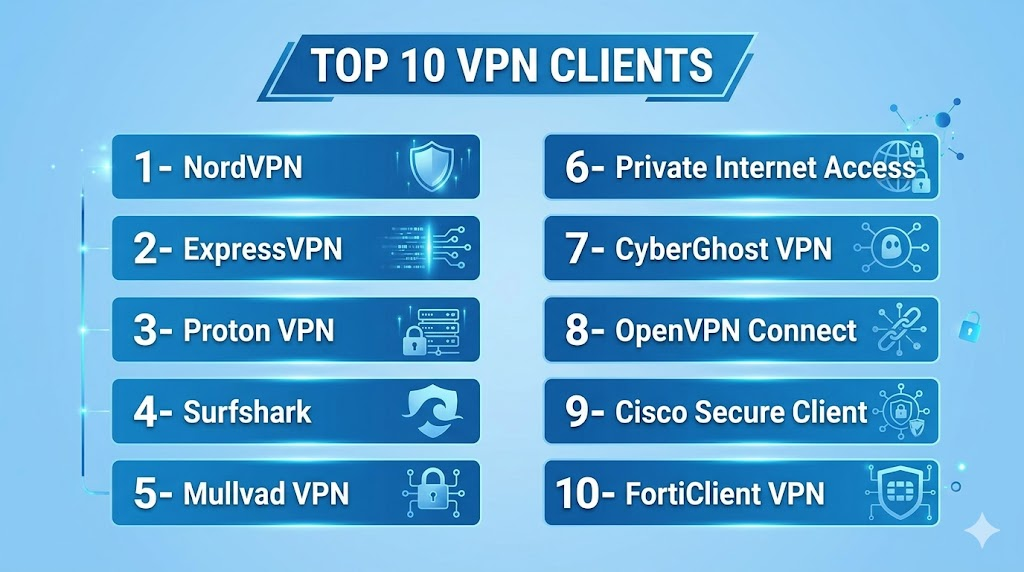
Top 10 VPN Clients
1- NordVPN
Short description: NordVPN is a popular VPN client used by individuals, remote workers, and small teams that need encrypted browsing, secure public Wi-Fi protection, and multi-device VPN access. It is known for a user-friendly interface, broad platform coverage, and additional privacy-focused features.
Key Features
- Encrypted VPN connections for secure internet traffic
- Apps for major desktop and mobile platforms
- Kill switch to help prevent accidental data exposure
- Split tunneling support on selected platforms
- DNS leak protection for safer browsing
- Large server network for location flexibility
- Additional privacy and threat-protection features depending on plan
Pros
- Easy to use for non-technical users and remote workers
- Strong platform coverage for personal and professional devices
- Good option for users who want privacy features beyond basic VPN access
Cons
- Business governance features may require separate business-focused offerings
- Advanced configuration may not satisfy every enterprise network team
- Pricing and available features can vary by plan
Platforms / Deployment
Windows, macOS, Linux, iOS, Android, browser extensions
Cloud
Security & Compliance
Supports encrypted VPN tunnels, kill switch, DNS leak protection, and MFA depending on account setup.
SOC 2, ISO 27001, GDPR, HIPAA: Not publicly stated
Integrations & Ecosystem
NordVPN fits users who need simple VPN protection across devices and operating systems. It is commonly used for secure browsing, remote work, public Wi-Fi protection, and personal privacy workflows.
- Desktop and mobile applications
- Browser extensions
- Router setup support depending on environment
- Team/business options through related offerings
- Secure DNS and privacy-focused features
- Works alongside common productivity and SaaS applications
Support & Community
NordVPN provides documentation, setup guides, troubleshooting resources, and customer support. Its broad consumer adoption also means many tutorials and community discussions are available for common setup and usage questions.
2- ExpressVPN
Short description: ExpressVPN is a widely used VPN client focused on fast, simple, and secure VPN access across major devices. It is suitable for individuals, remote workers, and professionals who want a polished VPN experience with minimal setup complexity.
Key Features
- Encrypted VPN connections across supported devices
- Easy-to-use apps for desktop, mobile, and routers
- Kill switch capability on supported platforms
- Split tunneling on selected platforms
- Private DNS features
- Broad server location coverage
- Router support for wider network protection
Pros
- Simple and polished user experience
- Strong cross-platform availability
- Useful for users who want minimal technical configuration
Cons
- Higher-cost positioning compared with some alternatives
- Less focused on enterprise access governance
- Advanced business controls may be limited compared with enterprise VPN platforms
Platforms / Deployment
Windows, macOS, Linux, iOS, Android, browser extensions, routers
Cloud
Security & Compliance
Supports encrypted VPN tunnels, private DNS, kill switch features, and secure protocols depending on platform.
SOC 2, ISO 27001, GDPR, HIPAA: Not publicly stated
Integrations & Ecosystem
ExpressVPN is designed for straightforward VPN usage across devices and home or remote work environments. It is practical for users who need secure connectivity without complex admin setup.
- Desktop and mobile apps
- Browser extension support
- Router app and router setup support
- Works with common web and SaaS workflows
- Supports secure browsing use cases
- Useful for public Wi-Fi protection
Support & Community
ExpressVPN provides setup guides, product documentation, and customer support. It has a broad user base and is generally easy for non-technical users to onboard.
3- Proton VPN
Short description: Proton VPN is a privacy-focused VPN client from the Proton ecosystem, suitable for users who care about privacy, encryption, and transparent security positioning. It is useful for individuals, journalists, remote workers, and privacy-conscious teams.
Key Features
- Encrypted VPN access for desktop and mobile users
- Free and paid plan options
- Secure Core-style routing options depending on plan
- Kill switch support on selected platforms
- NetShield-style protection features depending on plan
- Open-source apps in parts of the ecosystem
- Works well with the broader Proton privacy suite
Pros
- Strong privacy-first positioning
- Good fit for users already using Proton services
- Free plan option can help users test the product
Cons
- Advanced features may require paid plans
- Enterprise-style VPN management may be limited compared with business VPN platforms
- Performance may vary by plan, server, and region
Platforms / Deployment
Windows, macOS, Linux, iOS, Android
Cloud
Security & Compliance
Supports encrypted VPN tunnels, kill switch features, and privacy-focused protections depending on platform and plan.
SOC 2, ISO 27001, GDPR, HIPAA: Not publicly stated
Integrations & Ecosystem
Proton VPN works naturally within the Proton privacy ecosystem and is useful for users who want VPN, secure email, and privacy-focused services under one account experience.
- Proton account ecosystem
- Desktop and mobile apps
- Browser and privacy workflows
- Secure DNS and tracking protection features depending on plan
- Works with common SaaS and browsing use cases
- Supports privacy-focused user workflows
Support & Community
Proton VPN has documentation, help resources, and a strong privacy-focused community. Support depth may vary by plan, but the product has a clear educational focus around privacy and secure access.
4- Surfshark
Short description: Surfshark is a VPN client known for broad device support, easy setup, and value-oriented plans. It is suitable for individuals, families, freelancers, and small teams that want VPN protection across multiple devices.
Key Features
- Encrypted VPN connections across major platforms
- Unlimited device-style usage depending on plan terms
- Kill switch support on selected platforms
- Split tunneling support under feature names depending on platform
- CleanWeb-style ad, tracker, or threat-blocking features depending on plan
- Multi-hop routing options depending on plan
- User-friendly apps for desktop and mobile
Pros
- Good value for users with multiple devices
- Easy setup and simple interface
- Useful privacy and browsing protection features
Cons
- Business and enterprise controls may be limited compared with corporate VPN platforms
- Feature availability varies by platform
- Advanced network administrators may prefer more configurable tools
Platforms / Deployment
Windows, macOS, Linux, iOS, Android, browser extensions
Cloud
Security & Compliance
Supports encrypted VPN tunnels, kill switch features, and DNS leak protection depending on platform.
SOC 2, ISO 27001, GDPR, HIPAA: Not publicly stated
Integrations & Ecosystem
Surfshark fits users who want VPN protection across many devices with a simple interface. It is commonly used for remote work, secure browsing, public Wi-Fi, and privacy-focused personal use.
- Desktop and mobile apps
- Browser extensions
- Router setup options
- Ad and tracker blocking features depending on plan
- Works with common SaaS and productivity tools
- Useful for multi-device households or freelancers
Support & Community
Surfshark provides help documentation, setup instructions, and customer support. Its broad consumer user base makes it easy to find usage guidance for common devices and scenarios.
5- Mullvad VPN
Short description: Mullvad VPN is a privacy-focused VPN client known for a simple account model and strong emphasis on minimizing personal data collection. It is suitable for privacy-conscious users, technical professionals, and users who prefer transparent, no-frills VPN access.
Key Features
- Encrypted VPN access across major platforms
- Account number-based usage model
- WireGuard and OpenVPN protocol support
- Kill switch and leak protection features
- Simple pricing model
- Desktop and mobile applications
- Strong privacy-focused positioning
Pros
- Strong focus on user privacy and minimal account friction
- Simple and transparent usage model
- Good fit for technical and privacy-conscious users
Cons
- Less focused on enterprise team management
- Interface may feel minimal for users wanting bundled extras
- Business support and admin controls may be limited
Platforms / Deployment
Windows, macOS, Linux, iOS, Android
Cloud
Security & Compliance
Supports encrypted VPN tunnels, WireGuard, OpenVPN, kill switch, and leak protection features.
SOC 2, ISO 27001, GDPR, HIPAA: Not publicly stated
Integrations & Ecosystem
Mullvad VPN is focused on core VPN privacy and secure tunneling rather than a large commercial ecosystem. It works well for users who value simple, secure connectivity over bundled productivity or business features.
- Desktop and mobile apps
- WireGuard and OpenVPN support
- Works with standard internet and SaaS workflows
- Suitable for privacy-first browsing
- Router and manual configuration options may be used in technical setups
- Useful for users who prefer minimal account data
Support & Community
Mullvad provides documentation and user support resources. Its community is strong among privacy-focused and technically experienced VPN users who value transparency and simplicity.
6- Private Internet Access
Short description: Private Internet Access is a long-running VPN client used by privacy-focused consumers, freelancers, and remote workers. It provides encrypted VPN access, broad platform support, and configurable privacy features for users who want control over their VPN setup.
Key Features
- Encrypted VPN access across major platforms
- OpenVPN and WireGuard protocol support
- Kill switch and leak protection options
- Split tunneling on selected platforms
- Multi-device support depending on plan
- Customizable encryption and connection settings depending on app
- Browser extension support
Pros
- Flexible configuration options for technical users
- Strong platform coverage
- Good fit for privacy-focused daily browsing and remote work
Cons
- Interface and advanced options may be confusing for beginners
- Enterprise administration features may be limited
- Performance can vary by server and region
Platforms / Deployment
Windows, macOS, Linux, iOS, Android, browser extensions
Cloud
Security & Compliance
Supports encrypted VPN tunnels, OpenVPN, WireGuard, kill switch, and leak protection features.
SOC 2, ISO 27001, GDPR, HIPAA: Not publicly stated
Integrations & Ecosystem
Private Internet Access is mainly focused on user VPN connectivity and privacy protection. It works well for individuals and professionals who need configurable VPN access across devices.
- Desktop and mobile applications
- Browser extensions
- OpenVPN and WireGuard support
- Router configuration possibilities
- Split tunneling on selected platforms
- Works with common productivity and browsing workflows
Support & Community
Private Internet Access provides customer support, setup documentation, and help resources. Its long market presence gives users access to many tutorials and community discussions for troubleshooting.
7- CyberGhost VPN
Short description: CyberGhost VPN is a consumer-friendly VPN client designed for users who want simple encrypted browsing, public Wi-Fi protection, and easy server selection. It is suitable for individuals, freelancers, and remote workers who prefer guided apps over advanced manual configuration.
Key Features
- Encrypted VPN connections for major devices
- User-friendly apps for desktop and mobile
- Server selection by location and use case
- Kill switch support on selected platforms
- DNS and IP leak protection features
- Support for multiple simultaneous devices depending on plan
- Browser extension availability
Pros
- Simple interface for everyday VPN users
- Good choice for non-technical users
- Broad device compatibility
Cons
- Less suitable for enterprise-grade access control
- Advanced customization may be limited
- Feature availability can vary by platform
Platforms / Deployment
Windows, macOS, Linux, iOS, Android, browser extensions
Cloud
Security & Compliance
Supports encrypted VPN tunnels, kill switch features, and leak protection depending on platform.
SOC 2, ISO 27001, GDPR, HIPAA: Not publicly stated
Integrations & Ecosystem
CyberGhost VPN is designed for straightforward personal and remote-work VPN usage. It fits users who want simple app-based VPN protection across common devices.
- Desktop and mobile applications
- Browser extensions
- Router setup options
- Public Wi-Fi protection workflows
- Works with SaaS and browser-based tools
- Useful for general encrypted browsing
Support & Community
CyberGhost provides setup documentation, customer support, and user guides. It is especially approachable for users who want an easy VPN experience without complex network configuration.
8- OpenVPN Connect
Short description: OpenVPN Connect is the official client for connecting to OpenVPN-based VPN servers and services. It is especially useful for businesses, technical users, and administrators who rely on OpenVPN configurations for secure remote access.
Key Features
- Connects to OpenVPN-compatible servers
- Supports imported VPN profiles
- Available across major desktop and mobile platforms
- Uses OpenVPN protocol-based secure tunneling
- Suitable for business and self-managed VPN deployments
- Works with OpenVPN Access Server and compatible setups
- Supports certificate-based authentication workflows depending on configuration
Pros
- Strong fit for organizations using OpenVPN infrastructure
- Useful for self-managed and business VPN environments
- Flexible for technical teams and administrators
Cons
- Requires proper server-side setup and configuration
- Less plug-and-play than consumer VPN apps
- User experience depends heavily on administrator configuration
Platforms / Deployment
Windows, macOS, Linux, iOS, Android
Cloud / Self-hosted / Hybrid depending on server setup
Security & Compliance
Supports encrypted VPN tunneling, certificate-based authentication depending on configuration, and OpenVPN protocol-based access.
SOC 2, ISO 27001, GDPR, HIPAA: Not publicly stated
Integrations & Ecosystem
OpenVPN Connect is best suited for organizations using OpenVPN servers, access gateways, or compatible VPN infrastructure. It provides flexibility for administrators who want controlled, configurable remote access.
- OpenVPN Access Server compatibility
- Imported profile support
- Certificate-based configurations
- Works with cloud and self-hosted servers
- Useful for remote workforce access
- Can fit firewall and router-based VPN environments
Support & Community
OpenVPN has strong documentation, technical resources, and a large community around OpenVPN-based deployments. Support experience depends on whether the organization uses community, commercial, or managed OpenVPN offerings.
9- Cisco Secure Client
Short description: Cisco Secure Client, associated with enterprise VPN and secure access workflows, is designed for organizations that need managed remote access, endpoint visibility, and integration with broader Cisco security architecture. It is suitable for enterprises, regulated environments, and IT teams already invested in Cisco networking.
Key Features
- Enterprise VPN connectivity
- Works with Cisco security and networking environments
- Supports managed remote access workflows
- Endpoint and posture-related capabilities depending on deployment
- Identity and policy integration depending on configuration
- Centralized administration for enterprise teams
- Suitable for large-scale remote workforce access
Pros
- Strong fit for enterprise Cisco environments
- Designed for managed and policy-driven access
- Useful for organizations with complex network security requirements
Cons
- More complex than consumer VPN clients
- Usually requires Cisco infrastructure and administrator expertise
- May be unnecessary for small teams or individual users
Platforms / Deployment
Windows, macOS, Linux, iOS, Android
Cloud / Self-hosted / Hybrid depending on enterprise architecture
Security & Compliance
Supports encrypted VPN access and enterprise security controls depending on deployment. MFA, posture, and policy capabilities depend on configuration and integrated Cisco services.
SOC 2, ISO 27001, GDPR, HIPAA: Not publicly stated
Integrations & Ecosystem
Cisco Secure Client fits enterprise environments where VPN is part of a broader network security program. It integrates best when organizations already use Cisco security, identity, networking, and access control technologies.
- Cisco security ecosystem integration
- Enterprise identity and policy workflows
- Endpoint and access control integrations depending on setup
- Centralized administration
- Works with enterprise VPN gateways
- Supports large remote workforce deployments
Support & Community
Cisco provides enterprise-grade documentation, implementation guidance, partner support, and customer support options. It is best suited for organizations with IT teams experienced in Cisco networking and security architecture.
10- FortiClient VPN
Short description: FortiClient VPN is a VPN client commonly used with Fortinet security infrastructure for secure remote access. It is suitable for organizations that use Fortinet firewalls and want controlled VPN connectivity for employees, contractors, and distributed teams.
Key Features
- SSL VPN and IPsec VPN support depending on setup
- Works with Fortinet security infrastructure
- Remote access for business users
- Centralized configuration options depending on deployment
- Endpoint security integration options in broader FortiClient editions
- Multi-platform client availability
- Suitable for branch, remote, and hybrid workforce scenarios
Pros
- Strong fit for Fortinet firewall and security environments
- Practical for business remote access use cases
- Can align with broader endpoint and network security strategy
Cons
- Best value is usually realized in Fortinet-based environments
- Configuration requires IT and firewall administration knowledge
- Some advanced features may require broader Fortinet licensing
Platforms / Deployment
Windows, macOS, Linux, iOS, Android
Self-hosted / Hybrid depending on Fortinet infrastructure
Security & Compliance
Supports encrypted VPN access through SSL VPN or IPsec VPN depending on configuration. Additional security controls vary by Fortinet deployment and licensing.
SOC 2, ISO 27001, GDPR, HIPAA: Not publicly stated
Integrations & Ecosystem
FortiClient VPN is most valuable when paired with Fortinet firewalls and security platforms. It fits organizations that want remote access aligned with firewall policy, endpoint security, and network segmentation.
- Fortinet firewall integration
- SSL VPN and IPsec VPN workflows
- Endpoint security ecosystem support depending on edition
- Centralized management depending on deployment
- Remote workforce access
- Branch and hybrid network scenarios
Support & Community
Fortinet provides documentation, partner support, technical resources, and enterprise support options. FortiClient VPN is best managed by IT teams familiar with Fortinet infrastructure and remote access configuration.
Comparison Table
| Tool Name | Best For | Platform Supported | Deployment | Standout Feature | Public Rating |
|---|---|---|---|---|---|
| NordVPN | Personal users and remote workers | Windows, macOS, Linux, iOS, Android | Cloud | Easy VPN apps with privacy features | N/A |
| ExpressVPN | Simple premium VPN experience | Windows, macOS, Linux, iOS, Android | Cloud | Polished cross-platform usability | N/A |
| Proton VPN | Privacy-focused users | Windows, macOS, Linux, iOS, Android | Cloud | Privacy-first ecosystem | N/A |
| Surfshark | Multi-device users and freelancers | Windows, macOS, Linux, iOS, Android | Cloud | Value-focused multi-device use | N/A |
| Mullvad VPN | Privacy-conscious technical users | Windows, macOS, Linux, iOS, Android | Cloud | Minimal account model | N/A |
| Private Internet Access | Configurable privacy VPN users | Windows, macOS, Linux, iOS, Android | Cloud | Flexible VPN settings | N/A |
| CyberGhost VPN | Non-technical everyday users | Windows, macOS, Linux, iOS, Android | Cloud | Simple guided VPN experience | N/A |
| OpenVPN Connect | Businesses and self-managed VPN setups | Windows, macOS, Linux, iOS, Android | Cloud / Self-hosted / Hybrid | OpenVPN profile compatibility | N/A |
| Cisco Secure Client | Enterprise Cisco environments | Windows, macOS, Linux, iOS, Android | Cloud / Self-hosted / Hybrid | Enterprise managed access | N/A |
| FortiClient VPN | Fortinet-based business networks | Windows, macOS, Linux, iOS, Android | Self-hosted / Hybrid | Fortinet firewall integration | N/A |
Evaluation and Scoring of VPN Clients
| Tool Name | Core 25% | Ease 15% | Integrations 15% | Security 10% | Performance 10% | Support 10% | Value 15% | Weighted Total |
|---|---|---|---|---|---|---|---|---|
| NordVPN | 9 | 9 | 8 | 8 | 8 | 8 | 8 | 8.35 |
| ExpressVPN | 9 | 9 | 7 | 8 | 9 | 8 | 7 | 8.20 |
| Proton VPN | 8 | 8 | 7 | 9 | 8 | 8 | 8 | 8.00 |
| Surfshark | 8 | 9 | 7 | 8 | 8 | 8 | 9 | 8.15 |
| Mullvad VPN | 8 | 8 | 6 | 9 | 8 | 7 | 9 | 7.85 |
| Private Internet Access | 8 | 8 | 7 | 8 | 8 | 7 | 8 | 7.75 |
| CyberGhost VPN | 8 | 9 | 6 | 8 | 8 | 8 | 8 | 7.80 |
| OpenVPN Connect | 9 | 7 | 9 | 9 | 8 | 8 | 8 | 8.35 |
| Cisco Secure Client | 9 | 7 | 9 | 9 | 8 | 9 | 7 | 8.35 |
| FortiClient VPN | 8 | 7 | 9 | 9 | 8 | 8 | 8 | 8.20 |
Which VPN Client Tool Is Right for You?
Solo / Freelancer
Solo users and freelancers should focus on simplicity, device coverage, privacy, and pricing. NordVPN, Surfshark, Proton VPN, Mullvad VPN, and Private Internet Access are strong options for personal browsing, public Wi-Fi security, and remote work protection. If privacy is the top priority, Proton VPN or Mullvad VPN may be a better fit. If ease of use and multi-device access matter more, NordVPN or Surfshark may be more practical.
SMB
Small and medium businesses should evaluate whether they need a simple commercial VPN or a more controlled remote access setup. OpenVPN Connect can work well for businesses that want self-managed VPN access. NordVPN and similar tools may fit smaller teams that mainly need secure browsing and public Wi-Fi protection. If the SMB uses Fortinet or Cisco infrastructure, FortiClient VPN or Cisco Secure Client may be more aligned with IT operations.
Mid-Market
Mid-market companies usually need stronger administration, access control, and infrastructure compatibility. OpenVPN Connect, FortiClient VPN, and Cisco Secure Client are better fits for managed remote access. These tools can support structured VPN deployments, user policies, and connection profiles. Consumer VPN clients can still be useful for individual privacy use, but they may not provide enough centralized control for growing IT teams.
Enterprise
Enterprise organizations should prioritize managed deployment, identity integration, centralized policy, endpoint visibility, compliance readiness, and support. Cisco Secure Client and FortiClient VPN are strong options for companies already using Cisco or Fortinet ecosystems. OpenVPN Connect can also work well for organizations that want flexible, configurable VPN access. Enterprises should avoid relying only on consumer VPNs for internal network access unless the use case is limited.
Budget vs Premium
Budget-conscious users can consider Proton VPN free options, Mullvad VPN’s simple pricing model, Surfshark’s value-focused plans, or Private Internet Access. Premium users may prefer ExpressVPN or NordVPN for polished apps and broader convenience features. Businesses should compare the total cost of licensing, support, infrastructure, administration, and deployment effort rather than only looking at monthly subscription price.
Feature Depth vs Ease of Use
For ease of use, NordVPN, ExpressVPN, Surfshark, and CyberGhost VPN are strong choices because they simplify setup and daily connection workflows. For deeper technical control, OpenVPN Connect, Cisco Secure Client, and FortiClient VPN provide better alignment with managed infrastructure. Mullvad VPN and Private Internet Access also appeal to users who want more privacy-oriented or configurable setups.
Integrations and Scalability
For scalable business access, choose VPN clients that integrate with identity providers, endpoint security, firewalls, routers, and administrative consoles. Cisco Secure Client and FortiClient VPN are better suited for larger managed environments. OpenVPN Connect works well for flexible deployments where IT teams want control over servers, profiles, and access policies.
Security and Compliance Needs
Security-focused buyers should evaluate encryption, supported protocols, key management, MFA compatibility, DNS leak protection, kill switch behavior, admin controls, and logging policies. For internal business access, enterprise-managed VPN clients are generally better than consumer VPNs. For personal privacy, tools like Proton VPN, Mullvad VPN, NordVPN, and ExpressVPN may be more suitable depending on user priorities.
Frequently Asked Questions
1- What is a VPN client?
A VPN client is an application that creates an encrypted connection between your device and a VPN server or private network. It helps protect internet traffic, secure remote access, and reduce exposure on unsafe networks. Businesses use it for controlled access, while individuals use it for privacy and safer browsing.
2- Why do remote workers need VPN clients?
Remote workers often connect from home networks, public Wi-Fi, hotels, and coworking spaces, where security conditions vary. A VPN client helps encrypt traffic and can provide access to internal business systems. It is especially useful when employees need secure access to company resources outside the office.
3- Are free VPN clients safe to use?
Some free VPN options are legitimate, but buyers should carefully review data policies, feature limits, security controls, and provider reputation. Free plans may have speed, server, or usage restrictions. For business use, free VPNs are rarely enough because teams need support, administration, and reliable access control.
4- What is the difference between consumer VPN and business VPN?
Consumer VPNs focus on privacy, public Wi-Fi protection, and simple device-level security. Business VPNs focus on controlled access to internal applications, user management, policy enforcement, and administrative visibility. Enterprises often need business VPNs or zero-trust access rather than basic consumer VPN apps.
5- Which VPN client is best for small businesses?
Small businesses should choose based on whether they need simple secure browsing or managed access to internal systems. OpenVPN Connect can work well for self-managed setups, while FortiClient VPN or Cisco Secure Client fit companies using those ecosystems. Smaller teams may also use simple VPN apps for basic remote work security.
6- Do VPN clients slow down internet speed?
VPN clients can reduce speed because traffic is encrypted and routed through VPN servers. The impact depends on protocol, server distance, network quality, device performance, and VPN provider capacity. Modern protocols and nearby servers can reduce latency and improve overall performance.
7- What security features should a VPN client include?
Important features include strong encryption, secure protocols, kill switch, DNS leak protection, MFA support, device compatibility, and clear privacy controls. Business buyers should also evaluate admin dashboards, audit logs, identity integration, and access policy management before deploying a VPN client.
8- Can VPN clients replace zero-trust access tools?
VPN clients can secure network-level access, but they do not always provide the granular, identity-aware controls offered by zero-trust access platforms. Organizations with sensitive applications, large remote teams, or strict compliance requirements may need ZTNA, SASE, or identity-based access along with or instead of traditional VPN.
9- What common mistakes should buyers avoid?
Common mistakes include choosing only by price, ignoring platform support, overlooking logging policies, failing to test performance, and not checking admin controls. Businesses should also avoid giving broad network access when users only need access to specific applications or systems.
10- How should a company switch VPN clients?
Start by documenting current users, devices, access rules, applications, and authentication methods. Then pilot the new VPN with a small group, validate performance and security, migrate users in phases, and keep rollback plans ready. Training and documentation are important to reduce helpdesk issues.
Conclusion
VPN clients remain important for secure connectivity, remote work, public Wi-Fi protection, and controlled access to private systems. The best VPN client depends on the use case: NordVPN, ExpressVPN, Surfshark, Proton VPN, Mullvad VPN, Private Internet Access, and CyberGhost VPN are strong for individuals and privacy-focused users, while OpenVPN Connect, Cisco Secure Client, and FortiClient VPN are better aligned with business and enterprise access scenarios. Buyers should avoid selecting a VPN only because it is popular and instead review security controls, platform support, performance, integrations, admin capabilities, privacy practices, and support quality. A freelancer may need simple privacy protection, while an enterprise may need identity integration, policy enforcement, and managed deployment. The best next step is to shortlist two or three tools, test real workflows across devices and networks, validate security requirements, and choose the VPN client that fits both current needs and future growth.

Find Trusted Cardiac Hospitals
Compare heart hospitals by city and services — all in one place.
Explore Hospitals
VPN clients are most valuable when they provide secure, private, and encrypted connections for accessing the internet and organizational resources. By offering features such as data encryption, IP masking, secure remote access, threat protection, multi-device support, and privacy controls, these platforms help individuals and businesses protect sensitive information, maintain online privacy, and safely connect to networks from any location.