Introduction
SSH clients are essential tools that help developers, system administrators, DevOps engineers, cloud teams, and network professionals securely connect to remote servers, virtual machines, containers, and network devices. They use the Secure Shell protocol to create encrypted sessions, allowing users to run commands, transfer files, manage infrastructure, troubleshoot systems, and automate operational tasks from a local machine. In modern IT environments, where teams manage hybrid cloud systems, Kubernetes clusters, Linux servers, remote databases, edge devices, and distributed applications, a reliable SSH client is more than a simple terminal tool. It becomes a daily productivity and security layer for managing access, credentials, sessions, logs, and remote workflows. Buyers should evaluate platform support, session management, authentication options, file transfer capability, automation features, usability, security posture, team collaboration, pricing model, and long-term support before choosing an SSH client.
Real-world use cases include:
- Remote server administration: SSH clients allow administrators to securely access Linux, Unix, and cloud servers for updates, configuration, monitoring, and troubleshooting.
- Cloud infrastructure management: DevOps teams use SSH clients to connect to cloud instances, jump servers, bastion hosts, Kubernetes nodes, and containerized environments.
- Secure file transfer: Many SSH clients include SFTP or SCP support, helping teams move logs, configuration files, backups, and deployment artifacts safely.
- Network device management: Network engineers use SSH clients to configure routers, switches, firewalls, load balancers, and security appliances.
- Automation and scripting: SSH clients help automate repetitive administration tasks, execute remote commands, and support CI/CD workflows.
- Security operations: Security teams use SSH clients for controlled investigation, log review, incident response, and access validation across remote systems.
What buyers should evaluate:
- Platform support: Check whether the SSH client supports Windows, macOS, Linux, iOS, Android, or only one operating system.
- Security features: Look for SSH encryption, key-based authentication, host key verification, credential storage, and session logging.
- Session management: Evaluate saved sessions, folders, tags, tabs, split panes, and quick access for managing many servers.
- File transfer support: Choose tools with SFTP or SCP if your team frequently moves logs, backups, configuration files, or deployment assets.
- Automation capability: Review scripting, macros, command snippets, CLI tools, and CI/CD compatibility for repetitive tasks.
- Ease of use: A clean interface, simple setup, searchable sessions, and good keyboard shortcuts can improve daily productivity.
- Integrations and ecosystem: Check compatibility with cloud platforms, DevOps workflows, password managers, Git, and infrastructure tools.
- Team collaboration: For growing teams, evaluate shared sessions, role-based access, secure credential sharing, and admin controls.
- Performance and reliability: The client should handle long sessions, multiple connections, large logs, and unstable networks smoothly.
- Pricing and support: Compare free, open-source, commercial, and enterprise plans based on your team size and support needs.
Best for: SSH clients are best for developers, DevOps engineers, system administrators, cloud engineers, cybersecurity teams, network engineers, managed service providers, and IT operations teams that regularly manage servers or infrastructure remotely. They are useful for solo professionals, SMBs, mid-market teams, and enterprises that need secure, repeatable, and efficient access to remote environments.
Not ideal for: SSH clients may not be necessary for users who only work with browser-based dashboards, no-code platforms, or fully managed hosting environments where command-line access is restricted. They may also be unnecessary for non-technical users who do not manage servers, network devices, or development infrastructure directly.
Key Trends in SSH Clients for 2026 and Beyond
- Stronger identity-based access: Modern SSH workflows are moving beyond static passwords toward key-based authentication, hardware security keys, SSO-assisted access, and centralized identity controls.
- Improved session management: Teams want organized folders, saved hosts, tagging, tabbed sessions, split panes, and searchable connection history to handle large infrastructure estates.
- DevOps and cloud-native integration: SSH clients are increasingly expected to work smoothly with cloud VMs, containers, Kubernetes nodes, bastion hosts, CI/CD pipelines, and infrastructure automation.
- Built-in secure file transfer: Integrated SFTP and SCP tools are becoming standard because teams want terminal access and file movement in one workflow.
- Cross-platform workspaces: Developers often switch between Windows, macOS, Linux, and mobile devices, so synced settings and cross-device access are becoming more valuable.
- Auditability and compliance awareness: Enterprises increasingly expect session logging, access controls, credential storage policies, and administrative visibility.
- AI-assisted command workflows: Some modern terminal environments are beginning to include command suggestions, error explanations, and workflow assistance, although AI maturity varies by product.
- Better usability for complex environments: Split views, snippets, command palettes, themes, and keyboard shortcuts help power users work faster without losing visibility.
- Credential security improvements: Secure vaults, encrypted key storage, passphrase handling, and integration with password managers are becoming more important.
- Hybrid free and commercial models: Open-source SSH clients remain strong, while commercial clients add team management, support, synchronization, enterprise controls, and advanced UX features.
How We Selected These Tools
- Market adoption and mindshare: We selected SSH clients that are widely recognized by developers, IT administrators, network engineers, and DevOps teams.
- Feature completeness: Tools were evaluated for SSH support, SFTP or SCP capability, session management, key handling, scripting, and multi-session workflows.
- Platform coverage: Priority was given to tools that support major operating systems or serve a clear platform-specific need exceptionally well.
- Security posture signals: We considered encryption support, key authentication, credential storage, host verification, and logging features where clearly known.
- Ease of use: Tools were compared for onboarding simplicity, interface clarity, saved session handling, and daily workflow speed.
- Automation potential: We considered scripting, command-line usage, macros, snippets, and integration with DevOps processes.
- Enterprise readiness: Tools with team sharing, professional support, credential management, and organized administration received stronger consideration.
- Community and documentation: Open-source community strength, vendor documentation, tutorials, and support quality were included in the evaluation.
- Performance and reliability: Lightweight clients, stable connections, and responsiveness during long-running sessions were considered.
- Balanced user fit: The final list includes open-source, commercial, Windows-focused, cross-platform, developer-first, and enterprise-ready options.
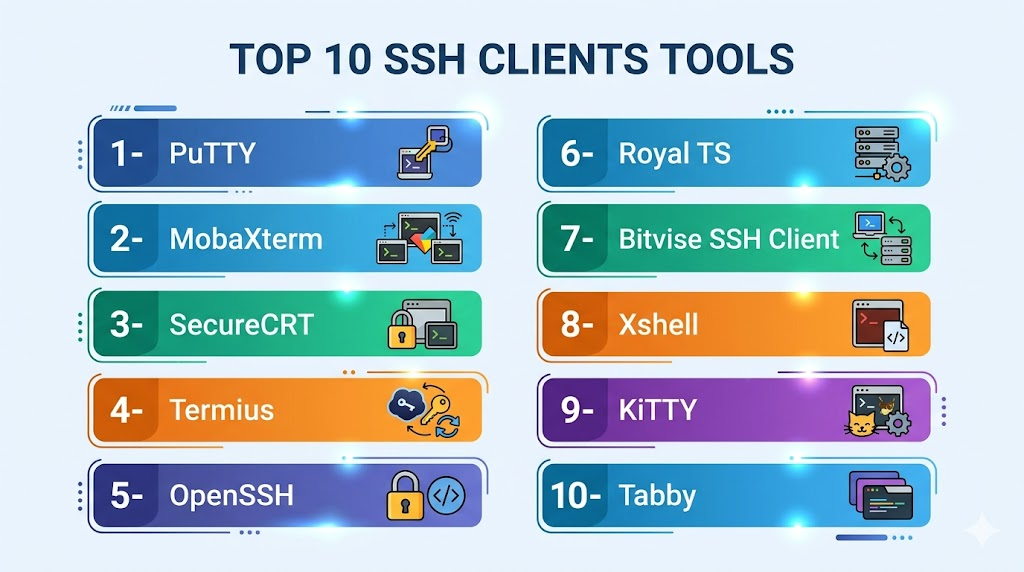
Top 10 SSH Clients Tools
1- PuTTY
Short description: PuTTY is one of the most widely known SSH clients, especially among Windows users who need a lightweight and dependable tool for secure remote access. It is simple, fast, and suitable for users who want a no-frills SSH client without heavy interface features.
Key Features
- Supports SSH, Telnet, rlogin, raw socket, and serial connections
- Provides saved session profiles for frequently used hosts
- Includes host key verification for safer remote connections
- Supports public key authentication through companion tools
- Lightweight executable with minimal system resource usage
- Offers session logging for command history and troubleshooting
- Works well for basic server, router, and lab environment access
Pros
- Very lightweight and easy to run on almost any Windows system
- Free and widely trusted by administrators and technical users
- Good choice for simple SSH access without unnecessary complexity
Cons
- Interface feels dated compared with modern SSH clients
- No native tabbed session management
- Advanced workflows often require external tools or manual setup
Platforms / Deployment
Windows, Linux through ports
Self-hosted
Security & Compliance
Supports SSH encryption, host key verification, and key-based authentication through related tools.
SOC 2, ISO 27001, GDPR, HIPAA: Not publicly stated
Integrations & Ecosystem
PuTTY works well in traditional Windows administration workflows and can be combined with scripts, saved sessions, and external connection managers. It is especially useful where lightweight access matters more than full workspace management.
- Works with Plink for command-line SSH automation
- Supports PuTTYgen for key generation
- Can be used with third-party session managers
- Commonly used in network device administration
- Works with local scripts and batch workflows
Support & Community
PuTTY has a long-standing open-source community and extensive informal documentation across technical forums and tutorials. It does not provide the same structured commercial support experience as enterprise products, but its maturity and simplicity make troubleshooting easier.
2- MobaXterm
Short description: MobaXterm is a feature-rich SSH client and remote computing toolbox for Windows users. It combines SSH access, SFTP browsing, X11 forwarding, tabs, split views, and multiple network tools in one interface.
Key Features
- Supports SSH, Telnet, RDP, VNC, FTP, SFTP, and serial sessions
- Built-in SFTP browser appears alongside SSH sessions
- Includes X11 server support for remote graphical applications
- Offers tabbed sessions and split-terminal views
- Supports macros for repetitive command execution
- Provides portable and installed editions
- Includes useful Unix commands for Windows environments
Pros
- Excellent all-in-one tool for administrators and DevOps users on Windows
- Integrated SFTP browser saves time during remote file operations
- Useful for managing multiple servers and network systems from one workspace
Cons
- Windows-focused, so cross-platform teams may need alternatives
- Feature-rich interface may feel busy for simple SSH users
- Advanced or professional features may require a paid edition
Platforms / Deployment
Windows
Self-hosted / Portable
Security & Compliance
Supports encrypted SSH sessions and key-based authentication.
SOC 2, ISO 27001, GDPR, HIPAA: Not publicly stated
Integrations & Ecosystem
MobaXterm fits well into Windows-based infrastructure operations where users need SSH plus file transfer and remote display features. It is often used by system administrators, network teams, and engineers who work with Linux servers from Windows machines.
- Works with SSH keys and saved sessions
- Supports SFTP file management
- Can connect to RDP, VNC, and serial devices
- Supports macros for repeated commands
- Useful in lab, cloud, and network administration workflows
- Works alongside DevOps scripts and local tools
Support & Community
MobaXterm has strong documentation, tutorials, and a large user base among Windows administrators. Paid editions provide more professional usage options, while the free edition remains popular for individual users.
3- SecureCRT
Short description: SecureCRT is a commercial SSH client designed for professionals and enterprises that need secure remote access, strong session organization, scripting, and long-term reliability. It is especially useful for teams managing many servers, network devices, and remote environments.
Key Features
- Supports SSH, Telnet, serial, rlogin, and other connection types
- Offers strong session management with folders and templates
- Includes tabbed sessions and tiled layouts
- Supports scripting for automation and repetitive workflows
- Provides session logging for auditing and troubleshooting
- Supports secure key-based authentication
- Useful for network engineering, DevOps, and enterprise operations
Pros
- Strong choice for enterprise and professional infrastructure teams
- Advanced session organization helps manage large host inventories
- Scripting support improves productivity for repetitive tasks
Cons
- Commercial licensing may not suit budget-sensitive users
- More advanced than needed for basic SSH access
- Requires setup time to fully benefit from templates and automation
Platforms / Deployment
Windows, macOS, Linux
Self-hosted
Security & Compliance
Supports encrypted SSH sessions, key-based authentication, and session logging.
SOC 2, ISO 27001, GDPR, HIPAA: Not publicly stated
Integrations & Ecosystem
SecureCRT is useful in structured IT environments where users need repeatable sessions, automation, and strong organization. It can support workflows around network operations, server administration, and enterprise troubleshooting.
- Supports scripting workflows
- Works with saved sessions and templates
- Integrates into network administration processes
- Can be used with secure key-based authentication
- Supports log capture for operational records
- Useful alongside configuration and monitoring tools
Support & Community
SecureCRT has vendor-backed documentation and professional support options. Its user community includes network engineers, infrastructure administrators, and enterprise IT users who need stability and advanced session control.
4- Termius
Short description: Termius is a modern SSH client designed for users who want cross-platform access, clean interface design, device synchronization, and convenient host management. It is suitable for developers, small teams, and professionals who move between desktop and mobile devices.
Key Features
- Supports SSH, Mosh, Telnet, and SFTP workflows
- Offers cross-device synchronization for hosts and settings
- Provides snippets for reusable commands
- Includes SFTP file transfer functionality
- Supports key management for secure access
- Provides a clean modern interface
- Available across desktop and mobile platforms
Pros
- Excellent for users working across multiple devices
- Modern UI makes host management easier
- Command snippets improve speed for repeated tasks
Cons
- Some advanced features require paid plans
- Cloud sync may not fit every strict security environment
- Less traditional than older enterprise terminal tools
Platforms / Deployment
Windows, macOS, Linux, iOS, Android
Cloud / Self-hosted depending on usage and plan
Security & Compliance
Supports SSH encryption and key-based authentication.
SOC 2, ISO 27001, GDPR, HIPAA: Not publicly stated
Integrations & Ecosystem
Termius fits modern development and infrastructure workflows where users need SSH from several devices. Its snippets, groups, and synchronization features help organize access for distributed users.
- Supports SFTP workflows
- Works across desktop and mobile devices
- Provides reusable command snippets
- Supports SSH keys and host grouping
- Useful for developers managing cloud servers
- Fits lightweight team-based remote access workflows
Support & Community
Termius provides product documentation and support options based on plan level. Its community is strong among developers, remote engineers, and users who prefer a polished cross-platform SSH experience.
5- OpenSSH
Short description: OpenSSH is the standard open-source SSH suite used across Linux, macOS, Windows, servers, automation scripts, and cloud environments. It is command-line focused and ideal for users who value reliability, security, and universal compatibility.
Key Features
- Provides SSH client and server capabilities
- Supports key-based authentication
- Includes SCP and SFTP tools
- Supports port forwarding and tunneling
- Works well with shell scripts and automation
- Highly configurable through client configuration files
- Commonly preinstalled or available on major operating systems
Pros
- Trusted open-source standard for secure remote access
- Excellent for automation, scripting, and DevOps workflows
- Lightweight, stable, and widely supported
Cons
- Command-line only, with no built-in graphical session manager
- Beginners may need time to learn configuration files and key handling
- No native visual file browser or tabbed workspace
Platforms / Deployment
Windows, macOS, Linux
Self-hosted
Security & Compliance
Supports SSH encryption, key-based authentication, host key verification, tunneling, and secure file transfer.
SOC 2, ISO 27001, GDPR, HIPAA: Not publicly stated
Integrations & Ecosystem
OpenSSH is deeply integrated into developer, cloud, automation, and operating system workflows. It is often the foundation beneath other tools, scripts, CI/CD systems, and server management practices.
- Works with shell scripts and automation pipelines
- Supports SCP and SFTP file transfers
- Used by cloud platforms and Linux distributions
- Supports jump hosts and SSH configuration files
- Works with Git over SSH
- Fits infrastructure-as-code and DevOps workflows
Support & Community
OpenSSH benefits from a large global open-source community, operating system maintainers, and extensive documentation. It is one of the most reliable options for technical users comfortable with the command line.
6- Royal TS
Short description: Royal TS is a remote connection management platform that supports SSH along with other protocols such as RDP, VNC, and Telnet. It is suitable for IT teams that need organized session management, credential handling, and secure collaboration.
Key Features
- Supports SSH, RDP, VNC, Telnet, and web-based connections
- Provides centralized connection organization
- Includes credential management features
- Supports tabbed sessions and multi-pane workflows
- Enables team sharing of connection documents
- Supports automation and command tasks
- Useful for managed service providers and IT operations teams
Pros
- Strong option for teams managing many connection types
- Credential handling improves security and efficiency
- Good for structured IT operations and shared environments
Cons
- More complex than a simple SSH-only client
- Commercial licensing may not suit all users
- Requires planning to manage team documents and credentials properly
Platforms / Deployment
Windows, macOS, iOS, Android
Cloud / Self-hosted / Hybrid depending on configuration
Security & Compliance
Supports encrypted credential storage and secure connection handling.
SOC 2, ISO 27001, GDPR, HIPAA: Not publicly stated
Integrations & Ecosystem
Royal TS is designed for broader remote access management, making it useful when SSH is only one part of a larger infrastructure access strategy. It fits teams that manage servers, desktops, network devices, and client environments.
- Supports multiple remote access protocols
- Works with shared connection documents
- Integrates with credential management workflows
- Supports command tasks and automation
- Useful for MSP and enterprise IT teams
- Works across desktop and mobile environments
Support & Community
Royal TS provides vendor documentation, support channels, and an experienced user community. It is especially useful for teams that need structured onboarding and organized remote connection management.
7- Bitvise SSH Client
Short description: Bitvise SSH Client is a Windows-focused SSH client with integrated terminal access, SFTP file transfer, tunneling, and command-line tools. It is practical for users who want both graphical file transfer and secure shell access in one Windows application.
Key Features
- Supports SSH terminal access
- Includes graphical SFTP file transfer
- Provides command-line tools for scripting
- Supports port forwarding and tunneling
- Includes profile-based connection management
- Supports key-based authentication
- Suitable for Windows server and workstation workflows
Pros
- Strong SSH and SFTP combination for Windows users
- Useful for both interactive access and scripted workflows
- Good choice for secure file transfer tasks
Cons
- Windows-only
- Interface may feel specialized compared with modern cross-platform tools
- Less suitable for teams needing macOS or Linux desktop support
Platforms / Deployment
Windows
Self-hosted
Security & Compliance
Supports SSH encryption, key-based authentication, and secure file transfer.
SOC 2, ISO 27001, GDPR, HIPAA: Not publicly stated
Integrations & Ecosystem
Bitvise SSH Client works well in Windows-heavy environments where administrators need terminal access, SFTP, and tunneling. Its command-line components make it useful for automation beyond the graphical interface.
- Supports SFTP file workflows
- Works with Windows scripts
- Supports tunneling and port forwarding
- Useful for server administration
- Supports profile-based access
- Can support automated transfer workflows
Support & Community
Bitvise provides product documentation and support resources. It has a focused user base among Windows administrators and users who need secure terminal and file transfer capabilities together.
8- Xshell
Short description: Xshell is a professional terminal emulator and SSH client for Windows users who need advanced session handling, tab management, customization, and network administration features. It is often used by system administrators and network engineers.
Key Features
- Supports SSH, Telnet, rlogin, serial, and SFTP-related workflows
- Offers tabbed sessions and split-pane workspace
- Provides session folders and organized connection management
- Supports command shortcuts and quick commands
- Includes logging for troubleshooting and auditing
- Supports tunneling and port forwarding
- Provides strong terminal customization options
Pros
- Good productivity features for Windows-based administrators
- Strong multi-session interface for complex environments
- Helpful for network engineering and server operations
Cons
- Windows-focused
- Full professional use may require paid licensing
- Feature depth can create a learning curve for new users
Platforms / Deployment
Windows
Self-hosted
Security & Compliance
Supports SSH encryption, key-based authentication, and session logging.
SOC 2, ISO 27001, GDPR, HIPAA: Not publicly stated
Integrations & Ecosystem
Xshell fits Windows-centric IT teams that need a powerful terminal workspace. It works well for users who regularly manage many servers or network devices and want organized sessions with strong usability controls.
- Supports saved sessions and folders
- Works with network administration workflows
- Supports tunneling and forwarding
- Provides command shortcuts
- Works with SFTP-related workflows
- Useful for multi-session troubleshooting
Support & Community
Xshell has vendor documentation and commercial support options. Its user base includes network administrators, Windows power users, and enterprise operations teams that need structured terminal workflows.
9- KiTTY
Short description: KiTTY is a fork of PuTTY that adds extra convenience features for Windows users who like PuTTY’s lightweight style but want more customization and session productivity. It is suitable for power users who prefer a small, fast SSH client.
Key Features
- Based on PuTTY with added usability features
- Supports SSH and related remote access workflows
- Offers session filters and launcher features
- Supports automatic login and command execution options
- Provides additional UI customization
- Can work with saved sessions
- Lightweight and portable for Windows users
Pros
- Lightweight like PuTTY but with extra features
- Free and useful for Windows power users
- Good for users who want more control without a heavy interface
Cons
- Windows-only
- Some features require careful configuration
- Not as enterprise-focused as commercial SSH clients
Platforms / Deployment
Windows
Self-hosted / Portable
Security & Compliance
Supports SSH encryption.
SOC 2, ISO 27001, GDPR, HIPAA: Not publicly stated
Integrations & Ecosystem
KiTTY fits users who want PuTTY compatibility with added workflow improvements. It works well for individual administrators, lab environments, and users who value speed and portability.
- Works with saved session workflows
- Supports command-line usage
- Can support automatic command execution
- Useful for portable administration kits
- Compatible with many PuTTY-style workflows
- Works with key-based authentication
Support & Community
KiTTY has an open-source style community and online documentation resources. Support is more community-driven than vendor-led, so it is best for technical users comfortable solving configuration issues independently.
10- Tabby
Short description: Tabby is a modern, open-source terminal application with SSH capabilities, tabs, split panes, themes, plugins, and a polished user experience. It is best for developers and power users who want a customizable terminal environment across major desktop platforms.
Key Features
- Supports SSH, Telnet, serial, and local shell sessions
- Offers tabs, split panes, and flexible layouts
- Provides themes, fonts, and extensive UI customization
- Includes plugin support for extended capabilities
- Offers command snippets and productivity features
- Works across Windows, macOS, and Linux
- Useful as both a local terminal and remote SSH client
Pros
- Modern interface with strong customization
- Cross-platform desktop support
- Good fit for developers who want one terminal workspace
Cons
- Some advanced behavior may depend on plugins
- Heavier than minimal SSH clients
- Enterprise governance features are limited compared with commercial tools
Platforms / Deployment
Windows, macOS, Linux
Self-hosted / Local desktop application
Security & Compliance
Supports SSH encryption and key-based authentication.
SOC 2, ISO 27001, GDPR, HIPAA: Not publicly stated
Integrations & Ecosystem
Tabby is useful for developers who want local terminal access and SSH management in one modern interface. Its plugin ecosystem and customization options make it attractive for productivity-focused technical users.
- Supports local shell and SSH sessions
- Provides plugin-based extensibility
- Works with developer command-line tools
- Supports themes and keyboard customization
- Useful with cloud and DevOps workflows
- Fits cross-platform development teams
Support & Community
Tabby has an active open-source community and accessible documentation. It is a strong option for users who value modern UX, customization, and frequent community-driven improvements.
Comparison Table
| Tool Name | Best For | Platform Supported | Deployment | Standout Feature | Public Rating |
|---|---|---|---|---|---|
| PuTTY | Lightweight SSH access | Windows, Linux through ports | Self-hosted | Simple and reliable SSH access | N/A |
| MobaXterm | Windows administrators and DevOps users | Windows | Self-hosted / Portable | Built-in SFTP and X11 support | N/A |
| SecureCRT | Enterprise remote access | Windows, macOS, Linux | Self-hosted | Advanced session management and scripting | N/A |
| Termius | Cross-device SSH users | Windows, macOS, Linux, iOS, Android | Cloud / Self-hosted depending on plan | Cross-device synchronization | N/A |
| OpenSSH | Command-line SSH standard | Windows, macOS, Linux | Self-hosted | Universal CLI-based SSH suite | N/A |
| Royal TS | IT teams and MSPs | Windows, macOS, iOS, Android | Cloud / Self-hosted / Hybrid | Credential and connection management | N/A |
| Bitvise SSH Client | Windows SSH and SFTP workflows | Windows | Self-hosted | Integrated graphical SFTP | N/A |
| Xshell | Advanced Windows terminal users | Windows | Self-hosted | Tabbed sessions and split panes | N/A |
| KiTTY | Enhanced PuTTY users | Windows | Self-hosted / Portable | Lightweight PuTTY-style enhancements | N/A |
| Tabby | Modern cross-platform terminal users | Windows, macOS, Linux | Self-hosted | Plugin-based terminal workspace | N/A |
Evaluation and Scoring of SSH Clients
| Tool Name | Core 25% | Ease 15% | Integrations 15% | Security 10% | Performance 10% | Support 10% | Value 15% | Weighted Total |
|---|---|---|---|---|---|---|---|---|
| PuTTY | 8 | 8 | 6 | 8 | 9 | 7 | 9 | 7.90 |
| MobaXterm | 9 | 8 | 8 | 8 | 8 | 8 | 8 | 8.25 |
| SecureCRT | 9 | 8 | 9 | 9 | 9 | 9 | 7 | 8.60 |
| Termius | 8 | 9 | 8 | 8 | 8 | 8 | 7 | 8.05 |
| OpenSSH | 9 | 7 | 9 | 9 | 9 | 8 | 10 | 8.65 |
| Royal TS | 8 | 8 | 8 | 9 | 8 | 8 | 7 | 8.05 |
| Bitvise SSH Client | 8 | 8 | 7 | 8 | 8 | 7 | 8 | 7.75 |
| Xshell | 8 | 8 | 8 | 8 | 8 | 8 | 7 | 7.90 |
| KiTTY | 7 | 8 | 6 | 7 | 8 | 6 | 9 | 7.25 |
| Tabby | 8 | 8 | 8 | 7 | 8 | 8 | 9 | 8.00 |
Which SSH Client Tool Is Right for You?
Solo / Freelancer
Solo developers, freelancers, and independent consultants should prioritize simplicity, speed, and low cost. PuTTY, OpenSSH, KiTTY, and Tabby are practical choices because they are lightweight, familiar, and easy to use for everyday SSH access. If you work across multiple operating systems, OpenSSH or Tabby may be more flexible. If you use Windows and need a simple setup, PuTTY or KiTTY can be enough.
SMB
Small and medium businesses should choose tools that reduce daily friction for developers and administrators. MobaXterm is a strong option for Windows-heavy teams because it combines SSH, SFTP, tabs, and remote tools in one interface. Termius is useful when team members need access from multiple devices. Tabby can also work well for developer-focused SMB teams that prefer a modern interface and cross-platform setup.
Mid-Market
Mid-market organizations often need stronger organization, secure credential handling, and consistent workflows across many servers. SecureCRT, Royal TS, MobaXterm, and Termius can fit this segment depending on platform and team needs. SecureCRT is strong for advanced scripting and session management, while Royal TS is better when SSH is part of a larger remote access strategy covering RDP, VNC, and other connection types.
Enterprise
Enterprise teams should prioritize security controls, repeatable configuration, support options, session organization, and credential management. SecureCRT and Royal TS are strong candidates for enterprise-grade remote access workflows. OpenSSH remains critical for server-side compatibility and automation. Enterprises should also evaluate whether cloud sync, shared sessions, or credential vault features align with internal security policies.
Budget vs Premium
Budget-conscious users can start with PuTTY, OpenSSH, KiTTY, or Tabby because these tools cover most basic SSH needs without heavy licensing costs. Premium tools such as SecureCRT, Royal TS, MobaXterm Professional, and paid Termius plans may be worthwhile when teams need productivity features, vendor support, synchronization, advanced session management, or structured credential handling.
Feature Depth vs Ease of Use
If feature depth matters most, consider SecureCRT, MobaXterm, Royal TS, or Xshell because they provide advanced session organization, automation, and multi-protocol support. If ease of use matters more, PuTTY, Termius, and Tabby offer simpler workflows for common SSH tasks. OpenSSH is powerful but requires comfort with command-line configuration.
Integrations and Scalability
For DevOps and automation-heavy environments, OpenSSH remains one of the best choices because it works naturally with scripts, CI/CD systems, Git workflows, and cloud infrastructure. SecureCRT can help when automation is tied to managed sessions and scripting. Royal TS fits teams that need scalable connection management across multiple protocols and shared infrastructure environments.
Security and Compliance Needs
Security-focused teams should evaluate key management, host verification, encrypted credential storage, session logging, MFA compatibility, and administrative control. OpenSSH is strong for protocol-level security and automation. SecureCRT and Royal TS are better suited where managed sessions, credential handling, and professional support are important. For strict compliance environments, avoid assuming certifications unless the vendor clearly states them.
Frequently Asked Questions
1- What is an SSH client?
An SSH client is a tool that lets users securely connect to remote servers, cloud instances, and network devices. It creates an encrypted command-line session so administrators and developers can run commands, manage files, troubleshoot issues, and perform maintenance safely from another machine.
2- Why do developers and IT teams need SSH clients?
Developers and IT teams use SSH clients to manage servers, deploy applications, access logs, configure services, and troubleshoot infrastructure. SSH is especially important in cloud, DevOps, Linux, cybersecurity, and network administration workflows where secure remote access is required.
3- Are free SSH clients good enough?
Free SSH clients such as OpenSSH, PuTTY, KiTTY, and Tabby can be excellent for individuals and small teams. They are usually enough for basic remote access, scripting, and server management. Paid tools become more useful when teams need advanced session management, support, credential handling, or collaboration features.
4- Which SSH client is best for Windows users?
Windows users commonly choose PuTTY for lightweight access, MobaXterm for an all-in-one admin workspace, Bitvise for SSH plus SFTP, and Xshell for advanced terminal features. The best choice depends on whether the user needs simple SSH, file transfer, multi-session management, or enterprise support.
5- Which SSH client is best for macOS and Linux users?
OpenSSH is often the default and most practical option for macOS and Linux users because it integrates directly with the command line. Tabby, Termius, and SecureCRT are useful when users want a modern interface, saved sessions, synchronization, or advanced session management beyond the native terminal.
6- Do SSH clients support secure file transfer?
Many SSH clients support SFTP or SCP for secure file transfer. MobaXterm, Bitvise SSH Client, Termius, SecureCRT, and OpenSSH provide file transfer capabilities in different ways. Some offer graphical file browsers, while others rely on command-line tools.
7- What security features should I check before choosing an SSH client?
Check for SSH encryption, key-based authentication, host key verification, secure credential storage, session logging, and compatibility with MFA or enterprise identity workflows. For teams, also review how the tool handles shared access, saved credentials, audit needs, and administrative controls.
8- Can SSH clients be used in DevOps automation?
Yes, SSH clients are widely used in DevOps automation for remote commands, deployments, log collection, configuration tasks, and CI/CD workflows. OpenSSH is especially strong for scripting, while tools like SecureCRT and MobaXterm can help with more interactive or session-based automation.
9- What common mistakes should users avoid with SSH clients?
Common mistakes include using password-based access where keys are safer, reusing weak keys, ignoring host key warnings, storing credentials insecurely, and not updating clients regularly. Teams should also avoid unmanaged shared accounts and should document access policies clearly.
10- How do I switch from one SSH client to another?
Start by listing saved hosts, usernames, keys, ports, proxy settings, and special commands from the current client. Then recreate or import those sessions into the new tool, test access in a non-critical environment, validate file transfer and tunneling needs, and update team documentation before fully switching.
Conclusion
SSH clients are still one of the most important tools for secure infrastructure access, even as cloud dashboards, automation platforms, and DevOps tools continue to evolve. The best SSH client depends on how you work: OpenSSH is excellent for command-line automation and universal compatibility, PuTTY remains a lightweight classic, MobaXterm is strong for Windows-based administrators, Termius is useful for cross-device access, and SecureCRT or Royal TS fit more structured enterprise needs. No single SSH client is the best for every team because platform, security, workflow complexity, budget, and support expectations all matter. A small team may only need a free client with reliable SSH access, while an enterprise may need credential control, session organization, logging, and vendor support. The best next step is to shortlist two or three tools, test them with real server access scenarios, validate key management and file transfer workflows, and confirm that the selected tool fits your security and operational standards.

Find Trusted Cardiac Hospitals
Compare heart hospitals by city and services — all in one place.
Explore Hospitals
SSH clients are most valuable when they provide secure and reliable remote access to servers, network devices, and cloud environments through encrypted communication. By supporting features such as SSH key authentication, terminal access, file transfers, session management, automation, and multi-platform compatibility, these tools help system administrators, developers, and IT teams securely manage infrastructure, troubleshoot systems, and streamline remote operations.