Introduction
Usability Testing Platforms are specialized tools that enable teams to evaluate how real users interact with websites, applications, or digital products. In plain English, these platforms allow organizations to observe, measure, and analyze user behavior to identify friction points, enhance design, and improve overall user experience. with increasingly complex digital products and user expectations, usability testing is critical to reduce errors, increase adoption, and ensure satisfaction.
Real-world use cases include:
- User behavior observation: Recording how participants navigate web apps and mobile apps to identify usability issues.
- Task completion analysis: Measuring success rates for users performing specific tasks.
- Prototype testing: Gathering feedback on early designs before development.
- A/B testing for UX decisions: Comparing variations to optimize user experience.
- Remote user testing: Capturing insights from distributed users in real-world contexts.
What buyers should evaluate:
- Support for moderated and unmoderated testing
- Real-time session recording and analysis
- Prototype and live product testing capabilities
- Reporting and analytics dashboards
- Participant recruitment and panel access
- Integration with CI/CD, design, and product management tools
- Mobile and desktop platform coverage
- Accessibility and inclusive design testing
- Collaboration and note-taking features
- Pricing flexibility and scalability
Best for: UX researchers, designers, product managers, and QA teams in SMBs and enterprises seeking data-driven insights to optimize user experience.
Not ideal for: Small personal projects with limited users or minimal usability focus, where formal testing tools may be unnecessary.
Key Trends in Usability Testing Platforms
- AI-assisted test analysis for behavioral pattern recognition.
- Remote moderated and unmoderated testing capabilities.
- Integration with prototype tools (Figma, Adobe XD, InVision).
- Support for multi-device testing across mobile, desktop, and tablets.
- Continuous usability testing integrated into CI/CD pipelines.
- Visual analytics and heatmaps for user interaction tracking.
- Accessibility compliance and inclusive design assessment.
- Participant recruitment automation and management.
- Real-time collaboration and note-taking for distributed teams.
- Flexible subscription and enterprise licensing models.
How We Selected These Tools (Methodology)
- Evaluated market adoption and user base across enterprises and SMBs.
- Reviewed the breadth and depth of usability testing methods supported.
- Assessed integration capabilities with design, CI/CD, and analytics workflows.
- Considered scalability for multiple users and remote testing scenarios.
- Examined reporting, dashboards, and actionable insight features.
- Assessed data security, privacy, and compliance standards.
- Reviewed ease of use, onboarding, and user interface.
- Checked support options and active user communities.
- Analyzed platform coverage for mobile and desktop applications.
- Evaluated pricing models for flexibility and ROI.
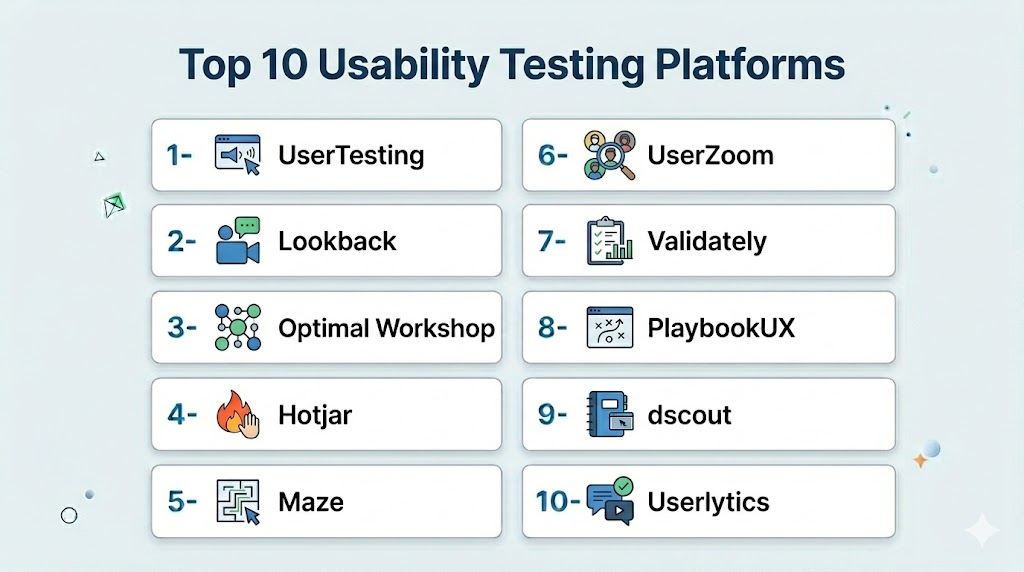
Top 10 Usability Testing Platforms
1- UserTesting
Short description (2–3 lines): UserTesting captures video-based user feedback for websites, apps, and prototypes. Ideal for mid-market and enterprise teams conducting moderated and unmoderated usability studies.
Key Features
- Video recordings of user sessions
- Task-based usability tests
- Surveys and polls integration
- Analytics dashboards and reporting
- Remote participant recruitment
Pros
- Quick setup and actionable insights
- Large participant panel
Cons
- High cost for extensive testing
- Limited automated analysis features
Platforms / Deployment
- Web / iOS / Android
- Cloud
Security & Compliance
- Not publicly stated
Integrations & Ecosystem
- Jira / Slack / Figma
- Trello / CI/CD pipelines
Support & Community
Enterprise support and active knowledge base.
2- Lookback
Short description (2–3 lines): Lookback provides live and recorded usability testing sessions for apps and websites. Best for UX teams needing real-time observation and collaborative analysis.
Key Features
- Live moderated sessions
- Session recording and playback
- Multi-device testing
- Note-taking and tagging
- Analytics dashboards
Pros
- Real-time collaboration features
- Easy session sharing
Cons
- Smaller participant panel
- Limited automation
Platforms / Deployment
- Web / iOS / Android / macOS
- Cloud
Security & Compliance
- Not publicly stated
Integrations & Ecosystem
- Jira / Slack / Figma
- Survey tools
Support & Community
Documentation and responsive support.
3- Optimal Workshop
Short description (2–3 lines): Optimal Workshop offers card sorting, tree testing, and first-click testing for information architecture and navigation optimization.
Key Features
- Card sorting and tree testing
- First-click testing
- Participant management and recruitment
- Analytics and reporting dashboards
- Remote usability testing
Pros
- Strong IA and navigation insights
- Easy participant handling
Cons
- Limited session recording
- Requires separate subscription for advanced features
Platforms / Deployment
- Web
- Cloud
Security & Compliance
- Not publicly stated
Integrations & Ecosystem
- Slack / Jira / Trello
- Survey tools
Support & Community
Responsive support and tutorials.
4- Hotjar
Short description (2–3 lines): Hotjar provides heatmaps, session recordings, and feedback tools to analyze user behavior and improve web experiences.
Key Features
- Heatmaps and click tracking
- Session recordings
- User surveys and polls
- Funnel analysis
- Mobile and desktop analytics
Pros
- Visual insights into user behavior
- Quick implementation
Cons
- Limited in-depth usability analytics
- Advanced reporting in higher-tier plans
Platforms / Deployment
- Web / iOS / Android
- Cloud
Security & Compliance
- Not publicly stated
Integrations & Ecosystem
- CMS integration
- Slack / Jira / Trello
Support & Community
Documentation and community support.
5- Maze
Short description (2–3 lines): Maze enables rapid usability testing for prototypes with actionable metrics and analytics, ideal for design teams and agile workflows.
Key Features
- Prototype testing support
- Automated metrics and reporting
- Participant management
- Task analysis and heatmaps
- CI/CD integration
Pros
- Rapid insights for prototypes
- Easy to use
Cons
- Limited session video recording
- Less suited for large-scale enterprise testing
Platforms / Deployment
- Web / iOS / Android
- Cloud
Security & Compliance
- Not publicly stated
Integrations & Ecosystem
- Figma / Adobe XD
- Slack / Jira
- Survey tools
Support & Community
Documentation and responsive support.
6- UserZoom
Short description (2–3 lines): UserZoom offers enterprise-scale usability testing with remote sessions, surveys, and detailed analytics dashboards.
Key Features
- Moderated and unmoderated testing
- Surveys and polls
- Participant management
- Analytics dashboards
- Integration with product workflows
Pros
- Scalable for large organizations
- Comprehensive metrics
Cons
- Higher pricing
- Complexity for small teams
Platforms / Deployment
- Web / iOS / Android
- Cloud
Security & Compliance
- Not publicly stated
Integrations & Ecosystem
- Jira / Slack / Figma
- Survey integration
Support & Community
Enterprise support and knowledge base.
7- Validately
Short description (2–3 lines): Validately provides live moderated sessions and automated usability testing for web and mobile products.
Key Features
- Live and unmoderated sessions
- Video recordings
- Task analysis
- Participant recruitment
- Analytics dashboards
Pros
- Rapid test setup
- Supports distributed teams
Cons
- Limited heatmap functionality
- Enterprise analytics require higher-tier plan
Platforms / Deployment
- Web / iOS / Android
- Cloud
Security & Compliance
- Not publicly stated
Integrations & Ecosystem
- Figma / Jira / Slack
Support & Community
Documentation and responsive support.
8- PlaybookUX
Short description (2–3 lines): PlaybookUX allows moderated and unmoderated testing with transcription, ideal for small to mid-market UX teams.
Key Features
- Automated transcription and analysis
- Remote testing
- Participant panel management
- Task-based testing
- Reporting and analytics
Pros
- Efficient participant recruitment
- Useful analysis features
Cons
- Limited quantitative metrics
- Smaller integrations ecosystem
Platforms / Deployment
- Web / iOS / Android
- Cloud
Security & Compliance
- Not publicly stated
Integrations & Ecosystem
- Slack / Jira / Trello
Support & Community
Responsive support and documentation.
9- dscout
Short description (2–3 lines): dscout captures real-time user experiences via mobile diaries, video, and photo documentation, ideal for ethnographic studies.
Key Features
- Mobile diary studies
- Video and photo capture
- Task assignments and surveys
- Analytics dashboards
- Participant recruitment
Pros
- Captures authentic experiences
- Mobile-first research
Cons
- Limited desktop/web testing
- Premium pricing
Platforms / Deployment
- iOS / Android / Web
- Cloud
Security & Compliance
- Not publicly stated
Integrations & Ecosystem
- Slack / Jira / Trello
Support & Community
Documentation and responsive support.
10- Userlytics
Short description (2–3 lines): Userlytics provides remote usability testing with live sessions, surveys, and multi-device support. Best for enterprises and mid-market teams.
Key Features
- Remote moderated and unmoderated testing
- Surveys and polls
- Video recordings
- Multi-device testing
- Participant recruitment
Pros
- Scalable participant access
- Supports web and mobile
Cons
- Complex setup for small teams
- Premium features require higher-tier plans
Platforms / Deployment
- Web / iOS / Android
- Cloud
Security & Compliance
- Not publicly stated
Integrations & Ecosystem
- Slack / Jira / Trello
- CI/CD pipelines
Support & Community
Enterprise support and documentation available.
Comparison Table (Top 10)
| Tool Name | Best For | Platform(s) Supported | Deployment | Standout Feature | Public Rating |
|---|---|---|---|---|---|
| UserTesting | Video-based feedback | Web / iOS / Android | Cloud | Real user video sessions | N/A |
| Lookback | Live observation | Web / iOS / Android / macOS | Cloud | Real-time collaboration | N/A |
| Optimal Workshop | IA testing | Web | Cloud | Card sorting & tree testing | N/A |
| Hotjar | Behavioral insights | Web / iOS / Android | Cloud | Heatmaps & session recording | N/A |
| Maze | Prototype testing | Web / iOS / Android | Cloud | Metrics and analytics | N/A |
| UserZoom | Enterprise UX | Web / iOS / Android | Cloud | Scalable remote research | N/A |
| Validately | Product validation | Web / iOS / Android | Cloud | Moderated and unmoderated tests | N/A |
| PlaybookUX | Small/mid-market UX | Web / iOS / Android | Cloud | Automated transcription | N/A |
| dscout | Ethnographic studies | iOS / Android / Web | Cloud | Mobile diaries & real-time capture | N/A |
| Userlytics | Enterprise usability | Web / iOS / Android | Cloud | Multi-device testing & surveys | N/A |
Evaluation & Scoring of Usability Testing Platforms
| Tool Name | Core (25%) | Ease (15%) | Integrations (15%) | Security (10%) | Performance (10%) | Support (10%) | Value (15%) | Weighted Total (0–10) |
|---|---|---|---|---|---|---|---|---|
| UserTesting | 9 | 8 | 8 | 7 | 8 | 8 | 8 | 8.1 |
| Lookback | 8 | 8 | 7 | 7 | 8 | 7 | 8 | 7.7 |
| Optimal Workshop | 8 | 7 | 7 | 7 | 7 | 7 | 7 | 7.2 |
| Hotjar | 7 | 8 | 7 | 7 | 7 | 7 | 7 | 7.2 |
| Maze | 8 | 8 | 7 | 7 | 7 | 7 | 7 | 7.4 |
| UserZoom | 9 | 7 | 8 | 7 | 8 | 7 | 7 | 7.8 |
| Validately | 8 | 8 | 7 | 7 | 7 | 7 | 7 | 7.4 |
| PlaybookUX | 7 | 8 | 7 | 7 | 7 | 7 | 7 | 7.1 |
| dscout | 8 | 7 | 7 | 7 | 7 | 7 | 7 | 7.2 |
| Userlytics | 8 | 7 | 7 | 7 | 7 | 7 | 7 | 7.2 |
Which Usability Testing Tool Is Right for You?
Solo / Freelancer
- PlaybookUX, Maze, and Hotjar provide lightweight, cost-effective options.
SMB
- UserTesting, Validately, and Lookback offer robust features with moderate pricing.
Mid-Market
- Maze, UserZoom, and Hotjar provide scalable testing and integration with design workflows.
Enterprise
- UserTesting, UserZoom, and Userlytics support large-scale remote usability studies and analytics.
Budget vs Premium
- Budget-friendly: PlaybookUX, Maze, Hotjar
- Premium: UserTesting, UserZoom, Userlytics
Feature Depth vs Ease of Use
- Easy-to-use: Maze, PlaybookUX
- Enterprise-grade features: UserTesting, UserZoom, Validately
Integrations & Scalability
- Choose tools that integrate with CI/CD, analytics, and collaboration platforms.
Security & Compliance Needs
- Enterprise solutions provide SSO, encryption, and data privacy compliance.
Frequently Asked Questions (FAQs)
- Can I test mobile apps?
Yes, UserTesting, Lookback, and Userlytics support iOS and Android app testing. - Is remote testing possible?
Yes, all platforms allow remote moderated or unmoderated testing. - Do they integrate with design tools?
Yes, Maze, PlaybookUX, and UserZoom integrate with Figma, Adobe XD, and InVision. - Can participants be recruited through the platform?
Yes, UserTesting, Validately, and UserZoom offer participant recruitment and panels. - Do they provide analytics dashboards?
Yes, dashboards show task completion, metrics, and actionable insights. - Can usability testing be automated?
Some platforms like Maze allow automated prototype testing; qualitative testing still requires human observation. - Are privacy and security features included?
Enterprise tools offer encryption, secure storage, and participant data protection. - Do they support multi-language research?
Yes, most tools support multi-language surveys and user testing globally. - What are the pricing models?
Pricing varies from subscriptions, pay-per-test, to free tiers for small teams. - How do I select the right tool?
Consider platform coverage, participant access, integrations, team size, and budget; pilot testing is recommended.
Conclusion
Usability testing platforms are critical for understanding user behavior, improving UX, and ensuring digital product success. Small teams can leverage Maze, PlaybookUX, or Hotjar for lightweight testing. Mid-market teams benefit from UserTesting, Validately, or Lookback for more robust usability insights. Enterprises should prioritize UserTesting, UserZoom, or Userlytics for large-scale remote testing, analytics, and participant management. Teams should shortlist 2–3 tools, run pilot studies, and validate reporting and integration features. The right platform accelerates design iteration, enhances user satisfaction, and reduces post-release issues.

Find Trusted Cardiac Hospitals
Compare heart hospitals by city and services — all in one place.
Explore Hospitals
I am learning about usability testing, and this article helped me understand how different platforms can be used to gather user feedback and improve product experiences.