Introduction
Academic writing tools are specialized digital platforms designed to support researchers, students, educators, and professionals in producing high-quality scholarly content. These tools assist with citation management, grammar correction, plagiarism detection, paraphrasing, research organization, and structured writing. academic writing has become increasingly AI-assisted, with tools offering real-time feedback, research summarization, and intelligent referencing support. The growing complexity of academic standards, combined with rising publication requirements and digital-first education systems, has made these tools essential in universities and research environments worldwide. They help reduce errors, improve citation accuracy, and speed up the research-to-publication workflow.
Common real-world use cases:
- Writing research papers, theses, and dissertations
- Managing citations and bibliographies
- Checking plagiarism and originality
- Paraphrasing complex academic content
- Organizing research notes and literature reviews
What buyers should evaluate:
- Citation accuracy and formatting styles (APA, MLA, Chicago, etc.)
- Plagiarism detection strength and database coverage
- AI-assisted writing and summarization quality
- Integration with word processors and research databases
- Collaboration features for research teams
- Security and data privacy for academic work
- Ease of use for non-technical users
- Export and formatting flexibility
- Pricing and institutional licensing options
Best for:
Students, researchers, PhD candidates, educators, academic institutions, and publishing professionals.
Not ideal for:
Casual writers, short-form content creators, or users who only need basic grammar correction without academic formatting needs.
Key Trends in Academic Writing Tools
- AI-powered research assistants summarizing academic papers instantly
- Integration of citation tools directly into writing environments
- Automated literature review generation and topic clustering
- Stronger plagiarism detection using semantic analysis
- AI-driven paraphrasing designed to maintain academic integrity
- Cloud-based collaborative research writing platforms
- Institutional licensing and compliance-focused deployments
- Multilingual academic writing support for global research
- Enhanced metadata extraction from research papers
- Increased focus on ethical AI usage in academic publishing
How We Selected These Tools
- Global adoption in academic and research communities
- Feature depth in citations, writing assistance, and plagiarism detection
- Reliability in handling long-form academic documents
- Integration with word processors and reference managers
- Security posture and data handling practices
- Performance consistency in academic workflows
- Suitability for students, researchers, and institutions
- Balance between free and enterprise-grade tools
- Long-term relevance in AI-driven academic ecosystems
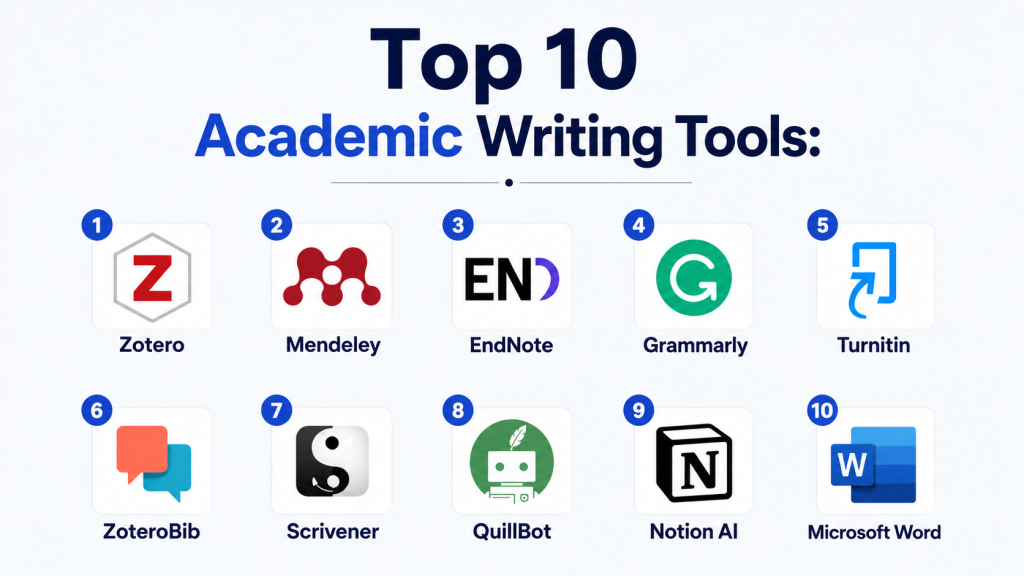
Top 10 Academic Writing Tools
1 — Zotero
Short description:
Zotero is a widely used open-source reference manager that helps users collect, organize, cite, and share research sources efficiently. It is popular among students, researchers, and academic institutions.
Key Features
- Automatic citation generation in multiple styles
- Browser-based research capture
- PDF annotation and organization
- Cloud syncing across devices
- Collaboration groups for research teams
- Word processor integration
- Tagging and library organization
Pros
- Free and open-source
- Strong citation management capabilities
- Easy integration with academic workflows
Cons
- Interface feels technical for beginners
- Cloud storage limitations without upgrades
- Requires setup for advanced workflows
Platforms / Deployment
- Windows / macOS / Linux / Web
- Hybrid (local + cloud sync)
Security & Compliance
- Not publicly stated in enterprise compliance terms
- User-controlled local storage available
Integrations & Ecosystem
Integrates with Microsoft Word, Google Docs (via plugins), and major browser extensions. Supports citation plugins and API-based extensions.
Support & Community
Strong academic community, extensive documentation, and active open-source development.
2 — Mendeley
Short description:
Mendeley is a reference management and research collaboration platform designed for academics and researchers.
Key Features
- Citation and bibliography generation
- PDF organization and annotation
- Research paper discovery tools
- Collaboration groups
- Cloud library synchronization
- Document sharing features
- Reference importing from databases
Pros
- Strong academic collaboration features
- Easy citation formatting
- Good research discovery tools
Cons
- Some advanced features require paid plans
- Performance can vary with large libraries
- Limited customization compared to open-source tools
Platforms / Deployment
- Web / Windows / macOS / Android / iOS
- Cloud-based
Security & Compliance
- Not publicly stated
Integrations & Ecosystem
Integrates with Microsoft Word, browser extensions, and academic databases for reference importing.
Support & Community
Moderate documentation with strong academic user base.
3 — EndNote
Short description:
EndNote is a premium academic reference management tool widely used in universities and research institutions.
Key Features
- Advanced citation management
- Large reference library handling
- Journal formatting automation
- Manuscript submission tools
- PDF annotation and organization
- Duplicate reference detection
- Collaboration support
Pros
- Highly powerful for large research projects
- Trusted in academic publishing environments
- Strong formatting capabilities
Cons
- Expensive compared to alternatives
- Steeper learning curve
- Desktop-heavy workflow
Platforms / Deployment
- Windows / macOS
- Hybrid
Security & Compliance
- Not publicly stated
Integrations & Ecosystem
Integrates with Microsoft Word and academic databases for citation imports and manuscript formatting.
Support & Community
Strong institutional support, training materials, and academic documentation.
4 — Grammarly
Short description:
Grammarly supports academic writing by improving grammar, clarity, tone, and structure across essays, research papers, and reports.
Key Features
- Advanced grammar correction
- Academic tone suggestions
- Clarity and readability improvements
- Plagiarism detection (premium)
- AI rewriting assistance
- Style consistency tools
- Browser and document integration
Pros
- Easy to use for students
- Strong grammar accuracy
- Works across multiple platforms
Cons
- Limited citation features
- Advanced AI features require subscription
- Can over-simplify academic tone
Platforms / Deployment
- Web / Windows / macOS / Mobile
- Cloud-based
Security & Compliance
- Enterprise controls available
- SOC 2 / ISO / GDPR: Not publicly stated
Integrations & Ecosystem
Works with Google Docs, Microsoft Word, browsers, and learning platforms.
Support & Community
Strong documentation and global user base.
5 — Turnitin
Short description:
Turnitin is a leading plagiarism detection platform used by educational institutions worldwide.
Key Features
- Plagiarism detection across academic databases
- AI writing detection tools
- Feedback and grading tools
- Originality reports
- LMS integration
- Assignment submission system
- Institutional reporting
Pros
- Extremely strong plagiarism detection
- Widely accepted in academia
- Deep LMS integration
Cons
- Not accessible individually in many cases
- Strict institutional dependency
- Limited writing assistance features
Platforms / Deployment
- Web
- Cloud-based
Security & Compliance
- Not publicly stated in full detail
Integrations & Ecosystem
Integrates with major LMS platforms like Moodle, Blackboard, and Canvas.
Support & Community
Strong institutional support and academic documentation.
6 — ZoteroBib
Short description:
ZoteroBib is a lightweight citation generation tool for quick bibliography creation.
Key Features
- Instant citation generation
- Multiple citation styles
- No login required
- Web-based interface
- Easy export options
- Source input flexibility
- Quick bibliography creation
Pros
- Extremely simple and fast
- Free to use
- No installation required
Cons
- Limited advanced features
- No collaboration tools
- Not suitable for large research libraries
Platforms / Deployment
- Web
- Cloud-based
Security & Compliance
- Not publicly stated
Integrations & Ecosystem
Standalone tool with limited integrations.
Support & Community
Minimal but functional support ecosystem.
7 — Scrivener
Short description:
Scrivener is a powerful writing environment used for dissertations, theses, and long research projects.
Key Features
- Project-based writing organization
- Split-screen editing
- Research and notes integration
- Draft restructuring tools
- Export to academic formats
- Outline management
- Offline writing support
Pros
- Excellent for long academic documents
- Strong organizational structure
- Highly flexible writing system
Cons
- Learning curve is steep
- No built-in citation database
- Desktop-focused
Platforms / Deployment
- Windows / macOS / iOS
- Local + optional sync
Security & Compliance
- Not publicly stated
Integrations & Ecosystem
Exports to Word and PDF formats; supports citation tool pairing.
Support & Community
Strong writing community and tutorials.
8 — QuillBot
Short description:
QuillBot helps students and researchers paraphrase, summarize, and refine academic text.
Key Features
- Paraphrasing modes
- Summarization tools
- Grammar checking
- Citation assistance
- Tone adjustment
- Plagiarism checker (premium)
- Browser extension
Pros
- Excellent paraphrasing quality
- Easy for students
- Affordable pricing
Cons
- Requires manual review for accuracy
- Limited academic structuring tools
- Not ideal for full research workflows
Platforms / Deployment
- Web / Extension
- Cloud-based
Security & Compliance
- Not publicly stated
Integrations & Ecosystem
Works with Google Docs and browser-based writing tools.
Support & Community
Strong student adoption and basic support resources.
9 — Notion AI
Short description:
Notion AI supports academic organization, note-taking, and research documentation.
Key Features
- AI-assisted note writing
- Research summarization
- Knowledge base creation
- Task organization
- Database structuring
- Collaboration tools
- Document drafting
Pros
- Excellent for organizing research
- Strong collaboration features
- Flexible workspace
Cons
- Not citation-focused
- AI output may lack depth
- Requires ecosystem adoption
Platforms / Deployment
- Web / Mobile / Desktop
- Cloud-based
Security & Compliance
- Enterprise controls vary by plan
Integrations & Ecosystem
Integrates with APIs, automation tools, and productivity platforms.
Support & Community
Large community with strong templates ecosystem.
10 — Microsoft Word
Short description:
Microsoft Word remains a foundational academic writing tool widely used for drafting research papers and dissertations.
Key Features
- Advanced document formatting
- Citation and bibliography tools
- Track changes and collaboration
- Academic templates
- Grammar assistance (via Editor)
- Export to PDF and formats
- Cloud sync with OneDrive
Pros
- Universally accepted in academia
- Powerful formatting capabilities
- Strong collaboration tools
Cons
- Requires licensing subscription
- Limited AI-native capabilities
- Can feel heavy for simple writing
Platforms / Deployment
- Web / Windows / macOS / Mobile
- Cloud-based + desktop
Security & Compliance
- Enterprise security controls available via Microsoft ecosystem
Integrations & Ecosystem
Integrates deeply with Microsoft 365, citation tools, and academic workflows.
Support & Community
Extensive global support and documentation.
Comparison Table (Top 10)
| Tool Name | Best For | Platform(s) Supported | Deployment | Standout Feature | Public Rating |
|---|---|---|---|---|---|
| Zotero | Citations | Desktop/Web | Hybrid | Open-source reference manager | N/A |
| Mendeley | Research collaboration | Web/Desktop/Mobile | Cloud | Paper discovery | N/A |
| EndNote | Academic publishing | Desktop | Hybrid | Advanced citation control | N/A |
| Grammarly | Writing improvement | Web/Desktop/Mobile | Cloud | Grammar correction | N/A |
| Turnitin | Plagiarism detection | Web | Cloud | Originality reports | N/A |
| ZoteroBib | Quick citations | Web | Cloud | Fast bibliography generator | N/A |
| Scrivener | Long-form writing | Desktop/Mobile | Local/Hybrid | Project-based writing | N/A |
| QuillBot | Paraphrasing | Web | Cloud | AI rewriting tools | N/A |
| Notion AI | Research organization | Web/Mobile/Desktop | Cloud | Knowledge management | N/A |
| Microsoft Word | Document writing | Web/Desktop/Mobile | Cloud + Desktop | Formatting & templates | N/A |
Evaluation & Scoring of Academic Writing Tools
| Tool Name | Core (25%) | Ease (15%) | Integrations (15%) | Security (10%) | Performance (10%) | Support (10%) | Value (15%) | Weighted Total |
|---|---|---|---|---|---|---|---|---|
| Zotero | 9.0 | 8.0 | 8.5 | 8.0 | 8.5 | 8.5 | 9.5 | 8.7 |
| Mendeley | 8.5 | 8.5 | 8.5 | 8.0 | 8.5 | 8.0 | 8.5 | 8.5 |
| EndNote | 9.0 | 7.5 | 8.5 | 8.0 | 8.5 | 8.5 | 7.5 | 8.3 |
| Grammarly | 9.0 | 9.5 | 9.5 | 8.5 | 9.0 | 9.0 | 8.5 | 9.0 |
| Turnitin | 9.5 | 8.0 | 9.0 | 9.0 | 9.0 | 9.0 | 8.0 | 9.0 |
| ZoteroBib | 8.0 | 9.5 | 7.5 | 7.5 | 8.5 | 7.5 | 9.5 | 8.2 |
| Scrivener | 9.0 | 7.5 | 8.0 | 7.5 | 8.5 | 8.0 | 8.5 | 8.3 |
| QuillBot | 8.0 | 9.5 | 8.0 | 7.5 | 8.5 | 8.0 | 9.0 | 8.4 |
| Notion AI | 8.5 | 9.0 | 9.0 | 8.0 | 8.5 | 8.5 | 8.5 | 8.6 |
| Microsoft Word | 9.0 | 9.0 | 9.5 | 9.0 | 9.0 | 9.0 | 9.0 | 9.0 |
Which Academic Writing Tool Is Right for You?
Solo / Freelancer
Best: Zotero, QuillBot, Grammarly
Focus on affordability and ease of use.
SMB / Small Research Teams
Best: Mendeley, Notion AI, Grammarly
Focus on collaboration and organization.
Mid-Market / Universities
Best: EndNote, Microsoft Word, Turnitin
Focus on compliance and structured workflows.
Enterprise / Institutions
Best: Turnitin, Microsoft Word, EndNote
Focus on governance, security, and academic integrity.
Budget vs Premium
- Budget-friendly: Zotero, ZoteroBib, QuillBot
- Premium: EndNote, Microsoft Word, Turnitin
Feature Depth vs Ease of Use
- Deep systems: EndNote, Scrivener
- Easy tools: Grammarly, ZoteroBib, Notion AI
Integrations & Scalability
- Strong ecosystems: Microsoft Word, Mendeley, Notion AI
- Research-focused: Zotero, EndNote
Security & Compliance Needs
- Strong institutional platforms: Turnitin, Microsoft Word, EndNote
- Others: Not publicly stated or varies by deployment
Frequently Asked Questions (FAQs)
1. What are academic writing tools?
They are software platforms that help with citations, writing, paraphrasing, and plagiarism detection.
They are widely used in research and education.
2. Are academic writing tools necessary for students?
Yes, especially for research papers and dissertations.
They improve accuracy and reduce formatting errors.
3. Which tool is best for citations?
Zotero and EndNote are among the most widely used citation tools.
They support multiple academic styles.
4. Do these tools detect plagiarism?
Yes, tools like Turnitin specialize in plagiarism detection.
Others offer limited plagiarism checking features.
5. Can AI tools replace academic writing?
No, they assist but do not replace research thinking or analysis.
Human validation remains essential.
6. Are free academic tools enough?
Free tools like Zotero and ZoteroBib are very effective.
Advanced workflows may require paid platforms.
7. Which tool is best for thesis writing?
Scrivener and Microsoft Word are commonly used for long-form academic writing.
They support structured document organization.
8. Do these tools support collaboration?
Yes, tools like Mendeley, Notion AI, and Google-based systems support collaboration.
EndNote also offers team features.
9. Are academic tools safe for sensitive research?
Some offer secure local storage, but compliance varies.
Institutional tools are generally more secure.
10. What is the biggest mistake users make?
Relying too heavily on automation without verifying citations and accuracy.
Academic integrity still requires manual review.
Conclusion
Academic writing tools have become essential in modern research ecosystems. From citation management to plagiarism detection and AI-assisted writing, these platforms significantly improve productivity and academic accuracy. However, no single tool covers every need. Researchers and students often benefit from combining multiple tools for writing, referencing, and organization. The best choice depends on academic level, collaboration needs, and institutional requirements. A practical approach is to shortlist 2–3 tools from this list, test them on real academic work, and evaluate how well they support citation accuracy, workflow efficiency, and research organization before fully adopting them.

Find Trusted Cardiac Hospitals
Compare heart hospitals by city and services — all in one place.
Explore Hospitals
Academic writing tools are most effective when they streamline the entire research and writing process, from drafting and editing to citation management and plagiarism checking. By combining AI-assisted writing, grammar correction, reference organization, and collaboration features, these platforms help students, researchers, and professionals produce high-quality, well-structured academic content with greater accuracy and efficiency.