Introduction
Multi-factor Authentication (MFA) is a security mechanism that requires users to provide two or more verification factors to gain access to applications, networks, or systems. By combining something a user knows (password), has (security token), or is (biometric), MFA significantly reduces the risk of unauthorized access and identity theft.
In , with the exponential growth of cloud services, remote work, and hybrid IT environments, MFA has become a non-negotiable element of enterprise cybersecurity strategies. MFA not only protects sensitive corporate data but also ensures regulatory compliance in industries such as finance, healthcare, and government.
Real-world use cases include securing remote employee logins, protecting privileged administrative accounts, safeguarding cloud applications, reducing phishing-related breaches, and enforcing adaptive authentication policies based on risk context.
When selecting an MFA solution, organizations should evaluate support for various authentication methods, integration with existing IAM systems, user experience, scalability, deployment flexibility, adaptive authentication, reporting and analytics, mobile support, compliance capabilities, and total cost of ownership.
Best for: IT security teams, CIOs, compliance officers, DevOps teams, and enterprises of all sizes across regulated and non-regulated industries.
Not ideal for: Small businesses with minimal infrastructure or organizations with low-risk applications; simpler authentication solutions may suffice.
Key Trends in Multi-factor Authentication (MFA)
- Increased adoption of passwordless and biometric authentication methods
- AI-driven adaptive authentication and risk scoring
- Integration with Zero Trust security frameworks
- Cloud-native MFA deployment with hybrid capabilities
- Unified IAM and MFA ecosystems for centralized policy management
- Multi-channel authentication (SMS, push, biometrics, email OTP)
- Continuous monitoring and behavioral analytics for anomalous access
- Regulatory compliance alignment (GDPR, HIPAA, SOC 2, ISO 27001)
- API-based extensibility for custom applications
- Subscription-based and usage-based pricing models
How We Selected These Tools (Methodology)
- Market adoption and brand recognition
- Feature completeness including MFA, SSO integration, and adaptive authentication
- Reliability, performance, and uptime metrics
- Security certifications and compliance posture
- Integration capabilities with cloud, on-premises, and SaaS applications
- Scalability for small, medium, and large enterprises
- Support for multiple authentication methods (push, OTP, biometrics)
- Ease of deployment and management
- Vendor support, documentation, and training resources
- Cost-effectiveness and total cost of ownership
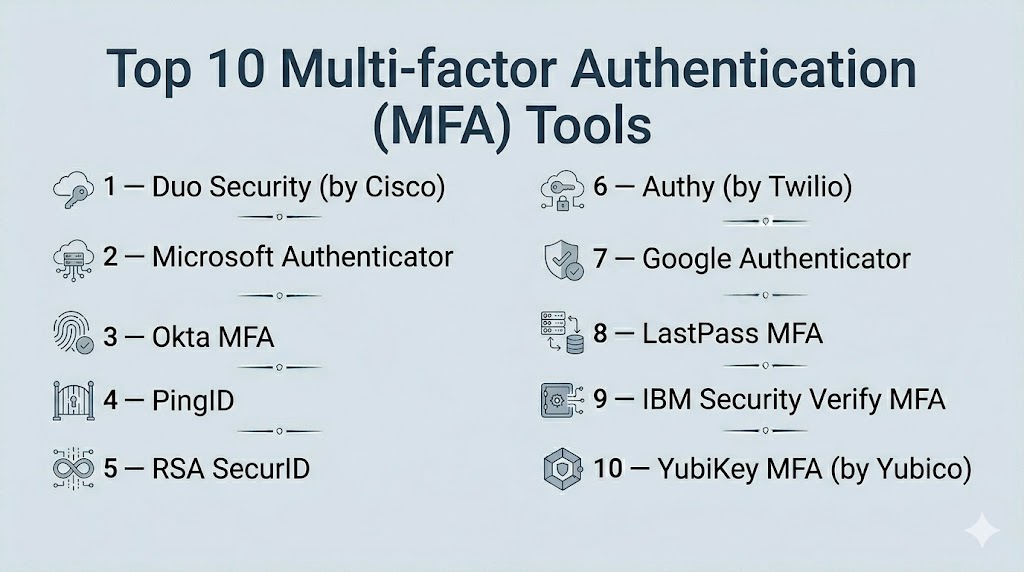
Top 10 Multi-factor Authentication (MFA) Tools
#1 — Duo Security (by Cisco)
Short description : Duo Security provides cloud-based MFA, adaptive authentication, and device trust for secure access to applications and networks. It is suitable for organizations looking to secure hybrid IT environments.
Key Features
- Adaptive MFA with risk-based policies
- Device trust and endpoint visibility
- Single Sign-On integration
- Push, OTP, and biometric authentication
- Integration with cloud and on-prem apps
- Detailed reporting and audit logs
Pros
- Easy deployment and management
- Strong security for cloud and on-prem environments
- Extensive app integrations
Cons
- Premium plans can be expensive
- Limited offline authentication options
Platforms / Deployment
- Web / Windows / macOS / iOS / Android
- Cloud
Security & Compliance
- SOC 2, ISO 27001, GDPR, HIPAA
Integrations & Ecosystem
- APIs for custom apps
- SSO connectors
- Endpoint management tools
Support & Community
- 24/7 support, knowledge base, active community
#2 — Microsoft Authenticator
Short description : Microsoft Authenticator offers multi-factor and passwordless authentication for Microsoft 365 and third-party apps. It is ideal for organizations already in the Microsoft ecosystem.
Key Features
- Push-based MFA
- Passwordless login options
- Integration with Azure AD and SSO
- OTP and biometric authentication
- Conditional access and risk-based policies
Pros
- Native integration with Microsoft apps
- Easy setup for employees
- Scalable for enterprises
Cons
- Best suited for Microsoft-heavy environments
- Limited features outside Microsoft ecosystem
Platforms / Deployment
- iOS / Android / Web
- Cloud
Security & Compliance
- SOC 2, ISO 27001, GDPR, HIPAA
Integrations & Ecosystem
- Microsoft 365 apps
- Azure AD
- Third-party SAML/OIDC apps
Support & Community
- Microsoft support, community forums, documentation
#3 — Okta MFA
Short description : Okta MFA secures user access with adaptive authentication, supporting cloud and on-prem apps for enterprise organizations.
Key Features
- Adaptive MFA with contextual policies
- Device trust and endpoint checks
- Push notifications, OTP, and biometrics
- Single Sign-On integration
- Policy-driven access controls
- Risk scoring and analytics
Pros
- Strong integration ecosystem
- Flexible authentication methods
- Enterprise-grade compliance support
Cons
- Complexity for smaller teams
- Higher costs for full features
Platforms / Deployment
- Web / Windows / macOS / iOS / Android
- Cloud
Security & Compliance
- SOC 2, ISO 27001, GDPR, HIPAA
Integrations & Ecosystem
- APIs and SDKs
- HR system integration
- Cloud and on-prem connectors
Support & Community
- Enterprise support, professional services, community
#4 — PingID
Short description : PingID delivers MFA with adaptive authentication and SSO for enterprise and cloud applications. It emphasizes risk-based access controls.
Key Features
- Push and OTP authentication
- Biometric and hardware token support
- Adaptive MFA and risk scoring
- Integration with Ping Identity SSO
- Reporting and audit logging
Pros
- Strong enterprise security
- Flexible authentication options
- Adaptive access control
Cons
- Costly for smaller organizations
- Requires Ping Identity infrastructure
Platforms / Deployment
- Web / Windows / macOS / iOS / Android
- Cloud / Hybrid
Security & Compliance
- SOC 2, ISO 27001, GDPR
Integrations & Ecosystem
- SSO integration
- Directory and LDAP connectors
- APIs for custom apps
Support & Community
- Vendor support, documentation, training resources
#5 — RSA SecurID
Short description : RSA SecurID provides MFA, risk-based authentication, and identity protection for enterprises with high-security requirements.
Key Features
- Token-based and software-based MFA
- Risk-adaptive authentication
- Directory and SSO integration
- Detailed reporting
- Biometric and push authentication
Pros
- Strong security for high-risk environments
- Enterprise scalability
- Advanced reporting capabilities
Cons
- Complexity in deployment
- Premium pricing
Platforms / Deployment
- Web / Windows / macOS / iOS / Android
- Cloud / Hybrid
Security & Compliance
- SOC 2, ISO 27001, GDPR, HIPAA
Integrations & Ecosystem
- APIs for custom integration
- Directory and HR system connectors
- SIEM tools
Support & Community
- Enterprise support and professional services
#6 — Authy (by Twilio)
Short description : Authy provides cloud-based MFA, push notifications, and token-based authentication for developers and SMBs.
Key Features
- OTP and push-based authentication
- Multi-device support
- API access for custom apps
- Easy mobile onboarding
- Hardware token integration
Pros
- Developer-friendly
- Easy integration
- Affordable for SMBs
Cons
- Limited enterprise governance
- Primarily mobile-focused
Platforms / Deployment
- Web / iOS / Android
- Cloud
Security & Compliance
- SOC 2, GDPR
Integrations & Ecosystem
- APIs and SDKs
- SaaS app connectors
- Custom app integration
Support & Community
- Documentation, ticketed support, developer community
#7 — Google Authenticator
Short description : Google Authenticator is a simple MFA solution that generates OTP codes for securing web and mobile applications.
Key Features
- Time-based OTP
- Mobile-friendly setup
- Lightweight and easy to deploy
Pros
- Free to use
- Easy setup
- Lightweight
Cons
- Limited enterprise features
- No cloud-based management
Platforms / Deployment
- iOS / Android
- Local device
Security & Compliance
- Not publicly stated
Integrations & Ecosystem
- Works with apps supporting TOTP
- Limited APIs
Support & Community
- Community-driven support
#8 — LastPass MFA
Short description : LastPass MFA secures password vaults and business applications with adaptive multi-factor authentication.
Key Features
- Push notifications and OTP
- Biometric authentication
- Adaptive risk-based authentication
- Integration with SSO and vault
Pros
- Easy adoption for existing LastPass users
- Adaptive policies
- Supports mobile and desktop
Cons
- Limited for non-LastPass environments
- Enterprise features require premium plan
Platforms / Deployment
- Web / Windows / macOS / iOS / Android
- Cloud
Security & Compliance
- SOC 2, ISO 27001, GDPR
Integrations & Ecosystem
- LastPass vault integration
- SSO connectors
- APIs for custom apps
Support & Community
- Vendor support, documentation, training
#9 — IBM Security Verify MFA
Short description : IBM Security Verify MFA provides risk-based multi-factor authentication for enterprise applications with AI-driven access decisions.
Key Features
- Adaptive MFA
- Risk scoring
- Biometric and token support
- SSO integration
- Directory and cloud connectors
Pros
- Enterprise-grade security
- AI-driven risk analytics
- Flexible authentication methods
Cons
- Complexity for SMBs
- Higher costs
Platforms / Deployment
- Web / Windows / macOS / iOS / Android
- Cloud / Hybrid
Security & Compliance
- SOC 2, ISO 27001, GDPR, HIPAA
Integrations & Ecosystem
- Cloud and on-prem app connectors
- APIs for custom apps
- Directory integration
Support & Community
- Enterprise support, professional services
#10 — YubiKey MFA (by Yubico)
Short description : YubiKey provides hardware-based MFA tokens for high-security access to applications and networks.
Key Features
- Hardware token authentication
- OTP, FIDO2, Smart Card support
- Offline and online use
- Integration with SSO and IAM
Pros
- Extremely secure
- Offline authentication possible
- Strong enterprise adoption
Cons
- Requires physical device distribution
- Higher upfront costs
Platforms / Deployment
- Web / Windows / macOS / Linux / iOS / Android
- Cloud / Hybrid
Security & Compliance
- FIDO2, SOC 2, ISO 27001
Integrations & Ecosystem
- SSO and IAM integration
- API support
- Hardware token management
Support & Community
- Vendor support, knowledge base
Comparison Table (Top 10)
| Tool Name | Best For | Platform(s) Supported | Deployment | Standout Feature | Public Rating |
|---|---|---|---|---|---|
| Duo Security | Enterprise | Web, Windows, macOS, iOS, Android | Cloud | Adaptive MFA | N/A |
| Microsoft Authenticator | Microsoft Ecosystem | iOS, Android, Web | Cloud | Passwordless | N/A |
| Okta MFA | Enterprise | Web, Windows, macOS, iOS, Android | Cloud | Adaptive MFA | N/A |
| PingID | Enterprise | Web, Windows, macOS, iOS, Android | Cloud/Hybrid | Risk-based MFA | N/A |
| RSA SecurID | Enterprise | Web, Windows, macOS, iOS, Android | Cloud/Hybrid | Token-based MFA | N/A |
| Authy | SMB/Developer | Web, iOS, Android | Cloud | API-based MFA | N/A |
| Google Authenticator | SMB/Developer | iOS, Android | Local Device | TOTP Codes | N/A |
| LastPass MFA | SMB/Enterprise | Web, Windows, macOS, iOS, Android | Cloud | Vault Integration | N/A |
| IBM Security Verify MFA | Enterprise | Web, Windows, macOS, iOS, Android | Cloud/Hybrid | AI-driven MFA | N/A |
| YubiKey MFA | Enterprise | Web, Windows, macOS, Linux, iOS, Android | Cloud/Hybrid | Hardware Token | N/A |
Evaluation & Scoring of Multi-factor Authentication (MFA)
| Tool Name | Core | Ease | Integrations | Security | Performance | Support | Value | Weighted Total |
|---|---|---|---|---|---|---|---|---|
| Duo Security | 9 | 8 | 9 | 9 | 9 | 8 | 8 | 8.7 |
| Microsoft Authenticator | 8 | 9 | 8 | 8 | 9 | 8 | 8 | 8.3 |
| Okta MFA | 9 | 7 | 9 | 9 | 9 | 8 | 7 | 8.3 |
| PingID | 9 | 7 | 8 | 9 | 9 | 8 | 7 | 8.2 |
| RSA SecurID | 9 | 6 | 8 | 9 | 9 | 8 | 7 | 8.1 |
| Authy | 8 | 8 | 7 | 8 | 8 | 7 | 8 | 7.8 |
| Google Authenticator | 6 | 9 | 6 | 7 | 7 | 6 | 9 | 7.0 |
| LastPass MFA | 8 | 8 | 7 | 8 | 8 | 7 | 8 | 7.8 |
| IBM Security Verify MFA | 9 | 7 | 8 | 9 | 9 | 8 | 7 | 8.2 |
| YubiKey MFA | 9 | 6 | 8 | 10 | 9 | 8 | 7 | 8.3 |
Interpretation: Higher weighted totals reflect comprehensive MFA solutions with strong security, integration, and usability.
Which Multi-factor Authentication (MFA) Tool Is Right for You?
Solo / Freelancer
Google Authenticator or Authy provide lightweight, cost-effective MFA for small teams or individual developers.
SMB
Duo Security, Microsoft Authenticator, or LastPass MFA balance security and affordability with cloud deployment.
Mid-Market
Okta MFA, PingID, or IBM Security Verify offer enterprise-level policies, adaptive authentication, and hybrid deployment.
Enterprise
RSA SecurID, YubiKey, Okta MFA, and IBM Security Verify provide hardware token support, AI-driven risk analytics, and advanced compliance features.
Budget vs Premium
Small teams can leverage Google Authenticator or Authy; enterprises should invest in Okta MFA, RSA SecurID, or YubiKey for advanced capabilities.
Feature Depth vs Ease of Use
Developer-focused tools favor simplicity; enterprise tools offer complex policies, adaptive MFA, and governance.
Integrations & Scalability
API-first design and cloud-native architecture ensure MFA scales with hybrid and multi-cloud environments.
Security & Compliance Needs
SOC 2, ISO 27001, GDPR, and HIPAA certifications are essential for high-security and regulated industries.
Frequently Asked Questions (FAQs)
1. What pricing models exist for MFA tools?
Most MFA solutions offer subscription-based pricing, often tiered by user count or features.
2. How quickly can MFA be deployed?
Cloud-based solutions deploy in hours to days; on-premises or hybrid setups may take weeks.
3. Do MFA tools support mobile devices?
Yes, mobile apps for iOS and Android are standard, supporting push, OTP, and biometric authentication.
4. What is the difference between SSO and MFA?
SSO streamlines login across apps, while MFA adds additional verification layers for enhanced security.
5. Can MFA integrate with existing IAM or SSO platforms?
Yes, leading MFA solutions integrate with major IAM and SSO platforms for unified access control.
6. Are AI and adaptive authentication common in MFA?
Many enterprise MFA tools offer AI-driven adaptive authentication to detect anomalous login patterns.
7. Do MFA tools help with compliance?
Yes, reporting, auditing, and risk-based policies assist organizations in meeting regulatory requirements.
8. How scalable are MFA solutions?
Enterprise MFA scales to hundreds of thousands of users across multi-cloud and on-premises environments.
9. Can MFA protect privileged accounts?
Yes, tools like RSA SecurID, PingID, and YubiKey are designed for securing privileged and administrative accounts.
10. What are common deployment mistakes?
Not enforcing MFA policies, ignoring API integrations, and insufficient training can reduce effectiveness.
Conclusion
Multi-factor Authentication (MFA) is essential for protecting modern digital assets against unauthorized access and credential theft. Small teams may leverage Google Authenticator or Authy for ease of use, whereas enterprises should invest in Okta MFA, RSA SecurID, and YubiKey for advanced adaptive authentication, hardware token support, and compliance. Selecting the right MFA solution requires assessing deployment complexity, integration needs, user experience, and regulatory requirements. Organizations should pilot, monitor, and refine MFA policies to maximize security without compromising productivity.

Find Trusted Cardiac Hospitals
Compare heart hospitals by city and services — all in one place.
Explore Hospitals
MFA recovery is an important part that can be easy to miss. If a user loses their phone, security key, or access to the authentication app, they still need a safe way to get back into their account. Having a simple recovery process with proper verification can prevent both security risks and unnecessary support issues.