Introduction
Password Managers are software solutions that securely store, generate, and manage passwords for individuals and organizations. They help users avoid the risks associated with weak, reused, or forgotten passwords, providing a centralized platform to safeguard login credentials across multiple applications, websites, and devices.In with the rapid adoption of cloud services, remote work, and hybrid IT environments, Password Managers have become critical tools for maintaining strong cybersecurity hygiene. They not only streamline access management but also reduce the risk of phishing attacks, credential theft, and compliance violations.Real-world use cases include storing and sharing enterprise credentials, generating strong passwords for cloud applications, securing personal logins for teams, enabling Single Sign-On (SSO) integration, and auditing password health across an organization.
When evaluating Password Managers, buyers should consider password storage security, multi-device synchronization, ease of use, SSO and MFA support, password generation capabilities, auditing and reporting, platform compatibility, integration with enterprise systems, scalability, and cost-effectiveness.
Best for: IT administrators, cybersecurity teams, SMBs, enterprises, and remote teams seeking centralized credential management.
Not ideal for: Individuals or organizations with minimal digital assets or those relying exclusively on single-platform authentication; simpler password storage may suffice.
Key Trends in Password Managers
- Integration of AI for automated password health checks and breach detection
- Cloud-based and hybrid deployment options for enterprise scalability
- Integration with SSO, MFA, and IAM systems for unified access control
- Mobile-first and cross-platform synchronization
- Adaptive password policies with compliance reporting
- Secure sharing of credentials for teams and departments
- API-driven extensibility for custom applications
- End-to-end encryption and zero-knowledge architecture
- Subscription and usage-based pricing models
- Behavioral analytics and anomaly detection
How We Selected These Tools (Methodology)
- Market adoption and brand recognition
- Comprehensive feature set including password vault, SSO, MFA, and password generation
- Reliability, uptime, and performance signals
- Security certifications and compliance posture
- Integration capabilities with enterprise applications and identity systems
- Scalability for small to large organizations
- Support for multiple authentication methods and devices
- Ease of deployment and user management
- Vendor support, training, and documentation
- Cost and total cost of ownership
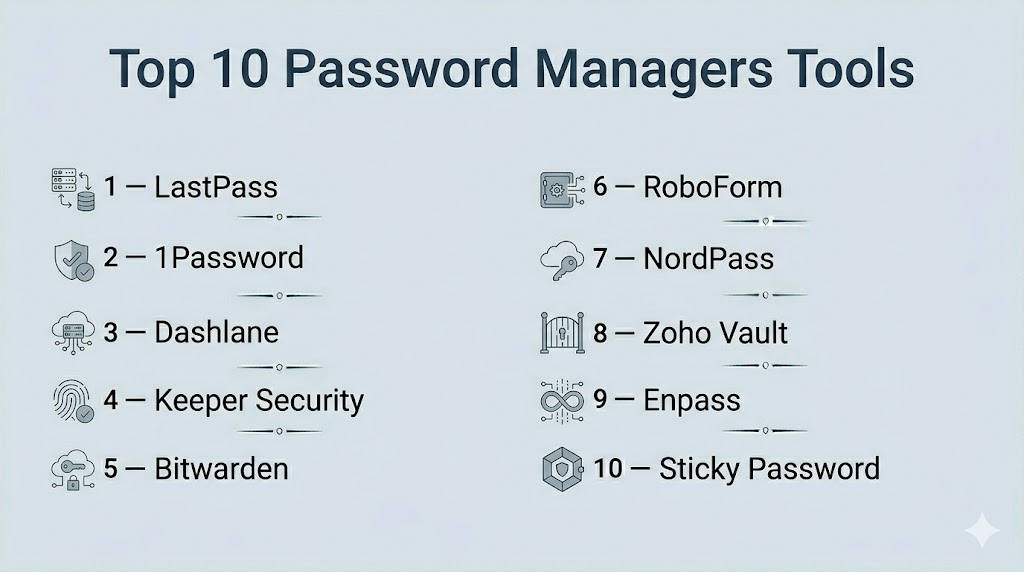
Top 10 Password Managers Tools
#1 — LastPass
Short description : LastPass is a cloud-based password manager for teams and enterprises that stores credentials securely, generates strong passwords, and provides centralized access management.
Key Features
- Enterprise password vault and sharing
- Password generator and strength analysis
- SSO and MFA integration
- Device and browser sync
- Reporting and audit capabilities
- Adaptive security policies
Pros
- Easy to deploy for organizations of all sizes
- Supports multiple devices and browsers
- Centralized admin controls
Cons
- Cloud-only dependency
- Some advanced features require premium plan
Platforms / Deployment
- Web / Windows / macOS / iOS / Android
- Cloud
Security & Compliance
- SOC 2, ISO 27001, GDPR
Integrations & Ecosystem
- SSO systems
- Active Directory / LDAP
- APIs for custom apps
Support & Community
- 24/7 support, knowledge base, and active user community
#2 — 1Password
Short description : 1Password offers secure password storage, team sharing, and multi-device access with strong encryption and business-focused management features.
Key Features
- Vaults for teams and personal use
- Strong password generation
- SSO and MFA support
- End-to-end encryption
- Audit and reporting features
Pros
- Strong security architecture
- User-friendly interface
- Cross-platform synchronization
Cons
- Subscription pricing may be higher than competitors
- Enterprise features require advanced plans
Platforms / Deployment
- Web / Windows / macOS / iOS / Android
- Cloud / Hybrid
Security & Compliance
- SOC 2, ISO 27001, GDPR
Integrations & Ecosystem
- SSO providers
- Team collaboration tools
- API access
Support & Community
- Vendor support, documentation, and active forums
#3 — Dashlane
Short description : Dashlane provides secure password storage, dark web monitoring, and team credential management for enterprise and individual users.
Key Features
- Encrypted vault and password sharing
- Password generator and security dashboard
- Dark web monitoring
- SSO and MFA integration
- Mobile and browser sync
Pros
- Comprehensive security features
- Intuitive interface
- Dark web alerts for breaches
Cons
- Premium features required for advanced enterprise functionality
- Limited offline access
Platforms / Deployment
- Web / Windows / macOS / iOS / Android
- Cloud
Security & Compliance
- SOC 2, ISO 27001, GDPR
Integrations & Ecosystem
- SSO connectors
- Identity management systems
- Browser extensions
Support & Community
- Knowledge base, 24/7 support, community forums
#4 — Keeper Security
Short description : Keeper provides password vaults, secure file storage, and team management with advanced encryption for enterprises and SMBs.
Key Features
- Enterprise password vaults
- Zero-knowledge encryption
- Role-based access controls
- SSO and MFA integration
- Security auditing and reporting
Pros
- Strong encryption and zero-knowledge architecture
- Supports multiple user roles
- Cross-platform availability
Cons
- Enterprise plan pricing is high
- Some features require separate add-ons
Platforms / Deployment
- Web / Windows / macOS / iOS / Android
- Cloud
Security & Compliance
- SOC 2, ISO 27001, GDPR, HIPAA
Integrations & Ecosystem
- SSO and IAM integrations
- API access
- Enterprise app connectors
Support & Community
- Enterprise support, training, and online community
#5 — Bitwarden
Short description : Bitwarden is an open-source password manager providing secure storage, team sharing, and cloud synchronization for individuals and organizations.
Key Features
- Open-source password vault
- End-to-end encryption
- Self-hosting option
- SSO and MFA support
- Audit and reporting
Pros
- Open-source transparency
- Affordable pricing
- Flexible deployment options
Cons
- UI less polished than competitors
- Advanced enterprise features require paid plans
Platforms / Deployment
- Web / Windows / macOS / Linux / iOS / Android
- Cloud / Self-hosted
Security & Compliance
- SOC 2, ISO 27001, GDPR
Integrations & Ecosystem
- SSO and IAM integration
- API access
- Browser extensions
Support & Community
- Documentation, community forums, paid support options
#6 — RoboForm
Short description : RoboForm offers password management, form filling, and secure sharing for individuals, SMBs, and enterprise teams.
Key Features
- Password vault and sharing
- Password generator and security center
- SSO and MFA support
- Cross-device sync
- Audit and reporting
Pros
- Easy to use
- Affordable for SMBs
- Strong password generation
Cons
- Enterprise features limited compared to others
- Cloud sync requires subscription
Platforms / Deployment
- Web / Windows / macOS / iOS / Android
- Cloud / Hybrid
Security & Compliance
- SOC 2, GDPR
Integrations & Ecosystem
- Browser extensions
- SSO systems
- API access
Support & Community
- Vendor support, documentation, user forums
#7 — NordPass
Short description : NordPass provides secure password storage, sharing, and generation with a focus on simplicity for SMBs and individual users.
Key Features
- Encrypted password vault
- Password generator
- SSO and MFA support
- Cloud sync
- Audit and breach alerts
Pros
- User-friendly interface
- Affordable for SMBs
- Cross-platform support
Cons
- Enterprise features limited
- Fewer integrations
Platforms / Deployment
- Web / Windows / macOS / iOS / Android
- Cloud
Security & Compliance
- SOC 2, ISO 27001, GDPR
Integrations & Ecosystem
- Browser extensions
- SSO integration
- Mobile support
Support & Community
- Email support, documentation, knowledge base
#8 — Zoho Vault
Short description : Zoho Vault provides password management, secure sharing, and audit capabilities for teams and enterprises within the Zoho ecosystem.
Key Features
- Team password vaults
- SSO and MFA integration
- Role-based access control
- Audit and reporting
- Mobile and browser sync
Pros
- Integrates well with Zoho apps
- Scalable for teams
- Affordable pricing
Cons
- Best suited for Zoho-heavy environments
- Limited advanced features outside Zoho ecosystem
Platforms / Deployment
- Web / Windows / macOS / iOS / Android
- Cloud
Security & Compliance
- SOC 2, ISO 27001, GDPR
Integrations & Ecosystem
- Zoho suite integration
- SSO and IAM connectors
- API access
Support & Community
- Documentation, email support, user community
#9 — Enpass
Short description : Enpass is a cross-platform password manager with offline storage, secure sharing, and password generation for individuals and SMBs.
Key Features
- Local or cloud password storage
- Password generator
- SSO and MFA support
- Browser extensions and desktop apps
- Audit and reporting
Pros
- Local storage option
- Affordable one-time pricing
- Cross-platform support
Cons
- Enterprise management limited
- Cloud sync requires separate setup
Platforms / Deployment
- Web / Windows / macOS / Linux / iOS / Android
- Cloud / Local
Security & Compliance
- SOC 2, GDPR
Integrations & Ecosystem
- Browser extensions
- SSO support
- API access
Support & Community
- Documentation, community forums, ticketed support
#10 — Sticky Password
Short description : Sticky Password provides password management, secure sharing, and multi-device synchronization with biometric support.
Key Features
- Password vault and sharing
- Biometric login support
- Cloud and local sync
- Browser integration
- Audit and reporting
Pros
- Biometric authentication
- Local and cloud options
- Affordable pricing
Cons
- Enterprise features limited
- UI less polished
Platforms / Deployment
- Web / Windows / macOS / iOS / Android
- Cloud / Local
Security & Compliance
- SOC 2, GDPR
Integrations & Ecosystem
- Browser extensions
- SSO connectors
- API access
Support & Community
- Vendor support, knowledge base, email assistance
Comparison Table (Top 10)
| Tool Name | Best For | Platform(s) Supported | Deployment | Standout Feature | Public Rating |
|---|---|---|---|---|---|
| LastPass | Enterprise/SMB | Web, Windows, macOS, iOS, Android | Cloud | Adaptive MFA, Vault Sharing | N/A |
| 1Password | Enterprise | Web, Windows, macOS, iOS, Android | Cloud/Hybrid | Strong encryption and team vaults | N/A |
| Dashlane | SMB/Enterprise | Web, Windows, macOS, iOS, Android | Cloud | Dark web monitoring | N/A |
| Keeper Security | Enterprise | Web, Windows, macOS, iOS, Android | Cloud | Zero-knowledge encryption | N/A |
| Bitwarden | SMB/Enterprise | Web, Windows, macOS, Linux, iOS, Android | Cloud/Self-hosted | Open-source flexibility | N/A |
| RoboForm | SMB/Teams | Web, Windows, macOS, iOS, Android | Cloud/Hybrid | Form filling automation | N/A |
| NordPass | SMB | Web, Windows, macOS, iOS, Android | Cloud | Simple and user-friendly | N/A |
| Zoho Vault | Teams/Enterprise | Web, Windows, macOS, iOS, Android | Cloud | Zoho ecosystem integration | N/A |
| Enpass | Individual/SMB | Web, Windows, macOS, Linux, iOS, Android | Cloud/Local | Offline storage option | N/A |
| Sticky Password | Individual/SMB | Web, Windows, macOS, iOS, Android | Cloud/Local | Biometric support | N/A |
Evaluation & Scoring of Password Managers
| Tool Name | Core (25%) | Ease (15%) | Integrations (15%) | Security (10%) | Performance (10%) | Support (10%) | Value (15%) | Weighted Total |
|---|---|---|---|---|---|---|---|---|
| LastPass | 9 | 8 | 9 | 9 | 9 | 8 | 8 | 8.7 |
| 1Password | 9 | 8 | 8 | 9 | 9 | 8 | 7 | 8.3 |
| Dashlane | 8 | 8 | 8 | 8 | 8 | 8 | 7 | 7.9 |
| Keeper Security | 9 | 7 | 8 | 9 | 9 | 8 | 7 | 8.1 |
| Bitwarden | 8 | 7 | 8 | 8 | 8 | 7 | 8 | 7.8 |
| RoboForm | 7 | 8 | 7 | 7 | 7 | 7 | 8 | 7.4 |
| NordPass | 7 | 8 | 6 | 7 | 7 | 7 | 8 | 7.2 |
| Zoho Vault | 8 | 7 | 7 | 8 | 8 | 7 | 7 | 7.7 |
| Enpass | 7 | 7 | 6 | 7 | 7 | 6 | 8 | 7.0 |
| Sticky Password | 7 | 7 | 6 | 7 | 7 | 6 | 8 | 7.0 |
Interpretation: Higher weighted totals reflect solutions with strong core features, integrations, security, and value.
Which Password Managers Tool Is Right for You?
Solo / Freelancer
Enpass, Sticky Password, and NordPass offer cost-effective, user-friendly password management for individual users.
SMB
LastPass, Dashlane, and Bitwarden provide secure password sharing, SSO integration, and cloud-based management.
Mid-Market
1Password, Keeper Security, and Zoho Vault offer team-focused vaults, adaptive policies, and compliance features.
Enterprise
LastPass Enterprise, Keeper Security, Bitwarden Enterprise, and 1Password Business provide centralized management, advanced audit capabilities, and SSO/MFA integration.
Budget vs Premium
Individuals may opt for Enpass or Sticky Password; enterprises benefit from LastPass, 1Password, or Keeper for advanced management features.
Feature Depth vs Ease of Use
Developer and small team tools prioritize simplicity; enterprise tools emphasize policy management, auditing, and compliance.
Integrations & Scalability
Cloud-based tools with API access allow seamless integration with IAM, SSO, and HR systems for scalable adoption.
Security & Compliance Needs
SOC 2, ISO 27001, GDPR, and HIPAA certifications are crucial for regulated industries.
Frequently Asked Questions (FAQs)
1. What pricing models exist for password managers?
Most offer subscription-based plans per user or tiered by features; some provide lifetime licenses.
2. Can password managers integrate with SSO or IAM systems?
Yes, leading tools support SSO, MFA, and integration with enterprise IAM platforms.
3. How secure are password managers?
Enterprise-grade managers use zero-knowledge encryption, MFA, and compliance certifications for data protection.
4. Are mobile devices supported?
Yes, iOS and Android apps allow password management on the go.
5. Can passwords be shared securely within a team?
Yes, enterprise tools offer encrypted sharing with role-based access.
6. Do password managers generate strong passwords?
Most provide automated password generators and health audits for security improvements.
7. Is offline access possible?
Some tools, like Enpass and Sticky Password, provide offline vault storage.
8. How do password managers handle breaches?
Advanced managers alert users, suggest password updates, and enforce adaptive security measures.
9. Can they manage privileged accounts?
Yes, enterprise solutions can secure admin and privileged credentials.
10. How easy is migration from existing password stores?
Most tools provide import options from browsers or CSV files for quick adoption.
Conclusion
Password managers are essential for securing credentials across individuals, teams, and enterprises. SMBs can leverage tools like Dashlane, Bitwarden, or LastPass, while enterprises benefit from 1Password, Keeper Security, and LastPass Enterprise for centralized control, auditing, and compliance. Selecting the right solution requires evaluating integration needs, user experience, security, and scalability. Organizations should pilot, enforce policies, and monitor adoption to maintain strong security hygiene and reduce the risk of credential-based attacks.

Find Trusted Cardiac Hospitals
Compare heart hospitals by city and services — all in one place.
Explore Hospitals
Password managers are helpful, but recovery is an important part that is easy to overlook. If a user loses access to their account or vault, there should be a secure recovery process that does not create another security weakness. Testing this process before users depend on it can prevent a lot of trouble later.