Introduction
Production scheduling tools are software platforms that help manufacturers plan, organize, and optimize production processes. They ensure that resources, machines, and workforce are effectively allocated to meet production goals while minimizing delays and costs. These tools integrate with inventory, ERP, and supply chain systems to provide a comprehensive view of the production pipeline.
In manufacturing environments, production scheduling tools are crucial for maintaining efficiency, reducing lead times, and responding quickly to changes in demand. They help organizations simulate schedules, track bottlenecks, and make data-driven decisions to improve throughput and resource utilization.
Real-world use cases include:
- Automotive manufacturing: optimizing assembly line schedules
- Electronics: managing batch production and component availability
- Food and beverage: coordinating production to meet perishable inventory demands
- Industrial machinery: balancing workload across multiple production lines
- Pharmaceuticals: ensuring compliance while maintaining production efficiency
Best for: Production managers, planners, and operations teams in manufacturing, food processing, electronics, and industrial sectors.
Not ideal for: Small-scale operations with minimal scheduling complexity or companies that rely solely on manual production planning.
Key Trends in Production Scheduling Tools
- AI-driven predictive scheduling and demand forecasting
- Real-time machine and resource tracking using IoT sensors
- Integration with ERP and MES systems for end-to-end production visibility
- Cloud-native platforms for remote access and scalability
- Automation of scheduling and conflict resolution
- Mobile apps for floor-level schedule management
- Advanced analytics for bottleneck identification and efficiency optimization
- Support for multi-site and multi-shift production operations
- Flexible pricing models including SaaS subscriptions and enterprise licenses
- Interoperability with warehouse management and logistics systems
How We Selected These Tools (Methodology)
- Market adoption and recognition in manufacturing industries
- Feature completeness including scheduling, capacity planning, and analytics
- Reliability and performance in live production environments
- Security posture including encryption, access controls, and compliance
- Integration capabilities with ERP, MES, and IoT systems
- Customer fit across SMB, mid-market, and enterprise segments
- Ease of use and learning curve for production teams
- Vendor support, documentation, and training resources
- Scalability and multi-site deployment support
- Flexibility of licensing and deployment models
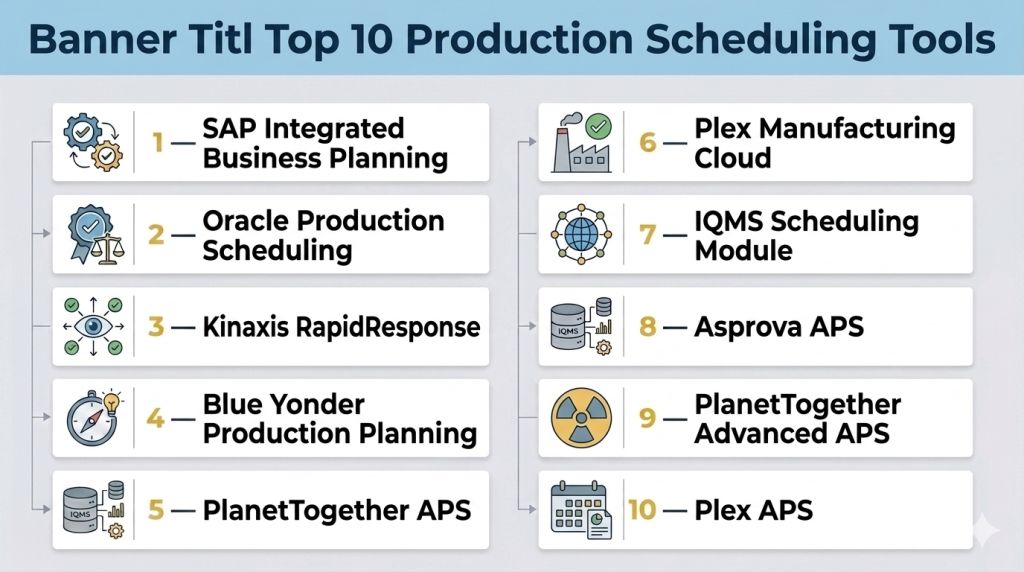
Top 10 Production Scheduling Tools
#1 — SAP Integrated Business Planning
Short description: SAP IBP is an enterprise-grade production and supply chain planning platform that enables manufacturers to forecast demand, optimize inventory, and schedule production efficiently. It’s designed for large-scale enterprises with complex operations.
Key Features
- Advanced production scheduling and optimization
- Demand planning and forecasting
- Inventory and supply planning
- Real-time analytics dashboards
- Integration with SAP ERP and other modules
- Scenario simulation for production planning
- AI-powered recommendation for schedule adjustments
Pros
- Enterprise-grade scalability and reliability
- Comprehensive integration with SAP ecosystem
- Strong analytics and scenario planning
Cons
- High implementation complexity
- Premium pricing
- Requires dedicated training
Platforms / Deployment
- Web
- Cloud / Hybrid
Security & Compliance
- SSO/SAML, MFA, encryption, audit logs
- SOC 2, ISO 27001
Integrations & Ecosystem
Supports extensive ERP and logistics integrations
- SAP ERP, MES
- IoT device connectivity
- APIs for custom workflow automation
Support & Community
- Dedicated SAP support and consulting
- Large user community and knowledge base
#2 — Oracle Production Scheduling
Short description: Oracle’s production scheduling module allows manufacturers to plan, execute, and monitor production operations efficiently. It integrates seamlessly with Oracle ERP and supply chain solutions.
Key Features
- Material and resource scheduling
- Demand-driven planning
- Batch and discrete production management
- Real-time performance monitoring
- Analytics and reporting
- Workflow automation and alerts
- Integration with supply chain modules
Pros
- Strong integration with Oracle ERP
- Advanced scheduling for complex production lines
- Real-time insights for production management
Cons
- Complex setup for SMEs
- Requires specialized training
- Higher cost for full deployment
Platforms / Deployment
- Web
- Cloud / Hybrid
Security & Compliance
- SSO, RBAC, audit logs
- SOC 2, ISO 27001
Integrations & Ecosystem
- Oracle ERP and supply chain solutions
- MES and warehouse management systems
- APIs for automation
Support & Community
- Oracle support tiers
- Online documentation and forums
#3 — Kinaxis RapidResponse
Short description: Kinaxis RapidResponse offers cloud-based production scheduling and supply chain planning for manufacturers to synchronize production with demand and inventory.
Key Features
- Concurrent planning and scheduling
- Demand-driven production optimization
- Inventory and supply visibility
- Scenario simulation and analysis
- Exception management
- Integration with ERP and MES
- Collaborative planning dashboards
Pros
- Real-time scenario planning
- Cloud-native for global access
- Excellent exception and alert management
Cons
- Requires data integration for full functionality
- Premium cost for small manufacturers
Platforms / Deployment
- Web
- Cloud
Security & Compliance
- SSO, MFA, encryption
- GDPR, SOC 2
Integrations & Ecosystem
- ERP and MES systems
- API integrations for custom tools
- BI platform connectivity
Support & Community
- Vendor support and training
- Online community and knowledge base
#4 — Blue Yonder Production Planning
Short description: Blue Yonder provides production scheduling tools that combine AI-driven forecasting with real-time production visibility for manufacturing efficiency.
Key Features
- AI-powered production scheduling
- Demand and inventory forecasting
- Real-time machine and resource monitoring
- Scenario simulation and what-if analysis
- Integration with supply chain and ERP
- Alert and exception management
- Reporting dashboards
Pros
- Advanced AI for predictive scheduling
- Cloud-based scalability
- Real-time monitoring
Cons
- Premium pricing
- Learning curve for advanced AI features
Platforms / Deployment
- Web
- Cloud
Security & Compliance
- SSO/SAML, RBAC, audit logs
- GDPR, SOC 2
Integrations & Ecosystem
- ERP and MES integration
- API support for custom apps
- IoT device integration
Support & Community
- Vendor-led onboarding
- Documentation and online resources
#5 — PlanetTogether APS
Short description: PlanetTogether Advanced Planning and Scheduling software helps manufacturers optimize production schedules, improve throughput, and manage resources efficiently.
Key Features
- Finite capacity scheduling
- Inventory and materials management
- Drag-and-drop visual scheduling
- Scenario simulation
- Real-time alerts
- ERP integration
- Analytics and reporting
Pros
- Easy-to-use visual interface
- Strong finite scheduling capabilities
- Cloud and on-premises options
Cons
- May require ERP integration for full visibility
- Limited mobile functionality
Platforms / Deployment
- Windows / Web
- Cloud / On-premises
Security & Compliance
- RBAC, audit logs, encryption
- Varies / N/A
Integrations & Ecosystem
- ERP systems like SAP, Oracle
- MES integration
- APIs for custom workflows
Support & Community
- Vendor support and consulting
- Documentation and training
#6 — Plex Manufacturing Cloud
Short description: Plex offers a cloud-based production scheduling solution that is part of a comprehensive manufacturing execution system for mid-market to large manufacturers.
Key Features
- Real-time production scheduling
- Finite capacity planning
- Inventory and shop floor integration
- Analytics dashboards
- Alerts and exception handling
- Integration with MES and ERP
- Collaborative scheduling
Pros
- Cloud-native with real-time updates
- Integrated with MES for shop floor visibility
- Scalable for multi-site operations
Cons
- Premium pricing
- Requires ERP integration for optimal use
Platforms / Deployment
- Web
- Cloud
Security & Compliance
- RBAC, SSO, audit trails
- SOC 2, ISO 27001
Integrations & Ecosystem
- ERP and MES systems
- APIs for custom applications
- IoT sensor integration
Support & Community
- Vendor support tiers
- Online training and knowledge base
#7 — IQMS Scheduling Module
Short description: IQMS provides production scheduling as part of its manufacturing ERP, enabling optimized planning, resource allocation, and workflow automation.
Key Features
- Finite capacity scheduling
- Batch and discrete production management
- Inventory optimization
- Visual planning interface
- Real-time alerts
- ERP integration
- Reporting and analytics
Pros
- Strong integration with ERP and MES
- Visual scheduling interface
- Scalable for mid-market manufacturers
Cons
- Learning curve for small teams
- On-premises deployment preferred
Platforms / Deployment
- Web / Windows
- Cloud / On-premises
Security & Compliance
- RBAC, audit logs
- ISO 9001, SOC 2
Integrations & Ecosystem
- ERP and MES integration
- API support
- BI tools for reporting
Support & Community
- Vendor support and training
- Documentation and online forums
#8 — Asprova APS
Short description: Asprova APS is an advanced production scheduling tool for manufacturers needing high-speed, finite-capacity scheduling with visual planning.
Key Features
- High-speed finite capacity scheduling
- Inventory and resource optimization
- Visual Gantt charts for planning
- Real-time scenario simulation
- Alerts for production conflicts
- ERP integration
- Analytics dashboards
Pros
- Extremely fast scheduling engine
- Visual and intuitive interface
- Good for complex, multi-line production
Cons
- Limited cloud deployment
- Learning curve for advanced features
Platforms / Deployment
- Windows
- On-premises
Security & Compliance
- Varies / N/A
Integrations & Ecosystem
- ERP integration
- API connectivity
- MES systems
Support & Community
- Vendor support
- Documentation and training
#9 — PlanetTogether Advanced APS
Short description: Focused on scheduling optimization, PlanetTogether APS provides drag-and-drop scheduling, scenario simulation, and analytics for manufacturers.
Key Features
- Finite capacity scheduling
- Inventory and resource optimization
- Drag-and-drop scheduling interface
- Scenario simulation
- Alerts and exception management
- ERP integration
- Reporting dashboards
Pros
- Easy-to-use interface
- Strong scheduling optimization
- Cloud and on-premises options
Cons
- May require ERP integration
- Limited advanced analytics
Platforms / Deployment
- Windows / Web
- Cloud / On-premises
Security & Compliance
- Varies / N/A
Integrations & Ecosystem
- ERP systems
- MES integration
- API support
Support & Community
- Vendor support
- Online documentation
#10 — Plex APS
Short description: Plex APS is the scheduling module of Plex Manufacturing Cloud, providing real-time visibility, finite scheduling, and integration with MES and ERP systems.
Key Features
- Finite capacity scheduling
- Real-time production visibility
- Inventory and resource optimization
- Alerts and exception handling
- Scenario simulation
- ERP and MES integration
- Analytics dashboards
Pros
- Cloud-native with real-time updates
- Integrated with MES for shop floor
- Scalable for multi-site operations
Cons
- Premium pricing
- ERP integration required for full capability
Platforms / Deployment
- Web
- Cloud
Security & Compliance
- RBAC, SSO, encryption
- SOC 2, ISO 27001
Integrations & Ecosystem
- ERP and MES integration
- APIs for custom applications
- IoT integration
Support & Community
- Vendor support
- Online training and knowledge base
Comparison Table (Top 10)
| Tool Name | Best For | Platform(s) Supported | Deployment | Standout Feature | Public Rating |
|---|---|---|---|---|---|
| SAP IBP | Large enterprises | Web | Cloud / Hybrid | End-to-end planning | N/A |
| Oracle Production Scheduling | ERP-aligned manufacturers | Web | Cloud / Hybrid | Integrated scheduling | N/A |
| Kinaxis RapidResponse | Supply chain synchronization | Web | Cloud | Real-time scenario planning | N/A |
| Blue Yonder Production Planning | AI-driven forecasting | Web | Cloud | Predictive scheduling | N/A |
| PlanetTogether APS | Visual finite scheduling | Web / Windows | Cloud / On-prem | Drag-and-drop interface | N/A |
| Plex Manufacturing Cloud | Mid-market to large manufacturers | Web | Cloud | MES integration | N/A |
| IQMS Scheduling Module | ERP-integrated manufacturers | Web / Windows | Cloud / On-prem | Visual planning | N/A |
| Asprova APS | Complex multi-line production | Windows | On-premises | High-speed scheduling | N/A |
| PlanetTogether Advanced APS | Scheduling optimization | Web / Windows | Cloud / On-prem | Scenario simulation | N/A |
| Plex APS | MES-integrated scheduling | Web | Cloud | Real-time visibility | N/A |
Evaluation & Scoring of Production Scheduling Tools
| Tool Name | Core | Ease | Integrations | Security | Performance | Support | Value | Weighted Total |
|---|---|---|---|---|---|---|---|---|
| SAP IBP | 9 | 7 | 8 | 8 | 9 | 8 | 7 | 8.0 |
| Oracle | 9 | 7 | 8 | 8 | 9 | 8 | 7 | 8.0 |
| Kinaxis | 8 | 8 | 7 | 8 | 8 | 8 | 7 | 7.8 |
| Blue Yonder | 8 | 8 | 7 | 8 | 8 | 8 | 7 | 7.8 |
| PlanetTogether | 8 | 8 | 7 | 8 | 8 | 7 | 7 | 7.6 |
| Plex Manufacturing | 8 | 7 | 8 | 8 | 8 | 7 | 7 | 7.6 |
| IQMS | 8 | 7 | 8 | 8 | 8 | 7 | 7 | 7.6 |
| Asprova | 8 | 7 | 7 | 8 | 8 | 7 | 7 | 7.4 |
| PlanetTogether Advanced | 8 | 8 | 7 | 8 | 8 | 7 | 7 | 7.6 |
| Plex APS | 8 | 7 | 8 | 8 | 8 | 7 | 7 | 7.6 |
Scoring interpretation: Weighted totals are comparative. Core and performance scores favor enterprise-grade capabilities, while ease and value highlight usability and cost-effectiveness. Buyers should balance their priorities when selecting a platform.
Which Production Scheduling Tools Tool Is Right for You?
Solo / Freelancer
- PlanetTogether APS or Asprova for small production lines needing visual scheduling
SMB
- Plex Manufacturing Cloud or PlanetTogether Advanced APS for mid-sized operations with multi-line planning
Mid-Market
- Kinaxis RapidResponse or Blue Yonder for integrated supply chain scheduling
Enterprise
- SAP IBP or Oracle Production Scheduling for large, global manufacturing operations
Budget vs Premium
- PlanetTogether APS and Asprova provide cost-effective options; SAP IBP and Oracle offer advanced enterprise capabilities
Feature Depth vs Ease of Use
- Enterprise solutions deliver advanced analytics and scenario simulation but require training; visual tools are easier to adopt
Integrations & Scalability
- ERP, MES, and IoT integrations are critical for real-time scheduling and multi-site production
Security & Compliance Needs
- Ensure RBAC, SSO, and audit trails are in place, especially for regulated industries
Frequently Asked Questions (FAQs)
1. What is a production scheduling tool?
A production scheduling tool helps manufacturers plan and optimize the use of resources, machines, and workforce to meet production targets efficiently.
2. Can small manufacturers benefit from these tools?
Yes, cloud-native or visual tools like PlanetTogether APS are suitable for smaller manufacturers with limited resources.
3. Do these tools integrate with ERP systems?
Most modern production scheduling tools integrate with ERP and MES systems to synchronize inventory, production, and supply chain data.
4. What industries use production scheduling tools?
Manufacturing, automotive, electronics, food and beverage, and pharmaceuticals commonly use these tools for optimized production planning.
5. How does AI improve scheduling?
AI algorithms can predict demand, optimize resource allocation, and generate schedules that minimize bottlenecks.
6. Are cloud or on-premises deployments better?
Cloud deployments offer scalability and remote access; on-premises may provide more control for sensitive operations.
7. What is finite capacity scheduling?
Finite capacity scheduling accounts for actual machine and resource availability when generating production schedules.
8. How long does implementation take?
Implementation varies from weeks for cloud tools to months for enterprise-grade, multi-site deployments.
9. Can these tools handle multi-site operations?
Yes, enterprise-grade tools like SAP IBP and Kinaxis RapidResponse are designed for global, multi-site production planning.
10. What reporting features are available?
Most tools provide dashboards, analytics, and alerts to track schedule adherence, production efficiency, and resource utilization.
Conclusion
Production scheduling tools are essential for manufacturers aiming to optimize operations, reduce lead times, and improve resource utilization. Small and medium manufacturers can benefit from visual and cloud-native solutions, while large enterprises require full-scale ERP-integrated platforms with AI-driven planning capabilities. Key considerations include integrations with MES and ERP, ease of use, scalability, and compliance. Companies should evaluate their operational complexity, run pilot tests, and select a tool that balances usability, cost, and functionality to achieve optimal production efficiency.

Find Trusted Cardiac Hospitals
Compare heart hospitals by city and services — all in one place.
Explore Hospitals
A machine failure, missing material, or worker shortage can quickly make the planned schedule unrealistic. The system should help planners see the impact, compare alternative schedules, and adjust priorities quickly. This can help teams recover faster without creating bigger delays across the production line.