Introduction
Browser-based SSO (Single Sign-On) Portals are centralized authentication platforms that allow users to access multiple applications through a single browser-based dashboard after one secure login. Instead of remembering dozens of passwords, users authenticate once and gain seamless access to SaaS tools, internal systems, and cloud applications from a unified portal. these portals have become critical due to SaaS sprawl, hybrid work environments, and rising identity-based cyberattacks. Organizations now manage hundreds of cloud apps, and browser-based SSO portals help enforce secure, frictionless access while reducing password fatigue and shadow access risks.
Real-world use cases include:
- Employees accessing multiple SaaS tools (Slack, CRM, ERP) via a single dashboard
- IT teams enforcing secure login policies across distributed workforces
- Contractors receiving temporary access to enterprise apps
- Enterprises reducing password reset overhead and helpdesk costs
- Security teams enforcing conditional access based on device or location
What buyers should evaluate:
- Identity provider compatibility (SAML, OAuth, OpenID Connect)
- Multi-factor authentication and adaptive access controls
- Browser-level session management
- Application provisioning and de-provisioning automation
- Integration with SaaS ecosystems
- Policy enforcement capabilities
- Audit logging and compliance readiness
- User experience and portal customization
- Scalability for enterprise environments
- AI-driven anomaly detection and risk scoring
Best for:
IT administrators, enterprise security teams, and organizations managing large SaaS ecosystems that require centralized authentication and strong identity governance.
Not ideal for:
Very small teams with minimal SaaS usage or organizations using only a few internal tools where simple password management is sufficient.
Key Trends in Browser-based SSO Portals
- AI-driven adaptive authentication based on user behavior patterns
- Passwordless authentication using biometrics and passkeys
- Deep integration with Zero Trust security frameworks
- Browser-native identity layers replacing traditional VPN access
- Unified identity dashboards combining SSO, PAM, and IAM
- Real-time risk scoring for login attempts
- Context-aware access control using device health signals
- API-first identity platforms for SaaS-heavy environments
- Stronger compliance automation for global data privacy laws
- Expansion of SSO into GenAI and developer tools ecosystems
How We Selected These Tools (Methodology)
- Evaluated global adoption across enterprise identity ecosystems
- Assessed support for SAML, OAuth, and OpenID Connect standards
- Reviewed strength of browser-based access portals and UX
- Considered integration breadth with SaaS and enterprise apps
- Prioritized security features like MFA, adaptive authentication, and RBAC
- Analyzed scalability for SMB, mid-market, and enterprise deployments
- Included tools with strong Zero Trust alignment
- Reviewed identity lifecycle automation capabilities
- Balanced cloud-native and hybrid identity solutions
- Considered ecosystem maturity and vendor reliability signals
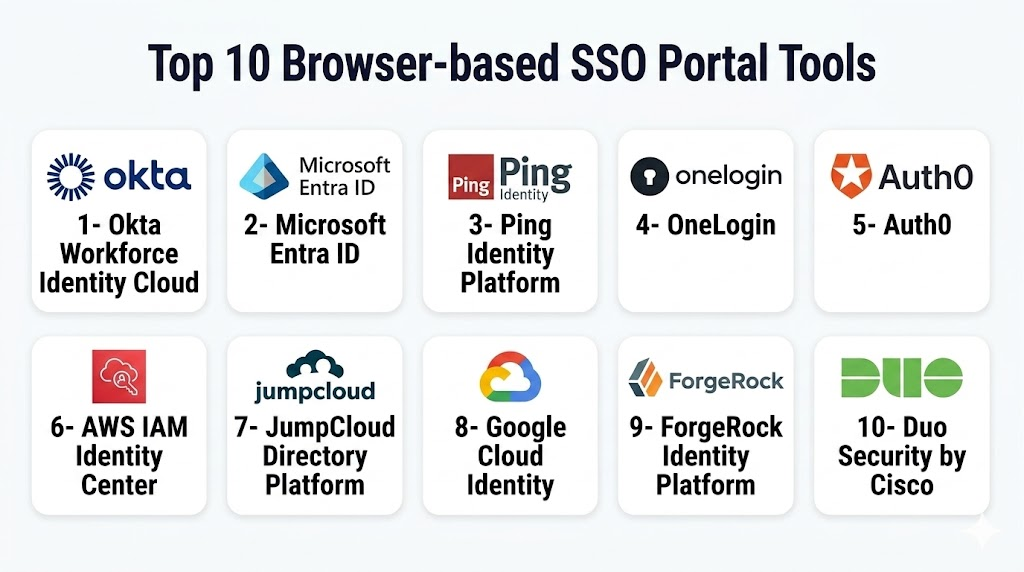
Top 10 Browser-based SSO Portals
1- Okta Workforce Identity Cloud
A leading identity and access management platform offering robust browser-based SSO portals for enterprise SaaS environments. It is widely used for secure authentication and centralized access control.
Key Features
- Browser-based SSO dashboard for SaaS apps
- Adaptive MFA and passwordless authentication
- Centralized user lifecycle management
- Conditional access policies
- API-based identity automation
- Universal directory integration
- Real-time security monitoring
Pros
- Strong enterprise adoption and scalability
- Extensive SaaS integration ecosystem
- Advanced security and adaptive authentication
Cons
- Complex setup for small organizations
- Premium pricing for full feature set
Platforms / Deployment
- Cloud
Security & Compliance
- SSO/SAML, OAuth, MFA, RBAC
- SOC 2, ISO 27001, GDPR support (varies by deployment)
Integrations & Ecosystem
Okta integrates with thousands of SaaS apps and enterprise systems including HR platforms, cloud providers, and developer tools
- SaaS applications
- Cloud infrastructure providers
- HR systems
- Security tools
Support & Community
Strong global documentation, enterprise support tiers, and large community ecosystem
2- Microsoft Entra ID
Microsoft’s identity platform providing browser-based SSO access across Microsoft 365 and third-party SaaS applications with deep enterprise integration.
Key Features
- Unified SSO portal for SaaS and Microsoft apps
- Conditional access policies
- Identity protection with risk scoring
- Passwordless authentication support
- Seamless Azure integration
- Role-based access control
- Identity governance workflows
Pros
- Deep integration with Microsoft ecosystem
- Strong enterprise-grade security
- Scalable for global organizations
Cons
- Best suited for Microsoft-centric environments
- Complex policy management for beginners
Platforms / Deployment
- Cloud / Hybrid
Security & Compliance
- MFA, SSO, encryption, RBAC
- SOC 2, ISO 27001 alignment commonly supported
Integrations & Ecosystem
- Microsoft 365 ecosystem
- Azure services
- Third-party SaaS apps
- Security and compliance tools
Support & Community
Extensive enterprise documentation and Microsoft global support infrastructure
3- Ping Identity Platform
A flexible identity platform offering browser-based SSO portals designed for enterprise-grade authentication and API-driven identity management.
Key Features
- Centralized SSO portal
- Adaptive authentication engine
- API-first identity architecture
- Identity federation support
- MFA and passwordless login
- Risk-based authentication
- Directory integration
Pros
- Highly flexible enterprise identity platform
- Strong API-first architecture
- Good for complex hybrid environments
Cons
- Requires technical expertise to configure
- Higher implementation complexity
Platforms / Deployment
- Cloud / Hybrid
Security & Compliance
- SAML, OAuth, MFA, RBAC
- Compliance support varies by deployment
Integrations & Ecosystem
- Enterprise SaaS systems
- Cloud infrastructure
- API-driven applications
- Security orchestration tools
Support & Community
Enterprise-focused support with strong technical documentation
4- OneLogin by One Identity
A cloud-based identity provider offering simple browser-based SSO portals for workforce identity and access management.
Key Features
- SaaS application SSO dashboard
- Smart MFA policies
- User provisioning automation
- Directory integration
- Access control policies
- Mobile identity support
- Real-time access monitoring
Pros
- Easy to deploy and manage
- Strong SMB and mid-market fit
- Clean user interface
Cons
- Less advanced than enterprise competitors
- Limited deep customization options
Platforms / Deployment
- Cloud
Security & Compliance
- SSO, MFA, RBAC
- GDPR and SOC 2 alignment varies
Integrations & Ecosystem
- SaaS applications
- HR systems
- Cloud platforms
- Security tools
Support & Community
Good mid-market support and onboarding resources
5- Auth0 (Okta Customer Identity Cloud)
A developer-friendly identity platform offering flexible browser-based SSO portals for customer and workforce authentication.
Key Features
- Customizable SSO login portals
- Social login integration
- Passwordless authentication
- Multi-tenant identity support
- Rules and hooks engine
- API-first identity management
- Universal login experience
Pros
- Highly customizable authentication flows
- Developer-friendly APIs
- Strong support for modern applications
Cons
- Can become expensive at scale
- Requires developer involvement
Platforms / Deployment
- Cloud
Security & Compliance
- SSO, MFA, encryption, RBAC
- Compliance varies by deployment
Integrations & Ecosystem
- SaaS applications
- Mobile and web apps
- API platforms
- Cloud infrastructure
Support & Community
Strong developer community and documentation ecosystem
6- AWS IAM Identity Center
A centralized identity solution from AWS enabling browser-based SSO access across AWS services and integrated SaaS applications.
Key Features
- Centralized AWS SSO portal
- Role-based access control
- Integration with AWS Organizations
- MFA enforcement
- Identity federation support
- Session management
- Policy-based access control
Pros
- Strong AWS ecosystem integration
- Scalable for enterprise cloud environments
- Tight security controls
Cons
- Best suited for AWS-heavy environments
- Limited standalone identity UX flexibility
Platforms / Deployment
- Cloud
Security & Compliance
- MFA, RBAC, encryption
- SOC 2, ISO 27001 alignment via AWS infrastructure
Integrations & Ecosystem
- AWS services
- SaaS applications via federation
- IAM providers
- DevOps tools
Support & Community
Strong AWS documentation and enterprise support plans
7- JumpCloud Directory Platform
A cloud directory platform providing browser-based SSO access combined with device and user management capabilities.
Key Features
- Cloud directory service
- SSO application portal
- Device identity management
- MFA and conditional access
- User lifecycle automation
- LDAP and RADIUS support
- Policy-based access controls
Pros
- Strong unified identity + device management
- Good SMB and mid-market fit
- Flexible deployment model
Cons
- Less advanced than top enterprise IAM platforms
- Limited large-scale enterprise customization
Platforms / Deployment
- Cloud / Hybrid
Security & Compliance
- SSO, MFA, RBAC
- Compliance support varies
Integrations & Ecosystem
- SaaS applications
- Endpoint management tools
- Cloud services
- Directory services
Support & Community
Strong SMB-focused support and documentation
8- Google Cloud Identity
A cloud-based identity service offering browser-based SSO portals for Google Workspace and third-party SaaS applications.
Key Features
- Unified login portal
- SaaS app SSO integration
- Device management integration
- Security health monitoring
- MFA enforcement
- Access control policies
- Admin dashboard controls
Pros
- Seamless Google Workspace integration
- Easy to use and deploy
- Strong security baseline
Cons
- Limited advanced enterprise IAM features
- Best within Google ecosystem
Platforms / Deployment
- Cloud
Security & Compliance
- MFA, SSO, encryption, RBAC
- Compliance varies by organization setup
Integrations & Ecosystem
- Google Workspace
- Third-party SaaS apps
- Security tools
- Cloud services
Support & Community
Google enterprise support and documentation ecosystem
9- ForgeRock Identity Platform
An enterprise identity platform designed for complex hybrid environments with advanced browser-based SSO capabilities.
Key Features
- Centralized identity orchestration
- Adaptive authentication
- Identity lifecycle management
- API-driven identity services
- Federation and SSO support
- Risk-based access control
- Identity analytics
Pros
- Highly scalable enterprise architecture
- Strong identity federation capabilities
- Flexible deployment options
Cons
- Complex implementation
- Requires specialized expertise
Platforms / Deployment
- Cloud / Hybrid / Self-hosted
Security & Compliance
- SSO, MFA, RBAC
- Compliance support varies by deployment
Integrations & Ecosystem
- Enterprise SaaS systems
- Cloud providers
- API platforms
- Security tools
Support & Community
Enterprise-grade support with strong technical ecosystem
10- Duo Security by Cisco
A widely used MFA and access security platform offering browser-based SSO and secure authentication workflows.
Key Features
- Secure SSO portal
- Strong MFA enforcement
- Device trust verification
- Access policy controls
- Application authentication
- Risk-based access decisions
- User authentication analytics
Pros
- Very strong MFA capabilities
- Easy deployment and adoption
- Trusted enterprise security provider
Cons
- Limited full IAM depth compared to larger platforms
- Best used as part of broader security stack
Platforms / Deployment
- Cloud
Security & Compliance
- MFA, SSO, encryption, RBAC
- SOC 2 alignment commonly supported
Integrations & Ecosystem
- Cisco security ecosystem
- SaaS applications
- IAM providers
- Endpoint security tools
Support & Community
Strong enterprise support and security-focused documentation
Comparison Table (Top 10)
| Tool Name | Best For | Platform(s) Supported | Deployment | Standout Feature | Public Rating |
|---|---|---|---|---|---|
| Okta Workforce Identity Cloud | Enterprise IAM | Web | Cloud | Large SaaS SSO ecosystem | N/A |
| Microsoft Entra ID | Microsoft ecosystems | Web | Cloud/Hybrid | Conditional access engine | N/A |
| Ping Identity | Complex enterprises | Web | Cloud/Hybrid | API-first identity | N/A |
| OneLogin | SMB/mid-market IAM | Web | Cloud | Simple SSO deployment | N/A |
| Auth0 | Developers | Web | Cloud | Custom login flows | N/A |
| AWS IAM Identity Center | AWS users | Web | Cloud | AWS-native SSO | N/A |
| JumpCloud | SMB IT teams | Web | Cloud/Hybrid | Directory + device management | N/A |
| Google Cloud Identity | Google Workspace users | Web | Cloud | Workspace integration | N/A |
| ForgeRock | Large enterprises | Web | Cloud/Hybrid/Self-hosted | Identity orchestration | N/A |
| Duo Security | MFA-focused orgs | Web | Cloud | Strong authentication security | N/A |
Evaluation & Scoring of Browser-based SSO Portals
| Tool Name | Core (25%) | Ease (15%) | Integrations (15%) | Security (10%) | Performance (10%) | Support (10%) | Value (15%) | Weighted Total |
|---|---|---|---|---|---|---|---|---|
| Okta | 9.5 | 8 | 9.5 | 9.5 | 9 | 9 | 8 | 9.1 |
| Microsoft Entra ID | 9.5 | 8 | 9.5 | 9.5 | 9 | 9 | 8 | 9.1 |
| Ping Identity | 9 | 7.5 | 9 | 9 | 8.5 | 8.5 | 7.5 | 8.6 |
| OneLogin | 8 | 8.5 | 8.5 | 8.5 | 8 | 8 | 8.5 | 8.3 |
| Auth0 | 8.5 | 8 | 9 | 8.5 | 8 | 8 | 7.5 | 8.4 |
| AWS IAM Identity Center | 8.5 | 8 | 9 | 9 | 9 | 8.5 | 8 | 8.6 |
| JumpCloud | 8 | 8.5 | 8 | 8 | 8 | 8 | 8.5 | 8.2 |
| Google Cloud Identity | 8 | 8.5 | 8 | 8 | 8 | 8 | 8.5 | 8.1 |
| ForgeRock | 9 | 7 | 9 | 9 | 8.5 | 8.5 | 7 | 8.5 |
| Duo Security | 8.5 | 8.5 | 8 | 9 | 8.5 | 8.5 | 8.5 | 8.5 |
Which Browser-based SSO Portal Tool Is Right for You?
Solo / Freelancer
- Google Cloud Identity
- Auth0 (light usage)
SMB
- OneLogin
- JumpCloud
- Duo Security
Mid-Market
- Okta
- Microsoft Entra ID
- Ping Identity
Enterprise
- Okta
- Microsoft Entra ID
- ForgeRock
- AWS IAM Identity Center
Budget vs Premium
- Budget-friendly: Google Cloud Identity, JumpCloud
- Premium enterprise: Okta, ForgeRock, Ping Identity
Feature Depth vs Ease of Use
- Deep feature set: ForgeRock, Ping Identity
- Easier adoption: OneLogin, Duo Security
Integrations & Scalability
- Best ecosystems: Okta, Microsoft Entra ID
- Strong developer flexibility: Auth0, Ping Identity
Security & Compliance Needs
- Strong compliance alignment: Microsoft, Okta, AWS
- MFA-focused security: Duo Security
Frequently Asked Questions (FAQs)
1. What is a browser-based SSO portal?
It is a centralized login system accessed through a web browser that allows users to sign in once and access multiple applications without re-authentication.
2. How does SSO improve security?
SSO reduces password sprawl and enforces centralized authentication policies like MFA, conditional access, and session monitoring.
3. Is SSO safe for enterprises?
Yes, when properly configured with MFA, encryption, and access controls, SSO significantly improves enterprise security posture.
4. Can SSO work with non-cloud applications?
Yes, many SSO platforms support legacy apps through federation, gateways, or secure connectors.
5. What is the difference between IAM and SSO?
IAM manages full identity lifecycle, while SSO focuses specifically on authentication and access management across apps.
6. Do SSO portals support mobile devices?
Yes, most modern SSO platforms support mobile authentication apps and browser-based mobile access.
7. How long does SSO implementation take?
It can range from a few days for SMB setups to several weeks or months for enterprise deployments.
8. Can SSO prevent phishing attacks?
SSO reduces credential exposure but should be combined with MFA and monitoring to effectively mitigate phishing risks.
9. What are common mistakes when implementing SSO?
Common mistakes include weak MFA policies, poor role mapping, and lack of integration testing with legacy systems.
10. What are alternatives to SSO portals?
Alternatives include password managers, VPN-based access, or standalone authentication per application, though these are less scalable.
Conclusion
Browser-based SSO portals are now a foundational component of modern enterprise identity infrastructure. They simplify access management, strengthen security posture, and reduce operational overhead across SaaS-heavy environments. However, the best tool depends heavily on your ecosystem, scale, and security requirements. Organizations should shortlist 2–3 platforms, run pilot deployments, and validate integration with existing SaaS, IAM, and security systems before committing to full rollout.

Find Trusted Cardiac Hospitals
Compare heart hospitals by city and services — all in one place.
Explore Hospitals
Browser-based SSO portals are most effective when they don’t just simplify login, but also provide strong session control and visibility across applications. In real enterprise environments, challenges often arise around session timeout consistency and handling secure logout across multiple integrated services.