Introduction
Cloud Hosting Platforms provide scalable computing resources such as virtual machines, storage, databases, networking, containers, security services, and managed application hosting through the internet. Instead of buying and maintaining physical servers, businesses can host websites, applications, APIs, databases, workloads, and digital products on cloud infrastructure that scales based on demand. Cloud hosting matters because modern businesses need reliable uptime, faster deployment, global availability, stronger security, and flexible cost models. As applications become more distributed, AI-enabled, data-heavy, and API-driven, cloud platforms help teams build and operate infrastructure without the delays of traditional data center management.
Real-world use cases include:
- Hosting websites, eCommerce stores, SaaS platforms, and enterprise applications.
- Running virtual machines, databases, APIs, containers, and microservices.
- Supporting backup, disaster recovery, and high-availability infrastructure.
- Deploying AI, analytics, DevOps, testing, and automation workloads.
- Scaling applications globally with load balancing, CDN, and regional infrastructure.
Evaluation Criteria for Buyers:
- Compute, storage, database, and networking capabilities.
- Global data center presence and regional availability.
- Pricing model, cost predictability, and billing transparency.
- Security controls such as IAM, encryption, firewalls, and monitoring.
- Integration with DevOps, CI/CD, containers, Kubernetes, and observability tools.
- Ease of use for developers, IT teams, and business users.
- Managed services for databases, containers, AI, analytics, and backup.
- Performance, uptime, scalability, and reliability.
- Support quality, documentation, marketplace, and ecosystem strength.
- Compliance readiness, data residency options, and governance controls.
Best for: Cloud hosting platforms are best for startups, SMBs, enterprises, SaaS companies, developers, IT teams, agencies, eCommerce businesses, and digital product teams that need scalable, secure, and flexible infrastructure.
Not ideal for: Cloud hosting may not be ideal for very small static websites with minimal traffic, teams with no cloud skills, workloads requiring strict on-premises control, or organizations that cannot manage cloud cost, security, and governance properly.
Key Trends in Cloud Hosting Platforms
- AI-ready infrastructure is becoming essential: Cloud platforms are expanding GPU, AI, machine learning, vector database, and data pipeline support for modern AI applications.
- Hybrid and multi-cloud strategies are growing: Many organizations now use more than one cloud provider to improve resilience, cost control, and flexibility.
- Serverless and managed services are expanding: Teams prefer managed databases, serverless functions, container services, and platform services to reduce infrastructure maintenance.
- Cloud cost optimization is a major buying factor: FinOps, usage analytics, reserved pricing, autoscaling, and budget controls are now key evaluation points.
- Security and compliance are becoming board-level concerns: IAM, encryption, audit logs, network controls, data residency, and policy governance are now critical.
- Edge and distributed cloud are gaining importance: Applications that need low latency are increasingly deployed closer to users.
- Kubernetes and container hosting remain strong: Cloud platforms continue to improve managed Kubernetes, container registries, and deployment automation.
- Developer experience influences adoption: Simple dashboards, APIs, CLI tools, templates, SDKs, and strong documentation help teams move faster.
- Sustainable cloud operations are becoming visible: Buyers are paying more attention to energy efficiency, workload optimization, and responsible infrastructure usage.
- Integrated observability is expected: Monitoring, logging, tracing, alerting, and performance analytics are becoming standard parts of cloud hosting decisions.
How We Selected These Tools
- Selected platforms with strong market adoption and recognition across developers, SMBs, and enterprises.
- Included a balanced mix of hyperscale cloud providers, developer-friendly cloud hosts, and regional infrastructure providers.
- Evaluated compute, storage, networking, database, security, and managed service capabilities.
- Considered developer experience, documentation, dashboard quality, APIs, CLI support, and onboarding ease.
- Reviewed ecosystem depth, including integrations with DevOps, containers, Kubernetes, monitoring, and security tools.
- Considered global infrastructure reach, availability zones, data center footprint, and regional options.
- Evaluated support for modern workloads such as SaaS, AI, containers, serverless, analytics, and hybrid cloud.
- Considered pricing transparency, value for startups, SMBs, and enterprise users.
- Reviewed security posture signals such as IAM, encryption, audit logging, access controls, and compliance readiness.
- Prioritized platforms that are practical for real-world production hosting, not only niche use cases.
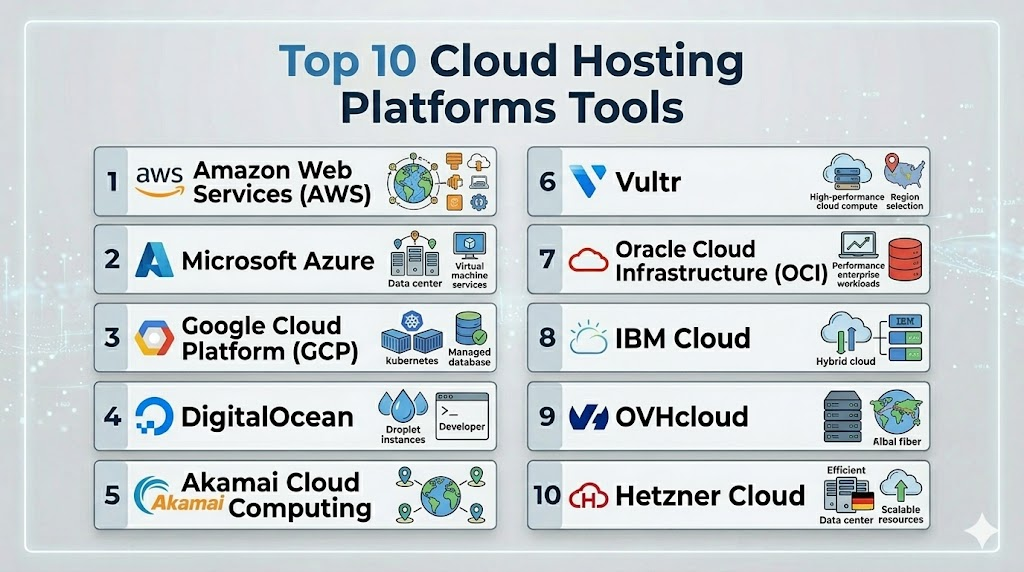
Top 10 Cloud Hosting Platforms Tools
1- Amazon Web Services
Short description:
Amazon Web Services is one of the most comprehensive cloud hosting platforms, offering compute, storage, databases, networking, AI, analytics, serverless, containers, and security services. It is widely used by startups, enterprises, SaaS companies, and large-scale digital businesses.
Key Features
- Broad cloud service portfolio for compute, storage, databases, networking, AI, analytics, and security.
- Elastic compute options including virtual machines, containers, serverless functions, and managed Kubernetes.
- Global infrastructure with multiple regions and availability zones.
- Managed databases for relational, NoSQL, caching, and analytics workloads.
- Strong DevOps support through infrastructure as code, CI/CD, monitoring, and automation services.
- Identity and access management, encryption, network security, and governance controls.
- Marketplace and ecosystem for third-party tools, templates, and managed services.
Pros
- Extremely broad service coverage for almost every cloud workload.
- Strong scalability and global infrastructure for enterprise-grade applications.
- Deep ecosystem for developers, DevOps teams, security teams, and enterprises.
Cons
- Large service catalog can be complex for beginners.
- Cost management requires careful planning and governance.
- Architecture can become highly provider-dependent without portability planning.
Platforms / Deployment
Web / Linux / Windows / macOS
Cloud / Hybrid
Security & Compliance
AWS supports IAM, MFA, encryption, audit logs, network controls, security monitoring, key management, and policy governance. Compliance coverage varies by service, region, and customer configuration. Buyers should validate specific compliance needs before production adoption.
Integrations & Ecosystem
AWS has one of the largest cloud ecosystems and integrates with most DevOps, security, monitoring, database, and infrastructure tools.
- CI/CD and DevOps tools.
- Kubernetes and container platforms.
- Databases, analytics, and AI services.
- Security and identity platforms.
- Monitoring, logging, and observability tools.
- Infrastructure as code tools such as Terraform and CloudFormation.
Support & Community
AWS has extensive documentation, training resources, certifications, community forums, partner networks, and enterprise support plans. It is suitable for organizations that need deep cloud capabilities and long-term scalability.
2- Microsoft Azure
Short description:
Microsoft Azure is a cloud hosting platform designed for enterprise infrastructure, application hosting, AI, databases, hybrid cloud, and Microsoft ecosystem workloads. It is especially useful for organizations already using Windows Server, Microsoft Entra ID, Microsoft 365, .NET, SQL Server, and enterprise Microsoft tools.
Key Features
- Compute, storage, databases, networking, AI, analytics, and application hosting services.
- Strong hybrid cloud capabilities through Azure Arc and related management tools.
- Managed services for containers, Kubernetes, serverless, databases, and DevOps.
- Deep integration with Microsoft identity, security, productivity, and enterprise software.
- Supports Windows, Linux, .NET, Java, Python, containers, and cloud-native workloads.
- Built-in monitoring, governance, policy, and security management services.
- Strong data, AI, and analytics ecosystem.
Pros
- Excellent fit for Microsoft-centric enterprises.
- Strong hybrid cloud and identity management capabilities.
- Good support for enterprise governance, security, and compliance workflows.
Cons
- Azure architecture and pricing can be complex for new cloud teams.
- Best value is often achieved inside the Microsoft ecosystem.
- Advanced networking and governance may require experienced cloud architects.
Platforms / Deployment
Web / Linux / Windows / macOS
Cloud / Hybrid
Security & Compliance
Azure supports Microsoft identity, MFA, RBAC, encryption, private networking, audit logs, security monitoring, policy management, and governance tools. Compliance depends on service usage, region, architecture, and customer configuration.
Integrations & Ecosystem
Azure integrates well with enterprise software, Microsoft tools, and modern DevOps workflows.
- Microsoft Entra ID and Microsoft 365.
- Azure DevOps and GitHub Actions.
- SQL Server, Azure SQL, and Cosmos DB.
- Kubernetes, containers, and serverless services.
- Monitoring, security, and compliance tools.
- Hybrid infrastructure and enterprise management platforms.
Support & Community
Azure has strong documentation, training, partner support, enterprise support plans, and a large professional community. It is a strong choice for organizations that want cloud hosting aligned with Microsoft infrastructure.
3- Google Cloud Platform
Short description:
Google Cloud Platform provides cloud hosting, data analytics, AI, Kubernetes, container hosting, databases, and application infrastructure. It is well suited for data-driven organizations, cloud-native developers, AI teams, and companies that value managed Kubernetes and analytics capabilities.
Key Features
- Compute, storage, networking, databases, AI, analytics, and developer services.
- Strong managed Kubernetes through Google Kubernetes Engine.
- Serverless and container hosting through Cloud Run and related services.
- Powerful analytics and data processing services.
- Identity, networking, encryption, and security management tools.
- Global infrastructure for modern application hosting.
- Strong support for AI, machine learning, and data engineering workloads.
Pros
- Strong choice for containers, Kubernetes, data, and AI workloads.
- Good developer experience for cloud-native teams.
- Powerful analytics and managed service ecosystem.
Cons
- Enterprise ecosystem may feel smaller than AWS or Azure in some industries.
- Some teams may face a learning curve when moving from traditional infrastructure.
- Best value comes when using Google Cloud-native services.
Platforms / Deployment
Web / Linux / Windows / macOS
Cloud / Hybrid
Security & Compliance
Google Cloud supports IAM, encryption, service accounts, audit logs, private networking, key management, security monitoring, and governance controls. Compliance depends on service selection, region, and customer configuration.
Integrations & Ecosystem
Google Cloud integrates strongly with cloud-native, data, AI, and DevOps workflows.
- Google Kubernetes Engine and Cloud Run.
- BigQuery, Dataflow, Pub/Sub, and analytics tools.
- Cloud Build and Artifact Registry.
- Monitoring and logging services.
- Terraform and infrastructure automation tools.
- AI and machine learning services.
Support & Community
Google Cloud has detailed documentation, training resources, partner support, and a strong developer community. It is well suited for teams building data-heavy, containerized, and AI-enabled applications.
4- DigitalOcean
Short description:
DigitalOcean is a developer-friendly cloud hosting platform focused on simplicity, predictable pricing, virtual machines, managed databases, Kubernetes, app hosting, and storage. It is popular among startups, developers, agencies, and SMBs that want cloud infrastructure without hyperscaler complexity.
Key Features
- Simple virtual machines through Droplets.
- Managed databases for common application workloads.
- Managed Kubernetes and container registry.
- App platform for easier application deployment.
- Object storage and block storage options.
- Developer-friendly dashboard, APIs, and CLI tools.
- Predictable pricing structure for many common hosting needs.
Pros
- Easy to use and beginner-friendly compared with larger cloud providers.
- Good fit for startups, SMBs, developers, and agencies.
- Transparent and practical pricing for common workloads.
Cons
- Smaller service catalog than AWS, Azure, or Google Cloud.
- Less suitable for complex enterprise multi-region architectures.
- Advanced compliance and governance needs may require additional validation.
Platforms / Deployment
Web / Linux / Windows / macOS
Cloud
Security & Compliance
DigitalOcean supports account security, firewalls, team access controls, encrypted traffic, monitoring, backups, and cloud security features. Specific compliance requirements should be verified based on workload and plan.
Integrations & Ecosystem
DigitalOcean integrates well with developer tools, deployment workflows, and modern application stacks.
- GitHub and CI/CD workflows.
- Docker and Kubernetes.
- Managed databases and storage services.
- Monitoring and alerting tools.
- Infrastructure as code tools.
- Developer APIs and CLI tools.
Support & Community
DigitalOcean has strong documentation, tutorials, community articles, and support options. It is especially useful for developers and SMBs that want quick cloud hosting without a steep learning curve.
5- Akamai Cloud Computing
Short description:
Akamai Cloud Computing, built around Linode’s cloud infrastructure, offers developer-friendly virtual machines, storage, networking, Kubernetes, and cloud hosting services. It is suitable for developers, SMBs, agencies, and teams that want straightforward infrastructure with global edge and network strengths from Akamai.
Key Features
- Virtual machines for web, application, and workload hosting.
- Block storage, object storage, and backup options.
- Managed Kubernetes for containerized applications.
- Developer-friendly dashboard, CLI, and API.
- Global infrastructure with Akamai networking advantages.
- Practical pricing for common cloud hosting workloads.
- Useful for websites, SaaS apps, development environments, and SMB infrastructure.
Pros
- Simple cloud hosting experience for developers and SMBs.
- Good value for standard compute and hosting workloads.
- Benefits from Akamai’s broader network and edge ecosystem.
Cons
- Smaller managed service catalog than hyperscale cloud providers.
- Advanced enterprise features may be limited compared with AWS, Azure, or Google Cloud.
- Best suited for straightforward cloud hosting and developer workloads.
Platforms / Deployment
Web / Linux / Windows / macOS
Cloud
Security & Compliance
Supports account security, cloud firewalls, access controls, backups, networking protections, and encrypted traffic options. Specific compliance posture should be verified for enterprise or regulated workloads.
Integrations & Ecosystem
Akamai Cloud Computing integrates with developer workflows, Linux server operations, Kubernetes, and infrastructure automation tools.
- Kubernetes and container workloads.
- Developer APIs and CLI.
- Storage and backup workflows.
- DNS, networking, and edge services.
- Monitoring and logging tools.
- Infrastructure automation tools.
Support & Community
Akamai Cloud Computing has documentation, developer guides, support options, and a practical user community. It is a good fit for teams that need dependable cloud hosting without unnecessary complexity.
6- Vultr
Short description:
Vultr is a cloud hosting platform offering virtual machines, bare metal, managed databases, Kubernetes, storage, and global infrastructure. It is often used by developers, startups, agencies, and businesses that need fast provisioning, simple pricing, and flexible compute options.
Key Features
- Cloud compute instances with multiple performance options.
- Bare metal and high-frequency compute options.
- Managed Kubernetes and container hosting support.
- Object storage, block storage, and backup options.
- Global data center availability.
- Simple dashboard, API, and developer tools.
- Suitable for websites, applications, game servers, APIs, and SaaS workloads.
Pros
- Fast provisioning and simple cloud experience.
- Good range of compute options for developers and SMBs.
- Flexible global hosting choices.
Cons
- Smaller managed service catalog than hyperscalers.
- Enterprise governance features may be less extensive.
- Teams may need to manage more infrastructure pieces themselves.
Platforms / Deployment
Web / Linux / Windows / macOS
Cloud
Security & Compliance
Vultr supports account security features, firewalls, backups, snapshots, private networking, and encrypted connections. Specific compliance details should be verified for regulated use cases.
Integrations & Ecosystem
Vultr works well with common development, automation, and hosting workflows.
- APIs and CLI tools.
- Kubernetes and container workflows.
- Storage and backup services.
- Monitoring and logging tools.
- Developer deployment pipelines.
- Infrastructure automation tools.
Support & Community
Vultr provides documentation, support channels, and community resources. It is practical for teams that need flexible, straightforward cloud hosting with quick deployment.
7- Oracle Cloud Infrastructure
Short description:
Oracle Cloud Infrastructure is an enterprise-focused cloud hosting platform offering compute, storage, networking, databases, analytics, AI, containers, and application infrastructure. It is particularly useful for organizations using Oracle databases, ERP systems, and enterprise workloads.
Key Features
- Compute, storage, networking, databases, containers, and serverless services.
- Strong support for Oracle Database and enterprise application workloads.
- Cloud-native services for Kubernetes, analytics, AI, and DevOps.
- High-performance infrastructure options.
- Identity and access management, networking controls, and security services.
- Hybrid and multi-cloud capabilities for enterprise modernization.
- Useful for workloads connected to Oracle applications and databases.
Pros
- Strong fit for Oracle database and enterprise application environments.
- Good performance options for business-critical workloads.
- Useful for organizations modernizing Oracle-heavy infrastructure.
Cons
- Smaller general developer ecosystem than AWS, Azure, or Google Cloud.
- Best value is often for Oracle-aligned enterprises.
- Requires cloud expertise for complex architecture planning.
Platforms / Deployment
Web / Linux / Windows / macOS
Cloud / Hybrid
Security & Compliance
Oracle Cloud Infrastructure supports IAM, encryption, audit logging, private networking, key management, and security controls. Compliance depends on service configuration, region, and customer requirements.
Integrations & Ecosystem
Oracle Cloud integrates with enterprise workloads, databases, cloud-native services, and DevOps workflows.
- Oracle Database and enterprise applications.
- Kubernetes and container services.
- API Gateway and serverless functions.
- Logging, monitoring, and security tools.
- CI/CD and infrastructure automation.
- Hybrid and multi-cloud workflows.
Support & Community
Oracle provides enterprise support, documentation, training, and partner resources. OCI is strongest for enterprises that already rely on Oracle systems or need database-focused cloud hosting.
8- IBM Cloud
Short description:
IBM Cloud is an enterprise cloud hosting platform offering virtual servers, containers, Kubernetes, AI, databases, security, and hybrid cloud capabilities. It is suitable for enterprises, regulated industries, and organizations using IBM software, mainframe-connected workloads, or hybrid cloud strategies.
Key Features
- Virtual servers, bare metal, containers, Kubernetes, and serverless options.
- Hybrid cloud and enterprise infrastructure support.
- AI, data, analytics, and automation services.
- Security, identity, encryption, and governance tools.
- Managed databases and storage services.
- Integration with Red Hat OpenShift and enterprise platforms.
- Suitable for regulated, enterprise, and hybrid workloads.
Pros
- Strong enterprise and hybrid cloud focus.
- Useful for organizations using IBM and Red Hat ecosystems.
- Good fit for regulated industries and complex enterprise workloads.
Cons
- Smaller general-purpose developer mindshare than AWS, Azure, or Google Cloud.
- May feel complex for small teams or simple projects.
- Best value is usually for enterprise and hybrid cloud use cases.
Platforms / Deployment
Web / Linux / Windows / macOS
Cloud / Hybrid
Security & Compliance
IBM Cloud supports identity and access management, encryption, key management, logging, security services, and governance controls. Compliance depends on selected services, region, architecture, and customer implementation.
Integrations & Ecosystem
IBM Cloud integrates with enterprise systems, hybrid cloud operations, and IBM software ecosystems.
- Red Hat OpenShift.
- IBM databases and analytics services.
- AI and automation tools.
- DevOps and CI/CD workflows.
- Monitoring and logging services.
- Enterprise networking and security tools.
Support & Community
IBM provides enterprise support, documentation, professional services, and partner resources. IBM Cloud is most useful for large organizations with hybrid, regulated, or IBM-aligned infrastructure needs.
9- OVHcloud
Short description:
OVHcloud is a cloud hosting platform offering public cloud, private cloud, dedicated servers, storage, networking, and hosting services. It is often considered by businesses that need European cloud options, predictable infrastructure, and data hosting flexibility.
Key Features
- Public cloud, private cloud, dedicated servers, and hosting services.
- Compute, storage, networking, and backup options.
- Kubernetes and container hosting capabilities.
- Bare metal and hosted infrastructure services.
- Data center options across multiple regions.
- Useful for web hosting, enterprise hosting, backup, and infrastructure modernization.
- Cost-conscious options for cloud and dedicated infrastructure.
Pros
- Strong option for European hosting and data location needs.
- Good mix of cloud, dedicated, and private infrastructure.
- Practical for businesses needing cost control and hosting flexibility.
Cons
- Smaller managed service ecosystem than major hyperscalers.
- Developer ecosystem may be less extensive in some regions.
- Advanced cloud-native services may require extra setup.
Platforms / Deployment
Web / Linux / Windows / macOS
Cloud / Self-hosted / Hybrid
Security & Compliance
OVHcloud supports access controls, encryption options, network security features, backups, and infrastructure security controls. Specific compliance and data residency requirements should be validated based on region and service.
Integrations & Ecosystem
OVHcloud supports common hosting, cloud infrastructure, and automation workflows.
- Kubernetes and container services.
- Storage and backup workflows.
- Dedicated server and private cloud environments.
- Monitoring and security tools.
- APIs and automation workflows.
- Web hosting and application infrastructure.
Support & Community
OVHcloud provides documentation, support options, and resources for cloud and hosting users. It is suitable for businesses that want infrastructure flexibility and regional hosting choices.
10- Hetzner Cloud
Short description:
Hetzner Cloud is a cost-effective cloud hosting platform offering virtual servers, storage, networking, load balancing, firewalls, and developer-friendly infrastructure. It is popular among developers, startups, agencies, and cost-conscious teams that need reliable cloud servers without complex service overhead.
Key Features
- Cloud servers for web hosting, applications, APIs, and development environments.
- Block storage, snapshots, backups, and networking options.
- Load balancers and cloud firewalls.
- Developer-friendly dashboard, API, and CLI support.
- Data center options mainly focused around European infrastructure.
- Simple pricing for common compute workloads.
- Suitable for websites, SaaS prototypes, self-hosted tools, and production apps with straightforward needs.
Pros
- Strong price-to-performance value.
- Simple and practical for developers and small teams.
- Good for straightforward compute, storage, and hosting workloads.
Cons
- Smaller global footprint than hyperscale providers.
- Fewer managed services than AWS, Azure, or Google Cloud.
- Not ideal for complex enterprise cloud ecosystems.
Platforms / Deployment
Web / Linux / Windows / macOS
Cloud
Security & Compliance
Hetzner Cloud supports account security, firewalls, private networking, backups, snapshots, and encrypted connectivity options. Specific compliance needs should be validated for regulated workloads.
Integrations & Ecosystem
Hetzner Cloud works well with developer workflows and infrastructure automation tools.
- APIs and CLI tools.
- Terraform and automation workflows.
- Linux server hosting.
- Storage and backup workflows.
- Load balancing and networking.
- Monitoring and deployment tools.
Support & Community
Hetzner Cloud has documentation, support options, and a strong community among developers and cost-conscious infrastructure teams. It is a practical choice for teams that want simple cloud hosting with strong value.
Comparison Table
| Tool Name | Best For | Platform Supported | Deployment | Standout Feature | Public Rating |
|---|---|---|---|---|---|
| Amazon Web Services | Large-scale cloud and enterprise workloads | Web, Linux, Windows, macOS | Cloud / Hybrid | Broadest service ecosystem | N/A |
| Microsoft Azure | Microsoft and enterprise cloud environments | Web, Linux, Windows, macOS | Cloud / Hybrid | Enterprise and hybrid cloud strength | N/A |
| Google Cloud Platform | Data, AI, containers, and cloud-native apps | Web, Linux, Windows, macOS | Cloud / Hybrid | Strong analytics and Kubernetes ecosystem | N/A |
| DigitalOcean | Developers, startups, SMBs, and agencies | Web, Linux, Windows, macOS | Cloud | Simple developer-friendly cloud hosting | N/A |
| Akamai Cloud Computing | Developers and SMB cloud hosting | Web, Linux, Windows, macOS | Cloud | Simple cloud with network and edge strengths | N/A |
| Vultr | Flexible compute and global cloud hosting | Web, Linux, Windows, macOS | Cloud | Fast provisioning and compute variety | N/A |
| Oracle Cloud Infrastructure | Oracle workloads and enterprise databases | Web, Linux, Windows, macOS | Cloud / Hybrid | Oracle database and enterprise workload fit | N/A |
| IBM Cloud | Hybrid enterprise and regulated workloads | Web, Linux, Windows, macOS | Cloud / Hybrid | Enterprise hybrid cloud capabilities | N/A |
| OVHcloud | European cloud, dedicated, and private hosting | Web, Linux, Windows, macOS | Cloud / Self-hosted / Hybrid | Flexible cloud and dedicated infrastructure | N/A |
| Hetzner Cloud | Cost-effective compute and developer hosting | Web, Linux, Windows, macOS | Cloud | Strong price-to-performance value | N/A |
Evaluation & Scoring of Cloud Hosting Platforms
| Tool Name | Core 25% | Ease 15% | Integrations 15% | Security 10% | Performance 10% | Support 10% | Value 15% | Weighted Total |
|---|---|---|---|---|---|---|---|---|
| Amazon Web Services | 10 | 7 | 10 | 9 | 9 | 9 | 7 | 8.8 |
| Microsoft Azure | 9 | 7 | 9 | 9 | 8 | 9 | 7 | 8.3 |
| Google Cloud Platform | 9 | 8 | 9 | 8 | 9 | 8 | 8 | 8.5 |
| DigitalOcean | 8 | 9 | 7 | 7 | 8 | 8 | 9 | 8.1 |
| Akamai Cloud Computing | 8 | 8 | 7 | 7 | 8 | 8 | 8 | 7.8 |
| Vultr | 8 | 8 | 7 | 7 | 8 | 7 | 9 | 7.8 |
| Oracle Cloud Infrastructure | 8 | 7 | 8 | 8 | 8 | 8 | 8 | 7.8 |
| IBM Cloud | 8 | 7 | 8 | 8 | 8 | 8 | 7 | 7.7 |
| OVHcloud | 7 | 7 | 7 | 7 | 8 | 7 | 8 | 7.3 |
| Hetzner Cloud | 7 | 8 | 6 | 7 | 8 | 7 | 9 | 7.4 |
Which Cloud Hosting Platforms Tool Is Right for You?
Solo / Freelancer
For solo developers, freelancers, and small project owners, DigitalOcean, Hetzner Cloud, Vultr, and Akamai Cloud Computing are practical choices. They offer simple dashboards, fast provisioning, predictable pricing, and enough infrastructure for websites, APIs, development environments, and small business applications.
SMB
For small and medium businesses, DigitalOcean, Vultr, Akamai Cloud Computing, Google Cloud Platform, and Microsoft Azure can work well depending on technical maturity. SMBs should prioritize ease of use, billing clarity, support, backups, managed databases, and simple scaling.
Mid-Market
Mid-market companies often need stronger security, better integrations, managed databases, Kubernetes, DevOps pipelines, and multi-region reliability. AWS, Microsoft Azure, Google Cloud Platform, Oracle Cloud Infrastructure, and IBM Cloud are strong choices for this segment.
Enterprise
Enterprises should prioritize governance, compliance, identity management, hybrid cloud, global infrastructure, advanced security, support, and ecosystem depth. AWS, Microsoft Azure, Google Cloud Platform, IBM Cloud, and Oracle Cloud Infrastructure are better suited for large-scale enterprise infrastructure.
Budget vs Premium
For budget-focused hosting, Hetzner Cloud, Vultr, DigitalOcean, and OVHcloud are strong options. For premium enterprise capabilities, AWS, Azure, Google Cloud, IBM Cloud, and Oracle Cloud Infrastructure provide deeper services, governance, and support.
Feature Depth vs Ease of Use
For ease of use, DigitalOcean, Vultr, Hetzner Cloud, and Akamai Cloud Computing are simpler to start with. For deeper features, AWS, Azure, and Google Cloud offer broader service catalogs, advanced networking, AI, analytics, security, and managed infrastructure options.
Integrations & Scalability
Choose AWS for the broadest ecosystem and cloud service depth. Choose Azure for Microsoft-first enterprise environments. Choose Google Cloud for data, AI, Kubernetes, and cloud-native workloads. Choose DigitalOcean, Vultr, or Hetzner Cloud when simplicity and cost-effective compute matter more than enterprise-scale integrations.
Security & Compliance Needs
Security-focused organizations should evaluate IAM, MFA, encryption, audit logs, network controls, data residency, key management, backup policies, and compliance requirements. Enterprises in finance, healthcare, telecom, SaaS, and government should prioritize AWS, Azure, Google Cloud, IBM Cloud, or Oracle Cloud Infrastructure depending on governance and regional needs.
Frequently Asked Questions
1- What is a cloud hosting platform?
A cloud hosting platform provides online infrastructure such as servers, storage, databases, networking, and security services.
It allows businesses to host applications and websites without buying physical servers.
The platform handles infrastructure availability, scaling options, and resource provisioning.
2- How is cloud hosting different from traditional hosting?
Traditional hosting usually depends on fixed server resources, while cloud hosting offers flexible scaling and on-demand resources.
Cloud platforms also provide managed databases, storage, security, monitoring, and automation services.
This makes cloud hosting better for growing, changing, or distributed workloads.
3- Which cloud hosting platform is best for beginners?
DigitalOcean, Vultr, Hetzner Cloud, and Akamai Cloud Computing are easier for many beginners.
They provide simpler dashboards, faster onboarding, and practical pricing for small applications.
Beginners can later move to larger platforms if they need advanced enterprise features.
4- Which cloud hosting platform is best for enterprises?
AWS, Microsoft Azure, Google Cloud Platform, IBM Cloud, and Oracle Cloud Infrastructure are stronger for enterprises.
They provide broader services, governance, security controls, global infrastructure, and enterprise support.
The best choice depends on existing systems, compliance needs, and technical strategy.
5- How much does cloud hosting cost?
Cloud hosting cost depends on compute size, storage, bandwidth, databases, backups, monitoring, support, and usage volume.
Some providers are more predictable for simple workloads, while hyperscalers require stronger cost management.
Buyers should test real workloads and set budgets before scaling.
6- What are common mistakes when choosing cloud hosting?
Common mistakes include choosing only by price, ignoring security, skipping backup planning, and not estimating traffic growth.
Teams also forget to monitor usage, data transfer, storage, and support costs.
A good cloud decision should include performance, support, security, and long-term scalability.
7- Are cloud hosting platforms secure?
Cloud platforms can be secure when configured correctly with IAM, MFA, encryption, firewalls, monitoring, and audit logs.
Security is shared between the provider and the customer.
Most risks come from poor configuration, weak permissions, exposed services, or missing monitoring.
8- Can I migrate from one cloud provider to another?
Yes, migration is possible, but it requires planning around applications, databases, storage, networking, security, and downtime.
Using containers, infrastructure as code, backups, and portable architectures can reduce migration difficulty.
A phased migration is safer than moving everything at once.
9- Is cloud hosting suitable for eCommerce websites?
Yes, cloud hosting is suitable for eCommerce because it can support traffic spikes, secure transactions, backups, and global access.
Managed databases, CDNs, load balancers, and monitoring tools improve reliability.
The right setup depends on store size, payment security, traffic, and compliance needs.
10- What are alternatives to cloud hosting platforms?
Alternatives include shared hosting, VPS hosting, dedicated servers, managed WordPress hosting, colocation, and on-premises infrastructure.
Small static websites may not need full cloud hosting.
However, cloud hosting is often better for scalable applications, SaaS platforms, APIs, and growing businesses.
Conclusion
Cloud Hosting Platforms are essential for modern businesses that need scalable infrastructure, reliable performance, security controls, and flexible deployment options. The best platform depends on company size, workload type, technical skill, budget, region, compliance needs, and long-term growth plans. AWS, Microsoft Azure, and Google Cloud Platform are strong choices for enterprises and advanced cloud teams, while DigitalOcean, Vultr, Akamai Cloud Computing, and Hetzner Cloud are practical for developers, SMBs, and cost-conscious teams. Oracle Cloud Infrastructure, IBM Cloud, and OVHcloud are valuable for specific enterprise, regional, hybrid, and infrastructure-focused use cases. The best next step is to shortlist two or three platforms, test real workloads, compare performance and cost, validate security requirements, and then choose the cloud hosting platform that fits your architecture and business goals.

Find Trusted Cardiac Hospitals
Compare heart hospitals by city and services — all in one place.
Explore Hospitals
I am learning about cloud hosting platforms, and this content helped me understand how different providers offer scalability, performance, and infrastructure management for modern applications.