Introduction
Configuration Management Tools are software platforms that help IT teams, DevOps engineers, system administrators, and cloud teams manage infrastructure settings in a consistent, repeatable, and automated way. Instead of manually configuring servers, applications, operating systems, packages, services, security rules, and cloud resources, these tools allow teams to define the desired state of infrastructure and apply it across multiple environments. In modern IT environments, infrastructure is no longer limited to a few physical servers. Organizations now work with hybrid cloud, multi-cloud, containers, Kubernetes clusters, virtual machines, edge systems, and distributed applications. This makes manual configuration risky, slow, and difficult to audit. Configuration management tools solve this challenge by automating provisioning, enforcing policies, reducing configuration drift, and improving system reliability. These tools are especially important for teams that follow DevOps, DevSecOps, SRE, platform engineering, and infrastructure as code practices. They help standardize deployments, improve security, support compliance requirements, and make infrastructure changes easier to track through version control. A well-chosen configuration management tool can reduce downtime, improve release speed, and make IT operations more predictable.
Real-world use cases include:
- Server configuration automation: Teams can install packages, configure services, manage users, apply firewall rules, and keep servers aligned with approved standards.
- Application deployment support: Configuration tools help prepare environments for application releases by setting dependencies, runtime versions, environment variables, and service configurations.
- Cloud and hybrid infrastructure management: Organizations can manage cloud resources, virtual machines, on-prem servers, and container platforms from a centralized workflow.
- Security and compliance enforcement: Teams can apply secure baseline configurations, audit changes, manage access controls, and detect configuration drift.
- Patch and update management: Configuration tools help automate software updates, operating system patches, and package version control across many systems.
- Disaster recovery and repeatability: Infrastructure can be rebuilt faster because configurations are documented as code or reusable automation templates.
Evaluation Criteria for Buyers:
- Ease of use: How quickly teams can learn the tool and start automating common tasks.
- Scalability: Whether the tool can support hundreds or thousands of systems reliably.
- Agent-based vs agentless model: Whether managed nodes require installed agents or can be controlled remotely.
- Cloud and hybrid support: Ability to manage AWS, Azure, Google Cloud, private cloud, and on-prem environments.
- Security capabilities: Support for RBAC, audit logs, secrets handling, encrypted communication, and policy enforcement.
- Integration ecosystem: Compatibility with CI/CD tools, monitoring platforms, ITSM systems, cloud APIs, and version control.
- Community and vendor support: Availability of documentation, modules, training, support plans, and active user communities.
- Infrastructure as code support: Ability to define repeatable configurations using code, templates, manifests, playbooks, or declarative files.
- Compliance and reporting: Features for drift detection, audit readiness, policy checks, and configuration history.
- Total cost of ownership: Licensing, training, maintenance, support, migration, and operational complexity.
Best for: Configuration management tools are best for DevOps teams, IT operations teams, SRE teams, platform engineers, cloud architects, managed service providers, and enterprises that need consistent infrastructure automation. They are also useful for SMBs and growing teams that want to reduce manual work, improve release reliability, and standardize infrastructure practices across environments.
Not ideal for: These tools may not be necessary for very small teams managing only one or two simple systems. They can also be excessive when a lightweight script, managed cloud service, or platform-as-a-service solution already handles the required configuration. Teams without automation maturity may need training before adopting advanced tools like Puppet, Chef, Terraform, or Pulumi.
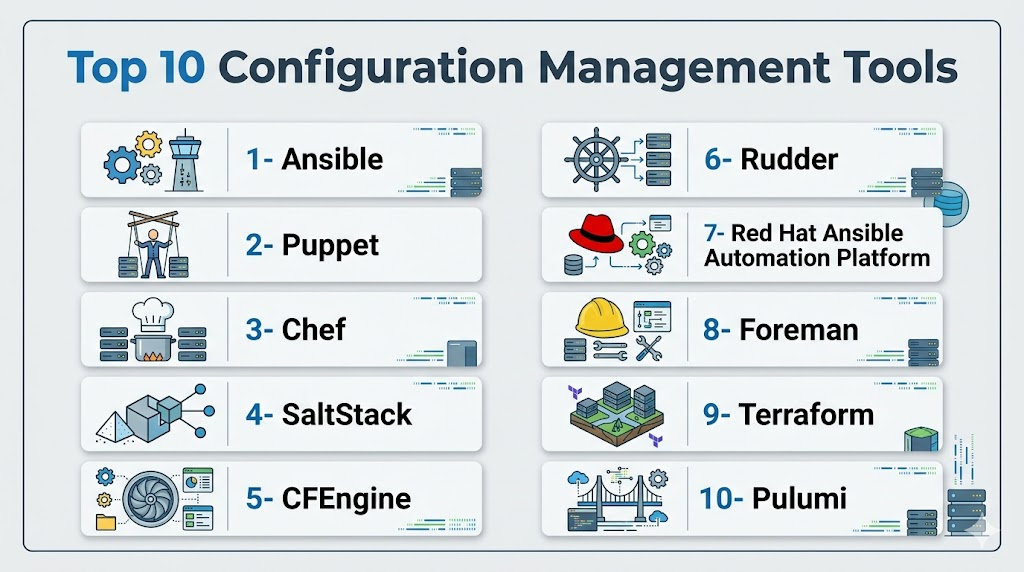
Top 10 Configuration Management Tools
1- Ansible
Short description:
Ansible is one of the most widely used configuration management and IT automation tools. It is known for its agentless architecture, simple YAML-based playbooks, and strong flexibility across servers, cloud platforms, network devices, and application environments. It is especially useful for teams that want fast automation without installing agents on every managed node.
Ansible is popular among DevOps teams, system administrators, cloud engineers, and IT operations teams because it can handle configuration management, provisioning, orchestration, deployment automation, and security tasks from a single automation framework. Its simple syntax makes it easier to learn compared to many older configuration management tools.
Key Features
- Agentless automation using SSH or WinRM.
- YAML-based playbooks that are easy to read and maintain.
- Large library of modules for Linux, Windows, cloud, networking, and security tasks.
- Supports application deployment, server configuration, patching, and orchestration.
- Works well with CI/CD pipelines and version control systems.
- Can automate cloud infrastructure, network devices, containers, and virtual machines.
- Strong ecosystem through community roles and enterprise automation collections.
Pros
- Easy to start with, especially for teams new to configuration automation.
- No agent installation is required on managed systems, reducing operational overhead.
- Flexible enough for small teams, SMBs, and large enterprise automation workflows.
Cons
- Very large environments may require careful architecture and execution planning.
- Complex workflows can become difficult to manage without proper playbook structure.
- Advanced governance and analytics usually require enterprise tooling.
Platforms / Deployment
Linux / Windows / macOS
Cloud / Self-hosted / Hybrid
Security & Compliance
Ansible supports encrypted communication through SSH and WinRM, secrets handling through Ansible Vault, and access control when used with enterprise management platforms. Role-based access, audit logs, and policy controls are typically stronger in enterprise editions. Compliance certifications vary by deployment and vendor package.
Integrations & Ecosystem
Ansible has a broad ecosystem and integrates well with infrastructure, DevOps, cloud, and security workflows. It can be used as a central automation layer across many parts of the IT stack.
- GitHub, GitLab, Jenkins, and other CI/CD tools.
- AWS, Azure, Google Cloud, VMware, and OpenStack.
- Kubernetes, Docker, and container platforms.
- ServiceNow and ITSM workflows.
- Monitoring and observability tools.
- Network automation platforms and security tooling.
Support & Community
Ansible has a very large open-source community, extensive documentation, and many reusable playbooks and roles. Enterprise support is available through Red Hat Ansible Automation Platform, making it suitable for organizations that need governance, support, and certified automation content.
2- Puppet
Short description:
Puppet is a mature configuration management platform designed for large-scale infrastructure automation and policy enforcement. It uses a declarative model, allowing teams to define the desired state of systems and automatically enforce that state across servers and environments. Puppet is commonly used by enterprises with complex infrastructure and strict compliance needs.
Puppet is especially strong in environments where continuous configuration enforcement, reporting, auditability, and standardized system state are important. It is often preferred by organizations that need structured governance and centralized control over large fleets of Linux and Windows systems.
Key Features
- Declarative configuration language for defining desired system state.
- Agent-based architecture for continuous enforcement.
- Strong reporting and drift detection capabilities.
- Supports Linux, Windows, and large enterprise server environments.
- Module-based ecosystem for reusable automation.
- Policy enforcement for security and compliance workflows.
- Enterprise features for RBAC, reporting, and centralized control.
Pros
- Very strong for large-scale infrastructure consistency.
- Mature compliance, reporting, and audit capabilities.
- Good fit for enterprises with complex operational requirements.
Cons
- Steeper learning curve compared to Ansible.
- Requires agents on managed systems.
- Initial setup and module design can take time.
Platforms / Deployment
Linux / Windows
Cloud / Self-hosted / Hybrid
Security & Compliance
Puppet supports secure communication, role-based access control, reporting, and audit capabilities in enterprise environments. Security and compliance features depend on the version and deployment model. For specific certifications, buyers should verify directly with the vendor.
Integrations & Ecosystem
Puppet integrates well with enterprise IT, cloud, and DevOps ecosystems. It is often used in environments where configuration state must be continuously monitored and enforced.
- VMware, AWS, Azure, and cloud infrastructure platforms.
- CI/CD and release management pipelines.
- Monitoring and observability platforms.
- ITSM tools and enterprise service workflows.
- Security and compliance reporting systems.
- Puppet Forge modules for reusable automation.
Support & Community
Puppet has a mature community and strong enterprise support options. Its documentation, modules, and best practices are well established, making it a reliable choice for large teams with formal IT operations processes.
3- Chef
Short description:
Chef is a configuration management and automation platform that uses code-based infrastructure definitions. It allows teams to write recipes and cookbooks to automate server setup, application deployment, compliance checks, and infrastructure configuration. Chef is often used by DevOps teams that prefer a programmable approach to infrastructure automation.
Chef is powerful for teams that want deep flexibility and are comfortable working with code. It can support complex deployment workflows, compliance automation, and cloud infrastructure management, but it usually requires more technical skill than simpler tools like Ansible.
Key Features
- Code-based configuration using recipes and cookbooks.
- Infrastructure as code approach for repeatable automation.
- Supports application deployment and system configuration.
- Chef InSpec supports compliance testing and policy validation.
- Works across Linux, Windows, cloud, and container environments.
- Strong support for reusable automation patterns.
- Suitable for complex DevOps and enterprise workflows.
Pros
- Highly flexible for advanced automation use cases.
- Good fit for developer-driven infrastructure teams.
- Strong compliance automation through Chef InSpec.
Cons
- Requires programming knowledge and deeper technical understanding.
- Setup and maintenance can feel complex for small teams.
- Smaller mindshare today compared with Ansible and Terraform in some environments.
Platforms / Deployment
Linux / Windows
Cloud / Self-hosted / Hybrid
Security & Compliance
Chef supports encrypted data handling, role-based access features in enterprise environments, and compliance testing through Chef InSpec. Security capabilities vary by edition and deployment. Buyers should verify certifications and compliance requirements directly before procurement.
Integrations & Ecosystem
Chef integrates with cloud platforms, CI/CD tools, compliance systems, and DevOps workflows. It is especially useful when infrastructure automation needs to be treated like software development.
- AWS, Azure, Google Cloud, and VMware.
- Jenkins, GitLab CI, GitHub Actions, and other pipelines.
- Docker and Kubernetes environments.
- Compliance workflows through Chef InSpec.
- Monitoring and logging systems.
- Version control platforms.
Support & Community
Chef has a long-standing community and commercial support options. Documentation and learning resources are available, but teams may need skilled engineers to design and maintain Chef cookbooks effectively.
4- SaltStack
Short description:
SaltStack, often referred to as Salt, is a powerful automation and configuration management tool known for speed, scalability, and event-driven orchestration. It can manage infrastructure configuration, execute remote commands, automate workflows, and respond to events across large environments.
SaltStack is useful for organizations that need fast execution across many systems. It supports both configuration management and orchestration, making it valuable for teams managing complex infrastructure, security automation, and operational response workflows.
Key Features
- Fast remote execution across large system fleets.
- Event-driven automation and orchestration.
- Declarative state management for system configuration.
- Supports Linux, Windows, cloud, and hybrid environments.
- Can automate incident response and operational workflows.
- Strong command execution capabilities.
- Flexible architecture for large-scale infrastructure automation.
Pros
- Very fast execution across large infrastructures.
- Strong orchestration and event-driven automation capabilities.
- Useful for both configuration management and operational automation.
Cons
- Advanced features require learning and careful design.
- Community module quality can vary.
- Smaller ecosystem visibility compared with Ansible or Terraform.
Platforms / Deployment
Linux / Windows
Cloud / Self-hosted / Hybrid
Security & Compliance
SaltStack supports encrypted communication, access controls, and event-based automation. Enterprise security capabilities depend on the deployment and commercial packaging. Buyers should validate RBAC, audit logging, and compliance requirements before adoption.
Integrations & Ecosystem
SaltStack can integrate with DevOps, IT operations, monitoring, cloud, and security automation workflows. Its event-driven model makes it useful for response-based automation.
- Cloud platforms and infrastructure APIs.
- CI/CD tools and deployment workflows.
- Monitoring and alerting systems.
- Security automation and remediation processes.
- Custom scripts and APIs.
- Virtualization and server management platforms.
Support & Community
SaltStack has an active open-source user base and commercial support options through enterprise distributions. Documentation is available, but complex architectures may require experienced automation engineers.
5- CFEngine
Short description:
CFEngine is one of the oldest and most performance-focused configuration management tools. It is designed for policy-based automation, lightweight operation, and large-scale infrastructure consistency. CFEngine is often used in environments where speed, efficiency, and reliable policy enforcement are critical.
CFEngine is suitable for organizations managing many servers where performance overhead must remain low. It is less trendy than newer tools, but it remains valuable for highly controlled environments that need stable configuration enforcement.
Key Features
- Lightweight agent-based configuration management.
- Policy-driven automation model.
- Strong performance at large scale.
- Continuous configuration enforcement.
- Supports Linux, Unix, and Windows environments.
- Useful for compliance and security baseline management.
- Designed for reliability and low system overhead.
Pros
- Very efficient and lightweight.
- Strong for large-scale policy enforcement.
- Stable and mature technology for controlled environments.
Cons
- Smaller community compared with Ansible, Puppet, or Terraform.
- Interface and learning experience may feel less modern.
- Less suitable for teams looking for broad cloud-native ecosystems.
Platforms / Deployment
Linux / Windows / Unix
Self-hosted / Hybrid
Security & Compliance
CFEngine supports secure communication, policy enforcement, and configuration auditing features. Compliance-specific capabilities depend on edition and implementation. Publicly stated certifications should be verified directly before procurement.
Integrations & Ecosystem
CFEngine is often integrated into traditional enterprise infrastructure and security operations workflows. It supports automation through policies and can work with other operational tools.
- Custom scripts and APIs.
- Monitoring and reporting systems.
- Linux, Unix, and Windows server environments.
- Security baseline enforcement workflows.
- Enterprise infrastructure management systems.
- Internal compliance processes.
Support & Community
CFEngine has commercial support and a knowledgeable user community, though its ecosystem is smaller than some newer tools. It is better suited for teams that value performance, stability, and policy control over a highly modern UI experience.
6- Rudder
Short description:
Rudder is a configuration management and continuous compliance platform focused on automation, reporting, and system auditing. It helps teams define infrastructure policies, enforce configurations, and monitor whether systems remain compliant with expected standards.
Rudder is useful for organizations that want a practical balance between configuration management and compliance visibility. Its web interface and reporting capabilities make it approachable for teams that need both automation and audit-friendly insights.
Key Features
- Continuous configuration management and auditing.
- Web-based dashboard for visibility and control.
- Policy enforcement and compliance reporting.
- Supports Linux and Windows environments.
- Provides change tracking and drift visibility.
- Open-source foundation with commercial options.
- Useful for IT operations and compliance-focused teams.
Pros
- Strong focus on compliance and continuous auditing.
- Easier visibility through dashboard-based reporting.
- Good option for teams wanting open-source flexibility with governance.
Cons
- Smaller ecosystem compared with Ansible or Puppet.
- May require additional scripting for advanced workflows.
- Less common in highly cloud-native DevOps environments.
Platforms / Deployment
Linux / Windows
Cloud / Self-hosted / Hybrid
Security & Compliance
Rudder supports role-based access, policy enforcement, reporting, and audit-oriented workflows. Specific certifications are not always publicly stated and should be verified directly based on the chosen edition.
Integrations & Ecosystem
Rudder integrates with IT operations, monitoring, compliance, and automation workflows. Its main strength is combining configuration enforcement with readable reporting.
- APIs for automation and integration.
- Monitoring and alerting systems.
- IT operations workflows.
- Compliance and audit reporting.
- Linux and Windows infrastructure.
- Change management processes.
Support & Community
Rudder has documentation, community support, and commercial support options. It is a good fit for teams that want structured configuration control and ongoing compliance visibility without adopting a very complex enterprise platform.
7- Red Hat Ansible Automation Platform
Short description:
Red Hat Ansible Automation Platform is the enterprise-grade version of Ansible designed for organizations that need governance, scale, analytics, certified content, and centralized automation management. It builds on Ansible’s simple automation model while adding enterprise controls for larger teams.
This platform is best suited for organizations that already use Ansible or want a more governed automation framework across IT operations, cloud, security, networking, and application deployment. It is especially valuable when multiple teams need shared automation standards.
Key Features
- Enterprise automation controller for centralized management.
- Role-based access control and team-based automation governance.
- Certified automation content and automation hub.
- Analytics and reporting for automation usage.
- Workflow orchestration across IT, cloud, security, and networking.
- Supports hybrid cloud and multi-platform automation.
- Strong vendor-backed support and enterprise readiness.
Pros
- Best fit for enterprises needing governance and support.
- Strong ecosystem for certified and reusable automation content.
- Builds on Ansible’s simple and familiar automation language.
Cons
- More expensive than open-source Ansible.
- May be too advanced for small teams with limited infrastructure.
- Requires process maturity to get full value from enterprise features.
Platforms / Deployment
Linux / Windows / macOS for control workflows and managed endpoints where supported
Cloud / Self-hosted / Hybrid
Security & Compliance
Red Hat Ansible Automation Platform includes enterprise security features such as RBAC, credential management, audit capabilities, and centralized access controls. Compliance certifications and regulatory fit should be verified directly for the specific deployment and subscription.
Integrations & Ecosystem
The platform integrates deeply with IT operations, security automation, network automation, cloud management, and DevOps pipelines. It is often used as a cross-team automation standard.
- AWS, Azure, Google Cloud, VMware, and OpenShift.
- ServiceNow and ITSM platforms.
- Jenkins, GitLab, GitHub Actions, and CI/CD tools.
- Network vendors and infrastructure platforms.
- Security automation and incident response tools.
- Certified automation collections.
Support & Community
Support is available through Red Hat subscription services, documentation, training, and partner ecosystem. The broader Ansible community also provides strong learning resources, roles, and automation examples.
8- Foreman
Short description:
Foreman is a server lifecycle management tool that supports provisioning, configuration, monitoring, and infrastructure visibility. It helps teams manage physical servers, virtual machines, and cloud instances across their lifecycle from build to operation.
Foreman is especially useful for teams that need provisioning and configuration management together. It can integrate with tools like Puppet, Ansible, and other infrastructure services, making it a flexible platform for managing mixed environments.
Key Features
- Bare-metal, virtual machine, and cloud server provisioning.
- Configuration management integration.
- Host inventory and lifecycle visibility.
- Plugin-based extensibility.
- Supports Linux and infrastructure management workflows.
- Reporting and monitoring support.
- Useful for managing mixed infrastructure environments.
Pros
- Strong lifecycle management beyond configuration alone.
- Flexible plugin ecosystem.
- Good fit for teams managing servers from provisioning to maintenance.
Cons
- Setup and administration can be complex.
- User interface may require learning for new teams.
- Best value comes when integrated with other configuration tools.
Platforms / Deployment
Linux / Windows managed environments where supported
Self-hosted / Hybrid
Security & Compliance
Foreman supports access controls, host visibility, and operational reporting. Security and compliance capabilities depend heavily on deployment, plugins, and integrated tools. Specific certifications are not publicly stated.
Integrations & Ecosystem
Foreman works well as a central server lifecycle platform and can connect with multiple automation and infrastructure tools.
- Puppet, Ansible, and other configuration tools.
- VMware, cloud, and virtualization platforms.
- DNS, DHCP, and provisioning services.
- Monitoring and reporting tools.
- Plugin-based extensions.
- Linux server infrastructure.
Support & Community
Foreman has an active open-source community and documentation. Commercial support may be available through ecosystem partners or related enterprise platforms, depending on the deployment model.
9- Terraform
Short description:
Terraform is an infrastructure as code tool widely used for provisioning and managing cloud infrastructure. While it is not a traditional configuration management tool for runtime server state, it is often included in configuration management discussions because it defines and manages infrastructure resources declaratively.
Terraform is best for teams that need consistent provisioning across cloud providers, SaaS platforms, Kubernetes, networking systems, and infrastructure services. It is commonly used with Ansible, Puppet, or Chef to manage the full lifecycle of infrastructure and application environments.
Key Features
- Declarative infrastructure as code using HCL.
- Large provider ecosystem for cloud, SaaS, and infrastructure platforms.
- Plan and apply workflow for controlled infrastructure changes.
- State management for tracking infrastructure resources.
- Supports multi-cloud and hybrid infrastructure.
- Strong module ecosystem for reusable infrastructure patterns.
- Useful for GitOps and CI/CD-driven infrastructure workflows.
Pros
- Excellent for provisioning cloud and infrastructure resources.
- Strong ecosystem and provider coverage.
- Works well with version control and automated pipelines.
Cons
- Not designed for deep operating system configuration management.
- State management requires careful planning and governance.
- Licensing and ecosystem considerations should be reviewed for enterprise use.
Platforms / Deployment
Linux / Windows / macOS
Cloud / Self-hosted / Hybrid
Security & Compliance
Terraform supports secure workflows through state encryption options, access controls in enterprise platforms, policy as code integrations, and version-controlled infrastructure changes. Security depends on how state, credentials, and pipelines are managed.
Integrations & Ecosystem
Terraform has one of the strongest ecosystems in infrastructure automation. It integrates across cloud providers, SaaS platforms, DevOps pipelines, and security workflows.
- AWS, Azure, Google Cloud, Oracle Cloud, and VMware.
- Kubernetes and Helm providers.
- GitHub, GitLab, Jenkins, and CI/CD platforms.
- Vault and secrets management workflows.
- Monitoring, DNS, networking, and SaaS providers.
- Policy as code tools and governance platforms.
Support & Community
Terraform has a large global community, extensive modules, and commercial support options through HashiCorp products. It is widely used in cloud engineering, platform engineering, and DevOps environments.
10- Pulumi
Short description:
Pulumi is a modern infrastructure as code platform that allows teams to define infrastructure using general-purpose programming languages such as TypeScript, Python, Go, C#, and Java. It is popular with developer-focused teams that prefer real programming languages instead of domain-specific configuration syntax.
Pulumi is useful for cloud-native engineering teams that want reusable infrastructure components, software development practices, and strong integration with modern cloud services. It can manage cloud resources, Kubernetes, serverless platforms, and infrastructure automation workflows.
Key Features
- Infrastructure as code using popular programming languages.
- Supports AWS, Azure, Google Cloud, Kubernetes, and many other platforms.
- Strong support for reusable components and software engineering patterns.
- State management and automation workflows.
- Works well with CI/CD and Git-based delivery.
- Supports policy as code and cloud governance workflows.
- Good fit for modern cloud-native teams.
Pros
- Developer-friendly because it uses familiar programming languages.
- Strong for complex cloud-native and Kubernetes-based infrastructure.
- Flexible for teams building reusable infrastructure libraries.
Cons
- May be harder for non-developer operations teams.
- Smaller ecosystem than Terraform in some areas.
- Requires good software engineering practices to avoid complexity.
Platforms / Deployment
Linux / Windows / macOS
Cloud / Self-hosted / Hybrid
Security & Compliance
Pulumi supports access controls, secrets management, policy as code, and secure infrastructure workflows depending on edition and deployment. Specific compliance certifications should be verified directly with the vendor for enterprise procurement.
Integrations & Ecosystem
Pulumi integrates with cloud providers, DevOps pipelines, Kubernetes platforms, and developer workflows. It is especially strong where infrastructure teams want to treat infrastructure code like application code.
- AWS, Azure, Google Cloud, and Kubernetes.
- GitHub Actions, GitLab CI, Jenkins, and CI/CD tools.
- Docker and container platforms.
- Serverless platforms and cloud-native services.
- Policy as code and governance workflows.
- Programming language ecosystems such as Python, TypeScript, Go, C#, and Java.
Support & Community
Pulumi has a growing developer community, strong documentation, and commercial support options. It is especially attractive for teams that want cloud infrastructure management with modern programming workflows and reusable code patterns.
Comparison Table (Top 10)
| Tool Name | Best For | Platform(s) Supported | Deployment | Standout Feature | Public Rating |
|---|---|---|---|---|---|
| Ansible | Agentless automation | Linux, Windows, macOS | Cloud / Self-hosted | Simple YAML Playbooks | N/A |
| Puppet | Large-scale enterprise | Linux, Windows | Cloud / Self-hosted / Hybrid | Declarative language & compliance | N/A |
| Chef | DevOps automation | Linux, Windows | Cloud / Self-hosted / Hybrid | Infrastructure as code | N/A |
| SaltStack | Scalable orchestration | Linux, Windows | Cloud / Self-hosted / Hybrid | Event-driven automation | N/A |
| CFEngine | High-performance CM | Linux, Windows, Unix | Self-hosted | Lightweight & fast | N/A |
| Rudder | Compliance-focused CM | Linux, Windows | Cloud / Self-hosted | Continuous auditing | N/A |
| Red Hat Ansible Automation Platform | Enterprise automation | Linux, Windows | Cloud / Hybrid | Centralized control & analytics | N/A |
| Foreman | Server lifecycle mgmt | Linux, Windows | Cloud / Self-hosted / Hybrid | Provisioning & monitoring | N/A |
| Terraform | Multi-cloud IaC | Linux, Windows, macOS | Cloud / Self-hosted | Declarative multi-cloud support | N/A |
| Pulumi | Code-centric IaC | Linux, Windows, macOS | Cloud / Self-hosted / Hybrid | General-purpose language support | N/A |
Evaluation & Scoring of Configuration Management Tools
| Tool Name | Core (25%) | Ease (15%) | Integrations (15%) | Security (10%) | Performance (10%) | Support (10%) | Value (15%) | Weighted Total |
|---|---|---|---|---|---|---|---|---|
| Ansible | 9 | 9 | 8 | 8 | 8 | 8 | 9 | 8.7 |
| Puppet | 9 | 7 | 8 | 9 | 9 | 8 | 7 | 8.2 |
| Chef | 8 | 7 | 8 | 8 | 8 | 7 | 7 | 7.7 |
| SaltStack | 8 | 8 | 7 | 8 | 9 | 7 | 8 | 8.0 |
| CFEngine | 7 | 7 | 6 | 8 | 9 | 6 | 7 | 7.3 |
| Rudder | 7 | 7 | 6 | 7 | 8 | 6 | 7 | 7.1 |
| Red Hat Ansible Automation Platform | 9 | 8 | 9 | 9 | 9 | 8 | 7 | 8.5 |
| Foreman | 8 | 7 | 8 | 7 | 8 | 7 | 7 | 7.5 |
| Terraform | 9 | 7 | 9 | 7 | 8 | 7 | 8 | 8.0 |
| Pulumi | 8 | 7 | 8 | 7 | 8 | 7 | 7 | 7.5 |
Interpretation: Scores reflect relative strengths for comparison. Higher weighted total indicates better alignment with modern CM needs. Scores are comparative, not absolute ratings.
Which Configuration Management Tool Is Right for You?
Solo / Freelancer
- Ansible or Pulumi for simplicity and low overhead.
- Minimal setup, agentless or code-based approaches.
SMB
- Ansible, Rudder, or Chef.
- Balance between usability, cost, and automation capabilities.
Mid-Market
- SaltStack, Terraform, or Foreman.
- Requires orchestration, multi-cloud support, compliance reporting.
Enterprise
- Puppet, Red Hat Ansible Automation Platform, CFEngine.
- Scalable, secure, enterprise-grade features with robust support.
Budget vs Premium
- Open-source Ansible, Rudder, Pulumi for low cost.
- Enterprise Puppet, Red Hat Ansible for premium features and support.
Feature Depth vs Ease of Use
- Terraform and Pulumi for depth via IaC programming.
- Ansible for simplicity and quick adoption.
Integrations & Scalability
- Terraform, Red Hat Ansible, Puppet for multi-cloud and large-scale deployments.
Security & Compliance Needs
- Enterprise Puppet, Red Hat Ansible, SaltStack for rigorous compliance and audit capabilities.
Frequently Asked Questions
1- What is a configuration management tool?
A configuration management tool helps teams automate, control, and maintain IT infrastructure settings.
It ensures servers, applications, cloud resources, and environments stay consistent.
This reduces manual errors and improves reliability across development, testing, and production systems.
2- Why are configuration management tools important?
They help organizations manage infrastructure at scale without relying on manual setup.
Teams can apply the same configuration across many systems quickly and consistently.
This improves deployment speed, security, compliance, and operational stability.
3- Which configuration management tool is best for beginners?
Ansible is often easier for beginners because it uses YAML and does not require agents on managed nodes.
It is suitable for teams that want quick automation without a complex setup process.
However, the best choice also depends on infrastructure size, team skills, and integration needs.
4- Are configuration management tools useful for cloud environments?
Yes, most modern configuration management tools support cloud, hybrid, and multi-cloud environments.
Tools like Ansible, Terraform, Pulumi, Puppet, and Chef can help manage cloud resources and server configurations.
They are especially useful when teams need repeatable, policy-driven infrastructure management.
5- What is the difference between configuration management and infrastructure as code?
Configuration management focuses on maintaining system settings, packages, services, and policies.
Infrastructure as code focuses more on provisioning cloud resources such as networks, servers, and databases.
Many teams use both together to manage the full infrastructure lifecycle.
6- Do configuration management tools require agents?
Some tools require agents, while others do not.
Ansible is agentless and commonly uses SSH or WinRM, while Puppet, Chef, and CFEngine typically use agents.
Agent-based tools can offer continuous enforcement, while agentless tools are simpler to start with.
7- Can configuration management tools improve security?
Yes, they can enforce secure configurations, apply patches, manage access settings, and generate audit records.
Enterprise tools may also include RBAC, audit logs, policy enforcement, and compliance reporting.
Security strength depends on how the tool is configured and governed by the organization.
8- How much do configuration management tools cost?
Pricing varies widely depending on whether the tool is open-source, commercial, or enterprise-grade.
Open-source versions may be free to use, while enterprise editions often charge by node, user, or subscription tier.
Buyers should also consider support, training, migration, and maintenance costs.
9- What are common mistakes when using configuration management tools?
A common mistake is automating unclear or poorly documented processes too early.
Teams may also skip version control, testing, approval workflows, or rollback planning.
Good practice is to start small, standardize templates, test changes, and scale gradually.
10- Can I switch from one configuration management tool to another?
Yes, but switching requires planning because playbooks, manifests, recipes, and state files may not transfer directly.
Teams should first identify critical workflows, rebuild templates, and migrate in phases.
A pilot migration helps reduce risk before replacing the existing tool completely.
Conclusion
Configuration Management tools remain essential for organizations of all sizes in 2026 and beyond. They reduce operational complexity, ensure compliance, and accelerate deployments across hybrid and multi-cloud environments. Choosing the right tool depends on scale, team expertise, deployment model, and compliance requirements. For smaller teams, Ansible and Pulumi provide simplicity and flexibility, while enterprises may benefit from Puppet or Red Hat Ansible Automation Platform for robust governance and scalability. Next steps: shortlist 2–3 tools based on your environment, run pilot deployments to evaluate integrations and performance, and validate security and compliance adherence before full rollout.

Find Trusted Cardiac Hospitals
Compare heart hospitals by city and services — all in one place.
Explore Hospitals
Configuration management tools are most valuable when they automate the provisioning, configuration, and maintenance of servers, applications, and infrastructure across diverse environments. By supporting infrastructure as code, version control, policy enforcement, automated deployments, and compliance management, these platforms help IT and DevOps teams ensure consistency, reduce configuration drift, improve scalability, and accelerate reliable infrastructure management.