Introduction
Localization QA tools are specialized software platforms that ensure translated content is accurate, consistent, contextually correct, and technically validated before release. In practical terms, they help teams detect errors in multilingual content such as UI truncation, mistranslations, formatting issues, and inconsistent terminology across apps, websites, games, and marketing systems. localization QA has become more critical than ever because digital products are shipped continuously across multiple languages and platforms. A small localization mistake can lead to user confusion, compliance risks, or brand trust issues at global scale. Modern tools in this category now combine AI-assisted linguistic validation, visual QA testing, automation rules, and deep integration with CI/CD pipelines and translation management systems.
Key real-world use cases:
- QA testing multilingual mobile and web apps before release
- Detecting UI overflow, truncation, or layout breakage
- Ensuring terminology consistency across large product ecosystems
- Reviewing culturally sensitive marketing translations
- Supporting regulated industries like fintech, healthcare, and SaaS compliance
Key evaluation criteria:
- Automation and AI-based QA capabilities
- Visual and linguistic QA coverage
- Integration with TMS, Git, and CI/CD pipelines
- Multi-format support (JSON, XML, XLIFF, etc.)
- Workflow collaboration features
- Scalability across languages and products
- Security and enterprise readiness
- Reporting and analytics capabilities
- Custom rule configuration flexibility
- Ease of use and onboarding
Best for: Localization managers, QA engineers, product teams, developers, and global marketing teams managing multilingual digital products.
Not ideal for: Single-language products or teams without ongoing localization needs.
Key Trends in Localization QA Tools
- AI-driven contextual translation QA replacing manual review-heavy workflows
- Visual QA becoming standard for mobile, web, and game localization
- Continuous localization integrated directly into CI/CD pipelines
- Real-time QA validation during development cycles
- Increased use of NLP models for style guide enforcement
- Stronger focus on accessibility compliance across languages
- Cloud-native localization platforms replacing desktop-only tools
- Unified platforms combining TMS + QA + automation
- Better collaboration between developers, translators, and reviewers
- Expansion of API-first localization ecosystems
How We Selected These Tools
- Market adoption and real-world usage across industries
- Depth of localization QA features (linguistic + visual)
- Integration capability with modern development workflows
- Automation and AI readiness
- Scalability across enterprise and SMB use cases
- Ecosystem maturity and extensibility
- Support for continuous localization pipelines
- Flexibility for different deployment environments
- Balance between usability and feature depth
- Active development and relevance for 2026+ workflows
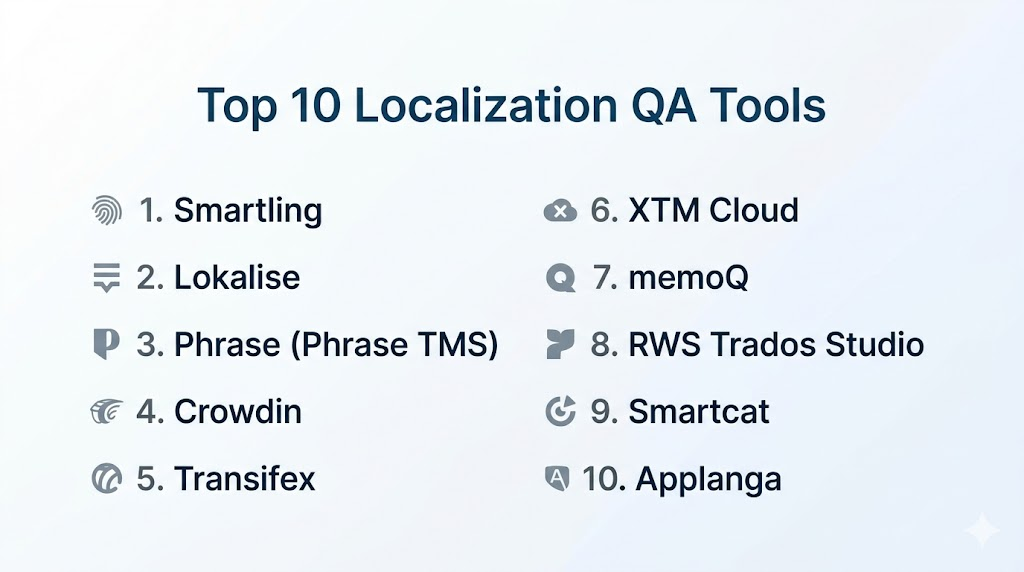
Top 10 Localization QA Tools
1 — Smartling
Smartling is a cloud-based localization platform widely used by enterprises for managing large-scale multilingual content with strong QA automation and in-context editing capabilities.
Key Features
- Automated linguistic QA checks for grammar and consistency
- In-context visual translation editor for UI content
- Translation memory and glossary enforcement
- Workflow automation for review pipelines
- AI-assisted translation suggestions
- API-based integration with product systems
- Real-time collaboration for global teams
Pros
- Strong enterprise-grade automation
- Excellent in-context translation experience
- Highly scalable for global operations
Cons
- Complex for small teams
- Pricing not ideal for startups
Platforms / Deployment
- Web / Cloud
Security & Compliance
- Not publicly stated
Integrations & Ecosystem
Smartling integrates with enterprise tools, CMS platforms, and developer workflows through APIs.
- CMS systems
- Git-based repositories
- Marketing automation platforms
- Enterprise workflow tools
Support & Community
Enterprise-level onboarding, documentation, and dedicated customer support.
2 — Lokalise
Lokalise is a developer-focused localization platform built for continuous localization workflows and modern software teams.
Key Features
- Automated QA checks for translation consistency
- Screenshot-based in-context UI review
- CI/CD integration for continuous localization
- Translation memory and glossary tools
- API-first architecture
- Collaboration tools for teams
- Design tool integrations (Figma support)
Pros
- Excellent developer experience
- Strong automation and CI/CD support
- Easy integration with modern tech stacks
Cons
- Requires learning curve for advanced features
- Less suitable for non-technical users
Platforms / Deployment
- Web / Cloud
Security & Compliance
- Not publicly stated
Integrations & Ecosystem
- GitHub, GitLab
- Figma
- Slack
- REST APIs
- CI/CD pipelines
Support & Community
Strong documentation and active developer community.
3 — Phrase (Phrase TMS)
Phrase is an enterprise translation management system designed for structured workflows and advanced QA automation.
Key Features
- Advanced QA validation rules
- Workflow automation and approval chains
- Translation memory and term bases
- AI-assisted translation features
- In-context editing support
- Version control for localization files
- Reporting and analytics dashboards
Pros
- Highly scalable enterprise solution
- Strong QA automation capabilities
- Flexible workflow customization
Cons
- Higher cost structure
- Complexity for beginners
Platforms / Deployment
- Web / Cloud
Security & Compliance
- Not publicly stated
Integrations & Ecosystem
- GitHub and Bitbucket
- CMS platforms
- API integrations
- Design tools
Support & Community
Enterprise support and structured onboarding programs.
4 — Crowdin
Crowdin is a widely used localization platform offering strong automation and developer-friendly workflows.
Key Features
- Automated QA checks for missing or inconsistent translations
- Git-based integration for developers
- Context screenshots for UI review
- Translation memory system
- AI-assisted translation suggestions
- Workflow automation
- Crowdsourcing support
Pros
- Strong developer adoption
- Flexible and scalable platform
- Good balance of automation and usability
Cons
- UI can feel dense
- Requires setup for advanced workflows
Platforms / Deployment
- Web / Cloud
Security & Compliance
- Not publicly stated
Integrations & Ecosystem
- GitHub, GitLab
- Jira
- Slack
- API and SDK support
Support & Community
Strong community and documentation support.
5 — Transifex
Transifex is a cloud localization platform focused on continuous content delivery and automation.
Key Features
- Automated QA validation rules
- Real-time content synchronization
- Translation memory and glossary tools
- API-first workflows
- Collaboration features
- Version control support
- AI-assisted translation capabilities
Pros
- Strong automation for continuous localization
- Good scalability
- Flexible API integration
Cons
- Limited offline usage
- Some features locked in higher tiers
Platforms / Deployment
- Web / Cloud
Security & Compliance
- Not publicly stated
Integrations & Ecosystem
- GitHub and Bitbucket
- CMS integrations
- Developer APIs
Support & Community
Standard enterprise support and documentation.
6 — XTM Cloud
XTM Cloud is an enterprise-grade localization system designed for large organizations requiring structured workflows and QA control.
Key Features
- Advanced QA validation rules
- Workflow automation for complex teams
- Translation memory management
- AI-assisted translation tools
- Real-time collaboration
- Analytics dashboards
- Multi-format support
Pros
- Strong enterprise scalability
- Highly customizable workflows
- Robust QA systems
Cons
- Complex onboarding
- UI feels less modern
Platforms / Deployment
- Web / Cloud
Security & Compliance
- Not publicly stated
Integrations & Ecosystem
- API-based integrations
- CMS systems
- Enterprise platforms
Support & Community
Enterprise onboarding and consulting support.
7 — memoQ
memoQ is a professional translation environment widely used by linguists and localization experts.
Key Features
- Advanced linguistic QA checks
- Translation memory optimization
- Terminology management
- Project workflow tools
- File format flexibility
- Collaboration features
- Desktop editor environment
Pros
- High linguistic accuracy focus
- Strong translator adoption
- Powerful terminology system
Cons
- Less modern cloud experience
- Steeper learning curve
Platforms / Deployment
- Windows / Cloud / Hybrid
Security & Compliance
- Not publicly stated
Integrations & Ecosystem
- CMS integrations
- API support
- Translation workflows
Support & Community
Strong professional translator community and training materials.
8 — RWS Trados Studio
RWS Trados Studio is one of the most established desktop translation tools with strong QA capabilities.
Key Features
- Linguistic QA checks
- Translation memory engine
- Terminology management tools
- File format support across industries
- Project packaging and management
- Review workflows
- Desktop-based translation environment
Pros
- Industry-standard tool
- Very powerful QA engine
- Strong linguistic control
Cons
- Desktop-based workflow
- Complex for beginners
Platforms / Deployment
- Windows / Hybrid
Security & Compliance
- Not publicly stated
Integrations & Ecosystem
- Enterprise translation systems
- CMS integrations
- API extensions
Support & Community
Large global user base with strong documentation.
9 — Smartcat
Smartcat is a cloud-based localization platform combining AI translation with collaboration tools and freelancer marketplace features.
Key Features
- AI-powered translation assistance
- Built-in QA checks
- Translation memory system
- Freelancer marketplace integration
- Workflow automation
- Real-time collaboration
- API integrations
Pros
- Strong AI-assisted workflows
- Easy collaboration with translators
- All-in-one platform approach
Cons
- QA depth is moderate compared to enterprise tools
- Marketplace dependency for some workflows
Platforms / Deployment
- Web / Cloud
Security & Compliance
- Not publicly stated
Integrations & Ecosystem
- CMS tools
- APIs
- Developer workflows
Support & Community
Good documentation and community support.
10 — Applanga
Applanga is a mobile-focused localization platform with strong visual QA capabilities for apps and digital products.
Key Features
- Visual QA testing for mobile apps
- In-context translation review
- SDK-based integration
- Automated string extraction
- Real-time updates
- Collaboration tools
- Version tracking
Pros
- Excellent for mobile apps
- Strong visual QA capabilities
- Lightweight integration
Cons
- Less suited for large enterprise workflows
- Limited advanced automation
Platforms / Deployment
- Web / Mobile SDK / Cloud
Security & Compliance
- Not publicly stated
Integrations & Ecosystem
- Mobile SDKs
- APIs
- Developer tools
Support & Community
Standard documentation and support channels.
Comparison Table (Top 10)
| Tool Name | Best For | Platform(s) Supported | Deployment | Standout Feature | Public Rating |
|---|---|---|---|---|---|
| Smartling | Enterprise localization | Web | Cloud | In-context QA workflows | N/A |
| Lokalise | Dev teams | Web | Cloud | CI/CD localization | N/A |
| Phrase | Enterprise TMS | Web | Cloud | Workflow automation | N/A |
| Crowdin | Developers & open projects | Web | Cloud | Git integration | N/A |
| Transifex | Continuous localization | Web | Cloud | Real-time sync | N/A |
| XTM Cloud | Large enterprises | Web | Cloud | Advanced QA rules | N/A |
| memoQ | Linguists | Windows/Web | Hybrid | Terminology depth | N/A |
| Trados Studio | Translation pros | Windows | Desktop | Industry-standard QA | N/A |
| Smartcat | SMB + freelancers | Web | Cloud | AI + marketplace | N/A |
| Applanga | Mobile apps | Web/Mobile SDK | Cloud | Visual QA | N/A |
Evaluation & Scoring of Localization QA Tools
| Tool Name | Core (25%) | Ease (15%) | Integrations (15%) | Security (10%) | Performance (10%) | Support (10%) | Value (15%) | Weighted Total |
|---|---|---|---|---|---|---|---|---|
| Smartling | 9 | 8 | 9 | 7 | 9 | 8 | 7 | 8.3 |
| Lokalise | 9 | 9 | 9 | 7 | 8 | 8 | 8 | 8.5 |
| Phrase | 9 | 8 | 9 | 7 | 9 | 8 | 7 | 8.4 |
| Crowdin | 8 | 9 | 9 | 7 | 8 | 8 | 9 | 8.3 |
| Transifex | 8 | 8 | 8 | 7 | 8 | 7 | 8 | 8.0 |
| XTM Cloud | 9 | 6 | 8 | 8 | 9 | 8 | 7 | 8.1 |
| memoQ | 8 | 6 | 7 | 7 | 8 | 8 | 8 | 7.6 |
| Trados Studio | 9 | 5 | 7 | 8 | 9 | 8 | 7 | 7.8 |
| Smartcat | 7 | 9 | 8 | 7 | 7 | 7 | 9 | 7.9 |
| Applanga | 7 | 9 | 7 | 7 | 7 | 7 | 8 | 7.6 |
Which Localization QA Tool Is Right for You?
Solo / Freelancer
memoQ and Smartcat are strong choices due to flexibility and lower complexity.
SMB
Crowdin, Lokalise, and Transifex offer a strong balance of automation and usability.
Mid-Market
Phrase and Smartling provide scalability, governance, and automation depth.
Enterprise
XTM Cloud, Smartling, and Trados Studio are best for complex, large-scale localization operations.
Budget vs Premium
- Budget-friendly: Smartcat, Crowdin
- Premium enterprise: Smartling, Phrase, XTM Cloud
Feature Depth vs Ease of Use
- Deep control: memoQ, Trados, XTM Cloud
- Easy onboarding: Lokalise, Smartcat, Applanga
Integrations & Scalability
- Best integrations: Lokalise, Crowdin, Phrase
- Best scalability: Smartling, XTM Cloud
Security & Compliance Needs
Enterprise buyers should request vendor documentation directly, as many compliance details are not publicly stated.
Frequently Asked Questions (FAQs)
1. What are localization QA tools?
They are software platforms that validate translated content for accuracy, formatting, and consistency. They help prevent localization errors before product release.
2. Do these tools use AI?
Yes, many tools use AI for translation suggestions, QA checks, and terminology enforcement. However, accuracy varies across platforms.
3. Are localization QA tools expensive?
Costs vary widely. Enterprise tools are expensive, while SMB tools offer flexible pricing models.
4. What is the difference between TMS and QA tools?
A TMS manages translation workflows, while QA tools focus on quality validation. Many modern platforms combine both.
5. Can these tools integrate with developer workflows?
Yes, tools like Lokalise and Crowdin integrate deeply with GitHub, CI/CD pipelines, and APIs.
6. Are mobile apps supported?
Yes, Applanga and Lokalise provide strong mobile localization and visual QA support.
7. How long does implementation take?
It ranges from a few hours for simple setups to several weeks for enterprise deployments.
8. Can I migrate between tools easily?
Migration is possible but requires exporting translation memories, glossaries, and project data.
9. Who uses localization QA tools?
SaaS companies, game studios, e-commerce platforms, fintech companies, and global enterprises.
10. Do I need technical skills to use them?
Not always. Some tools are beginner-friendly, while enterprise systems may require technical onboarding.
Conclusion
Localization QA tools have become essential for delivering accurate and consistent multilingual digital experiences.
They help teams detect translation errors, UI issues, and terminology inconsistencies before product release.
Modern platforms now combine AI, automation, and visual QA to speed up localization workflows.
Businesses use them to improve global user experience and reduce costly localization mistakes.
The best tool depends on team size, technical skills, and workflow complexity.
Enterprise tools offer deep automation and governance, while SMB tools focus on ease of use.
Integration with CI/CD pipelines and developer tools is now a key requirement.
As global expansion increases, localization QA will continue to evolve with stronger AI-driven validation.
Choosing the right tool ensures faster releases, better quality, and stronger global brand trust.

Find Trusted Cardiac Hospitals
Compare heart hospitals by city and services — all in one place.
Explore Hospitals
I am learning about localization QA tools, and this content helped me understand how different platforms can improve translation quality and ensure a better user experience across languages.