Introduction
Veterinary Practice Management Software helps animal hospitals, veterinary clinics, specialty centers, and mobile vets manage daily operations from one system. In plain English, it brings together appointment scheduling, patient records, medical notes, invoicing, payments, inventory, reminders, diagnostics, client communication, and reporting. Instead of using separate tools for front desk, doctors, billing, and inventory, a veterinary practice management system keeps the clinic workflow connected. It matters now because veterinary teams are dealing with higher appointment demand, staff shortages, client experience expectations, digital payments, telehealth, cloud adoption, and stronger data security needs. Modern veterinary software is no longer only about storing medical records. It now supports automation, mobile access, AI-assisted notes, diagnostic integrations, online booking, and analytics.
Real-world use cases include:
- Appointment scheduling: Manage doctor calendars, exam rooms, procedures, grooming, boarding, and follow-ups.
- Electronic medical records: Store SOAP notes, vaccines, lab results, prescriptions, imaging notes, and treatment history.
- Billing and payments: Create invoices, process payments, manage estimates, and track balances.
- Inventory management: Track medicines, vaccines, food, supplies, controlled substances, and reorder needs.
- Client communication: Send reminders, confirmations, discharge instructions, forms, and follow-up messages.
Evaluation Criteria for Buyers:
- Core veterinary workflows such as scheduling, EMR, invoicing, inventory, estimates, and treatment plans
- Ease of use for veterinarians, technicians, receptionists, practice managers, and administrators
- Cloud vs on-premise fit based on access needs, IT capacity, and multi-location requirements
- Diagnostic integrations with labs, imaging systems, pharmacy tools, and medical devices
- Client engagement tools such as reminders, forms, online booking, texting, and portals
- Inventory and controlled substance tracking for medicines, vaccines, supplies, and compliance needs
- Reporting and analytics for revenue, appointments, provider productivity, inventory, and client retention
- Security and access controls including user permissions, audit logs, encryption, and backup practices
- Scalability for single clinics, multi-location groups, specialty hospitals, and enterprise networks
- Implementation and migration support including data conversion, training, onboarding, and go-live planning
Best for: veterinary clinics, animal hospitals, specialty practices, emergency hospitals, mixed animal practices, equine clinics, mobile vets, and multi-location veterinary groups that need better scheduling, medical records, client communication, inventory visibility, billing control, and operational reporting.
Not ideal for: very small practices that only need simple appointment tracking, clinics that do not want to digitize workflows, or organizations that already use a broader custom system and do not need veterinary-specific EMR, diagnostics, invoicing, reminders, and inventory features.
Key Trends in Veterinary Practice Management Software
- Cloud-based veterinary software is becoming the preferred model: More practices want browser access, automatic updates, remote work support, centralized reporting, and lower server maintenance.
- AI-assisted documentation is gaining attention: Veterinary teams are exploring AI scribes, automated medical summaries, visit note drafting, and client communication support to reduce documentation time.
- Client communication is moving inside the PIMS: Reminders, texting, online booking, intake forms, discharge instructions, and follow-up workflows are becoming built-in expectations.
- Diagnostic integrations are a major differentiator: Practices want smooth connections with reference labs, in-house analyzers, imaging systems, and diagnostic result workflows.
- Inventory automation is becoming more important: Medication tracking, reorder alerts, vaccine management, expiry tracking, supplier workflows, and controlled substance visibility are key operational needs.
- Multi-location reporting is a priority for veterinary groups: Corporate practices and growing clinic groups need standardized workflows, centralized dashboards, location-level metrics, and role-based permissions.
- Payments and financial workflows are becoming more integrated: Practices increasingly expect payment processing, estimates, deposits, client balances, payment links, and financial reporting inside the workflow.
- Mobile and tablet-friendly workflows are increasing: Veterinarians and technicians want access to records, estimates, notes, and client communication from exam rooms, treatment areas, and mobile practice settings.
- Security expectations are rising: Practices are evaluating access control, encryption, backups, audit logs, MFA, disaster recovery, and data ownership more carefully.
- Interoperability is expanding: Veterinary practices want integrations with pharmacy tools, insurance, telehealth, client apps, marketing systems, accounting software, and analytics platforms.
How We Selected These Tools
The tools below were selected using practical buyer-focused evaluation logic for veterinary practices, not paid rankings or guessed public ratings.
- Market adoption and mindshare across veterinary clinics, animal hospitals, specialty practices, emergency hospitals, and veterinary groups
- Feature completeness across scheduling, EMR, billing, payments, inventory, reminders, reporting, and client engagement
- Veterinary-specific workflow depth including SOAP notes, vaccines, estimates, treatment plans, diagnostics, prescriptions, and medical history
- Cloud and deployment flexibility for clinics with different IT resources and accessibility needs
- Reliability and performance signals based on product maturity and suitability for daily clinic operations
- Security posture signals such as user permissions, auditability, data protection, and backup expectations
- Integrations and ecosystem depth including diagnostics, imaging, payments, client communication, inventory, pharmacy, and accounting workflows
- Customer fit across segments including solo vets, SMB clinics, multi-location groups, specialty hospitals, and enterprise veterinary networks
- Support and implementation considerations such as onboarding, data migration, training, documentation, and rollout assistance
- Operational value for improving appointment flow, reducing manual work, increasing visibility, and supporting better client experience
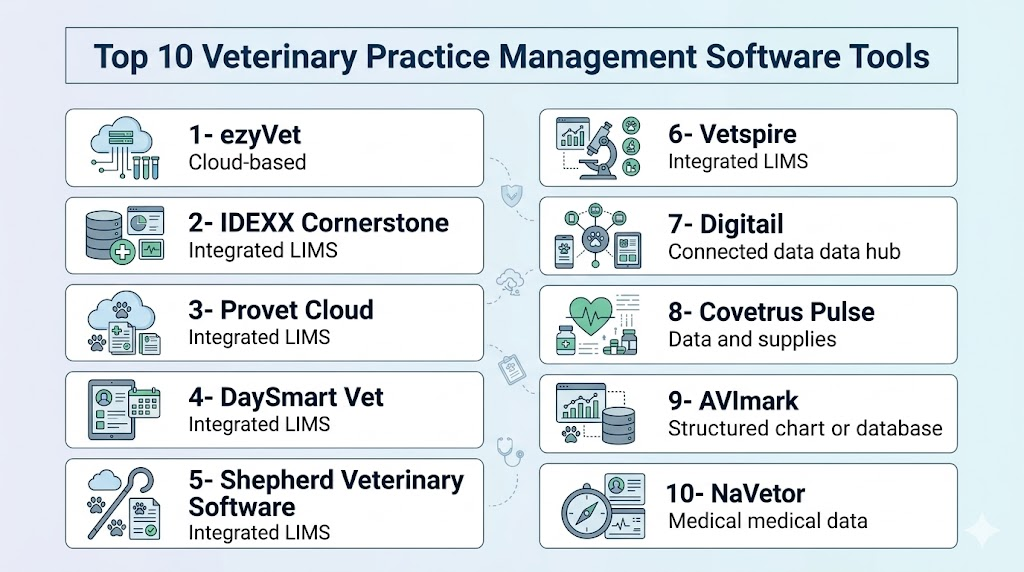
Top 10 Veterinary Practice Management Software Tools
1- ezyVet
Short description: ezyVet is a cloud-based veterinary practice management software designed for general practices, specialty hospitals, emergency clinics, and larger veterinary groups. It supports scheduling, medical records, billing, inventory, diagnostics, and workflow automation.
Key Features
- Cloud-based veterinary practice management
- Appointment scheduling and workflow automation
- Electronic medical records and clinical notes
- Billing, invoicing, payments, and estimates
- Inventory and product management
- Diagnostic and third-party integrations
- Reporting dashboards for operational visibility
Pros
- Strong fit for busy and growing veterinary practices
- Cloud access supports multi-location and remote workflows
- Broad integration ecosystem for diagnostics and operations
Cons
- May require structured onboarding for teams moving from older systems
- Can feel feature-heavy for very small practices
- Total cost may vary based on modules, integrations, and practice size
Platforms / Deployment
Web / iOS / Android features may vary
Cloud
Security & Compliance
Specific certifications and controls should be confirmed directly with the vendor. SSO, MFA, encryption, audit logs, RBAC, SOC 2, ISO 27001, GDPR, and HIPAA: Not publicly stated for all items.
Integrations & Ecosystem
ezyVet is built for connected veterinary workflows and is often evaluated by practices that need strong integration with diagnostic, communication, payment, and operational tools. It can support clinics that want to reduce disconnected systems and improve workflow automation.
- Diagnostic lab integrations
- Imaging and clinical workflow connections
- Payment and invoicing workflows
- Client communication tools
- Reporting and analytics connections
- Third-party app ecosystem depending on configuration
Support & Community
ezyVet provides vendor-led onboarding and customer support. Buyers should review implementation timelines, training resources, data migration approach, support tiers, and integration assistance before purchase.
2- IDEXX Cornerstone
Short description: IDEXX Cornerstone is a well-known veterinary practice management software used by many animal hospitals and clinics. It is especially relevant for practices that value diagnostic integration, medical records, inventory, scheduling, and established veterinary workflows.
Key Features
- Appointment scheduling and practice activity visibility
- Electronic medical records for patient history and clinical notes
- Diagnostic integration with IDEXX ecosystem workflows
- Inventory management for products, medicines, and supplies
- Imaging integration support
- Invoicing and billing workflows
- Compliance and care opportunity reminders
Pros
- Strong fit for practices using IDEXX diagnostics and ecosystem products
- Mature platform with broad veterinary market recognition
- Supports core workflows for general and specialty veterinary operations
Cons
- Practices seeking cloud-native workflows may compare it with newer cloud systems
- Implementation and optimization may require training
- Integration flexibility outside the ecosystem should be validated carefully
Platforms / Deployment
Windows / Varies
Self-hosted / Hybrid / Cloud-related options may vary by product and configuration
Security & Compliance
Security details should be confirmed directly with the vendor. Encryption, user permissions, audit logs, MFA, SSO, RBAC, SOC 2, ISO 27001, GDPR, and HIPAA: Not publicly stated for all items.
Integrations & Ecosystem
Cornerstone is strongest for clinics that depend on connected diagnostics, imaging, inventory, and core veterinary workflows. It is especially useful when the practice wants tight alignment with IDEXX diagnostic tools.
- IDEXX diagnostic workflows
- Imaging integration
- Inventory and product workflows
- Invoicing and billing processes
- Reporting and compliance-related workflows
- Data conversion and practice support ecosystem
Support & Community
IDEXX offers training, support, data conversion assistance, and veterinary-focused service resources. Buyers should confirm support channels, upgrade processes, onboarding scope, and training options for their region.
3- Provet Cloud
Short description: Provet Cloud is a cloud-based veterinary practice management system used by clinics, hospitals, and veterinary groups that want connected scheduling, EMR, billing, integrations, and modern workflow tools. It is well suited for practices wanting browser-based access and international scalability.
Key Features
- Cloud-based veterinary practice management
- Appointment scheduling and calendar workflows
- Electronic medical records and patient history
- Billing, estimates, invoicing, and payments
- Diagnostic and laboratory integrations
- Client communication and forms
- Reporting and operational analytics
Pros
- Strong cloud-first platform for modern veterinary workflows
- Useful for multi-location and growth-focused practices
- Supports integrations and automation across daily clinic operations
Cons
- Teams moving from legacy software may need workflow adjustment
- Pricing and setup may vary by clinic size and region
- Buyers should validate local support, integrations, and migration needs
Platforms / Deployment
Web / Mobile access may vary
Cloud
Security & Compliance
Specific controls should be validated directly with the vendor. SSO, MFA, encryption, audit logs, RBAC, GDPR, SOC 2, ISO 27001, and HIPAA: Not publicly stated for all items.
Integrations & Ecosystem
Provet Cloud is designed for practices that need connected workflows across clinical care, diagnostics, communication, billing, and operational reporting. Its ecosystem is useful for clinics aiming to modernize infrastructure and reduce manual processes.
- Laboratory and diagnostic integrations
- Client communication tools
- Payment and billing connections
- Reporting and analytics
- Online forms and patient workflows
- Third-party app integrations depending on region and configuration
Support & Community
Provet Cloud provides vendor-led support and implementation resources. Buyers should review onboarding, data migration, training, local support availability, and ongoing account management.
4- DaySmart Vet
Short description: DaySmart Vet is a cloud-based veterinary practice management software built for scheduling, medical records, billing, communication, and practice operations. It is a practical option for clinics that want browser-based tools and simplified daily workflows.
Key Features
- Cloud-based scheduling and appointment management
- Medical records and patient history
- Billing, invoicing, and payment workflows
- Client communication and reminders
- Practice reporting and performance visibility
- Inventory and product workflow support
- Accessible practice management from connected devices
Pros
- Cloud access supports flexible clinic operations
- Good fit for small and mid-sized veterinary practices
- Combines core administrative and clinical workflows
Cons
- Enterprise groups should validate multi-location depth
- Specialty workflows may require careful demo validation
- Integration availability may vary depending on practice needs
Platforms / Deployment
Web / Mobile access may vary
Cloud
Security & Compliance
DaySmart Vet is positioned as secure cloud-based software, but buyers should confirm exact controls. MFA, SSO, encryption, audit logs, RBAC, SOC 2, ISO 27001, GDPR, and HIPAA: Not publicly stated for all items.
Integrations & Ecosystem
DaySmart Vet supports common veterinary practice workflows and may connect with tools used for communication, billing, payments, and operational management. It is relevant for practices that want cloud-based access without a complex IT footprint.
- Client communication workflows
- Billing and payment workflows
- Scheduling and reminders
- Inventory-related workflows
- Reporting and practice analytics
- Third-party integrations should be validated during demos
Support & Community
DaySmart provides vendor-led support, onboarding, and product resources. Buyers should confirm migration assistance, training quality, support response expectations, and implementation timeline.
5- Shepherd Veterinary Software
Short description: Shepherd is a cloud-based veterinary practice management platform focused on simplifying workflows for modern clinics. It supports medical records, scheduling, billing, inventory, treatment plans, and client communication.
Key Features
- Cloud-based veterinary practice management
- Electronic medical records and SOAP notes
- Scheduling and appointment workflows
- Estimates, invoices, and payment workflows
- Inventory tracking and product management
- Client communication and reminders
- Reporting and clinic performance insights
Pros
- Clean cloud workflow for modern veterinary teams
- Good fit for clinics wanting usability and streamlined operations
- Useful for practices moving away from older server-based systems
Cons
- Larger enterprise groups should validate advanced reporting and governance needs
- Specialty hospital workflows may require deeper evaluation
- Pricing and integrations may vary by clinic requirements
Platforms / Deployment
Web / Mobile access may vary
Cloud
Security & Compliance
Not publicly stated for all specific controls. Buyers should confirm encryption, backups, user permissions, audit logs, MFA, SSO, RBAC, SOC 2, ISO 27001, GDPR, and HIPAA support directly with the vendor.
Integrations & Ecosystem
Shepherd is commonly evaluated by practices that want intuitive cloud workflows and fewer disconnected tools. Its ecosystem can support operational, communication, diagnostic, and financial workflows depending on configuration.
- Diagnostic integrations
- Client communication tools
- Payment workflows
- Inventory management
- Reporting and analytics
- Third-party integrations depending on setup
Support & Community
Support is vendor-led. Buyers should ask about onboarding, migration services, training materials, support channels, and help resources for front desk, technicians, and veterinarians.
6- Vetspire
Short description: Vetspire is a cloud-based veterinary practice management platform designed for modern veterinary hospitals and groups that need medical records, scheduling, client communication, reporting, and workflow efficiency. It is often considered by clinics that want a modern user experience.
Key Features
- Cloud-based practice management
- Electronic medical records and clinical workflows
- Scheduling and appointment management
- Client communication tools
- Billing and invoicing workflows
- Reporting and analytics
- Support for multi-location operations
Pros
- Modern cloud-focused interface and workflow approach
- Good fit for practices seeking operational visibility
- Useful for growing clinics and groups that want centralized data
Cons
- Practices should validate diagnostic and third-party integration needs
- May require workflow changes for teams coming from older systems
- Advanced enterprise requirements should be reviewed carefully
Platforms / Deployment
Web / Mobile access may vary
Cloud
Security & Compliance
Specific security controls should be confirmed with the vendor. Encryption, MFA, SSO, audit logs, RBAC, SOC 2, ISO 27001, GDPR, and HIPAA: Not publicly stated for all items.
Integrations & Ecosystem
Vetspire supports modern veterinary operations and can fit clinics that want a centralized workflow across patient records, client engagement, billing, and analytics. Integration needs should be validated based on the practice’s existing tools.
- Client communication workflows
- Diagnostic and lab connections depending on setup
- Billing and invoice workflows
- Analytics dashboards
- Multi-location reporting
- Third-party integrations depending on configuration
Support & Community
Vendor-led support is available. Buyers should evaluate onboarding, training, implementation planning, data migration, and post-go-live support options.
7- Digitail
Short description: Digitail is a cloud-based veterinary practice management platform with a focus on digital workflows, client engagement, automation, and AI-supported veterinary operations. It is useful for clinics looking for modern PIMS capabilities with stronger client-facing tools.
Key Features
- Cloud-based veterinary practice management
- Appointment scheduling and calendar workflows
- Electronic medical records and treatment plans
- Client communication and pet parent app workflows
- Billing, invoicing, and payment workflows
- AI-assisted workflow and documentation capabilities
- Reporting and operational visibility
Pros
- Strong fit for digital-first veterinary clinics
- Useful client engagement and automation capabilities
- Cloud model supports modern clinic workflows
Cons
- Buyers should validate local market support and integrations
- Practices with complex specialty workflows should run detailed demos
- Some capabilities may depend on plan, configuration, or region
Platforms / Deployment
Web / iOS / Android features may vary
Cloud
Security & Compliance
Not publicly stated for all specific controls. Buyers should validate encryption, MFA, SSO, RBAC, audit logs, backups, GDPR, SOC 2, ISO 27001, and HIPAA-related needs directly.
Integrations & Ecosystem
Digitail is designed for connected practice workflows, client communication, and modern digital operations. It is relevant for clinics that want a strong client experience and automation-driven operations.
- Client app and communication workflows
- Appointment and online booking tools
- Billing and payment workflows
- Reporting and analytics
- Diagnostic or third-party integrations depending on setup
- AI-assisted workflow features depending on plan
Support & Community
Digitail offers vendor-led support and onboarding resources. Buyers should confirm migration services, training, integration support, and regional availability before choosing it.
8- Covetrus Pulse
Short description: Covetrus Pulse is a cloud-based veterinary operating system that connects practice management, pharmacy, payments, inventory, client engagement, and analytics workflows. It is designed for clinics that want a connected ecosystem around veterinary operations.
Key Features
- Cloud-based veterinary practice management
- Appointment scheduling and patient records
- Billing, invoicing, and payment workflows
- Pharmacy and prescription-related workflows
- Inventory and supply management support
- Client communication tools
- Reporting and business insights
Pros
- Strong fit for clinics using or evaluating Covetrus ecosystem services
- Connects practice operations with pharmacy and business workflows
- Useful for practices wanting cloud-based centralization
Cons
- Practices should validate fit if they use many non-Covetrus tools
- Implementation scope may depend on modules selected
- Smaller clinics may not need the broader ecosystem depth
Platforms / Deployment
Web / Mobile access may vary
Cloud
Security & Compliance
Specific controls should be confirmed directly with the vendor. MFA, SSO, encryption, audit logs, RBAC, SOC 2, ISO 27001, GDPR, and HIPAA: Not publicly stated for all items.
Integrations & Ecosystem
Covetrus Pulse is strongest for clinics that want practice management connected with pharmacy, payments, inventory, and client engagement workflows. It is especially relevant for practices already aligned with Covetrus services.
- Pharmacy and prescription workflows
- Payment and billing connections
- Inventory and supply workflows
- Client communication tools
- Reporting and analytics
- Third-party integrations depending on configuration
Support & Community
Covetrus provides vendor-led support and account services. Buyers should review onboarding, data migration, support channels, training, and module-specific implementation needs.
9- AVImark
Short description: AVImark is a long-standing veterinary practice management software used by many clinics for patient records, scheduling, invoicing, inventory, reminders, and reporting. It is best for practices that prefer a mature system with familiar clinic workflows.
Key Features
- Appointment scheduling and patient records
- Medical history and treatment documentation
- Billing, invoices, and payment workflows
- Inventory tracking and product management
- Reminder and recall workflows
- Reporting and practice management tools
- Support for established veterinary clinic operations
Pros
- Mature and familiar platform for many veterinary clinics
- Covers core practice management workflows
- Good fit for clinics comfortable with traditional software models
Cons
- Cloud-first practices may compare it with newer browser-based systems
- User experience may feel more traditional than modern cloud platforms
- Buyers should validate upgrade path, support, and integration needs
Platforms / Deployment
Windows / Varies
Self-hosted / Hybrid / Varies
Security & Compliance
Security depends on configuration and practice environment. Buyers should validate encryption, backups, access controls, audit logs, MFA, SSO, RBAC, and data protection responsibilities.
Integrations & Ecosystem
AVImark supports core veterinary clinic workflows and can connect with various practice tools depending on setup. It may be most appealing to practices that want a familiar, established system.
- Billing and invoicing workflows
- Inventory management
- Reminder and recall tools
- Reporting workflows
- Diagnostic or third-party connections depending on setup
- Data migration and conversion support should be validated
Support & Community
Support is vendor-led through the product ecosystem. Buyers should confirm training, implementation, data conversion, upgrade planning, and support availability.
10- NaVetor
Short description: NaVetor is a cloud-based veterinary practice management software designed for clinics that need appointment management, medical records, billing, inventory, client communication, and mobile-friendly access. It is useful for small and mid-sized practices seeking cloud flexibility.
Key Features
- Cloud-based practice management
- Appointment scheduling and calendar workflows
- Electronic medical records and patient history
- Billing, invoicing, and payment workflows
- Inventory management
- Client communication and reminders
- Mobile access and remote workflow support
Pros
- Cloud model supports flexible access
- Practical fit for small and mid-sized clinics
- Includes core veterinary workflows in one platform
Cons
- Enterprise groups should validate advanced multi-location reporting
- Specialty workflows may require careful evaluation
- Buyers should confirm integration depth and support scope
Platforms / Deployment
Web / Mobile app features may vary
Cloud
Security & Compliance
Not publicly stated for all specific controls. Buyers should validate encryption, backups, access controls, audit logs, MFA, SSO, RBAC, SOC 2, ISO 27001, GDPR, and HIPAA-related requirements.
Integrations & Ecosystem
NaVetor supports core veterinary workflows and may connect with tools for communication, billing, diagnostics, and reporting depending on configuration. It is relevant for clinics wanting a practical cloud-based system.
- Client communication workflows
- Appointment and reminder tools
- Billing and payment workflows
- Inventory management
- Reporting and analytics
- Third-party integrations should be verified during demos
Support & Community
NaVetor offers vendor-led support and onboarding. Buyers should ask about implementation timelines, migration services, documentation, training, and support channels.
Comparison Table
| Tool Name | Best For | Platform(s) Supported | Deployment | Standout Feature | Public Rating |
|---|---|---|---|---|---|
| ezyVet | Busy clinics, specialty hospitals, and veterinary groups | Web / Mobile features vary | Cloud | Advanced cloud workflows and integrations | N/A |
| IDEXX Cornerstone | Practices using IDEXX diagnostics and established workflows | Windows / Varies | Self-hosted / Hybrid / Varies | Diagnostic and imaging ecosystem alignment | N/A |
| Provet Cloud | Cloud-first clinics and multi-location groups | Web / Mobile access varies | Cloud | Modern cloud PIMS with broad workflow coverage | N/A |
| DaySmart Vet | Small and mid-sized cloud-focused practices | Web / Mobile access varies | Cloud | Scheduling, records, billing, and communication in one platform | N/A |
| Shepherd Veterinary Software | Clinics wanting simple modern cloud workflows | Web / Mobile access varies | Cloud | Streamlined EMR and workflow usability | N/A |
| Vetspire | Modern clinics and growing veterinary groups | Web / Mobile access varies | Cloud | Cloud-based operational visibility | N/A |
| Digitail | Digital-first clinics focused on client engagement | Web / iOS / Android features vary | Cloud | Client app and AI-supported workflows | N/A |
| Covetrus Pulse | Clinics aligned with Covetrus ecosystem | Web / Mobile access varies | Cloud | Practice management plus pharmacy and business workflows | N/A |
| AVImark | Clinics preferring mature traditional software | Windows / Varies | Self-hosted / Hybrid / Varies | Established clinic workflow coverage | N/A |
| NaVetor | Small and mid-sized practices seeking cloud flexibility | Web / Mobile app features vary | Cloud | Cloud PIMS with mobile-friendly access | N/A |
Evaluation & Scoring of Veterinary Practice Management Software
The scoring below is a comparative buyer-focused model. It is not a public review score, certification score, or vendor-provided rating. Scores reflect relative fit for veterinary practice management based on core functionality, usability, integrations, security expectations, reliability, support, and value.
| Tool Name | Core 25% | Ease 15% | Integrations 15% | Security 10% | Performance 10% | Support 10% | Value 15% | Weighted Total 0–10 |
|---|---|---|---|---|---|---|---|---|
| ezyVet | 9 | 8 | 9 | 8 | 8 | 8 | 7 | 8.25 |
| IDEXX Cornerstone | 9 | 7 | 9 | 8 | 8 | 8 | 7 | 8.05 |
| Provet Cloud | 9 | 8 | 9 | 8 | 8 | 8 | 8 | 8.40 |
| DaySmart Vet | 8 | 8 | 7 | 7 | 8 | 7 | 8 | 7.65 |
| Shepherd Veterinary Software | 8 | 9 | 8 | 7 | 8 | 8 | 8 | 8.05 |
| Vetspire | 8 | 8 | 8 | 7 | 8 | 7 | 7 | 7.65 |
| Digitail | 8 | 8 | 8 | 7 | 8 | 7 | 8 | 7.80 |
| Covetrus Pulse | 8 | 7 | 8 | 8 | 8 | 8 | 7 | 7.75 |
| AVImark | 8 | 7 | 7 | 7 | 8 | 8 | 7 | 7.45 |
| NaVetor | 7 | 8 | 7 | 7 | 7 | 7 | 8 | 7.30 |
Which Veterinary Practice Management Software Tool Is Right for You?
Solo / Freelancer
Solo veterinarians, mobile vets, and very small clinics should focus on simplicity, affordability, quick setup, mobile access, and essential workflows. They usually do not need complex enterprise dashboards or heavy customization.
Recommended direction:
- Choose NaVetor if you need cloud-based core workflows with flexible access.
- Choose DaySmart Vet if you want simple cloud scheduling, records, billing, and communication.
- Choose Digitail if client engagement and digital workflows are important.
- Choose Shepherd if you want a modern and simple cloud experience.
SMB
Small and mid-sized veterinary practices need stronger scheduling, EMR, invoicing, reminders, inventory, diagnostics, and reporting. They should prioritize ease of use because staff adoption directly affects clinic productivity.
Recommended direction:
- Choose Shepherd for simple and modern workflows.
- Choose Provet Cloud if you want a strong cloud platform with broad functionality.
- Choose DaySmart Vet for practical cloud-based operations.
- Choose IDEXX Cornerstone if IDEXX diagnostics are central to the clinic.
Mid-Market
Mid-market veterinary clinics and growing groups need workflow consistency, better reporting, inventory control, integrated diagnostics, client communication, and scalable cloud access. They should also review implementation support and data migration carefully.
Recommended direction:
- Choose ezyVet for advanced cloud workflows and integrations.
- Choose Provet Cloud for scalable cloud-based operations.
- Choose Covetrus Pulse if pharmacy, inventory, and business workflows are important.
- Choose Vetspire if modern operational visibility is a priority.
Enterprise
Enterprise veterinary groups, specialty hospitals, emergency networks, and multi-location organizations need centralized reporting, permission controls, workflow standardization, high uptime expectations, and strong integration ecosystems.
Recommended direction:
- Choose ezyVet for complex operations, specialty workflows, and integration-heavy environments.
- Choose Provet Cloud for cloud-first multi-location management.
- Choose Covetrus Pulse if the organization wants a connected ecosystem around pharmacy and business workflows.
- Choose IDEXX Cornerstone if diagnostic integration and established workflows are a top priority.
Budget vs Premium
Budget-focused clinics should compare the full cost, not only the subscription fee. Data migration, implementation, training, integrations, payment processing, SMS reminders, support, and add-ons can change the real cost.
Premium platforms may be worth it when they reduce manual work, improve diagnostic workflows, centralize reporting, support multi-location growth, and help teams save time. The best value comes from software that fits daily clinic operations without forcing unnecessary complexity.
Feature Depth vs Ease of Use
Feature-rich software is valuable for large clinics, specialty hospitals, and multi-location groups, but too many features can slow down smaller teams if the interface is difficult. Practices should test real workflows before choosing.
During demos, teams should check how quickly they can create appointments, write SOAP notes, generate estimates, invoice clients, check inventory, send reminders, and view lab results. Ease of use should be tested by receptionists, technicians, doctors, and managers.
Integrations & Scalability
Integrations are critical in veterinary operations because clinics often use labs, imaging systems, payment tools, pharmacy services, client apps, accounting software, and communication platforms. Poor integration creates duplicate entry and reporting gaps.
Scalability matters if the clinic plans to add doctors, departments, services, or locations. Multi-location practices should look for centralized dashboards, standardized templates, permission controls, location-level reporting, and strong data access rules.
Security & Compliance Needs
Veterinary practices handle sensitive client information, payment data, patient histories, prescriptions, and operational records. Security should be reviewed before implementation, especially for cloud platforms and multi-location access.
Buyers should ask vendors about encryption, backups, disaster recovery, user permissions, MFA, SSO, audit logs, data ownership, access termination, and breach response processes. Internal staff training is also important because many security problems come from weak passwords and poor access habits.
Frequently Asked Questions
1. What is Veterinary Practice Management Software?
Veterinary Practice Management Software is a system that helps veterinary clinics manage scheduling, medical records, billing, payments, inventory, reminders, diagnostics, and reporting. It connects front-office, clinical, and administrative workflows.
2. How much does veterinary practice management software cost?
Pricing varies by vendor, clinic size, users, modules, integrations, support, and implementation scope. Common costs include subscription fees, setup fees, data migration, training, SMS usage, payment processing, and optional add-ons.
3. Is cloud veterinary software better than on-premise software?
Cloud software is often better for remote access, automatic updates, lower server maintenance, and multi-location visibility. On-premise software may suit clinics that prefer local control, but it can require more IT management and backup planning.
4. How long does implementation usually take?
Implementation time depends on data migration, staff training, integrations, inventory setup, templates, and clinic complexity. Small clinics may move faster, while specialty hospitals and multi-location groups usually need a phased rollout.
5. What are common mistakes when choosing veterinary software?
Common mistakes include choosing only by price, skipping workflow demos, underestimating data migration, ignoring diagnostic integrations, and not involving receptionists, technicians, doctors, and managers in the buying process.
6. Can veterinary software help reduce missed appointments?
Yes, many platforms include reminders, confirmations, online booking, and client communication tools. These features can reduce missed appointments when paired with strong front-desk workflows and clear communication policies.
7. What integrations should veterinary clinics check first?
Clinics should check integrations for reference labs, in-house diagnostics, imaging, payments, pharmacy, client communication, accounting, inventory, and online booking. Integration gaps can create duplicate work and reduce reporting accuracy.
8. Is switching veterinary software difficult?
Switching can be challenging because it affects appointments, patient records, invoices, inventory, reminders, and staff habits. A careful migration plan, staff training, data validation, and phased go-live approach can reduce disruption.
9. What is the best software for multi-location veterinary groups?
Multi-location groups should evaluate ezyVet, Provet Cloud, Covetrus Pulse, Vetspire, and Shepherd depending on workflow needs. The best choice depends on reporting, integrations, permissions, support, and standardization requirements.
10. Does veterinary software support inventory management?
Most veterinary practice management systems include inventory features, but depth varies. Clinics should check product tracking, reorder alerts, controlled substance workflows, expiry dates, supplier workflows, and inventory reporting.
11. Are AI features useful in veterinary practice software?
AI features can be useful for documentation support, note summaries, communication assistance, and workflow automation. However, clinics should validate accuracy, privacy, review processes, and whether AI outputs need doctor approval.
12. What should clinics test during a demo?
Clinics should test scheduling, SOAP notes, estimates, invoices, payments, inventory, lab results, reminders, reporting, and client communication. The demo should use real clinic scenarios, not only polished sample workflows.
Conclusion
Veterinary Practice Management Software is now a core operating system for modern animal care because it connects medical records, scheduling, billing, inventory, diagnostics, client communication, and reporting into one daily workflow. The best tool depends on clinic size, specialty needs, cloud preference, diagnostic ecosystem, budget, and growth plans. ezyVet and Provet Cloud are strong options for cloud-first and integration-heavy practices, IDEXX Cornerstone is a mature fit for clinics connected to IDEXX diagnostics, Shepherd, Digitail, and DaySmart Vet can suit practices wanting modern usability and client engagement, while Covetrus Pulse, Vetspire, AVImark, and NaVetor each fit different operational needs. Buyers should not choose based only on popularity or price. The best next step is to shortlist two or three platforms, run workflow-based demos, validate integrations and migration effort, review security controls, and pilot the system with the actual veterinary team before making a final decision.

Find Trusted Cardiac Hospitals
Compare heart hospitals by city and services — all in one place.
Explore Hospitals
Veterinary practice management software is most valuable when it integrates appointment scheduling, electronic medical records, billing, inventory management, and client communication into a single platform. By streamlining daily operations and improving access to patient information, these solutions help veterinary clinics enhance efficiency, deliver better care for animals, and provide a smoother experience for pet owners.