Introduction
Portfolio & Program Management (PPM) Tools are software platforms that help organizations plan, track, and manage multiple projects and programs collectively. Unlike standalone project management tools, PPM platforms provide enterprise-level oversight, allowing teams to prioritize initiatives, optimize resource allocation, monitor budgets, and align projects with strategic objectives. as organizations increasingly pursue digital transformation and cross-functional program execution, PPM tools have become essential for operational transparency and strategic decision-making.
Real-world use cases include:
- Aligning IT project portfolios with corporate strategy
- Tracking cross-departmental initiatives and interdependencies
- Resource allocation across multiple programs
- Budgeting and cost management for enterprise programs
- Reporting for executive stakeholders and compliance audits
Evaluation Criteria for Buyers:
- Portfolio visibility and reporting
- Resource management and optimization
- Budgeting and financial tracking
- Workflow automation
- Integration with ERP, CRM, and project tools
- Ease of use and adoption
- Security and compliance
- Analytics and predictive capabilities
- Deployment flexibility
- Support and community resources
Best for: Enterprise PMOs, program managers, project managers, portfolio executives, IT leaders, and large organizations managing multiple projects simultaneously.
Not ideal for: Small teams or organizations managing a few isolated projects without cross-program dependencies; lightweight project management tools may suffice.
Key Trends in PPM Tools
- AI-assisted resource and schedule optimization
- Predictive analytics for portfolio risk and delivery forecasting
- Integration with Agile, DevOps, and hybrid frameworks
- Cloud-first deployments with multi-tenant SaaS options
- Low-code workflow automation for non-technical users
- Real-time dashboards and executive reporting
- Enterprise governance and compliance tracking
- Enhanced collaboration for distributed teams
- Cost and budget forecasting with scenario planning
- Adoption of mobile apps for program visibility on the go
How We Selected These Tools (Methodology)
- Evaluated market adoption and enterprise mindshare
- Compared core PPM features and strategic portfolio management capabilities
- Reviewed platform scalability, reliability, and performance signals
- Assessed security posture, compliance support, and audit readiness
- Examined integrations with ERP, CRM, and productivity platforms
- Evaluated cross-team collaboration features
- Analyzed usability for executives, managers, and PMO teams
- Considered AI-driven forecasting and automation capabilities
- Assessed reporting, dashboards, and analytics tools
- Reviewed vendor support, community, and training resources
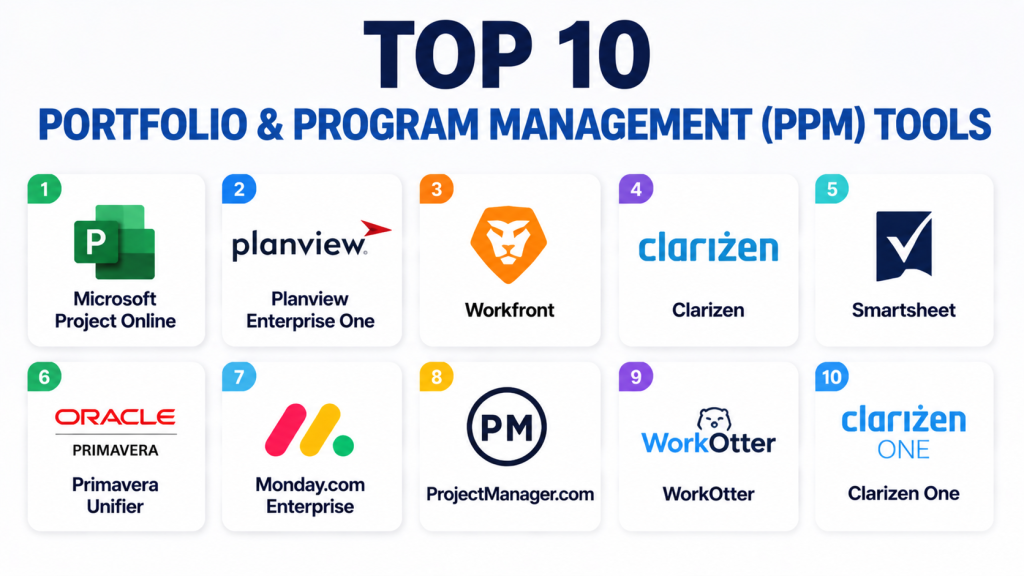
Top 10 Portfolio & Program Management Tools
1 — Microsoft Project Online
Short description: Microsoft Project Online is an enterprise-grade PPM platform offering portfolio planning, resource management, and strategic alignment for large organizations.
Key Features
- Portfolio visibility dashboards
- Resource allocation and leveling
- Financial and budget tracking
- Critical path scheduling
- Risk and issue management
- Integration with Microsoft 365
- Reporting and analytics
Pros
- Strong enterprise governance
- Deep integration with Microsoft ecosystem
- Scalable for large PMOs
Cons
- Complex setup for small teams
- Premium plans required for full feature set
- Steep learning curve for advanced users
Platforms / Deployment
- Web, Windows
- Cloud / On-prem
Security & Compliance
- SSO/SAML, MFA, encryption, RBAC
- SOC 2, GDPR
Integrations & Ecosystem
Integrates seamlessly with enterprise productivity and collaboration tools.
- Microsoft Teams
- SharePoint
- Power BI
- ERP platforms
- APIs
Support & Community
Extensive documentation, tutorials, and Microsoft enterprise support network.
2 — Planview Enterprise One
Short description: Planview Enterprise One provides comprehensive portfolio and resource management, enabling organizations to prioritize initiatives and optimize investment.
Key Features
- Portfolio and program dashboards
- Resource capacity and allocation
- Financial tracking and ROI reporting
- Scenario planning and predictive analytics
- Workflow automation
- Risk and dependency management
- Reporting and executive visibility
Pros
- Industry-leading portfolio management
- AI-powered insights for resource optimization
- Strong scenario planning tools
Cons
- High implementation cost
- Complex configuration for SMEs
- Premium support required for full enterprise coverage
Platforms / Deployment
- Web
- Cloud / Hybrid
Security & Compliance
- SSO, MFA, encryption
- GDPR, Not publicly stated for SOC 2
Integrations & Ecosystem
Supports enterprise applications for cross-functional portfolio management.
- ERP and finance systems
- CRM integrations
- Collaboration tools
- APIs
Support & Community
Comprehensive enterprise support and partner network.
3 — Workfront (Adobe Workfront)
Short description: Workfront delivers enterprise PPM with portfolio management, resource allocation, and reporting, integrated with marketing and IT operations.
Key Features
- Portfolio prioritization
- Workflow automation
- Resource capacity planning
- Reporting and analytics dashboards
- Collaboration tools
- Project and program tracking
- Financial management
Pros
- Enterprise-grade PPM
- Good marketing and IT integration
- Strong reporting and dashboards
Cons
- Complex onboarding
- Pricing is premium
- May require dedicated administrators
Platforms / Deployment
- Web, iOS, Android
- Cloud
Security & Compliance
- SSO, encryption
- GDPR, ISO 27001
Integrations & Ecosystem
Integrates with enterprise productivity and marketing platforms.
- Adobe Creative Cloud
- Microsoft Teams
- Salesforce
- ERP systems
- APIs
Support & Community
Enterprise onboarding, consulting, and support resources.
4 — Clarizen
Short description: Clarizen is a flexible PPM platform with project, portfolio, and resource management designed for mid-market to enterprise organizations.
Key Features
- Portfolio visibility dashboards
- Resource and workload management
- Project planning and scheduling
- Financial management and budgeting
- Workflow automation
- Collaboration tools
- Risk management
Pros
- Flexible for mid-market and enterprise
- Strong workflow and automation capabilities
- Centralized reporting
Cons
- Pricing can be high for smaller teams
- Customization complexity
- Learning curve for advanced features
Platforms / Deployment
- Web, iOS, Android
- Cloud
Security & Compliance
- SSO, encryption, RBAC
- SOC 2, GDPR
Integrations & Ecosystem
Integrates with productivity, ERP, and CRM platforms.
- Salesforce
- Slack
- Microsoft 365
- API connectors
Support & Community
Strong enterprise support, training, and knowledge base.
5 — Smartsheet
Short description: Smartsheet combines spreadsheet-like project management with portfolio oversight, resource planning, and reporting dashboards.
Key Features
- Gantt and Kanban views
- Resource allocation and workload management
- Automated workflows
- Financial tracking
- Portfolio dashboards
- Collaboration and file sharing
- Reporting and analytics
Pros
- Familiar spreadsheet interface
- Flexible and customizable
- Good mid-market adoption
Cons
- Less suited for complex enterprise PPM
- Advanced automation setup can be time-consuming
- Premium plans increase cost
Platforms / Deployment
- Web, iOS, Android
- Cloud
Security & Compliance
- SSO, MFA, encryption
- SOC 2, GDPR
Integrations & Ecosystem
Supports integrations with productivity and ERP systems.
- Microsoft 365
- Google Workspace
- Salesforce
- APIs and Zapier
Support & Community
Strong tutorials, documentation, and SMB-focused support.
6 — Oracle Primavera Unifier
Short description: Primavera Unifier provides PPM and capital project management with strong portfolio and program visibility for engineering and construction projects.
Key Features
- Capital project planning
- Portfolio management dashboards
- Workflow automation
- Budget and financial tracking
- Resource management
- Reporting and analytics
- Risk management
Pros
- Strong for large engineering projects
- Enterprise-grade reporting
- Workflow automation
Cons
- Complex deployment
- High implementation cost
- Requires trained project managers
Platforms / Deployment
- Web
- Cloud / Hybrid
Security & Compliance
- SSO, encryption
- ISO 27001, GDPR
Integrations & Ecosystem
Supports enterprise engineering and financial systems.
- ERP and finance tools
- CRM integrations
- APIs
Support & Community
Enterprise onboarding, consulting, and technical support.
7 — Monday.com (Enterprise)
Short description: Monday.com Enterprise offers portfolio management, reporting dashboards, and cross-functional program oversight alongside Agile and Waterfall project support.
Key Features
- Portfolio dashboards
- Program visibility and reporting
- Workflow automation
- Resource allocation
- Timeline and Gantt views
- Integration with productivity apps
- Collaboration tools
Pros
- Highly visual and intuitive
- Strong mid-market adoption
- Automation flexibility
Cons
- Premium pricing for enterprise features
- Reporting requires setup
- Not fully suited for capital projects
Platforms / Deployment
- Web, iOS, Android
- Cloud
Security & Compliance
- SSO, encryption
- SOC 2, GDPR
Integrations & Ecosystem
Integrates with enterprise productivity and collaboration platforms.
- Slack
- Microsoft Teams
- Google Workspace
- APIs
Support & Community
Onboarding support, tutorials, and active enterprise community.
8 — ProjectManager.com
Short description: ProjectManager.com provides portfolio and program oversight, resource management, and reporting for project-driven organizations.
Key Features
- Portfolio dashboards
- Resource allocation
- Gantt and task tracking
- Reporting and analytics
- Workflow automation
- Collaboration tools
- Budget tracking
Pros
- Easy-to-use interface
- Good reporting capabilities
- Mid-market focused
Cons
- Limited enterprise integrations
- Less suitable for highly complex projects
- Customization may require support
Platforms / Deployment
- Web, Windows, macOS, iOS, Android
- Cloud
Security & Compliance
- SSO, encryption
- SOC 2, GDPR
Integrations & Ecosystem
Supports productivity and CRM integrations.
- Microsoft 365
- Slack
- Google Workspace
- APIs
Support & Community
Knowledge base, tutorials, and enterprise support tiers.
9 — WorkOtter
Short description: WorkOtter is a cloud-based PPM platform offering portfolio management, resource planning, and reporting for SMBs and mid-market enterprises.
Key Features
- Portfolio dashboards
- Resource management and scheduling
- Program visibility and reporting
- Gantt charts and timeline views
- Collaboration tools
- Budget tracking
- Workflow automation
Pros
- Cloud-native and scalable
- Affordable for SMBs
- Intuitive dashboards
Cons
- Fewer enterprise integrations
- Limited advanced AI features
- Reporting depth varies
Platforms / Deployment
- Web, iOS, Android
- Cloud
Security & Compliance
- SSO, encryption
- SOC 2, GDPR
Integrations & Ecosystem
Integrates with productivity tools and ERP.
- Microsoft 365
- Slack
- Google Workspace
- APIs
Support & Community
Strong onboarding, tutorials, and SMB support.
10 — Clarizen One
Short description: Clarizen One delivers PPM capabilities with portfolio tracking, resource allocation, and executive reporting for mid-market and enterprise organizations.
Key Features
- Portfolio visibility
- Resource and workload management
- Financial and budget tracking
- Workflow automation
- Reporting dashboards
- Collaboration tools
- Risk management
Pros
- Enterprise-ready
- Flexible for mid-market and larger teams
- Strong reporting capabilities
Cons
- Premium pricing
- Learning curve for new users
- Complex configuration for advanced workflows
Platforms / Deployment
- Web, iOS, Android
- Cloud
Security & Compliance
- SSO, encryption
- SOC 2, GDPR
Integrations & Ecosystem
Integrates with ERP, CRM, and productivity platforms.
- Salesforce
- Microsoft Teams
- Slack
- APIs
Support & Community
Documentation, onboarding, and enterprise-level support.
Comparison Table
| Tool Name | Best For | Platforms Supported | Deployment | Standout Feature | Public Rating |
|---|---|---|---|---|---|
| Microsoft Project Online | Enterprise PMO | Web, Windows | Cloud / On-prem | Resource forecasting | N/A |
| Planview Enterprise One | Strategic portfolio mgmt | Web | Cloud / Hybrid | Scenario planning | N/A |
| Workfront | Enterprise projects | Web, iOS, Android | Cloud | Portfolio dashboards | N/A |
| Clarizen | Mid-market & enterprise | Web, iOS, Android | Cloud | Workflow automation | N/A |
| Smartsheet | Mid-market teams | Web, iOS, Android | Cloud | Spreadsheet-style portfolios | N/A |
| Primavera Unifier | Engineering & construction | Web | Cloud / Hybrid | Capital project management | N/A |
| Monday.com Enterprise | Cross-functional PM | Web, iOS, Android | Cloud | Visual dashboards | N/A |
| ProjectManager.com | SMB and mid-market | Web, Windows, macOS, iOS, Android | Cloud | Portfolio visibility | N/A |
| WorkOtter | SMB & mid-market | Web, iOS, Android | Cloud | Cloud-native PPM | N/A |
| Clarizen One | Mid-market & enterprise | Web, iOS, Android | Cloud | Resource allocation & reporting | N/A |
Evaluation & Scoring of PPM Tools
| Tool Name | Core | Ease | Integrations | Security | Performance | Support | Value | Weighted Total |
|---|---|---|---|---|---|---|---|---|
| Microsoft Project | 10 | 7 | 9 | 9 | 9 | 8 | 7 | 8.65 |
| Planview Enterprise One | 9 | 7 | 8 | 8 | 9 | 8 | 6 | 8.00 |
| Workfront | 9 | 6 | 8 | 8 | 8 | 8 | 6 | 7.85 |
| Clarizen | 8 | 7 | 8 | 8 | 8 | 7 | 7 | 7.75 |
| Smartsheet | 8 | 8 | 8 | 8 | 8 | 8 | 7 | 8.05 |
| Primavera Unifier | 10 | 5 | 8 | 8 | 9 | 8 | 6 | 7.95 |
| Monday.com Enterprise | 9 | 8 | 8 | 8 | 8 | 8 | 7 | 8.10 |
| ProjectManager.com | 8 | 8 | 7 | 7 | 7 | 7 | 8 | 7.65 |
| WorkOtter | 8 | 8 | 7 | 7 | 7 | 7 | 8 | 7.70 |
| Clarizen One | 9 | 7 | 8 | 8 | 8 | 8 | 7 | 8.00 |
Scores are comparative and show relative strengths for portfolio management, usability, integration, and governance.
Which PPM Tool Is Right for You?
Solo / Freelancer
Limited use cases; consider ProjectManager.com or Smartsheet for lightweight portfolio oversight.
SMB
Smartsheet, WorkOtter, and Monday.com Enterprise balance cost, usability, and cross-project visibility.
Mid-Market
Clarizen, Clarizen One, and ProjectManager.com provide strong resource and portfolio management features.
Enterprise
Microsoft Project Online, Planview Enterprise One, Workfront, and Primavera Unifier deliver full enterprise governance, reporting, and capital project support.
Budget vs Premium
Budget-conscious teams: Smartsheet, WorkOtter
Premium, enterprise buyers: Microsoft Project, Workfront, Planview, Clarizen One
Feature Depth vs Ease of Use
Microsoft Project and Primavera Unifier provide deep functionality; Smartsheet and ProjectManager.com offer simplicity and faster onboarding.
Integrations & Scalability
Enterprise portfolios: Microsoft Project, Workfront, Planview
Mid-market scalability: Clarizen, Monday.com Enterprise, WorkOtter
Security & Compliance Needs
Large enterprises with compliance requirements should prioritize Microsoft Project, Workfront, and Primavera Unifier.
Frequently Asked Questions (FAQs)
1. What are PPM tools?
PPM tools manage multiple projects and programs collectively, providing portfolio visibility, resource optimization, and alignment with strategic objectives.
2. Who benefits most from PPM software?
Enterprise PMOs, program managers, IT leaders, and executives managing multiple projects and programs benefit most.
3. Can PPM tools integrate with ERP and CRM systems?
Yes, most enterprise PPM tools integrate with ERP, CRM, and productivity platforms to consolidate project and financial data.
4. Are PPM tools suitable for small teams?
Lightweight platforms like Smartsheet and ProjectManager.com can be used by SMBs; full enterprise PPM may be overkill for small teams.
5. How do PPM tools support compliance?
Enterprise tools provide audit logs, role-based access, and reporting features to support compliance with GDPR, SOC 2, ISO 27001, and other standards.
6. Do PPM tools support resource optimization?
Yes, advanced PPM platforms provide AI-assisted resource allocation, workload balancing, and forecasting across portfolios.
7. What is the typical deployment model for PPM platforms?
Most modern tools are cloud-based SaaS; some also support hybrid or on-prem deployments for enterprise requirements.
8. How difficult is onboarding for PPM tools?
Onboarding complexity depends on the number of projects, users, and integrations. Enterprise tools typically require formal training.
9. Can PPM tools support Agile and Waterfall methodologies?
Many platforms now support hybrid methods, enabling project managers to track Agile sprints and Waterfall phases simultaneously.
10. What should buyers evaluate before selecting a PPM tool?
Evaluate portfolio visibility, resource planning, budgeting, security, integrations, usability, reporting, and total cost of ownership.
Conclusion
Portfolio & Program Management tools remain essential for enterprises and mid-market organizations that need structured oversight of multiple projects and programs. Modern platforms combine portfolio visibility, resource optimization, financial tracking, workflow automation, and executive dashboards to streamline project delivery. Enterprise buyers may favor Microsoft Project Online, Planview Enterprise One, Workfront, or Primavera Unifier for deep governance and capital project support, while SMBs may benefit from Smartsheet, WorkOtter, or Monday.com Enterprise for ease of use and cost efficiency. Selecting the right tool depends on project complexity, organizational size, integration needs, and compliance requirements. Organizations should shortlist 2–3 platforms, conduct a pilot portfolio review, and validate workflows, reporting, and automation capabilities before scaling enterprise-wide.

Find Trusted Cardiac Hospitals
Compare heart hospitals by city and services — all in one place.
Explore Hospitals
I now understand how PPM tools help organizations manage multiple projects together and align them with business goals more effectively. I’d like to explore more about how companies use them for better decision-making in large portfolios.