Introduction
Configuration Management Databases CMDB Tools are platforms designed to store, organize, and manage information about IT assets and their relationships within an organization’s infrastructure. A CMDB acts as a centralized source of truth for configuration items such as servers, applications, cloud services, databases, endpoints, and network devices. As hybrid cloud infrastructure, SaaS applications, and distributed IT environments continue expanding, organizations require better visibility into dependencies and operational relationships. Modern CMDB platforms now integrate AI-driven discovery, automation workflows, dependency mapping, real-time monitoring, and ITSM integrations to improve service reliability and operational governance.
Real-world use cases include:
- Mapping infrastructure dependencies across enterprise systems
- Improving incident and change management workflows
- Supporting IT compliance and audit readiness
- Managing cloud and hybrid infrastructure visibility
- Reducing downtime through dependency intelligence
Evaluation Criteria for Buyers
- Configuration item discovery accuracy
- Dependency mapping capabilities
- ITSM and ITAM integration support
- Cloud and hybrid infrastructure visibility
- Automation and workflow features
- Reporting and analytics depth
- Scalability for enterprise environments
- Security and compliance controls
- Ease of deployment and administration
- Real-time synchronization and monitoring
Best for: Enterprise IT teams, IT operations managers, DevOps teams, cloud infrastructure teams, MSPs, and organizations managing complex IT environments.
Not ideal for: Small businesses with minimal infrastructure or teams that do not require dependency visibility and advanced IT governance.
Key Trends in Configuration Management Databases CMDB Tools
- AI-powered asset discovery is improving CMDB accuracy
- Real-time dependency mapping is becoming essential
- CMDB integration with AIOps platforms is increasing
- Cloud-native CMDB solutions are replacing legacy systems
- Automation-first workflows are reducing manual updates
- SaaS and multi-cloud visibility are becoming core requirements
- Unified ITSM + CMDB ecosystems are expanding rapidly
- Security and compliance monitoring integration is growing
- Infrastructure observability and CMDB convergence is increasing
- Predictive impact analysis is improving change management
How We Selected These Tools (Methodology)
- Market adoption in enterprise IT environments
- Depth of discovery and dependency mapping features
- Integration ecosystem maturity
- Real-time synchronization capabilities
- Cloud and hybrid infrastructure support
- Automation and workflow intelligence
- Reporting and governance functionality
- Ease of deployment and administration
- Security and compliance readiness
- Vendor reliability and support ecosystem
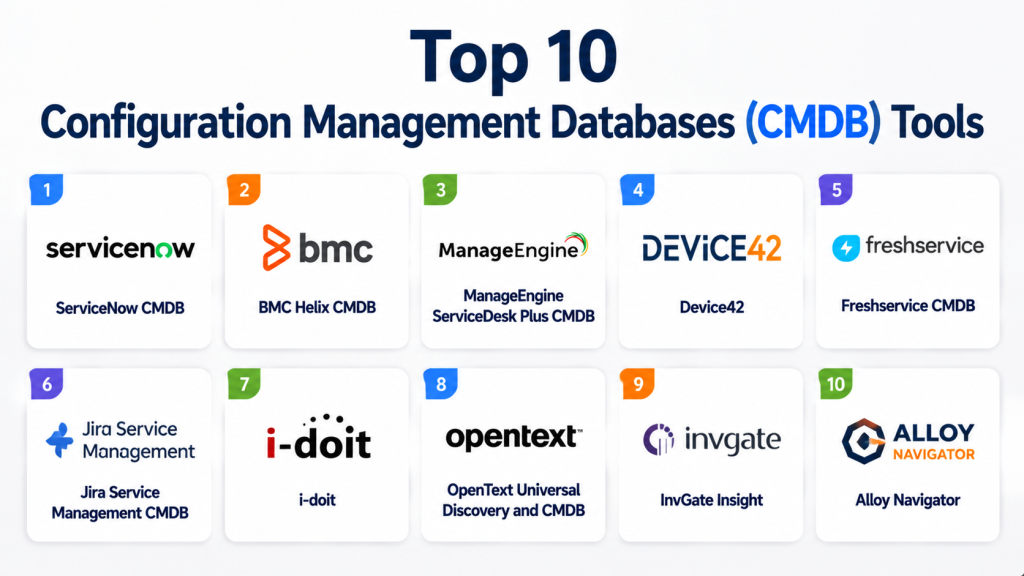
Top 10 Configuration Management Databases CMDB Tools
1 — ServiceNow CMDB
Short description: Enterprise-grade CMDB platform designed to provide deep visibility into IT assets, services, and infrastructure relationships.
Key Features
- Automated discovery engine
- Dependency mapping
- Service topology visualization
- Cloud resource tracking
- Change impact analysis
- CMDB health dashboards
- ITSM integration
Pros
- Extremely powerful enterprise capabilities
- Deep integration with ServiceNow ecosystem
- Strong automation and governance
Cons
- Complex implementation
- Premium enterprise pricing
Platforms / Deployment
Cloud / Hybrid
Security & Compliance
SSO/SAML, MFA, encryption, audit logs, RBAC
Integrations & Ecosystem
Strong enterprise ecosystem with extensive integrations.
- ServiceNow ITSM
- AWS
- Azure
- VMware
Support & Community
Enterprise-level global support and partner ecosystem.
2 — BMC Helix CMDB
Short description: Enterprise CMDB solution focused on service mapping, dependency visualization, and infrastructure governance.
Key Features
- Automated asset discovery
- Service dependency mapping
- Cloud infrastructure visibility
- Change impact analysis
- AI-powered insights
- Configuration tracking
- IT operations integration
Pros
- Strong enterprise discovery engine
- Excellent dependency mapping
- Advanced automation features
Cons
- Complex onboarding
- Enterprise-focused pricing
Platforms / Deployment
Cloud / Hybrid
Security & Compliance
SSO/SAML, MFA, encryption, RBAC
Integrations & Ecosystem
Supports enterprise IT ecosystems.
- AWS
- Azure
- ServiceNow
- VMware
Support & Community
Strong enterprise support and consulting network.
3 — ManageEngine ServiceDesk Plus CMDB
Short description: Integrated CMDB and ITSM platform designed for asset visibility and service management workflows.
Key Features
- Configuration item tracking
- Relationship mapping
- Asset lifecycle management
- Incident integration
- Change management workflows
- Discovery tools
- Reporting dashboards
Pros
- Cost-effective enterprise option
- Strong ITSM integration
- Flexible deployment options
Cons
- UI less modern
- Advanced analytics limitations
Platforms / Deployment
Cloud / On-premise
Security & Compliance
SSO/SAML, MFA, encryption
Integrations & Ecosystem
Supports enterprise IT operations tools.
- Active Directory
- Jira
- Microsoft 365
- APIs
Support & Community
Strong enterprise IT support resources.
4 — Device42
Short description: Hybrid IT discovery and CMDB platform focused on infrastructure dependency mapping and asset intelligence.
Key Features
- Automated discovery
- Dependency visualization
- Cloud and hybrid visibility
- IP address management
- Asset inventory
- Application mapping
- Reporting dashboards
Pros
- Strong infrastructure visibility
- Excellent discovery accuracy
- Good hybrid cloud support
Cons
- Learning curve for new users
- Enterprise pricing model
Platforms / Deployment
Cloud / Self-hosted
Security & Compliance
SSO, MFA, encryption
Integrations & Ecosystem
Supports infrastructure and DevOps ecosystems.
- VMware
- ServiceNow
- Kubernetes
- APIs
Support & Community
Strong enterprise onboarding and documentation.
5 — Freshservice CMDB
Short description: User-friendly CMDB integrated into Freshservice ITSM for infrastructure and asset relationship management.
Key Features
- Configuration item tracking
- Relationship mapping
- Asset discovery
- Incident integration
- Workflow automation
- Reporting dashboards
- Cloud visibility
Pros
- Easy to use interface
- Fast deployment
- Strong ITSM integration
Cons
- Limited advanced enterprise depth
- Customization limitations
Platforms / Deployment
Cloud
Security & Compliance
SSO, MFA, encryption
Integrations & Ecosystem
Supports SMB and mid-market IT workflows.
- Microsoft 365
- Jira
- Slack
- Freshdesk
Support & Community
Strong onboarding and customer support experience.
6 — Jira Service Management CMDB
Short description: CMDB capabilities integrated with Jira Service Management for DevOps and IT operations teams.
Key Features
- Asset and dependency tracking
- Configuration item management
- Change impact analysis
- Workflow automation
- DevOps integrations
- Incident linkage
- Reporting dashboards
Pros
- Strong DevOps alignment
- Flexible workflows
- Good Atlassian ecosystem integration
Cons
- Requires configuration expertise
- Less suitable for non-technical teams
Platforms / Deployment
Cloud / Self-hosted
Security & Compliance
SSO, MFA, encryption, audit logs
Integrations & Ecosystem
Deep Atlassian ecosystem integration.
- Jira Software
- Confluence
- Bitbucket
- Slack
Support & Community
Strong developer and IT community support.
7 — i-doit
Short description: Open-source CMDB and IT documentation platform designed for infrastructure and configuration management.
Key Features
- Configuration item management
- Relationship mapping
- IT documentation
- Asset tracking
- Reporting tools
- Workflow support
- API integration
Pros
- Open-source flexibility
- Strong documentation capabilities
- Cost-effective solution
Cons
- Requires self-hosting expertise
- Limited enterprise automation
Platforms / Deployment
Self-hosted
Security & Compliance
Role-based access, encryption
Integrations & Ecosystem
Supports API-based integrations.
- LDAP
- Monitoring systems
- APIs
- ITSM platforms
Support & Community
Strong open-source community ecosystem.
8 — OpenText Universal Discovery and CMDB
Short description: Enterprise CMDB platform focused on automated discovery, dependency mapping, and IT governance.
Key Features
- Automated infrastructure discovery
- Dependency mapping
- Hybrid cloud visibility
- Configuration tracking
- Service topology analysis
- Change impact insights
- Reporting dashboards
Pros
- Strong enterprise scalability
- Excellent hybrid environment support
- Detailed topology mapping
Cons
- Complex implementation
- Premium enterprise cost
Platforms / Deployment
Cloud / Hybrid
Security & Compliance
SSO/SAML, MFA, encryption
Integrations & Ecosystem
Supports enterprise infrastructure ecosystems.
- AWS
- Azure
- VMware
- ServiceNow
Support & Community
Enterprise-grade support and consulting.
9 — InvGate Insight
Short description: IT asset and CMDB platform focused on infrastructure visibility and operational governance.
Key Features
- Asset discovery
- Configuration item tracking
- Relationship mapping
- Software inventory
- Reporting dashboards
- Workflow automation
- Compliance tracking
Pros
- Easy to use
- Good asset visibility
- Fast deployment
Cons
- Smaller ecosystem
- Limited advanced enterprise features
Platforms / Deployment
Cloud / On-premise
Security & Compliance
SSO, MFA, encryption
Integrations & Ecosystem
Supports IT operations integrations.
- Jira
- Microsoft 365
- Active Directory
- APIs
Support & Community
Good SMB and mid-market support.
10 — Alloy Navigator
Short description: ITSM and CMDB platform designed for service management, asset tracking, and infrastructure governance.
Key Features
- Configuration item tracking
- Dependency management
- Asset inventory
- Workflow automation
- Incident management integration
- Reporting tools
- Service mapping
Pros
- Integrated ITSM + CMDB
- Flexible workflow support
- Good SMB fit
Cons
- Smaller enterprise presence
- UI less modern
Platforms / Deployment
Cloud / On-premise
Security & Compliance
SSO, MFA, encryption
Integrations & Ecosystem
Supports IT service integrations.
- Active Directory
- Microsoft 365
- APIs
- Monitoring tools
Support & Community
Good documentation and onboarding resources.
Comparison Table
| Tool Name | Best For | Platforms Supported | Deployment | Standout Feature | Public Rating |
|---|---|---|---|---|---|
| ServiceNow CMDB | Enterprise IT | Web | Cloud/Hybrid | Service topology mapping | N/A |
| BMC Helix CMDB | Enterprise governance | Web | Cloud/Hybrid | AI-driven dependency mapping | N/A |
| ManageEngine CMDB | SMB and enterprise | Web | Cloud/On-premise | Integrated ITSM workflows | N/A |
| Device42 | Hybrid visibility | Web | Cloud/Self-hosted | Infrastructure discovery | N/A |
| Freshservice CMDB | SMB IT teams | Web | Cloud | Ease of use | N/A |
| Jira Service Management | DevOps teams | Web | Cloud/Self-hosted | Atlassian ecosystem | N/A |
| i-doit | Open-source users | Web | Self-hosted | Flexible IT documentation | N/A |
| OpenText CMDB | Enterprise infrastructure | Web | Cloud/Hybrid | Hybrid cloud mapping | N/A |
| InvGate Insight | Mid-market IT | Web | Cloud/On-premise | Fast deployment | N/A |
| Alloy Navigator | SMB service desks | Web | Cloud/On-premise | Integrated ITSM | N/A |
Evaluation & Scoring of Configuration Management Databases CMDB Tools
| Tool Name | Core (25%) | Ease (15%) | Integrations (15%) | Security (10%) | Performance (10%) | Support (10%) | Value (15%) | Weighted Total |
|---|---|---|---|---|---|---|---|---|
| ServiceNow CMDB | 10 | 7.5 | 9 | 9.5 | 9.5 | 9 | 7.5 | 8.9 |
| BMC Helix CMDB | 9.5 | 7.5 | 9 | 9 | 9 | 8.5 | 7.5 | 8.6 |
| ManageEngine CMDB | 8.5 | 8.5 | 8 | 8.5 | 8.5 | 8.5 | 9 | 8.5 |
| Device42 | 9 | 8 | 8.5 | 8.5 | 9 | 8.5 | 8 | 8.5 |
| Freshservice CMDB | 8 | 9 | 8 | 8 | 8 | 8.5 | 9 | 8.3 |
| Jira SM CMDB | 8.5 | 8 | 9 | 8.5 | 8.5 | 8.5 | 8 | 8.4 |
| i-doit | 7.5 | 8 | 7.5 | 8 | 8 | 8 | 10 | 8.1 |
| OpenText CMDB | 9 | 7.5 | 8.5 | 9 | 9 | 8.5 | 7.5 | 8.4 |
| InvGate Insight | 8 | 8.5 | 8 | 8 | 8 | 8 | 8.5 | 8.1 |
| Alloy Navigator | 7.5 | 8 | 7.5 | 8 | 8 | 8 | 8.5 | 7.9 |
These scores are comparative and designed to help organizations evaluate CMDB platforms based on discovery capabilities, scalability, integration strength, and operational governance. Higher scores generally indicate stronger enterprise readiness and automation depth.
Which Configuration Management Databases CMDB Tool Is Right for You?
Solo / Freelancer
i-doit is a strong option for smaller environments due to its open-source flexibility and low cost.
SMB
Freshservice CMDB and ManageEngine CMDB provide strong balance between simplicity and functionality.
Mid-Market
Device42 and Jira Service Management CMDB offer advanced infrastructure visibility with scalable integrations.
Enterprise
ServiceNow CMDB and BMC Helix CMDB dominate enterprise infrastructure governance and dependency mapping.
Budget vs Premium
i-doit and ManageEngine are more budget-friendly, while ServiceNow and BMC Helix are premium enterprise solutions.
Feature Depth vs Ease of Use
ServiceNow provides the deepest enterprise capabilities, while Freshservice focuses more on usability.
Integrations & Scalability
ServiceNow, Jira, and OpenText offer the strongest integration ecosystems.
Security & Compliance Needs
ServiceNow and BMC Helix are best suited for organizations with strict governance and compliance requirements.
Frequently Asked Questions
1. What is a CMDB?
A CMDB is a centralized database that stores information about IT assets and their relationships.
It helps organizations understand infrastructure dependencies and service relationships.
CMDB platforms improve operational visibility and governance.
They are widely used in enterprise IT operations.
2. Why is a CMDB important?
A CMDB helps organizations reduce downtime and improve change management processes.
It provides visibility into how systems and applications are connected.
This improves troubleshooting and operational decision-making.
It also supports compliance and audit readiness.
3. What is a configuration item in a CMDB?
A configuration item is any IT component tracked inside the CMDB.
Examples include servers, applications, databases, and cloud resources.
Each item includes details about dependencies and relationships.
This helps organizations manage infrastructure effectively.
4. Who uses CMDB tools?
CMDB tools are commonly used by IT operations teams, DevOps engineers, and infrastructure managers.
Large enterprises and MSPs also rely heavily on CMDB systems.
They are useful for organizations managing complex environments.
Cloud operations teams also benefit from CMDB visibility.
5. Are CMDB tools cloud-based?
Most modern CMDB platforms are cloud-based or hybrid solutions.
Some vendors also provide self-hosted deployment options.
Cloud-based CMDB tools improve scalability and accessibility.
They are preferred for modern distributed infrastructure.
6. Can CMDB tools integrate with ITSM platforms?
Yes, CMDB platforms commonly integrate with ITSM and monitoring systems.
This improves workflow automation and incident management.
Integration helps create a unified IT operations environment.
APIs are widely used for custom integrations.
7. Do CMDB tools support automation?
Yes, automation is a major capability in modern CMDB platforms.
They automate discovery, relationship mapping, and synchronization.
This reduces manual maintenance and improves data accuracy.
AI-driven automation is becoming increasingly common.
8. Are CMDB tools expensive?
Pricing depends on deployment size and enterprise requirements.
SMB-focused platforms are generally more affordable.
Enterprise solutions can become expensive due to advanced capabilities.
Most vendors offer subscription-based pricing models.
9. What industries use CMDB tools?
CMDB tools are used in IT services, banking, healthcare, telecom, and government sectors.
Any organization with large infrastructure environments can benefit.
They are especially important in regulated industries.
Cloud-native companies also use them extensively.
10. What is the biggest benefit of a CMDB?
The biggest benefit is centralized visibility into IT infrastructure and dependencies.
CMDB tools improve operational governance and service reliability.
They also help reduce downtime and improve change management.
This leads to better IT efficiency and control.
Conclusion
Configuration Management Databases CMDB Tools have become essential for organizations managing modern hybrid and cloud-driven infrastructure environments. Platforms like ServiceNow CMDB, BMC Helix CMDB, and Device42 provide enterprise-grade dependency mapping and infrastructure intelligence, while Freshservice and ManageEngine offer more accessible solutions for SMB and mid-market organizations. The best CMDB platform depends on infrastructure complexity, governance requirements, integration needs, and operational scale. Organizations should shortlist a few tools, test discovery accuracy, validate dependency mapping, and review integration workflows before making a long-term investment decision.

Find Trusted Cardiac Hospitals
Compare heart hospitals by city and services — all in one place.
Explore Hospitals
I now understand how CMDB tools help organizations maintain a single source of truth for all IT assets and their relationships. I’d like to explore more about how accurate CMDB data improves incident and change management in real enterprises.