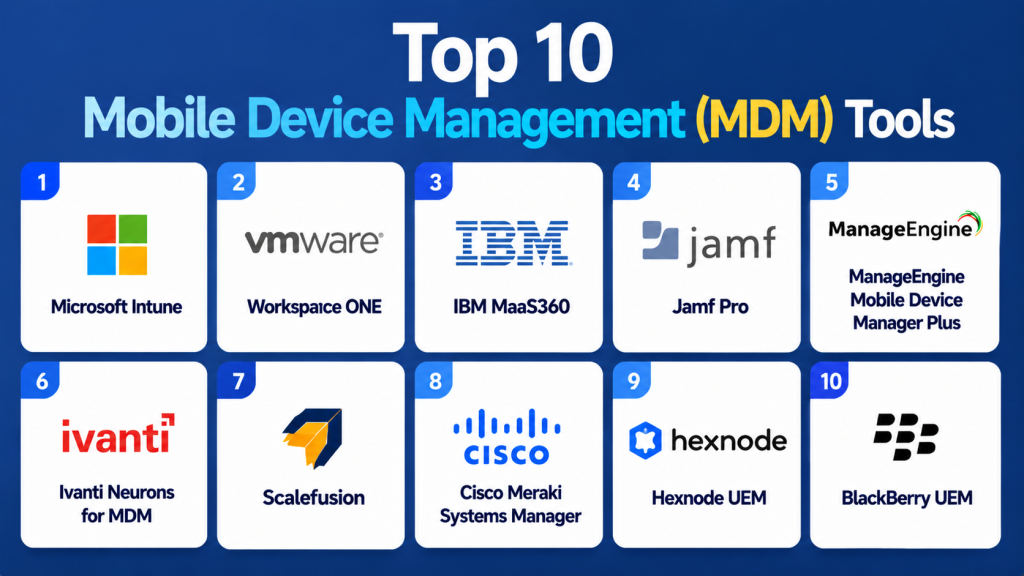
Introduction
Mobile Device Management MDM Tools are platforms designed to manage, secure, monitor, and control mobile devices such as smartphones, tablets, laptops, and other connected endpoints used within an organization. These tools help IT teams enforce security policies, deploy applications, manage device configurations, monitor compliance, and remotely troubleshoot devices from a centralized platform. With remote work, BYOD Bring Your Own Device policies, mobile-first business applications, and growing cybersecurity threats, MDM platforms have become critical for enterprise IT operations. Modern MDM solutions now integrate Unified Endpoint Management UEM capabilities, AI-driven automation, zero trust security models, remote troubleshooting, and advanced compliance management.
Real-world use cases include:
- Managing employee smartphones and tablets remotely
- Enforcing security policies across mobile devices
- Deploying business applications to remote employees
- Monitoring device compliance and security posture
- Supporting remote and hybrid workforce operations
Evaluation Criteria for Buyers
- Mobile device management capabilities
- Cross-platform support for iOS and Android
- Security and compliance features
- Application management functionality
- Remote troubleshooting and automation
- Cloud and hybrid deployment support
- Reporting and analytics quality
- Integration with identity and security platforms
- Ease of deployment and administration
- Scalability for enterprise environments
Best for: Enterprise IT teams, MSPs, educational institutions, healthcare organizations, retail businesses, and companies managing remote or hybrid workforces.
Not ideal for: Very small businesses with limited mobile infrastructure or organizations without centralized mobile governance needs.
Key Trends in Mobile Device Management MDM Tools
- AI-driven mobile management automation is increasing
- Unified Endpoint Management is replacing standalone MDM solutions
- Zero trust mobile security integration is becoming standard
- Cloud-native MDM platforms are dominating the market
- Real-time compliance monitoring is improving endpoint governance
- Remote troubleshooting and support capabilities are expanding
- Apple and Android enterprise integrations are becoming deeper
- Mobile threat defense integration is increasing rapidly
- BYOD policy management is becoming more advanced
- Identity-driven device access control is improving security posture
How We Selected These Tools (Methodology)
- Market adoption across enterprise and SMB environments
- Device management and automation capabilities
- Cross-platform mobile support
- Security and compliance readiness
- Integration ecosystem maturity
- Ease of deployment and administration
- Cloud-native and hybrid deployment flexibility
- Reporting and analytics capabilities
- Scalability for distributed workforces
- Vendor reliability and customer support maturity
Top 10 Mobile Device Management MDM Tools
1 — Microsoft Intune
Short description: Cloud-native mobile and endpoint management platform designed for managing enterprise devices across Microsoft ecosystems.
Key Features
- Mobile device management
- Application deployment
- Conditional access policies
- Device compliance monitoring
- Endpoint security integration
- Cloud-native administration
- Cross-platform device support
Pros
- Deep Microsoft ecosystem integration
- Strong enterprise scalability
- Excellent cloud-based management
Cons
- Best experience within Microsoft environments
- Advanced configuration complexity
Platforms / Deployment
Cloud
Security & Compliance
SSO/SAML, MFA, encryption, RBAC, audit logs
Integrations & Ecosystem
Strong integration with Microsoft enterprise tools.
- Azure Active Directory
- Microsoft Defender
- Microsoft 365
- Teams
Support & Community
Enterprise-grade documentation and support ecosystem.
2 — VMware Workspace ONE
Short description: Unified endpoint and mobile device management platform focused on secure digital workspace management.
Key Features
- Mobile device management
- Application lifecycle management
- Identity and access management
- Compliance enforcement
- Endpoint analytics
- Remote troubleshooting
- Automation workflows
Pros
- Strong security features
- Broad device support
- Unified workspace management
Cons
- Higher enterprise pricing
- Complex onboarding
Platforms / Deployment
Cloud / Hybrid
Security & Compliance
SSO/SAML, MFA, encryption, RBAC
Integrations & Ecosystem
Supports enterprise digital workspace ecosystems.
- VMware Horizon
- Okta
- Microsoft 365
- APIs
Support & Community
Strong enterprise support and consulting ecosystem.
3 — IBM MaaS360
Short description: AI-powered MDM platform focused on mobile security, compliance governance, and endpoint intelligence.
Key Features
- Mobile device management
- AI-driven insights
- Mobile threat management
- Device compliance monitoring
- Application management
- Security dashboards
- Remote device control
Pros
- Strong mobile security capabilities
- Good AI-driven analytics
- Enterprise compliance support
Cons
- UI can feel complex
- Premium enterprise pricing
Platforms / Deployment
Cloud
Security & Compliance
SSO/SAML, MFA, encryption, RBAC
Integrations & Ecosystem
Supports enterprise security ecosystems.
- IBM Security
- Azure AD
- Microsoft 365
- APIs
Support & Community
Enterprise onboarding and technical support ecosystem.
4 — Jamf Pro
Short description: Apple-focused MDM platform designed for managing macOS, iOS, and enterprise Apple device ecosystems.
Key Features
- Apple device management
- Zero-touch deployment
- Application deployment
- Compliance policies
- Device analytics
- Security enforcement
- Remote management
Pros
- Best-in-class Apple support
- Strong automation capabilities
- Excellent user experience
Cons
- Limited non-Apple support
- Enterprise pricing structure
Platforms / Deployment
Cloud / Hybrid
Security & Compliance
SSO/SAML, MFA, encryption
Integrations & Ecosystem
Deep Apple ecosystem integration.
- Apple Business Manager
- Microsoft Intune
- Okta
- APIs
Support & Community
Strong Apple enterprise support community.
5 — ManageEngine Mobile Device Manager Plus
Short description: Enterprise MDM platform focused on device management, security, and application deployment for SMBs and enterprises.
Key Features
- Mobile device management
- Application deployment
- Remote troubleshooting
- Device compliance tracking
- Kiosk mode management
- Reporting dashboards
- Security policy enforcement
Pros
- Affordable enterprise solution
- Flexible deployment options
- Strong management features
Cons
- UI less modern
- Advanced analytics limitations
Platforms / Deployment
Cloud / On-premise
Security & Compliance
SSO/SAML, MFA, encryption
Integrations & Ecosystem
Supports enterprise IT ecosystems.
- Active Directory
- Microsoft 365
- ServiceDesk Plus
- APIs
Support & Community
Strong IT-focused support ecosystem.
6 — Ivanti Neurons for MDM
Short description: AI-powered mobile and endpoint management platform focused on automation, compliance, and endpoint intelligence.
Key Features
- AI-driven device management
- Mobile compliance tracking
- Patch management
- Endpoint analytics
- Vulnerability management
- Remote support
- Application governance
Pros
- Strong automation capabilities
- Unified IT operations approach
- Good security integration
Cons
- Enterprise-focused pricing
- Learning curve for administrators
Platforms / Deployment
Cloud / Hybrid
Security & Compliance
SSO/SAML, MFA, encryption, audit logs
Integrations & Ecosystem
Supports enterprise IT ecosystems.
- ServiceNow
- Microsoft Endpoint Manager
- VMware
- APIs
Support & Community
Enterprise support and consulting ecosystem.
7 — Scalefusion
Short description: Simple and scalable MDM platform focused on remote workforce management and mobile device security.
Key Features
- Mobile device management
- Kiosk mode support
- Remote troubleshooting
- Security policies
- Application management
- Reporting dashboards
- Multi-platform support
Pros
- Easy deployment
- Good SMB pricing
- Strong remote workforce support
Cons
- Limited advanced enterprise customization
- Smaller ecosystem compared to larger vendors
Platforms / Deployment
Cloud
Security & Compliance
SSO, MFA, encryption
Integrations & Ecosystem
Supports endpoint and productivity ecosystems.
- Microsoft 365
- Google Workspace
- Identity providers
- APIs
Support & Community
Good SMB and mid-market support experience.
8 — Cisco Meraki Systems Manager
Short description: Cloud-based MDM platform integrated with Cisco networking and enterprise infrastructure environments.
Key Features
- Mobile device management
- Network-aware policies
- Application deployment
- Device compliance monitoring
- Security enforcement
- Remote troubleshooting
- Cloud-based administration
Pros
- Strong Cisco ecosystem integration
- Easy cloud deployment
- Good networking visibility
Cons
- Best suited for Cisco environments
- Limited advanced mobile analytics
Platforms / Deployment
Cloud
Security & Compliance
SSO/SAML, MFA, encryption
Integrations & Ecosystem
Strong Cisco ecosystem support.
- Cisco Secure
- Cisco networking tools
- Active Directory
- APIs
Support & Community
Enterprise networking support ecosystem.
9 — Hexnode UEM
Short description: Unified endpoint and mobile management platform focused on simplicity, security, and multi-platform device support.
Key Features
- Mobile device management
- Application management
- Device compliance monitoring
- Kiosk mode support
- Remote troubleshooting
- Reporting dashboards
- Endpoint automation
Pros
- Easy to use interface
- Strong multi-platform support
- Flexible pricing structure
Cons
- Limited advanced enterprise depth
- Smaller ecosystem compared to larger competitors
Platforms / Deployment
Cloud / Hybrid
Security & Compliance
SSO, MFA, encryption
Integrations & Ecosystem
Supports enterprise mobility ecosystems.
- Active Directory
- Google Workspace
- Microsoft 365
- APIs
Support & Community
Strong SMB and mid-market support resources.
10 — BlackBerry UEM
Short description: Security-focused mobile and endpoint management platform designed for regulated industries and enterprise mobility.
Key Features
- Mobile security management
- Compliance monitoring
- Secure communication tools
- Device governance
- Application control
- Threat protection
- Reporting dashboards
Pros
- Strong enterprise security posture
- Excellent compliance capabilities
- Good fit for regulated industries
Cons
- Smaller ecosystem
- Interface less modern
Platforms / Deployment
Cloud / Hybrid
Security & Compliance
SSO/SAML, MFA, encryption, audit logs
Integrations & Ecosystem
Supports enterprise security ecosystems.
- Microsoft 365
- Azure AD
- BlackBerry security tools
- APIs
Support & Community
Enterprise-grade support and security expertise.
Comparison Table
| Tool Name | Best For | Platforms Supported | Deployment | Standout Feature | Public Rating |
|---|---|---|---|---|---|
| Microsoft Intune | Microsoft enterprises | iOS/Android/macOS/Windows | Cloud | Microsoft ecosystem integration | N/A |
| VMware Workspace ONE | Enterprise UEM | Multi-platform | Cloud/Hybrid | Unified workspace management | N/A |
| IBM MaaS360 | Secure enterprise mobility | Multi-platform | Cloud | AI-powered insights | N/A |
| Jamf Pro | Apple environments | macOS/iOS | Cloud/Hybrid | Apple device automation | N/A |
| ManageEngine MDM | SMB and enterprise IT | Multi-platform | Cloud/On-premise | Affordable device management | N/A |
| Ivanti Neurons | AI-powered MDM | Multi-platform | Cloud/Hybrid | Endpoint automation | N/A |
| Scalefusion | Remote workforce | Multi-platform | Cloud | Ease of deployment | N/A |
| Cisco Meraki Systems Manager | Cisco environments | Multi-platform | Cloud | Network-aware policies | N/A |
| Hexnode UEM | SMB mobility management | Multi-platform | Cloud/Hybrid | Flexible pricing | N/A |
| BlackBerry UEM | Regulated industries | Multi-platform | Cloud/Hybrid | Security-first management | N/A |
Evaluation & Scoring of Mobile Device Management MDM Tools
| Tool Name | Core (25%) | Ease (15%) | Integrations (15%) | Security (10%) | Performance (10%) | Support (10%) | Value (15%) | Weighted Total |
|---|---|---|---|---|---|---|---|---|
| Microsoft Intune | 10 | 8.5 | 9.5 | 9.5 | 9 | 9 | 8.5 | 9.1 |
| VMware Workspace ONE | 9.5 | 7.5 | 9 | 9.5 | 9 | 8.5 | 7.5 | 8.7 |
| IBM MaaS360 | 8.5 | 7.5 | 8 | 9 | 8.5 | 8 | 8 | 8.2 |
| Jamf Pro | 9 | 8.5 | 8 | 8.5 | 9 | 8.5 | 7.5 | 8.4 |
| ManageEngine MDM | 8.5 | 8.5 | 8 | 8.5 | 8.5 | 8.5 | 9 | 8.5 |
| Ivanti Neurons | 9 | 7.5 | 8.5 | 9 | 9 | 8.5 | 8 | 8.5 |
| Scalefusion | 8 | 9 | 7.5 | 8 | 8 | 8 | 9 | 8.3 |
| Cisco Meraki Systems Manager | 8 | 8.5 | 8 | 8.5 | 8.5 | 8 | 8 | 8.2 |
| Hexnode UEM | 8 | 8.5 | 7.5 | 8 | 8 | 8 | 8.5 | 8.1 |
| BlackBerry UEM | 8.5 | 7 | 8 | 9.5 | 8.5 | 8 | 7.5 | 8.1 |
These scores are comparative and designed to help organizations evaluate MDM platforms based on security, scalability, automation, and operational efficiency. Higher scores generally indicate stronger enterprise readiness and ecosystem maturity.
Which Mobile Device Management MDM Tool Is Right for You?
Solo / Freelancer
Scalefusion and Hexnode UEM are simple and affordable options for small mobile environments.
SMB
ManageEngine Mobile Device Manager Plus and Scalefusion provide strong features with cost-effective pricing.
Mid-Market
Ivanti Neurons and VMware Workspace ONE offer balanced automation and scalability.
Enterprise
Microsoft Intune and Workspace ONE dominate enterprise mobility management environments.
Budget vs Premium
Hexnode and ManageEngine are budget-friendly, while Intune and Workspace ONE are premium enterprise platforms.
Feature Depth vs Ease of Use
Intune offers deep enterprise integration, while Scalefusion focuses on simplicity and fast deployment.
Integrations & Scalability
Microsoft Intune, Workspace ONE, and Ivanti provide the strongest integration ecosystems.
Security & Compliance Needs
BlackBerry UEM and IBM MaaS360 are strong choices for regulated industries and security-focused organizations.
Frequently Asked Questions
1. What is a Mobile Device Management MDM tool?
MDM tools help organizations manage and secure mobile devices remotely.
They provide centralized visibility and policy enforcement for smartphones and tablets.
These tools also automate application deployment and compliance monitoring.
They are widely used in enterprise mobility management.
2. Why are MDM tools important?
MDM tools improve security, compliance, and operational control over mobile devices.
They help organizations manage remote and hybrid workforces efficiently.
IT teams can remotely troubleshoot and secure devices when needed.
This reduces operational risks and improves governance.
3. What devices can MDM platforms manage?
Most MDM platforms support smartphones, tablets, laptops, and rugged devices.
They commonly manage iOS, Android, Windows, and macOS devices.
Some tools also support kiosk and IoT devices.
This enables centralized management across multiple platforms.
4. What is the difference between MDM and UEM?
MDM mainly focuses on managing mobile devices such as phones and tablets.
UEM expands management to desktops, laptops, and other endpoints.
Modern MDM platforms increasingly include UEM features.
This provides broader device management capabilities.
5. Are MDM tools cloud-based?
Most modern MDM solutions are cloud-based or hybrid platforms.
Cloud deployment improves scalability and remote accessibility.
Some vendors also offer on-premise deployment options.
Cloud-native MDM is now becoming the industry standard.
6. Can MDM tools improve mobile security?
Yes, MDM tools enforce security policies and monitor compliance across devices.
They help prevent unauthorized access and automate security enforcement.
Some platforms also integrate with mobile threat defense systems.
This improves overall mobile security posture.
7. Do MDM platforms support automation?
Yes, automation is a major capability in modern MDM platforms.
They automate software deployment, updates, and device configuration.
AI-driven automation is also becoming increasingly common.
This reduces manual administrative effort significantly.
8. Are MDM tools expensive?
Pricing depends on deployment size and required features.
SMB-focused platforms are generally more affordable.
Enterprise-grade solutions can become expensive due to advanced capabilities.
Most vendors offer subscription-based pricing models.
9. What industries use MDM tools?
MDM tools are widely used in healthcare, finance, education, retail, and enterprise IT environments.
Remote workforce organizations rely heavily on mobile management.
They are especially important in regulated industries.
Mobile-first businesses also use them extensively.
10. What is the biggest benefit of MDM tools?
The biggest benefit is centralized control and security for mobile devices.
These tools improve compliance, automation, and operational efficiency.
They also reduce risks associated with distributed mobile workforces.
This leads to stronger governance and endpoint security.
Conclusion
Mobile Device Management MDM Tools are essential for organizations managing modern remote and mobile-first workforces. Platforms like Microsoft Intune, VMware Workspace ONE, and IBM MaaS360 provide enterprise-grade security, automation, and scalability, while ManageEngine, Hexnode, and Scalefusion offer simpler and more affordable solutions for SMBs and mid-market organizations. The best MDM platform depends on device diversity, compliance requirements, security priorities, and integration needs. Organizations should shortlist a few solutions, validate device policy workflows, test remote management features, and review security integrations before committing to a long-term deployment strategy.

Find Trusted Cardiac Hospitals
Compare heart hospitals by city and services — all in one place.
Explore Hospitals
I now understand how mobile device management (MDM) tools help organizations secure and control smartphones and other devices while ensuring data protection and policy compliance. I’d like to explore more about how MDM is evolving into unified endpoint management in modern IT systems.