Introduction
Source Code Management SCM Tools help software teams manage, track, secure, and collaborate on source code throughout the software development lifecycle. These platforms enable developers to maintain version history, collaborate across distributed teams, manage branching and merging workflows, automate code reviews, and integrate development pipelines into modern DevOps ecosystems. As organizations increasingly adopt cloud-native development, AI-assisted coding, GitOps workflows, DevSecOps automation, and globally distributed engineering teams, SCM platforms have evolved far beyond simple version control systems. Modern SCM tools now include integrated CI/CD pipelines, AI-powered code suggestions, security scanning, policy enforcement, collaboration workspaces, and cloud-native repository management.
Common Real-world use cases include:
- Managing distributed software development teams
- Tracking source code changes and releases
- Enabling CI/CD and DevOps automation
- Supporting secure code reviews and governance
- Managing enterprise-scale repositories and GitOps workflows
When Evaluating SCM Tools, buyers should assess:
- Version control and branching capabilities
- Collaboration and pull request workflows
- CI/CD and DevOps integrations
- Security and governance controls
- Scalability for large repositories
- Cloud-native and GitOps support
- AI-assisted developer productivity features
- Performance and repository reliability
- Ecosystem maturity and integrations
- Ease of onboarding and administration
Best for
Developers, DevOps engineers, platform engineering teams, enterprise IT organizations, SaaS companies, cloud-native application teams, and organizations managing distributed software delivery workflows.
Not ideal for
Very small projects with minimal collaboration requirements or organizations relying entirely on local file-based development workflows without structured release management.
Key Trends in Source Code Management SCM Tools
- AI-assisted coding and repository management
- GitOps-first development workflows
- Integrated DevSecOps automation
- Cloud-native repository hosting
- Automated policy enforcement and compliance
- Increased adoption of monorepo architectures
- Real-time collaborative development workflows
- Infrastructure as Code repository management
- Kubernetes-native development integrations
- Enhanced software supply chain security controls
How We Selected These Tools (Methodology)
The tools in this list were selected using practical software engineering and DevOps evaluation criteria focused on scalability, ecosystem maturity, collaboration capabilities, and enterprise adoption.
Our Evaluation methodology included:
- Market adoption and developer ecosystem mindshare
- Version control and collaboration feature completeness
- Reliability and repository performance
- Security posture and governance workflows
- DevOps and CI/CD integration maturity
- Cloud-native and GitOps compatibility
- Enterprise scalability and repository management
- AI-assisted developer productivity features
- Customer fit across SMB, mid-market, and enterprise environments
- Community support and ecosystem longevity
The final list balances enterprise-grade SCM platforms, developer-first ecosystems, open-source Git hosting platforms, and cloud-native repository management solutions.
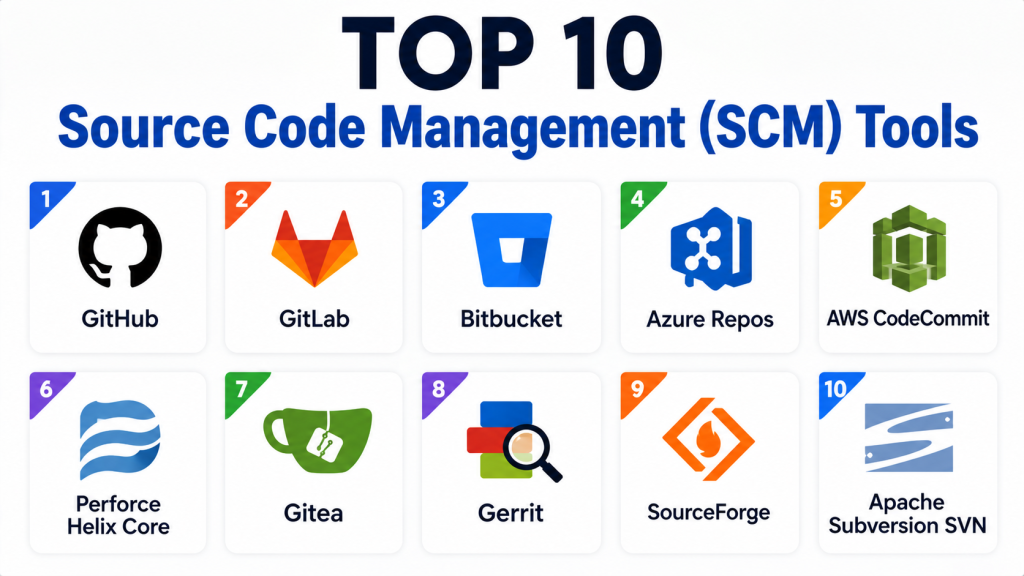
Top 10 Source Code Management SCM Tools
1 — GitHub
Short description:
GitHub is the most widely adopted SCM and collaborative software development platform used by developers, enterprises, and open-source communities worldwide.
Key Features
- Git-based version control
- Pull request workflows
- GitHub Actions CI/CD
- AI-assisted Copilot integration
- Code scanning and security automation
- Repository collaboration
- Enterprise governance controls
Pros
- Massive developer ecosystem
- Excellent collaboration workflows
- Strong DevOps integrations
Cons
- Advanced enterprise governance may require premium tiers
- Large organizations may require repository management planning
- GitHub-centric workflows preferred
Platforms / Deployment
Web / Windows / macOS / Linux / Cloud / Hybrid
Security & Compliance
Supports SSO/SAML, MFA, encrypted secrets, audit logs, RBAC, and enterprise governance workflows.
Integrations & Ecosystem
GitHub integrates deeply into modern DevOps and cloud-native ecosystems.
- Kubernetes
- Docker
- Terraform
- Jenkins
- GitHub Actions
Support & Community
Massive global developer community with extensive documentation and enterprise support options.
2 — GitLab
Short description:
GitLab is a unified DevOps and SCM platform combining source control, CI/CD, security automation, and deployment orchestration in a single environment.
Key Features
- Git repository hosting
- Integrated CI/CD pipelines
- DevSecOps workflows
- Merge request automation
- Kubernetes integrations
- Security scanning
- GitOps compatibility
Pros
- Strong integrated DevOps platform
- Excellent security automation
- Good enterprise governance support
Cons
- Complex onboarding for beginners
- Resource-intensive deployments
- Enterprise pricing may increase at scale
Platforms / Deployment
Cloud / Self-hosted / Hybrid
Security & Compliance
Supports RBAC, audit logging, SSO/SAML, encrypted secrets, compliance workflows, and security scanning automation.
Integrations & Ecosystem
GitLab integrates into enterprise cloud-native ecosystems.
- Kubernetes
- Terraform
- Docker
- AWS
- Azure
Support & Community
Strong enterprise support organization and active open-source ecosystem.
3 — Bitbucket
Short description:
Bitbucket is Atlassian’s Git-based SCM platform designed for Agile software teams operating inside Jira-centric DevOps environments.
Key Features
- Git repository hosting
- Jira integration
- Pull request workflows
- Branch permissions
- Pipeline automation
- Deployment integrations
- Team collaboration support
Pros
- Excellent Atlassian ecosystem integration
- Good enterprise governance controls
- Strong Agile project alignment
Cons
- Best optimized for Atlassian-centric environments
- Smaller developer ecosystem than GitHub
- Cloud-native features less extensive than some competitors
Platforms / Deployment
Cloud / Self-hosted / Hybrid
Security & Compliance
Supports RBAC, audit logging, SSO/SAML compatibility, encrypted workflows, and enterprise governance features.
Integrations & Ecosystem
Bitbucket integrates deeply into Agile development ecosystems.
- Jira
- Confluence
- Bamboo
- Kubernetes
- AWS
Support & Community
Strong Atlassian support ecosystem with enterprise onboarding resources.
4 — Azure Repos
Short description:
Azure Repos is Microsoft’s enterprise Git repository management platform designed for large-scale DevOps and cloud-native software delivery workflows.
Key Features
- Git repository management
- Branch policies
- Pull request workflows
- Enterprise governance controls
- Azure DevOps integration
- Scalability for enterprise repositories
- CI/CD compatibility
Pros
- Strong Microsoft ecosystem support
- Excellent enterprise scalability
- Unified DevOps management workflows
Cons
- Best optimized for Microsoft environments
- UI complexity for smaller teams
- Advanced workflows may require Azure ecosystem familiarity
Platforms / Deployment
Cloud / Self-hosted / Hybrid
Security & Compliance
Supports RBAC, encrypted secrets, SSO/SAML, audit logging, and enterprise compliance workflows.
Integrations & Ecosystem
Azure Repos integrates deeply into enterprise DevOps ecosystems.
- Azure DevOps
- Kubernetes
- Terraform
- Docker
- GitHub
Support & Community
Strong enterprise documentation and Microsoft support ecosystem.
5 — AWS CodeCommit
Short description:
AWS CodeCommit is a fully managed Git-based SCM service designed for organizations operating cloud-native applications inside AWS ecosystems.
Key Features
- Managed Git repositories
- IAM-based security controls
- AWS-native integrations
- Scalable repository hosting
- Encryption at rest and transit
- CI/CD integrations
- Multi-region reliability
Pros
- Strong AWS ecosystem integration
- Fully managed infrastructure
- Good scalability and reliability
Cons
- AWS-centric workflows preferred
- Smaller ecosystem than GitHub
- Limited social collaboration features
Platforms / Deployment
Cloud
Security & Compliance
Supports encryption, IAM-based access control, audit logging, and enterprise-grade cloud security workflows.
Integrations & Ecosystem
AWS CodeCommit integrates into AWS-native DevOps ecosystems.
- AWS CodePipeline
- AWS Lambda
- Kubernetes
- Terraform
- Docker
Support & Community
Enterprise cloud support ecosystem with AWS documentation and onboarding resources.
6 — Perforce Helix Core
Short description:
Perforce Helix Core is an enterprise-grade SCM platform designed for large-scale repositories, game development, semiconductor engineering, and high-performance version control workloads.
Key Features
- High-performance version control
- Large binary file management
- Enterprise branching workflows
- Global replication support
- Security and governance controls
- Scalable repository architecture
- Enterprise collaboration workflows
Pros
- Excellent performance for large repositories
- Strong enterprise scalability
- Ideal for large binary assets
Cons
- Complex onboarding workflows
- Enterprise-focused pricing
- Requires operational expertise
Platforms / Deployment
Windows / macOS / Linux / Cloud / Self-hosted / Hybrid
Security & Compliance
Supports RBAC, audit logging, encrypted workflows, and enterprise authentication integrations.
Integrations & Ecosystem
Perforce integrates into enterprise engineering ecosystems.
- Unreal Engine
- Jenkins
- Kubernetes
- Jira
- CI/CD pipelines
Support & Community
Strong enterprise support organization with large-scale engineering expertise.
7 — Gitea
Short description:
Gitea is a lightweight open-source Git hosting platform designed for self-hosted SCM workflows and developer-focused repository management.
Key Features
- Lightweight Git hosting
- Self-hosted deployment
- Pull request workflows
- Repository management
- CI/CD integrations
- Team collaboration support
- Open-source extensibility
Pros
- Lightweight operational footprint
- Open-source flexibility
- Easy self-hosting workflows
Cons
- Smaller enterprise ecosystem
- Limited advanced governance features
- Enterprise scalability still evolving
Platforms / Deployment
Windows / macOS / Linux / Self-hosted
Security & Compliance
Supports secure authentication workflows and encrypted communication.
Integrations & Ecosystem
Gitea integrates into lightweight DevOps ecosystems.
- Docker
- Jenkins
- Kubernetes
- GitHub Actions
- CI/CD tools
Support & Community
Growing open-source ecosystem with active community support.
8 — Gerrit
Short description:
Gerrit is a code review and SCM collaboration platform designed for enterprise development teams requiring advanced review workflows and governance controls.
Key Features
- Git-based code review workflows
- Fine-grained access controls
- Patch set management
- Enterprise collaboration support
- Workflow customization
- Branch governance
- Scalable repository management
Pros
- Excellent code review workflows
- Strong governance controls
- Good enterprise customization support
Cons
- Steep learning curve
- Less user-friendly than GitHub
- Smaller community ecosystem
Platforms / Deployment
Linux / Self-hosted / Hybrid
Security & Compliance
Supports RBAC, audit logging, enterprise authentication, and governance workflows.
Integrations & Ecosystem
Gerrit integrates into enterprise development ecosystems.
- Jenkins
- Kubernetes
- CI/CD systems
- Git repositories
- Automation platforms
Support & Community
Enterprise-oriented ecosystem with strong technical documentation.
9 — SourceForge
Short description:
SourceForge is an open-source software hosting and SCM platform designed for open-source project distribution and collaborative development workflows.
Key Features
- Open-source repository hosting
- Project collaboration tools
- Git and SVN support
- Download distribution workflows
- Community project management
- Source code versioning
- Repository hosting
Pros
- Strong open-source project visibility
- Multi-version control support
- Lightweight onboarding workflows
Cons
- Smaller modern DevOps ecosystem
- Limited enterprise governance features
- Less cloud-native focus
Platforms / Deployment
Web / Cloud
Security & Compliance
Supports encrypted communication and secure repository workflows.
Integrations & Ecosystem
SourceForge integrates into open-source development ecosystems.
- Git
- SVN
- Bug tracking systems
- CI/CD tools
Support & Community
Long-standing open-source community with developer-focused documentation.
10 — Apache Subversion SVN
Short description:
Apache Subversion SVN is a centralized version control system widely used in legacy enterprise environments and regulated development workflows.
Key Features
- Centralized version control
- Repository history tracking
- Branching and tagging
- Access control management
- File locking workflows
- Enterprise repository support
- Auditability workflows
Pros
- Reliable centralized control
- Strong legacy enterprise adoption
- Good auditability support
Cons
- Less flexible than Git-based systems
- Smaller modern DevOps ecosystem
- Limited cloud-native workflows
Platforms / Deployment
Windows / macOS / Linux / Self-hosted
Security & Compliance
Supports access controls, audit workflows, and enterprise authentication integrations.
Integrations & Ecosystem
SVN integrates into legacy enterprise development environments.
- Jenkins
- Bugzilla
- CI/CD systems
- Enterprise repositories
Support & Community
Long-standing enterprise ecosystem with mature documentation resources.
Comparison Table
| Tool Name | Best For | Platform(s) Supported | Deployment | Standout Feature | Public Rating |
|---|---|---|---|---|---|
| GitHub | Collaborative development | Web, Windows, Linux, macOS | Hybrid | Massive developer ecosystem | N/A |
| GitLab | Unified DevOps workflows | Web | Hybrid | Integrated DevSecOps | N/A |
| Bitbucket | Jira-centric Agile teams | Web | Hybrid | Atlassian ecosystem integration | N/A |
| Azure Repos | Enterprise Microsoft environments | Web | Hybrid | Enterprise governance | N/A |
| AWS CodeCommit | AWS-native development | Web | Cloud | AWS integrations | N/A |
| Perforce Helix Core | Large enterprise repositories | Windows, Linux, macOS | Hybrid | Large binary file support | N/A |
| Gitea | Lightweight self-hosting | Windows, Linux, macOS | Self-hosted | Open-source simplicity | N/A |
| Gerrit | Advanced code reviews | Linux | Hybrid | Fine-grained review workflows | N/A |
| SourceForge | Open-source distribution | Web | Cloud | Community hosting | N/A |
| Apache Subversion SVN | Legacy enterprise workflows | Windows, Linux, macOS | Self-hosted | Centralized version control | N/A |
Evaluation & Scoring of Source Code Management SCM Tools
| Tool Name | Core 25% | Ease 15% | Integrations 15% | Security 10% | Performance 10% | Support 10% | Value 15% | Weighted Total |
|---|---|---|---|---|---|---|---|---|
| GitHub | 10 | 10 | 10 | 9 | 9 | 10 | 9 | 9.6 |
| GitLab | 10 | 8 | 9 | 9 | 9 | 9 | 8 | 8.9 |
| Bitbucket | 8 | 8 | 8 | 8 | 8 | 8 | 8 | 8.0 |
| Azure Repos | 9 | 7 | 9 | 9 | 9 | 8 | 7 | 8.4 |
| AWS CodeCommit | 8 | 7 | 8 | 9 | 9 | 8 | 8 | 8.1 |
| Perforce Helix Core | 10 | 6 | 8 | 9 | 10 | 8 | 6 | 8.3 |
| Gitea | 7 | 9 | 7 | 7 | 8 | 7 | 10 | 8.0 |
| Gerrit | 8 | 6 | 7 | 8 | 8 | 7 | 8 | 7.5 |
| SourceForge | 6 | 8 | 6 | 7 | 7 | 7 | 9 | 7.2 |
| Apache Subversion SVN | 7 | 7 | 6 | 8 | 8 | 7 | 8 | 7.3 |
These scores are comparative evaluations rather than absolute rankings. Enterprise organizations typically prioritize governance, scalability, cloud-native integrations, and security workflows, while SMBs and developers may focus more heavily on usability, onboarding simplicity, and operational flexibility. Open-source platforms provide strong long-term customization value, while enterprise platforms justify higher pricing through governance, scalability, and advanced collaboration workflows. Buyers should align scoring priorities with development scale, compliance requirements, and DevOps maturity.
Which Source Code Management SCM Tool Is Right for You?
Solo / Freelancer
Independent developers often benefit most from GitHub and Gitea because of lightweight onboarding, collaboration simplicity, and flexible repository management.
SMB
SMBs typically prefer GitHub, GitLab, and Bitbucket due to strong integrations, DevOps compatibility, and manageable operational complexity.
Mid-Market
Mid-sized organizations requiring stronger governance and cloud-native integrations should evaluate GitLab and Azure Repos.
Enterprise
Large enterprises generally prioritize GitHub Enterprise, GitLab, Azure Repos, and Perforce Helix Core because of scalability, governance, and large-scale repository management capabilities.
Budget vs Premium
Open-source platforms such as Gitea and GitLab Community Edition provide excellent operational flexibility, while enterprise platforms justify higher pricing through governance, compliance automation, and scalability.
Feature Depth vs Ease of Use
GitHub prioritizes developer usability and onboarding simplicity, while GitLab and Perforce provide deeper governance and enterprise workflow capabilities.
Integrations & Scalability
Organizations operating Kubernetes, GitOps, or large-scale CI/CD pipelines should prioritize GitHub, GitLab, Azure Repos, and AWS CodeCommit.
Security & Compliance Needs
Highly regulated industries should prioritize audit logging, RBAC compatibility, encrypted workflows, enterprise authentication, and policy enforcement controls.
Frequently Asked Questions FAQs
1. What are Source Code Management SCM Tools?
Source Code Management SCM Tools help software teams manage, track, and collaborate on source code changes throughout the development lifecycle. These platforms maintain version history, support branching workflows, and improve collaboration between distributed engineering teams. Modern SCM tools also integrate deeply into DevOps and CI/CD ecosystems.
2. Why are SCM platforms important in modern software development?
SCM platforms improve collaboration, reduce deployment risks, and provide reliable version control for software teams. They are essential for Agile development, GitOps workflows, cloud-native engineering, and DevOps automation. Without SCM systems, managing large-scale collaborative software projects becomes difficult and error-prone.
3. Which SCM Tool is best for enterprises?
GitHub Enterprise, GitLab, Azure Repos, and Perforce Helix Core are among the most widely adopted enterprise-grade SCM platforms. Enterprises often prioritize scalability, governance, security controls, and DevSecOps integrations. The best option depends on infrastructure complexity and compliance requirements.
4. What is the difference between Git and SVN?
Git is a distributed version control system where every developer has a local repository copy, while SVN uses a centralized repository model. Git provides better flexibility, branching workflows, and cloud-native compatibility. SVN is still used in some legacy enterprise environments requiring centralized governance.
5. Can SCM platforms integrate with CI/CD pipelines?
Yes. Most modern SCM tools integrate directly with Jenkins, GitHub Actions, GitLab CI/CD, Azure DevOps, Kubernetes, Terraform, and other DevOps automation platforms. These integrations help automate testing, deployment, and release workflows across cloud-native environments.
6. What security features should organizations prioritize?
Organizations should prioritize RBAC, MFA, audit logging, encrypted secrets management, SSO/SAML compatibility, and policy enforcement workflows. Supply chain security and repository governance are becoming increasingly important in modern DevSecOps environments.
7. Are AI-assisted SCM workflows becoming more common?
Yes. AI-powered code suggestions, automated code reviews, merge conflict resolution, repository analysis, and productivity optimization are becoming standard capabilities in modern SCM ecosystems. AI-assisted development workflows are expected to grow significantly in coming years.
8. Which industries benefit most from SCM Tools?
SaaS, banking, healthcare, gaming, telecom, manufacturing, enterprise software, semiconductor engineering, and cloud-native technology companies benefit heavily from SCM automation. Any organization managing collaborative software development workflows typically relies on SCM platforms.
9. What is GitOps in SCM workflows?
GitOps uses Git repositories as the source of truth for infrastructure configuration, Kubernetes deployments, and cloud-native automation workflows. Changes are managed through Git commits and automated deployment pipelines, improving governance and operational consistency.
10. When should organizations upgrade or replace their SCM platform?
Organizations should evaluate upgrades when repository scale, compliance requirements, collaboration complexity, or DevOps maturity exceed the capabilities of existing tools. Common triggers include cloud-native migration, Kubernetes adoption, security modernization, or large-scale team expansion.
Conclusion
Source Code Management SCM Tools have become essential platforms for modern software engineering, DevOps automation, and cloud-native development workflows. While lightweight and developer-friendly platforms such as GitHub and Gitea provide fast onboarding and collaboration simplicity, enterprise organizations increasingly rely on GitLab, Azure Repos, and Perforce Helix Core for scalable governance, DevSecOps automation, and large-scale repository management. The right platform ultimately depends on team size, infrastructure architecture, compliance requirements, cloud-native maturity, and development workflows. Some organizations prioritize developer productivity and ecosystem simplicity, while others require enterprise-grade governance, AI-assisted automation, and advanced scalability. Before selecting an SCM platform, organizations should shortlist several tools, validate CI/CD integrations, evaluate governance capabilities, test scalability under real workloads, and confirm long-term operational alignment.

Find Trusted Cardiac Hospitals
Compare heart hospitals by city and services — all in one place.
Explore Hospitals
This gave me a better understanding of how SCM tools improve code management and team collaboration. I’d like to explore which tool fits different workflows best.