Introduction
Runbook Automation Tools help IT operations, DevOps, Site Reliability Engineering, and infrastructure teams automate repetitive operational tasks, incident response workflows, remediation processes, and system maintenance activities. These platforms reduce manual intervention by converting operational procedures into automated workflows that can execute consistently across cloud-native, hybrid, and enterprise environments. As organizations increasingly operate distributed infrastructure, Kubernetes environments, cloud-native applications, and 24/7 digital services, operational complexity continues growing rapidly. Modern runbook automation platforms now combine workflow orchestration, AI-powered remediation, incident response automation, observability integrations, compliance governance, and infrastructure automation into centralized operational systems. Businesses use these tools to reduce Mean Time To Resolution (MTTR), improve operational reliability, minimize human error, and support scalable IT operations.
Real-World Use Cases Include:
- Automating incident remediation workflows.
- Managing server restart and recovery operations.
- Automating cloud infrastructure maintenance tasks.
- Coordinating DevOps operational workflows.
- Standardizing compliance and operational procedures.
Key Buyer Evaluation Criteria Include:
- Workflow automation flexibility.
- Integration ecosystem depth.
- AI-powered remediation capabilities.
- Security and governance controls.
- Kubernetes and cloud-native compatibility.
- Scalability for enterprise operations.
- Ease of onboarding and usability.
- Audit logging and compliance reporting.
- Incident response automation depth.
- API and scripting extensibility.
Best for:
DevOps teams, Site Reliability Engineers, IT operations teams, managed service providers, financial services organizations, healthcare IT environments, cloud-native enterprises, and businesses operating mission-critical infrastructure.
Not ideal for:
Small businesses with minimal operational complexity, organizations without dedicated infrastructure teams, or environments where manual operational management is sufficient.
Key Trends in Runbook Automation Tools
- AI-powered remediation and self-healing infrastructure workflows are expanding rapidly.
- Kubernetes-native operational automation is becoming a standard requirement.
- Unified observability integration with logs, metrics, and traces is improving operational intelligence.
- ChatOps-driven automation workflows are gaining adoption across engineering teams.
- Compliance-focused governance and audit automation are becoming critical.
- Infrastructure-as-Code integration is improving workflow consistency.
- Low-code and no-code automation builders are simplifying onboarding.
- Cloud-native automation platforms are replacing legacy operational scripting.
- Multi-cloud orchestration support is becoming increasingly important.
- Predictive operational automation is improving proactive incident response.
How We Selected These Tools (Methodology)
The tools in this list were selected using operational, technical, and market evaluation criteria:
- Enterprise adoption and operational mindshare.
- Workflow automation depth and flexibility.
- Reliability and scalability across environments.
- Integration ecosystem maturity.
- Security and governance capabilities.
- Kubernetes and cloud-native readiness.
- Ease of onboarding and operational usability.
- Vendor support quality and community engagement.
- Support for automation, orchestration, and remediation workflows.
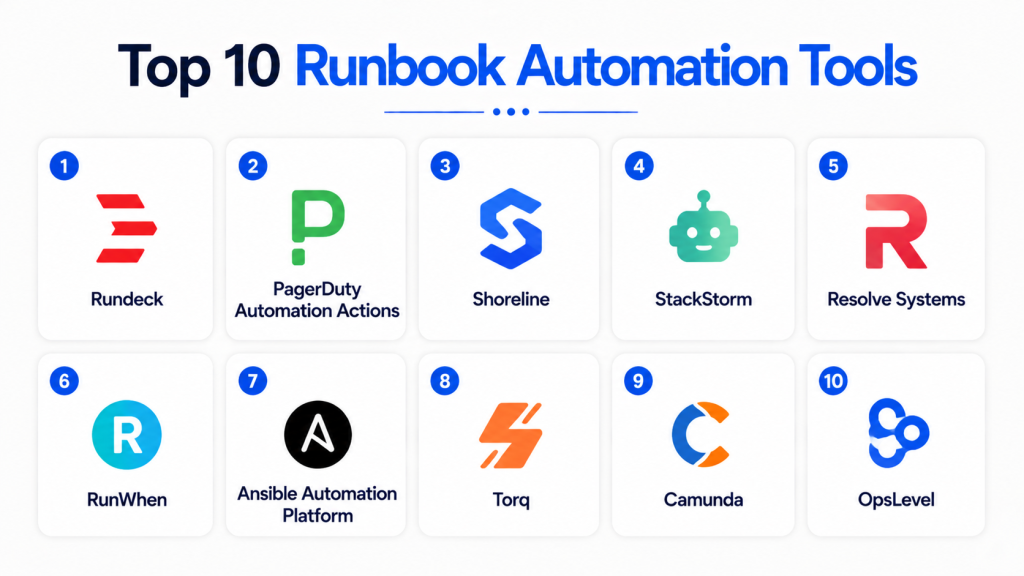
Top 10 Runbook Automation Tools
1- Rundeck
Rundeck is a widely used open-source runbook automation platform designed for IT operations and infrastructure management teams. It helps organizations automate repetitive operational tasks, orchestrate workflows, and manage scheduled jobs across cloud, hybrid, and on-premise environments. The platform is popular for infrastructure automation, incident remediation, and operational governance workflows.
Key Features
- Workflow orchestration
- Job scheduling automation
- Role-based access control
- Multi-node command execution
- API-driven automation
- Audit logging
- Cloud and infrastructure integrations
Pros
- Strong open-source ecosystem
- Flexible automation workflows
- Good self-hosted deployment support
Cons
- Advanced setup requires expertise
- UI feels dated compared to newer platforms
- Enterprise features may require paid editions
2- PagerDuty Automation Actions
PagerDuty Automation Actions is an enterprise automation platform focused on operational remediation and incident response automation. It enables DevOps and SRE teams to automate repetitive operational workflows directly from incidents, alerts, and monitoring systems. The platform integrates deeply with observability ecosystems to reduce manual operational work and improve response speed.
Key Features
- Incident remediation automation
- Event-driven workflows
- Operational orchestration
- AI-powered automation triggers
- ChatOps integrations
- Alert response automation
- Runbook execution management
Pros
- Excellent incident response automation
- Strong observability integrations
- Scalable enterprise workflows
Cons
- Premium pricing structure
- Best suited for PagerDuty ecosystem users
- Complex advanced workflow configuration
3- Shoreline
Shoreline is an AI-powered operational automation platform built for cloud-native infrastructure and Kubernetes environments. It automates operational diagnostics, remediation tasks, and infrastructure recovery workflows to help engineering teams reduce downtime and operational overhead. The platform focuses heavily on autonomous remediation and operational intelligence.
Key Features
- Autonomous remediation workflows
- Kubernetes automation
- AI-powered diagnostics
- Real-time infrastructure automation
- Cloud-native operational workflows
- Incident response automation
- Operational analytics
Pros
- Strong cloud-native capabilities
- Reduces manual troubleshooting
- Good AI-powered automation features
Cons
- Enterprise-focused pricing
- Smaller ecosystem maturity
- Advanced onboarding requirements
4- StackStorm
StackStorm is an event-driven automation and orchestration platform used by DevOps and infrastructure operations teams. It allows organizations to automate operational tasks based on triggers, rules, alerts, and events across distributed environments. The platform is especially popular for ChatOps workflows and infrastructure automation.
Key Features
- Event-driven automation
- Rule-based workflows
- ChatOps integrations
- Workflow chaining
- Infrastructure orchestration
- API extensibility
- Automation packs ecosystem
Pros
- Highly flexible automation
- Strong open-source ecosystem
- Excellent event-driven capabilities
Cons
- Requires operational expertise
- Smaller enterprise ecosystem
- Limited beginner-friendly usability
5- Resolve Systems
Resolve Systems is an enterprise-grade IT automation and orchestration platform focused on incident remediation and operational workflow automation. It helps organizations automate repetitive operational tasks, improve ITSM workflows, and reduce operational complexity across large-scale environments.
Key Features
- IT process automation
- Workflow orchestration
- Incident remediation
- Compliance automation
- Operational analytics
- Service desk integrations
- Infrastructure automation
Pros
- Strong enterprise workflow depth
- Good ITSM integrations
- Comprehensive automation capabilities
Cons
- Complex enterprise deployment
- Premium pricing model
- Advanced onboarding required
6- RunWhen
RunWhen is a modern runbook automation platform designed for Kubernetes operations and cloud-native infrastructure teams. It combines operational intelligence with AI-assisted recommendations to help teams automate diagnostics, remediation, and operational workflows efficiently.
Key Features
- Kubernetes-native automation
- AI-assisted runbooks
- Cloud-native diagnostics
- Infrastructure observability integrations
- Automated remediation
- Workflow orchestration
- Operational knowledge management
Pros
- Excellent Kubernetes support
- Modern operational workflows
- AI-powered operational insights
Cons
- Smaller ecosystem maturity
- Limited legacy infrastructure support
- Enterprise governance still evolving
7- Ansible Automation Platform
Ansible Automation Platform is one of the most widely adopted enterprise automation solutions for infrastructure orchestration, configuration management, and operational automation. It enables organizations to automate deployments, cloud operations, remediation tasks, and Infrastructure-as-Code workflows across hybrid environments.
Key Features
- Configuration management
- Infrastructure orchestration
- Workflow templates
- Multi-cloud automation
- API-driven workflows
- Infrastructure-as-Code support
- Enterprise operational automation
Pros
- Large enterprise ecosystem
- Strong Infrastructure-as-Code capabilities
- Excellent multi-cloud support
Cons
- Learning curve for beginners
- Complex advanced orchestration
- Enterprise licensing costs
8- Torq
Torq is a modern no-code automation platform designed for operational workflows, security automation, and incident response orchestration. It helps DevOps and SecOps teams automate repetitive tasks using visual workflow builders and cloud-native integrations.
Key Features
- No-code workflow builder
- Security automation
- Incident response orchestration
- AI-assisted remediation
- Workflow visualization
- Cloud-native integrations
- Operational automation
Pros
- Easy workflow creation
- Strong modern user experience
- Good security automation capabilities
Cons
- Smaller operational ecosystem
- Limited legacy infrastructure support
- Advanced workflows may require customization
9- Camunda
Camunda is a workflow orchestration and business process automation platform that supports operational workflows, process automation, and distributed system orchestration. It is widely used by enterprises for workflow management and operational governance across modern infrastructure environments.
Key Features
- Workflow orchestration
- Business process automation
- API-driven workflows
- Event-driven automation
- Process analytics
- Low-code workflow modeling
- Enterprise governance support
Pros
- Excellent workflow flexibility
- Strong enterprise scalability
- Powerful orchestration capabilities
Cons
- More process-focused than infrastructure-focused
- Requires BPM expertise
- Complex onboarding for some teams
10- OpsLevel
OpsLevel is a service reliability and operational governance platform that helps engineering teams automate runbooks, manage operational standards, and improve infrastructure visibility. The platform focuses on service ownership, reliability workflows, and operational consistency.
Key Features
- Service catalog automation
- Runbook management
- Reliability workflows
- Incident response coordination
- Operational governance
- API integrations
- Team collaboration features
Pros
- Strong operational visibility
- Good developer experience
- Modern reliability workflows
Cons
- Smaller ecosystem maturity
- Limited deep infrastructure orchestration
- Enterprise feature depth still evolving
Comparison Table
| Tool Name | Best For | Platform(s) Supported | Deployment | Standout Feature | Public Rating |
|---|---|---|---|---|---|
| Rundeck | Infrastructure automation | Linux, Windows, macOS | Cloud/Self-hosted/Hybrid | Open-source orchestration | N/A |
| PagerDuty Automation Actions | Incident remediation | Web, Linux, Windows | Cloud | Event-driven remediation | N/A |
| Shoreline | AI-powered remediation | Linux, Windows, macOS | Cloud/Hybrid | Autonomous operations | N/A |
| StackStorm | Event-driven workflows | Linux, Windows, macOS | Self-hosted | Rule-based automation | N/A |
| Resolve Systems | Enterprise IT automation | Linux, Windows, macOS | Cloud/Hybrid | ITSM integration | N/A |
| RunWhen | Kubernetes automation | Linux, Windows, macOS | Cloud | AI-assisted runbooks | N/A |
| Ansible Automation Platform | Infrastructure orchestration | Linux, Windows, macOS | Cloud/Self-hosted/Hybrid | Infrastructure automation | N/A |
| Torq | No-code automation | Linux, Windows, macOS | Cloud | Security automation | N/A |
| Camunda | Workflow orchestration | Linux, Windows, macOS | Cloud/Self-hosted/Hybrid | BPM workflows | N/A |
| OpsLevel | Service reliability workflows | Linux, Windows, macOS | Cloud | Operational governance | N/A |
Evaluation & Scoring of Runbook Automation Tools
| Tool Name | Core (25%) | Ease (15%) | Integrations (15%) | Security (10%) | Performance (10%) | Support (10%) | Value (15%) | Weighted Total (0–10) |
|---|---|---|---|---|---|---|---|---|
| Rundeck | 9 | 7 | 8 | 8 | 8 | 8 | 9 | 8.2 |
| PagerDuty Automation Actions | 9 | 8 | 9 | 9 | 9 | 8 | 6 | 8.5 |
| Shoreline | 8 | 7 | 8 | 8 | 8 | 7 | 7 | 7.7 |
| StackStorm | 8 | 6 | 8 | 7 | 8 | 7 | 9 | 7.8 |
| Resolve Systems | 8 | 7 | 8 | 8 | 8 | 8 | 6 | 7.6 |
| RunWhen | 8 | 8 | 7 | 7 | 8 | 7 | 8 | 7.7 |
| Ansible Automation Platform | 9 | 7 | 9 | 9 | 9 | 8 | 7 | 8.4 |
| Torq | 8 | 8 | 7 | 8 | 8 | 7 | 7 | 7.6 |
| Camunda | 8 | 7 | 8 | 8 | 8 | 8 | 7 | 7.8 |
| OpsLevel | 7 | 8 | 7 | 7 | 7 | 7 | 8 | 7.3 |
These scores are comparative and designed to help organizations evaluate platforms across workflow automation depth, integrations, security, operational usability, scalability, support quality, and overall value. Buyers should align platform selection with infrastructure complexity, cloud-native maturity, automation requirements, and governance needs.
Which Runbook Automation Tool Is Right for You?
Solo / Freelancer
StackStorm and OpsLevel are suitable for lightweight operational automation and developer-focused workflows with flexible customization capabilities.
SMB
Rundeck and RunWhen provide balanced usability, automation depth, and operational scalability for growing infrastructure teams.
Mid-Market
PagerDuty Automation Actions and Ansible Automation Platform offer scalable operational automation and infrastructure orchestration capabilities.
Enterprise
Ansible Automation Platform, Resolve Systems, and PagerDuty Automation Actions are ideal for enterprises requiring advanced governance, automation depth, and operational scalability.
Budget vs Premium
StackStorm and Rundeck provide cost-efficient open-source flexibility, while PagerDuty and Resolve Systems focus on premium enterprise automation capabilities.
Feature Depth vs Ease of Use
Ansible and PagerDuty provide deep enterprise automation workflows, while RunWhen and Torq focus on modern usability and operational simplicity.
Integrations & Scalability
Organizations should prioritize Kubernetes, observability, cloud-native, and ITSM integration capabilities when evaluating automation platforms.
Security & Compliance Needs
Enterprises with strict governance requirements should prioritize tools offering RBAC, MFA, SSO, audit logging, encryption, and operational compliance visibility.
Frequently Asked Questions (FAQs)
1. What are Runbook Automation Tools?
Runbook Automation Tools help organizations automate operational tasks, incident remediation workflows, and infrastructure management procedures across IT and cloud environments.
2. Why are runbook automation platforms important?
They reduce manual operational work, improve consistency, minimize human error, and help organizations respond to incidents faster and more efficiently.
3. What is operational runbook automation?
Operational runbook automation converts manual IT procedures into repeatable automated workflows that can execute consistently during incidents or maintenance activities.
4. Do runbook automation tools support Kubernetes?
Many modern platforms support Kubernetes-native workflows and cloud-native operational automation for containerized infrastructure environments.
5. Can runbook automation platforms integrate with observability tools?
Yes. Most tools integrate with monitoring, logging, tracing, and incident management platforms to automate operational response workflows.
6. Are AI features important in runbook automation?
AI-powered remediation and automation recommendations help organizations reduce operational noise, improve incident response, and automate repetitive troubleshooting tasks.
7. What integrations are important for runbook automation tools?
Important integrations include observability platforms, cloud providers, Kubernetes, ITSM systems, collaboration tools, and CI/CD environments.
8. What is the difference between orchestration and automation?
Automation executes predefined tasks, while orchestration coordinates multiple automated tasks and systems into larger operational workflows.
9. Are open-source runbook automation tools reliable?
Yes. Platforms like Rundeck and StackStorm are widely used for enterprise operational automation when properly deployed and maintained.
10. How should organizations choose a runbook automation platform?
Organizations should evaluate workflow flexibility, integrations, scalability, security controls, operational usability, and governance requirements before selecting a platform.
Conclusion
Runbook Automation Tools have become essential for organizations operating cloud-native infrastructure, distributed applications, and mission-critical digital services. Businesses now require more than simple scripting capabilities — they need scalable orchestration, AI-powered remediation, observability integration, operational governance, and automation workflows that reduce manual effort while improving reliability. Platforms like Ansible Automation Platform, PagerDuty Automation Actions, and Rundeck deliver enterprise-grade automation capabilities, while StackStorm and RunWhen provide flexible alternatives for organizations prioritizing open-source extensibility and cloud-native operations. The ideal platform ultimately depends on operational complexity, automation maturity, integration requirements, governance needs, and budget considerations. Organizations should shortlist multiple tools, validate workflow integrations, test operational scalability, and run pilot deployments before making long-term automation decisions.

Find Trusted Cardiac Hospitals
Compare heart hospitals by city and services — all in one place.
Explore Hospitals
This gave me a better understanding of how runbook automation tools reduce manual effort and improve incident response. I’d like to explore which tool fits best for DevOps and SRE workflows.