Introduction
Self-Service Analytics Tools enable business users, analysts, managers, and non-technical teams to explore, visualize, and analyze data without relying heavily on IT or data engineering teams. These platforms simplify access to dashboards, reports, KPIs, predictive insights, and interactive analytics through drag-and-drop interfaces, AI-assisted querying, and automated data preparation. As organizations continue accelerating digital transformation, AI adoption, cloud migration, and real-time decision-making initiatives, self-service analytics has become a strategic business capability. Modern enterprises need faster access to trustworthy insights without waiting for technical reporting cycles. Self-service platforms now combine AI-powered recommendations, natural language querying, embedded analytics, governance controls, and cloud-native scalability to support enterprise-wide analytics democratization.
Common Real-world use cases include:
- Executive KPI and operational dashboarding
- Marketing and campaign performance analytics
- Financial forecasting and planning
- Customer behavior analysis
- Sales pipeline and revenue tracking
Key Evaluation criteria buyers should consider:
- Ease of use for non-technical users
- Dashboard and visualization quality
- AI-assisted analytics capabilities
- Data preparation and modeling flexibility
- Integration ecosystem breadth
- Governance and security controls
- Cloud-native scalability
- Mobile and embedded analytics support
- Collaboration workflows
- Pricing flexibility and deployment options
Best for: Enterprises, SMBs, finance teams, marketing departments, operations leaders, SaaS companies, healthcare organizations, retail businesses, and analytics-driven teams seeking faster data access.
Not ideal for: Organizations with minimal analytics requirements or businesses needing only lightweight spreadsheet-based reporting workflows.
Key Trends in Self-Service Analytics Tools
- AI-generated dashboards and insights are becoming standard capabilities.
- Natural language querying is improving analytics accessibility for non-technical users.
- Real-time analytics and streaming dashboards are gaining enterprise adoption.
- Embedded analytics are increasingly integrated into SaaS applications.
- Cloud-native analytics platforms continue replacing legacy reporting systems.
- Governance and observability integrations are expanding rapidly.
- Predictive and prescriptive analytics are becoming more accessible to business users.
- Collaborative analytics workflows are improving cross-functional visibility.
- Low-code and no-code analytics workflows are growing significantly.
- Usage-based and consumption pricing models are becoming more common.
How We Selected These Tools Methodology
The tools in this list were evaluated using the following methodology:
- Enterprise adoption and market mindshare
- Self-service analytics usability
- Dashboard and visualization capabilities
- AI-assisted analytics functionality
- Cloud-native scalability and performance
- Integration ecosystem maturity
- Governance and security readiness
- Embedded analytics and API support
- Customer fit across SMB, mid-market, and enterprise segments
- Community strength and enterprise support ecosystem
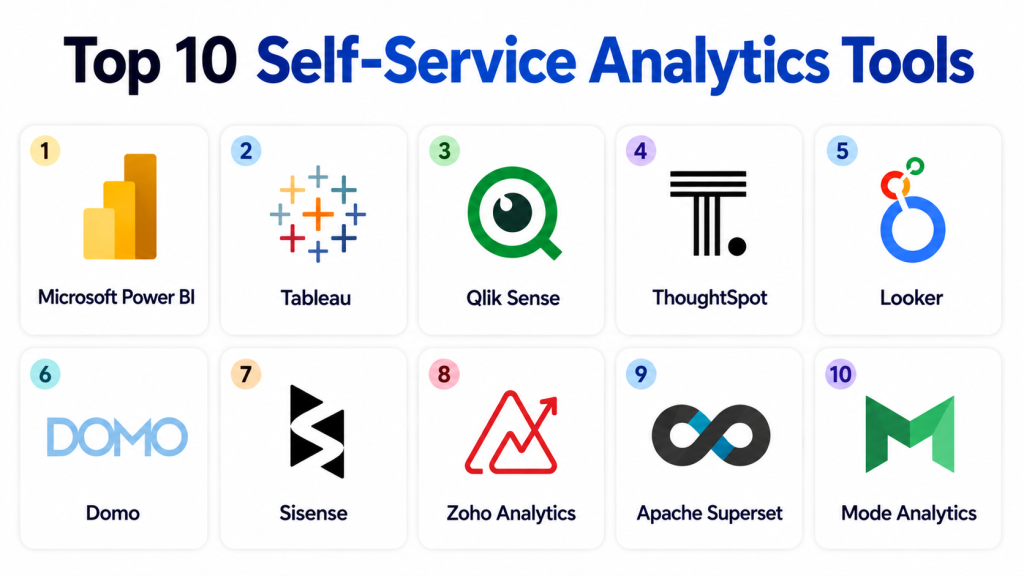
Top 10 Self-Service Analytics Tools
1 — Microsoft Power BI
Short description: Microsoft Power BI is one of the most widely adopted self-service analytics platforms, offering interactive dashboards, AI-assisted insights, and strong Microsoft ecosystem integration.
Key Features
- Interactive dashboards and reporting
- AI-powered analytics insights
- Natural language querying
- Real-time analytics support
- Embedded analytics capabilities
- Mobile dashboarding
- Self-service data modeling
Pros
- Excellent value for enterprises
- Strong Microsoft ecosystem integration
- Large global user community
Cons
- Complex licensing for enterprise environments
- Advanced modeling requires expertise
- Performance optimization needed for large datasets
Platforms / Deployment
- Web / Windows / iOS / Android
- Cloud / Hybrid / Self-hosted
Security & Compliance
Supports SSO, MFA, RBAC, encryption, and governance workflows.
Integrations & Ecosystem
Power BI integrates deeply with Microsoft and enterprise analytics ecosystems.
- Azure
- Excel
- SQL Server
- Snowflake
- Salesforce
- SAP
Support & Community
Strong enterprise support ecosystem with extensive training and documentation.
2 — Tableau
Short description: Tableau provides advanced self-service visualization, interactive dashboards, and enterprise analytics capabilities for organizations of all sizes.
Key Features
- Advanced interactive dashboards
- AI-assisted analytics
- Drag-and-drop visualization builder
- Embedded analytics
- Real-time reporting
- Mobile analytics support
- Data storytelling workflows
Pros
- Industry-leading visualization quality
- Strong self-service usability
- Broad enterprise adoption
Cons
- Premium enterprise pricing
- Advanced governance requires planning
- Large-scale deployments can become complex
Platforms / Deployment
- Web / Windows / macOS / iOS / Android
- Cloud / Hybrid / Self-hosted
Security & Compliance
Supports SSO/SAML, MFA, encryption, RBAC, and audit logging.
Integrations & Ecosystem
Tableau integrates broadly with cloud analytics and enterprise systems.
- Snowflake
- Salesforce
- AWS
- Databricks
- SAP
- Google Cloud
Support & Community
Large analytics community with strong onboarding and learning resources.
3 — Qlik Sense
Short description: Qlik Sense combines associative analytics, AI-assisted exploration, and self-service dashboarding for enterprise analytics workflows.
Key Features
- Associative analytics engine
- AI-assisted insights
- Interactive dashboard creation
- Natural language analytics
- Embedded analytics support
- Mobile reporting
- Real-time analytics
Pros
- Powerful associative data exploration
- Strong scalability
- Good hybrid deployment support
Cons
- Learning curve for advanced analytics
- Premium pricing for enterprise features
- Governance workflows may become complex
Platforms / Deployment
- Web / Windows / iOS / Android
- Cloud / Hybrid / Self-hosted
Security & Compliance
Supports encryption, MFA, RBAC, SSO, and governance controls.
Integrations & Ecosystem
Qlik integrates with enterprise and cloud ecosystems.
- Snowflake
- AWS
- Azure
- SAP
- Salesforce
- Oracle
Support & Community
Strong enterprise analytics ecosystem with active community support.
4 — ThoughtSpot
Short description: ThoughtSpot focuses on AI-powered search-driven analytics and self-service reporting for business users and operational teams.
Key Features
- Search-based analytics
- AI-generated insights
- Natural language querying
- Interactive dashboards
- Embedded analytics
- Real-time reporting
- Cloud-native architecture
Pros
- Excellent usability for non-technical users
- Strong AI-driven analytics workflows
- Fast dashboard exploration
Cons
- Premium enterprise pricing
- Advanced governance may require additional tooling
- Complex customization limitations
Platforms / Deployment
- Web / iOS / Android
- Cloud / Hybrid
Security & Compliance
Supports SSO/SAML, MFA, RBAC, encryption, and governance workflows.
Integrations & Ecosystem
ThoughtSpot integrates with modern cloud analytics ecosystems.
- Snowflake
- Databricks
- BigQuery
- AWS
- Salesforce
- Tableau
Support & Community
Growing enterprise analytics ecosystem with strong onboarding support.
5 — Looker
Short description: Looker is a cloud-native analytics platform focused on governed self-service reporting, embedded analytics, and modern cloud data environments.
Key Features
- Governed semantic modeling
- Embedded analytics
- Interactive dashboards
- API-driven analytics
- Real-time reporting
- Collaboration workflows
- AI-assisted analytics
Pros
- Strong governed analytics workflows
- Excellent cloud-native scalability
- Good embedded analytics support
Cons
- SQL expertise often required
- Premium enterprise pricing
- Best optimized for modern cloud ecosystems
Platforms / Deployment
- Web
- Cloud
Security & Compliance
Supports RBAC, SSO/SAML, MFA, encryption, and governance workflows.
Integrations & Ecosystem
Looker integrates strongly with cloud analytics platforms.
- BigQuery
- Snowflake
- Redshift
- Databricks
- dbt
- Google Cloud
Support & Community
Strong cloud analytics ecosystem with enterprise onboarding support.
6 — Domo
Short description: Domo is a cloud-native self-service analytics platform focused on operational dashboards and executive KPI visibility.
Key Features
- Real-time dashboards
- Mobile-first analytics
- AI-assisted insights
- Embedded analytics
- Collaboration workflows
- KPI monitoring
- Cloud-native deployment
Pros
- Strong mobile analytics experience
- Good executive reporting workflows
- Easy cloud deployment
Cons
- Premium pricing structure
- Advanced analytics depth varies
- Complex data preparation workflows
Platforms / Deployment
- Web / iOS / Android
- Cloud
Security & Compliance
Supports MFA, SSO, RBAC, encryption, and governance workflows.
Integrations & Ecosystem
Domo integrates with SaaS and cloud analytics ecosystems.
- Salesforce
- AWS
- Snowflake
- Shopify
- SAP
- Google Analytics
Support & Community
Strong enterprise onboarding ecosystem with analytics-focused support.
7 — Sisense
Short description: Sisense combines embedded analytics, customizable dashboards, and self-service reporting workflows for SaaS platforms and enterprises.
Key Features
- Embedded analytics
- Interactive visualizations
- API-driven customization
- AI-assisted insights
- Real-time reporting
- Dashboard automation
- Multi-cloud deployment support
Pros
Cons
- Advanced customization requires technical expertise
- Enterprise deployment complexity
- Premium pricing for large environments
Platforms / Deployment
- Web / Windows / Linux
- Cloud / Hybrid / Self-hosted
Security & Compliance
Supports RBAC, MFA, SSO/SAML, encryption, and audit logging.
Integrations & Ecosystem
Sisense integrates with analytics engineering and enterprise ecosystems.
- Snowflake
- Databricks
- AWS
- Salesforce
- Google Cloud
- REST APIs
Support & Community
Developer-focused ecosystem with enterprise onboarding resources.
8 — Zoho Analytics
Short description: Zoho Analytics provides affordable self-service reporting, dashboarding, and AI-assisted analytics for SMBs and growing businesses.
Key Features
- Drag-and-drop dashboard creation
- AI-assisted insights
- Automated reporting
- Embedded analytics
- Collaboration workflows
- Mobile analytics
- SaaS integrations
Pros
- Affordable SMB pricing
- Strong usability for business teams
- Broad SaaS ecosystem support
Cons
- Enterprise scalability limitations
- Advanced customization less flexible
- Large dataset handling varies
Platforms / Deployment
- Web / Windows / iOS / Android
- Cloud / Hybrid
Security & Compliance
Supports RBAC, MFA, SSO, encryption, and governance workflows.
Integrations & Ecosystem
Zoho Analytics integrates broadly with SMB and SaaS ecosystems.
- Zoho CRM
- Salesforce
- QuickBooks
- Shopify
- SQL databases
- Google Analytics
Support & Community
Strong SMB onboarding ecosystem with broad business application support.
9 — Apache Superset
Short description: Apache Superset is an open-source analytics and dashboarding platform designed for SQL-driven self-service reporting workflows.
Key Features
- Open-source dashboards
- SQL-driven analytics
- Interactive visualizations
- Dashboard customization
- Lightweight deployment
- Role-based access controls
- Cloud compatibility
Pros
- Free and open-source
- Strong developer flexibility
- Good dashboard customization capabilities
Cons
- Requires technical expertise
- Governance depth limited
- Operational overhead for self-managed deployments
Platforms / Deployment
- Web / Linux / macOS
- Cloud / Hybrid / Self-hosted
Security & Compliance
Supports authentication, RBAC, and secure deployment configurations.
Integrations & Ecosystem
Superset integrates with databases and cloud analytics systems.
- PostgreSQL
- Snowflake
- BigQuery
- Redshift
- MySQL
- SQLAlchemy
Support & Community
Large open-source contributor ecosystem and active developer community.
10 — Mode Analytics
Short description: Mode Analytics combines SQL analytics, notebooks, dashboards, and collaborative workflows for modern analytics teams.
Key Features
- SQL-based analytics
- Notebook workflows
- Interactive dashboards
- Embedded reporting
- Collaboration support
- Python and R integrations
- Real-time reporting
Pros
- Strong analyst-focused workflows
- Flexible notebook integration
- Good collaboration features
Cons
- SQL expertise often required
- Smaller ecosystem than major BI vendors
- Enterprise governance depth varies
Platforms / Deployment
- Web
- Cloud
Security & Compliance
Supports RBAC, SSO, MFA, encryption, and governance workflows.
Integrations & Ecosystem
Mode Analytics integrates with modern analytics engineering ecosystems.
- Snowflake
- Redshift
- BigQuery
- dbt
- Python
- GitHub
Support & Community
Strong analytics engineering ecosystem with growing enterprise adoption.
Comparison Table
| Tool Name | Best For | Platform(s) Supported | Deployment | Standout Feature | Public Rating |
|---|---|---|---|---|---|
| Microsoft Power BI | Enterprise reporting | Web, Windows, iOS, Android | Cloud, Hybrid | Microsoft ecosystem integration | N/A |
| Tableau | Advanced visualization | Web, Windows, macOS | Cloud, Hybrid | Industry-leading dashboards | N/A |
| Qlik Sense | Associative analytics | Web, Windows | Cloud, Hybrid | Associative analytics engine | N/A |
| ThoughtSpot | AI-powered analytics | Web, iOS, Android | Cloud, Hybrid | Search-driven analytics | N/A |
| Looker | Governed cloud analytics | Web | Cloud | Semantic modeling | N/A |
| Domo | Executive KPI dashboards | Web, iOS, Android | Cloud | Mobile-first analytics | N/A |
| Sisense | Embedded analytics | Web, Windows, Linux | Cloud, Hybrid | API-driven customization | N/A |
| Zoho Analytics | SMB reporting | Web, Windows | Cloud, Hybrid | Affordable self-service analytics | N/A |
| Apache Superset | Open-source analytics | Web, Linux | Self-hosted, Hybrid | SQL-based dashboards | N/A |
| Mode Analytics | Collaborative analytics | Web | Cloud | Notebook analytics workflows | N/A |
Evaluation & Scoring of Self-Service Analytics Tools
| Tool Name | Core 25% | Ease 15% | Integrations 15% | Security 10% | Performance 10% | Support 10% | Value 15% | Weighted Total |
|---|---|---|---|---|---|---|---|---|
| Microsoft Power BI | 9 | 8.5 | 9 | 8.5 | 8.5 | 9 | 9 | 8.8 |
| Tableau | 9.5 | 8.5 | 8.5 | 8.5 | 9 | 8.5 | 7 | 8.6 |
| Qlik Sense | 8.5 | 8 | 8.5 | 8.5 | 8.5 | 8 | 7.5 | 8.2 |
| ThoughtSpot | 8.5 | 9 | 8 | 8 | 8 | 7.5 | 7 | 8.0 |
| Looker | 8.5 | 7.5 | 9 | 8.5 | 8.5 | 8 | 7 | 8.1 |
| Domo | 8 | 8.5 | 8 | 8 | 8 | 7.5 | 7 | 7.9 |
| Sisense | 8.5 | 7.5 | 8.5 | 8 | 8 | 7.5 | 7.5 | 8.0 |
| Zoho Analytics | 7.5 | 8.5 | 7.5 | 8 | 7.5 | 7.5 | 8.5 | 7.9 |
| Apache Superset | 7.5 | 6.5 | 8 | 7 | 7.5 | 8 | 9 | 7.8 |
| Mode Analytics | 8 | 7.5 | 8 | 8 | 8 | 7.5 | 8 | 7.9 |
These scores are comparative evaluations intended to help buyers understand relative strengths across analytics usability, integrations, governance, scalability, and operational value. Enterprise-focused platforms generally score higher in governance and advanced analytics functionality, while open-source and SMB-focused platforms often provide stronger flexibility and affordability. Buyers should prioritize scoring categories aligned with operational maturity, analytics complexity, and business requirements.
Which Self-Service Analytics Tool Is Right for You?
Solo / Freelancer
Apache Superset and Mode Analytics are attractive for technical users seeking flexible analytics workflows without high enterprise licensing costs.
SMB
Zoho Analytics and Power BI provide strong usability, affordable pricing, and manageable deployment complexity for growing organizations.
Mid-Market
Qlik Sense and Domo balance scalability, governance, and operational reporting for expanding businesses.
Enterprise
Tableau, Looker, Sisense, and ThoughtSpot are better suited for advanced enterprise analytics, embedded reporting, and governed self-service workflows.
Budget vs Premium
Open-source and SMB-focused tools reduce operational costs, while premium enterprise platforms deliver broader governance, AI capabilities, and scalability.
Feature Depth vs Ease of Use
ThoughtSpot and Power BI emphasize usability and AI-driven workflows, while Tableau and Looker focus on deeper enterprise analytics customization.
Integrations & Scalability
Organizations operating distributed cloud ecosystems should prioritize API flexibility, warehouse integrations, and multi-cloud scalability.
Security & Compliance Needs
Highly regulated industries should prioritize RBAC, encryption, MFA, audit logging, governance workflows, and secure deployment controls.
Frequently Asked Questions FAQs
1. What are Self-Service Analytics Tools?
Self-service analytics tools allow business users to create reports, dashboards, and visual analytics without depending heavily on technical or IT teams.
2. Why are self-service analytics platforms important today?
Organizations increasingly require faster access to insights for operational decisions, forecasting, customer analysis, and executive reporting workflows.
3. What is the difference between BI tools and self-service analytics tools?
Self-service analytics emphasizes accessibility for non-technical users, while traditional BI platforms often focus more heavily on governed enterprise reporting.
4. Are open-source analytics tools suitable for enterprises?
Yes. Platforms like Apache Superset are widely used in enterprise environments, though they may require additional governance and operational management.
5. Which industries benefit most from self-service analytics?
Financial services, healthcare, retail, SaaS, manufacturing, logistics, and marketing-intensive organizations benefit significantly from self-service analytics capabilities.
6. How do AI-powered analytics tools improve business workflows?
AI-assisted platforms automate dashboard creation, anomaly detection, forecasting, and natural language querying to improve accessibility and decision-making speed.
7. What are common self-service analytics implementation mistakes?
Common mistakes include weak governance planning, poor dashboard standardization, inconsistent KPI definitions, and insufficient user training.
8. Do self-service analytics tools support real-time dashboards?
Many modern analytics platforms now support streaming analytics, operational monitoring, and real-time reporting workflows.
9. Can analytics tools integrate with cloud warehouses?
Yes. Most modern platforms integrate with Snowflake, BigQuery, Databricks, Redshift, and other cloud-native analytics environments.
10. How should organizations evaluate pricing?
Organizations should evaluate licensing complexity, scalability costs, embedded analytics pricing, user tiers, and long-term operational overhead before selecting a platform.
Conclusion
Self-Service Analytics Tools have become foundational infrastructure for organizations operating in modern data-driven and AI-powered environments. As enterprises continue accelerating cloud adoption, real-time decision-making, and operational automation, self-service analytics platforms now play a critical role in improving visibility, collaboration, and business agility across departments. The best self-service analytics platform depends heavily on organizational maturity, governance requirements, technical expertise, and cloud strategy. Enterprises may prioritize Tableau or Looker for advanced governance and embedded analytics, while SMBs may prefer Power BI or Zoho Analytics for usability and affordability. The smartest next step is to shortlist two or three platforms, validate integrations with existing analytics systems and cloud warehouses, run pilot dashboards using real operational workflows, and then scale gradually across business teams and enterprise reporting environments.

Find Trusted Cardiac Hospitals
Compare heart hospitals by city and services — all in one place.
Explore Hospitals
This article explains very well how self-service analytics tools help users explore data, create reports, and gain insights quickly without needing advanced technical skills.