Introduction
Heatmap Tools help businesses understand how visitors interact with websites, landing pages, ecommerce stores, SaaS apps, and digital products. In simple terms, a heatmap visually shows where users click, scroll, move, hover, ignore content, or drop off. Instead of only looking at pageviews or conversion numbers, teams can see which areas of a page attract attention and which areas create confusion. Heatmap tools matter because digital teams need faster, evidence-based ways to improve user experience, conversions, and product performance. Modern websites have complex layouts, mobile behavior differences, personalized sections, embedded forms, and multiple traffic sources. A heatmap helps reveal what users actually do on the page.
Real World Use Cases
- Improving landing page conversion rates
- Finding ignored CTA buttons and low-engagement sections
- Understanding mobile scroll depth and content visibility
- Optimizing ecommerce product pages and checkout flows
- Identifying confusing navigation, dead clicks, and rage clicks
Evaluation Criteria for Buyers
- Click, scroll, move, and attention heatmaps
- Session replay and behavior analytics depth
- Mobile and responsive page support
- Funnel, form, and conversion analysis
- Privacy masking and data protection controls
- Integrations with analytics, CMS, ecommerce, and CRO tools
- Ease of setup through tag managers or scripts
- Performance impact on website speed
- Reporting, filtering, and segmentation options
- Pricing based on traffic, sessions, users, or domains
Best for: Marketers, UX designers, product managers, ecommerce teams, CRO specialists, SaaS growth teams, agencies, and website owners who want to understand user behavior visually and improve digital performance.
Not ideal for: Teams that only need basic traffic analytics or do not have enough website traffic to produce reliable heatmap patterns. For very small sites, simple analytics, customer interviews, or manual usability testing may be better starting points.
Key Trends in Heatmap Tools
- AI-assisted behavior analysis is growing: Heatmap tools are moving beyond visual reports and increasingly help teams detect friction, summarize behavior patterns, and identify optimization opportunities.
- Heatmaps are merging with session replay: Buyers now prefer tools that combine click maps, scroll maps, rage-click detection, recordings, funnels, and feedback instead of standalone heatmaps.
- Privacy-first tracking is becoming mandatory: Businesses need stronger masking, consent alignment, data retention controls, and sensitive field protection before deploying behavior tracking.
- Mobile-first heatmaps are more important: Mobile traffic often behaves differently from desktop traffic, so scroll depth, tap behavior, and responsive layout analysis are critical.
- Conversion optimization teams want action-ready insights: Teams do not only want colorful maps; they want clear evidence for improving forms, CTAs, content placement, checkout flows, and onboarding paths.
- Enterprise digital experience platforms are expanding heatmap depth: Tools such as Contentsquare and Fullstory connect heatmaps with journey analytics, segmentation, frustration signals, and business impact.
- Free tools are increasing adoption: Microsoft Clarity has made heatmaps and session recordings easier for small businesses, bloggers, and early-stage teams.
- Integration with analytics stacks is a major buying factor: Teams want heatmap data connected with Google Analytics style reporting, tag managers, product analytics, A/B testing, ecommerce, and support tools.
- Data sampling and retention matter more: High-traffic websites need control over how many sessions are captured, how long data is stored, and how heatmap reporting is segmented.
- Heatmaps are becoming cross-functional: Marketing, UX, product, support, and engineering teams now use heatmaps to understand behavior from different angles.
How We Selected These Tools
The top 10 Heatmap Tools were selected using practical buyer-focused evaluation logic:
- Market adoption and recognition: We prioritized tools widely used in website optimization, conversion rate optimization, digital experience analytics, and product behavior analysis.
- Feature completeness: Tools were evaluated for click maps, scroll maps, move maps, attention maps, recordings, funnels, forms, feedback, and segmentation.
- Ease of setup: We considered how quickly teams can install tracking scripts, configure heatmaps, and start collecting useful behavior data.
- Customer fit across segments: The list includes tools for freelancers, SMBs, ecommerce brands, SaaS companies, agencies, and enterprise digital teams.
- Security and privacy posture: We considered masking, data control, access management, and privacy-friendly configuration where clearly available.
- Integration ecosystem: Tools with strong integrations into analytics, CMS, ecommerce, A/B testing, support, and tag management systems were prioritized.
- Reporting and actionability: Tools that help teams move from visual heatmaps to practical improvements scored better.
- Performance considerations: Heatmap tools must capture behavior without creating unnecessary page load or user experience issues.
- Scalability: Enterprise-ready tools were evaluated for large traffic volumes, multiple domains, teams, roles, and advanced analytics needs.
- Value for money: We considered whether each tool provides practical value for its target segment.
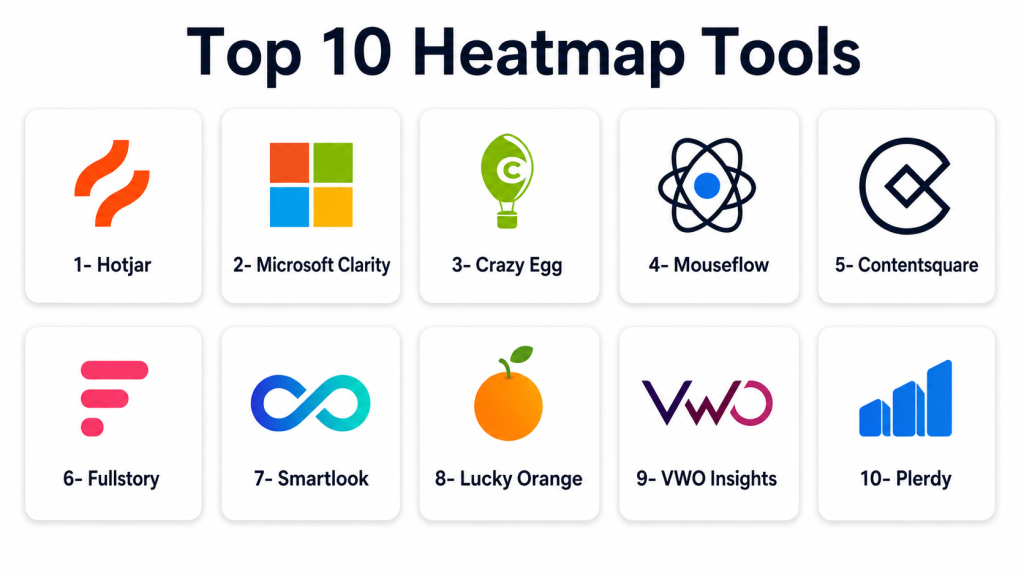
Top 10 Heatmap Tools
1- Hotjar
Short description: Hotjar is a behavior analytics and feedback platform that combines heatmaps, session recordings, surveys, and feedback widgets. It is best for marketers, UX teams, product teams, and SMBs that want an easy way to understand website behavior.
Key Features
- Click, scroll, and move heatmaps
- Session recordings for individual user behavior
- Feedback widgets and on-page surveys
- Funnel and user behavior insights depending on plan
- Filtering and segmentation of recordings
- Privacy masking and suppression controls
- Team sharing and collaboration features
Pros
- Beginner-friendly and quick to set up
- Combines heatmaps with recordings and feedback
- Useful for CRO, UX, and website optimization teams
Cons
- May not provide the deepest enterprise journey analytics
- Advanced usage depends on plan limits
- High-traffic sites may need careful pricing review
Platforms / Deployment
Web / Cloud
Security & Compliance
Hotjar supports privacy-focused controls such as data suppression and masking options. Specific certifications, SSO, audit logs, and compliance coverage should be verified by plan.
Integrations & Ecosystem
Hotjar works well with marketing, analytics, CMS, and ecommerce workflows. It is commonly used by teams that want visual behavior insights without heavy technical setup.
Common integration areas include:
- Website analytics tools
- Tag management platforms
- CMS platforms
- Ecommerce platforms
- Product analytics tools
- Feedback and survey workflows
Support & Community
Hotjar provides documentation, guides, templates, learning resources, and support options. It has a broad user base across marketing, UX, and product teams.
2- Microsoft Clarity
Short description: Microsoft Clarity is a free behavior analytics tool that provides heatmaps, session recordings, rage-click detection, and basic behavior insights. It is best for small businesses, bloggers, marketers, and budget-conscious teams.
Key Features
- Free click and scroll heatmaps
- Session recordings
- Rage click and dead click indicators
- Basic filtering and behavior insights
- Simple website tracking setup
- Dashboard for visitor interaction analysis
- Useful entry point for website optimization
Pros
- Free and accessible for many teams
- Easy to install and start using
- Good for basic heatmap and replay needs
Cons
- Less advanced than enterprise experience analytics platforms
- Limited deep CRO and product analytics functionality
- Enterprise governance needs should be checked carefully
Platforms / Deployment
Web / Cloud
Security & Compliance
Microsoft Clarity includes privacy-related configuration options. Teams should verify masking, consent, retention, and compliance suitability for their website and region.
Integrations & Ecosystem
Microsoft Clarity is commonly used with website analytics, SEO, and marketing workflows. It is practical for teams that want quick visibility into user behavior.
Common integration areas include:
- Website analytics
- Tag management systems
- CMS platforms
- Search performance workflows
- Marketing dashboards
- Basic reporting processes
Support & Community
Microsoft provides documentation and support resources. Because the tool is widely used, many website owners and marketers share implementation knowledge.
3- Crazy Egg
Short description: Crazy Egg is a website optimization platform known for heatmaps, scroll maps, snapshots, recordings, and A/B testing. It is useful for marketers, agencies, small businesses, and conversion optimization teams.
Key Features
- Click heatmaps and scroll maps
- Confetti reports for traffic source behavior
- Session recordings
- A/B testing capabilities
- Website snapshots for page analysis
- Traffic segmentation and visual reports
- Simple script-based setup
Pros
- Strong visual reporting for marketers
- Useful for landing page and conversion optimization
- Combines heatmaps with testing features
Cons
- May not be ideal for deep product analytics
- Enterprise security details should be validated
- Advanced analysis may require higher-tier plans
Platforms / Deployment
Web / Cloud
Security & Compliance
Not publicly stated. Buyers should verify SSO, RBAC, audit logs, encryption, data masking, and compliance documentation directly.
Integrations & Ecosystem
Crazy Egg fits well into marketing and conversion optimization workflows. It is especially helpful when teams want to test page changes based on visual behavior data.
Common integration areas include:
- Website builders
- CMS platforms
- Ecommerce platforms
- Analytics tools
- Tag managers
- A/B testing workflows
Support & Community
Crazy Egg provides documentation, support resources, and optimization guidance. It is widely known among marketers and CRO professionals.
4- Mouseflow
Short description: Mouseflow is a behavior analytics platform that includes heatmaps, session replay, funnel analysis, form analytics, and feedback. It is best for CRO teams, UX teams, marketers, and SMBs optimizing website performance.
Key Features
- Click, movement, scroll, attention, and geography heatmaps
- Session recordings
- Funnel analysis
- Form analytics for drop-off detection
- Feedback campaigns and surveys
- Filtering and segmentation
- Website behavior reports
Pros
- Strong all-in-one behavior analytics feature set
- Useful for conversion and form optimization
- Good fit for marketing and UX teams
Cons
- Less developer-focused than technical replay tools
- Pricing depends on traffic and usage needs
- Enterprise governance should be verified by plan
Platforms / Deployment
Web / Cloud
Security & Compliance
Mouseflow supports privacy-related configuration such as data masking options. Buyers should verify SSO, RBAC, audit logs, data residency, and compliance coverage directly.
Integrations & Ecosystem
Mouseflow is commonly used in CRO, UX, and marketing optimization workflows. It helps teams connect heatmaps with funnels, forms, and user feedback.
Common integration areas include:
- CMS platforms
- Ecommerce systems
- Tag managers
- Analytics platforms
- Marketing automation tools
- Feedback workflows
Support & Community
Mouseflow provides help documentation, support resources, and onboarding guidance. It is accessible for marketing, UX, and growth teams.
5- Contentsquare
Short description: Contentsquare is an enterprise digital experience analytics platform that includes heatmaps, journey analysis, session replay, and behavior insights. It is best for large ecommerce, retail, travel, finance, and enterprise digital teams.
Key Features
- Advanced heatmaps and zone-based analytics
- Session replay and journey analysis
- Friction and struggle detection
- Conversion and revenue impact insights
- Page performance and behavior analysis
- Segmentation and enterprise reporting
- Collaboration workflows for digital teams
Pros
- Strong for enterprise digital experience optimization
- Helps connect UX behavior with business impact
- Useful for high-traffic and complex websites
Cons
- May be too expensive or complex for small teams
- Implementation requires planning and ownership
- Best value comes with mature analytics workflows
Platforms / Deployment
Web / Cloud
Security & Compliance
Enterprise security and governance features are commonly expected for this category. Specific certifications, SSO, RBAC, audit logs, and compliance coverage should be verified directly.
Integrations & Ecosystem
Contentsquare fits enterprise digital experience programs where heatmaps need to connect with analytics, experimentation, ecommerce, and customer data systems.
Common integration areas include:
- Ecommerce platforms
- Web analytics tools
- A/B testing platforms
- Customer data platforms
- Tag management systems
- Business intelligence tools
Support & Community
Contentsquare provides enterprise onboarding, customer success, implementation support, documentation, and training resources depending on contract and package.
6- Fullstory
Short description: Fullstory is a digital experience intelligence platform with session replay, behavior search, frustration signals, and experience analytics. While it is more than a heatmap tool, it is useful for teams that want deep behavioral visibility across digital products.
Key Features
- Session replay and experience search
- Click behavior and frustration detection
- User segmentation and behavioral filtering
- Funnels and conversion analysis
- Product and UX analytics
- Collaboration across product, support, and engineering
- Privacy masking and sensitive data controls
Pros
- Strong behavioral search and replay depth
- Useful across product, UX, support, and engineering teams
- Good for mature digital experience programs
Cons
- May be more than small websites need
- Pricing should be reviewed carefully
- Requires thoughtful privacy configuration
Platforms / Deployment
Web / Cloud
Security & Compliance
Fullstory commonly supports privacy and access-control features depending on plan. Buyers should verify SSO, RBAC, audit logs, encryption, masking, and compliance requirements directly.
Integrations & Ecosystem
Fullstory connects behavior insights with product, support, analytics, and engineering workflows. It is strongest when replay and user behavior data are tied to operational action.
Common integration areas include:
- Product analytics platforms
- Customer support tools
- CRM systems
- Issue tracking tools
- Data warehouses
- Collaboration tools
Support & Community
Fullstory provides documentation, onboarding resources, customer support, and enterprise customer success options. Support depth may vary by plan.
7- Smartlook
Short description: Smartlook is a product analytics and behavior analytics tool for websites and mobile apps. It combines session replay, heatmaps, events, funnels, and user behavior tracking.
Key Features
- Website heatmaps
- Web and mobile session replay
- Event tracking and product analytics
- Funnel analysis
- Retention and behavior insights
- User identification and segmentation
- Filtering sessions by events and properties
Pros
- Good fit for web and mobile product teams
- Combines heatmaps with event-based analytics
- Useful for SaaS and app-focused teams
Cons
- Meaningful insights depend on good event setup
- Advanced governance should be verified by plan
- May require more configuration than basic heatmap tools
Platforms / Deployment
Web / iOS / Android / Cloud
Security & Compliance
Smartlook provides privacy and data protection controls depending on setup and plan. Specific SSO, RBAC, audit logs, certifications, and compliance coverage should be verified directly.
Integrations & Ecosystem
Smartlook works well in product analytics workflows where teams need to connect heatmaps, events, funnels, and recordings.
Common integration areas include:
- Product analytics tools
- Mobile app frameworks
- Customer support tools
- Collaboration platforms
- Issue tracking systems
- Reporting workflows
Support & Community
Smartlook provides documentation, onboarding materials, support resources, and product guidance. Support depth may vary by plan.
8- Lucky Orange
Short description: Lucky Orange is a conversion optimization platform that offers heatmaps, session recordings, live chat, surveys, form analytics, and visitor profiles. It is useful for ecommerce stores, SMBs, marketers, and agencies.
Key Features
- Dynamic heatmaps
- Session recordings
- Conversion funnels
- Form analytics
- Live chat and visitor profiles
- Surveys and announcements
- Real-time visitor behavior insights
Pros
- Strong mix of CRO and customer interaction tools
- Useful for ecommerce and small business websites
- Combines behavior analytics with live engagement features
Cons
- May not match enterprise analytics depth
- Some teams may not need built-in chat features
- Data governance details should be validated by plan
Platforms / Deployment
Web / Cloud
Security & Compliance
Not publicly stated. Buyers should verify SSO, RBAC, encryption, audit logs, data retention, masking, and compliance requirements before purchase.
Integrations & Ecosystem
Lucky Orange fits website optimization and ecommerce workflows where teams want behavior analytics and customer engagement in one platform.
Common integration areas include:
- Ecommerce platforms
- CMS platforms
- Analytics tools
- Tag managers
- Marketing tools
- Customer support workflows
Support & Community
Lucky Orange provides help resources, documentation, onboarding materials, and customer support options. It is practical for small businesses and conversion-focused teams.
9- VWO Insights
Short description: VWO Insights is part of the broader VWO experience optimization ecosystem and supports heatmaps, session recordings, funnels, form analytics, and behavior analysis. It is best for teams that want heatmap insights connected with experimentation.
Key Features
- Heatmaps for clicks and scroll behavior
- Session recordings
- Funnels and conversion analysis
- Form analytics
- Visitor behavior segmentation
- Integration with testing and optimization workflows
- Experience optimization reporting
Pros
- Strong fit for CRO and experimentation teams
- Useful when heatmaps feed directly into A/B testing
- Good for structured conversion optimization programs
Cons
- May be more than basic website owners need
- Best value comes when used with broader optimization workflows
- Pricing and package structure should be reviewed carefully
Platforms / Deployment
Web / Cloud
Security & Compliance
VWO offers business and enterprise-oriented controls depending on plan. Specific SSO, RBAC, audit logs, encryption, and compliance details should be verified directly.
Integrations & Ecosystem
VWO Insights is valuable for teams that want behavior analytics connected to testing, personalization, and conversion optimization.
Common integration areas include:
- A/B testing workflows
- Web analytics tools
- Tag managers
- CMS platforms
- Ecommerce platforms
- Marketing optimization systems
Support & Community
VWO provides documentation, support resources, onboarding guidance, and customer success options depending on plan. It is widely used by CRO and experimentation teams.
10- Plerdy
Short description: Plerdy is a conversion rate optimization and website behavior analytics platform with heatmaps, session replay, SEO tools, popups, and conversion tracking. It is useful for marketers, agencies, ecommerce teams, and SMB websites.
Key Features
- Click heatmaps and scroll tracking
- Session replay
- Conversion funnel analysis
- SEO-focused website tools
- Popup and form tracking features
- Event tracking and behavior reports
- Website usability analysis
Pros
- Combines heatmaps with CRO and SEO-oriented tools
- Useful for agencies and SMB marketing teams
- Practical for website optimization and conversion tracking
Cons
- May not be as enterprise-focused as larger analytics platforms
- Interface and workflows may require learning
- Compliance and governance details should be verified
Platforms / Deployment
Web / Cloud
Security & Compliance
Not publicly stated. Buyers should verify SSO, RBAC, encryption, masking, retention, audit logs, and compliance requirements directly.
Integrations & Ecosystem
Plerdy fits teams that want to combine website behavior insights with marketing and conversion optimization work.
Common integration areas include:
- CMS platforms
- Ecommerce websites
- Analytics tools
- Tag managers
- SEO workflows
- Conversion optimization processes
Support & Community
Plerdy provides documentation, tutorials, and support resources. It is suitable for marketers, agencies, and SMB teams looking for practical website optimization tools.
Comparison Table
| Tool Name | Best For | Platform Supported | Deployment | Standout Feature | Public Rating |
|---|---|---|---|---|---|
| Hotjar | UX, CRO, and SMB teams | Web | Cloud | Heatmaps, recordings, surveys, and feedback in one tool | N/A |
| Microsoft Clarity | Free website behavior analytics | Web | Cloud | Free heatmaps and session recordings | N/A |
| Crazy Egg | Landing page and CRO teams | Web | Cloud | Heatmaps with visual reports and A/B testing | N/A |
| Mouseflow | CRO, UX, and form optimization | Web | Cloud | Heatmaps, funnels, forms, recordings, and feedback | N/A |
| Contentsquare | Enterprise digital experience teams | Web | Cloud | Advanced zone-based analytics and journey insights | N/A |
| Fullstory | Digital product and experience teams | Web | Cloud | Behavioral search and replay-driven insights | N/A |
| Smartlook | Web and mobile product teams | Web, iOS, Android | Cloud | Heatmaps plus event-based product analytics | N/A |
| Lucky Orange | Ecommerce and SMB conversion teams | Web | Cloud | Heatmaps, recordings, chat, surveys, and visitor profiles | N/A |
| VWO Insights | CRO and experimentation teams | Web | Cloud | Heatmaps connected with testing and optimization | N/A |
| Plerdy | SMBs, agencies, and marketers | Web | Cloud | Heatmaps with CRO and SEO-oriented tools | N/A |
Evaluation & Scoring of Heatmap Tools
| Tool Name | Core 25% | Ease 15% | Integrations 15% | Security 10% | Performance 10% | Support 10% | Value 15% | Weighted Total |
|---|---|---|---|---|---|---|---|---|
| Hotjar | 8.7 | 9.2 | 8.3 | 8.0 | 8.4 | 8.4 | 8.5 | 8.6 |
| Microsoft Clarity | 7.8 | 9.1 | 7.6 | 7.8 | 8.0 | 7.7 | 9.6 | 8.2 |
| Crazy Egg | 8.2 | 8.7 | 7.8 | 7.6 | 8.1 | 8.0 | 8.2 | 8.1 |
| Mouseflow | 8.5 | 8.7 | 7.9 | 7.9 | 8.2 | 8.1 | 8.3 | 8.3 |
| Contentsquare | 9.4 | 7.5 | 8.8 | 8.8 | 8.8 | 8.6 | 7.2 | 8.5 |
| Fullstory | 9.0 | 8.1 | 8.8 | 8.6 | 8.8 | 8.6 | 7.6 | 8.5 |
| Smartlook | 8.4 | 8.4 | 8.0 | 8.0 | 8.3 | 8.1 | 8.2 | 8.3 |
| Lucky Orange | 8.1 | 8.7 | 7.7 | 7.6 | 8.0 | 8.0 | 8.4 | 8.1 |
| VWO Insights | 8.6 | 8.0 | 8.4 | 8.2 | 8.4 | 8.3 | 7.8 | 8.3 |
| Plerdy | 8.0 | 8.2 | 7.5 | 7.5 | 7.9 | 7.8 | 8.4 | 8.0 |
Which Heatmap Tool Is Right for You?
Solo / Freelancer
Solo marketers, UX consultants, bloggers, and freelancers usually need simple setup, clear visuals, and affordable pricing. They may not need enterprise journey analytics or advanced segmentation.
Recommended options:
- Microsoft Clarity for free heatmaps and session recordings
- Hotjar for heatmaps, feedback, and recordings
- Crazy Egg for landing page optimization
- Plerdy for marketing and SEO-oriented website analysis
Focus on ease of use, fast setup, simple reporting, and client-friendly visuals.
SMB
Small and medium businesses need practical tools that help improve conversions without requiring a full analytics team.
Recommended options:
- Hotjar for a balanced mix of heatmaps, recordings, and feedback
- Mouseflow for funnels, forms, and website optimization
- Lucky Orange for ecommerce and live visitor insights
- Microsoft Clarity for budget-friendly behavior analytics
- Smartlook for web and mobile product behavior
SMBs should evaluate traffic limits, monthly recording volume, data retention, privacy settings, and integration with their CMS or ecommerce platform.
Mid-Market
Mid-market companies often need stronger segmentation, integrations, team collaboration, and cross-functional reporting.
Recommended options:
- Fullstory for behavioral search and digital experience intelligence
- VWO Insights for CRO and testing workflows
- Smartlook for web and mobile analytics
- Mouseflow for website funnels and forms
- Hotjar for broad usability and feedback workflows
Mid-market buyers should prioritize integration with analytics, experimentation, support, and product tools.
Enterprise
Enterprises need advanced analytics, governance, security, scalability, and support for large digital properties.
Recommended options:
- Contentsquare for enterprise digital experience analytics
- Fullstory for behavioral search and experience intelligence
- VWO Insights for optimization and experimentation programs
- Mouseflow or Hotjar for selected teams and website optimization use cases
Enterprise buyers should involve IT, security, legal, privacy, product, marketing, and analytics teams during evaluation.
Budget vs Premium
For budget-conscious teams, Microsoft Clarity is the easiest starting point. Hotjar, Crazy Egg, Mouseflow, Lucky Orange, and Plerdy are practical paid options depending on traffic and feature needs.
For premium needs, Contentsquare, Fullstory, and VWO Insights are stronger when teams need advanced analytics, enterprise governance, journey insights, and optimization workflows.
Feature Depth vs Ease of Use
If ease of use is the top priority, choose Microsoft Clarity, Hotjar, Crazy Egg, or Lucky Orange.
If feature depth matters more, consider Contentsquare, Fullstory, Mouseflow, VWO Insights, or Smartlook.
Integrations & Scalability
For CRO and experimentation, VWO Insights and Crazy Egg are useful. For enterprise digital analytics, Contentsquare and Fullstory are stronger. For mobile and product analytics, Smartlook is a good fit. For simple website behavior insights, Hotjar, Mouseflow, and Microsoft Clarity are practical.
Validate integrations with:
- Analytics tools
- Tag managers
- CMS platforms
- Ecommerce systems
- A/B testing tools
- Product analytics platforms
- Support tools
- Data and reporting systems
Security & Compliance Needs
Heatmap tools may capture sensitive user behavior, so privacy configuration is critical. Teams should confirm whether the tool masks form fields, blocks sensitive elements, supports consent workflows, and controls who can view recordings or heatmap data.
Security-sensitive teams should evaluate:
- SSO and identity provider support
- Role-based access controls
- Audit logs
- Data masking
- Encryption
- Data retention controls
- Consent support
- Data residency options
- Admin controls
- Vendor security documentation
For enterprise-level governance, evaluate Contentsquare, Fullstory, VWO Insights, Hotjar, and Mouseflow carefully through a security review.
Frequently Asked Questions FAQs
1. What is a heatmap tool?
A heatmap tool visually shows how users interact with a webpage. It highlights where people click, scroll, move, tap, or ignore content so teams can improve layout, CTAs, forms, and user experience.
2. How is a heatmap different from session replay?
A heatmap shows aggregate behavior across many users, while session replay shows individual user sessions. Heatmaps reveal patterns, and session replay helps teams understand specific user journeys.
3. Which heatmap tool is best for beginners?
Microsoft Clarity, Hotjar, and Crazy Egg are good beginner-friendly options. They are easy to install and provide useful visual behavior insights without heavy technical setup.
4. Which heatmap tool is best for ecommerce?
Hotjar, Mouseflow, Lucky Orange, Contentsquare, and VWO Insights are useful for ecommerce teams. They help analyze product pages, cart behavior, checkout flows, and conversion friction.
5. Are heatmap tools safe to use?
They can be safe if configured properly. Teams should mask sensitive data, avoid recording private information, follow consent requirements, manage retention, and restrict access to recordings and behavior data.
6. Do heatmap tools slow down websites?
Most modern heatmap tools are designed to minimize performance impact, but teams should still test page speed after installation. Script loading, sampling, and tag management should be configured carefully.
7. How much do heatmap tools cost?
Pricing varies by traffic, sessions, recordings, domains, users, retention, and advanced features. Some tools offer free plans, while enterprise platforms usually use custom pricing.
8. Can heatmap tools integrate with analytics platforms?
Yes, many heatmap tools integrate with analytics, tag managers, CMS platforms, ecommerce tools, testing platforms, and product analytics systems. Integration depth varies by vendor and plan.
9. What are common mistakes when using heatmaps?
Common mistakes include analyzing too little traffic, ignoring mobile behavior, focusing only on colors, not segmenting by audience, recording sensitive data, and failing to turn insights into page improvements.
10. Can heatmaps replace A/B testing?
No. Heatmaps help identify possible problems, but A/B testing validates whether a change improves performance. The best CRO workflows use heatmaps to generate ideas and testing tools to confirm results.
Conclusion
Heatmap Tools help teams understand user behavior visually and improve websites, landing pages, ecommerce stores, and digital products with stronger evidence. The best tool depends on your traffic volume, budget, privacy needs, technical maturity, and optimization goals. Microsoft Clarity is a strong free starting point, while Hotjar, Crazy Egg, Mouseflow, Lucky Orange, and Plerdy are practical for SMBs, marketers, and CRO teams. Smartlook is useful for product and mobile analytics, while VWO Insights works well for experimentation-driven teams. Contentsquare and Fullstory are better suited for enterprise digital experience programs that need deeper analytics, journey visibility, and governance. The best next step is to shortlist two or three tools, run a small pilot on high-value pages, validate privacy masking and performance impact, and choose the platform that helps your team turn user behavior into measurable improvements.

Find Trusted Cardiac Hospitals
Compare heart hospitals by city and services — all in one place.
Explore Hospitals
Heatmap tools are most valuable when they help businesses understand how users interact with websites, applications, and digital interfaces through visual behavioral data. By providing click tracking, scroll-depth analysis, mouse movement visualization, attention mapping, session insights, device segmentation, conversion analysis, user behavior reporting, and integration with analytics and testing platforms, these tools enable organizations to identify usability issues, optimize page layouts, improve user experience, increase engagement, and make more informed conversion and product decisions.