Introduction
Restaurant Management Systems help restaurants run daily operations from one connected platform. These systems usually support POS billing, order taking, table management, kitchen display workflows, menu updates, staff access, payments, reporting, online ordering, delivery coordination, inventory, loyalty, and customer engagement. In simple terms, they help restaurants reduce manual work, serve customers faster, and keep front-of-house, kitchen, and back-office teams aligned. Restaurant operations now include dine-in, takeaway, delivery, QR ordering, app-based orders, loyalty programs, digital payments, and multi-location reporting. A modern restaurant management system helps owners and operators control costs, reduce order errors, track performance, improve guest experience, and make better decisions using real-time operational data.
Real World Use Cases
- Managing dine-in, takeaway, delivery, and online orders from one system
- Sending orders directly from POS to kitchen display screens
- Tracking menu performance, sales, staff activity, and payment data
- Managing reservations, guest profiles, loyalty, and promotions
- Connecting restaurant operations with accounting, payroll, delivery, and inventory tools
Evaluation Criteria for Buyers
- POS speed and ease of use
- Menu and modifier management
- Kitchen display and order routing support
- Online ordering and delivery integrations
- Table, reservation, and guest management
- Inventory and food cost visibility
- Staff permissions, time tracking, and labor reporting
- Payment processing flexibility
- Multi-location and franchise support
- Security, reliability, support, and total cost
Best for: Restaurants, cafés, bars, bakeries, food trucks, quick-service restaurants, fine dining businesses, cloud kitchens, franchise operators, hotel restaurants, and multi-location food service brands that need connected restaurant operations.
Not ideal for: Very small food businesses that only need a basic payment terminal, temporary sellers with low order volume, or restaurant groups that already use a custom enterprise stack and only need one narrow module.
Key Trends in Restaurant Management Systems
- All-in-one restaurant platforms: Restaurants increasingly prefer systems that combine POS, payments, online ordering, kitchen display, loyalty, staff tools, inventory, and reporting in one ecosystem.
- Kitchen display systems are becoming standard: More restaurants are replacing printed kitchen tickets with digital kitchen workflows to reduce errors, track preparation times, and improve order visibility.
- QR ordering and self-service: QR menus, self-order kiosks, mobile ordering, and table ordering help reduce queue pressure and improve customer convenience.
- AI-assisted restaurant operations: AI is being used for demand forecasting, menu performance insights, labor planning, upsell suggestions, and customer segmentation.
- Delivery and online ordering integration: Restaurants need cleaner workflows for direct ordering, third-party delivery, pickup, in-house delivery, and marketplace order management.
- Labor cost visibility: Restaurant managers need better tools for clock-ins, shift controls, overtime tracking, role permissions, and labor-to-sales reporting.
- Inventory and food cost control: Ingredient tracking, recipe costing, purchase management, waste tracking, and margin reporting are becoming more important as food costs fluctuate.
- Guest data and loyalty programs: Restaurant systems increasingly connect guest profiles, visit history, loyalty rewards, gift cards, feedback, email, and SMS campaigns.
- Cloud POS with offline resilience: Restaurants like cloud systems for remote access and updates, but they still need reliable offline mode during internet disruption.
- Stronger payment and data security: Restaurants need secure payments, role-based access, manager approvals, refund controls, device protection, and clear audit trails.
How We Selected These Tools
- We selected tools widely recognized in restaurant POS, restaurant operations, hospitality technology, kitchen management, and food service workflows.
- We prioritized systems that support ordering, payments, menu management, kitchen workflows, reporting, and integrations.
- We included tools for quick-service restaurants, full-service restaurants, bars, cafés, food trucks, franchises, and enterprise restaurant groups.
- We considered deployment flexibility, including cloud POS, hybrid environments, mobile ordering, kitchen displays, and multi-location administration.
- We evaluated integration potential with accounting, payroll, delivery, online ordering, loyalty, reservations, inventory, and reporting tools.
- We considered usability for owners, cashiers, servers, kitchen staff, managers, finance teams, and operators.
- We looked at reliability expectations such as offline mode, hardware support, payment stability, and support availability.
- We considered security posture signals such as staff permissions, role-based access, payment protection, and admin controls.
- We avoided guessing public ratings, exact pricing, certifications, or unsupported compliance claims.
- We focused on practical buyer fit rather than naming one universal best system.
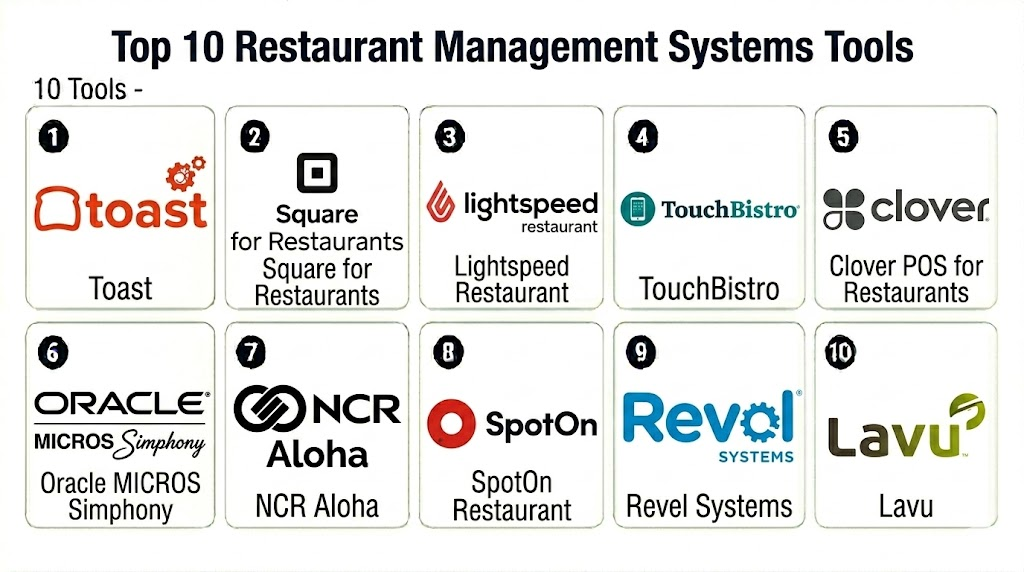
Top 10 Restaurant Management Systems Tools
1 — Toast
Short description: Toast is a restaurant-focused management platform that combines POS, payments, online ordering, kitchen display, guest engagement, payroll-related workflows, and reporting. It is best suited for restaurants that want a purpose-built system for food service operations.
Key Features
- Restaurant POS for dine-in, takeaway, and delivery
- Menu, modifier, and table management
- Kitchen display system support
- Online ordering and delivery workflows
- Integrated payment processing
- Loyalty, gift card, and guest engagement options
- Reporting for sales, labor, menu, and operations
Pros
- Strong restaurant-specific feature set
- Good fit for full-service and quick-service restaurants
- Useful ecosystem for payments, ordering, loyalty, and reporting
Cons
- Best value depends on using the broader Toast ecosystem
- Payment processing flexibility may be limited compared with processor-agnostic systems
- Total cost can vary based on hardware, modules, and support needs
Platforms / Deployment
Web / Android-based restaurant hardware
Cloud
Security & Compliance
Security capabilities vary by plan, hardware, and configuration. Buyers should verify payment security, staff permissions, MFA availability, audit controls, encryption, device management, and compliance documentation directly with the vendor.
Integrations & Ecosystem
Toast works well for restaurants that want operations connected across ordering, kitchen workflows, payments, loyalty, and reporting.
- Online ordering tools
- Delivery integrations
- Accounting systems
- Payroll and team tools
- Loyalty and gift card workflows
- Inventory and reporting tools
Support & Community
Toast provides onboarding resources, restaurant-focused support, documentation, training, and implementation guidance. Support depth may vary by plan and business size.
2 — Square for Restaurants
Short description: Square for Restaurants is a restaurant POS and operations system designed for cafés, quick-service restaurants, bars, food trucks, and growing hospitality teams. It is useful for smaller restaurants that want simple setup, payments, hardware, and restaurant workflows in one ecosystem.
Key Features
- Restaurant POS and order management
- Table, menu, and modifier management
- Kitchen display system support
- Integrated payment workflows
- Online ordering and pickup workflows
- Team management and time tracking options
- Sales, item, and labor reporting
Pros
- Easy to set up and use
- Good fit for small restaurants and quick-service operations
- Combines payments, POS, hardware, and business tools
Cons
- Advanced enterprise restaurant workflows may be limited
- Payment processing flexibility may be constrained
- Some features may require add-ons or higher plans
Platforms / Deployment
Web / iOS / Android
Cloud
Security & Compliance
Security capabilities vary by plan and setup. Buyers should verify payment security, staff permissions, device controls, encryption, account access controls, and compliance responsibilities.
Integrations & Ecosystem
Square for Restaurants connects restaurant operations with payments, online ordering, payroll, marketing, loyalty, and business reporting.
- Square payments
- Online ordering tools
- Payroll and team management
- Loyalty and marketing tools
- Accounting systems
- Delivery and pickup workflows
Support & Community
Square provides help resources, documentation, onboarding materials, hardware guidance, and customer support options. Support availability may vary by region and plan.
3 — Lightspeed Restaurant
Short description: Lightspeed Restaurant is a cloud-based restaurant management system for restaurants, cafés, bars, hotels, and multi-location hospitality groups. It supports POS, tableside ordering, menu management, payments, reporting, and integrations.
Key Features
- Cloud restaurant POS
- Tableside ordering and mobile workflows
- Menu and modifier management
- Kitchen display system support
- Payments and order routing
- Multi-location reporting
- Integrations with hospitality and restaurant tools
Pros
- Good fit for restaurants needing flexible cloud POS
- Useful for multi-location and hospitality environments
- Strong reporting and integration orientation
Cons
- Setup may require planning for complex menus and workflows
- Hardware and payment options may vary by region
- Some advanced capabilities may depend on integrations
Platforms / Deployment
Web / iOS
Cloud
Security & Compliance
Security capabilities vary by plan and configuration. Buyers should verify user permissions, payment security, encryption, audit controls, admin access, and compliance documentation.
Integrations & Ecosystem
Lightspeed Restaurant connects restaurant POS workflows with ordering, payments, accounting, delivery, inventory, and reporting.
- Accounting platforms
- Payment processors
- Delivery and ordering tools
- Inventory systems
- Hotel and hospitality tools
- Reporting and analytics systems
Support & Community
Lightspeed provides documentation, onboarding resources, customer support, and hospitality-focused guidance. Support depth may vary by plan and region.
4 — TouchBistro
Short description: TouchBistro is a restaurant POS and management system built for full-service restaurants, cafés, bars, breweries, and quick-service food businesses. It supports tableside ordering, menu management, payments, reporting, and restaurant-specific workflows.
Key Features
- Restaurant POS and table management
- Tableside ordering
- Menu and modifier management
- Kitchen display support
- Payment processing workflows
- Staff management and reporting
- Add-ons for reservations, loyalty, gift cards, and online ordering
Pros
- Designed specifically for restaurants
- Strong fit for service-based restaurant workflows
- Useful for tableside ordering and front-of-house operations
Cons
- Advanced functions may require add-ons
- Larger enterprise chains may need deeper customization
- Integration and payment fit should be validated before purchase
Platforms / Deployment
iOS / Web management options may vary
Cloud / Local network support may vary
Security & Compliance
Security capabilities vary by setup and plan. Buyers should verify payment protection, staff permissions, admin controls, encryption, device access, and compliance documentation.
Integrations & Ecosystem
TouchBistro connects POS with restaurant operations, customer engagement, reservations, ordering, and reporting workflows.
- Payment systems
- Online ordering
- Reservation tools
- Loyalty and gift cards
- Accounting tools
- Reporting workflows
Support & Community
TouchBistro provides restaurant-focused support, onboarding materials, documentation, and training resources. Support depth may vary by plan and business needs.
5 — Clover POS for Restaurants
Short description: Clover POS for Restaurants is a flexible restaurant and small business POS system with hardware, payments, ordering, menu management, staff tools, reporting, and app marketplace extensions. It is useful for cafés, quick-service restaurants, food trucks, and casual dining businesses.
Key Features
- POS hardware and payment workflows
- Menu and item management
- Order and ticket handling
- Staff permissions and time tracking options
- Customer engagement and loyalty apps
- Reporting and sales analytics
- App marketplace for added restaurant workflows
Pros
- Strong hardware ecosystem
- Useful for restaurants that want POS, payments, and apps together
- Good fit for small and mid-sized food service businesses
Cons
- Provider contracts and payment terms can vary
- Advanced restaurant features may require apps or add-ons
- Buyers should carefully review processing and support arrangements
Platforms / Deployment
Web / iOS / Android / Clover hardware
Cloud
Security & Compliance
Security capabilities vary by provider, plan, and payment setup. Buyers should verify payment security, staff access, encryption, device controls, audit features, and compliance responsibilities.
Integrations & Ecosystem
Clover works well for restaurants that want a hardware-based POS connected with business apps and payment workflows.
- Accounting tools
- Loyalty apps
- Payroll and staff tools
- Online ordering apps
- Inventory apps
- Reporting and analytics tools
Support & Community
Support may depend on whether Clover is purchased directly or through a payment provider. Buyers should confirm onboarding, hardware support, service levels, and contract terms.
6 — Oracle MICROS Simphony
Short description: Oracle MICROS Simphony is an enterprise restaurant POS and management platform for large restaurant chains, hotels, stadiums, casinos, and hospitality groups. It is built for complex food service operations with strong multi-location control and enterprise integration needs.
Key Features
- Enterprise restaurant POS
- Menu, pricing, and location management
- Kitchen and order routing workflows
- Multi-location and franchise support
- Reporting and analytics
- Integration with hospitality and enterprise systems
- Centralized administration and operational controls
Pros
- Strong fit for enterprise restaurant and hospitality groups
- Scales across large, complex operations
- Useful for brands needing centralized control and integrations
Cons
- Implementation can be complex
- Not ideal for small restaurants needing quick setup
- Requires experienced configuration and operational planning
Platforms / Deployment
Web / Restaurant hardware environment varies
Cloud / Hybrid options may vary
Security & Compliance
Security depends on deployment, configuration, and enterprise controls. Buyers should verify SSO, RBAC, encryption, audit logs, payment security, admin controls, and compliance documentation.
Integrations & Ecosystem
Oracle MICROS Simphony is strongest in enterprise hospitality environments where POS must connect with hotel, finance, inventory, and reporting systems.
- Hotel property management systems
- ERP and finance tools
- Kitchen systems
- Payment processors
- Inventory and procurement tools
- Enterprise reporting systems
Support & Community
Oracle provides enterprise support, documentation, implementation partners, and hospitality technology services. Support model depends on contract and deployment scope.
7 — NCR Aloha
Short description: NCR Aloha is a restaurant POS and management system used by restaurants, bars, quick-service chains, and enterprise food service operators. It is known for durable restaurant workflows, order management, payments, kitchen routing, and operational reporting.
Key Features
- Restaurant POS and order management
- Table service and quick-service workflows
- Kitchen routing and production support
- Payment processing integrations
- Menu and modifier management
- Reporting and operational insights
- Multi-location restaurant support
Pros
- Long-standing restaurant POS presence
- Good fit for restaurants needing reliable front-of-house operations
- Suitable for quick-service and full-service workflows
Cons
- May require implementation support and configuration expertise
- User experience may feel more traditional than newer cloud-first tools
- Total cost and support model should be reviewed carefully
Platforms / Deployment
Web / Windows / Restaurant hardware environment varies
Cloud / Hybrid options may vary
Security & Compliance
Security capabilities vary by deployment and configuration. Buyers should verify payment security, staff permissions, encryption, audit controls, admin access, and compliance documentation.
Integrations & Ecosystem
NCR Aloha fits restaurant operations that need POS, kitchen, payment, reporting, and enterprise workflows connected.
- Payment systems
- Kitchen display systems
- Online ordering tools
- Inventory systems
- Loyalty tools
- Enterprise reporting platforms
Support & Community
NCR provides enterprise support, implementation services, documentation, and restaurant technology resources. Support terms may vary by partner, contract, and deployment model.
8 — SpotOn Restaurant
Short description: SpotOn Restaurant is a restaurant POS and management system focused on payments, ordering, reservations, labor, marketing, loyalty, and reporting. It is useful for restaurants that want a modern POS with customer engagement and operational tools.
Key Features
- Restaurant POS and payments
- Menu, order, and table management
- Online ordering support
- Reservations and waitlist options
- Labor and staff tools
- Loyalty and marketing workflows
- Reporting and analytics
Pros
- Good fit for independent and growing restaurants
- Combines POS with customer engagement workflows
- Useful for restaurants needing modern ordering and reporting tools
Cons
- Feature availability may vary by plan and setup
- Buyers should validate payment terms and integration fit
- Enterprise-scale chains may need deeper customization
Platforms / Deployment
Web / iOS / Android / Restaurant hardware options vary
Cloud
Security & Compliance
Security capabilities vary by plan and configuration. Buyers should verify payment security, permissions, encryption, admin controls, audit logs, and compliance documentation.
Integrations & Ecosystem
SpotOn Restaurant connects POS workflows with guest engagement, online ordering, payments, and restaurant operations.
- Payment processing
- Online ordering
- Reservations and waitlist tools
- Loyalty and marketing
- Staff and labor tools
- Reporting systems
Support & Community
SpotOn provides restaurant-focused onboarding, support, documentation, and implementation assistance. Support depth may vary by plan and business needs.
9 — Revel Systems
Short description: Revel Systems is a cloud-based POS and restaurant management platform for quick-service restaurants, multi-location operators, and food service businesses. It supports POS, order management, payments, inventory, reporting, and enterprise management workflows.
Key Features
- Cloud restaurant POS
- Order and menu management
- Inventory and ingredient-level tracking options
- Employee management tools
- Payment processing support
- Multi-location management
- Reporting and business analytics
Pros
- Strong fit for multi-location and quick-service restaurants
- Useful for businesses needing operational visibility
- Supports broader restaurant management beyond basic POS
Cons
- Implementation may require setup planning
- Smaller restaurants may find some features more than needed
- Hardware and integration fit should be validated
Platforms / Deployment
Web / iOS
Cloud
Security & Compliance
Security capabilities vary by plan and configuration. Buyers should verify staff permissions, payment security, encryption, audit logs, admin controls, and compliance documentation.
Integrations & Ecosystem
Revel Systems works well where restaurant POS needs to connect with ordering, payments, inventory, reporting, and management workflows.
- Payment systems
- Accounting platforms
- Inventory tools
- Online ordering workflows
- Loyalty and marketing tools
- Enterprise reporting systems
Support & Community
Revel provides onboarding, documentation, training, and support resources. Support depth may vary by plan and implementation scope.
10 — Lavu
Short description: Lavu is an iPad-based restaurant POS and management system for restaurants, cafés, bars, food trucks, and quick-service businesses. It supports order taking, payments, menu management, reporting, staff tools, and restaurant add-ons.
Key Features
- iPad restaurant POS
- Menu and modifier management
- Tableside ordering
- Payment workflows
- Staff permissions and time tracking options
- Reporting and sales analytics
- Add-ons for loyalty, inventory, and online ordering
Pros
- Good fit for small and mid-sized restaurants
- Useful for iPad-based ordering and mobile restaurant workflows
- Supports common restaurant operations without heavy enterprise complexity
Cons
- Larger restaurant groups may need deeper enterprise features
- Advanced modules and integrations should be validated
- Hardware and support experience may vary by setup
Platforms / Deployment
iOS / Web management options may vary
Cloud
Security & Compliance
Security capabilities vary by plan and configuration. Buyers should verify payment protection, staff permissions, encryption, admin controls, device access, and compliance documentation.
Integrations & Ecosystem
Lavu fits restaurants that need POS connected with payments, online ordering, reporting, and operational add-ons.
- Payment systems
- Online ordering tools
- Inventory workflows
- Loyalty programs
- Accounting tools
- Reporting systems
Support & Community
Lavu provides onboarding resources, documentation, customer support, and restaurant workflow guidance. Support depth may vary by plan and business size.
Comparison Table
| Tool Name | Best For | Platform Supported | Deployment | Standout Feature | Public Rating |
|---|---|---|---|---|---|
| Toast | Full-service and quick-service restaurants | Web / Android hardware | Cloud | Restaurant-focused POS with broad operational ecosystem | N/A |
| Square for Restaurants | Small restaurants, cafés, and food trucks | Web / iOS / Android | Cloud | Easy setup with POS, payments, and restaurant tools | N/A |
| Lightspeed Restaurant | Multi-location and hospitality restaurants | Web / iOS | Cloud | Cloud POS with reporting and hospitality integrations | N/A |
| TouchBistro | Full-service restaurants and bars | iOS / Web varies | Cloud / Local network varies | Tableside ordering and restaurant-specific workflows | N/A |
| Clover POS for Restaurants | Small and mid-sized food service businesses | Web / iOS / Android / Clover hardware | Cloud | Hardware ecosystem with app marketplace | N/A |
| Oracle MICROS Simphony | Enterprise restaurant and hospitality groups | Web / Hardware varies | Cloud / Hybrid varies | Enterprise restaurant operations and centralized control | N/A |
| NCR Aloha | Established restaurant and QSR operations | Web / Windows / Hardware varies | Cloud / Hybrid varies | Durable restaurant POS and kitchen workflows | N/A |
| SpotOn Restaurant | Independent and growing restaurants | Web / iOS / Android / Hardware varies | Cloud | POS with guest engagement and marketing tools | N/A |
| Revel Systems | Multi-location and quick-service restaurants | Web / iOS | Cloud | Cloud POS with inventory and multi-location management | N/A |
| Lavu | Small and mid-sized iPad-based restaurants | iOS / Web varies | Cloud | iPad restaurant POS with mobile ordering workflows | N/A |
Evaluation & Scoring of Restaurant Management Systems
| Tool Name | Core 25% | Ease 15% | Integrations 15% | Security 10% | Performance 10% | Support 10% | Value 15% | Weighted Total |
|---|---|---|---|---|---|---|---|---|
| Toast | 9 | 8 | 9 | 8 | 9 | 8 | 8 | 8.45 |
| Square for Restaurants | 8 | 10 | 8 | 8 | 8 | 8 | 9 | 8.45 |
| Lightspeed Restaurant | 8 | 8 | 8 | 8 | 8 | 8 | 8 | 8.00 |
| TouchBistro | 8 | 8 | 8 | 7 | 8 | 8 | 8 | 7.85 |
| Clover POS for Restaurants | 8 | 8 | 8 | 7 | 8 | 7 | 8 | 7.75 |
| Oracle MICROS Simphony | 10 | 6 | 9 | 9 | 9 | 9 | 7 | 8.50 |
| NCR Aloha | 9 | 6 | 8 | 8 | 9 | 8 | 7 | 7.95 |
| SpotOn Restaurant | 8 | 8 | 8 | 7 | 8 | 8 | 8 | 7.85 |
| Revel Systems | 8 | 7 | 8 | 8 | 8 | 8 | 8 | 7.85 |
| Lavu | 7 | 8 | 7 | 7 | 8 | 7 | 8 | 7.45 |
Which Restaurant Management Systems Tool Is Right for You?
Solo / Freelancer
Food trucks, pop-up food sellers, solo operators, and very small cafés usually need a simple POS, payment flow, item catalog, and basic reporting. Square for Restaurants, Clover POS for Restaurants, or Lavu can be practical starting points. The priority should be fast checkout, low setup friction, simple hardware, and clear transaction reporting.
SMB
Independent restaurants, cafés, bars, and local quick-service restaurants should focus on ease of use, menu management, payments, kitchen routing, online ordering, reporting, and staff tools. Toast, Square for Restaurants, TouchBistro, Lightspeed Restaurant, SpotOn Restaurant, and Lavu are strong candidates. Restaurants should test real service scenarios before buying, including busy rush periods, modifiers, split checks, discounts, and refunds.
Mid-Market
Growing restaurant groups and multi-location businesses need better reporting, centralized menu control, staff permissions, loyalty, gift cards, delivery integrations, and operational consistency. Toast, Lightspeed Restaurant, Revel Systems, SpotOn Restaurant, Clover POS for Restaurants, and NCR Aloha are worth evaluating. These teams should test multi-location reporting, pricing changes, item availability, kitchen routing, and integrations with accounting and payroll.
Enterprise
Enterprise restaurant chains, hotel groups, stadiums, casinos, and franchise networks should prioritize scalability, centralized administration, security, uptime, integrations, reporting, and support. Oracle MICROS Simphony, NCR Aloha, Toast, Revel Systems, and Lightspeed Restaurant may fit depending on operational complexity. Enterprises should run pilots across different formats before full rollout.
Budget vs Premium
Budget-conscious restaurants may prefer Square for Restaurants, Clover POS for Restaurants, Lavu, or entry-level restaurant POS setups. Premium buyers may choose Toast, Oracle MICROS Simphony, NCR Aloha, Revel Systems, or Lightspeed Restaurant when deeper operations, multi-location control, integrations, and support justify the investment. Total cost should include hardware, software, payment processing, add-ons, installation, training, and support.
Feature Depth vs Ease of Use
Square for Restaurants and Lavu are easier starting points for smaller teams. Toast offers strong restaurant depth while remaining accessible for many operators. TouchBistro is practical for service workflows and tableside ordering. Oracle MICROS Simphony and NCR Aloha provide enterprise depth but require more planning. Revel Systems, Lightspeed Restaurant, SpotOn Restaurant, and Clover POS for Restaurants balance different levels of flexibility and operational coverage.
Integrations & Scalability
Restaurant management systems should connect with accounting, payroll, online ordering, delivery apps, inventory, reservations, loyalty, gift cards, CRM, kitchen displays, reporting, and payment systems. Buyers should test menu sync, item modifiers, order routing, payment reconciliation, refunds, tips, labor reporting, and third-party delivery workflows. Scalability matters when restaurants expand across locations, regions, and brands.
Security & Compliance Needs
Restaurants should verify payment security, staff permissions, manager approvals, audit logs, user roles, device controls, encryption, refund permissions, tip handling, and admin access. Multi-location restaurants should also evaluate centralized user management, access reviews, reporting permissions, and data retention. Security review should happen before payment activation and staff rollout.
Frequently Asked Questions FAQs
1. What is a restaurant management system?
A restaurant management system is software that helps restaurants manage POS, orders, payments, menus, kitchen workflows, staff activity, reporting, online ordering, inventory, and guest engagement. It connects front-of-house, kitchen, and back-office workflows.
2. How is restaurant management software different from a POS system?
A POS system mainly handles sales and payments. A restaurant management system may include POS plus kitchen displays, online ordering, inventory, staff tools, loyalty, reservations, reporting, and multi-location management.
3. What is the best restaurant management system for small restaurants?
Square for Restaurants, Toast, TouchBistro, Clover POS for Restaurants, SpotOn Restaurant, and Lavu are practical options for small restaurants. The best choice depends on service style, payment needs, hardware, online ordering, and budget.
4. What is the best system for enterprise restaurant chains?
Oracle MICROS Simphony, NCR Aloha, Toast, Revel Systems, and Lightspeed Restaurant are strong candidates for larger restaurant groups. Enterprise buyers should evaluate integrations, scalability, support, uptime, centralized management, and security controls.
5. Do restaurant systems support kitchen display systems?
Yes, many restaurant management systems support kitchen display systems. KDS tools help route orders to stations, reduce paper tickets, track preparation time, and improve kitchen communication.
6. Can restaurant systems integrate with delivery apps?
Many systems integrate with delivery and online ordering tools, but depth varies. Restaurants should test menu sync, order injection, pricing, item availability, refunds, and reporting before relying on integrations.
7. What features should restaurants look for?
Restaurants should look for fast POS workflows, menu modifiers, split checks, tips, kitchen routing, online ordering, payment reliability, staff permissions, reporting, loyalty, inventory, and strong support.
8. How much does restaurant management software cost?
Costs vary by hardware, software plan, payment processing, add-ons, number of terminals, integrations, installation, training, and support. Buyers should compare total cost rather than only monthly software fees.
9. Can restaurant management systems work offline?
Some systems offer offline or local network functionality, but capabilities vary. Restaurants should test payment handling, order taking, kitchen routing, receipt printing, and sync behavior during internet disruption.
10. What are common mistakes when choosing restaurant software?
Common mistakes include choosing only by price, ignoring payment terms, skipping kitchen workflow testing, underestimating hardware needs, not training staff, and failing to test integrations before launch.
Conclusion
Restaurant Management Systems help food service businesses connect ordering, payments, kitchen workflows, menus, staff, reporting, online ordering, and guest engagement into a more efficient operation. The right system can improve service speed, reduce order errors, support delivery and pickup, control labor and food costs, and give managers clearer visibility into daily performance. Toast and Square for Restaurants are strong choices for many independent and growing restaurants, while Lightspeed Restaurant, TouchBistro, Clover POS for Restaurants, SpotOn Restaurant, Revel Systems, and Lavu each fit different restaurant formats and budgets. Oracle MICROS Simphony and NCR Aloha are better suited for enterprise restaurant groups, hotels, stadiums, and complex hospitality environments. The best choice depends on restaurant type, service model, order volume, number of locations, payment preferences, integration needs, staff training capacity, and total cost. Start by shortlisting two or three systems, test them with real menu and service scenarios, validate kitchen and payment workflows, review security and support terms, and choose the platform that supports both daily operations and future growth.

Find Trusted Cardiac Hospitals
Compare heart hospitals by city and services — all in one place.
Explore Hospitals
Restaurant management systems make daily operations easier by helping manage orders, staff, inventory, and customer service in one place.