Introduction
Visitor Management Software helps organizations register, verify, track, approve, and manage visitors entering offices, schools, factories, hospitals, warehouses, coworking spaces, data centers, campuses, and secure facilities. Instead of using paper logbooks or manual reception registers, these platforms provide digital check-in, host notifications, badge printing, ID capture, visitor approvals, watchlist screening, compliance records, and access workflows. This category matters because workplaces now need better security, faster check-ins, cleaner audit trails, hybrid office coordination, and improved front-desk experience. Visitor systems also help teams manage contractors, vendors, delivery partners, interview candidates, event attendees, and temporary guests.
Real World Use Cases:
- Registering visitors at reception or self-service kiosks
- Sending host notifications when guests arrive
- Printing visitor badges and QR codes
- Managing contractors, vendors, and delivery access
- Maintaining visitor logs for security and compliance
Evaluation Criteria for Buyers:
- Visitor check-in experience
- Badge printing and QR code support
- Host notification workflows
- ID capture and document signing
- Access control and door integration
- Watchlist and security screening
- Multi-site visitor reporting
- Contractor and vendor management
- Privacy, retention, and audit controls
- Ease of setup for reception teams
Best for: Corporate offices, coworking spaces, schools, hospitals, factories, warehouses, government buildings, data centers, enterprise campuses, commercial real estate teams, and businesses that need secure, professional, and auditable visitor check-in.
Not ideal for: Very small offices with rare visitors may not need full visitor management software. A simple appointment calendar, receptionist log, or basic digital form may be enough until visitor volume, security requirements, compliance needs, or multi-site operations grow.
Key Trends in Visitor Management Software
- Touchless check-in is becoming common: QR codes, pre-registration links, mobile check-in, and self-service kiosks help reduce reception friction and speed up visitor flow.
- Security screening is more important: Organizations increasingly use watchlists, ID capture, visitor approvals, restricted-area controls, and host verification to reduce risk.
- Access control integration is growing: Visitor systems now connect with door access, temporary badges, QR passes, smart locks, turnstiles, and physical security systems.
- Contractor management is expanding: Many organizations use visitor management tools to manage vendors, maintenance teams, delivery partners, and temporary workers.
- Workplace experience matters: Modern visitor systems support branded check-in, welcome messages, directions, Wi-Fi details, parking instructions, and host notifications.
- Compliance and audit trails are essential: Schools, healthcare, manufacturing, financial services, and regulated sites need accurate visitor records and retention policies.
- Multi-site administration is expected: Enterprises want one dashboard for visitors across offices, regions, buildings, and campuses.
- AI-assisted workflows are emerging: AI may help summarize visitor patterns, flag unusual visits, classify visitor types, and optimize front-desk staffing.
- Privacy-by-design is becoming a buying factor: Visitor systems store names, photos, IDs, signatures, phone numbers, emails, and visit history, so data protection matters.
- Integration with workplace tools is increasing: Visitor management now connects with calendars, Slack, Microsoft Teams, email, access control, HR systems, and meeting room tools.
How We Selected These Tools
The tools below were selected using practical visitor management and workplace security evaluation logic:
- Market recognition among workplace, security, facilities, HR, real estate, and front-desk operations teams
- Strength of visitor check-in, pre-registration, badge printing, and host notification workflows
- Fit across small offices, coworking spaces, schools, hospitals, enterprises, factories, and multi-site properties
- Support for self-service kiosks, tablets, QR codes, mobile workflows, and reception desks
- Security features such as ID capture, watchlists, approvals, document signing, and audit trails
- Integration with access control, calendars, messaging tools, directories, and workplace platforms
- Reporting depth for visitor logs, site activity, contractor visits, and compliance reviews
- Ease of use for visitors, hosts, receptionists, guards, and administrators
- Privacy controls, data retention options, user permissions, and admin governance
- Practical value for improving security, professionalism, compliance, and visitor experience
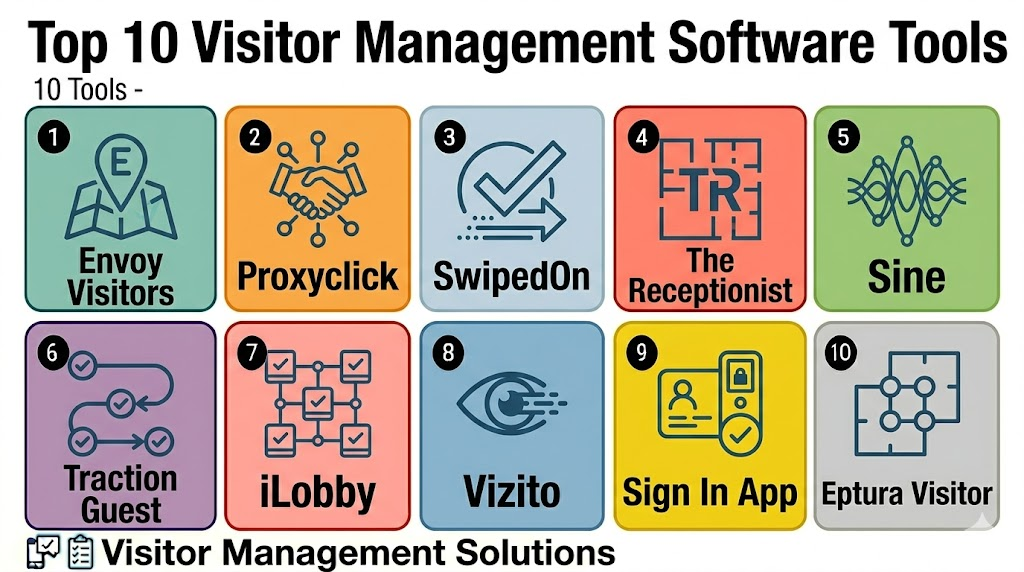
Top 10 Visitor Management Software Tools
1- Envoy Visitors
Short description: Envoy Visitors is a widely used visitor management platform for offices, workplaces, and enterprise facilities. It helps teams manage check-ins, host notifications, badges, visitor records, deliveries, and workplace security workflows.
Key Features
- Digital visitor check-in
- Pre-registration and QR code workflows
- Badge printing and visitor labels
- Host notifications through email or messaging tools
- Document signing and visitor agreements
- Visitor logs and reporting
- Integration with workplace and security systems
Pros
- Strong fit for modern offices and enterprise workplaces
- Clean visitor experience and professional reception flow
- Good ecosystem across workplace and office operations
Cons
- Advanced features may require higher-tier plans
- Smaller offices may not need the full platform
- Access control and advanced integrations should be validated
Platforms / Deployment
Web / iOS / Android / iPad kiosk
Cloud
Security & Compliance
Varies / N/A. Buyers should validate SSO, MFA, RBAC, encryption, audit logs, visitor data retention, privacy controls, and compliance requirements directly.
Integrations & Ecosystem
Envoy works well when visitor management is part of a larger workplace operations stack.
- Slack and Microsoft Teams notifications
- Google Workspace and Microsoft 365
- Access control systems
- Badge printers
- Employee directories
- Workplace and delivery workflows
Support & Community
Envoy provides documentation, onboarding resources, customer support, and workplace-focused guidance. Support depth may vary by plan, company size, and deployment complexity.
2- Proxyclick
Short description: Proxyclick is visitor management software designed for secure check-ins, compliance records, host notifications, visitor badges, and multi-site enterprise visitor workflows. It is useful for organizations that need structured security and professional front-desk operations.
Key Features
- Visitor pre-registration and self check-in
- Badge printing and QR code support
- Host notifications and visitor approvals
- ID capture and document signing
- Watchlist and security screening workflows
- Multi-location visitor reporting
- Access control and workplace integrations
Pros
- Strong fit for enterprise visitor security
- Useful for compliance-heavy reception workflows
- Supports multi-site visitor administration
Cons
- May be more than needed for very small offices
- Implementation should include privacy and retention planning
- Some integrations may require technical setup
Platforms / Deployment
Web / iOS / Android / Tablet kiosk
Cloud
Security & Compliance
Varies / N/A. Buyers should validate SSO, access permissions, encryption, audit logs, data retention, visitor screening controls, and privacy requirements directly.
Integrations & Ecosystem
Proxyclick fits organizations that need visitor workflows connected with security, compliance, and workplace systems.
- Access control systems
- Calendar integrations
- Messaging notifications
- Badge printing
- Visitor screening workflows
- Multi-site reporting
Support & Community
Proxyclick provides product documentation, onboarding help, and customer support resources. Support scope may vary by company size, region, and implementation requirements.
3- SwipedOn
Short description: SwipedOn is visitor management software for businesses that need simple digital sign-in, employee sign-in, visitor badges, host notifications, and evacuation records. It is a practical option for offices, schools, warehouses, and SMB locations.
Key Features
- Digital visitor sign-in
- Employee sign-in support
- Badge printing and visitor records
- Host notifications
- Document signing and visitor agreements
- Evacuation and emergency lists
- Multi-location management options
Pros
- Easy to use for reception and visitors
- Good fit for SMBs and mid-sized workplaces
- Practical visitor and employee sign-in workflows
Cons
- Advanced enterprise security depth should be validated
- Complex access control workflows may need additional tools
- Feature availability may vary by plan
Platforms / Deployment
Web / iOS / Android / iPad kiosk
Cloud
Security & Compliance
Varies / N/A. Buyers should validate data security, user permissions, visitor data retention, privacy controls, and admin access policies directly.
Integrations & Ecosystem
SwipedOn is useful when visitor sign-in needs to be simple, professional, and easy to administer.
- Badge printers
- Host notifications
- Employee sign-in workflows
- Document signing
- Evacuation reporting
- Multi-location visitor logs
Support & Community
SwipedOn provides support resources, onboarding guidance, and documentation for reception and workplace teams. Support depth may vary by plan and deployment size.
4- The Receptionist
Short description: The Receptionist is a visitor management platform focused on iPad-based check-in, visitor workflows, host notifications, badges, and front-desk experience. It is useful for businesses that want a friendly, lightweight, and polished reception process.
Key Features
- iPad-based visitor check-in
- Host notifications
- Badge printing support
- Custom visitor workflows
- Visitor agreements and forms
- Delivery and appointment workflows
- Visitor log reporting
Pros
- Simple and professional reception experience
- Good fit for offices, clinics, studios, and SMBs
- Easy check-in workflows for visitors and hosts
Cons
- Enterprise security depth may be limited for complex sites
- Best suited for iPad-based reception setups
- Advanced integrations should be validated before purchase
Platforms / Deployment
Web / iOS / iPad kiosk
Cloud
Security & Compliance
Varies / N/A. Buyers should validate user permissions, visitor data retention, encryption, document storage, and privacy controls directly.
Integrations & Ecosystem
The Receptionist works well for teams that want a clean front-desk workflow and fast visitor notifications.
- Messaging and email notifications
- Badge printers
- Visitor agreements
- Delivery workflows
- Appointment check-ins
- Visitor log exports
Support & Community
The Receptionist provides customer support, setup resources, and documentation. Its support model is suitable for SMB and mid-market reception teams.
5- Sine
Short description: Sine is visitor and contractor management software for check-ins, site access, compliance forms, inductions, QR codes, and attendance records. It is useful for workplaces, construction sites, industrial facilities, schools, and multi-site operations.
Key Features
- Visitor and contractor check-in
- QR code and mobile check-in
- Site inductions and forms
- Contractor compliance workflows
- Attendance and presence tracking
- Host notifications and approvals
- Multi-site reporting
Pros
- Strong fit for contractor and site access management
- Useful for industrial, construction, and facility environments
- Supports compliance-oriented visitor workflows
Cons
- May be more site-operations focused than simple office reception
- Setup should align with contractor compliance needs
- Some workflows may require training for guards and site teams
Platforms / Deployment
Web / iOS / Android / Tablet kiosk
Cloud
Security & Compliance
Varies / N/A. Buyers should validate access permissions, audit logs, visitor data retention, document storage, privacy settings, and compliance workflows directly.
Integrations & Ecosystem
Sine is useful when visitor management overlaps with contractor safety, site access, and workforce presence.
- QR code check-in
- Contractor forms and inductions
- Host notifications
- Site access workflows
- Multi-site dashboards
- Attendance reporting
Support & Community
Sine provides onboarding, documentation, and customer support resources. Support needs may depend on site complexity, contractor volume, and compliance workflows.
6- Traction Guest
Short description: Traction Guest is enterprise visitor management software designed for secure visitor operations, compliance, pre-registration, screening, approvals, and multi-location governance. It is useful for regulated companies and organizations with complex visitor policies.
Key Features
- Enterprise visitor pre-registration
- Visitor approvals and host notifications
- Watchlist and screening workflows
- Document signing and compliance records
- Badge printing and visitor labels
- Multi-site administration
- Reporting and audit visibility
Pros
- Strong fit for enterprise and regulated environments
- Useful for complex visitor screening and approval workflows
- Supports multi-location visitor governance
Cons
- May be too advanced for small reception-only needs
- Implementation can require policy mapping
- Buyers should validate current product packaging and support model
Platforms / Deployment
Web / iOS / Android / Kiosk options vary
Cloud
Security & Compliance
Varies / N/A. Buyers should validate SSO, MFA, RBAC, encryption, audit logs, screening controls, visitor data retention, and privacy requirements directly.
Integrations & Ecosystem
Traction Guest fits organizations that need visitor management tied to compliance and enterprise security operations.
- Access control workflows
- Watchlist screening
- Visitor approvals
- Badge printing
- Identity and directory workflows
- Enterprise reporting
Support & Community
Support and onboarding are typically enterprise-oriented. Buyers should confirm implementation resources, training, and support availability before deployment.
7- iLobby
Short description: iLobby is visitor and facility access management software for enterprise sites, industrial facilities, offices, manufacturing plants, and regulated workplaces. It supports visitor check-in, contractor compliance, emergency workflows, and site security.
Key Features
- Visitor and contractor sign-in
- Badge printing and check-in kiosks
- Document capture and compliance forms
- Emergency evacuation lists
- Site access workflows
- Multi-location visitor logs
- Security and operations reporting
Pros
- Strong fit for industrial and enterprise facilities
- Useful for contractor and compliance-heavy environments
- Supports security and emergency readiness workflows
Cons
- May be more robust than needed for small offices
- Implementation should involve security and operations teams
- Integration requirements should be reviewed carefully
Platforms / Deployment
Web / iOS / Android / Kiosk options vary
Cloud
Security & Compliance
Varies / N/A. Buyers should validate access roles, encryption, audit trails, retention policies, privacy settings, and compliance support directly.
Integrations & Ecosystem
iLobby is useful when visitor management needs to support industrial access, compliance, and facility safety workflows.
- Contractor management
- Badge printing
- Emergency evacuation reporting
- Security desk workflows
- Multi-site administration
- Compliance documentation
Support & Community
iLobby provides onboarding, implementation guidance, customer support, and enterprise-focused resources. Support scope may vary by site count and workflow complexity.
8- Vizito
Short description: Vizito is visitor management software for offices, schools, businesses, and reception areas that need digital check-in, badges, notifications, document signing, and visitor records. It is practical for teams that want a simple visitor registration experience.
Key Features
- Digital visitor check-in
- Badge printing
- Host notifications
- Visitor agreements and documents
- Custom check-in forms
- Visitor logs and exports
- Multi-location support options
Pros
- Simple and accessible visitor check-in
- Good fit for small and mid-sized workplaces
- Practical balance of visitor records and reception experience
Cons
- Enterprise security and screening depth should be validated
- Advanced access control integrations may be limited
- Feature depth may depend on plan selection
Platforms / Deployment
Web / iOS / Android / Tablet kiosk
Cloud
Security & Compliance
Varies / N/A. Buyers should validate user permissions, encryption, data retention, visitor privacy settings, and admin controls directly.
Integrations & Ecosystem
Vizito works well for organizations that want digital reception workflows without heavy complexity.
- Badge printing
- Host notifications
- Visitor forms
- Document signing
- Visitor logs
- Multi-site reporting where supported
Support & Community
Vizito provides support resources, setup guidance, and documentation. It is suitable for teams that want straightforward deployment and daily operation.
9- Sign In App
Short description: Sign In App is visitor management and sign-in software for workplaces, schools, offices, and facilities that need visitor registration, employee sign-in, evacuation lists, badges, and attendance visibility. It is useful for teams looking for flexible sign-in workflows.
Key Features
- Visitor and employee sign-in
- QR code and kiosk check-in
- Badge printing
- Evacuation and emergency lists
- Document and policy acknowledgement
- Host notifications
- Multi-site sign-in management
Pros
- Flexible visitor and staff sign-in workflows
- Good fit for schools and workplaces
- Useful emergency and evacuation visibility
Cons
- Advanced enterprise security integrations should be validated
- Best setup depends on reception and site processes
- Some features may require higher-tier plans
Platforms / Deployment
Web / iOS / Android / Tablet kiosk
Cloud
Security & Compliance
Varies / N/A. Buyers should validate permissions, audit logs, visitor data retention, encryption, privacy settings, and user management controls directly.
Integrations & Ecosystem
Sign In App is useful when organizations need a broader sign-in system across visitors, employees, contractors, and emergency lists.
- Visitor check-in
- Employee sign-in
- Badge printing
- Policy acknowledgement
- QR code workflows
- Evacuation reporting
Support & Community
Sign In App provides product documentation, onboarding resources, and support options. Support depth may vary by plan, organization type, and region.
10- Eptura Visitor
Short description: Eptura Visitor supports visitor management as part of a broader workplace and facility operations ecosystem. It is useful for organizations that want visitor check-in connected with workplace experience, space planning, facility workflows, and enterprise office operations.
Key Features
- Visitor registration and check-in
- Host notifications and pre-registration
- Badge and reception workflows
- Multi-location visitor records
- Workplace and facility ecosystem integration
- Security and compliance reporting
- Enterprise visitor administration
Pros
- Good fit for organizations using broader workplace platforms
- Useful for enterprise office and facility teams
- Connects visitor management with workplace operations
Cons
- May be too broad for small reception-only needs
- Best value depends on Eptura ecosystem fit
- Buyers should validate exact visitor module features
Platforms / Deployment
Web / iOS / Android / Kiosk options vary
Cloud
Security & Compliance
Varies / N/A. Buyers should validate user permissions, data retention, audit logs, encryption, visitor privacy, and enterprise security requirements directly.
Integrations & Ecosystem
Eptura Visitor works well when visitor management is part of a broader workplace operations and facilities strategy.
- Workplace management systems
- Host notifications
- Facility workflows
- Multi-site reporting
- Badge and reception workflows
- Security reporting
Support & Community
Eptura provides enterprise-oriented onboarding, documentation, customer support, and workplace operations resources. Support scope may vary by modules and deployment size.
Comparison Table
| Tool Name | Best For | Platform Supported | Deployment | Standout Feature | Public Rating |
|---|---|---|---|---|---|
| Envoy Visitors | Modern offices and enterprise workplaces | Web, iOS, Android, iPad kiosk | Cloud | Visitor check-in with workplace ecosystem | N/A |
| Proxyclick | Enterprise visitor security and compliance | Web, iOS, Android, tablet kiosk | Cloud | Visitor screening and multi-site workflows | N/A |
| SwipedOn | SMB visitor and employee sign-in | Web, iOS, Android, iPad kiosk | Cloud | Simple visitor and staff sign-in | N/A |
| The Receptionist | Friendly iPad-based reception workflows | Web, iOS, iPad kiosk | Cloud | Clean front-desk check-in experience | N/A |
| Sine | Contractor and site access management | Web, iOS, Android, tablet kiosk | Cloud | QR check-in and contractor compliance | N/A |
| Traction Guest | Enterprise visitor governance | Web, iOS, Android, kiosk options vary | Cloud | Visitor approvals and screening workflows | N/A |
| iLobby | Industrial and enterprise facility access | Web, iOS, Android, kiosk options vary | Cloud | Contractor and compliance-heavy visitor management | N/A |
| Vizito | Simple digital reception management | Web, iOS, Android, tablet kiosk | Cloud | Easy visitor forms and badge printing | N/A |
| Sign In App | Visitor, employee, and school sign-in | Web, iOS, Android, tablet kiosk | Cloud | Flexible sign-in and evacuation lists | N/A |
| Eptura Visitor | Enterprise workplace operations | Web, iOS, Android, kiosk options vary | Cloud | Visitor management connected with workplace operations | N/A |
Evaluation & Scoring of Visitor Management Software
| Tool Name | Core 25% | Ease 15% | Integrations 15% | Security 10% | Performance 10% | Support 10% | Value 15% | Weighted Total |
|---|---|---|---|---|---|---|---|---|
| Envoy Visitors | 9.0 | 8.8 | 8.8 | 8.1 | 8.7 | 8.4 | 8.0 | 8.6 |
| Proxyclick | 8.8 | 8.5 | 8.6 | 8.2 | 8.6 | 8.3 | 7.8 | 8.5 |
| SwipedOn | 8.3 | 8.9 | 8.0 | 7.7 | 8.3 | 8.1 | 8.5 | 8.3 |
| The Receptionist | 8.1 | 9.0 | 7.8 | 7.5 | 8.2 | 8.2 | 8.4 | 8.2 |
| Sine | 8.6 | 8.3 | 8.2 | 7.8 | 8.4 | 8.1 | 8.0 | 8.3 |
| Traction Guest | 8.8 | 8.0 | 8.5 | 8.2 | 8.5 | 8.2 | 7.5 | 8.3 |
| iLobby | 8.7 | 8.2 | 8.3 | 8.0 | 8.5 | 8.2 | 7.8 | 8.3 |
| Vizito | 7.9 | 8.7 | 7.6 | 7.4 | 8.0 | 7.9 | 8.4 | 8.0 |
| Sign In App | 8.2 | 8.6 | 7.9 | 7.6 | 8.2 | 8.0 | 8.3 | 8.2 |
| Eptura Visitor | 8.4 | 8.1 | 8.5 | 8.0 | 8.4 | 8.3 | 7.7 | 8.3 |
Which Visitor Management Software Tool Is Right for You?
Solo / Freelancer
Solo operators and very small offices usually do not need advanced visitor management software. A simple appointment calendar, digital form, or receptionist checklist may be enough for occasional guests.
If a small team wants a professional check-in experience, The Receptionist, Vizito, SwipedOn, or Sign In App can be practical starting points.
SMB
Small and mid-sized businesses need simple visitor check-in, host notifications, badges, visitor logs, and basic document signing. SwipedOn, The Receptionist, Vizito, Sign In App, and Envoy Visitors are strong options for this segment.
SMBs should prioritize ease of setup, receptionist usability, badge printing, and clear visitor records.
Mid-Market
Mid-market workplaces often need multi-site visitor logs, contractor check-in, access approvals, security screening, and integrations with calendars or messaging tools. Envoy, Proxyclick, Sine, iLobby, Sign In App, and Eptura Visitor can fit depending on industry.
This segment should validate host notifications, privacy controls, access workflows, visitor reporting, and emergency lists.
Enterprise
Enterprise organizations need access governance, compliance, watchlists, multi-site administration, visitor screening, audit logs, and integration with access control and physical security systems. Envoy, Proxyclick, Traction Guest, iLobby, Sine, and Eptura Visitor are strong enterprise candidates.
Enterprise buyers should involve security, IT, workplace, facilities, compliance, legal, and reception teams before final selection.
Budget vs Premium
Budget-conscious teams should evaluate Vizito, SwipedOn, The Receptionist, and Sign In App. These tools can provide strong digital check-in without unnecessary enterprise complexity.
Premium buyers should evaluate Envoy, Proxyclick, Traction Guest, iLobby, Sine, and Eptura Visitor when compliance, integrations, multi-site security, and contractor workflows matter more.
Feature Depth vs Ease of Use
If ease of use matters most, The Receptionist, SwipedOn, Vizito, and Sign In App are strong starting points. If feature depth matters more, Envoy, Proxyclick, Traction Guest, iLobby, Sine, and Eptura Visitor should be reviewed closely.
The best platform should improve reception flow without creating friction for visitors or hosts.
Integrations & Scalability
Visitor management software should be checked for integration with calendars, Slack, Microsoft Teams, access control, badge printers, employee directories, identity systems, visitor screening tools, and workplace platforms. Envoy, Proxyclick, Sine, iLobby, Traction Guest, and Eptura Visitor are strong options for integration-focused environments.
For multi-site growth, buyers should test visitor logs, reporting, admin roles, location settings, and data retention policies.
Security & Compliance Needs
Visitor management systems may store names, photos, ID details, signatures, company names, phone numbers, email addresses, visit reasons, and entry history. Buyers should review MFA, SSO, RBAC, encryption, audit logs, data retention, privacy notices, and export controls.
Regulated organizations should define what visitor data is collected, how long it is stored, who can view it, and how it is deleted.
Frequently Asked Questions
1. What is Visitor Management Software?
Visitor Management Software helps organizations digitally register, track, approve, and manage visitors.
It replaces paper sign-in books with check-in kiosks, visitor logs, badges, host notifications, and reporting.
It can also support contractors, vendors, deliveries, and compliance records.
The goal is better security, faster check-ins, and a more professional visitor experience.
2. Who needs Visitor Management Software?
Offices, schools, hospitals, factories, coworking spaces, warehouses, government sites, and enterprise campuses can use it.
It is especially useful when visitor volume is high or security records are important.
Organizations with contractors, vendors, or regulated entry workflows benefit strongly.
Very small offices may only need a simple digital form or calendar.
3. How much does Visitor Management Software cost?
Pricing varies by vendor, location count, visitor volume, kiosks, integrations, features, and support level.
Some tools are priced per location, while others may charge by plan, feature tier, or enterprise package.
Hardware such as tablets, badge printers, and scanners can add cost.
Buyers should compare total cost before rollout.
4. What features should a visitor management system include?
A strong system should include visitor check-in, host notifications, badge printing, pre-registration, QR codes, visitor logs, and reporting.
Security-focused teams may also need ID capture, watchlists, document signing, approvals, and access control integration.
Multi-site organizations should look for centralized administration and reporting.
Privacy and retention controls are also important.
5. Can Visitor Management Software improve security?
Yes, visitor management software can improve security by recording who entered, why they visited, who hosted them, and when they left.
It can support badges, approvals, watchlists, ID checks, and access control workflows.
It also creates audit trails that are easier to review than paper logs.
Security value depends on correct setup and staff adoption.
6. Which tool is best for small businesses?
SwipedOn, The Receptionist, Vizito, Sign In App, and Envoy Visitors are practical options for many small businesses.
They provide digital check-in, host alerts, visitor logs, and badge workflows without heavy complexity.
The best fit depends on budget, reception process, and visitor volume.
Small teams should prioritize ease of use and quick setup.
7. Which tool is best for enterprise teams?
Envoy Visitors, Proxyclick, Traction Guest, iLobby, Sine, and Eptura Visitor are strong options for enterprise teams.
They support multi-site operations, security screening, contractor workflows, visitor approvals, and reporting.
Enterprise buyers should validate SSO, audit logs, access control integrations, and data retention.
A pilot at one or two locations is recommended before full rollout.
8. What are common mistakes when choosing visitor software?
Common mistakes include ignoring visitor privacy, skipping badge printer testing, and not defining check-in workflows clearly.
Teams also forget to involve reception, security, IT, legal, and facilities teams before rollout.
Another mistake is collecting too much visitor data without a clear reason.
A pilot helps improve visitor flow and staff adoption.
9. Can visitor management software integrate with access control?
Yes, many visitor management systems can integrate with access control, smart locks, turnstiles, QR passes, and temporary credentials.
This allows approved visitors to access only the right areas during approved times.
Integration depth varies by vendor and hardware environment.
Buyers should test the access workflow before relying on it operationally.
10. What are alternatives to Visitor Management Software?
Alternatives include paper sign-in books, spreadsheets, Google Forms, appointment calendars, receptionist logs, or basic access control records.
These may work for very small offices with low visitor volume.
As security, compliance, and visitor experience needs grow, manual methods become harder to manage.
Dedicated visitor software is better for scalable and auditable visitor operations.
Conclusion
Visitor Management Software helps organizations make guest check-in faster, more secure, more professional, and easier to audit. The best platform depends on visitor volume, workplace type, security requirements, compliance needs, contractor workflows, and integration expectations. Envoy Visitors and Proxyclick are strong choices for modern offices and enterprise visitor operations, while SwipedOn, The Receptionist, Vizito, and Sign In App are practical for SMB and mid-market reception workflows. Sine, iLobby, Traction Guest, and Eptura Visitor are stronger for contractor access, compliance-heavy sites, and broader workplace operations. The smartest next step is to shortlist two or three tools, test check-in and badge printing, validate host notifications and integrations, review privacy settings, and run a pilot before rolling out across all sites.

Find Trusted Cardiac Hospitals
Compare heart hospitals by city and services — all in one place.
Explore Hospitals
Visitor management software is most valuable when it helps organizations securely register, track, and manage visitors entering their facilities through a centralized digital system. By providing digital check-in, visitor pre-registration, ID verification, badge printing, host notifications, access control integration, visitor logs, compliance reporting, emergency evacuation tracking, and real-time analytics, these platforms enhance workplace security, streamline front-desk operations, improve visitor experiences, ensure regulatory compliance, and provide complete visibility into facility access.