Introduction
Queue Management Software helps organizations manage waiting lines, walk-ins, appointments, service counters, ticket numbers, customer flow, staff assignment, notifications, and service performance from one digital system. Instead of using paper tokens, manual call-outs, crowded waiting rooms, or disconnected appointment lists, these platforms help customers join queues through kiosks, QR codes, mobile links, websites, SMS, or staff-assisted check-in. This category matters because customers now expect faster, more transparent, and more flexible service experiences. Banks, hospitals, clinics, government offices, retail stores, telecom branches, universities, restaurants, and service centers need tools that reduce wait times, improve staff utilization, and give managers real-time visibility.
Real World Use Cases:
- Managing walk-in queues at banks, clinics, and government offices
- Letting customers join queues remotely through QR codes or mobile links
- Sending SMS, email, WhatsApp, or app-based status updates
- Routing customers to the right service counter or staff member
- Tracking wait time, service time, abandonment, and branch performance
Evaluation Criteria for Buyers:
- Virtual queue and walk-in queue support
- Appointment scheduling and booking workflows
- Kiosk, QR code, mobile, and web check-in options
- SMS, email, WhatsApp, and display notifications
- Staff dashboard and counter assignment
- Multi-location queue visibility
- Analytics and wait-time reporting
- Integrations with CRM, POS, EHR, banking, or government systems
- Hardware support for kiosks, screens, ticket printers, and signage
- Privacy, security, roles, and admin controls
Best for: Banks, hospitals, clinics, government offices, telecom stores, retail chains, restaurants, universities, service centers, public sector agencies, and customer-facing businesses that need to reduce wait times, improve customer flow, and manage high-volume service operations.
Not ideal for: Very small businesses with only occasional visitors may not need full queue management software. A simple booking calendar, paper token system, or basic sign-in sheet may be enough until walk-in volume, customer wait time, staff coordination, or multi-location reporting becomes harder to manage.
Key Trends in Queue Management Software
- Virtual queuing is becoming the default: Customers increasingly expect to join a queue from a phone, QR code, website, or SMS link instead of physically standing in line.
- Appointment and walk-in management are merging: Modern systems combine scheduled appointments, same-day walk-ins, priority customers, and service routing in one operational dashboard.
- AI-assisted forecasting is emerging: Platforms are starting to use queue history, staff capacity, service types, and arrival patterns to predict wait times and recommend staffing changes.
- Omnichannel notifications are more important: SMS, email, WhatsApp, app notifications, digital signage, and voice announcements help customers understand their place in the queue.
- Kiosk and mobile check-in coexist: Some industries still need physical kiosks, ticket printers, and display screens, while others prefer QR and mobile-first check-in.
- Analytics are becoming operationally critical: Managers want reports on average wait time, service time, no-shows, abandonment, staff productivity, peak hours, and branch-level performance.
- Industry-specific workflows are growing: Healthcare, banking, retail, government, education, and telecom teams often need different routing, compliance, privacy, and integration workflows.
- Cloud queue management is expanding: Cloud platforms simplify multi-site management, remote configuration, faster updates, and centralized reporting.
- Customer experience is a core metric: Queue tools are now evaluated not only by operational efficiency but also by satisfaction, transparency, and perceived waiting experience.
- Security and privacy matter more: Queue systems may store names, phone numbers, appointment details, service reasons, health information, and visit history, so access controls and data retention are important.
How We Selected These Tools
The tools below were selected using practical queue management and customer flow evaluation logic:
- Market recognition among retail, healthcare, banking, government, education, telecom, and service center buyers
- Strength of walk-in queue, virtual queue, appointment, and customer routing workflows
- Support for kiosks, QR codes, mobile check-in, ticket printers, digital signage, and staff dashboards
- Fit across SMBs, mid-market organizations, branch networks, public sector offices, and enterprise environments
- Notification options across SMS, email, WhatsApp, displays, voice, and app-based alerts
- Analytics depth for wait times, service performance, no-shows, abandonment, and staff utilization
- Integration potential with CRM, EHR, POS, calendars, banking systems, identity systems, and BI tools
- Ease of setup for branch staff, reception teams, service counters, and operations managers
- Security controls, admin roles, data retention, and privacy posture
- Practical value for improving customer experience, reducing crowding, and optimizing service capacity
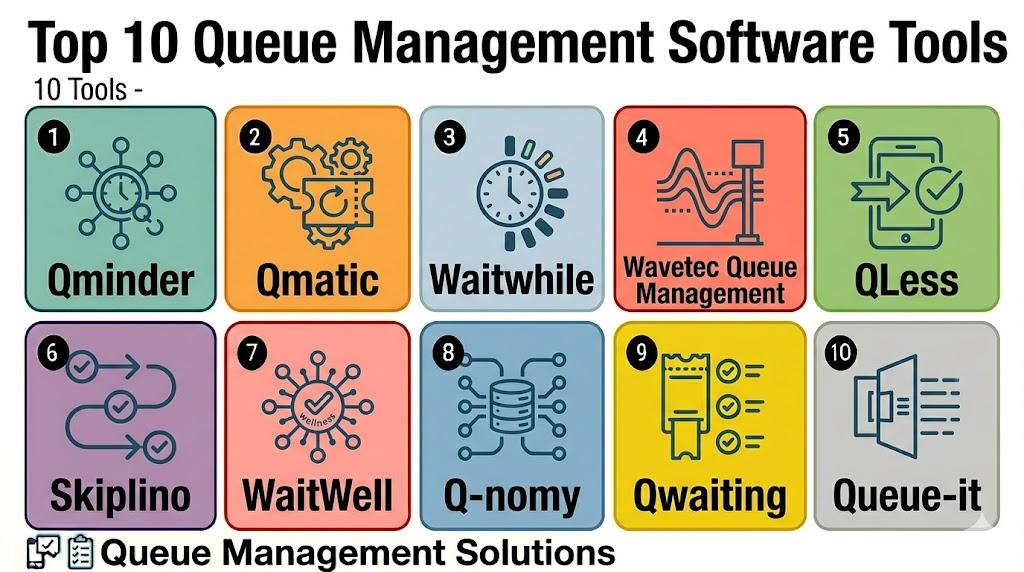
Top 10 Queue Management Software Tools
1- Qminder
Short description: Qminder is queue management software for customer check-ins, waitlists, service dashboards, and real-time service analytics. It is useful for retail, healthcare, education, government, and service operations that want a clean queue experience with strong visibility into service performance.
Key Features
- Digital check-in and visitor queue management
- Staff dashboard for serving and routing customers
- SMS and notification workflows
- Service analytics and wait-time reporting
- Multi-location queue visibility
- Kiosk and tablet-based check-in options
- Customer feedback and service performance insights
Pros
- Strong service analytics and operational dashboards
- Good fit for branch-based customer service environments
- Easy experience for staff and visitors
Cons
- Hardware and kiosk needs should be planned carefully
- Advanced enterprise integrations may require review
- Smaller teams may not need the full analytics depth
Platforms / Deployment
Web / iOS / Android / Tablet kiosk
Cloud
Security & Compliance
Varies / N/A. Buyers should validate SSO, MFA, RBAC, encryption, audit logs, data retention, customer privacy controls, and compliance requirements directly.
Integrations & Ecosystem
Qminder works well when queue management needs to connect with customer service, branch operations, and performance reporting.
- CRM workflows
- Kiosk and tablet check-in
- SMS notifications
- Digital signage
- Customer feedback tools
- Reporting and analytics dashboards
Support & Community
Qminder provides documentation, onboarding resources, and customer support for service teams. Support depth may vary by plan, locations, and integration complexity.
2- Qmatic
Short description: Qmatic is an enterprise queue management and customer journey platform used by banks, healthcare providers, public sector offices, and service organizations. It is suitable for organizations that need hardware-integrated queue systems, appointment management, customer routing, and branch-level analytics.
Key Features
- Enterprise queue and customer journey management
- Appointment scheduling and walk-in support
- Kiosks, ticketing, and digital signage
- Counter routing and staff dashboards
- Multi-location customer flow reporting
- Customer notifications and service updates
- Integration with branch and enterprise systems
Pros
- Strong fit for enterprise branch networks
- Good hardware and kiosk ecosystem support
- Useful for banking, healthcare, and government workflows
Cons
- May be too complex for small teams
- Implementation can require planning and integrator support
- Cost and hardware requirements should be reviewed carefully
Platforms / Deployment
Web / Windows / Mobile access varies / Kiosk
Cloud / On-premises / Hybrid / Varies
Security & Compliance
Varies / N/A. Buyers should validate SSO, RBAC, encryption, audit logs, retention policies, kiosk security, and industry-specific compliance needs directly.
Integrations & Ecosystem
Qmatic works well for organizations that need queue management connected with physical branch infrastructure.
- Kiosks and ticket printers
- Digital signage
- Appointment systems
- CRM and service systems
- Branch operations tools
- Analytics and BI workflows
Support & Community
Qmatic provides enterprise support, implementation services, partner resources, and documentation. Support scope may vary by country, hardware setup, and deployment model.
3- Waitwhile
Short description: Waitwhile is a cloud-based queue and waitlist management platform for retail, hospitality, healthcare, service centers, and appointment-based businesses. It helps teams manage virtual queues, appointments, SMS updates, and customer flow from a simple web-based interface.
Key Features
- Virtual queue and waitlist management
- Appointment scheduling support
- SMS and email notifications
- Online check-in and customer self-service
- Staff dashboard and customer routing
- Wait-time analytics and reporting
- Multi-location support
Pros
- Strong fit for retail, hospitality, and service businesses
- Easy virtual queue experience for customers
- Good balance of usability and queue management features
Cons
- Enterprise hardware-heavy needs may require other platforms
- Advanced workflows may need configuration
- Subscription costs should be reviewed as locations grow
Platforms / Deployment
Web / iOS / Android access varies
Cloud
Security & Compliance
Varies / N/A. Buyers should validate permissions, customer data handling, SMS consent, retention settings, account security, and compliance requirements directly.
Integrations & Ecosystem
Waitwhile is useful when businesses want virtual queues, customer communication, and appointment workflows in one system.
- SMS and email notifications
- Online booking workflows
- Customer check-in links
- Staff dashboards
- Analytics tools
- CRM and service integrations where supported
Support & Community
Waitwhile provides documentation, onboarding resources, and customer support. It is especially practical for teams moving from manual waitlists to digital queue workflows.
4- Wavetec Queue Management
Short description: Wavetec Queue Management supports enterprise customer flow, ticketing, digital signage, kiosks, appointment scheduling, feedback, and analytics. It is useful for banks, telecom, healthcare, government, retail, and public-facing service environments.
Key Features
- Queue ticketing and customer routing
- Kiosk and digital signage support
- Appointment and walk-in management
- WhatsApp, SMS, and notification workflows where configured
- Customer feedback collection
- Multi-branch analytics
- Integration with service and branch systems
Pros
- Strong hardware and customer flow ecosystem
- Good fit for banks, telecom, and government service centers
- Useful for physical branch queue modernization
Cons
- Implementation may require hardware planning
- Smaller businesses may find it more than necessary
- Feature scope should be validated by region and package
Platforms / Deployment
Web / Windows / Mobile access varies / Kiosk
Cloud / On-premises / Hybrid / Varies
Security & Compliance
Varies / N/A. Buyers should validate user roles, encryption, audit logs, kiosk security, data retention, customer privacy, and industry compliance needs directly.
Integrations & Ecosystem
Wavetec works well for queue management in physical branch and customer service environments.
- Ticketing kiosks
- Digital signage
- WhatsApp and SMS workflows
- Feedback systems
- Branch analytics
- CRM and service systems
Support & Community
Wavetec provides implementation support, hardware guidance, and customer service resources. Support depth may vary by region, project size, and hardware deployment.
5- QLess
Short description: QLess is a queue management and appointment scheduling platform focused on virtual lines, remote check-in, customer notifications, and service flow optimization. It is suitable for government offices, universities, healthcare, retail, and service organizations that want to reduce physical waiting.
Key Features
- Virtual queue management
- Remote customer check-in
- Appointment scheduling support
- SMS notifications and wait-time updates
- Staff dashboard for service flow
- Customer routing and priority management
- Analytics and operational reporting
Pros
- Strong virtual queue experience
- Useful for reducing crowded waiting areas
- Good fit for public-facing service organizations
Cons
- Buyers should validate current feature packaging
- Hardware-heavy kiosk environments may need additional planning
- Integration depth should be checked for enterprise use
Platforms / Deployment
Web / iOS / Android access varies
Cloud
Security & Compliance
Varies / N/A. Buyers should validate customer data privacy, SMS consent, user permissions, encryption, audit logs, data retention, and compliance requirements directly.
Integrations & Ecosystem
QLess is valuable when organizations need remote check-in and virtual queue communication.
- SMS customer notifications
- Appointment workflows
- Staff dashboards
- Customer routing
- Public sector and education workflows
- Reporting and analytics
Support & Community
QLess provides product support and implementation guidance for queue and appointment workflows. Support scope may vary by industry, plan, and deployment size.
6- Skiplino
Short description: Skiplino is a queue management and appointment scheduling platform that helps customers join queues remotely, receive status updates, and access services with less physical waiting. It is useful for small and mid-sized service businesses, clinics, government offices, and customer service counters.
Key Features
- Queue management and ticketing
- Appointment scheduling
- Mobile and web check-in
- SMS and notification workflows
- Staff service dashboard
- Branch and service configuration
- Customer flow reports
Pros
- Practical option for digital queue modernization
- Good fit for remote check-in and appointment-based service
- Suitable for SMB and mid-market environments
Cons
- Enterprise integrations should be validated
- Advanced hardware workflows may require planning
- Feature availability may vary by plan and region
Platforms / Deployment
Web / iOS / Android
Cloud
Security & Compliance
Varies / N/A. Buyers should validate account security, customer data handling, user roles, notification consent, retention policies, and admin controls directly.
Integrations & Ecosystem
Skiplino works well for service teams that want queue and appointment workflows without heavy infrastructure.
- Mobile check-in
- Appointment booking
- SMS and app notifications
- Service counter dashboards
- Branch reporting
- Customer journey workflows
Support & Community
Skiplino provides documentation, onboarding support, and customer help resources. Support quality may vary by region and package.
7- WaitWell
Short description: WaitWell is queue and appointment management software for organizations that need walk-in management, scheduled appointments, multi-service routing, and operational analytics. It is useful for healthcare, public sector, financial services, education, and high-throughput service environments.
Key Features
- Walk-in and appointment queue management
- Multi-service routing
- Staff dashboards and queue visibility
- Customer notifications
- Analytics and performance reporting
- Multi-location support
- Configurable queue workflows
Pros
- Strong fit for organizations that combine appointments and walk-ins
- Useful for high-volume service operations
- Practical analytics for throughput and staffing decisions
Cons
- Buyers should validate current plan limits and integrations
- Newer teams may need onboarding to configure workflows well
- Hardware needs should be checked if kiosk-based flow is required
Platforms / Deployment
Web / Mobile access varies
Cloud
Security & Compliance
Varies / N/A. Buyers should validate customer data privacy, role controls, audit logs, encryption, notification consent, and industry-specific requirements directly.
Integrations & Ecosystem
WaitWell works well when queue management needs to connect with scheduled appointments and multi-service operations.
- Appointment workflows
- QR and digital check-in
- Customer notifications
- Staff dashboards
- Multi-location reporting
- Analytics and service performance tools
Support & Community
WaitWell provides onboarding resources and customer support for queue and appointment management use cases. Support depth may vary by plan and organization size.
8- Q-nomy
Short description: Q-nomy provides customer journey and queue management solutions for branches, service centers, healthcare, banking, telecom, and public sector environments. It supports appointment scheduling, ticketing, routing, digital signage, and service analytics.
Key Features
- Queue and customer journey management
- Appointment scheduling
- Kiosk and ticketing support
- Customer routing and counter management
- Digital signage and announcements
- Service analytics and reporting
- Multi-location support
Pros
- Strong fit for complex service centers
- Useful for banking, telecom, healthcare, and government workflows
- Supports physical and digital customer journey management
Cons
- May require implementation planning
- Smaller organizations may find it too advanced
- Hardware and integration requirements should be reviewed
Platforms / Deployment
Web / Windows / Mobile access varies / Kiosk
Cloud / On-premises / Hybrid / Varies
Security & Compliance
Varies / N/A. Buyers should validate user permissions, encryption, audit logs, data retention, kiosk security, customer privacy, and compliance requirements directly.
Integrations & Ecosystem
Q-nomy fits organizations with complex branch and service routing needs.
- Kiosks and ticketing systems
- Digital signage
- Appointment systems
- CRM and business systems
- Customer feedback workflows
- Reporting dashboards
Support & Community
Q-nomy provides implementation support, documentation, and enterprise customer resources. Support scope may vary by geography, project size, and deployment model.
9- Qwaiting
Short description: Qwaiting is queue management software for digital queues, appointments, check-ins, notifications, and service counter operations. It is useful for clinics, offices, public counters, retail locations, and businesses that want a cloud-based queue system.
Key Features
- Queue ticketing and customer check-in
- Appointment scheduling support
- Real-time queue updates
- SMS and notification workflows
- Staff dashboard and counter management
- Customer feedback options
- Queue analytics and reports
Pros
- Practical cloud-based queue management
- Good fit for clinics, service counters, and SMBs
- Supports customer notifications and wait-time visibility
Cons
- Enterprise scalability should be validated
- Advanced integrations may require review
- Hardware and kiosk workflows should be tested if required
Platforms / Deployment
Web / iOS / Android access varies
Cloud
Security & Compliance
Varies / N/A. Buyers should validate user permissions, encryption, customer data handling, notification consent, data retention, and privacy controls directly.
Integrations & Ecosystem
Qwaiting works well for teams that need a straightforward queue and appointment management platform.
- Customer check-in workflows
- SMS notifications
- Appointment booking
- Staff dashboards
- Service counters
- Reports and analytics
Support & Community
Qwaiting provides onboarding resources and support for queue management deployments. Buyers should validate response times and support scope based on plan.
10- Queue-it
Short description: Queue-it is a virtual waiting room platform designed for managing online traffic surges during high-demand digital events. It is different from physical queue systems because it focuses on digital queues for websites, ticket drops, product launches, registrations, and online campaigns.
Key Features
- Virtual waiting room for websites
- Traffic surge protection
- Fair online queueing workflows
- Real-time traffic control
- Bot and abuse mitigation support where configured
- Event and campaign queue management
- Analytics and queue performance visibility
Pros
- Strong fit for online high-traffic events
- Protects websites and apps during demand spikes
- Useful for ticketing, retail launches, registration, and government portals
Cons
- Not designed for physical branch queues
- Best value is for high-demand digital traffic use cases
- May not replace customer service queue management tools
Platforms / Deployment
Web
Cloud
Security & Compliance
Varies / N/A. Buyers should validate traffic security, bot mitigation controls, data handling, access permissions, encryption, audit logs, and compliance needs directly.
Integrations & Ecosystem
Queue-it works well when queue management is about digital traffic control rather than physical waiting rooms.
- Websites and landing pages
- E-commerce platforms
- Ticketing platforms
- Registration portals
- Campaign and launch workflows
- Analytics and traffic monitoring
Support & Community
Queue-it provides implementation support, documentation, and enterprise customer success resources. Support depth may vary by traffic scale and event criticality.
Comparison Table
| Tool Name | Best For | Platform Supported | Deployment | Standout Feature | Public Rating |
|---|---|---|---|---|---|
| Qminder | Service analytics and branch queues | Web, iOS, Android, tablet kiosk | Cloud | Real-time customer flow analytics | N/A |
| Qmatic | Enterprise branches and hardware-integrated queues | Web, Windows, mobile varies, kiosk | Cloud / On-premises / Hybrid / Varies | Kiosks, ticketing, and enterprise customer journey | N/A |
| Waitwhile | Retail, hospitality, and service waitlists | Web, mobile access varies | Cloud | Virtual queues and customer notifications | N/A |
| Wavetec Queue Management | Banking, telecom, and government service centers | Web, Windows, mobile varies, kiosk | Cloud / On-premises / Hybrid / Varies | Hardware-integrated queue and signage workflows | N/A |
| QLess | Public sector and virtual waiting lines | Web, mobile access varies | Cloud | Remote check-in and virtual queue communication | N/A |
| Skiplino | SMB and mid-market digital queues | Web, iOS, Android | Cloud | Mobile queue and appointment workflows | N/A |
| WaitWell | Walk-ins plus appointment management | Web, mobile varies | Cloud | Unified walk-in, appointment, and service routing | N/A |
| Q-nomy | Complex customer journey management | Web, Windows, mobile varies, kiosk | Cloud / On-premises / Hybrid / Varies | Branch journey orchestration and routing | N/A |
| Qwaiting | Clinics and service counters | Web, mobile varies | Cloud | Cloud queue and appointment workflows | N/A |
| Queue-it | Online traffic waiting rooms | Web | Cloud | Digital queue for high-demand web traffic | N/A |
Evaluation & Scoring of Queue Management Software
| Tool Name | Core 25% | Ease 15% | Integrations 15% | Security 10% | Performance 10% | Support 10% | Value 15% | Weighted Total |
|---|---|---|---|---|---|---|---|---|
| Qminder | 8.8 | 8.7 | 8.3 | 7.8 | 8.6 | 8.2 | 8.0 | 8.5 |
| Qmatic | 9.2 | 7.8 | 8.8 | 8.1 | 8.9 | 8.5 | 7.4 | 8.5 |
| Waitwhile | 8.6 | 8.9 | 8.2 | 7.7 | 8.5 | 8.1 | 8.4 | 8.4 |
| Wavetec Queue Management | 9.0 | 7.9 | 8.6 | 8.0 | 8.8 | 8.3 | 7.6 | 8.4 |
| QLess | 8.6 | 8.4 | 8.1 | 7.7 | 8.4 | 8.0 | 7.9 | 8.2 |
| Skiplino | 8.2 | 8.5 | 7.8 | 7.5 | 8.2 | 7.9 | 8.2 | 8.1 |
| WaitWell | 8.7 | 8.5 | 8.1 | 7.8 | 8.4 | 8.0 | 8.2 | 8.3 |
| Q-nomy | 8.9 | 7.8 | 8.5 | 8.0 | 8.7 | 8.2 | 7.5 | 8.3 |
| Qwaiting | 8.1 | 8.5 | 7.7 | 7.5 | 8.1 | 7.8 | 8.2 | 8.0 |
| Queue-it | 8.6 | 8.2 | 8.5 | 8.1 | 9.0 | 8.3 | 7.6 | 8.4 |
Which Queue Management Software Tool Is Right for You?
Solo / Freelancer
Solo operators and very small service providers usually do not need a complex queue management platform. A booking calendar, sign-in sheet, or basic waitlist tool may be enough for low visitor volume.
If a small business wants a simple digital queue, Waitwhile, Qwaiting, Skiplino, or Qminder can be practical starting points depending on budget and service flow.
SMB
Small and mid-sized businesses need easy check-in, customer notifications, queue visibility, staff dashboards, and simple reporting. Waitwhile, Qminder, Skiplino, Qwaiting, and QLess are strong candidates for this segment.
SMBs should prioritize customer experience, low setup effort, notification reliability, and clear wait-time reporting.
Mid-Market
Mid-market organizations often need multi-location support, appointment scheduling, service routing, digital signage, reporting, and branch operations visibility. Qminder, WaitWell, QLess, Wavetec, Qmatic, Q-nomy, and Waitwhile can fit depending on industry.
This segment should validate integrations, reporting depth, kiosk needs, staff workflows, and customer notification options.
Enterprise
Enterprise queue management requires scalability, complex routing, hardware support, kiosk networks, integrations, compliance controls, and multi-branch analytics. Qmatic, Wavetec, Q-nomy, Qminder, WaitWell, QLess, and Queue-it are strong options depending on whether the queue is physical or digital.
Enterprise buyers should involve operations, IT, security, compliance, branch managers, customer experience teams, and procurement before final selection.
Budget vs Premium
Budget-conscious teams should evaluate Waitwhile, Skiplino, Qwaiting, and Qminder for practical digital queue workflows without heavy hardware. These tools can work well for clinics, salons, small retail stores, and service counters.
Premium buyers should evaluate Qmatic, Wavetec, Q-nomy, WaitWell, QLess, and Queue-it when enterprise scale, complex routing, hardware, advanced analytics, or digital traffic management matter more.
Feature Depth vs Ease of Use
If ease of use matters most, Waitwhile, Qminder, Skiplino, and Qwaiting are strong starting points. If feature depth matters more, Qmatic, Wavetec, Q-nomy, WaitWell, and QLess should be reviewed closely.
For online traffic surges, Queue-it is a specialized choice rather than a general branch queue system.
Integrations & Scalability
Queue management software should be checked for integration with CRM, POS, EHR, calendars, banking systems, government systems, digital signage, kiosks, SMS providers, WhatsApp workflows, and BI platforms. Qmatic, Wavetec, Q-nomy, Qminder, WaitWell, and Queue-it are strong options for integration-focused environments.
For multi-site growth, buyers should test location management, queue templates, user roles, analytics, and notification consistency.
Security & Compliance Needs
Queue systems may process customer names, phone numbers, appointment details, service reasons, health data, financial service requests, and visit history. Buyers should review user roles, encryption, audit logs, privacy notices, retention rules, notification consent, and access controls.
Healthcare, banking, government, and regulated environments should include legal, IT, compliance, and security teams before deployment.
Frequently Asked Questions
1. What is Queue Management Software?
Queue Management Software helps organizations manage waiting lines, walk-ins, appointments, tickets, and customer flow.
It lets customers check in through kiosks, QR codes, websites, SMS, or staff-assisted counters.
Staff can see who is waiting, call the next customer, route service requests, and track wait times.
It improves service visibility and reduces physical crowding.
2. Who needs Queue Management Software?
Banks, clinics, hospitals, government offices, universities, retail stores, telecom branches, restaurants, and service centers can use it.
It is especially useful when many customers arrive at the same time or need different service types.
Organizations with long waits, unclear service order, or crowded reception areas benefit the most.
Very small businesses may only need a basic booking tool.
3. How much does Queue Management Software cost?
Pricing varies by vendor, number of locations, users, queues, kiosks, notifications, integrations, and analytics features.
Cloud tools may charge monthly subscriptions, while enterprise systems may include hardware, licenses, implementation, and support.
SMS or WhatsApp notifications may add usage-based costs.
Buyers should compare total cost, not only the base subscription.
4. What is a virtual queue?
A virtual queue lets customers join a line without physically standing in one place.
They may check in through a QR code, mobile link, website, SMS, kiosk, or staff-assisted process.
The system sends updates when their turn is near or when they should approach the counter.
Virtual queues reduce crowding and improve customer comfort.
5. Can Queue Management Software support appointments?
Yes, many modern platforms support both walk-ins and scheduled appointments.
This helps organizations manage planned visits, same-day arrivals, priority customers, and no-shows in one dashboard.
Appointment support is useful for clinics, banks, government offices, and service centers.
Buyers should test how appointments and walk-ins are balanced.
6. Which tool is best for small businesses?
Waitwhile, Qminder, Skiplino, Qwaiting, and QLess are practical options for many small and mid-sized businesses.
They support digital check-in, waitlists, notifications, and basic reporting without heavy infrastructure.
The best fit depends on visitor volume, service type, and notification needs.
Small teams should prioritize simplicity and quick setup.
7. Which tool is best for enterprise teams?
Qmatic, Wavetec, Q-nomy, Qminder, WaitWell, QLess, and Queue-it are strong options for enterprise scenarios.
They support multi-location workflows, integrations, analytics, and complex queue routing.
Qmatic and Wavetec are especially relevant for hardware-integrated branch environments.
Queue-it is more relevant for online traffic queues.
8. What are common mistakes when choosing queue software?
Common mistakes include choosing software without mapping service workflows, ignoring customer notifications, and underestimating staff training.
Teams also forget to measure wait time, no-shows, abandonment, and service time after rollout.
Another mistake is buying kiosk hardware when mobile check-in would be enough.
A pilot helps validate real customer flow before scaling.
9. Can Queue Management Software integrate with other systems?
Yes, many tools can integrate with CRM, EHR, POS, banking systems, calendars, identity systems, digital signage, kiosks, and BI tools.
Integrations help connect queue data with customer records, appointments, transactions, and reporting.
Integration depth varies by vendor and industry.
Buyers should test data flow before relying on integrations.
10. What are alternatives to Queue Management Software?
Alternatives include paper tokens, manual sign-in sheets, appointment calendars, receptionist call-outs, spreadsheets, or basic ticket dispensers.
These may work for low-volume locations with simple service needs.
As customer volume grows, manual methods become slow, confusing, and hard to measure.
Dedicated queue software is better for scalable and professional customer flow.
Conclusion
Queue Management Software helps organizations reduce waiting friction, improve service flow, manage walk-ins and appointments, and give operations teams better visibility into customer demand. The best platform depends on industry, visitor volume, service complexity, hardware needs, notification channels, integrations, and reporting requirements. Qminder, Waitwhile, Skiplino, Qwaiting, and QLess are strong choices for digital and virtual queue workflows, while Qmatic, Wavetec, and Q-nomy are better for hardware-integrated and enterprise branch environments. WaitWell is useful for organizations combining appointments, walk-ins, and multi-service routing, while Queue-it is a specialized option for online waiting rooms and traffic surge protection. The smartest next step is to shortlist two or three tools, test real check-in and notification workflows, validate integrations and analytics, review privacy settings, and run a pilot before rolling out across all locations.

Find Trusted Cardiac Hospitals
Compare heart hospitals by city and services — all in one place.
Explore Hospitals
Queue management software is most valuable when it helps organizations efficiently manage customer flow, reduce wait times, and improve service delivery across physical and virtual queues. By providing digital ticketing, virtual queue management, appointment integration, real-time queue monitoring, customer notifications, staff allocation, performance analytics, self-service check-in, and integration with CRM and business systems, these platforms enable businesses to enhance customer experience, optimize staff productivity, reduce congestion, and streamline daily operations.