Introduction
Emergency Notification Systems help organizations send urgent alerts, safety notifications, crisis communications, and operational updates across multiple communication channels such as SMS, email, voice calls, mobile apps, and desktop notifications. These platforms are widely used by enterprises, healthcare providers, educational institutions, government agencies, manufacturing companies, and logistics organizations to improve emergency response and operational coordination. Modern systems focus heavily on real-time communication, automation, mobile accessibility, integrations, and centralized crisis management. Buyers should evaluate scalability, delivery reliability, multi-channel communication, security controls, analytics, integrations, automation capabilities, compliance support, ease of use, and deployment flexibility before selecting a platform.
Real World Use Cases
- Enterprises use emergency notification systems for workplace crisis communication and operational alerts.
- Healthcare organizations send emergency staffing and facility notifications during critical incidents.
- Universities use mass notification systems for campus safety alerts and weather emergencies.
- Manufacturing companies manage operational incidents and employee evacuation communications.
- Logistics and transportation firms coordinate emergency updates across distributed workforce environments.
- Government agencies use emergency communication systems for public safety notifications.
Evaluation Criteria for Buyers
- Multi-channel notification capabilities
- Message delivery reliability and speed
- Mobile accessibility and usability
- Workflow automation support
- Integration with HR and IT systems
- Security and access controls
- Scalability across locations
- Analytics and reporting visibility
- Ease of onboarding and administration
- Compliance and audit logging capabilities
Best for
Large enterprises, educational institutions, healthcare organizations, logistics providers, government agencies, manufacturing companies, and businesses requiring fast and reliable emergency communication workflows.
Not ideal for
Very small businesses with minimal operational risk or organizations that only need simple internal communication tools without advanced emergency response requirements.
Key Trends in Emergency Notification Systems
- AI-driven alert prioritization is improving emergency response efficiency.
- Mobile-first notification workflows are becoming standard across industries.
- Cloud-native communication platforms are replacing legacy alert systems.
- Automated escalation workflows are reducing response delays.
- Real-time analytics dashboards are improving crisis visibility.
- Geo-targeted emergency alerts are becoming more accurate.
- Integration with collaboration platforms is increasing operational efficiency.
- Multi-language notifications are improving workforce communication.
- API-driven integrations are strengthening interoperability with enterprise systems.
- Security and compliance requirements are becoming more important for enterprise deployments.
How We Selected These Tools
The tools below were selected using a practical evaluation framework focused on operational reliability, emergency communication capabilities, and enterprise scalability.
- Enterprise adoption and market reputation
- Reliability of emergency communication workflows
- Multi-channel notification support
- Mobile accessibility and usability
- Workflow automation depth
- Integration ecosystem maturity
- Security and governance capabilities
- Scalability across organizations
- Analytics and reporting functionality
- Customer support and operational flexibility
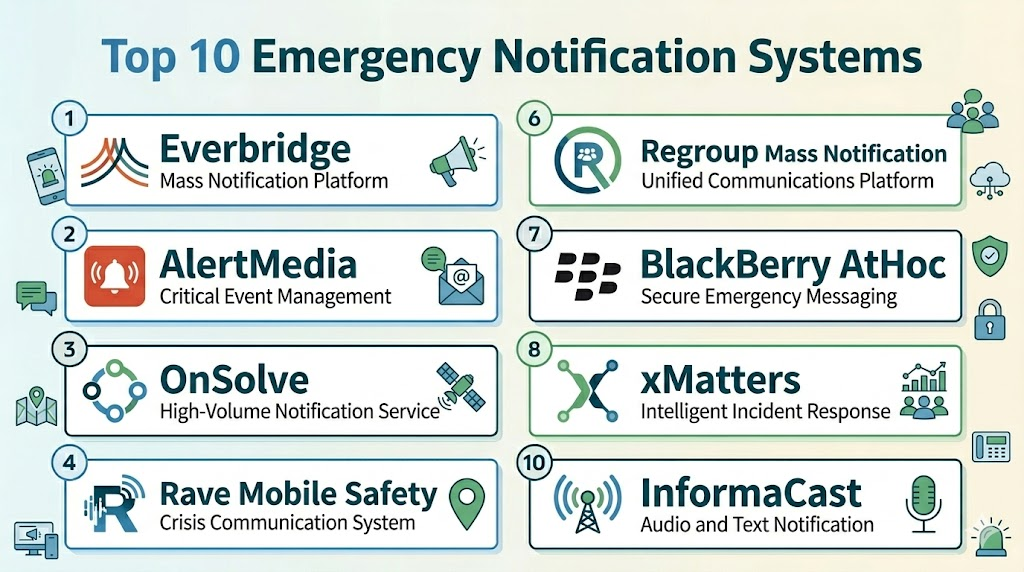
Top 10 Emergency Notification Systems
1- Everbridge
Short description: Everbridge is one of the most widely recognized emergency notification and critical event management platforms used by enterprises, healthcare organizations, governments, and educational institutions. It provides multi-channel communication, crisis management, and operational resilience tools.
Key Features
- Multi-channel emergency alerts
- Crisis communication workflows
- Geo-targeted notifications
- Real-time dashboards
- Incident management
- Mobile alerts
- Automated escalation workflows
Pros
- Strong enterprise scalability
- Broad communication coverage
- Advanced crisis management capabilities
Cons
- Enterprise pricing can be high
- Advanced setup may require training
- Smaller businesses may underuse features
Platforms / Deployment
- Web / iOS / Android
- Cloud
Security & Compliance
- SSO/SAML
- Encryption
- Audit logs
- RBAC
- GDPR support reportedly available
Integrations & Ecosystem
Everbridge integrates with enterprise communication, operational, and IT management systems for centralized emergency coordination.
- Microsoft Teams
- ServiceNow
- APIs
- HR systems
- ITSM platforms
Support & Community
Strong enterprise onboarding, implementation consulting, and customer success support for large-scale deployments.
2- AlertMedia
Short description: AlertMedia provides emergency communication and employee safety notification tools designed for enterprises needing fast and reliable crisis communication workflows.
Key Features
- Emergency mass notifications
- Threat intelligence feeds
- Mobile communication tools
- Geo-targeted alerts
- Incident response workflows
- Real-time reporting
- Multi-channel delivery
Pros
- User-friendly interface
- Strong mobile capabilities
- Fast notification delivery
Cons
- Enterprise customization may vary
- Advanced integrations may require support
- Premium capabilities increase pricing
Platforms / Deployment
- Web / iOS / Android
- Cloud
Security & Compliance
- Encryption
- Audit logs
- SSO reportedly supported
- RBAC reportedly available
Integrations & Ecosystem
AlertMedia supports integrations with workforce management and communication systems for centralized emergency operations.
- Microsoft Teams
- Slack
- APIs
- HR systems
- Collaboration tools
Support & Community
Responsive onboarding and customer support with accessible implementation guidance.
3- OnSolve
Short description: OnSolve delivers emergency notification and critical communication solutions focused on operational resilience, public safety, and enterprise crisis management.
Key Features
- Emergency notifications
- Public safety alerts
- Crisis communication workflows
- Geo-targeted messaging
- Mobile communication
- Incident escalation
- Real-time reporting
Pros
- Strong public safety focus
- Reliable alert delivery
- Broad communication capabilities
Cons
- Enterprise deployment complexity
- Pricing may not suit SMBs
- Advanced workflows require setup
Platforms / Deployment
- Web / iOS / Android
- Cloud
Security & Compliance
- Encryption
- SSO
- Audit logs
- RBAC reportedly available
Integrations & Ecosystem
OnSolve integrates with emergency management and operational systems to support coordinated communication workflows.
- APIs
- HR platforms
- Government systems
- IT operations tools
Support & Community
Enterprise-grade support and onboarding with strong crisis communication expertise.
4- Rave Mobile Safety
Short description: Rave Mobile Safety specializes in emergency notification and public safety communication tools for educational institutions, healthcare organizations, and government agencies.
Key Features
- Campus safety alerts
- Emergency communication workflows
- Panic button tools
- Geo-targeted messaging
- Incident management
- Mobile alerts
- Public safety reporting
Pros
- Strong education sector adoption
- Mobile-first safety workflows
- Good public safety capabilities
Cons
- Enterprise customization may vary
- Smaller ecosystem than some competitors
- Advanced reporting setup may require support
Platforms / Deployment
- Web / iOS / Android
- Cloud
Security & Compliance
- Encryption
- Audit logs
- SSO reportedly available
- RBAC reportedly supported
Integrations & Ecosystem
Rave Mobile Safety integrates with emergency response and communication environments for coordinated alerts.
- APIs
- Campus systems
- HR tools
- Communication platforms
Support & Community
Strong customer support with broad adoption across educational and public sector environments.
5- Singlewire Software
Short description: Singlewire Software provides emergency notification and mass communication tools focused on operational safety, workplace alerts, and enterprise communication management.
Key Features
- Mass notifications
- Desktop alerts
- Mobile communication
- Incident workflows
- Alert scheduling
- Multi-channel messaging
- Emergency response coordination
Pros
- Strong desktop alerting capabilities
- Reliable notification workflows
- Good enterprise communication support
Cons
- UI modernization could improve
- Advanced analytics are limited
- Smaller organizations may underuse features
Platforms / Deployment
- Web / Windows / macOS / iOS / Android
- Cloud / Hybrid
Security & Compliance
- Encryption
- Audit logs
- RBAC reportedly available
Integrations & Ecosystem
Singlewire Software supports enterprise communication integrations for centralized alert management.
- Microsoft Teams
- APIs
- Communication systems
- IT management platforms
Support & Community
Reliable onboarding and enterprise customer support with implementation guidance.
Comparison Table
| Tool Name | Best For | Platforms Supported | Deployment | Standout Feature | Public Rating |
|---|---|---|---|---|---|
| Everbridge | Enterprise crisis management | Web, iOS, Android | Cloud | Critical event management | N/A |
| AlertMedia | Employee safety communication | Web, iOS, Android | Cloud | Threat intelligence integration | N/A |
| OnSolve | Public safety and emergency alerts | Web, iOS, Android | Cloud | Automated escalation workflows | N/A |
| Rave Mobile Safety | Campus and public safety | Web, iOS, Android | Cloud | Panic button and campus alerts | N/A |
| Singlewire Software | Enterprise internal alerts | Web, Windows, macOS, iOS, Android | Cloud, Hybrid | Desktop emergency notifications | N/A |
| Regroup Mass Notification | SMB and educational institutions | Web, iOS, Android | Cloud | Multi-channel communication | N/A |
| BlackBerry AtHoc | Government and defense operations | Web, iOS, Android | Cloud, Hybrid | Secure crisis communication | N/A |
| xMatters | IT and operational incident response | Web, iOS, Android | Cloud | Workflow automation and alerting | N/A |
| InformaCast | Schools and healthcare organizations | Web, iOS, Android | Cloud, Hybrid | Facility-wide emergency alerts | N/A |
| Alertus | Campus and enterprise safety | Web, Windows, iOS, Android | Cloud, Hybrid | Mass alert broadcasting | N/A |
Evaluation & Scoring of Emergency Notification Systems
| Tool Name | Core Features 25% | Ease of Use 15% | Integrations 15% | Security 10% | Performance 10% | Support 10% | Value 15% | Weighted Total |
|---|---|---|---|---|---|---|---|---|
| Everbridge | 10 | 7 | 9 | 9 | 10 | 9 | 7 | 8.80 |
| AlertMedia | 8 | 9 | 8 | 8 | 9 | 8 | 8 | 8.25 |
| OnSolve | 9 | 7 | 8 | 8 | 9 | 8 | 7 | 8.00 |
| Rave Mobile Safety | 8 | 8 | 7 | 8 | 8 | 8 | 8 | 7.90 |
| Singlewire Software | 8 | 7 | 7 | 8 | 8 | 8 | 7 | 7.65 |
| Regroup Mass Notification | 7 | 8 | 7 | 7 | 8 | 7 | 8 | 7.50 |
| BlackBerry AtHoc | 9 | 6 | 8 | 10 | 9 | 8 | 6 | 8.00 |
| xMatters | 8 | 8 | 9 | 8 | 9 | 8 | 7 | 8.05 |
| InformaCast | 8 | 7 | 7 | 8 | 8 | 7 | 7 | 7.50 |
| Alertus | 8 | 7 | 7 | 8 | 8 | 7 | 7 | 7.50 |
Which Emergency Notification System Is Right for You?
Solo / Freelancer
Smaller organizations and independent teams generally benefit from lightweight communication platforms with simple deployment and mobile accessibility. Easy-to-use systems with fast setup and basic emergency alerting are usually sufficient for smaller operational environments. These businesses often prioritize affordability and operational simplicity over advanced enterprise workflows. Cloud-based solutions also reduce infrastructure management overhead.
SMB
Small and medium-sized businesses should focus on platforms that balance usability, communication reliability, workflow automation, and operational value. SMBs often need scalable notification systems that improve emergency communication without creating unnecessary administrative complexity. Mobile communication, alert automation, and reporting visibility are especially valuable for growing organizations. User adoption and onboarding simplicity are also important selection factors.
Mid-Market
Mid-market organizations benefit from stronger integrations, analytics, centralized dashboards, and multi-location communication management capabilities. These businesses often require more advanced escalation workflows and operational visibility as teams and facilities expand. Platforms with mature APIs and operational flexibility are usually the best fit for this segment. Scalability and workflow automation become increasingly important as operational complexity grows.
Enterprise
Large enterprises should prioritize governance, operational resilience, compliance support, scalability, and advanced crisis communication capabilities. Organizations operating across multiple locations often require highly configurable systems with centralized management and real-time reporting visibility. Enterprise deployments also demand mature integrations with HR, ITSM, and operational systems. Security, compliance, and communication reliability become critical decision-making factors.
Budget vs Premium
Budget-focused tools usually prioritize usability, mobile accessibility, and core notification workflows for smaller organizations. Premium enterprise platforms provide advanced analytics, operational resilience tools, governance workflows, and large-scale communication capabilities. Businesses should evaluate long-term operational value rather than focusing only on licensing costs. Premium solutions are often more suitable for highly regulated and distributed environments.
Feature Depth vs Ease of Use
Some emergency notification systems provide extensive workflow customization, analytics, and governance capabilities but require more onboarding and administrative management. Other solutions focus on operational simplicity and rapid deployment for everyday communication needs. Organizations should balance feature depth with user adoption and operational efficiency. Highly complex systems may reduce communication effectiveness if workflows become difficult to manage.
Integrations & Scalability
Organizations using HR, ITSM, communication, and operational management systems should prioritize platforms with mature APIs and broad integration ecosystems. Strong integrations improve centralized communication visibility and reduce manual coordination work. Scalable systems also help businesses expand notification workflows across locations and departments without major infrastructure changes. Long-term scalability is especially important for enterprises and distributed workforce environments.
Security & Compliance Needs
Organizations operating in regulated industries should prioritize encryption, RBAC, audit logging, SSO, and governance controls when evaluating emergency notification systems. Security becomes especially important when handling workforce communication and operational incident data. Enterprises often require centralized access management and compliance reporting capabilities for audit readiness. Strong security controls also improve operational accountability and communication governance.
Frequently Asked Questions
1. What are Emergency Notification Systems?
Emergency Notification Systems help organizations send urgent alerts, crisis communications, and operational updates through channels such as SMS, email, voice calls, desktop notifications, and mobile apps. These platforms improve emergency response coordination and workplace safety communication. Many organizations use them to streamline crisis management workflows and improve operational visibility. Modern systems also support automation, analytics, and real-time reporting.
2. Which industries use emergency notification systems the most?
Healthcare, education, manufacturing, logistics, government, transportation, and enterprise organizations are among the largest users of emergency communication systems. These industries often require fast and reliable communication during operational incidents and emergencies. Notification platforms help improve workforce coordination and public safety response. They are also widely used for business continuity and crisis management planning.
3. Are cloud-based emergency notification systems secure?
Most modern emergency communication platforms provide encryption, access controls, audit logging, and secure cloud infrastructure to support enterprise security requirements. Many vendors also offer role-based permissions and centralized governance controls. Organizations handling sensitive operational or workforce communication should carefully evaluate vendor security capabilities. Security requirements often vary based on industry and operational complexity.
4. How much do emergency notification systems cost?
Pricing depends on organization size, communication volume, integrations, deployment complexity, and advanced workflow requirements. Some vendors use subscription-based pricing while enterprise platforms may require customized licensing agreements. Advanced analytics, governance tools, and operational resilience capabilities can increase total ownership costs. Organizations should evaluate both implementation costs and long-term operational value before selecting a platform.
5. Do these systems support mobile emergency alerts?
Yes, most modern emergency notification platforms provide mobile applications and SMS-based communication capabilities for real-time emergency alerts. Mobile accessibility is especially important for distributed workforces, frontline employees, and operational teams. Real-time mobile notifications improve response times and communication visibility. Mobile-first workflows also improve employee participation during crisis situations.
6. Can emergency notification systems integrate with HR and IT systems?
Many enterprise notification platforms integrate with HR, ITSM, collaboration, and operational systems through APIs and connectors. Integrations help organizations centralize emergency communication workflows and improve operational coordination. Businesses using Microsoft, ServiceNow, Workday, or enterprise collaboration environments often prioritize mature integration ecosystems. Strong integrations also improve long-term scalability and operational efficiency.
7. What are common implementation challenges?
Organizations often underestimate workflow configuration, communication planning, user training, and integration requirements during implementation. Distributed workforce adoption is also important for communication effectiveness. Some enterprise systems may require dedicated administrators for governance and workflow management. Careful onboarding and phased deployment strategies usually improve long-term operational success.
8. Are AI features becoming important in emergency notification systems?
AI-powered analytics, automated escalation workflows, threat intelligence integration, and alert prioritization are becoming increasingly valuable in modern emergency communication environments. These capabilities help organizations respond faster and improve communication accuracy during incidents. Automation also reduces manual coordination workloads for operational teams. AI-driven insights support more proactive crisis management strategies.
9. What should buyers prioritize first when selecting a platform?
Organizations should prioritize communication reliability, scalability, integrations, mobile accessibility, workflow automation, and operational fit before comparing advanced features. Security capabilities such as encryption, RBAC, audit logging, and SSO are also important for regulated industries. Buyers should evaluate how well the platform supports real emergency response workflows and operational communication requirements. Pilot testing is strongly recommended before full deployment.
10. Are Emergency Notification Systems suitable for SMBs?
Yes, many vendors now provide SMB-friendly emergency communication platforms with simplified workflows and cloud-based deployment options. Smaller organizations often benefit from centralized alerts, mobile communication, and operational visibility without needing enterprise-scale infrastructure. SMB-focused tools also tend to prioritize usability and faster implementation. Choosing a scalable platform helps support long-term organizational growth.
Conclusion
Emergency Notification Systems play a critical role in helping organizations improve crisis communication, operational coordination, workplace safety, and emergency response management. Modern platforms provide multi-channel communication, workflow automation, mobile accessibility, analytics dashboards, and enterprise integrations that strengthen communication reliability during critical events. The right platform depends on operational size, communication complexity, compliance requirements, and integration expectations. SMBs often prioritize usability and deployment simplicity, while enterprises require advanced governance, operational resilience, scalability, and centralized communication management. Organizations should focus on real operational fit, communication reliability, security controls, and long-term scalability rather than selecting a platform based only on feature count. A practical approach is to shortlist a few platforms, test real emergency workflows, validate integrations and security capabilities, and then choose the solution that best aligns with long-term operational and safety goals.

Find Trusted Cardiac Hospitals
Compare heart hospitals by city and services — all in one place.
Explore Hospitals
Emergency notification systems are most valuable when they enable organizations to rapidly communicate critical information during emergencies, security incidents, natural disasters, IT outages, or other urgent events. By providing multi-channel alerts through SMS, email, voice calls, mobile apps, and push notifications, along with automated workflows, geolocation targeting, escalation management, delivery tracking, and real-time reporting, these platforms help organizations protect people, accelerate emergency response, improve coordination, and ensure timely, reliable communication during critical situations.