Introduction
Medical Billing & Coding Software helps healthcare providers convert patient care services into accurate billing codes, insurance claims, payment records, and revenue cycle workflows. It supports clinics, hospitals, billing companies, and healthcare administrators by reducing manual errors, improving claim accuracy, and making payment tracking easier. In modern healthcare, billing and coding have become more complex because providers must manage payer rules, claim denials, patient payments, coding compliance, and faster reimbursement expectations. A good billing and coding platform helps teams submit cleaner claims, reduce rework, improve cash flow, and keep financial operations more organized. For healthcare organizations, this software is not just an accounting tool. It connects clinical documentation, medical coding, insurance verification, claim submission, denial management, and reporting into one smoother workflow.
Real-world use cases include:
- Claim Submission: Healthcare teams use billing software to create, review, and submit insurance claims accurately to payers.
- Medical Coding Support: Coders use the platform to assign correct diagnosis codes, procedure codes, and modifiers based on clinical documentation.
- Eligibility Verification: Front-office teams check patient insurance coverage, copays, deductibles, and payer details before appointments.
- Denial Management: Billing teams track rejected claims, identify denial reasons, correct errors, and resubmit claims faster.
- Payment Posting: Finance teams record payer payments, patient payments, adjustments, and outstanding balances in one system.
- Revenue Cycle Reporting: Practice managers monitor claim status, days in AR, collection rates, denial trends, and overall billing performance.
- Patient Billing: Clinics send digital statements, manage patient balances, collect payments, and improve the patient payment experience.
What buyers should evaluate:
- Coding Accuracy: Check whether the software supports accurate medical codes, modifiers, payer rules, and documentation-based billing.
- Claim Scrubbing: Evaluate how well the system detects missing information, coding errors, duplicate claims, and payer-specific issues before submission.
- Ease of Use: Make sure billing staff, coders, front-desk teams, and providers can use the platform without heavy daily confusion.
- EHR and EMR Integration: Confirm whether the software connects smoothly with existing EHR, EMR, practice management, and patient record systems.
- Denial Management: Look for strong tools to track denials, assign follow-up tasks, correct claims, and measure denial patterns.
- Eligibility and Prior Authorization: Check whether the system supports insurance verification, coverage checks, and prior authorization workflows.
- Reporting and Analytics: Evaluate dashboards for revenue performance, claim status, payment trends, AR aging, and staff productivity.
- Security and Compliance: Look for role-based access, audit logs, encryption, MFA, secure backups, and healthcare data protection controls.
- Scalability: Make sure the platform can support more providers, locations, claim volume, specialties, and payer workflows as the organization grows.
- Total Cost of Ownership: Compare software fees, implementation, training, clearinghouse costs, integrations, support plans, and payment processing fees.
Best for: physician practices, specialty clinics, billing companies, hospitals, revenue cycle teams, healthcare administrators, and medical coders that need better claims accuracy, coding control, payer workflows, and cash-flow visibility.
Not ideal for: very small non-clinical businesses, wellness coaches, or providers that only need basic invoicing without insurance billing, coding, or healthcare compliance workflows.
Key Trends in Medical Billing & Coding Software
- AI-assisted coding is becoming more common, helping billing teams identify potential codes, flag documentation gaps, and reduce manual review time.
- Claim-scrubbing automation is now essential, because providers need to detect missing modifiers, payer rule issues, and coding errors before submission.
- Denial management is moving from reactive to proactive, with platforms helping teams predict denial risk and fix claims earlier in the workflow.
- Eligibility verification is becoming a front-office priority, helping practices confirm coverage, copays, deductibles, and payer details before appointments.
- Integrated RCM workflows are replacing standalone billing tools, especially for practices that want scheduling, documentation, claims, payments, and reporting connected.
- Patient payment experience is improving, with digital statements, online payments, card-on-file workflows, and self-service billing portals becoming more important.
- Analytics dashboards are becoming stronger, helping leaders monitor claim status, denial rate, days in AR, collections, payer performance, and staff productivity.
- Security expectations are increasing, with buyers looking for MFA, RBAC, audit logs, encryption, secure backups, and HIPAA-aligned workflows.
- Cloud-based billing platforms are expanding, especially among clinics and billing companies that need remote access and easier updates.
- Specialty billing support is gaining value, because cardiology, behavioral health, dermatology, orthopedics, radiology, urgent care, and therapy practices often have different coding needs.
How We Selected These Tools
- We selected tools with strong market recognition in medical billing, coding, claims, and revenue cycle management.
- We included a mix of practice-level billing software, enterprise RCM platforms, and coding-focused solutions.
- We evaluated feature completeness, including claim creation, coding support, eligibility checks, payment posting, denial workflows, and reporting.
- We considered integration strength with EHR, EMR, practice management, clearinghouse, payer, and patient payment systems.
- We looked at fit across segments, from small practices to multi-specialty groups, hospitals, and enterprise revenue cycle teams.
- We considered automation depth, including claim scrubbing, rules-based edits, AI-assisted coding, denial analytics, and workflow automation.
- We prioritized tools that support real healthcare billing operations rather than generic invoicing.
- We avoided guessed ratings, pricing, certifications, and compliance claims where details are not confidently known.
- We considered implementation complexity, because billing software must fit existing workflows, payer contracts, coding processes, and staff roles.
- We treated the scoring as a practical comparison, not a universal ranking for every provider organization.
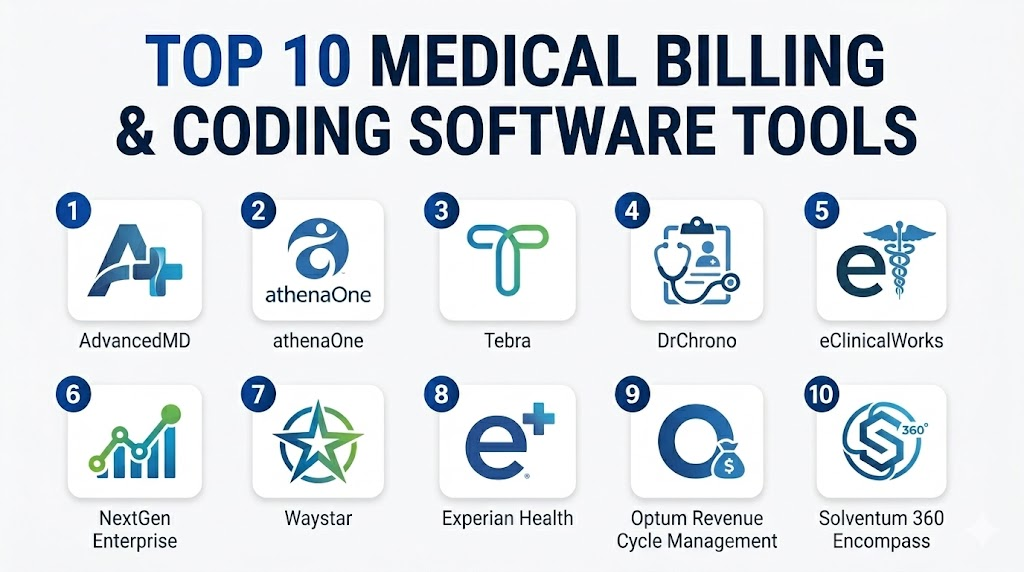
Top 10 Medical Billing & Coding Software Tools
1- AdvancedMD
Short description: AdvancedMD is a cloud-based medical billing, practice management, and EHR platform for independent practices, specialty clinics, and growing provider groups. It supports claims, scheduling, patient payments, reporting, and revenue cycle workflows.
Key Features
- Medical billing and claims management workflows
- Practice management and scheduling tools
- Integrated EHR and clinical documentation options
- Eligibility verification and claim tracking
- Payment posting and patient billing workflows
- Reporting dashboards for revenue performance
- Support for billing services and practice operations
Pros
- Strong fit for small to mid-sized practices.
- Combines billing, scheduling, EHR, and patient payments.
- Cloud deployment supports remote access and easier scaling.
Cons
- Feature depth may require training and setup.
- Add-ons and service scope should be reviewed carefully.
- Not always ideal for very large hospital revenue cycle teams.
Platforms / Deployment
Web / mobile access varies by module
Cloud
Security & Compliance
AdvancedMD is used in healthcare environments where protected patient data is managed. Expected controls may include user access controls, secure data handling, and audit-related features. Specific certifications should be verified directly.
Integrations & Ecosystem
AdvancedMD connects billing with clinical and practice workflows, making it useful for organizations that want one cloud platform for operations.
- EHR integration
- Practice management workflows
- Claims and payer workflows
- Patient payment tools
- Scheduling and intake
- Reporting and analytics
Support & Community
AdvancedMD provides onboarding, documentation, training, and customer support options. Buyers should confirm implementation support, migration help, billing service options, and response times before purchase.
2- athenaOne
Short description: athenaOne by athenahealth combines EHR, medical billing, practice management, patient engagement, and revenue cycle workflows. It is especially useful for ambulatory practices and provider groups that want cloud-based billing and payer connectivity.
Key Features
- Cloud-based billing and practice management
- Claims submission and payer workflow support
- Eligibility checks and patient registration workflows
- Revenue cycle and payment tracking
- EHR and clinical documentation connection
- Patient portal and communication tools
- Reporting dashboards for practice performance
Pros
- Good fit for ambulatory practices and physician groups.
- Strong connection between clinical documentation and billing.
- Cloud-first model reduces internal infrastructure burden.
Cons
- Not designed as a full hospital billing suite for every enterprise use case.
- Workflow setup and training are important for adoption.
- Pricing and services may vary by organization needs.
Platforms / Deployment
Web / iOS / Android availability varies by module
Cloud
Security & Compliance
athenaOne is used in healthcare environments requiring secure patient data workflows. Expected capabilities include role-based access, auditability, and secure data management. Specific certifications should be verified directly.
Integrations & Ecosystem
athenaOne has a strong healthcare ecosystem for payer, claims, scheduling, patient communication, and clinical workflows.
- EHR and practice management
- Claims and payer connectivity
- Eligibility workflows
- Patient portal
- Payment workflows
- Reporting and analytics
Support & Community
athenahealth provides onboarding, support, training resources, and practice performance services. Buyers should clarify support tiers, revenue cycle service scope, migration support, and contract terms.
3- Tebra
Short description: Tebra, including the Kareo heritage, is a practice management and medical billing platform for independent practices and small healthcare organizations. It helps manage claims, patient payments, scheduling, and front-office revenue workflows.
Key Features
- Medical billing and claims management
- Practice management and scheduling workflows
- Patient payment and statement tools
- Insurance eligibility and claim tracking
- Reporting for billing performance
- Patient communication and engagement options
- Support for independent and small practices
Pros
- Strong fit for independent practices and smaller clinics.
- Easier to approach than many enterprise billing systems.
- Combines billing, practice operations, and patient payment workflows.
Cons
- May not fit complex hospital or enterprise RCM needs.
- Advanced customization should be validated before purchase.
- Support and feature availability may vary by plan.
Platforms / Deployment
Web / platform access varies by module
Cloud
Security & Compliance
Tebra is used by healthcare practices that handle patient and billing data. Expected security features may include secure access and protected data handling. Specific certifications and compliance details should be verified directly.
Integrations & Ecosystem
Tebra supports common small-practice billing and practice management workflows, with integrations depending on selected modules and service configuration.
- Practice management
- Claims workflows
- Patient payments
- Scheduling
- Patient communication
- Reporting tools
Support & Community
Tebra provides onboarding resources, documentation, and support options. Buyers should review implementation help, migration services, support response expectations, and billing workflow training.
4- DrChrono
Short description: DrChrono is a cloud-based EHR, practice management, and medical billing platform known for mobile-friendly workflows. It is useful for small practices, specialty providers, and clinics that want flexible billing and documentation in one system.
Key Features
- Medical billing and claims workflows
- Integrated EHR and practice management
- Mobile-friendly documentation and billing access
- Scheduling and patient intake
- E-prescribing and clinical charting
- Patient payment and communication tools
- Custom templates for specialty workflows
Pros
- Good fit for smaller and mobile-first practices.
- Combines billing, EHR, scheduling, and patient engagement.
- Easier to adopt than many enterprise RCM platforms.
Cons
- Not ideal for complex hospital billing operations.
- Advanced specialty billing needs should be validated.
- Feature availability and support may vary by plan.
Platforms / Deployment
Web / iOS / Android availability varies by module
Cloud
Security & Compliance
DrChrono is used in healthcare settings where secure patient information workflows are required. Expected controls may include secure user access, protected data handling, and audit-related features. Specific certifications should be verified directly.
Integrations & Ecosystem
DrChrono connects clinical and billing workflows for practices that want one platform for care delivery and revenue operations.
- EHR workflows
- Practice management
- Billing and claims
- Patient portal
- Scheduling tools
- E-prescribing
Support & Community
Support depends on plan and implementation needs. Buyers should confirm onboarding support, billing setup help, documentation quality, migration assistance, and technical support response times.
5- eClinicalWorks
Short description: eClinicalWorks is a cloud-based EHR and practice management platform with medical billing and revenue cycle capabilities. It is used by ambulatory practices, community health centers, and multi-specialty groups.
Key Features
- Medical billing and claims workflow support
- Clinical documentation and EHR connection
- Patient scheduling, intake, and portal tools
- Telehealth and patient engagement options
- Reporting and revenue performance dashboards
- Eligibility and payer workflow support
- Population health and practice management features
Pros
- Broad platform for clinical, billing, and patient engagement needs.
- Useful for ambulatory and multi-specialty practices.
- Can reduce disconnected workflows between documentation and claims.
Cons
- Setup and user training are important for success.
- Some workflows may require configuration.
- Buyers should validate support quality and integration needs.
Platforms / Deployment
Web / mobile access varies by module
Cloud
Security & Compliance
eClinicalWorks is used by healthcare organizations that require secure patient data workflows. Expected controls may include access permissions, audit features, and secure information handling. Specific certifications should be verified with the vendor.
Integrations & Ecosystem
eClinicalWorks supports integrations across clinical care, billing, patient engagement, and reporting workflows.
- EHR and practice management
- Billing and claims
- Patient portal
- Telehealth
- Lab and diagnostic workflows
- Analytics and reporting
Support & Community
eClinicalWorks provides training resources, implementation support, documentation, and customer support options. Buyers should clarify migration support, billing setup, and response expectations before rollout.
6- NextGen Enterprise
Short description: NextGen Enterprise supports medical billing, practice management, EHR, reporting, and patient engagement for ambulatory practices and specialty groups. It is useful for provider networks that need stronger workflow configuration and reporting.
Key Features
- Medical billing and practice management workflows
- EHR and clinical documentation connection
- Claims, coding, and payer workflow support
- Patient portal and communication tools
- Population health and reporting dashboards
- Specialty workflow configuration
- Interoperability and data exchange support
Pros
- Strong fit for specialty practices and provider groups.
- Combines clinical, operational, and billing workflows.
- Useful for multi-location and growing healthcare organizations.
Cons
- Configuration may take time for specialty workflows.
- Staff training is important because of feature depth.
- Smaller clinics may not need all capabilities.
Platforms / Deployment
Web / mobile access varies by module
Cloud / hosted options vary by implementation
Security & Compliance
NextGen is used by regulated healthcare organizations and supports expected healthcare privacy and access workflows. Capabilities may include role-based access, auditability, and secure data handling. Specific certifications should be verified directly.
Integrations & Ecosystem
NextGen supports integrations across billing, clinical workflows, patient engagement, analytics, and interoperability.
- EHR and practice management
- Claims and payer workflows
- Patient portal
- Lab and imaging connectivity
- Analytics and reporting
- API and interoperability tools
Support & Community
NextGen provides onboarding, documentation, implementation services, training, and customer support. Support experience may vary by package, customer size, and implementation complexity.
7- Waystar
Short description: Waystar is a healthcare payment and revenue cycle platform used by providers, billing teams, and healthcare organizations to manage claims, payments, denials, eligibility, and financial workflows. It is often selected for stronger RCM automation and payer connectivity.
Key Features
- Claims management and claim status workflows
- Eligibility verification and prior authorization support
- Denial management and appeal workflow tools
- Patient payment and statement features
- Revenue cycle analytics and dashboards
- Payer connectivity and clearinghouse-related workflows
- Automation for billing and payment operations
Pros
- Strong fit for organizations focused on claims and payment automation.
- Useful for reducing manual revenue cycle tasks.
- Supports broad RCM workflows beyond basic billing.
Cons
- May need integration with existing EHR or practice management software.
- Smaller practices should confirm cost and implementation effort.
- Scope can vary depending on selected modules.
Platforms / Deployment
Web / platform access varies by module
Cloud
Security & Compliance
Waystar serves healthcare organizations managing sensitive payment and patient data. Expected controls may include secure access, auditability, and protected data workflows. Specific certifications should be verified directly.
Integrations & Ecosystem
Waystar is designed to connect with healthcare financial systems, EHRs, payers, patient payment tools, and revenue cycle workflows.
- EHR and PM integrations
- Payer connectivity
- Claims workflows
- Payment processing
- Denial management
- Revenue analytics
Support & Community
Waystar provides customer support, implementation resources, documentation, and onboarding assistance. Buyers should confirm integration support, module-specific training, and ongoing optimization options.
8- Experian Health
Short description: Experian Health provides healthcare revenue cycle solutions for patient access, eligibility, claims, payments, identity, and financial workflows. It is relevant for hospitals, health systems, and provider groups that need stronger front-end and back-end RCM automation.
Key Features
- Patient access and registration workflows
- Eligibility verification and coverage discovery
- Claims management and claim status tools
- Patient payment and financial engagement solutions
- Revenue cycle analytics and reporting
- Identity and data quality support
- Hospital and provider organization use cases
Pros
- Strong fit for healthcare organizations focused on patient access and revenue cycle visibility.
- Useful for eligibility, payments, and claims-related workflows.
- Can support larger provider groups and hospital environments.
Cons
- May be more RCM-focused than full practice management-focused.
- Integration planning is important for best results.
- Smaller clinics should validate module fit and cost.
Platforms / Deployment
Web / platform access varies by solution
Cloud / hybrid options vary by implementation
Security & Compliance
Experian Health operates in healthcare and financial data environments. Expected controls may include secure data handling, role-based workflows, and auditability. Specific certifications and compliance commitments should be verified directly.
Integrations & Ecosystem
Experian Health connects with healthcare revenue cycle, patient access, claims, payment, and analytics workflows.
- Eligibility verification
- Claims workflows
- Patient payments
- Identity and data tools
- Hospital RCM integrations
- Reporting and analytics
Support & Community
Support depends on selected solutions and contract scope. Buyers should confirm onboarding, integration assistance, training resources, account support, and technical service expectations.
9- Optum Revenue Cycle Management
Short description: Optum Revenue Cycle Management supports healthcare organizations with claims, coding, payment, analytics, and financial workflow optimization. It is often considered by larger provider organizations, hospitals, and enterprise revenue cycle teams.
Key Features
- Revenue cycle management workflows
- Claims and reimbursement support
- Coding and documentation-related solutions
- Payment and financial workflow tools
- Analytics for revenue performance
- Payer and provider ecosystem alignment
- Enterprise healthcare operations support
Pros
- Strong fit for larger healthcare organizations and enterprise RCM teams.
- Broad healthcare ecosystem and revenue cycle expertise.
- Useful for organizations needing analytics and financial workflow depth.
Cons
- May be too complex for small practices.
- Buyers should validate exact product scope and service model.
- Implementation and integration planning can be significant.
Platforms / Deployment
Web / platform access varies by solution
Cloud / hosted / hybrid options vary by implementation
Security & Compliance
Optum operates in healthcare environments requiring secure data handling and compliance-oriented workflows. Specific controls, certifications, and contractual commitments should be verified directly.
Integrations & Ecosystem
Optum supports healthcare financial, claims, coding, analytics, and payer-provider workflows. Integration requirements should be mapped carefully during procurement.
- Claims workflows
- Coding-related solutions
- Payment and reimbursement tools
- Analytics and reporting
- Payer-provider workflows
- Enterprise healthcare integrations
Support & Community
Support varies by selected product, service model, and contract. Buyers should clarify implementation support, managed services, account management, training, and ongoing optimization resources.
10- Solventum 360 Encompass
Short description: Solventum 360 Encompass is a coding, clinical documentation, and revenue cycle-focused platform used by hospitals and healthcare organizations. It is especially relevant for organizations that need coding accuracy, documentation improvement, and enterprise revenue integrity workflows.
Key Features
- Computer-assisted coding support
- Clinical documentation improvement workflows
- Revenue integrity and coding review features
- Coding workflow management
- Analytics and reporting for coding performance
- Support for hospital coding teams
- Integration potential with EHR and revenue cycle systems
Pros
- Strong focus on coding accuracy and documentation workflows.
- Useful for hospitals and enterprise coding teams.
- Supports revenue integrity and coder productivity goals.
Cons
- Not a full practice management or front-office billing platform by itself.
- Best suited for organizations with dedicated coding operations.
- Integration and implementation scope should be validated.
Platforms / Deployment
Web / platform access varies by implementation
Cloud / hosted / hybrid options vary by customer environment
Security & Compliance
Solventum healthcare solutions are used in regulated healthcare environments. Expected controls may include secure access, auditability, and protected health information workflows. Specific certifications should be verified directly.
Integrations & Ecosystem
Solventum 360 Encompass is commonly connected to enterprise clinical documentation, coding, and revenue cycle workflows.
- EHR integration
- Coding workflows
- Clinical documentation improvement
- Revenue integrity systems
- Reporting and analytics
- Enterprise hospital workflows
Support & Community
Support depends on contract scope, deployment model, and implementation needs. Buyers should confirm coder training, documentation resources, integration assistance, and ongoing support services.
Comparison Table
| Tool Name | Best For | Platform(s) Supported | Deployment | Standout Feature | Public Rating |
|---|---|---|---|---|---|
| AdvancedMD | Small and mid-sized practices | Web, mobile access varies | Cloud | Integrated billing, EHR, and practice management | N/A |
| athenaOne | Ambulatory practices and provider groups | Web, iOS, Android varies | Cloud | Cloud billing with payer and practice workflows | N/A |
| Tebra | Independent practices and small clinics | Web, platform access varies | Cloud | Practice billing and patient payment workflows | N/A |
| DrChrono | Mobile-first small practices | Web, iOS, Android varies | Cloud | Mobile-friendly billing and EHR workflows | N/A |
| eClinicalWorks | Ambulatory and multi-specialty practices | Web, mobile access varies | Cloud | Broad EHR, billing, and patient engagement features | N/A |
| NextGen Enterprise | Specialty groups and provider networks | Web, mobile access varies | Cloud / Hosted varies | Specialty workflow and billing configuration | N/A |
| Waystar | RCM automation and claims workflows | Web, platform access varies | Cloud | Claims, eligibility, denials, and payments automation | N/A |
| Experian Health | Patient access and enterprise RCM | Web, platform access varies | Cloud / Hybrid varies | Eligibility, claims, payments, and patient access tools | N/A |
| Optum Revenue Cycle Management | Enterprise RCM teams and hospitals | Web, platform access varies | Cloud / Hosted / Hybrid varies | Broad payer-provider revenue cycle ecosystem | N/A |
| Solventum 360 Encompass | Hospital coding and revenue integrity teams | Web, platform access varies | Cloud / Hosted / Hybrid varies | Computer-assisted coding and documentation workflows | N/A |
Evaluation & Scoring of Medical Billing & Coding Software
| Tool Name | Core 25% | Ease 15% | Integrations 15% | Security 10% | Performance 10% | Support 10% | Value 15% | Weighted Total |
|---|---|---|---|---|---|---|---|---|
| AdvancedMD | 8 | 8 | 8 | 8 | 8 | 8 | 8 | 8.00 |
| athenaOne | 8 | 8 | 8 | 8 | 8 | 8 | 8 | 8.00 |
| Tebra | 7 | 8 | 7 | 7 | 7 | 7 | 8 | 7.30 |
| DrChrono | 7 | 8 | 7 | 7 | 7 | 7 | 8 | 7.30 |
| eClinicalWorks | 8 | 7 | 8 | 8 | 8 | 7 | 8 | 7.75 |
| NextGen Enterprise | 8 | 7 | 8 | 8 | 8 | 7 | 8 | 7.75 |
| Waystar | 9 | 7 | 9 | 8 | 8 | 8 | 7 | 8.10 |
| Experian Health | 8 | 7 | 8 | 8 | 8 | 8 | 7 | 7.75 |
| Optum Revenue Cycle Management | 9 | 7 | 9 | 8 | 8 | 8 | 7 | 8.10 |
| Solventum 360 Encompass | 9 | 7 | 8 | 8 | 8 | 8 | 7 | 7.95 |
Which Medical Billing & Coding Software Tool Is Right for You?
Solo / Freelancer
Solo providers and independent healthcare professionals usually need a simple system that can manage claims, patient payments, coding basics, appointment workflows, and billing reports without heavy setup. Tebra, DrChrono, and AdvancedMD can be practical options depending on specialty and budget.
A solo provider should avoid enterprise RCM tools unless they outsource billing or are part of a larger provider network. The best choice is usually the platform that is easy to learn, affordable, and connected with daily clinical workflows.
SMB
Small and mid-sized practices need billing software that supports eligibility checks, claim scrubbing, payment posting, patient statements, denial tracking, and EHR integration. AdvancedMD, athenaOne, Tebra, DrChrono, eClinicalWorks, and NextGen are strong candidates for this segment.
SMBs should evaluate how much billing work will stay in-house versus outsourced. They should also check training, support, claim workflows, clearinghouse connectivity, and payer-specific reporting.
Mid-Market
Mid-market provider groups and multi-location practices need stronger automation, reporting, workflow routing, denial analytics, coding support, and integration flexibility. NextGen, eClinicalWorks, athenaOne, Waystar, and Experian Health can be relevant depending on whether the organization wants a full practice platform or a focused RCM layer.
Mid-market buyers should involve billing managers, coders, providers, compliance teams, and finance leaders. A good platform should improve clean-claim rates, reduce rework, and give leadership better visibility into revenue performance.
Enterprise
Enterprise healthcare organizations, hospitals, and large revenue cycle teams need scalable tools for coding, claims, denials, payer workflows, analytics, patient access, and revenue integrity. Waystar, Experian Health, Optum Revenue Cycle Management, and Solventum 360 Encompass are more relevant for enterprise workflows.
Enterprise buyers should prioritize integration architecture, security controls, reporting depth, user permissions, data governance, and implementation support. The best enterprise solution is rarely a single tool; it is often a connected revenue cycle ecosystem.
Budget vs Premium
Budget-focused buyers should compare subscription cost, implementation fees, clearinghouse charges, support costs, payment processing fees, training, and add-on modules. A low-cost tool can become expensive if it causes claim delays or poor denial follow-up.
Premium systems may offer deeper automation, stronger integrations, better reporting, and better support. However, small practices should avoid paying for enterprise features they will not use.
Feature Depth vs Ease of Use
Feature depth matters for high-volume billing teams, complex specialties, and hospitals. However, too much complexity can slow small teams and increase training burden. Small practices should prioritize usability, while larger groups should prioritize automation and reporting.
During demos, buyers should test real workflows such as eligibility verification, claim creation, coding edits, denial correction, payment posting, refund handling, and patient billing. A tool should work well in daily billing operations, not only in a sales presentation.
Integrations & Scalability
Medical billing software should connect with EHR, EMR, practice management, clearinghouses, payers, payment processors, patient portals, accounting tools, and analytics platforms. Poor integration can create duplicate work and billing delays.
Scalability means supporting more providers, locations, claim volume, payer rules, coders, specialties, and reporting needs. Growing practices should choose software that can expand without forcing another migration soon.
Security & Compliance Needs
Billing and coding software handles sensitive patient, insurance, clinical, and payment data. Buyers should evaluate MFA, SSO, RBAC, audit logs, encryption, secure backups, user permissions, and HIPAA-aligned workflows.
Compliance teams should review vendor contracts, data handling terms, access controls, and breach response responsibilities. Never assume a tool meets your compliance requirements without documentation review.
Frequently Asked Questions
1. What is Medical Billing & Coding Software?
Medical Billing & Coding Software helps healthcare providers convert clinical services into accurate billing codes, claims, invoices, and payment records. It supports coding, claims, eligibility, denial management, payment posting, and revenue reporting.
2. How is medical billing different from medical coding?
Medical coding assigns standardized diagnosis and procedure codes to healthcare services. Medical billing uses those codes to create claims, submit them to payers, track payments, and manage denials or patient balances.
3. How much does medical billing software cost?
Pricing varies based on users, providers, modules, claim volume, clearinghouse needs, support, implementation, and integrations. Buyers should compare total cost of ownership instead of only monthly license fees.
4. Can billing software reduce claim denials?
Yes, many platforms help reduce denials through claim scrubbing, eligibility checks, coding edits, payer rules, and denial tracking. However, results also depend on documentation quality, staff training, and payer complexity.
5. Does medical billing software include coding tools?
Some platforms include basic coding support, while others offer advanced computer-assisted coding or documentation review. Hospitals and large coding teams may need dedicated coding tools like Solventum 360 Encompass.
6. Is cloud-based billing software secure?
Cloud-based billing software can be secure when it includes strong access controls, encryption, audit logs, backups, and vendor governance. Buyers should verify security documentation and compliance responsibilities before purchase.
7. Can billing software integrate with EHR systems?
Yes, many billing tools integrate with EHR, EMR, practice management, clearinghouse, payer, and patient payment systems. Buyers should confirm integration method, cost, timeline, and support ownership.
8. What are common buying mistakes?
Common mistakes include choosing only by price, ignoring denial workflows, skipping integration checks, underestimating training, and failing to involve billing staff, coders, providers, and finance teams during evaluation.
9. How long does implementation take?
Implementation can take a few weeks for small practices and several months for larger organizations. Timeline depends on migration, payer setup, templates, integrations, training, and workflow testing.
10. What is the best option for small practices?
Small practices often benefit from tools like AdvancedMD, Tebra, DrChrono, athenaOne, or eClinicalWorks depending on specialty and workflow needs. The best choice depends on ease of use, cost, billing complexity, and support.
11. What is the best option for hospitals?
Hospitals often need enterprise RCM and coding tools such as Waystar, Experian Health, Optum Revenue Cycle Management, or Solventum 360 Encompass. The best choice depends on coding depth, payer workflows, integrations, and revenue integrity needs.
12. Can I switch billing software without disrupting payments?
Yes, but switching requires careful planning. Practices should prepare data migration, payer enrollment, claim transition, staff training, reporting continuity, patient balance transfer, and backup workflows before going live.
Conclusion
Medical Billing & Coding Software is now a core part of healthcare financial performance because it connects documentation, coding, claims, payments, denials, and reporting into a more controlled revenue cycle. The best platform depends on organization size, specialty, claim volume, payer mix, coding complexity, integration needs, budget, and internal billing maturity. AdvancedMD, athenaOne, Tebra, DrChrono, eClinicalWorks, and NextGen are practical options for many practices, while Waystar, Experian Health, Optum Revenue Cycle Management, and Solventum 360 Encompass are stronger fits for larger RCM, hospital, and coding teams. Buyers should avoid choosing only by price or brand name. The right next step is to shortlist two or three tools, run real billing workflow demos, validate EHR and payer integrations, review security controls, compare total cost, and pilot the platform before full rollout.

Find Trusted Cardiac Hospitals
Compare heart hospitals by city and services — all in one place.
Explore Hospitals
Medical billing and coding software is most valuable when it automates claims processing, coding accuracy, payment tracking, and revenue cycle management. By supporting standardized medical coding, insurance claim validation, compliance, and reporting, these solutions help healthcare organizations reduce billing errors, accelerate reimbursements, and improve overall financial performance.