Introduction
Calendar software has evolved from a simple scheduling tool into a critical productivity platform for businesses, teams, and individuals. Modern calendar solutions help users manage appointments, meetings, resources, projects, and collaboration from a single interface. As organizations increasingly embrace hybrid work, remote teams, and AI-powered productivity tools, calendar software has become a central hub for time management and workflow coordination. Businesses use calendar software to schedule meetings, coordinate teams, manage conference rooms, automate reminders, and improve productivity. Advanced platforms now offer AI scheduling assistants, workflow automation, meeting analytics, and deep integrations with business applications.
Real-World Use Cases Include:
- Team meeting scheduling
- Sales appointment booking
- Customer consultation management
- Resource and room reservation
- Hybrid workforce coordination
Evaluation Criteria for Buyers:
- Ease of scheduling
- Calendar sharing capabilities
- AI scheduling features
- Mobile accessibility
- Integration ecosystem
- Security controls
- Automation capabilities
- Scalability
- User experience
- Pricing flexibility
Best for
Calendar software is ideal for businesses of all sizes, sales teams, consultants, healthcare providers, educators, remote teams, and enterprises that require efficient scheduling and collaboration across departments.
Not ideal for
Organizations with very basic scheduling needs may find advanced calendar platforms unnecessary. Small teams with minimal coordination requirements may be adequately served by basic calendar applications included with productivity suites.
Key Trends in Calendar Software
- AI-powered scheduling assistants are becoming standard.
- Intelligent meeting recommendations improve productivity.
- Automated conflict detection reduces scheduling errors.
- Hybrid workplace support continues expanding.
- Calendar analytics provide utilization insights.
- Workflow automation integrations are increasing.
- Cross-platform synchronization is becoming seamless.
- Enhanced security and compliance controls are gaining importance.
- Meeting preparation and follow-up automation are growing.
- Resource management capabilities are becoming more sophisticated.
How We Selected These Tools
The following tools were evaluated using several practical criteria:
- Market adoption and brand recognition
- Feature completeness and innovation
- Reliability and performance
- Ease of deployment and administration
- Mobile and desktop experience
- Integration ecosystem maturity
- Security and compliance capabilities
- Scalability across organizations
- Customer support quality
- Suitability across multiple business sizes
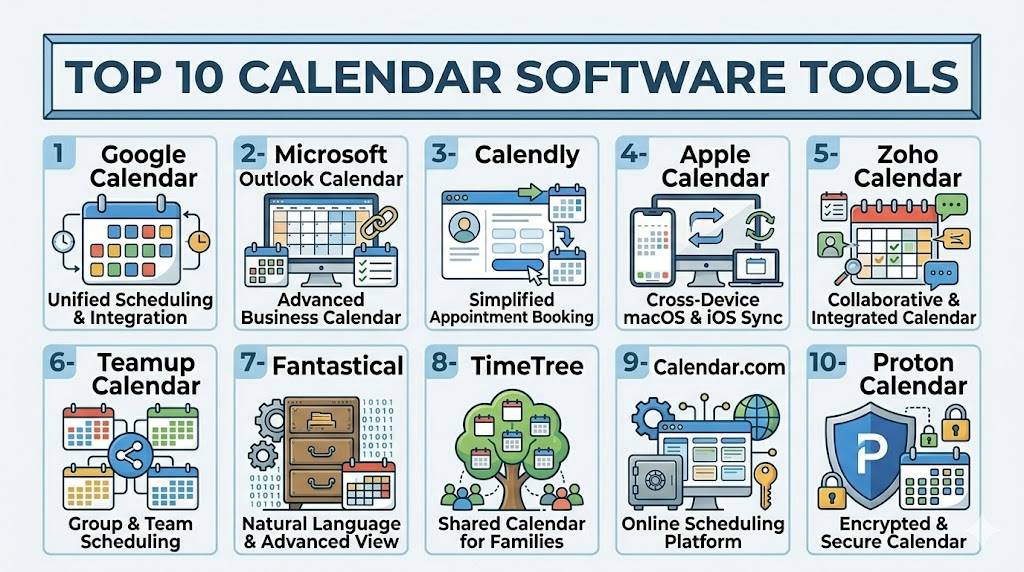
Top 10 Calendar Software Tools
1- Google Calendar
Short description: Google Calendar is one of the most widely used scheduling platforms globally. It offers simple scheduling, team collaboration, and deep integration with Google Workspace.
Key Features
- Shared calendars
- Smart scheduling suggestions
- Meeting scheduling
- Time zone support
- Resource booking
- Mobile synchronization
- Google Meet integration
Pros
- Easy to use
- Excellent collaboration features
- Strong mobile experience
Cons
- Advanced enterprise controls may be limited
- Best experience within Google ecosystem
- Limited advanced project scheduling
Platforms / Deployment
Web / Windows / macOS / iOS / Android
Cloud
Security & Compliance
- MFA support
- Encryption
- SSO support through Google Workspace
- Audit capabilities
- Various enterprise compliance programs through Google Workspace
Integrations & Ecosystem
Google Calendar integrates with thousands of business applications and productivity platforms.
- Gmail
- Google Meet
- Slack
- Zoom
- Salesforce
- Microsoft Teams
Support & Community
Extensive documentation, large user community, enterprise support through Google Workspace plans, and broad third-party ecosystem support.
2- Microsoft Outlook Calendar
Short description: Outlook Calendar is a leading enterprise calendar platform integrated into Microsoft 365. It serves businesses requiring robust scheduling and enterprise collaboration.
Key Features
- Shared calendars
- Resource scheduling
- Meeting room booking
- Scheduling assistant
- Microsoft Teams integration
- Exchange synchronization
- Enterprise administration
Pros
- Enterprise-grade functionality
- Strong Microsoft ecosystem integration
- Advanced scheduling controls
Cons
- Learning curve for new users
- Complex administration
- Best value within Microsoft ecosystem
Platforms / Deployment
Web / Windows / macOS / iOS / Android
Cloud / Hybrid
Security & Compliance
- MFA
- SSO
- Encryption
- RBAC
- Audit logs
- Various Microsoft compliance programs
Integrations & Ecosystem
Strong integration across Microsoft services and business applications.
- Teams
- SharePoint
- OneDrive
- Power Platform
- Dynamics 365
Support & Community
Comprehensive documentation, enterprise support options, and one of the largest business user communities.
3- Calendly
Short description: Calendly specializes in appointment scheduling automation. It is widely used by sales teams, consultants, recruiters, and service providers.
Key Features
- Automated booking pages
- Round-robin scheduling
- Team scheduling
- Automated reminders
- Availability management
- Workflow automation
- Meeting buffers
Pros
- Extremely easy to use
- Excellent booking experience
- Strong automation capabilities
Cons
- Limited traditional calendar functionality
- Advanced features require premium plans
- Focused primarily on appointment scheduling
Platforms / Deployment
Web / iOS / Android
Cloud
Security & Compliance
- MFA support
- Encryption
- SSO on enterprise plans
- Administrative controls
Integrations & Ecosystem
Calendly integrates with major business and communication platforms.
- Zoom
- Google Calendar
- Outlook
- Salesforce
- HubSpot
- Teams
Support & Community
Good documentation, growing community, responsive support across paid plans.
4- Apple Calendar
Short description: Apple Calendar provides scheduling and calendar management for users within the Apple ecosystem. It delivers seamless synchronization across Apple devices.
Key Features
- Shared calendars
- Event invitations
- Siri integration
- Time zone support
- iCloud synchronization
- Multiple calendar management
- Natural language input
Pros
- Excellent Apple integration
- Clean user interface
- Strong device synchronization
Cons
- Limited enterprise capabilities
- Apple-centric experience
- Fewer advanced automation features
Platforms / Deployment
macOS / iOS / Web
Cloud
Security & Compliance
- Encryption
- Apple account security controls
- MFA support
Integrations & Ecosystem
Works well across Apple productivity tools and supports standard calendar protocols.
- iCloud
- Siri
- Contacts
Support & Community
Strong Apple support resources and large user community.
5- Zoho Calendar
Short description: Zoho Calendar is designed for businesses using the Zoho ecosystem. It supports scheduling, collaboration, and team coordination.
Key Features
- Team calendars
- Event management
- Shared scheduling
- Resource booking
- Calendar publishing
- Mobile access
- Collaboration tools
Pros
- Affordable pricing
- Good business features
- Strong Zoho integration
Cons
- Smaller ecosystem than Microsoft or Google
- Advanced functionality may require additional Zoho products
- Less market adoption
Platforms / Deployment
Web / iOS / Android
Cloud
Security & Compliance
- MFA
- Encryption
- Administrative controls
Integrations & Ecosystem
Integrates deeply within the Zoho business platform.
- Zoho CRM
- Zoho Projects
- Zoho Mail
- Zoho Meeting
Support & Community
Good documentation and support through Zoho subscription plans.
6- Teamup Calendar
Short description: Teamup focuses on team scheduling, resource management, and collaborative calendar sharing for organizations needing visibility across groups.
Key Features
- Shared calendars
- Resource scheduling
- Color-coded events
- Access controls
- Custom fields
- Reporting tools
- Mobile access
Pros
- Excellent team visibility
- Flexible permissions
- Strong resource management
Cons
- Less known than major platforms
- Advanced customization requires setup
- Smaller integration ecosystem
Platforms / Deployment
Web / iOS / Android
Cloud
Security & Compliance
- Encryption
- User permissions
- Administrative controls
Integrations & Ecosystem
Supports integrations through APIs and external services.
- Zapier
- Outlook
- Google Calendar
Support & Community
Helpful documentation and responsive support.
7- Fantastical
Short description: Fantastical is a premium calendar application known for its elegant interface and productivity-focused scheduling features.
Key Features
- Natural language scheduling
- Multiple calendar management
- Task integration
- Meeting scheduling
- Calendar sets
- Weather integration
- Advanced notifications
Pros
- Excellent user experience
- Powerful scheduling tools
- Strong productivity features
Cons
- Premium pricing
- Primarily individual-focused
- Limited enterprise administration
Platforms / Deployment
macOS / iOS / Windows
Cloud
Security & Compliance
- Account security controls
- Encryption
Integrations & Ecosystem
- Google Calendar
- Outlook
- iCloud
- Microsoft 365
Support & Community
Well-maintained documentation and loyal user community.
8- TimeTree
Short description: TimeTree is designed for collaborative scheduling among families, groups, and small teams.
Key Features
- Shared calendars
- Event comments
- Group collaboration
- Reminders
- Mobile access
- Event notifications
- Schedule sharing
Pros
- Easy collaboration
- Strong mobile experience
- Simple interface
Cons
- Limited enterprise features
- Fewer integrations
- Basic administration
Platforms / Deployment
Web / iOS / Android
Cloud
Security & Compliance
Basic security controls and account protections.
Integrations & Ecosystem
Limited compared to enterprise solutions.
Support & Community
Good community adoption and mobile support.
9- Calendar.com
Short description: Calendar.com combines scheduling automation, calendar management, and productivity analytics for professionals and businesses.
Key Features
- Scheduling automation
- Meeting analytics
- Calendar synchronization
- Team scheduling
- Availability management
- Booking links
- Productivity insights
Pros
- Analytics capabilities
- Easy scheduling workflows
- Modern interface
Cons
- Smaller ecosystem
- Less enterprise penetration
- Advanced features require premium plans
Platforms / Deployment
Web / iOS / Android
Cloud
Security & Compliance
Encryption and administrative controls available.
Integrations & Ecosystem
- Google Calendar
- Outlook
- Zoom
- Teams
Support & Community
Growing community and expanding support resources.
10- Proton Calendar
Short description: Proton Calendar focuses on privacy-first scheduling with strong security and encryption principles.
Key Features
- End-to-end encryption
- Secure event sharing
- Calendar synchronization
- Privacy controls
- Mobile support
- Cross-device access
- Secure invitations
Pros
- Strong privacy focus
- Secure architecture
- Simple user experience
Cons
- Smaller ecosystem
- Limited business features
- Fewer integrations
Platforms / Deployment
Web / iOS / Android
Cloud
Security & Compliance
- Encryption
- Privacy-focused architecture
- Security-first design
Integrations & Ecosystem
Growing integration ecosystem.
- Proton Mail
- Proton Drive
Support & Community
Strong privacy-focused community and documentation.
Comparison Table
| Tool Name | Best For | Platform(s) Supported | Deployment | Standout Feature | Public Rating |
|---|---|---|---|---|---|
| Google Calendar | General business collaboration | Web, Windows, macOS, iOS, Android | Cloud | Deep Google Workspace integration | N/A |
| Microsoft Outlook Calendar | Enterprise scheduling | Web, Windows, macOS, iOS, Android | Cloud / Hybrid | Enterprise scheduling assistant | N/A |
| Calendly | Appointment automation | Web, iOS, Android | Cloud | Automated booking workflows | N/A |
| Apple Calendar | Apple ecosystem users | macOS, iOS, Web | Cloud | Seamless Apple synchronization | N/A |
| Zoho Calendar | SMB business collaboration | Web, iOS, Android | Cloud | Zoho ecosystem integration | N/A |
| Teamup Calendar | Team scheduling visibility | Web, iOS, Android | Cloud | Shared resource calendars | N/A |
| Fantastical | Productivity-focused professionals | macOS, iOS, Windows | Cloud | Natural language scheduling | N/A |
| TimeTree | Families and collaborative groups | Web, iOS, Android | Cloud | Shared group communication | N/A |
| Calendar.com | Scheduling analytics | Web, iOS, Android | Cloud | Productivity analytics | N/A |
| Proton Calendar | Privacy-focused users | Web, iOS, Android | Cloud | End-to-end encryption | N/A |
Evaluation & Scoring of Calendar Software
| Tool Name | Core 25% | Ease 15% | Integrations 15% | Security 10% | Performance 10% | Support 10% | Value 15% | Weighted Total |
|---|---|---|---|---|---|---|---|---|
| Google Calendar | 9 | 9 | 10 | 8 | 9 | 9 | 9 | 9.0 |
| Microsoft Outlook Calendar | 10 | 8 | 10 | 9 | 9 | 9 | 8 | 8.9 |
| Calendly | 8 | 10 | 9 | 8 | 9 | 8 | 8 | 8.6 |
| Apple Calendar | 7 | 9 | 6 | 8 | 9 | 8 | 9 | 8.0 |
| Zoho Calendar | 8 | 8 | 8 | 8 | 8 | 8 | 9 | 8.1 |
| Teamup Calendar | 8 | 8 | 7 | 7 | 8 | 7 | 8 | 7.7 |
| Fantastical | 8 | 9 | 7 | 7 | 9 | 8 | 7 | 7.9 |
| TimeTree | 6 | 9 | 5 | 6 | 7 | 7 | 8 | 7.0 |
| Calendar.com | 8 | 8 | 8 | 7 | 8 | 7 | 8 | 7.8 |
| Proton Calendar | 7 | 8 | 5 | 10 | 8 | 7 | 8 | 7.7 |
Which Calendar Software Tool Is Right for You?
Solo / Freelancer
Freelancers, consultants, coaches, and independent professionals usually benefit most from lightweight scheduling tools that reduce administrative work. Calendly is particularly strong for appointment automation and client bookings. Fantastical is excellent for productivity-focused professionals who want advanced calendar management on personal devices.
Google Calendar also remains one of the simplest and most reliable solutions for solo users because of its accessibility and ease of synchronization across devices.
SMB
Small and mid-sized businesses often need shared calendars, meeting coordination, and workflow integrations without enterprise-level complexity. Google Calendar and Zoho Calendar are strong choices because they balance affordability, usability, and collaboration capabilities.
Teamup Calendar can also work well for operational teams requiring visibility across schedules, resources, or departments.
Mid-Market
Mid-market organizations typically require better administrative controls, scheduling automation, integrations, and workflow consistency. Microsoft Outlook Calendar becomes increasingly valuable in these environments because of its deep Microsoft 365 integration and enterprise management features.
Calendar.com may also appeal to growing organizations seeking productivity analytics and scheduling insights.
Enterprise
Large enterprises usually prioritize scalability, compliance, centralized administration, and integration ecosystems. Microsoft Outlook Calendar is often the preferred enterprise option due to Exchange integration, scheduling assistants, security controls, and hybrid deployment support.
Google Calendar is also widely adopted in enterprise environments, especially among organizations using Google Workspace for collaboration.
Budget vs Premium
Budget-conscious organizations can often rely on Google Calendar, Apple Calendar, or Zoho Calendar for reliable scheduling without significant cost. These platforms offer strong functionality for general collaboration and scheduling.
Premium tools like Fantastical and advanced enterprise Microsoft deployments may provide deeper functionality, but organizations should evaluate whether those additional capabilities justify the cost.
Feature Depth vs Ease of Use
Calendly excels in simplicity and scheduling automation, making it ideal for teams prioritizing fast implementation and minimal training. Google Calendar also provides a highly intuitive user experience.
Microsoft Outlook Calendar offers deeper enterprise scheduling functionality but comes with additional administrative complexity. Organizations needing advanced workflows may accept the steeper learning curve for the added control.
Integrations & Scalability
Businesses operating across multiple SaaS platforms should carefully evaluate integrations. Google Calendar and Microsoft Outlook Calendar have the largest ecosystems and strongest enterprise integrations.
Organizations expecting rapid growth should prioritize tools with API support, workflow automation, and scalable administration capabilities.
Security & Compliance Needs
Privacy-sensitive industries should evaluate encryption, access controls, audit capabilities, and identity management support carefully. Proton Calendar is particularly attractive for privacy-conscious users because of its encryption-focused architecture.
Large regulated organizations may prefer Microsoft Outlook Calendar because of its enterprise security ecosystem and compliance capabilities.
Frequently Asked Questions FAQs
1- What is calendar software used for?
Calendar software helps individuals and organizations manage schedules, appointments, meetings, and shared resources. Modern platforms also support automation, collaboration, analytics, and workflow integrations.
2- Is free calendar software sufficient for businesses?
Free tools can work well for small teams and individuals. However, growing organizations often require advanced administration, integrations, scheduling automation, and security controls available in paid plans.
3- Which calendar software is best for enterprises?
Microsoft Outlook Calendar and Google Calendar are among the strongest enterprise choices due to scalability, integrations, collaboration capabilities, and administrative controls.
4- What security features should buyers look for?
Organizations should evaluate MFA, SSO, encryption, RBAC, audit logs, access management, and compliance certifications where relevant.
5- Can calendar software integrate with video conferencing platforms?
Yes. Most modern calendar platforms integrate with Zoom, Microsoft Teams, Google Meet, and other communication platforms for automated meeting scheduling.
6- How difficult is migration between calendar platforms?
Migration complexity depends on data volume, integrations, workflows, and organization size. Many major platforms provide migration tools and synchronization support.
7- What are the biggest implementation mistakes?
Common mistakes include ignoring integration requirements, underestimating user training, poor permission management, and selecting tools without scalability planning.
8- Are AI features becoming common in calendar software?
Yes. AI-powered scheduling assistants, meeting recommendations, automated reminders, and productivity analytics are becoming increasingly common across calendar platforms.
9- Which calendar software is best for appointment booking?
Calendly is one of the strongest platforms for appointment scheduling and automated booking workflows, especially for sales and consulting teams.
10- What should organizations evaluate before purchasing?
Buyers should assess integrations, scalability, mobile usability, automation capabilities, administration, pricing, and long-term workflow compatibility before making a decision.
Conclusion
Calendar software has become far more than a digital scheduling tool. Modern platforms now serve as productivity hubs that connect communication, collaboration, workflow automation, and resource management across organizations. As hybrid work and distributed teams continue expanding, businesses increasingly depend on intelligent scheduling systems to improve coordination, reduce administrative overhead, and streamline operations. The right calendar software depends heavily on organizational needs, existing technology ecosystems, budget constraints, and security expectations. Google Calendar and Microsoft Outlook Calendar remain dominant enterprise-grade platforms, while tools like Calendly, Fantastical, and Proton Calendar address more specialized scheduling and productivity needs. SMBs may prioritize simplicity and affordability, while enterprises often require scalability, integrations, and compliance capabilities. Before making a final decision, organizations should shortlist two or three tools, run pilot deployments, validate integrations with existing systems, and carefully review administrative and security requirements. A practical evaluation process usually produces better long-term results than selecting a platform based only on popularity or feature lists.

Find Trusted Cardiac Hospitals
Compare heart hospitals by city and services — all in one place.
Explore Hospitals
This was helpful—I learned that modern calendar tools offer much more than scheduling, especially when it comes to collaboration and productivity.