Introduction
Push notification platforms are software tools that allow organizations to send real-time alerts, updates, or personalized messages to users across devices such as smartphones, tablets, and web browsers. Unlike emails or SMS, push notifications appear instantly, often driving higher engagement and immediate user action. In 2026, these platforms have become essential for marketers, product managers, and developers seeking to deliver timely, context-aware communication, enhance retention, and optimize the user experience in a mobile-first world.
Why it matters now:
With user attention becoming increasingly fragmented, push notifications offer a direct, personal channel for engagement. Modern consumers expect apps to provide relevant, timely updates. Platforms now leverage AI and machine learning to optimize content, timing, and delivery channels, making notifications smarter and more effective than ever.
Real-world use cases include:
- E-commerce engagement: Notify customers about flash sales, abandoned carts, shipping updates, and personalized recommendations to drive conversions.
- SaaS product adoption: Alert users to new features, trial expirations, or in-app tips that improve retention.
- Media and content delivery: Push breaking news, blog posts, podcasts, and personalized content recommendations.
- Financial services alerts: Notify users about account activity, suspicious transactions, or market updates in real-time.
- Healthcare apps: Remind patients about appointments, medication schedules, or wellness insights.
- Gaming and entertainment: Engage users with in-app rewards, live event notifications, or personalized challenges.
Evaluation Criteria for Buyers:
- Reliability and delivery speed across platforms
- Personalization, segmentation, and targeting capabilities
- Automation and workflow management features
- Analytics and reporting depth
- Security and compliance adherence
- Integration with CRM, analytics, and marketing platforms
- Cross-platform support (iOS, Android, Web)
- Pricing flexibility and scalability
- Support resources and documentation
Best for: Marketing teams, product managers, developers, mobile-first organizations, and enterprises looking to improve user engagement and retention through real-time messaging.
Not ideal for: Businesses without apps or web platforms, or organizations relying solely on email/SMS, where push notifications may offer limited ROI.
Key Trends in Push Notification Platforms
- AI-Powered Personalization: Advanced AI models optimize timing, frequency, and message content based on user behavior and context.
- Omnichannel Engagement: Platforms now integrate push with email, SMS, in-app messages, and chatbots to deliver cohesive campaigns.
- Behavioral and Hyper-Segmentation: User behavior, location, device type, and engagement history guide personalized notification campaigns.
- Workflow Automation: Trigger-based journeys and event-driven notifications streamline marketing and engagement processes.
- Predictive Analytics: Insights into churn, engagement, and ROI help marketers prioritize campaigns effectively.
- Privacy and Compliance Focus: GDPR, CCPA, and HIPAA compliance are standard expectations, particularly in healthcare, finance, and enterprise applications.
- Rich Media Notifications: Support for images, videos, carousels, and interactive CTA buttons enhances engagement.
- Low-Latency Delivery: Real-time updates critical for finance, gaming, and news applications.
- Scalable Cloud Architecture: Handles millions of concurrent notifications across geographies without infrastructure concerns.
- Integration Ecosystem: Seamless connectivity with CRM, analytics, marketing automation, and product tools ensures unified workflows.
How We Selected These Tools (Methodology)
- Market adoption and mindshare among global enterprises, SMBs, and developer communities
- Feature completeness for cross-platform push, segmentation, analytics, and automation
- Reliability and delivery performance signals from technical benchmarks and user feedback
- Security posture assessment including encryption, access controls, and compliance certifications
- Integration ecosystem for CRM, analytics, marketing automation, and custom APIs
- Customer fit across company sizes, industry verticals, and engagement goals
- Scalability to handle high-volume, real-time notifications
- Pricing transparency and flexibility for different business sizes
- Support availability, documentation quality, and developer resources
- Innovation and AI-driven capabilities for automated personalization
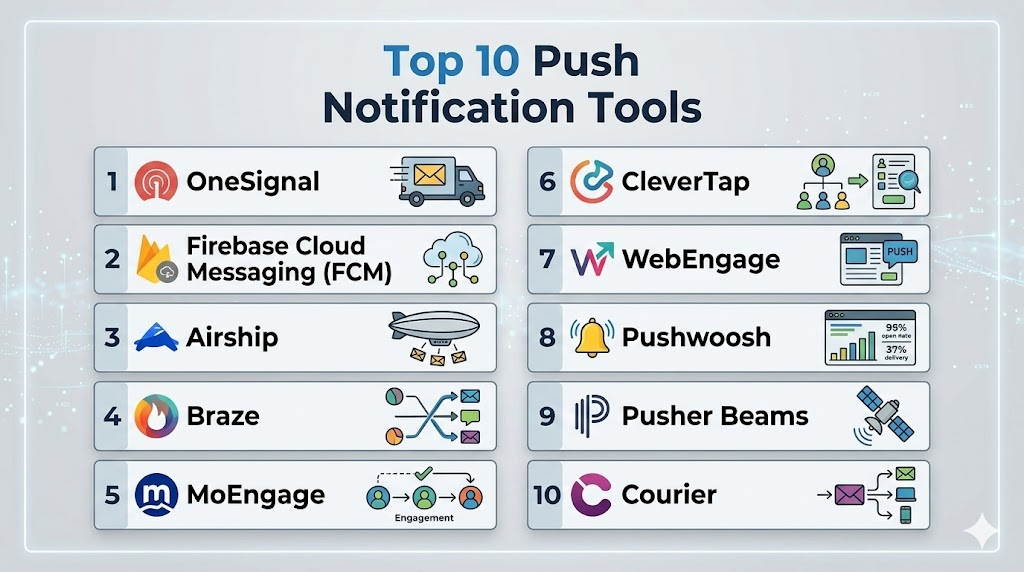
Top 10 Push Notification Platforms
1- OneSignal
Short description: OneSignal is a widely-used platform enabling mobile and web push notifications, in-app messaging, and email campaigns for marketers and developers, designed to boost engagement and retention.
Key Features
- Multi-platform support (iOS, Android, Web, Windows)
- Advanced segmentation and targeting
- Scheduled and triggered notifications
- A/B testing and analytics dashboards
- Rich media notifications with images, emojis, and CTAs
- API and SDK support for custom workflows
- Real-time delivery and open tracking
Pros
- Easy setup and onboarding
- Free tier suitable for small businesses
- Active community and documentation
Cons
- Advanced analytics limited in free tier
- Pricing scales for high-volume campaigns
- Latency issues during peak traffic periods
Platforms / Deployment
- Web / iOS / Android / Windows
- Cloud
Security & Compliance
- GDPR compliance
- Not publicly stated: SOC 2, ISO certifications
Integrations & Ecosystem
OneSignal integrates with popular CMS, CRM, and analytics tools.
- WordPress
- Shopify
- Segment
- Zapier
- Custom APIs
Support & Community
- Community forums and guides
- Email and chat support for premium tiers
- Webinars and tutorials
2- Firebase Cloud Messaging (FCM)
Short description: Google’s FCM delivers free, scalable push notifications across mobile and web platforms, ideal for developers integrating real-time updates into apps.
Key Features
- Topic-based and device-specific messaging
- Multi-platform push support
- Deep integration with Firebase analytics
- Event-triggered automation
- Reliable delivery with low latency
- SDKs for mobile and web apps
- API-first architecture for developers
Pros
- Free and highly scalable
- Strong developer ecosystem
- Tight integration with Google Cloud services
Cons
- Limited marketing and automation features
- UI less friendly for non-developers
- Minimal A/B testing support
Platforms / Deployment
- iOS / Android / Web
- Cloud
Security & Compliance
- Data encryption in transit
- GDPR compliance
- Not publicly stated: HIPAA, ISO certifications
Integrations & Ecosystem
- Firebase SDKs and analytics
- Google Cloud Functions
- Custom REST APIs
Support & Community
- Extensive developer documentation
- Active Stack Overflow community
- Email support via Firebase console
3- Airship
Short description: Airship is an enterprise-grade platform for push notifications, in-app messaging, and automation workflows, designed for high-volume marketers and product teams.
Key Features
- Predictive engagement AI
- Cross-channel messaging (push, email, SMS)
- Advanced segmentation and personalization
- In-app messaging and rich media notifications
- Analytics dashboards with conversion insights
- Automation workflows and triggered notifications
- API support for custom integrations
Pros
- Powerful enterprise-focused features
- Scalable for high-volume campaigns
- Advanced automation and analytics
Cons
- High cost for SMBs
- Steep learning curve
- Complex setup for beginners
Platforms / Deployment
- iOS / Android / Web
- Cloud
Security & Compliance
- SOC 2 Type II
- ISO 27001
- GDPR compliance
Integrations & Ecosystem
- Salesforce, Adobe Marketing Cloud, Braze
- Zapier integration
- Custom API workflows
Support & Community
- Dedicated enterprise support
- Knowledge base and webinars
- Training sessions
4- Braze
Short description: Braze focuses on personalized customer engagement, combining push notifications, in-app messaging, and AI-driven recommendations for large-scale marketing teams.
Key Features
- Real-time push and in-app messages
- AI-powered segmentation
- Journey orchestration and automation
- Multi-channel campaigns
- Detailed analytics dashboards
- Mobile SDKs for iOS and Android
- Rich media and interactive notifications
Pros
- Strong marketing automation
- Robust analytics capabilities
- Comprehensive customer support
Cons
- Expensive for smaller teams
- Requires customization for advanced features
- Learning curve for complex workflows
Platforms / Deployment
- iOS / Android / Web
- Cloud
Security & Compliance
- SOC 2 Type II
- GDPR compliance
- Not publicly stated: HIPAA
Integrations & Ecosystem
- Salesforce, Segment, Amplitude
- SDKs for mobile and web
- REST APIs
Support & Community
- Onboarding and training programs
- Knowledge base and tutorials
- Dedicated account managers for enterprises
5- CleverTap
Short description: CleverTap provides analytics-driven push notifications and engagement workflows for mobile-first businesses, enabling personalization at scale.
Key Features
- Behavioral segmentation
- Multi-channel messaging
- Campaign automation
- Insights and analytics dashboards
- Personalization engine
- A/B testing
- API and SDK support
Pros
- Strong behavioral analytics
- Cross-platform support
- Automation capabilities
Cons
- Pricing can be opaque
- Interface complex for beginners
- Limited free tier
Platforms / Deployment
- iOS / Android / Web
- Cloud
Security & Compliance
- SOC 2 Type II
- GDPR compliance
- Not publicly stated: ISO 27001
Integrations & Ecosystem
- Firebase, Salesforce, Segment
- Zapier
- Custom SDKs and APIs
Support & Community
- Email and chat support
- Knowledge base and tutorials
- Webinars for users
6- MoEngage
Short description: MoEngage is an AI-driven push notification platform that helps marketers automate campaigns and optimize delivery for engagement.
Key Features
- Behavioral and contextual targeting
- AI-based delivery optimization
- Multi-channel messaging
- Rich media notifications
- Analytics dashboards
- Workflow automation
- API access
Pros
- AI-powered delivery recommendations
- Strong automation features
- Cross-platform engagement
Cons
- Pricing may be high for small startups
- Dashboard may require training
- Limited free tier
Platforms / Deployment
- iOS / Android / Web
- Cloud
Security & Compliance
- SOC 2 Type II
- GDPR compliance
- Not publicly stated: HIPAA
Integrations & Ecosystem
- CRM, marketing platforms
- Zapier
- Custom APIs
Support & Community
- Onboarding programs
- Knowledge base
- Customer success teams
7- WebEngage
Short description: WebEngage provides push notifications, in-app messages, and advanced marketing automation for engagement-driven organizations.
Key Features
- Behavioral targeting and segmentation
- Journey automation
- Multi-channel messaging
- Analytics and reporting
- A/B testing
- SDKs for mobile/web apps
- Personalization engine
Pros
- Advanced automation and segmentation
- Analytics-rich dashboards
- Supports cross-platform campaigns
Cons
- Complex interface for beginners
- Limited prebuilt templates
- Steeper learning curve
Platforms / Deployment
- iOS / Android / Web
- Cloud
Security & Compliance
- GDPR compliant
- Not publicly stated: SOC 2, ISO, HIPAA
Integrations & Ecosystem
- CRM platforms
- Analytics tools
- API/SDK integrations
Support & Community
- Email and chat support
- Knowledge articles
- Webinars
8- Pushwoosh
Short description: Pushwoosh offers cross-platform push notifications and automation workflows for SMBs and developers seeking scalable engagement solutions.
Key Features
- Multi-channel notifications
- Segmentation and targeting
- Rich media support
- Automated campaigns
- Analytics dashboards
- SDK and API support
- A/B testing
Pros
- Easy setup
- Reliable cross-platform delivery
- Free plan available
Cons
- Limited advanced analytics
- Enterprise features require higher-tier plans
- UI feels dated
Platforms / Deployment
- iOS / Android / Web
- Cloud
Security & Compliance
- GDPR compliance
- Not publicly stated: SOC 2, ISO 27001
Integrations & Ecosystem
- CRM tools
- Analytics platforms
- API and SDK integrations
Support & Community
- Email support
- Knowledge base
- Community forums
9- Pusher Beams
Short description: Pusher Beams is developer-focused, delivering real-time, low-latency push notifications to mobile and web applications.
Key Features
- Device-targeted push
- Multi-platform support
- Event-based triggers
- Real-time delivery
- API-first design
- SDK support
- Rich notifications
Pros
- Developer-friendly APIs
- Low latency
- Scalable for apps of all sizes
Cons
- Limited marketing features
- Less intuitive for non-developers
- Basic analytics
Platforms / Deployment
- iOS / Android / Web
- Cloud
Security & Compliance
- Not publicly stated
Integrations & Ecosystem
- Webhooks and APIs
- Firebase integration
- Custom SDKs
Support & Community
- Developer documentation
- Email support
- Active GitHub community
10- Courier
Short description: Courier centralizes notifications across push, email, and SMS, providing unified orchestration for multi-channel engagement.
Key Features
- Multi-channel orchestration
- Segmentation and personalization
- API-first design
- Automation workflows
- Analytics dashboards
- Rich media notifications
- Integration connectors
Pros
- Unified multi-channel messaging
- Developer-friendly
- Supports complex workflows
Cons
- Learning curve for beginners
- Pricing scales with volume
- Smaller marketing feature set
Platforms / Deployment
- Web / iOS / Android
- Cloud
Security & Compliance
- GDPR compliant
- Not publicly stated: SOC 2, ISO certifications
Integrations & Ecosystem
- CRM and marketing platforms
- Zapier
- Custom API integrations
Support & Community
- Documentation and guides
- Email and chat support
- Developer forums
Comparison Table (Top 10)
| Tool Name | Best For | Platform(s) Supported | Deployment | Standout Feature | Public Rating |
|---|---|---|---|---|---|
| OneSignal | SMB, marketers | Web, iOS, Android | Cloud | Easy onboarding, automation | N/A |
| Firebase Cloud Messaging | Developers | Web, iOS, Android | Cloud | Free, scalable | N/A |
| Airship | Enterprise | Web, iOS, Android | Cloud | AI-driven engagement | N/A |
| Braze | Marketing teams | Web, iOS, Android | Cloud | Journey orchestration | N/A |
| CleverTap | Mobile-first apps | Web, iOS, Android | Cloud | Analytics-driven segmentation | N/A |
| MoEngage | Marketers | Web, iOS, Android | Cloud | AI-based delivery | N/A |
| WebEngage | Marketing teams | Web, iOS, Android | Cloud | Automation workflows | N/A |
| Pushwoosh | SMBs, developers | Web, iOS, Android | Cloud | Cross-platform support | N/A |
| Pusher Beams | Developers | Web, iOS, Android | Cloud | Real-time notifications | N/A |
| Courier | Multi-channel teams | Web, iOS, Android | Cloud | Unified orchestration | N/A |
Evaluation & Scoring of Push Notification Platforms
| Tool Name | Core | Ease | Integrations | Security | Performance | Support | Value | Weighted Total |
|---|---|---|---|---|---|---|---|---|
| OneSignal | 8 | 9 | 8 | 7 | 8 | 8 | 9 | 8.2 |
| Firebase Cloud Messaging | 7 | 7 | 7 | 7 | 9 | 7 | 10 | 7.6 |
| Airship | 9 | 7 | 9 | 8 | 8 | 8 | 7 | 8.1 |
| Braze | 9 | 8 | 9 | 8 | 8 | 8 | 7 | 8.2 |
| CleverTap | 8 | 7 | 8 | 7 | 8 | 7 | 7 | 7.5 |
| MoEngage | 8 | 7 | 8 | 7 | 8 | 7 | 7 | 7.5 |
| WebEngage | 8 | 7 | 7 | 7 | 8 | 7 | 7 | 7.4 |
| Pushwoosh | 7 | 8 | 7 | 7 | 7 | 7 | 8 | 7.4 |
| Pusher Beams | 7 | 8 | 6 | 6 | 8 | 7 | 8 | 7.2 |
| Courier | 8 | 7 | 8 | 7 | 8 | 7 | 7 | 7. |
Which Push Notification Tool Is Right for You?
Choosing the right push notification platform isn’t one‑size‑fits‑all — it depends on your business size, technical resources, engagement goals, and existing tech stack. The table earlier gives a comparative view, but this section helps you align tool capabilities with your real‑world scenarios.
1. Solo / Freelancer
If you’re a solo developer, creator, or freelancer building apps or simple web experiences and want engagement without complex setup:
- OneSignal — Ideal for quick onboarding, free tier availability, and easy SDK integration. Great if your priority is rapid deployment and straightforward push messaging without deep segmentation.
- Firebase Cloud Messaging (FCM) — Best choice if you’re a developer comfortable with code and want a free, scalable notification engine integrated with broader Firebase services.
- Pusher Beams — Good fit when you need low‑latency, real‑time updates for small project use or prototypes.
Why these work: Minimal setup, strong documentation, and cost‑effective pricing — essential when you don’t have a dedicated marketing or analytics team.
2. Small & Medium Business (SMB)
SMBs need balance — enough automation and personalization to increase retention, but not the complexity or price of enterprise tools.
- OneSignal — Still a strong choice, especially with its ease of use and free/low‑cost tiers. Offers segmentation and A/B testing that SMB marketing teams can adopt quickly.
- Pushwoosh — A reliable cross‑platform tool that’s friendly for smaller budgets and simpler campaigns.
- WebEngage — Powerful automation and analytics without the full enterprise overhead — a good middle ground for mid‑level marketers.
Why these work: SMBs benefit from straightforward pricing, easy onboarding, and cross‑platform reach to engage users without large support costs.
3. Mid‑Market Growth Teams
When your product and user base grow, marketing and product teams demand deeper data insights, personalization, and automation:
- Braze — Strong analytics, journey orchestration, and AI‑informed segmentation. Great for teams that have marketing resources and need tight user lifecycle tracking.
- MoEngage — AI‑driven delivery optimization and behavioral targeting help increase engagement without manual tuning.
- CleverTap — A good option when behavioral analytics and advanced user segmentation drive campaign decisions.
Why these work: Mid‑market teams usually have defined customer segments and require automation that scales with growth — these tools balance depth and usability.
4. Enterprise & Large Organizations
Enterprises demand robust compliance, high scalability, reliable delivery under peak loads, and aligned cross‑channel engagement:
- Airship — Built for complex enterprise workflows with predictive AI, advanced targeting, and cross‑channel capabilities (push, email, SMS).
- Braze — Excellent choice if you need deep analytics, high‑volume campaign orchestration, and strong marketing support.
- Courier — Works well when your team needs centralized orchestration across push, email, SMS, and app messages under one API‑driven umbrella.
Why these work: Enterprises often manage multiple audience segments, regulatory requirements, and heavy traffic, making these tools better suited to complex landscapes.
Practical Selection Considerations
Selecting the right platform isn’t just about the highest score or biggest feature list — it’s about how well the tool fits your workflow and objectives.
Budget vs Premium
- Budget‑conscious: Firebase Cloud Messaging, OneSignal, Pushwoosh
- Premium/Advanced: Braze, Airship, MoEngage
Tip: Budget tools often reduce complexity but might limit deep analytics or AI‑powered personalization — plan for future upgrades as needs grow.
Feature Depth vs Ease of Use
- Feature depth: Airship, Braze, CleverTap
- Ease of use: OneSignal, Pushwoosh, Pusher Beams
Tip: Teams without dedicated analytics or marketing ops will benefit more from intuitive interfaces and guided setup flows.
Integrations & Scalability
- Best for internal ecosystems: Airship, Braze, Courier
- Good for developer‑driven stacks: Firebase, Pusher Beams, OneSignal
Tip: Evaluate how easily the platform connects to your CRM, analytics, data warehouse, or customer support tools — seamless integration reduces overhead.
Security & Compliance Needs
- High compliance/regulatory context: Airship, Braze, MoEngage
- Standard compliance needs: OneSignal, WebEngage, Pushwoosh
Tip: If you handle healthcare, finance, or sensitive personal data, prioritize platforms with documented SOC 2, ISO, GDPR, or HIPAA capabilities.
Internal Resources & Adoption
- Small teams: Favor tools with quick onboarding and lower learning curves.
- Dedicated growth/product teams: Tools with deep automation and journey orchestration pay off.
- Developer‑heavy teams: API‑first platforms like FCM or Courier help integrate notifications into broader tech stacks with minimal friction.
Summary Guidance
- Startups & Solo Developers: Go with OneSignal or Firebase Cloud Messaging. They offer flexible pricing and faster setup.
- SMBs: Choose OneSignal, Pushwoosh, or WebEngage for simple yet capable push strategies without heavy lift.
- Mid‑Market: Lean toward Braze, MoEngage, or CleverTap for deeper personalization, automation, and analytics.
- Enterprise: Airship, Braze, and Courier are best positioned to handle scale, security, regulatory needs, and multi‑channel orchestration.
If you’d like, I can also add a checklist summarizing how to evaluate platforms before purchase (e.g., discovery questions, demo templates, RFP criteria) — just let me know!
Frequently Asked Questions (FAQs)
1. Are there alternatives to push notifications?
Yes, alternatives include email, SMS, in-app messaging, and chat notifications via WhatsApp or Messenger. These may suit audiences without app installations or those who opt out of push. Many businesses use push alongside other channels for omnichannel engagement. Selecting the right channel depends on audience behavior and business objectives.
2.What pricing models do push notification platforms use?
Most platforms use tiered pricing based on monthly active users or the number of messages sent. Free plans exist for small apps, while paid plans scale with volume and feature access. Enterprise plans often include advanced automation, analytics, and multi-channel support. Evaluating limits, overage fees, and contract terms helps ensure maximum ROI. Comparing multiple providers is recommended before committing.
3. How easy is onboarding for new users?
Onboarding varies by platform. Tools like OneSignal and Pushwoosh offer intuitive dashboards, prebuilt SDKs, and step-by-step guides for quick setup. Enterprise platforms such as Braze or Airship may require professional services or training due to advanced automation. Proper onboarding ensures notifications are targeted correctly and reduces the risk of misfired campaigns.
4. Can I send notifications across multiple platforms?
Yes, most platforms support iOS, Android, and web push notifications. Many also integrate with email and SMS for a seamless omnichannel approach. This allows businesses to engage users consistently across devices. Features and delivery mechanisms may differ per platform, so checking supported channels beforehand is important. APIs allow custom multi-channel orchestration.
5. How do I measure notification performance?
Analytics dashboards typically provide metrics like delivery success, open rates, click-throughs, and conversions. Some platforms offer A/B testing, funnel tracking, and predictive engagement insights. Real-time reporting allows marketers to adjust campaigns for higher impact. Integration with CRM or BI tools enhances visibility into overall user behavior and ROI.
6. What security and compliance features should I expect?
Leading platforms offer GDPR compliance, encryption in transit, and access control measures. Enterprise solutions may include SOC 2, ISO 27001, or HIPAA certifications. SSO or MFA further secures accounts. Organizations handling sensitive data should verify compliance before adoption to minimize risk and meet regulatory requirements.
7. Are AI-driven recommendations included?
Many platforms, including Braze, MoEngage, and Airship, leverage AI to optimize timing, content, and segmentation. Predictive models identify users most likely to engage, reducing notification fatigue. AI can automate workflows and personalize campaigns at scale. Smaller platforms may have basic automation but limited AI-driven features.
8. How scalable are these platforms for high-volume campaigns?
Cloud-based push platforms can deliver millions of messages globally without infrastructure overhead. Enterprise tools like Airship, Braze, and Courier maintain low latency under heavy loads. Startups or SMBs can scale incrementally using platforms like OneSignal or Firebase Cloud Messaging. Planning for peak traffic ensures reliability and performance.
9. Can push platforms integrate with existing CRM or analytics tools?
Yes, most provide APIs, SDKs, and prebuilt connectors for CRMs, marketing automation, and analytics platforms. Integrations with Salesforce, HubSpot, Segment, or Google Analytics are common. This ensures user behavior data is synced for targeting, segmentation, and campaign reporting. Custom API workflows allow flexible automation across business systems.
10. What are common mistakes to avoid when using push notifications?
Overuse, poor segmentation, mistimed messages, and generic content are frequent mistakes. Ignoring analytics or failing to personalize notifications increases opt-outs. Running tests, using A/B experiments, and respecting user preferences enhances engagement. A well-planned strategy ensures push notifications remain effective without annoying users.

Find Trusted Cardiac Hospitals
Compare heart hospitals by city and services — all in one place.
Explore Hospitals
I am learning about push notification platforms, and this content helped me understand how different tools can improve user engagement through targeted and timely communication.