Introduction
Crash Reporting Tools are software solutions designed to monitor, track, and analyze application crashes in real time. They provide detailed insights into the causes of crashes, helping developers quickly identify issues, improve app stability, and enhance user experience. In 2026, with apps spanning mobile, web, and IoT devices, crash monitoring is more critical than ever due to increased user expectations and complex architectures.
Real-world use cases include:
- Detecting and diagnosing app crashes on iOS, Android, and web platforms.
- Prioritizing critical bugs for immediate resolution in high-traffic apps.
- Monitoring release stability after deploying new features or updates.
- Identifying patterns in user sessions that lead to crashes.
- Supporting DevOps and CI/CD pipelines with automated alerts for errors.
Evaluation criteria for buyers:
- Accuracy and detail of crash reports.
- Real-time alerting and notification options.
- Integration with development, project management, and CI/CD tools.
- AI or machine learning insights for crash patterns.
- Support for multiple platforms and SDK compatibility.
- Security and compliance with privacy regulations.
- Scalability for large-scale applications.
- Ease of use and implementation.
- Pricing models aligned with team size and event volume.
Best for: Mobile and web developers, QA teams, product managers, SMBs, and enterprise organizations managing complex apps.
Not ideal for: Simple apps with minimal users or apps without critical uptime requirements, where manual error monitoring suffices.
Key Trends in Crash Reporting Tools for 2026 and Beyond
- AI-driven crash grouping and root cause analysis to reduce triage time.
- Cross-platform crash monitoring for iOS, Android, web, and hybrid apps.
- Enhanced integration with CI/CD pipelines for automated issue tracking.
- Real-time notifications via Slack, email, or developer dashboards.
- Server-side and client-side crash reporting for full-stack coverage.
- Privacy-first features for GDPR, CCPA, and HIPAA compliance.
- Increased adoption of cloud-native solutions for scalability and reliability.
- Predictive insights to anticipate app instability or performance issues.
- Integration with bug tracking and project management tools.
- Flexible pricing models, including event-based or subscription tiers.
How We Selected These Tools (Methodology)
- Market adoption and recognition among developers and enterprises.
- Feature completeness including real-time crash capture, session replay, and root cause analysis.
- Reliability, performance, and uptime of the reporting platform.
- Security posture and compliance with industry regulations.
- Integration ecosystem with CI/CD, project management, and analytics tools.
- Fit across different app scales from small apps to enterprise-level deployments.
- Ease of SDK integration and maintenance across platforms.
- Support quality, documentation, and active community engagement.
- Historical stability and update frequency.
- Flexibility for AI-driven insights and predictive crash detection.
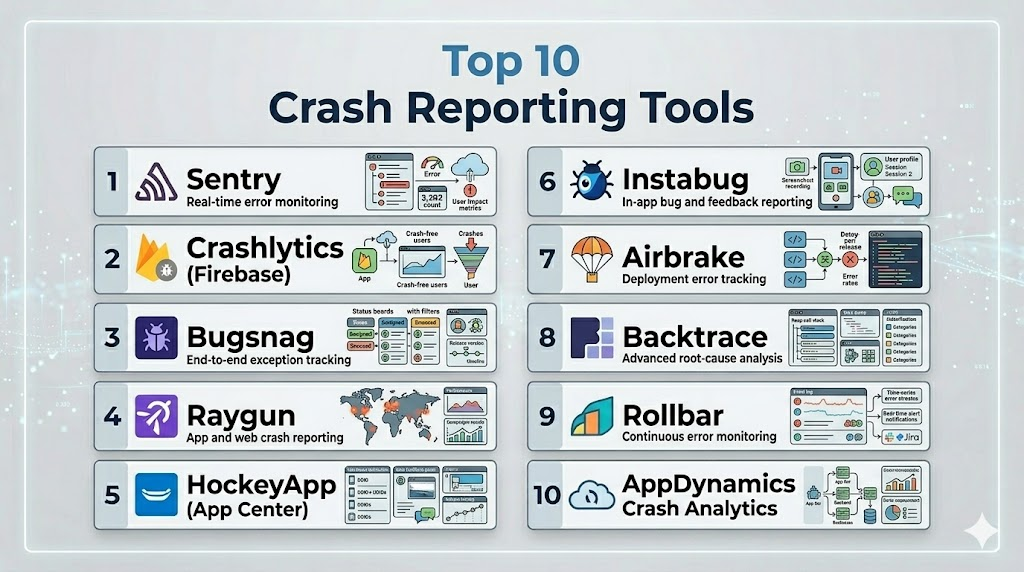
Top 10 Crash Reporting Tools
1- Sentry
Short description: Sentry provides real-time error monitoring and crash reporting for mobile, web, and backend applications, helping developers fix issues faster and improve reliability.
Key Features
- Real-time crash and error monitoring.
- Detailed stack traces with context.
- Performance monitoring and transaction tracing.
- Integration with GitHub, Jira, Slack, and CI/CD tools.
- Release tracking and deployment visibility.
Pros
- Broad platform support.
- Strong open-source SDKs and community.
Cons
- Some advanced features require paid tiers.
- Can be complex for first-time users.
Platforms / Deployment
- iOS / Android / Web / Windows / macOS / Linux
- Cloud / Self-hosted
Security & Compliance
- SOC 2 compliant, encryption, RBAC
Integrations & Ecosystem
Extensive integrations with development and project management tools.
- GitHub
- Jira
- Slack
- GitLab
- PagerDuty
Support & Community
Detailed documentation, active developer forums, enterprise support options.
2- Crashlytics (Firebase)
Short description: Crashlytics, part of Firebase, delivers real-time crash reporting for mobile apps, prioritizing issues based on impact and frequency for rapid resolution.
Key Features
- Real-time crash reporting and insights.
- Issue grouping and prioritization.
- Integration with Firebase Analytics.
- Alerts and notifications for critical errors.
- Lightweight SDK for minimal app overhead.
Pros
- Seamless Firebase ecosystem integration.
- Easy to implement in mobile apps.
Cons
- Limited web application support.
- Advanced analytics require Firebase familiarity.
Platforms / Deployment
- iOS / Android
- Cloud
Security & Compliance
- Not publicly stated
Integrations & Ecosystem
Integrates with Firebase services and third-party alert tools.
- Google Analytics
- Slack
- Jira
- GitHub
- PagerDuty
Support & Community
Firebase documentation, community forums, support via Google Cloud.
3- Bugsnag
Short description: Bugsnag offers full-stack error monitoring with automated crash detection and stability scores for mobile, web, and server applications.
Key Features
- Automatic error detection and crash reporting.
- Stability score for each release.
- Session and user context tracking.
- CI/CD integrations for automated testing.
- Customizable alerts and notifications.
Pros
- Detailed diagnostics and stability scoring.
- Supports multiple programming languages and platforms.
Cons
- Pricing can be high for large teams.
- Initial setup may require developer effort.
Platforms / Deployment
- iOS / Android / Web / Windows / macOS / Linux
- Cloud
Security & Compliance
- SOC 2, GDPR compliant
Integrations & Ecosystem
Integrates with Slack, Jira, GitHub, Trello, and CI/CD pipelines.
- Slack
- Jira
- GitHub
- Trello
- Azure DevOps
Support & Community
Enterprise support, documentation, webinars, and active forums.
4- Raygun
Short description: Raygun provides crash reporting, performance monitoring, and user tracking, helping teams deliver stable and high-performing apps across platforms.
Key Features
- Real-time crash reporting with error grouping.
- User tracking and session replay.
- Performance monitoring and diagnostics.
- Release and deployment tracking.
- Integration with bug tracking and notification systems.
Pros
- Combines crash reporting with performance monitoring.
- Clear dashboards for prioritization.
Cons
- Advanced analytics require paid plans.
- Limited open-source SDK support.
Platforms / Deployment
- iOS / Android / Web / Windows / macOS / Linux
- Cloud
Security & Compliance
- Not publicly stated
Integrations & Ecosystem
Connects with Jira, Slack, GitHub, Azure DevOps, and Trello.
- Jira
- Slack
- GitHub
- Azure DevOps
- Trello
Support & Community
Documentation, enterprise support, and developer forums.
5- HockeyApp (App Center)
Short description: App Center’s HockeyApp enables crash reporting, beta distribution, and diagnostics for mobile and desktop apps, helping streamline development and testing.
Key Features
- Crash reporting and user metrics.
- Beta app distribution.
- Device and session analytics.
- CI/CD integration.
- Release management and notifications.
Pros
- Integrates testing, distribution, and crash monitoring.
- Strong Microsoft ecosystem support.
Cons
- Being phased into App Center, some features are deprecated.
- Limited AI-driven insights.
Platforms / Deployment
- iOS / Android / Windows / macOS
- Cloud
Security & Compliance
- Not publicly stated
Integrations & Ecosystem
Works with Visual Studio, GitHub, Azure DevOps, Slack, and Jira.
- Visual Studio
- GitHub
- Azure DevOps
- Slack
- Jira
Support & Community
Microsoft support tiers, documentation, and active forums.
6- Instabug
Short description: Instabug provides real-time crash reporting, bug reporting, and in-app feedback for mobile applications, supporting both developers and QA teams.
Key Features
- Detailed crash reports with logs and device info.
- In-app bug reporting and user feedback.
- Network request tracking.
- Session replay for debugging.
- Customizable notifications and alerts.
Pros
- Combines crash reporting with user feedback.
- Excellent for QA and mobile teams.
Cons
- Web app support is limited.
- Pricing scales with app usage.
Platforms / Deployment
- iOS / Android
- Cloud
Security & Compliance
- GDPR compliant
Integrations & Ecosystem
Integrates with Jira, Slack, GitHub, Trello, and CI/CD tools.
- Jira
- Slack
- GitHub
- Trello
- CircleCI
Support & Community
Documentation, tutorials, and enterprise support available.
7- Airbrake
Short description: Airbrake provides error and crash monitoring for applications, delivering real-time notifications and detailed diagnostics for developers.
Key Features
- Real-time error tracking and grouping.
- Detailed stack traces and context.
- Deployment and release tracking.
- Alerts via email, Slack, or webhooks.
- Multiple language and framework support.
Pros
- Simple setup with strong developer focus.
- Clear and actionable crash reports.
Cons
- Limited AI-driven crash insights.
- May require additional tools for performance monitoring.
Platforms / Deployment
- Web / iOS / Android / Windows / macOS / Linux
- Cloud
Security & Compliance
- Not publicly stated
Integrations & Ecosystem
Integrates with Jira, GitHub, Slack, Trello, and CI/CD pipelines.
- Jira
- GitHub
- Slack
- Trello
- Jenkins
Support & Community
Documentation, forums, and enterprise support.
8- Backtrace
Short description: Backtrace offers advanced error monitoring and crash reporting for games and complex software, providing deep insights into root causes and stability metrics.
Key Features
- Multi-platform crash reporting.
- Root cause analysis and debugging tools.
- Performance monitoring and metrics.
- Release tracking and notifications.
- API access for custom integrations.
Pros
- Ideal for gaming and complex apps.
- Deep technical insights.
Cons
- May be too complex for small apps.
- Premium pricing for advanced features.
Platforms / Deployment
- iOS / Android / Windows / macOS / Linux
- Cloud / On-premises
Security & Compliance
- Not publicly stated
Integrations & Ecosystem
Supports Jira, GitHub, Slack, Unity, Unreal Engine.
- Jira
- GitHub
- Slack
- Unity
- Unreal Engine
Support & Community
Documentation and enterprise support, moderate community presence.
9- Rollbar
Short description: Rollbar provides real-time error monitoring, crash reporting, and AI-assisted diagnostics for web and mobile applications.
Key Features
- Automatic error grouping and triage.
- Deploy tracking and release impact analysis.
- AI-driven error insights.
- Notifications via multiple channels.
- Multi-language and framework support.
Pros
- AI-assisted insights reduce triage time.
- Supports wide range of programming languages.
Cons
- Learning curve for advanced configurations.
- Premium features may increase costs.
Platforms / Deployment
- Web / iOS / Android / Windows / macOS / Linux
- Cloud
Security & Compliance
- SOC 2, GDPR compliant
Integrations & Ecosystem
Connects with GitHub, Jira, Slack, Azure DevOps, PagerDuty.
- GitHub
- Jira
- Slack
- Azure DevOps
- PagerDuty
Support & Community
Enterprise support, documentation, active developer community.
10- AppDynamics Crash Analytics
Short description: AppDynamics provides crash and performance analytics for enterprise applications, offering visibility into root causes and user impact.
Key Features
- End-to-end crash reporting and diagnostics.
- Performance monitoring and transaction tracing.
- AI-driven root cause analysis.
- Session and user context tracking.
- Integration with CI/CD and DevOps tools.
Pros
- Enterprise-grade monitoring and analytics.
- Strong AI-assisted insights.
Cons
- High cost, suitable for large organizations.
- Complex setup for small apps.
Platforms / Deployment
- iOS / Android / Web / Windows / macOS / Linux
- Cloud / Hybrid
Security & Compliance
- SOC 2, ISO 27001 compliant
Integrations & Ecosystem
Integrates with Jira, Slack, GitHub, CI/CD pipelines, and enterprise tools.
- Jira
- Slack
- GitHub
- Jenkins
- ServiceNow
Support & Community
Enterprise support, documentation, and training resources.
Comparison Table (Top 10)
| Tool Name | Best For | Platform(s) Supported | Deployment | Standout Feature | Public Rating |
|---|---|---|---|---|---|
| Sentry | Developers, SMBs | iOS, Android, Web, Windows, macOS, Linux | Cloud / Self-hosted | Real-time crash monitoring | N/A |
| Crashlytics | Mobile apps | iOS, Android | Cloud | Firebase ecosystem integration | N/A |
| Bugsnag | Multi-platform apps | iOS, Android, Web, Windows, macOS, Linux | Cloud | Stability scoring | N/A |
| Raygun | Mobile & web apps | iOS, Android, Web, Windows, macOS, Linux | Cloud | Combined crash + performance | N/A |
| HockeyApp | Mobile & desktop apps | iOS, Android, Windows, macOS | Cloud | Beta distribution + crash reporting | N/A |
| Instabug | Mobile apps | iOS, Android | Cloud | In-app feedback + crash reports | N/A |
| Airbrake | Developers | Web, iOS, Android, Windows, macOS, Linux | Cloud | Real-time error notifications | N/A |
| Backtrace | Games & complex apps | iOS, Android, Windows, macOS, Linux | Cloud / On-premises | Deep root cause analysis | N/A |
| Rollbar | Web & mobile | Web, iOS, Android, Windows, macOS, Linux | Cloud | AI-assisted diagnostics | N/A |
| AppDynamics | Enterprise apps | iOS, Android, Web, Windows, macOS, Linux | Cloud / Hybrid | Enterprise-grade AI crash analytics | N/A |
Evaluation & Scoring of Crash Reporting Tools
| Tool Name | Core | Ease | Integrations | Security | Performance | Support | Value | Weighted Total |
|---|---|---|---|---|---|---|---|---|
| Sentry | 9 | 8 | 9 | 8 | 9 | 8 | 8 | 8.6 |
| Crashlytics | 8 | 9 | 7 | 7 | 9 | 8 | 9 | 8.3 |
| Bugsnag | 9 | 8 | 8 | 8 | 9 | 8 | 7 | 8.2 |
| Raygun | 8 | 8 | 7 | 7 | 8 | 7 | 7 | 7.5 |
| HockeyApp | 7 | 8 | 7 | 7 | 7 | 7 | 7 | 7.1 |
| Instabug | 8 | 8 | 7 | 7 | 8 | 7 | 7 | 7.5 |
| Airbrake | 7 | 8 | 7 | 7 | 7 | 7 | 7 | 7.0 |
| Backtrace | 9 | 7 | 7 | 7 | 9 | 7 | 6 | 7.5 |
| Rollbar | 9 | 8 | 8 | 8 | 8 | 8 | 7 | 8.0 |
| AppDynamics | 9 | 7 | 8 | 8 | 9 | 8 | 6 | 7.9 |
Interpretation: Weighted totals provide a comparative view of core features, ease, integrations, security, performance, support, and value. Higher scores indicate stronger overall suitability, though team needs may shift priorities.
Which Crash Reporting Tool Is Right for You?
Solo / Freelancer
Use lightweight, free, or simple SDKs like Crashlytics or Sentry for mobile apps with minimal overhead.
SMB
Bugsnag, Instabug, or Raygun offer strong crash insights and basic performance monitoring at manageable costs.
Mid-Market
Sentry, Rollbar, and Raygun provide advanced crash grouping, release tracking, and integration with CI/CD pipelines.
Enterprise
AppDynamics, Backtrace, and Sentry deliver enterprise-grade crash analytics, AI insights, and scalability for large teams and critical apps.
Budget vs Premium
Free or low-cost tools are suitable for small apps; premium options provide AI insights, advanced diagnostics, and multi-platform coverage.
Feature Depth vs Ease of Use
Crashlytics and Sentry are easier to implement; AppDynamics, Backtrace, and Rollbar offer more depth but require setup and training.
Integrations & Scalability
Sentry, Rollbar, and AppDynamics excel in integrating with Jira, CI/CD pipelines, and DevOps tools while scaling for large apps.
Security & Compliance Needs
Enterprises should select tools with SOC 2, ISO 27001, GDPR, or HIPAA compliance; Backtrace and AppDynamics provide robust enterprise security.
Frequently Asked Questions (FAQs)
- What is the cost of crash reporting tools?
Pricing depends on the tool and app scale. Free tiers like Sentry and Crashlytics are ideal for small apps, while enterprise tools like AppDynamics and Backtrace use subscription models based on event volume and features. - How difficult is integration?
Integration varies by SDK. Crashlytics and Sentry are simple to set up, while AppDynamics or Backtrace may require DevOps support. Proper configuration ensures accurate crash tracking. - Can these tools monitor multiple platforms?
Yes, most modern tools support iOS, Android, web, and desktop apps. Sentry, Bugsnag, and AppDynamics provide unified crash reporting across all platforms. - Are these tools GDPR and privacy compliant?
Many platforms include GDPR, SOC 2, or HIPAA compliance features. Always review privacy policies and configuration settings to ensure compliance for user-sensitive data. - Do these tools provide real-time alerts?
Yes, tools like Sentry, Rollbar, and Bugsnag send instant notifications via Slack, email, or dashboards when crashes occur, allowing rapid issue resolution. - Which tool is best for gaming apps?
Backtrace is highly suitable for gaming apps due to deep crash analysis and root cause insights. Bugsnag and Raygun also provide strong mobile crash monitoring capabilities. - Can I integrate these tools with CI/CD pipelines?
Yes, many tools integrate with CI/CD platforms like Jenkins, GitHub Actions, and Azure DevOps. This allows automated monitoring after deployments and reduces manual error tracking. - How do these tools handle offline crashes?
Most SDKs store crash events locally when offline and upload them once connectivity is restored. Server-side crash monitoring can improve reliability for critical errors. - Are AI-driven insights available?
Some platforms like Rollbar, AppDynamics, and Sentry offer AI-assisted crash grouping, root cause analysis, and predictive insights to reduce triage time and improve stability. - What common mistakes should I avoid?
Avoid tracking excessive events, overloading SDKs, or ignoring privacy compliance. Proper planning, limiting unnecessary tracking, and configuring alerts ensures effective crash monitoring without performance impact.
Conclusion
Crash Reporting Tools are essential for maintaining app stability, improving user experience, and accelerating development cycles. Choosing the right tool depends on app complexity, team size, and platform coverage. Lightweight solutions like Crashlytics and Sentry suit freelancers and SMBs, while enterprise tools like AppDynamics, Backtrace, and Rollbar provide advanced AI-driven insights and scalability. Prioritize features, integrations, and compliance with privacy regulations when selecting a platform. A pilot with 2–3 shortlisted tools ensures proper implementation and reliable reporting. Ultimately, the best choice aligns with your team’s workflow, budget, and app performance goals.

Find Trusted Cardiac Hospitals
Compare heart hospitals by city and services — all in one place.
Explore Hospitals
I am learning about crash reporting tools, and this content helped me understand how different platforms can identify application issues and support faster troubleshooting.