Introduction
UI Design Tools are platforms and software that allow designers to create user interfaces for websites, mobile apps, and software products. In plain English, they help teams craft visually appealing, functional, and consistent interfaces that enhance user experience. In 2026, with digital products evolving rapidly, UI design tools are essential for accelerating prototyping, maintaining consistency, and enabling collaboration across distributed teams.
Real-world use cases include:
- Wireframing and prototyping: Rapidly create layouts and interactive prototypes for testing.
- High-fidelity UI design: Develop polished interfaces with design components and styles.
- Collaboration and handoff: Share designs with developers for smooth implementation.
- Responsive design creation: Ensure interfaces work across desktop, tablet, and mobile.
- Design system integration: Maintain consistent components, styles, and branding across products.
What buyers should evaluate:
- Ease of use and learning curve
- Component libraries and templates
- Cross-platform support (web, iOS, Android)
- Integration with collaboration tools (Slack, Jira, Figma, Zeplin)
- Prototyping and interaction design capabilities
- Design system and version control support
- Real-time collaboration features
- Accessibility and inclusive design support
- Cloud-based vs. offline editing options
- Pricing flexibility and licensing models
Best for: UI/UX designers, product teams, developers, and agencies working on web and mobile interfaces.
Not ideal for: Organizations with minimal UI requirements or small-scale projects without dedicated design teams.
Key Trends in UI Design Tools
- AI-assisted design for auto-generating layouts and components
- Real-time collaboration across distributed teams
- Advanced prototyping with interactive and responsive designs
- Cloud-based design platforms enabling version control and shared libraries
- Integration with design systems and code repositories
- Accessibility and inclusive design validation
- Cross-platform export (iOS, Android, Web)
- Design-to-development handoff with automated specs
- Analytics for design effectiveness and component usage
- Flexible subscription and enterprise pricing models
How We Selected These Tools (Methodology)
- Evaluated market adoption and popularity among enterprises and SMBs
- Reviewed the breadth of design capabilities (prototyping, high-fidelity UI, interactions)
- Assessed collaboration and real-time editing features
- Checked integrations with development and project management tools
- Considered scalability for large design teams and multiple products
- Assessed version control and design system management
- Reviewed platform support (web, mobile, desktop)
- Evaluated ease of use and learning curve
- Checked analytics, feedback, and usage reporting
- Considered pricing models and ROI for teams of varying sizes
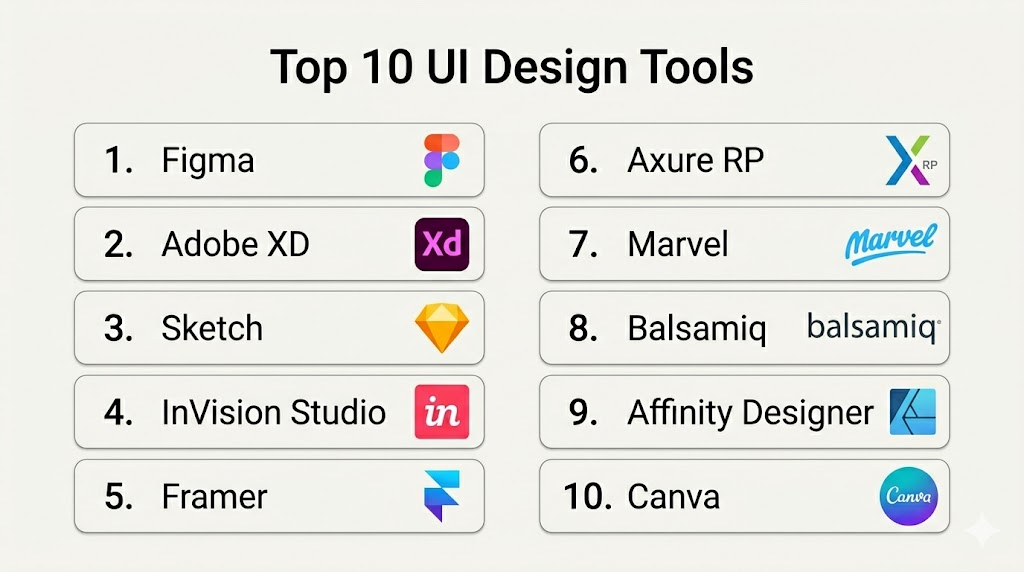
Top 10 UI Design Tools
1- Figma
Short description (2–3 lines): Figma is a cloud-based design tool allowing teams to collaborate in real-time while building UI components, prototypes, and responsive designs. It’s ideal for SMBs and enterprises needing centralized design workflows.
Key Features
- Real-time collaboration
- Shared component libraries and styles
- Interactive prototyping
- Version control and history tracking
- Plugin ecosystem
Pros
- Cloud-native and cross-platform
- Strong community and plugin ecosystem
Cons
- Offline support is limited
- Advanced enterprise features require subscription
Platforms / Deployment
- Web / macOS / Windows / Linux
- Cloud
Security & Compliance
- Not publicly stated
Integrations & Ecosystem
- Slack / Jira / GitHub
- Figma plugins for accessibility, prototyping, and analytics
Support & Community
Comprehensive documentation, active community, and tutorials.
2- Adobe XD
Short description (2–3 lines): Adobe XD provides UI design and prototyping tools with cloud collaboration for teams. Best suited for creative agencies and enterprise teams within the Adobe ecosystem.
Key Features
- Interactive prototyping
- Shared libraries and components
- Cloud document collaboration
- Version control and co-editing
- Integration with Creative Cloud apps
Pros
- Deep Adobe ecosystem integration
- Supports advanced prototyping
Cons
- Collaboration features are limited on lower tiers
- Plugin ecosystem smaller than Figma
Platforms / Deployment
- macOS / Windows / iOS / Android / Web
- Cloud
Security & Compliance
- Not publicly stated
Integrations & Ecosystem
- Slack / Jira / GitHub
- Adobe Creative Cloud apps
Support & Community
Documentation, tutorials, and community forums.
3- Sketch
Short description (2–3 lines): Sketch is a macOS-focused design tool for high-fidelity UI and vector graphics, offering component libraries and plugin integration for workflow automation.
Key Features
- Symbols and shared libraries
- Vector-based UI design
- Plugin ecosystem
- Prototyping support
- Version control with Sketch Cloud
Pros
- Lightweight and fast
- Strong macOS optimization
Cons
- Windows support limited
- Collaboration requires third-party tools
Platforms / Deployment
- macOS / Web
- Cloud / Self-hosted
Security & Compliance
- Not publicly stated
Integrations & Ecosystem
- Zeplin / Slack / Jira
- Prototyping and analytics plugins
Support & Community
Vibrant plugin community and documentation.
4- InVision Studio
Short description (2–3 lines): InVision Studio provides UI design and interactive prototyping with workflow management and collaboration, suited for enterprise product teams.
Key Features
- Vector-based UI design
- Interactive prototyping
- Component libraries
- Versioning and cloud collaboration
- Feedback and commenting
Pros
- Integration with InVision ecosystem
- Supports team collaboration
Cons
- Steeper learning curve
- Limited plugin ecosystem
Platforms / Deployment
- macOS / Windows
- Cloud
Security & Compliance
- Not publicly stated
Integrations & Ecosystem
- Jira / Slack / Trello
- Design system integrations
Support & Community
Documentation and enterprise support available.
5- Framer
Short description (2–3 lines): Framer combines design and prototyping in a single tool, enabling interactive, code-based UI design. Ideal for designers and product teams seeking rapid iteration.
Key Features
- Interactive and animated prototyping
- Component and style management
- Collaboration features
- Code export for developers
- Responsive design tools
Pros
- Powerful animation and interaction design
- Real-time collaboration
Cons
- Steeper learning curve for beginners
- Limited offline use
Platforms / Deployment
- Web / macOS / Windows
- Cloud
Security & Compliance
- Not publicly stated
Integrations & Ecosystem
- Figma / Slack / Jira
- GitHub / CI/CD pipelines
Support & Community
Documentation and tutorials; responsive support.
6- Axure RP
Short description (2–3 lines): Axure RP allows UX/UI designers to create interactive wireframes and prototypes with advanced interactions and conditional logic.
Key Features
- Interactive wireframing
- Conditional logic and dynamic content
- Component libraries
- Collaboration and commenting
- Version control
Pros
- Supports complex interactions
- Enterprise-ready workflow
Cons
- Higher learning curve
- Cloud collaboration requires subscription
Platforms / Deployment
- Windows / macOS
- Cloud / Self-hosted
Security & Compliance
- Not publicly stated
Integrations & Ecosystem
- Jira / Slack
- CMS and analytics integration
Support & Community
Documentation and user forums.
7- Marvel
Short description (2–3 lines): Marvel provides UI design, prototyping, and user testing in a single platform. Best for small to mid-market teams looking for all-in-one solutions.
Key Features
- Prototyping and UI design
- User testing integration
- Component libraries
- Collaboration tools
- Versioning and feedback
Pros
- Easy-to-use interface
- All-in-one design and testing
Cons
- Limited advanced prototyping
- Not ideal for large enterprises
Platforms / Deployment
- Web / iOS / Android / macOS / Windows
- Cloud
Security & Compliance
- Not publicly stated
Integrations & Ecosystem
- Slack / Jira / Trello
- User testing tools
Support & Community
Documentation and responsive support.
8- Balsamiq
Short description (2–3 lines): Balsamiq focuses on low-fidelity wireframing for rapid prototyping and ideation. Ideal for early-stage product teams and UX designers.
Key Features
- Drag-and-drop wireframing
- Component library
- Collaboration and commenting
- Export and sharing options
- Simple interface
Pros
- Fast and intuitive
- Great for brainstorming
Cons
- Limited high-fidelity design
- No advanced prototyping
Platforms / Deployment
- Web / macOS / Windows
- Cloud / Self-hosted
Security & Compliance
- Not publicly stated
Integrations & Ecosystem
- Slack / Jira / Trello
Support & Community
Documentation and tutorials.
9- Affinity Designer
Short description (2–3 lines): Affinity Designer is a vector-based design tool for UI and graphic design, offering precise control over layouts and assets.
Key Features
- Vector and raster design
- Advanced typography and grids
- Component libraries
- Color and style management
- High-resolution export
Pros
- Affordable alternative to Adobe
- Powerful vector tools
Cons
- Collaboration features limited
- No cloud-native real-time editing
Platforms / Deployment
- macOS / Windows / iOS
- Self-hosted
Security & Compliance
- Not publicly stated
Integrations & Ecosystem
- Export to Figma / Adobe XD
- Limited plugins
Support & Community
Documentation and online forums.
10- Canva
Short description (2–3 lines): Canva provides an easy-to-use UI design platform with templates, components, and collaborative tools. Suitable for non-designers and marketing teams.
Key Features
- Drag-and-drop design
- Templates and component libraries
- Collaboration and sharing
- Cloud storage
- Responsive design export
Pros
- Beginner-friendly
- Fast for marketing collateral
Cons
- Limited advanced UI design
- Not ideal for enterprise-scale systems
Platforms / Deployment
- Web / iOS / Android / macOS / Windows
- Cloud
Security & Compliance
- Not publicly stated
Integrations & Ecosystem
- Slack / Google Drive / Dropbox
- Limited plugin ecosystem
Support & Community
Documentation and tutorials; responsive support.
Comparison Table (Top 10)
| Tool Name | Best For | Platform(s) Supported | Deployment | Standout Feature | Public Rating |
|---|---|---|---|---|---|
| Figma | Enterprise and SMB teams | Web / macOS / Windows / Linux | Cloud | Real-time collaboration | N/A |
| Adobe XD | Cross-platform design teams | Web / macOS / Windows / iOS / Android | Cloud | Cloud documents & prototyping | N/A |
| Sketch | macOS design teams | macOS / Web | Cloud / Self-hosted | Symbols & shared libraries | N/A |
| InVision Studio | Enterprise UI teams | macOS / Windows | Cloud | Interactive prototyping | N/A |
| Framer | Designers & product teams | Web / macOS / Windows | Cloud | Code-based interactive UI | N/A |
| Axure RP | UX & interaction design | Windows / macOS | Cloud / Self-hosted | Complex interactions & wireframes | N/A |
| Marvel | Small/mid-market design | Web / iOS / Android / macOS / Windows | Cloud | UI design + user testing | N/A |
| Balsamiq | Early-stage wireframing | Web / macOS / Windows | Cloud / Self-hosted | Rapid low-fidelity wireframes | N/A |
| Affinity Designer | Vector UI design | macOS / Windows / iOS | Self-hosted | Precision vector tools | N/A |
| Canva | Non-designers & marketing | Web / iOS / Android / macOS / Windows | Cloud | Templates and drag-drop UI | N/A |
Evaluation & Scoring of UI Design Tools
| Tool Name | Core (25%) | Ease (15%) | Integrations (15%) | Security (10%) | Performance (10%) | Support (10%) | Value (15%) | Weighted Total (0–10) |
|---|---|---|---|---|---|---|---|---|
| Figma | 9 | 8 | 9 | 8 | 8 | 8 | 8 | 8.3 |
| Adobe XD | 8 | 7 | 8 | 7 | 7 | 7 | 7 | 7.4 |
| Sketch | 8 | 8 | 7 | 7 | 7 | 7 | 7 | 7.4 |
| InVision Studio | 8 | 7 | 7 | 7 | 7 | 7 | 7 | 7.2 |
| Framer | 8 | 7 | 7 | 7 | 7 | 7 | 7 | 7.2 |
| Axure RP | 8 | 6 | 7 | 7 | 7 | 7 | 7 | 7.0 |
| Marvel | 7 | 8 | 7 | 7 | 7 | 7 | 7 | 7.2 |
| Balsamiq | 7 | 8 | 6 | 7 | 7 | 7 | 7 | 7.0 |
| Affinity Designer | 8 | 6 | 6 | 7 | 7 | 7 | 7 | 6.9 |
| Canva | 7 | 9 | 6 | 7 | 7 | 7 | 7 | 7.1 |
Which UI Design Tool Is Right for You?
Solo / Freelancer
- Canva, Balsamiq, and Framer provide beginner-friendly and cost-effective UI design tools.
SMB
- Figma, Marvel, and Adobe XD offer collaborative features and component libraries suitable for small teams.
Mid-Market
- Figma, InVision Studio, and Framer enable scalable UI workflows and cross-team collaboration.
Enterprise
- Figma Organization Libraries, Adobe XD, Axure RP, and Sketch with plugins provide enterprise-level versioning, component governance, and collaboration.
Budget vs Premium
- Budget: Canva, Balsamiq, Marvel
- Premium: Figma, Adobe XD, Axure RP, InVision Studio
Feature Depth vs Ease of Use
- Beginner-friendly: Canva, Balsamiq
- Enterprise-grade: Figma, Axure RP, Adobe XD
Integrations & Scalability
- Choose tools with plugin support, design system integration, and CI/CD pipelines.
Security & Compliance Needs
- Enterprise teams should prioritize tools with SSO, RBAC, and audit logs.
Frequently Asked Questions (FAQs)
- Do these tools support mobile and web UI design?
Yes, most platforms support multi-device and responsive design capabilities. - Can I collaborate in real time?
Yes, Figma, Adobe XD, and Framer allow multiple team members to edit simultaneously. - Are there design system management features?
Figma, InVision DSM, and Adobe XD support libraries, components, and style guides. - Do these tools integrate with development workflows?
Yes, most integrate with Slack, Jira, GitHub, and CI/CD pipelines. - Is offline work possible?
Affinity Designer, Sketch, and Axure RP allow offline design; cloud-based tools rely on internet access. - Can I prototype interactions?
Yes, Figma, Framer, Adobe XD, and InVision Studio provide interactive prototyping. - Do they support version control?
Yes, Figma, Adobe XD, and Axure RP track versions and changes for components. - What pricing models are available?
Platforms offer subscriptions, free tiers, or one-time licenses depending on the tool. - Are templates included?
Canva, Figma, and Adobe XD provide templates to accelerate design workflows. - How to choose the right tool?
Evaluate team size, project complexity, collaboration needs, and budget; pilot testing is recommended.
Conclusion
UI design tools are critical for creating consistent, visually appealing, and functional digital interfaces. Solo designers and small teams benefit from Canva, Balsamiq, and Framer for cost-effective solutions. SMBs can leverage Figma, Marvel, and Adobe XD for collaborative workflows and component management. Enterprises should consider Figma Organization Libraries, Adobe XD, Axure RP, and InVision Studio for scalable design systems, version control, and real-time collaboration. Teams should shortlist 2–3 tools, run pilot projects, and validate integration and workflow capabilities before adoption. The right UI design platform accelerates design iteration, enhances user experience, and improves team productivity.

Find Trusted Cardiac Hospitals
Compare heart hospitals by city and services — all in one place.
Explore Hospitals
Thanks for sharing this article. I am learning about UI design, and this comparison helped me understand the features and benefits of different tools used to create better user interfaces.