Introduction
UX Prototyping Tools are platforms that allow designers and product teams to create interactive prototypes of websites, apps, and digital products before development begins. In plain English, they help visualize user flows, test functionality, and gather feedback to improve user experience. with user expectations rising and products becoming more complex, prototyping tools are essential for accelerating design iteration, reducing development errors, and improving collaboration between designers, developers, and stakeholders.
Real-world use cases include:
- Interactive prototyping: Simulate workflows and interactions before coding begins.
- User testing preparation: Create prototypes to validate concepts with real users.
- Design iteration: Quickly test alternative designs and flows.
- Stakeholder demonstrations: Share prototypes with clients or internal teams for approvals.
- Collaboration across distributed teams: Allow real-time editing and feedback.
What buyers should evaluate:
- Fidelity support (low to high-fidelity prototypes)
- Collaboration and co-editing capabilities
- Integration with design tools like Figma, Sketch, and Adobe XD
- Interactive component libraries
- Version control and history tracking
- Multi-platform support (web, iOS, Android)
- Analytics and usability testing features
- Accessibility and compliance validation
- Pricing models and scalability
Best for: UX designers, product managers, and design teams in SMBs and enterprises aiming for fast iterations and cross-team collaboration.
Not ideal for: Teams that require only static wireframes or have minimal prototyping needs.
Key Trends in UX Prototyping Tools
- AI-assisted auto-generation of interactive flows and screens.
- Real-time collaborative prototyping for distributed teams.
- Advanced animation and interaction support for high-fidelity prototypes.
- Cloud-based platforms with version control and component libraries.
- Integration with design systems and developer workflows.
- Cross-platform and responsive prototyping capabilities.
- Accessibility compliance and inclusive design validation.
- Analytics to measure prototype interactions and engagement.
- Template and reusable component ecosystems.
- Flexible subscription and enterprise pricing.
How We Selected These Tools (Methodology)
- Evaluated market adoption and user base across enterprises and SMBs.
- Reviewed support for low- to high-fidelity prototyping.
- Checked collaboration and real-time editing features.
- Assessed integrations with design and development workflows.
- Considered scalability for multi-team and multi-product environments.
- Assessed version control, component reuse, and design system integration.
- Evaluated cross-platform support and mobile/web responsiveness.
- Reviewed ease of use, learning curve, and onboarding experience.
- Checked analytics, feedback, and testing support.
- Reviewed pricing flexibility and ROI potential.
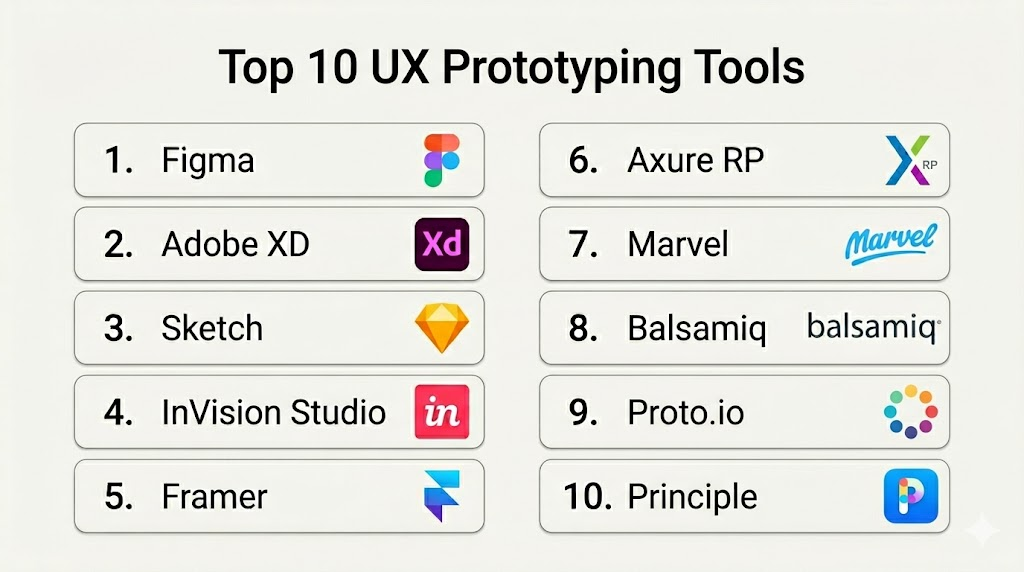
Top 10 UX Prototyping Tools
1- Figma
Short description : Figma is a cloud-based design tool supporting interactive prototyping and real-time collaboration. Ideal for SMBs and enterprise teams managing shared design systems.
Key Features
- Interactive prototyping and flows
- Component libraries and shared styles
- Version control and history tracking
- Real-time collaboration
- Plugin ecosystem for automation and testing
Pros
- Cloud-based and cross-platform
- Strong community and plugin support
Cons
- Offline access limited
- Advanced enterprise features require subscription
Platforms / Deployment
- Web / macOS / Windows / Linux
- Cloud
Security & Compliance
- Not publicly stated
Integrations & Ecosystem
- Slack / Jira / GitHub
- Plugins for accessibility, prototyping, and analytics
Support & Community
Extensive documentation and active community.
2- Adobe XD
Short description : Adobe XD provides UI design and interactive prototyping with cloud collaboration, suited for teams within the Adobe ecosystem.
Key Features
- Interactive prototyping and animation
- Cloud documents and collaboration
- Shared component libraries
- Versioning and co-editing
- Integration with Creative Cloud apps
Pros
- Deep integration with Adobe tools
- Supports advanced animation
Cons
- Limited collaboration features on lower tiers
- Plugin ecosystem smaller than Figma
Platforms / Deployment
- macOS / Windows / iOS / Android / Web
- Cloud
Security & Compliance
- Not publicly stated
Integrations & Ecosystem
- Slack / Jira / GitHub
- Adobe Creative Cloud apps
Support & Community
Documentation and forums.
3- Sketch
Short description : Sketch is a macOS design tool offering vector-based prototyping, symbols, and plugins for UI and UX design teams.
Key Features
- Vector-based interactive design
- Symbols and shared libraries
- Plugins for prototyping and handoff
- Version control with Sketch Cloud
- Export options for development
Pros
- Lightweight and fast
- Rich plugin ecosystem
Cons
- Windows support limited
- Collaboration requires third-party tools
Platforms / Deployment
- macOS / Web
- Cloud / Self-hosted
Security & Compliance
- Not publicly stated
Integrations & Ecosystem
- Zeplin / Jira / Slack
- Prototyping plugins
Support & Community
Active plugin community and tutorials.
4- InVision Studio
Short description : InVision Studio provides interactive prototyping, UI design, and collaboration for enterprise teams.
Key Features
- Vector-based UI and prototyping
- Shared component libraries
- Versioning and cloud collaboration
- Interactive animations
- Feedback and commenting
Pros
- Integration with InVision ecosystem
- Supports team collaboration
Cons
- Steep learning curve
- Limited plugin ecosystem
Platforms / Deployment
- macOS / Windows
- Cloud
Security & Compliance
- Not publicly stated
Integrations & Ecosystem
- Jira / Slack / Trello
- Design system integrations
Support & Community
Documentation and enterprise support.
5- Framer
Short description : Framer enables designers to create interactive, code-based prototypes with animations and responsive layouts.
Key Features
- Interactive and animated prototyping
- Component and style libraries
- Real-time collaboration
- Code export for developers
- Responsive design tools
Pros
- Powerful animations and interactions
- Real-time collaboration
Cons
- Learning curve for beginners
- Offline work limited
Platforms / Deployment
- Web / macOS / Windows
- Cloud
Security & Compliance
- Not publicly stated
Integrations & Ecosystem
- Figma / Slack / Jira
- GitHub / CI/CD pipelines
Support & Community
Documentation and tutorials.
6- Axure RP
Short description : Axure RP supports advanced interactive prototypes with conditional logic and dynamic content, suitable for UX teams needing detailed workflows.
Key Features
- Conditional logic and dynamic content
- Interactive wireframes
- Component libraries
- Collaboration and commenting
- Version control
Pros
- Supports complex interactions
- Enterprise-ready workflow
Cons
- Higher learning curve
- Cloud collaboration requires subscription
Platforms / Deployment
- Windows / macOS
- Cloud / Self-hosted
Security & Compliance
- Not publicly stated
Integrations & Ecosystem
- Jira / Slack
- CMS and analytics integration
Support & Community
Documentation and forums.
7- Marvel
Short description (2–3 lines): Marvel combines prototyping, design, and user testing in one platform for small and mid-market teams.
Key Features
- Prototyping and interactive design
- Component libraries
- User testing integration
- Collaboration tools
- Versioning and feedback
Pros
- Intuitive and beginner-friendly
- All-in-one solution
Cons
- Limited advanced interactions
- Not ideal for large enterprises
Platforms / Deployment
- Web / iOS / Android / macOS / Windows
- Cloud
Security & Compliance
- Not publicly stated
Integrations & Ecosystem
- Slack / Jira / Trello
- User testing tools
Support & Community
Documentation and responsive support.
8- Balsamiq
Short description : Balsamiq focuses on rapid low-fidelity prototyping and wireframing for early-stage UX validation.
Key Features
- Drag-and-drop wireframing
- Component library
- Collaboration and commenting
- Export and sharing options
- Simple interface
Pros
- Fast and intuitive
- Great for ideation
Cons
- Limited high-fidelity capabilities
- No advanced prototyping
Platforms / Deployment
- Web / macOS / Windows
- Cloud / Self-hosted
Security & Compliance
- Not publicly stated
Integrations & Ecosystem
- Slack / Jira / Trello
Support & Community
Documentation and tutorials.
9- Proto.io
Short description ): Proto.io allows teams to create high-fidelity interactive prototypes with gestures, animations, and transitions.
Key Features
- High-fidelity prototypes
- Animation and gestures
- Collaboration and commenting
- Mobile and web support
- Component libraries
Pros
- Rich interactive features
- Cross-platform support
Cons
- Higher learning curve
- Premium pricing
Platforms / Deployment
- Web / iOS / Android
- Cloud
Security & Compliance
- Not publicly stated
Integrations & Ecosystem
- Jira / Slack / Trello
- Figma import
Support & Community
Documentation and responsive support.
10- Principle
Short description : Principle focuses on advanced interaction design and animation prototyping, ideal for designers who need high-fidelity interactive flows.
Key Features
- Advanced animations and transitions
- Interactive prototyping
- Component reuse
- Timeline-based editing
- Responsive design support
Pros
- Excellent for motion and interaction design
- Intuitive timeline interface
Cons
- Mac-only
- Limited team collaboration
Platforms / Deployment
- macOS
- Self-hosted
Security & Compliance
- Not publicly stated
Integrations & Ecosystem
- Figma / Sketch
- Slack
Support & Community
Documentation and active design community.
Comparison Table (Top 10)
| Tool Name | Best For | Platform(s) Supported | Deployment | Standout Feature | Public Rating |
|---|---|---|---|---|---|
| Figma | Enterprise and SMB teams | Web / macOS / Windows / Linux | Cloud | Real-time collaboration | N/A |
| Adobe XD | Cross-platform design teams | Web / macOS / Windows / iOS / Android | Cloud | Cloud documents & prototyping | N/A |
| Sketch | macOS design teams | macOS / Web | Cloud / Self-hosted | Symbols & shared libraries | N/A |
| InVision Studio | Enterprise UI teams | macOS / Windows | Cloud | Interactive prototyping | N/A |
| Framer | Designers & product teams | Web / macOS / Windows | Cloud | Code-based interactive UI | N/A |
| Axure RP | UX & interaction design | Windows / macOS | Cloud / Self-hosted | Complex interactions & wireframes | N/A |
| Marvel | Small/mid-market design | Web / iOS / Android / macOS / Windows | Cloud | UI design + user testing | N/A |
| Balsamiq | Early-stage wireframing | Web / macOS / Windows | Cloud / Self-hosted | Rapid low-fidelity wireframes | N/A |
| Proto.io | High-fidelity prototypes | Web / iOS / Android | Cloud | Interactive gestures & animations | N/A |
| Principle | Motion and interaction design | macOS | Self-hosted | Advanced animations and transitions | N/A |
Evaluation & Scoring of UX Prototyping Tools
| Tool Name | Core (25%) | Ease (15%) | Integrations (15%) | Security (10%) | Performance (10%) | Support (10%) | Value (15%) | Weighted Total (0–10) |
|---|---|---|---|---|---|---|---|---|
| Figma | 9 | 8 | 9 | 8 | 8 | 8 | 8 | 8.3 |
| Adobe XD | 8 | 7 | 8 | 7 | 7 | 7 | 7 | 7.4 |
| Sketch | 8 | 8 | 7 | 7 | 7 | 7 | 7 | 7.4 |
| InVision Studio | 8 | 7 | 7 | 7 | 7 | 7 | 7 | 7.2 |
| Framer | 8 | 7 | 7 | 7 | 7 | 7 | 7 | 7.2 |
| Axure RP | 8 | 6 | 7 | 7 | 7 | 7 | 7 | 7.0 |
| Marvel | 7 | 8 | 7 | 7 | 7 | 7 | 7 | 7.2 |
| Balsamiq | 7 | 8 | 6 | 7 | 7 | 7 | 7 | 7.0 |
| Proto.io | 8 | 7 | 7 | 7 | 7 | 7 | 7 | 7.2 |
| Principle | 8 | 7 | 6 | 7 | 7 | 7 | 7 | 7.1 |
Which UX Prototyping Tool Is Right for You?
Solo / Freelancer
- Balsamiq, Principle, and Marvel for lightweight prototyping and animation.
SMB
- Figma, Adobe XD, and Framer for collaborative prototyping and design handoff.
Mid-Market
- Figma, InVision Studio, and Proto.io for multi-team workflows and interactive prototypes.
Enterprise
- Figma Organization Libraries, Adobe XD, Axure RP, and InVision Studio for large-scale collaboration and versioning.
Budget vs Premium
- Budget: Balsamiq, Marvel, Principle
- Premium: Figma, Adobe XD, Axure RP, InVision Studio
Feature Depth vs Ease of Use
- Beginner-friendly: Marvel, Balsamiq
- Enterprise-grade: Figma, Axure RP, Adobe XD
Integrations & Scalability
- Prioritize tools with CI/CD, Jira, Slack, and design system integration for scalable workflows.
Security & Compliance Needs
- Enterprise teams should select tools with SSO, RBAC, and audit logging.
Frequently Asked Questions (FAQs)
- Can these tools create interactive prototypes?
Yes, all platforms allow interactive, clickable, and animated prototypes for testing and presentation. - Do they support collaboration?
Figma, Adobe XD, and Framer support real-time collaboration for distributed teams. - Can I integrate with design tools?
Yes, most integrate with Figma, Sketch, Adobe XD, Jira, and Slack for streamlined workflows. - Are there version control features?
Yes, Figma, Axure RP, and Adobe XD provide versioning and history tracking. - Can I test prototypes on mobile devices?
Yes, Figma, Proto.io, Marvel, and Adobe XD support iOS and Android testing. - Are accessibility features included?
Some platforms support accessibility auditing via plugins or third-party integrations. - Do they provide templates or components?
Yes, most offer reusable component libraries and templates for faster prototyping. - Is offline work possible?
Sketch, Axure RP, and Principle allow offline design; cloud-native tools rely on internet connectivity. - What are typical pricing models?
Platforms offer subscription-based, freemium, or one-time licenses depending on features. - How to choose the right UX prototyping tool?
Evaluate team size, project complexity, integrations, collaboration needs, and budget; pilot testing is recommended.
Conclusion
UX prototyping tools are essential for validating designs, improving user experience, and accelerating product development. Freelancers and small teams can use Balsamiq, Principle, or Marvel for cost-effective prototyping. SMBs benefit from Figma, Adobe XD, or Framer for collaboration and design handoff. Enterprises should consider Figma Organization Libraries, Axure RP, or InVision Studio for large-scale prototyping, version control, and team coordination. Teams should shortlist 2–3 tools, test workflows, and validate integration and usability features before adoption. The right UX prototyping platform reduces errors, speeds up iteration, and ensures better product outcomes.

Find Trusted Cardiac Hospitals
Compare heart hospitals by city and services — all in one place.
Explore Hospitals
Very helpful article. I am learning about UX prototyping, and this content helped me understand how different tools can be used to create and test user experiences before development.