Introduction
Prospecting Automation Tools help sales and marketing teams efficiently find, qualify, and engage potential customers by automating repetitive tasks like email outreach, follow-ups, and lead scoring.buyers expect faster, more personalized communication, making these tools essential for maintaining a competitive edge. They enrich lead data with firmographics, technographics, and intent signals, enabling teams to prioritize high-value prospects and integrate seamlessly with CRMs. Real-world use cases include automated multi-channel campaigns, predictive outreach, lead segmentation, and analytics-driven pipeline optimization. Buyers should evaluate automation features, ease of use, integrations, security, scalability, reporting, and ROI potential to ensure the tool aligns with their sales workflows and business goals.
Why it matters now: Modern buyers research extensively before engaging with sales, and sales teams face pressure to increase productivity while maintaining personalization. Prospecting automation tools leverage AI, data enrichment, and workflow optimization to meet these demands efficiently.
Real-world use cases include:
- Automating cold email campaigns and follow-ups to maximize engagement.
- Enriching lead data with firmographics, technographics, and intent signals.
- Segmenting leads and prioritizing high-value prospects for account-based marketing.
- Integrating with CRM systems to maintain clean and actionable lead pipelines.
- Using predictive analytics to forecast which leads are most likely to convert.
Evaluation criteria for buyers:
- Automation features and AI-assisted outreach
- Lead data enrichment and validation capabilities
- Integration with CRM, marketing, and communication tools
- Ease of use and workflow customization
- Security, compliance, and data privacy
- Reporting, analytics, and ROI tracking
- Scalability across teams and geographies
- Customer support and community strength
- Pricing and total cost of ownership
Best for: Sales teams, business development reps, marketing operations teams, and SMB to enterprise companies seeking to improve lead conversion efficiency.
Not ideal for: Organizations with small teams, low-volume outreach needs, or highly personalized niche selling where automation may reduce authenticity.
Key Trends in Prospecting Automation Tools for 2026 and Beyond
- AI-powered lead scoring and predictive analytics for prioritizing outreach.
- Automated multichannel prospecting: email, LinkedIn, SMS, and voice.
- Enhanced data enrichment combining public, proprietary, and intent datasets.
- Privacy-first features aligning with GDPR, CCPA, and emerging global regulations.
- Native CRM integrations to eliminate double data entry and streamline pipelines.
- Increased use of no-code workflow builders for non-technical users.
- Machine learning-driven personalization for email and social outreach.
- Multi-account and territory management capabilities for enterprise teams.
- Analytics dashboards providing insights into engagement, conversion, and revenue impact.
- Subscription-based pricing with flexible modular add-ons.
How We Selected These Tools (Methodology)
- Evaluated market adoption and mindshare among B2B sales teams.
- Analyzed feature completeness: automation, enrichment, and workflow capabilities.
- Reviewed reliability and performance signals from user reviews and industry benchmarks.
- Assessed security posture including SSO, MFA, and encryption standards.
- Considered ecosystem and integrations: CRMs, communication tools, marketing platforms.
- Checked suitability across different team sizes: SMB, mid-market, enterprise.
- Examined AI capabilities for personalization and lead scoring.
- Verified vendor support offerings and community resources.
- Confirmed transparency in pricing models and deployment options.
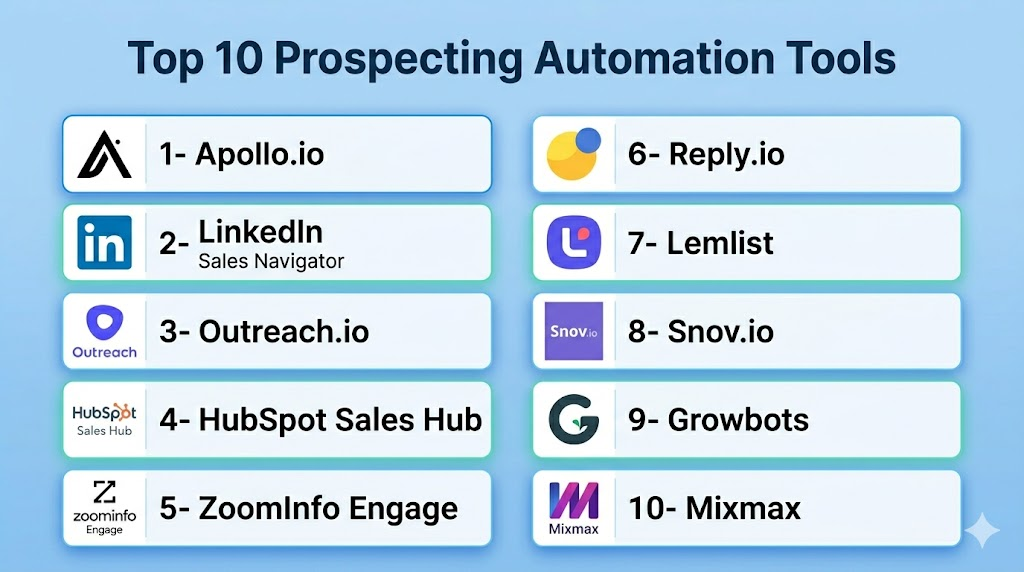
Top 10 Prospecting Automation Tools
1- Apollo.io
Short description: A sales engagement platform that combines lead generation, automated sequences, and CRM integration for B2B teams of all sizes.
Key Features
- AI-driven lead scoring and prioritization
- Automated email and call sequences
- CRM synchronization and contact management
- Advanced analytics dashboards
- Multi-channel outreach (email, phone, LinkedIn)
- Data enrichment with firmographics and technographics
Pros
- Comprehensive all-in-one prospecting solution
- Easy-to-use interface with visual workflow builder
Cons
- Can be overwhelming for very small teams
- Limited AI personalization without premium plan
Platforms / Deployment
- Web, iOS, Android
- Cloud
Security & Compliance
- Not publicly stated
Integrations & Ecosystem
Supports popular CRMs and productivity tools; APIs for custom workflows.
- Salesforce, HubSpot, Pipedrive
- LinkedIn Sales Navigator
- Gmail, Outlook
- Zapier
Support & Community
Varies / Not publicly stated
2- LinkedIn Sales Navigator
Short description: LinkedIn’s platform for advanced lead and account discovery, providing in-network insights and automated prospecting for sales teams.
Key Features
- Advanced lead and account search
- CRM sync with automated data logging
- In-network alerts and engagement insights
- Lead recommendations powered by AI
- Integration with LinkedIn messaging
Pros
- Access to LinkedIn’s massive professional dataset
- Real-time account updates and news alerts
Cons
- Limited outreach automation outside LinkedIn
- Pricing may be high for small teams
Platforms / Deployment
- Web, iOS, Android
- Cloud
Security & Compliance
- Not publicly stated
Integrations & Ecosystem
- Salesforce, HubSpot, Microsoft Dynamics
- LinkedIn API for enterprise integrations
Support & Community
Varies / Not publicly stated
3- Outreach.io
Short description: Enterprise-focused sales engagement platform automating sequences, emails, calls, and tasks to boost pipeline efficiency.
Key Features
- Multi-channel sales automation
- AI-assisted engagement and task prioritization
- Advanced reporting and analytics
- CRM integration for data alignment
- Predictive sequencing and A/B testing
Pros
- Enterprise-grade automation and analytics
- Strong integration ecosystem
Cons
- Steeper learning curve for new users
- Expensive for smaller teams
Platforms / Deployment
- Web
- Cloud
Security & Compliance
- Not publicly stated
Integrations & Ecosystem
- Salesforce, HubSpot, Microsoft Dynamics
- Email platforms and calendar apps
- Custom API support
Support & Community
- Comprehensive training, support tiers vary
4- HubSpot Sales Hub
Short description: A full-featured CRM with prospecting automation, sequences, and contact management for SMB to enterprise sales teams.
Key Features
- Automated email sequences and reminders
- Contact and lead scoring
- Integrated CRM with pipeline management
- AI-driven engagement suggestions
- Reporting and analytics dashboards
Pros
- Unified platform for CRM and prospecting
- Easy adoption with HubSpot ecosystem
Cons
- Advanced features require premium plans
- Limited flexibility outside HubSpot ecosystem
Platforms / Deployment
- Web, iOS, Android
- Cloud
Security & Compliance
- Not publicly stated
Integrations & Ecosystem
- HubSpot marketing and service hubs
- Gmail, Outlook
- Zapier and third-party APIs
Support & Community
- Extensive community forums, knowledge base
5- ZoomInfo Engage
Short description: Lead generation and engagement platform combining contact data, enrichment, and automated outreach for mid-market to enterprise sales teams.
Key Features
- Verified B2B contact database
- Automated multi-channel campaigns
- Lead scoring and segmentation
- Real-time data enrichment
- CRM integrations
Pros
- Accurate contact and account data
- Streamlines outbound prospecting
Cons
- Data quality may vary for niche industries
- Higher cost for smaller teams
Platforms / Deployment
- Web
- Cloud
Security & Compliance
- Not publicly stated
Integrations & Ecosystem
- Salesforce, HubSpot, Microsoft Dynamics
- Email and marketing platforms
- Custom API integrations
Support & Community
- Knowledge base and customer support teams
6- Reply.io
Short description: Automates email sequences, calls, and tasks for outbound sales, combining AI insights and data enrichment for SMB and mid-market teams.
Key Features
- Multi-channel automation (email, phone, LinkedIn)
- AI-assisted lead scoring
- Workflow templates and sequence management
- Analytics for engagement tracking
- CRM integrations
Pros
- Flexible automation for small and mid-market teams
- Intuitive interface
Cons
- Limited enterprise-scale features
- AI personalization requires higher-tier plans
Platforms / Deployment
- Web
- Cloud
Security & Compliance
- Not publicly stated
Integrations & Ecosystem
- Salesforce, HubSpot, Pipedrive
- Gmail, Outlook, LinkedIn
- Zapier
Support & Community
- Varies / Not publicly stated
7- Lemlist
Short description: Email outreach and sales automation platform focused on personalized campaigns with visual sequences and A/B testing.
Key Features
- Personalized email sequences
- AI-assisted content suggestions
- Analytics and performance dashboards
- Lead enrichment and verification
- Integration with CRMs
Pros
- Strong personalization for outreach
- Easy-to-use visual campaign builder
Cons
- Limited phone and social automation
- Not enterprise-centric
Platforms / Deployment
- Web
- Cloud
Security & Compliance
- Not publicly stated
Integrations & Ecosystem
- Salesforce, HubSpot, Pipedrive
- Gmail, Outlook
- Zapier
Support & Community
- Online documentation, active community
8- Snov.io
Short description: Prospecting automation tool for SMB teams with email drip campaigns, lead generation, and verification features.
Key Features
- Email sequence automation
- Lead generation from web and social
- Email verification
- CRM integration
- Analytics dashboards
Pros
- Affordable for small teams
- Simple interface and setup
Cons
- Limited enterprise features
- Data enrichment may not cover all sectors
Platforms / Deployment
- Web
- Cloud
Security & Compliance
- Not publicly stated
Integrations & Ecosystem
- HubSpot, Pipedrive, Salesforce
- Gmail, Outlook
- Zapier
Support & Community
- Email support, knowledge base
9- Growbots
Short description: AI-driven lead generation and outbound automation platform for sales teams seeking multi-channel prospecting and data enrichment.
Key Features
- Automated lead discovery and list building
- Email sequences with AI recommendations
- CRM synchronization
- Engagement analytics and reporting
- Lead segmentation and scoring
Pros
- Quick setup for outbound campaigns
- AI-driven targeting improves efficiency
Cons
- Limited customization for complex workflows
- Pricing scales quickly with list size
Platforms / Deployment
- Web
- Cloud
Security & Compliance
- Not publicly stated
Integrations & Ecosystem
- Salesforce, HubSpot, Pipedrive
- Email platforms
- API for custom workflows
Support & Community
- Online documentation and email support
10- Mixmax
Short description: Sales engagement and productivity platform with automated email sequences, tracking, and CRM integration for SMB and mid-market teams.
Key Features
- Email tracking and automation
- CRM integration and contact management
- Scheduling and reminders
- Analytics and engagement metrics
- Templates and personalization
Pros
- Easy-to-use productivity-focused interface
- Integrates well with Gmail ecosystem
Cons
- Limited lead generation outside email
- Less suitable for enterprise multi-channel automation
Platforms / Deployment
- Web, iOS, Android
- Cloud
Security & Compliance
- Not publicly stated
Integrations & Ecosystem
- Salesforce, HubSpot, Pipedrive
- Gmail, Outlook
- Zapier
Support & Community
- Knowledge base and email support
Comparison Table (Top 10)
| Tool Name | Best For | Platform(s) Supported | Deployment | Standout Feature | Public Rating |
|---|---|---|---|---|---|
| Apollo.io | SMB to enterprise sales teams | Web, iOS, Android | Cloud | All-in-one automation and enrichment | N/A |
| LinkedIn Sales Navigator | Professional network insights | Web, iOS, Android | Cloud | AI-driven lead recommendations | N/A |
| Outreach.io | Enterprise teams | Web | Cloud | Multi-channel automation | N/A |
| HubSpot Sales Hub | SMB to enterprise | Web, iOS, Android | Cloud | Unified CRM + automation | N/A |
| ZoomInfo Engage | Mid-market to enterprise | Web | Cloud | Verified B2B contact database | N/A |
| Reply.io | SMB and mid-market | Web | Cloud | Flexible multi-channel automation | N/A |
| Lemlist | SMB teams | Web | Cloud | Personalized email sequences | N/A |
| Snov.io | SMB teams | Web | Cloud | Affordable email automation and verification | N/A |
| Growbots | Sales teams seeking AI lead gen | Web | Cloud | AI-driven lead discovery | N/A |
| Mixmax | SMB and mid-market | Web, iOS, Android | Cloud | Productivity + email tracking | N/A |
Evaluation & Scoring of Prospecting Automation Tools
| Tool Name | Core (25%) | Ease (15%) | Integrations (15%) | Security (10%) | Performance (10%) | Support (10%) | Value (15%) | Weighted Total (0–10) |
|---|---|---|---|---|---|---|---|---|
| Apollo.io | 9 | 8 | 8 | 7 | 8 | 7 | 8 | 8.2 |
| LinkedIn Sales Navigator | 8 | 7 | 7 | 7 | 7 | 6 | 7 | 7.2 |
| Outreach.io | 9 | 7 | 8 | 7 | 8 | 7 | 7 | 7.9 |
| HubSpot Sales Hub | 8 | 9 | 8 | 7 | 8 | 8 | 8 | 8.2 |
| ZoomInfo Engage | 8 | 7 | 7 | 7 | 8 | 7 | 7 | 7.3 |
| Reply.io | 8 | 8 | 7 | 7 | 7 | 6 | 8 | 7.5 |
| Lemlist | 7 | 8 | 7 | 7 | 7 | 6 | 8 | 7.4 |
| Snov.io | 7 | 8 | 7 | 7 | 7 | 6 | 8 | 7.3 |
| Growbots | 8 | 7 | 7 | 7 | 7 | 6 | 7 | 7.2 |
| Mixmax | 7 | 9 | 7 | 7 | 7 | 6 | 8 | 7.5 |
Which Prospecting Automation Tool Is Right for You?
Choosing the right prospecting automation tool depends on your team size, outreach channels, data needs, and how deeply you want to integrate automation into your sales process. Below is a practical guide to help align your priorities with the most suitable tools.
Solo / Freelancer
Solo sellers and independent consultants need simplicity, affordability, and fast setup. Your focus should be getting engagement without heavy onboarding or steep costs. Tools in this category work well for basic email outreach, lightweight list building, and simple analytics.
Recommended:
- Lemlist – Easy sequence builder, personalization features, ideal for individualized outreach.
- Snov.io – Cost-effective combo of email automation and basic lead capture.
- Mixmax – Lightweight email engagement and tracking especially if you live in Gmail.
Why these fit: Minimal setup, intuitive interfaces, and pricing that doesn’t penalize low usage.
Small & Medium Business (SMB)
SMB teams need automated multi-channel outreach, reliable data enrichment, and CRM alignment without enterprise complexity. You want tools that grow with you but still keep onboarding friction low and cost predictable.
Recommended:
- Apollo.io – All‑in‑one for lists, enrichment, sequences, and activity tracking.
- Reply.io – Flexible automation across email, calls, LinkedIn messaging.
- HubSpot Sales Hub – Great if you want a unified CRM + sequences + analytics.
Why these fit: Balanced automation features, CRM integration, and affordable mid-tier plans.
Mid‑Market
Mid‑market organizations require scalable sequences, predictive engagement scoring, and deeper data insights to support larger pipelines and multiple reps. You’re past the basics and need tools that support segmentation, advanced reporting, and team management.
Recommended:
- ZoomInfo Engage – Strong contact data foundation plus multi‑channel campaigns.
- Outreach.io – Good fit when managing larger teams and complex sequences.
- Apollo.io (Advanced) – With enriched data workflows and deeper analytics.
Why these fit: Enterprise‑grade outreach capabilities without the price of full‑stack CRMs.
Enterprise
Enterprises need robust automation, governance controls, compliance safeguards, and high data quality. You’re managing hundreds of seats, multiple products/regions, and need tools that support segmentation at scale and analytics tied to revenue outcomes.
Recommended:
- Outreach.io – Enterprise‑level sequencing, automation governance, analytics pipeline reporting.
- HubSpot Sales Hub (Enterprise) – Seamless CRM + analytics + cross‑team workflow support.
- ZoomInfo Engage – Best if your focus is on data quality at scale.
Why these fit: Scalability, integration depth, security features, and cross‑department alignment.
Budget vs Premium
- Budget‑Sensitive Teams: Snov.io, Lemlist, Mixmax – deliver core outreach automation without heavy licensing costs.
- Premium Feature Seekers: Outreach.io, ZoomInfo Engage, HubSpot Enterprise – advanced analytics, predictive engagement, and enterprise governance.
Decision tip: Prioritize a clear ROI metric (response rate lift, conversion rate improvements) before committing to premium tiers.
Feature Depth vs Ease of Use
- Feature Depth Priority: If you need complex workflows, reporting, team governance, tools like Outreach.io and ZoomInfo are best.
- Ease of Use Priority: If faster adoption and lower learning curve matter more, Apollo.io, Reply.io and Lemlist strike a better balance.
Trade‑off logic: Deeper features often mean more setup and learning time — choose based on your team’s capacity for change.
Integrations & Scalability
- If CRM sync is mission‑critical, lean towards platforms with native support for Salesforce, HubSpot, or Microsoft Dynamics.
- If you depend on marketing automation and customer journeys, prioritize tools with strong connectors to marketing stacks (email, SMS, in‑app messaging).
Integration focus: Better integrations reduce manual data entry, improve forecasting accuracy, and drive adoption.
Security & Compliance Needs
- Teams in regulated industries should assess SSO, MFA, encryption, GDPR/CCPA support, and audit logs before choosing tools.
- Not all vendors publicly state compliance posture, so require security questionnaires and contractual assurances where sensitive data is involved.
Enterprise security tip: Confirm data residency options and compliance certifications early in vendor evaluations.
Frequently Asked Questions (FAQs)
1. What pricing models do prospecting automation tools offer?
Most tools use subscription-based pricing with tiers based on features, team size, or outreach volume. SMB plans are affordable for small teams, while enterprise tiers include advanced automation and analytics. Some vendors offer pay-as-you-go or usage-based pricing. Free trials are often available to test core functionality. Cost should align with expected ROI from improved lead conversion. Always consider onboarding fees and add-on costs for premium features. Comparing total cost of ownership helps avoid surprises.
2. How long does onboarding typically take?
Onboarding can range from a few hours for lightweight tools to several weeks for enterprise-grade platforms. Duration depends on integration complexity with CRM, email, and marketing systems. Admins need to set up sequences, automation rules, and user permissions. Data migration and lead import may extend setup time. Many vendors provide guided setup and training sessions. Teams should allocate time for testing workflows. Proper onboarding ensures higher adoption and fewer errors.
3. Can these tools integrate with my CRM?
Yes, almost all top prospecting tools integrate with major CRMs like Salesforce, HubSpot, and Pipedrive. Integration syncs contacts, activity logs, and campaign results. It reduces manual data entry and ensures pipeline accuracy. Some platforms offer bi-directional sync for real-time updates. API access allows custom workflows. Integration setup may require admin access and testing. Always verify compatibility before committing.
4. Are AI-driven features worth it?
AI can assist with lead scoring, engagement prediction, and personalized messaging. It helps prioritize high-value prospects automatically. Effectiveness depends on data quality and volume. AI features reduce manual effort but require monitoring for bias. They may provide actionable recommendations for multi-channel outreach. Teams should balance AI automation with human oversight. Trial periods help assess real impact.
5. What common mistakes should teams avoid?
Avoid over-automation and impersonal messaging. Poor data hygiene reduces outreach effectiveness. Ignoring analytics leads to missed optimization opportunities. Skipping compliance checks risks legal issues. Underestimating sequence planning can cause low engagement. Teams should continuously test messaging. Regular audits maintain data accuracy and campaign performance.
6. How secure is the prospecting data?
Security depends on vendor practices. Most offer encryption, access controls, and SSO/MFA. Not all disclose certifications like SOC 2 or ISO 27001 publicly. Teams handling sensitive data should request security documentation. Audit logs can help track user actions. Ensure vendors comply with GDPR/CCPA if handling EU/US customer data. Review contractual protections for data breaches.
7. Can I switch tools easily?
Switching tools requires exporting contacts, sequences, and analytics data. Mapping pipelines to a new platform can take time. CRM sync and integration need reconfiguration. Some vendors offer migration support or APIs for smoother transitions. Staff training on the new tool is essential. Planning and testing prevent lost data. Consider timing with active campaigns to minimize disruption.
8. Do these tools support multi-channel outreach?
Yes, most top tools support email, phone, LinkedIn, and sometimes SMS. Multi-channel campaigns improve engagement rates. Channels can be sequenced or triggered by prospect behavior. Some tools allow personalization per channel. Reporting captures engagement per channel. Automation reduces manual follow-up. Teams should prioritize channels their audience uses most.
9. Are there alternatives to these tools?
Manual CRM follow-ups, LinkedIn-only prospecting, or marketing automation platforms can substitute. These may lack specialized automation, analytics, or AI insights. Alternatives require more manual effort. They can work for low-volume outreach or highly niche audiences. Combining multiple lightweight tools can replicate core automation. Cost may be lower but efficiency is reduced. Evaluate effort versus benefits carefully.
10. How can ROI be measured?
Track response rates, meetings booked, and conversions. Measure engagement per channel and sequence. Pipeline acceleration is a key metric. Compare against manual outreach performance. Reporting dashboards help visualize trends and campaign impact. Regular analysis informs sequence improvements. ROI includes time saved, deal velocity, and higher lead quality.
Conclusion
Prospecting automation tools are essential for modern sales and marketing teams to scale outreach efficiently. Choosing the right tool depends on team size, budget, desired features, and integration needs. SMBs benefit from easy-to-use, cost-effective platforms, while enterprises require scalable, multi-channel, and AI-enhanced solutions. Data quality, compliance, and CRM alignment remain critical for success. Piloting 2–3 tools helps validate workflows, personalization, and engagement metrics. Evaluate both feature depth and ease of use to ensure adoption. Focus on total ROI, including time saved and pipeline acceleration. By matching tool capabilities with organizational needs, teams can maximize efficiency and conversion results.

Find Trusted Cardiac Hospitals
Compare heart hospitals by city and services — all in one place.
Explore Hospitals
Prospecting automation tools are most valuable when they automate lead discovery, contact enrichment, outreach preparation, and prospect qualification across multiple channels. By combining AI-powered prospecting, CRM integration, workflow automation, and engagement tracking, these platforms help sales teams identify high-quality leads, improve productivity, and accelerate the sales pipeline with more personalized outreach.