Introduction
Newsletter platforms are software tools that help businesses, organizations, and creators design, send, and track email newsletters efficiently. They automate campaign scheduling, personalization, and follow-ups while providing analytics to measure engagement. In 2026, inbox competition and privacy regulations make these platforms essential for reaching audiences effectively. Real-world use cases include marketing campaigns, product updates, internal communications, educational content distribution, and event newsletters. Buyers should evaluate ease of use, automation, analytics, deliverability, personalization, integrations, security, compliance, and cost. Effective tools save time, boost engagement, and provide actionable insights for decision-making. Selecting the right platform ensures scalable, targeted, and measurable email outreach.
Real-world use cases include creating marketing newsletters to engage customers, sending product updates to subscribers, distributing internal company announcements, running educational content campaigns, and managing event or community newsletters. Buyers should evaluate ease of use, design flexibility, automation capabilities, analytics and reporting, deliverability optimization, personalization options, integrations with CRMs and marketing tools, security and compliance, and pricing.
Evaluation Criteria for Buyers
- Ease of Use – Intuitive interface, drag-and-drop editors, and template libraries for quick newsletter creation.
- Automation Capabilities – Ability to create workflows, drip campaigns, triggered emails, and multi-step sequences.
- Analytics and Reporting – Real-time dashboards for opens, clicks, conversions, A/B testing, and ROI measurement.
- Deliverability and Personalization – Tools for optimizing send times, avoiding spam, and tailoring content for individual subscribers.
- Integrations and Ecosystem – Compatibility with CRMs, e-commerce platforms, marketing tools, and API support for custom workflows.
- Security and Compliance – Data protection, encryption, role-based access, GDPR, SOC 2, and other regulatory compliance measures.
Best for: Marketing teams, small to large businesses, content creators, and organizations looking to build subscriber engagement or maintain consistent communication with audiences.
Not ideal for: Individuals or organizations that send emails infrequently or rely solely on transactional messaging through other platforms.
Key Trends in Newsletter Platforms
- AI-assisted content creation for subject lines, body copy, and personalization.
- Automated segmentation to target audiences with precision based on behavior and demographics.
- Dynamic personalization using subscriber data to improve engagement.
- Enhanced deliverability tools leveraging AI to avoid spam filters and optimize send times.
- Integration with CRMs, analytics, and marketing stacks for a unified data view.
- Omnichannel campaigns integrating SMS, social, and in-app notifications alongside email.
- Compliance-first features for GDPR, CCPA, and other regional privacy requirements.
- Template libraries and drag-and-drop editors for faster newsletter creation.
- Real-time engagement analytics dashboards to track opens, clicks, and conversions.
- Cloud-native and cross-platform accessibility for global teams.
How We Selected These Tools (Methodology)
- Market adoption and overall mindshare across SMBs and enterprise segments.
- Feature completeness covering automation, personalization, design, and analytics.
- Reliability and performance signals including deliverability rates and platform stability.
- Security posture signals such as encryption, SSO, and compliance certifications.
- Integration ecosystem with CRMs, analytics platforms, and other marketing tools.
- Customer fit across business sizes, industries, and international markets.
- Usability and onboarding experience for both technical and non-technical users.
- Cost-effectiveness and value relative to features offered.
- AI or automation sophistication to match modern email marketing expectations.
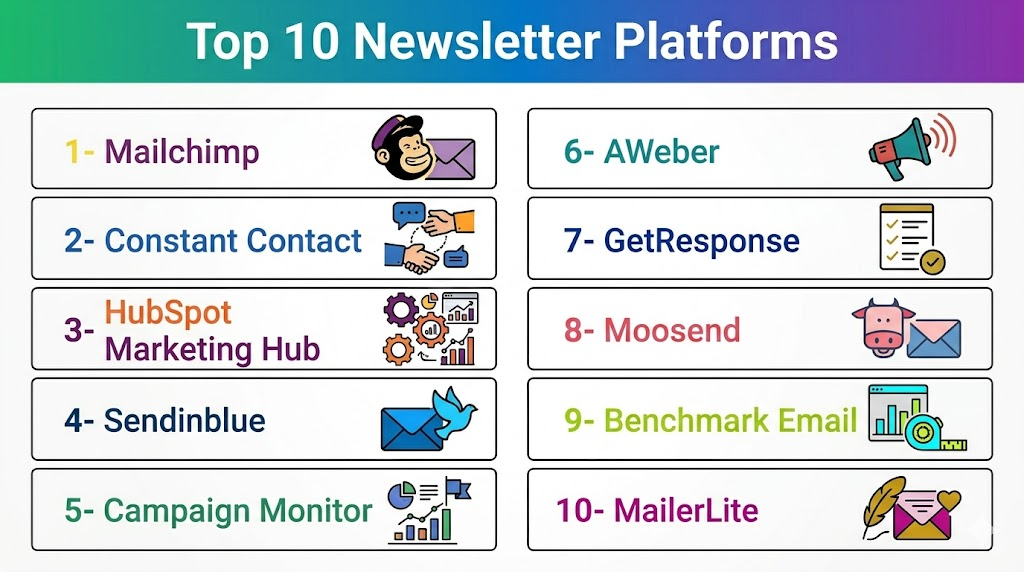
Top 10 Newsletter Platforms
1- Mailchimp
Short description: Mailchimp is a popular newsletter platform offering marketing automation, email design, and analytics for SMBs and growing teams.
Key Features
- Drag-and-drop email builder.
- Automated campaigns and workflows.
- Advanced analytics and reporting.
- Pre-built templates and design assets.
- Audience segmentation and targeting.
- A/B testing for subject lines and content.
Pros
- Intuitive interface suitable for beginners.
- Wide template library for quick newsletter creation.
Cons
- Can become expensive for larger lists.
- Some advanced automation features are limited to premium tiers.
Platforms / Deployment
- Web / iOS / Android
- Cloud
Security & Compliance
- SSO, MFA, encryption
- GDPR, SOC 2
Integrations & Ecosystem
Integrates widely across marketing and e-commerce tools.
- Salesforce
- Shopify
- Zapier
- WordPress
- Canva
Support & Community
- Extensive documentation and tutorials.
- Email support; community forums available.
2- Constant Contact
Short description: Constant Contact provides easy-to-use newsletter and email marketing tools designed for SMBs and nonprofits to engage audiences effectively.
Key Features
- Pre-built templates and email customization.
- List management and segmentation.
- Automation for welcome series and follow-ups.
- Real-time reporting and analytics.
- Event management and RSVP integration.
Pros
- Beginner-friendly with step-by-step guidance.
- Strong support for small businesses and nonprofit organizations.
Cons
- Limited advanced automation features.
- Reporting dashboards are less customizable.
Platforms / Deployment
- Web / iOS / Android
- Cloud
Security & Compliance
- Encryption and secure authentication
- GDPR
Integrations & Ecosystem
Supports common CRM, e-commerce, and social tools.
- Shopify
- WooCommerce
- Salesforce
- Facebook Ads
Support & Community
- Email and chat support.
- Knowledge base with tutorials and webinars.
3- HubSpot Marketing Hub
Short description: HubSpot Marketing Hub combines newsletter distribution with full marketing automation, analytics, and CRM integration for growing and enterprise teams.
Key Features
- Drag-and-drop editor and responsive templates.
- Personalized content and dynamic segmentation.
- Advanced marketing automation workflows.
- Analytics dashboards and reporting.
- CRM integration for lifecycle management.
Pros
- Deep integration with HubSpot CRM.
- Scalable platform suitable for mid-market and enterprise teams.
Cons
- Premium pricing can be high for small businesses.
- Learning curve for complex automation features.
Platforms / Deployment
- Web / iOS / Android
- Cloud
Security & Compliance
- SSO, encryption, MFA
- GDPR, SOC 2
Integrations & Ecosystem
Supports extensive marketing and business apps.
- Salesforce
- Zapier
- Shopify
- LinkedIn Ads
Support & Community
- Tiered support plans; knowledge base and community forums.
4- Sendinblue
Short description: Sendinblue offers newsletters, transactional emails, and marketing automation with strong affordability for SMBs.
Key Features
- Email editor and pre-built templates.
- SMS marketing integration.
- Automation workflows and triggers.
- Real-time analytics and reporting.
- Subscriber segmentation and personalization.
Pros
- Cost-effective solution for small businesses.
- Includes SMS marketing alongside email.
Cons
- Limited template customization compared to competitors.
- Advanced automation requires higher plans.
Platforms / Deployment
- Web / iOS / Android
- Cloud
Security & Compliance
- Encryption, secure login
- GDPR
Integrations & Ecosystem
Works with CRM, e-commerce, and web platforms.
- Shopify
- WooCommerce
- Salesforce
- Zapier
Support & Community
- Email and chat support.
- Knowledge base and tutorials.
5- Campaign Monitor
Short description: Campaign Monitor provides professional email newsletter design, automation, and analytics tools for marketers seeking high-quality visual content.
Key Features
- Drag-and-drop email builder.
- Personalized content and dynamic segments.
- Advanced automation workflows.
- Analytics dashboards with engagement metrics.
- Template library with responsive designs.
Pros
- Excellent design flexibility and templates.
- Analytics provide clear performance insights.
Cons
- Pricing can scale up for large subscriber lists.
- Some automation features are less advanced than enterprise platforms.
Platforms / Deployment
- Web / iOS / Android
- Cloud
Security & Compliance
- Encryption, secure login
- GDPR
Integrations & Ecosystem
Integrates with CRMs and marketing tools.
- Salesforce
- WordPress
- Shopify
- Zapier
Support & Community
- Email support, tutorials, and community forum.
6- AWeber
Short description: AWeber is a classic newsletter platform offering automation, list management, and analytics for small businesses and entrepreneurs.
Key Features
- Drag-and-drop editor and templates.
- Subscriber list management.
- Automation sequences and follow-ups.
- Analytics for opens, clicks, and conversions.
- Tag-based segmentation and personalization.
Pros
- Easy to use with strong customer support.
- Affordable for small business users.
Cons
- Limited advanced automation for enterprise use.
- Reporting dashboards are basic.
Platforms / Deployment
- Web / iOS / Android
- Cloud
Security & Compliance
- Encryption, secure authentication
- GDPR
Integrations & Ecosystem
Supports multiple marketing and CRM platforms.
- WordPress
- Shopify
- Zapier
- PayPal
Support & Community
- 24/7 support, tutorials, and webinars.
7- GetResponse
Short description: GetResponse combines newsletters, automation, and webinars in one marketing platform suitable for SMBs and mid-sized teams.
Key Features
- Drag-and-drop editor with templates.
- Automation workflows with triggers and conditions.
- A/B testing and analytics dashboards.
- Webinar and landing page integration.
- Subscriber segmentation and personalization.
Pros
- Multi-feature platform combining email, landing pages, and webinars.
- Scalable for growing businesses.
Cons
- Complexity may be overwhelming for beginners.
- Pricing tiers required for advanced features.
Platforms / Deployment
- Web / iOS / Android
- Cloud
Security & Compliance
- Encryption and secure login
- GDPR
Integrations & Ecosystem
Integrates with popular tools for marketing automation.
- Shopify
- WordPress
- Salesforce
- Zapier
Support & Community
- Email and chat support, tutorials, and webinars.
8- Moosend
Short description: Moosend is a simple, affordable newsletter platform with automation, segmentation, and analytics features for SMBs.
Key Features
- Drag-and-drop email editor.
- Automation workflows with triggers.
- A/B testing for campaigns.
- Segmentation and personalization tools.
- Analytics and reporting dashboards.
Pros
- Affordable pricing for small teams.
- Easy to use with fast onboarding.
Cons
- Fewer integrations compared to top competitors.
- Limited enterprise features.
Platforms / Deployment
- Web / iOS / Android
- Cloud
Security & Compliance
- Encryption, secure authentication
- GDPR
Integrations & Ecosystem
Supports major marketing and e-commerce platforms.
- Shopify
- WooCommerce
- Zapier
- WordPress
Support & Community
- Email support and knowledge base.
9- Benchmark Email
Short description: Benchmark Email offers simple newsletter creation, automation, and analytics suitable for SMB marketers and small agencies.
Key Features
- Drag-and-drop email editor.
- Automation and drip campaigns.
- Template library with responsive designs.
- Analytics on opens, clicks, and conversions.
- List segmentation and personalization.
Pros
- User-friendly and intuitive.
- Affordable for small teams.
Cons
- Limited advanced automation features.
- Fewer integrations than enterprise platforms.
Platforms / Deployment
- Web / iOS / Android
- Cloud
Security & Compliance
- Encryption, secure login
- GDPR
Integrations & Ecosystem
Works with popular CRMs and e-commerce platforms.
- Shopify
- WooCommerce
- Zapier
- WordPress
Support & Community
- Email and chat support with tutorials.
10- MailerLite
Short description: MailerLite is a lightweight newsletter platform designed for small businesses, creators, and nonprofits, offering automation, segmentation, and analytics.
Key Features
- Drag-and-drop editor and pre-built templates.
- Automation and drip campaigns.
- Audience segmentation and personalization.
- Analytics dashboards and reporting.
- Landing page and form builder.
Pros
- Very affordable for small teams.
- Simple and intuitive interface.
Cons
- Lacks some advanced enterprise features.
- Fewer integrations compared to competitors.
Platforms / Deployment
- Web / iOS / Android
- Cloud
Security & Compliance
- Encryption, secure login
- GDPR
Integrations & Ecosystem
Connects with popular marketing and e-commerce platforms.
- Shopify
- WordPress
- Zapier
- WooCommerce
Support & Community
- Email and chat support, tutorials, and knowledge base.
Comparison Table (Top 10)
| Tool Name | Best For | Platform(s) Supported | Deployment | Standout Feature | Public Rating |
|---|---|---|---|---|---|
| Mailchimp | SMBs & growing teams | Web / iOS / Android | Cloud | Ease of use and templates | N/A |
| Constant Contact | Small businesses & nonprofits | Web / iOS / Android | Cloud | Beginner-friendly interface | N/A |
| HubSpot Marketing Hub | Mid-market & enterprise | Web / iOS / Android | Cloud | Deep CRM integration | N/A |
| Sendinblue | SMBs with SMS marketing | Web / iOS / Android | Cloud | Email + SMS in one platform | N/A |
| Campaign Monitor | Marketing professionals | Web / iOS / Android | Cloud | Design flexibility | N/A |
| AWeber | Entrepreneurs & SMBs | Web / iOS / Android | Cloud | Affordable & easy to use | N/A |
| GetResponse | SMBs & mid-market teams | Web / iOS / Android | Cloud | Multi-feature marketing platform | N/A |
| Moosend | Small teams & startups | Web / iOS / Android | Cloud | Cost-effective simplicity | N/A |
| Benchmark Email | SMB marketers & small agencies | Web / iOS / Android | Cloud | User-friendly and intuitive | N/A |
| MailerLite | Creators & small businesses | Web / iOS / Android | Cloud | Simple automation & landing pages | N/A |
Evaluation & Scoring of Newsletter Platforms
| Tool Name | Core (25%) | Ease (15%) | Integrations (15%) | Security (10%) | Performance (10%) | Support (10%) | Value (15%) | Weighted Total |
|---|---|---|---|---|---|---|---|---|
| Mailchimp | 9 | 9 | 9 | 9 | 9 | 8 | 8 | 8.9 |
| Constant Contact | 7 | 9 | 8 | 8 | 8 | 8 | 9 | 8.3 |
| HubSpot Marketing Hub | 10 | 8 | 10 | 9 | 9 | 9 | 7 | 9.0 |
| Sendinblue | 8 | 8 | 8 | 8 | 8 | 8 | 9 | 8.3 |
| Campaign Monitor | 9 | 8 | 8 | 8 | 8 | 8 | 7 | 8.1 |
| AWeber | 7 | 9 | 7 | 8 | 8 | 8 | 9 | 8.0 |
| GetResponse | 9 | 8 | 8 | 8 | 8 | 8 | 8 | 8.2 |
| Moosend | 7 | 9 | 7 | 8 | 8 | 7 | 9 | 8.0 |
| Benchmark Email | 7 | 9 | 7 | 8 | 8 | 8 | 8 | 8.0 |
| MailerLite | 7 | 9 | 7 | 8 | 8 | 7 | 9 | 8.0 |
Interpretation: Weighted scores highlight comparative strengths in core features, usability, integrations, security, and value. Higher scores indicate stronger overall platform suitability for diverse newsletter needs. Scores should guide decision-making based on business size, budget, and feature requirements.
Which Newsletter Platform Is Right for You?
Solo / Freelancer
Platforms like MailerLite, Moosend, and AWeber offer simplicity, ease of use, and affordable pricing for individual creators and freelancers.
SMB
Mailchimp, Sendinblue, and Benchmark Email provide cost-effective automation, template libraries, and analytics for small to mid-sized businesses.
Mid-Market
HubSpot Marketing Hub, GetResponse, and Campaign Monitor support multi-channel campaigns, analytics, and CRM integration for growing teams.
Enterprise
HubSpot Marketing Hub and Campaign Monitor are suitable for large organizations requiring advanced automation, deep analytics, and global deployment.
Budget vs Premium
Small teams benefit from Moosend, MailerLite, and AWeber. Premium tools like HubSpot and Campaign Monitor offer advanced features, AI, and analytics for enterprise needs.
Feature Depth vs Ease of Use
Enterprise tools provide advanced automation but require training. SMB tools prioritize simplicity and speed of adoption for quick newsletter creation.
Integrations & Scalability
Choose tools that integrate with CRMs, e-commerce platforms, and analytics software to scale newsletters and synchronize subscriber data.
Security & Compliance Needs
Platforms with encryption, SSO, MFA, and GDPR/SOC 2 compliance are essential for regulated industries or organizations handling sensitive subscriber data.
1. What are newsletter platforms?
Newsletter platforms are software solutions that help businesses, organizations, and creators design, send, and track email campaigns efficiently. They automate scheduling, personalization, and follow-ups, while providing analytics for open rates, clicks, and engagement. Platforms range from simple tools for small teams to enterprise-grade solutions with multi-channel automation, advanced reporting, and AI-driven insights. They save time, improve audience engagement, and enable data-driven marketing decisions.
2. How much do newsletter platforms cost?
Pricing models vary by subscriber count, feature set, and team size. Some platforms offer free tiers with limited subscribers or emails per month, while premium plans unlock automation, analytics, and advanced templates. Enterprise pricing is usually custom. Businesses should consider total cost versus functionality, deliverability, and integrations to ensure ROI. Cost-effectiveness depends on list size and required features.
3. Can I automate my newsletters?
Yes, modern platforms allow automation for welcome sequences, product updates, drip campaigns, event reminders, and abandoned cart follow-ups. Automation triggers include subscriber actions, dates, or custom conditions. Multi-step workflows reduce manual work, ensure consistent communication, and improve engagement. AI-driven platforms can even optimize send times and content for higher open and click rates.
4. Are analytics and reporting included?
Most platforms provide dashboards to track opens, clicks, bounces, unsubscribes, and conversions. Some offer heatmaps, engagement scoring, and A/B testing results. Reporting helps teams understand audience behavior, measure campaign effectiveness, and optimize future campaigns. Advanced tools can tie newsletter performance to sales or other business KPIs, providing a complete ROI picture.
5. Can newsletter platforms integrate with other software?
Yes, integrations allow platforms to connect with CRMs, e-commerce systems, landing pages, and analytics tools. This keeps subscriber data synchronized, automates workflows, and enriches segmentation. Common integrations include Shopify, WordPress, Salesforce, WooCommerce, and Zapier. Integration ensures that campaigns are personalized and data-driven, enhancing overall marketing efficiency.
6. How secure is my subscriber data?
Top platforms implement encryption, secure authentication, and role-based access controls. Many comply with GDPR, SOC 2, and other regulations to protect sensitive data. Security ensures subscribers’ personal information is safe from breaches and unauthorized access. Businesses handling confidential or regulated data should prioritize platforms with verified compliance certifications.
7. Can I personalize my newsletters?
Personalization includes adding subscriber names, dynamic content blocks, tailored product recommendations, or behavioral triggers. Platforms support segmentation by demographics, purchase history, or engagement patterns. Personalized content increases relevance, opens, clicks, and conversions. AI tools can even recommend content variations for different audience segments, optimizing engagement at scale.
8. Are there multi-channel newsletter capabilities?
Some platforms combine email with SMS, push notifications, and social media to create multi-channel campaigns. This allows marketers to reach audiences through their preferred channels, reinforcing messages and increasing engagement. Multi-channel sequencing can be automated and coordinated across platforms for consistent communication.
9. How easy is it to switch between platforms?
Switching platforms involves exporting subscriber lists, templates, and automation workflows. SMB tools often make migration simple, while enterprise tools may require planning due to complex integrations and workflows. Most providers offer migration support or APIs. Teams should plan data validation and re-setup of automated triggers before fully switching.
10. Who benefits most from newsletter platforms?
Marketing teams, small businesses, enterprises, content creators, and nonprofits gain the most from newsletter platforms. They help maintain consistent communication, automate outreach, and measure campaign effectiveness. Teams managing large subscriber lists, multi-channel campaigns, or remote communications benefit most. Small, infrequent senders may prefer simpler tools or alternative outreach methods.
Conclusion
Selecting the right newsletter platform depends on your team size, campaign goals, and required features. SMBs may prioritize simplicity and affordability with tools like MailerLite, Moosend, or AWeber, while mid-market and enterprise teams benefit from advanced automation, analytics, and CRM integration in HubSpot Marketing Hub or Campaign Monitor. Key considerations include deliverability, personalization, automation, analytics, integrations, and compliance. Multi-channel capabilities and segmentation enhance engagement and campaign effectiveness. Evaluating ease of use, scalability, and value ensures long-term efficiency and ROI. Security and privacy compliance remain critical for regulated industries or sensitive subscriber data. Testing workflows and measuring engagement help optimize newsletters over time. Ultimately, the “best” platform depends on context, workflow, and business objectives. Next steps: shortlist 2–3 tools, run a pilot, and validate integrations and deliverability before scaling.

Find Trusted Cardiac Hospitals
Compare heart hospitals by city and services — all in one place.
Explore Hospitals
Newsletter platforms are most valuable when they simplify email creation, subscriber management, audience segmentation, and campaign automation from a single dashboard. By offering customizable templates, personalization, analytics, and marketing integrations, these solutions help businesses and creators grow their audience, improve engagement, and build lasting relationships through effective email communication.