Introduction
Digital Asset Management (DAM) platforms are software solutions that enable businesses to organize, store, manage, and distribute digital content efficiently. as enterprises produce increasing volumes of images, videos, marketing collateral, and documents, DAM systems have become critical for brand consistency, operational efficiency, and compliance. These platforms centralize digital assets, provide metadata management, and enable collaborative workflows across departments. They also integrate AI capabilities like automated tagging, content search, and predictive usage analytics. Companies using DAM systems reduce content duplication, improve time-to-market for campaigns, and ensure secure distribution of assets across global teams.
Real-world use cases include:
- Centralized storage of marketing and creative assets for multi-channel campaigns.
- Streamlined collaboration between creative, marketing, and product teams.
- AI-powered tagging and metadata management for faster search and retrieval.
- Automated version control and rights management for media assets.
- Integration with content management systems (CMS), social platforms, and e-commerce tools.
What buyers should evaluate:
- Ease of asset upload, search, and retrieval
- Metadata management and AI tagging capabilities
- Version control and workflow automation
- Security and access controls (permissions, encryption, audit logs)
- Integration with CMS, marketing automation, and productivity tools
- Scalability for enterprise-level content repositories
- Mobile access and remote collaboration support
- Analytics and reporting capabilities
- Digital rights management and licensing enforcement
- Price and ROI based on storage, users, and advanced features
Best for: Marketing teams, creative agencies, global enterprises, e-commerce companies, and organizations with large volumes of digital content.
Not ideal for: Small teams with minimal digital assets or companies that primarily use simple cloud storage solutions.
Key Trends in Digital Asset Management
- AI-driven tagging and metadata automation to simplify asset categorization.
- Integration with AI-powered content analytics and predictive asset usage.
- Enhanced security protocols including encryption, MFA, and RBAC for compliance.
- Cloud-first and hybrid deployment models to support distributed teams.
- Workflow automation for content approvals, versioning, and asset distribution.
- Increased interoperability with CMS, e-commerce platforms, marketing automation, and collaboration tools.
- Smart search and AI-powered recommendations for faster content retrieval.
- Video and rich media support with AI-based transcription and scene tagging.
- Subscription and tiered pricing models offering scalability for SMBs and enterprises.
- Compliance features for GDPR, SOC 2, and ISO certifications to manage sensitive content.
How We Selected These Tools (Methodology)
- Evaluated market adoption and mindshare in the DAM sector.
- Assessed feature completeness, including storage, metadata, workflow automation, and AI features.
- Considered reliability and performance, including uptime, speed, and search efficiency.
- Reviewed security posture, including access controls, encryption, and compliance certifications.
- Analyzed integration capabilities with CMS, marketing, collaboration, and analytics tools.
- Evaluated customer fit across segments, including SMBs, mid-market, and enterprise.
- Checked ease of use and onboarding efficiency.
- Assessed scalability for global and multi-department content management.
- Verified support quality, documentation, and community engagement.
- Examined price-to-value ratio, including storage costs, user seats, and advanced features.
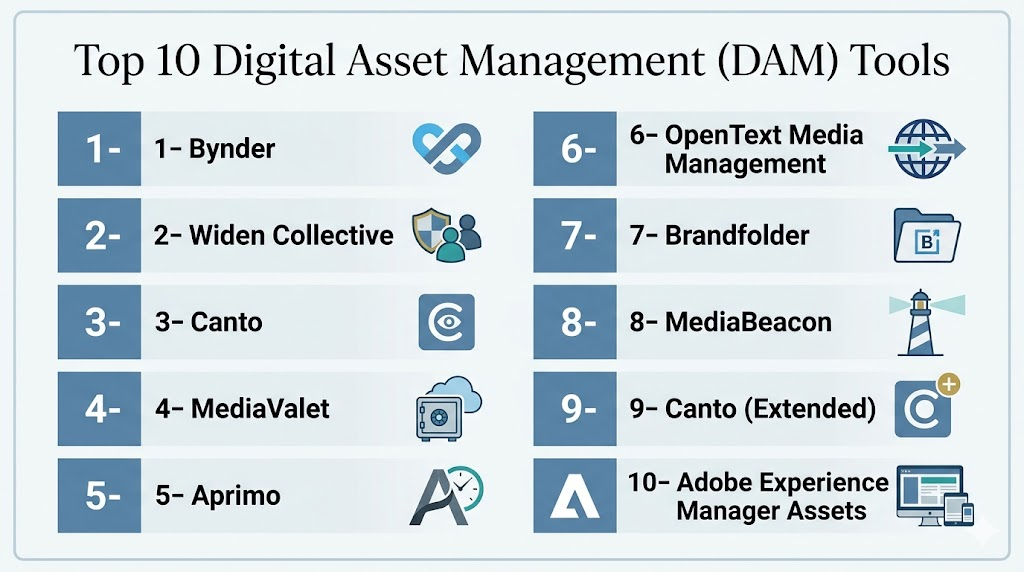
Top 10 Digital Asset Management Tools
1- Bynder
Short description: Bynder provides a centralized platform to store, manage, and distribute digital assets with branding consistency. It is ideal for enterprise marketing teams needing AI-powered search and workflow automation.
Key Features
- Centralized cloud asset repository
- AI-powered tagging and search
- Workflow automation for approvals
- Version control and audit logs
- Integration with CMS, marketing, and e-commerce platforms
Pros
- Strong brand consistency management
- AI capabilities for faster search
- Scalable for large enterprises
Cons
- Premium pricing
- Learning curve for advanced workflows
- Limited offline editing
Platforms / Deployment
- Web, Windows, macOS, iOS, Android
- Cloud
Security & Compliance
- SOC 2, GDPR, ISO 27001
- SSO, MFA, encryption
Integrations & Ecosystem
- CMS, marketing automation, e-commerce
- API for custom integrations
- Collaboration tools
Support & Community
- Enterprise support, documentation, onboarding
2- Widen Collective
Short description: Widen Collective is an enterprise DAM that enables storage, workflow automation, and content analytics. Best for companies managing global marketing campaigns and multi-department collaboration.
Key Features
- Centralized digital asset library
- AI tagging and metadata management
- Workflow and version control
- Analytics dashboards
- Integration with CMS and creative tools
Pros
- Scalable for large organizations
- Advanced analytics
- Supports complex workflows
Cons
- Higher cost
- Setup complexity
- Training required for power users
Platforms / Deployment
- Web, macOS, Windows
- Cloud
Security & Compliance
- SOC 2, GDPR
- Encryption and RBAC
Integrations & Ecosystem
- Adobe Creative Cloud
- CMS and marketing platforms
- API and automation support
Support & Community
- Dedicated support, training, and knowledge base
3- Canto
Short description: Canto provides a user-friendly DAM with AI-powered search, metadata tagging, and collaborative workflows. Ideal for marketing and creative teams managing multi-channel campaigns.
Key Features
- Cloud-based asset repository
- Smart search with AI tagging
- Collaborative approval workflows
- Metadata and version management
- Integration with CMS and productivity tools
Pros
- Easy to use
- Collaboration-friendly
- AI-enhanced search
Cons
- Advanced analytics limited
- Pricing scales with storage
- Less enterprise customization
Platforms / Deployment
- Web, macOS, Windows, iOS, Android
- Cloud
Security & Compliance
- GDPR, encryption
- SSO and access controls
Integrations & Ecosystem
- Adobe Creative Cloud
- Marketing automation
- CMS platforms
Support & Community
- Email, chat support, documentation
4- MediaValet
Short description: MediaValet offers cloud-first DAM for global teams with AI tagging, workflow automation, and analytics. Suited for enterprises needing secure, scalable asset management.
Key Features
- Cloud asset storage
- AI-powered metadata tagging
- Workflow approvals
- Version control and audit logs
- Analytics and reporting
Pros
- Enterprise scalability
- Strong security
- Multi-location support
Cons
- Costly for SMBs
- Learning curve
- Limited offline features
Platforms / Deployment
- Web, macOS, Windows
- Cloud
Security & Compliance
- SOC 2, ISO 27001, GDPR
- Encryption and MFA
Integrations & Ecosystem
- CMS, creative, and marketing platforms
- API and automation support
- Collaboration tools
Support & Community
- Enterprise onboarding, documentation
5- Aprimo
Short description: Aprimo is a DAM focused on marketing operations, offering AI-driven metadata management and workflow automation. Best for enterprise marketing teams needing campaign-level visibility.
Key Features
- Centralized digital asset repository
- AI-powered search and tagging
- Workflow automation for approvals
- Version control
- Integration with marketing automation
Pros
- Excellent for marketing operations
- Workflow and campaign management
- Enterprise-level scalability
Cons
- Complex setup
- High pricing
- Advanced features require training
Platforms / Deployment
- Web, macOS, Windows
- Cloud
Security & Compliance
- SOC 2, GDPR
- SSO, RBAC, encryption
Integrations & Ecosystem
- CMS, marketing platforms
- Adobe Creative Cloud
- API support
Support & Community
- Enterprise support and training
6- OpenText Media Management
Short description: OpenText provides enterprise DAM with advanced AI metadata, workflow, and content analytics. Ideal for global enterprises with large content volumes.
Key Features
- AI-powered tagging and search
- Workflow automation
- Version control and audit trails
- Asset analytics
- Integration with CMS and creative platforms
Pros
- Enterprise-grade scalability
- Robust AI search
- Comprehensive reporting
Cons
- Expensive
- Complex implementation
- Requires specialized training
Platforms / Deployment
- Web, Windows, macOS
- Cloud / On-premises
Security & Compliance
- SOC 2, ISO 27001, GDPR
- Encryption, MFA, RBAC
Integrations & Ecosystem
- CMS, marketing automation
- Creative tools
- API extensibility
Support & Community
- Dedicated enterprise support, documentation
7- Brandfolder
Short description: Brandfolder focuses on user-friendly DAM with AI-powered search and analytics, suited for marketing and brand teams.
Key Features
- Cloud asset repository
- AI tagging and search
- Approval workflows
- Version control
- Analytics and usage tracking
Pros
- Easy-to-use interface
- Brand consistency
- Collaborative workflows
Cons
- Limited enterprise customization
- Pricing scales with storage
- Less complex analytics
Platforms / Deployment
- Web, iOS, Windows, macOS
- Cloud
Security & Compliance
- Not publicly stated
Integrations & Ecosystem
- Adobe Creative Cloud
- CMS platforms
- Collaboration tools
Support & Community
- Documentation, email, chat support
8- MediaBeacon
Short description: MediaBeacon is an enterprise DAM with AI metadata, workflow automation, and analytics. Best for large creative teams needing secure, collaborative asset management.
Key Features
- Centralized repository
- AI-powered search
- Workflow approvals
- Version control
- Analytics dashboards
Pros
- Enterprise scalability
- Secure and compliant
- Advanced workflow management
Cons
- Premium pricing
- Learning curve
- Complex implementation
Platforms / Deployment
- Web, Windows, macOS
- Cloud / On-premises
Security & Compliance
- SOC 2, GDPR
- Encryption, MFA
Integrations & Ecosystem
- CMS, marketing automation
- Creative platforms
- API support
Support & Community
- Dedicated support, documentation
9- Canto (Extended)
Short description: Canto offers intuitive DAM with AI-powered search, workflow automation, and analytics. Suited for creative and marketing teams managing multi-channel content.
Key Features
- Cloud asset storage
- Smart AI search
- Approval workflows
- Metadata and version management
- CMS integration
Pros
- Easy adoption
- Collaboration-friendly
- AI-enhanced search
Cons
- Advanced analytics require premium
- Storage limits on lower tiers
- Less enterprise customization
Platforms / Deployment
- Web, macOS, Windows, iOS
- Cloud
Security & Compliance
- GDPR, encryption
- SSO, access controls
Integrations & Ecosystem
- Adobe Creative Cloud
- CMS platforms
- Marketing automation
Support & Community
- Email and chat support
10- Adobe Experience Manager Assets
Short description: AEM Assets provides enterprise DAM with AI metadata, workflow, and analytics. Best for global marketing teams managing high-volume creative content.
Key Features
- AI-powered tagging and search
- Workflow automation
- Version control
- Analytics dashboards
- Integration with Adobe ecosystem
Pros
- Enterprise-grade scalability
- Advanced AI metadata
- Seamless Adobe Creative Cloud integration
Cons
- Premium pricing
- Steep learning curve
- Complex implementation
Platforms / Deployment
- Web, Windows, macOS
- Cloud / On-premises
Security & Compliance
- SOC 2, ISO 27001, GDPR
- SSO, encryption, RBAC
Integrations & Ecosystem
- Adobe Creative Cloud
- CMS and marketing tools
- API for custom workflows
Support & Community
- Dedicated enterprise support and training
Comparison Table (Top 10 DAM Tools)
| Tool Name | Best For | Platforms Supported | Deployment | Standout Feature | Public Rating |
|---|---|---|---|---|---|
| Bynder | Enterprise marketing teams | Web, macOS, Windows, iOS, Android | Cloud | AI-powered tagging | N/A |
| Widen Collective | Global marketing teams | Web, macOS, Windows | Cloud | Analytics dashboards | N/A |
| Canto | Creative & marketing teams | Web, macOS, Windows, iOS | Cloud | Intuitive AI search | N/A |
| MediaValet | Global enterprises | Web, macOS, Windows | Cloud | Multi-location scalability | N/A |
| Aprimo | Marketing operations teams | Web, macOS, Windows | Cloud | Campaign-level visibility | N/A |
| OpenText Media Management | Global enterprises | Web, macOS, Windows | Cloud/On-premises | Advanced AI metadata | N/A |
| Brandfolder | Brand & marketing teams | Web, iOS, Windows, macOS | Cloud | Collaboration workflows | N/A |
| MediaBeacon | Large creative teams | Web, Windows, macOS | Cloud/On-premises | Workflow automation | N/A |
| Canto (Extended) | Creative & marketing teams | Web, macOS, Windows, iOS | Cloud | AI-powered search | N/A |
| Adobe Experience Manager Assets | Global marketing teams | Web, Windows, macOS | Cloud/On-premises | Seamless Adobe integration | N/A |
Evaluation & Scoring of DAM Tools
| Tool Name | Core (25%) | Ease (15%) | Integrations (15%) | Security (10%) | Performance (10%) | Support (10%) | Value (15%) | Weighted Total |
|---|---|---|---|---|---|---|---|---|
| Bynder | 9 | 8 | 8 | 8 | 9 | 8 | 7 | 8.3 |
| Widen Collective | 8 | 7 | 8 | 8 | 8 | 7 | 7 | 7.75 |
| Canto | 8 | 9 | 7 | 7 | 8 | 7 | 7 | 7.85 |
| MediaValet | 9 | 7 | 8 | 8 | 9 | 8 | 7 | 8.3 |
| Aprimo | 9 | 7 | 8 | 8 | 8 | 7 | 7 | 8.0 |
| OpenText Media Management | 9 | 6 | 8 | 8 | 9 | 7 | 7 | 8.0 |
| Brandfolder | 8 | 9 | 7 | 7 | 8 | 7 | 7 | 7.85 |
| MediaBeacon | 9 | 7 | 8 | 8 | 8 | 7 | 7 | 8.0 |
| Canto (Extended) | 8 | 9 | 7 | 7 | 8 | 7 | 7 | 7.85 |
| Adobe Experience Manager Assets | 9 | 6 | 8 | 8 | 9 | 7 | 7 | 8.0 |
Which Digital Asset Management Tool Is Right for You?
Solo / Freelancer
Freelancers and independent creators need simple, intuitive DAM without complex setup or high costs. Look for fast onboarding, easy tagging/search, and basic sharing capabilities:
- Brandfolder and Canto provide user‑friendly interfaces that help you organize and retrieve assets quickly.
- These tools require minimal training and eliminate the clutter of enterprise dashboards.
- They’re ideal for managing portfolios, client assets, or personal content libraries.
SMB
Small and medium businesses face increasing asset volume without enterprise budgets:
- Bynder and MediaValet strike a balance between capability and cost for SMB marketing teams.
- Both offer strong metadata management, automated tagging, and collaboration workflows.
- They excel when multiple departments (marketing, sales, design) share and reuse brand assets.
Mid‑Market
Mid‑market organizations often need cross‑department coordination, analytics, and workflow automation:
- Widen Collective and Aprimo provide advanced reporting and campaign‑level visibility.
- They are useful when marketing execs must measure asset performance and pipeline impact.
- These tools scale up smoothly if your organization operates in multiple regions or product lines.
Enterprise
Large enterprises must manage massive, global asset repositories with strict governance:
- Adobe Experience Manager Assets, OpenText Media Management, and MediaBeacon deliver robust security, compliance, and deep integrations.
- They support hybrid deployments (cloud + on‑premises) where enterprise policy or data sensitivity demands it.
- These DAMs integrate with enterprise content hubs, analytics platforms, and creative suites at scale.
Budget vs Premium
- Budget‑friendly: Canto, Brandfolder, and MediaValet are easier to adopt, with rapid time‑to‑value.
- Premium/Enterprise: Adobe Experience Manager Assets, Bynder, and OpenText provide advanced automation, AI tagging, and global governance — at higher pricing.
Feature Depth vs Ease of Use
- If your priority is fast adoption and simplicity, choose tools with intuitive search, AI‑assisted tagging, and minimal setup overhead like Canto or Brandfolder.
- For deep customization, complex workflows, and analytics, premium platforms excel but require more training — perfect for enterprise asset lifecycles and campaign orchestration.
Integrations & Scalability
- Tools with open APIs and native connectors (Adobe Experience Manager, Bynder) integrate easily into your CMS, creative tools, marketing automation, and analytics.
- Select platforms that support scalable taxonomies and metadata standards if you plan to grow asset libraries beyond thousands into millions.
Security & Compliance Needs
Solutions like OpenText Media Management and Adobe Experience Manager Assets provide granular security controls for compliance demands.
Enterprises or regulated industries (finance, healthcare, government) should look for DAMs with SOC 2, ISO 27001, GDPR compliance, role‑based access control (RBAC), SSO/MFA, and audit logging.
Frequently Asked Questions (FAQs)
- What is the typical pricing model for DAM platforms?
Most DAM platforms use subscription-based pricing, often tiered by number of users, storage capacity, and advanced features such as AI tagging, workflow automation, and analytics. SMBs can opt for entry-level plans with essential functionality, while enterprises pay for premium features, multi-region support, and integration options. Add-ons may include additional storage or connectors to CMS and marketing tools. - How long does onboarding take?
Small teams can set up a DAM platform in a few hours, including uploading assets, adding metadata, and basic configuration. Larger enterprises may require several days or weeks for bulk asset imports, workflow setup, team onboarding, and integrations with CMS or creative suites. Guided onboarding and tutorials can shorten the learning curve. - Can DAM tools integrate with CMS and marketing platforms?
Yes, top DAM platforms integrate with CMS, creative suites, marketing automation, and analytics tools. This ensures asset synchronization, automated publishing, and seamless workflows between marketing and creative teams. API access or webhooks also allow custom integrations for enterprise workflows. - Do these platforms include AI for tagging or search?
Most leading DAM platforms include AI-powered tagging, smart search, and predictive content recommendations. AI automates metadata generation, making assets easier to find. It also helps identify duplicate content, suggests categories, and enables more efficient content retrieval for marketing and creative teams. - Can DAM handle version control for assets?
Yes, DAM platforms typically provide version control to track changes, maintain history, and manage approvals. Teams can revert to previous versions, monitor edits, and enforce review workflows. Audit logs track user activity to ensure accountability and consistency across multiple locations. - Are these tools scalable for large enterprises?
Yes, enterprise-grade DAM platforms support hundreds to thousands of users and multiple global locations. They manage large volumes of digital assets and provide role-based access controls. Scalability includes storage expansion, advanced search, automated workflows, and integrations to support multi-department operations. - Is mobile access available for DAM tools?
Yes, many DAM platforms offer mobile applications for iOS and Android. Teams can upload, search, and review assets remotely, ensuring timely access and updates. Mobile access enables field teams or distributed employees to collaborate efficiently, approve content, and monitor asset usage on the go. - How do DAM tools support collaboration?
DAM platforms support collaboration with shared workspaces, approval workflows, commenting, and notifications. Teams can work together on projects, track changes, and manage asset lifecycles efficiently. Integration with creative and productivity tools further streamlines multi-department workflows. - Are security and compliance built in?
Yes, most platforms offer encryption, SSO, MFA, and role-based access controls. Compliance features include GDPR, SOC 2, and ISO certifications. Audit logs track activity to ensure accountability and data integrity, making DAM suitable for enterprises with sensitive digital content. - Can small teams afford DAM platforms?
Yes, many vendors offer SMB-focused plans with core features such as centralized storage, AI-assisted search, and basic workflows. Enterprise-grade platforms with advanced analytics, automation, and integrations are priced higher, but SMBs can choose flexible plans to fit budgets while still gaining efficiency.
Conclusion
Digital Asset Management platforms are essential to manage, secure, and optimize an organization’s digital content. They centralize storage, provide AI-powered tagging, streamline workflows, and enable collaboration across teams. SMBs benefit from easy-to-use, cost-effective solutions, while enterprises require scalable, multi-location platforms with advanced analytics. Integration with CMS, marketing, and creative tools ensures efficient workflows and faster content delivery. Real-time updates and version control minimize errors and maintain brand consistency. Running pilots with 2–3 shortlisted tools helps assess usability and ROI. Security, compliance, and scalability must be validated before full deployment. Proper implementation enhances content discoverability, improves productivity, and strengthens brand reputation. Overall, DAM platforms enable organizations to maximize the value of their digital assets efficiently.

Find Trusted Cardiac Hospitals
Compare heart hospitals by city and services — all in one place.
Explore Hospitals
Digital Asset Management (DAM) platforms are most valuable when they centralize the storage, organization, and distribution of digital content across teams. By offering powerful search, metadata management, version control, and collaboration features, these solutions help organizations improve asset accessibility, maintain brand consistency, and streamline content workflows.