Introduction
Brand Asset Portals are centralized platforms that allow organizations to store, organize, manage, and distribute their brand assets logos, images, videos, templates, marketing collateral, and guidelinesin a controlled and secure environment. They streamline brand consistency, facilitate collaboration, and reduce errors in content usage across teams and external partners. these platforms have become critical for businesses that operate in multiple markets, have large creative teams, or rely on distributed marketing partners. Modern Brand Asset Portals increasingly leverage AI-powered search, automated tagging, version control, and integration with other SaaS tools, making asset management more efficient and intelligent.
Real-world use cases include:
- Ensuring consistent branding across global campaigns and channels.
- Providing creative teams and agencies with on-demand access to approved assets.
- Streamlining legal compliance and usage rights tracking for images and media.
- Reducing time spent searching for the right asset.
- Automating workflows for marketing campaigns and content approvals.
Evaluation Criteria for Buyers:
- Ease of uploading, organizing, and searching assets.
- Support for multiple media types and file formats.
- Version control and collaborative editing features.
- Access control, permissions, and security compliance.
- Integration with creative and marketing tools.
- AI or automated features for tagging, recommendations, and search.
- Performance, reliability, and scalability.
- Pricing and licensing flexibility.
- Customer support and onboarding resources.
- Analytics and reporting capabilities on asset usage.
Best for: Marketing teams, creative agencies, large enterprises, global brands, and organizations seeking strict brand consistency.
Not ideal for: Small businesses with minimal branding needs or companies that primarily rely on basic cloud storage solutions.
Key Trends in Brand Asset Portals
- AI-powered auto-tagging and metadata enrichment for faster asset retrieval.
- Intelligent search leveraging image recognition and NLP.
- Cloud-first deployment with hybrid support for sensitive assets.
- Workflow automation for approvals, versioning, and distribution.
- Enhanced collaboration with partners, freelancers, and agencies.
- Support for rich media formats including video, 3D, and AR assets.
- Integration with marketing automation, CMS, DAM, and project management tools.
- Emphasis on security compliance: GDPR, SOC 2, ISO 27001, and RBAC controls.
- Analytics dashboards tracking asset usage, downloads, and campaign engagement.
- Flexible pricing models for subscription, per-user, or enterprise licensing.
How We Selected These Tools (Methodology)
- Evaluated market adoption and brand recognition.
- Reviewed feature completeness for asset management, search, and collaboration.
- Assessed platform reliability, uptime, and performance signals.
- Verified security posture and compliance features.
- Considered breadth of integrations and API availability.
- Determined suitability across company sizes (SMB to enterprise).
- Checked vendor responsiveness, support resources, and documentation.
- Factored in AI capabilities, automation, and workflow enhancements.
- Analyzed pricing flexibility and total cost of ownership.
- Focused on relevance to 2026 business and creative workflows.
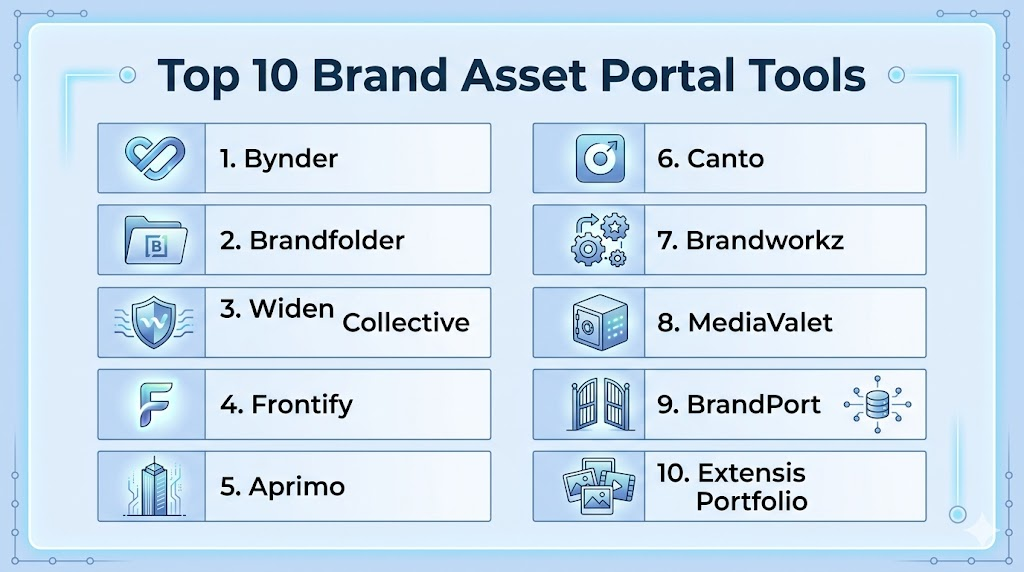
Top 10 Brand Asset Portals Tools
1- Bynder
Short description: Bynder provides a cloud-based portal for centralized digital brand asset management, suited for enterprise marketing teams needing global consistency.
Key Features
- AI-based auto-tagging and metadata suggestions.
- Version control and asset lifecycle management.
- Customizable brand guidelines and templates.
- Rights management and licensing tracking.
- Integration with Adobe Creative Cloud and CMS platforms.
- Advanced analytics on asset usage.
Pros
- Highly scalable for global enterprises.
- Strong brand consistency and compliance tools.
- Intuitive UI with powerful search capabilities.
Cons
- Premium pricing may be high for smaller teams.
- Limited offline access for distributed teams.
- Some complex integrations require IT support.
Platforms / Deployment
- Web / Windows / macOS / iOS / Android
- Cloud
Security & Compliance
- SSO/SAML, MFA, encryption, audit logs
- SOC 2, ISO 27001, GDPR
Integrations & Ecosystem
Supports CMS, marketing automation, creative tools, APIs for custom integration.
- Adobe Creative Cloud
- Salesforce Marketing Cloud
- HubSpot
- Slack
Support & Community
- 24/7 enterprise support, onboarding resources, active knowledge base.
2- Brandfolder
Short description: Brandfolder centralizes digital assets with a focus on usability and analytics, ideal for mid-size to large marketing teams.
Key Features
- Drag-and-drop asset upload with auto-tagging.
- Public and private sharing links with expiration controls.
- AI-powered search and asset recommendations.
- Customizable collections and folders.
- API support for integrations.
Pros
- Intuitive interface for non-technical users.
- Strong analytics and reporting capabilities.
- Flexible sharing and permissions.
Cons
- Limited advanced workflow automation.
- Some enterprise features require higher-tier plans.
- Occasional performance lag with very large media libraries.
Platforms / Deployment
- Web / Windows / macOS / iOS / Android
- Cloud
Security & Compliance
- SSO, MFA, encryption
- SOC 2, GDPR
Integrations & Ecosystem
- Slack, Salesforce, Adobe Creative Cloud, Zapier
- Custom API access
Support & Community
- Documentation, webinars, email support; community forum active.
3- Widen Collective
Short description: Widen Collective is a robust DAM with brand portal functionality, suitable for enterprises needing compliance tracking and multi-format support.
Key Features
- Workflow automation for asset approvals.
- Extensive media type support (images, video, 3D).
- Rights management and expiration tracking.
- AI-based tagging and search.
- Detailed reporting dashboards.
Pros
- Strong compliance and governance tools.
- Supports diverse media types and large asset volumes.
- Enterprise-grade scalability.
Cons
- Steeper learning curve.
- Higher initial implementation effort.
- Customization may require professional services.
Platforms / Deployment
- Web / Windows / macOS / iOS / Android
- Cloud / Hybrid
Security & Compliance
- SSO, MFA, encryption
- SOC 2, ISO 27001, GDPR
Integrations & Ecosystem
- Adobe CC, CMS platforms, Salesforce, Marketing Cloud
- REST APIs for custom workflows
Support & Community
- 24/7 support, onboarding, professional services available.
4- Frontify
Short description: Frontify provides a brand portal emphasizing collaboration, guidelines, and templates for marketing teams and creative agencies.
Key Features
- Brand guideline management.
- Asset libraries with versioning.
- Collaboration with internal and external stakeholders.
- AI search suggestions.
- Template creation and publishing.
Pros
- Easy setup and user-friendly UI.
- Strong collaboration features.
- Integrated brand guidelines.
Cons
- Limited offline asset access.
- Advanced analytics restricted to higher plans.
- Some integrations require configuration.
Platforms / Deployment
- Web / Windows / macOS / iOS / Android
- Cloud
Security & Compliance
- SSO, MFA, encryption
- Not publicly stated
Integrations & Ecosystem
- Adobe CC, Slack, Figma, Zapier
- Open API for custom integration
Support & Community
- Email support, knowledge base, webinars.
5- Aprimo
Short description: Aprimo combines digital asset management with marketing resource management, designed for enterprise marketing operations.
Key Features
- Asset and campaign lifecycle management.
- Approval workflows and version control.
- AI-powered search and auto-tagging.
- Rights management and license tracking.
- Analytics on asset performance.
Pros
- Comprehensive enterprise solution.
- Workflow automation for marketing teams.
- Strong compliance features.
Cons
- Complex implementation and configuration.
- Higher cost for smaller teams.
- Steep learning curve.
Platforms / Deployment
- Web / Windows / macOS / iOS / Android
- Cloud
Security & Compliance
- SSO, MFA, encryption
- SOC 2, ISO 27001
Integrations & Ecosystem
- CRM and marketing automation integrations
- Adobe CC, Salesforce, CMS platforms
Support & Community
- Enterprise-level support and training resources.
6- Canto
Short description: Canto offers a flexible and user-friendly brand portal for organizing and sharing digital assets for mid-size companies.
Key Features
- Customizable asset libraries.
- AI-powered metadata tagging.
- Sharing and permissions management.
- Version control and asset check-in/check-out.
- Analytics dashboard.
Pros
- Easy onboarding for small to medium teams.
- Intuitive UI and search.
- Flexible sharing options.
Cons
- Limited workflow automation.
- Integrations fewer compared to enterprise solutions.
- Some advanced reporting requires higher plan.
Platforms / Deployment
- Web / Windows / macOS / iOS / Android
- Cloud
Security & Compliance
- SSO, MFA, encryption
- Not publicly stated
Integrations & Ecosystem
- Adobe CC, Microsoft Office, Slack
- API for custom integrations
Support & Community
- Email support, tutorials, and community forums.
7- Brandworkz
Short description: Brandworkz is a global brand portal focused on maintaining brand consistency and asset governance.
Key Features
- Brand guidelines and template management.
- AI-assisted tagging and search.
- Rights management and compliance reporting.
- Workflow automation for approvals.
- Analytics on asset usage.
Pros
- Strong brand compliance and governance.
- Scalable for multinational teams.
- Easy-to-use interface.
Cons
- Limited mobile functionality.
- Integration options fewer than peers.
- Initial setup requires guidance.
Platforms / Deployment
- Web / Windows / macOS / iOS / Android
- Cloud
Security & Compliance
- SSO, MFA, encryption
- Not publicly stated
Integrations & Ecosystem
- Adobe CC, CMS, Microsoft Office
- REST APIs available
Support & Community
- Onboarding, support tiers, documentation.
8- MediaValet
Short description: MediaValet provides cloud-based digital asset management with brand portal capabilities for creative teams.
Key Features
- AI-assisted metadata tagging.
- Global asset sharing and permissions.
- Workflow automation for approvals.
- Reporting dashboards.
- Supports large file formats and video.
Pros
- Easy global sharing.
- Good media format support.
- Cloud-native scalability.
Cons
- Some enterprise features limited to premium tiers.
- Complex integration setup.
- UI may feel basic compared to competitors.
Platforms / Deployment
- Web / Windows / macOS / iOS / Android
- Cloud
Security & Compliance
- SSO, MFA, encryption
- SOC 2, ISO 27001
Integrations & Ecosystem
- Adobe CC, Salesforce, Microsoft Teams, Zapier
- API available
Support & Community
- Email, chat, phone support; knowledge base.
9- BrandPort
Short description: BrandPort is designed to simplify brand management for small to medium-sized enterprises with central asset storage.
Key Features
- Asset library management.
- Sharing and permission controls.
- Basic AI search and tagging.
- Version control and approvals.
- Simple analytics.
Pros
- Affordable and simple solution.
- Easy setup and onboarding.
- Adequate for SMBs.
Cons
- Limited enterprise features.
- Fewer integrations.
- Basic analytics compared to competitors.
Platforms / Deployment
- Web / Windows / macOS / iOS / Android
- Cloud
Security & Compliance
- Not publicly stated
Integrations & Ecosystem
- Adobe CC, Slack, basic APIs
Support & Community
- Email support and documentation.
10- Extensis Portfolio
Short description: Extensis Portfolio provides asset management and brand portal capabilities focusing on media organization and search for marketing teams.
Key Features
- Metadata-driven asset organization.
- Advanced search and filters.
- Rights management.
- Customizable collections.
- Integration with creative tools.
Pros
- Efficient asset organization.
- Good search and metadata handling.
- Scalable for growing teams.
Cons
- Limited AI automation.
- Fewer workflow features.
- Initial setup can be technical.
Platforms / Deployment
- Web / Windows / macOS / iOS / Android
- Cloud / Self-hosted
Security & Compliance
- Not publicly stated
Integrations & Ecosystem
- Adobe CC, Microsoft Office, APIs
- Workflow tools integrations
Support & Community
- Documentation, email support, professional services.
Comparison Table (Top 10)
| Tool Name | Best For | Platform(s) Supported | Deployment | Standout Feature | Public Rating |
|---|---|---|---|---|---|
| Bynder | Enterprise marketing teams | Web, Windows, macOS, iOS, Android | Cloud | AI tagging and brand compliance | N/A |
| Brandfolder | Mid-size to large teams | Web, Windows, macOS, iOS, Android | Cloud | Analytics and usability | N/A |
| Widen Collective | Enterprises needing compliance | Web, Windows, macOS, iOS, Android | Cloud/Hybrid | Workflow automation | N/A |
| Frontify | Creative collaboration | Web, Windows, macOS, iOS, Android | Cloud | Integrated brand guidelines | N/A |
| Aprimo | Enterprise marketing ops | Web, Windows, macOS, iOS, Android | Cloud | Lifecycle management | N/A |
| Canto | SMB to mid-size companies | Web, Windows, macOS, iOS, Android | Cloud | Ease of use and search | N/A |
| Brandworkz | Global brand consistency | Web, Windows, macOS, iOS, Android | Cloud | Governance and compliance | N/A |
| MediaValet | Creative teams globally | Web, Windows, macOS, iOS, Android | Cloud | Large media support and AI tagging | N/A |
| BrandPort | SMBs with simple needs | Web, Windows, macOS, iOS, Android | Cloud | Simple, affordable solution | N/A |
| Extensis Portfolio | Media organization | Web, Windows, macOS, iOS, Android | Cloud/Self-hosted | Metadata-driven search | N/A |
Evaluation & Scoring of Brand Asset Portals
| Tool Name | Core (25%) | Ease (15%) | Integrations (15%) | Security (10%) | Performance (10%) | Support (10%) | Value (15%) | Weighted Total (0–10) |
|---|---|---|---|---|---|---|---|---|
| Bynder | 9 | 8 | 8 | 9 | 9 | 8 | 7 | 8.5 |
| Brandfolder | 8 | 9 | 7 | 8 | 8 | 8 | 8 | 8.1 |
| Widen Collective | 9 | 7 | 8 | 9 | 9 | 8 | 7 | 8.4 |
| Frontify | 7 | 9 | 7 | 8 | 8 | 8 | 7 | 7.8 |
| Aprimo | 9 | 7 | 8 | 9 | 8 | 8 | 6 | 8.1 |
| Canto | 7 | 9 | 7 | 7 | 8 | 7 | 8 | 7.7 |
| Brandworkz | 8 | 8 | 6 | 8 | 8 | 7 | 7 | 7.7 |
| MediaValet | 8 | 8 | 7 | 9 | 8 | 8 | 7 | 8.0 |
| BrandPort | 6 | 9 | 6 | 6 | 7 | 6 | 8 | 7.0 |
| Extensis Portfolio | 7 | 7 | 6 | 7 | 7 | 6 | 7 | 6.9 |
Which Brand Asset Portal Tool Is Right for You?
Solo / Freelancer
Freelancers or solo marketers often need a lightweight, intuitive portal without complex workflows. Tools like Brandfolder or Canto are ideal because they are easy to set up, offer cloud access, and provide AI-assisted tagging for quick asset retrieval. Focus on tools that minimize setup time, allow easy sharing with clients, and provide basic analytics to track asset usage.
SMB
Small and mid-size businesses benefit from portals that balance ease of use with collaboration and brand consistency. Frontify and MediaValet are strong choices, offering simple sharing options, version control, and integration with popular creative and marketing tools. These platforms help teams maintain consistent branding while avoiding overly complex enterprise features.
Mid-Market
Organizations with multiple teams or regional offices require more robust workflow automation, approvals, and compliance tracking. Bynder or Widen Collective provide advanced search, AI-assisted tagging, and scalable infrastructure to support growing asset libraries. Focus on tools that can integrate with your CRM, CMS, and marketing automation platforms to streamline cross-team collaboration.
Enterprise
Large enterprises need highly scalable, secure, and flexible portals with strict governance. Bynder, Aprimo, and Widen Collective are suitable for global teams managing millions of assets. They offer advanced workflow automation, rights management, analytics dashboards, and extensive integrations to handle complex multi-market campaigns while ensuring compliance with industry regulations.
Budget vs Premium
- Budget-conscious teams: Consider Canto or BrandPort, which provide core functionality at lower cost without sacrificing usability.
- Premium or enterprise teams: Choose Bynder, Widen Collective, or Aprimo for deeper feature sets, AI capabilities, and advanced analytics.
Feature Depth vs Ease of Use
- Tools like Frontify and Brandfolder prioritize intuitive interfaces, quick adoption, and simple collaboration.
- Enterprise solutions like Bynder and Aprimo offer rich feature depth, complex workflow automation, and compliance tracking, though they may require longer onboarding and training.
Integrations & Scalability
When your marketing stack includes multiple SaaS tools, choose portals with robust integrations and API support. MediaValet and Widen Collective allow seamless connections with Adobe Creative Cloud, Figma, CMS platforms, and marketing automation tools. Consider the portal’s scalability to support increasing asset volume, concurrent users, and global teams.
Security & Compliance Needs
For regulated industries or companies handling sensitive branding materials, prioritize platforms offering enterprise-grade security, encryption, audit logs, SSO, and compliance with SOC 2, ISO 27001, and GDPR. Bynder, Widen Collective, and Aprimo are proven options with strong governance and reporting capabilities.
Collaboration & External Access
If your workflows involve freelancers, agencies, or regional partners, ensure the portal allows controlled external access, download restrictions, and workflow approvals. This ensures brand integrity is maintained while enabling seamless collaboration.
Analytics & Reporting
Select a portal that provides actionable insights on asset usage, download trends, and engagement metrics. Platforms with dashboards like Brandfolder or Bynder help teams optimize asset performance and make informed decisions about future campaigns.
Frequently Asked Questions (FAQs)
- What common mistakes should users avoid?
Frequent mistakes include poor folder organization, neglecting version control, inconsistent metadata, inadequate user permis - What is a Brand Asset Portal?
A Brand Asset Portal is a centralized platform to store, organize, and manage digital brand assets like logos, images, videos, and templates. It ensures brand consistency across teams, campaigns, and regions. The portal streamlines collaboration, version control, and access to approved materials, reducing errors and duplication. - Who should use a Brand Asset Portal?
Marketing teams, creative agencies, and enterprises benefit most from these platforms. They are essential for organizations managing multiple campaigns, distributed teams, or global markets. Smaller companies with minimal branding needs may find cloud storage or simple DAM solutions sufficient. - How do pricing models work?
Most platforms offer subscription-based pricing, tiered by user count, storage, or enterprise features. Some also provide per-seat licenses or enterprise agreements. Costs may vary based on workflow automation, AI features, analytics, and integration capabilities. - Are Brand Asset Portals secure?
Leading portals implement SSO/SAML, MFA, encryption, and audit logging. Compliance with SOC 2, ISO 27001, and GDPR is common. Role-based access ensures teams and external partners can only access authorized assets, protecting sensitive materials. - Can Brand Asset Portals integrate with creative tools?
Yes, they integrate with Adobe Creative Cloud, Figma, CMS platforms, marketing automation software, and workflow tools. APIs allow custom connections for automated campaigns, content approvals, and asset distribution, improving productivity. - Is AI supported in Brand Asset Portals?
Modern portals use AI for auto-tagging, smart search, duplicate detection, and recommendations. AI reduces manual effort, improves asset discoverability, and helps teams maintain compliance while speeding up creative workflows. - How scalable are Brand Asset Portals?
Enterprise-grade portals like Bynder, Widen Collective, and Aprimo handle millions of assets and high-concurrency usage. They support multi-region teams, large-scale campaigns, and complex workflow automation, making them suitable for global operations. - How long does onboarding take?
Onboarding can range from a few days for SMB-focused platforms to several weeks for enterprise solutions. It depends on asset volume, workflow complexity, integrations, and user training. Structured onboarding ensures teams use the portal effectively from day one. - Can external partners access the portal?
Yes, most portals allow controlled external access. Marketing agencies, freelancers, or distributors can be granted permissions with expiration dates or restricted download rights. This maintains brand compliance while enabling collaboration.
Conclusion
Choosing the right Brand Asset Portal is critical for maintaining consistent branding and efficient collaboration across teams and markets. Modern portals provide AI-powered search, workflow automation, version control, and integration with creative and marketing tools. Enterprises benefit from scalable solutions like Bynder, Widen Collective, and Aprimo, while SMBs can leverage simpler platforms like Canto or BrandPort. Security, compliance, and role-based access remain top priorities for protecting sensitive brand assets. AI capabilities streamline asset discovery and reduce manual workload, saving time and improving productivity. Integration with existing systems ensures smooth adoption without disrupting workflows. Clear onboarding, governance, and structured metadata maximize portal effectiveness. Organizations should weigh feature depth against ease of use and budget constraints. Start by shortlisting 2–3 tools that align with your needs, run a pilot, and validate integrations and security before full deployment. A well-chosen Brand Asset Portal becomes a central hub for branding consistency, collaboration, and measurable asset ROI.

Find Trusted Cardiac Hospitals
Compare heart hospitals by city and services — all in one place.
Explore Hospitals
I am learning about brand asset portals, and this content helped me understand how different tools help organizations manage, organize, and share brand resources more efficiently.