Introduction
Creative Project Management Tools are specialized platforms designed to help creative teams plan, execute, and track projects efficiently. These tools provide capabilities like task management, workflow automation, file sharing, collaboration, and project tracking while catering to the unique needs of creative workflows. They enable teams to manage multiple campaigns, design projects, video productions, or marketing initiatives without losing visibility on deadlines or deliverables. creative teams are distributed globally and work across diverse media types. Modern project management tools increasingly leverage AI to automate task assignments, prioritize workloads, provide predictive analytics, and integrate with design, marketing, and collaboration platforms. These capabilities make them essential for teams seeking efficiency, accountability, and high-quality output.
Real-world use cases include:
- Coordinating design and video production teams across multiple projects.
- Streamlining approval workflows for marketing campaigns.
- Tracking deadlines, milestones, and resource allocation in creative agencies.
- Collaborating with remote freelancers or global creative teams.
- Integrating with design tools like Adobe Creative Cloud and Figma for seamless workflows.
Evaluation Criteria for Buyers:
- Task and project tracking features.
- Workflow automation and approval management.
- Collaboration and communication capabilities.
- Integration with creative, design, and marketing tools.
- AI-assisted features like task prioritization and predictive scheduling.
- Security, access control, and compliance.
- Ease of use and adoption speed.
- Scalability for multi-team and enterprise use.
- Reporting, dashboards, and analytics.
- Pricing flexibility and value for money.
Best for: Creative teams, marketing agencies, media production houses, remote or distributed teams, and enterprises managing multiple campaigns.
Not ideal for: Teams with minimal project volume or those satisfied with general-purpose project management tools without creative workflow specialization.
Key Trends in Creative Project Management Tools
- AI-assisted task assignment, scheduling, and resource forecasting.
- Workflow automation for approvals, review cycles, and creative production pipelines.
- Deep integrations with design and creative tools like Adobe CC, Figma, Canva, and Sketch.
- Cloud-first and hybrid deployments for distributed creative teams.
- Real-time collaboration with version control and commenting features.
- Enhanced analytics dashboards for tracking project KPIs, budgets, and resource utilization.
- Modular platforms allowing scalability from SMBs to large enterprises.
- Focus on security compliance including GDPR, SOC 2, and ISO standards.
- Visual project timelines, Gantt charts, and Kanban boards optimized for creative workflows.
- Flexible pricing models accommodating subscription, per-seat, or enterprise licensing.
How We Selected These Tools (Methodology)
- Evaluated market adoption and mindshare among creative and marketing teams.
- Reviewed feature completeness, including task management, collaboration, and workflow automation.
- Assessed performance, reliability, and uptime records.
- Verified security posture and compliance measures.
- Considered breadth of integrations with design, marketing, and collaboration platforms.
- Evaluated suitability across company sizes from freelancers to large enterprises.
- Analyzed AI capabilities for task prioritization, automation, and predictive analytics.
- Examined customer support, onboarding, and community engagement.
- Considered pricing flexibility and overall value for teams of different sizes.
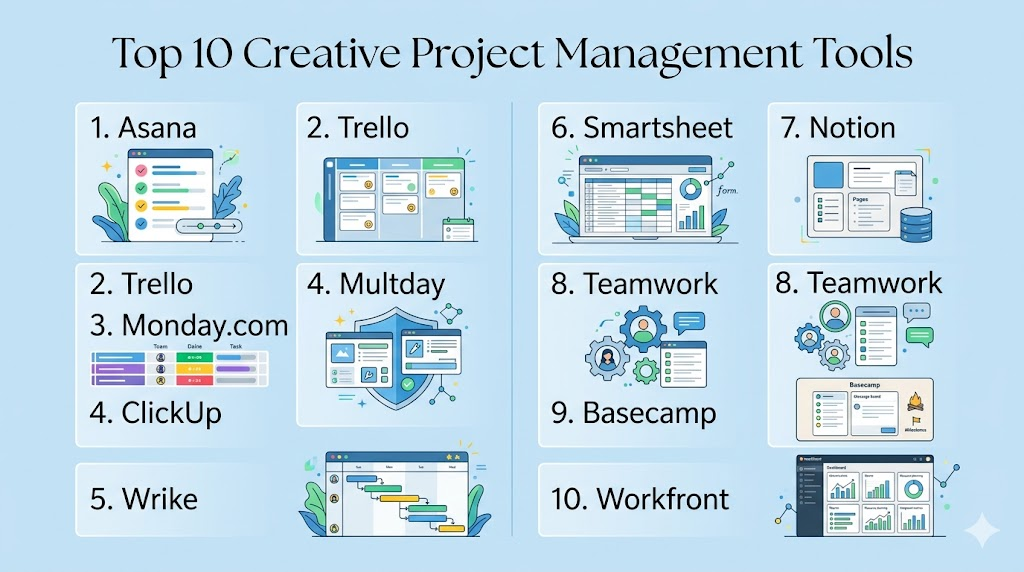
Top 10 Creative Project Management Tools
1- Asana
Short description: A versatile project management platform for teams of all sizes, helping creative teams track tasks, workflows, and deadlines efficiently.
Key Features
- Task lists, subtasks, and custom workflows.
- Timeline (Gantt) and Kanban boards.
- AI-assisted task prioritization.
- Real-time collaboration and commenting.
- Integrations with design and marketing tools.
- Automation rules for repetitive tasks.
Pros
- Highly flexible and scalable.
- Intuitive interface with multiple view options.
- Strong integration ecosystem.
Cons
- Advanced features may require premium plan.
- Large projects may become complex to manage.
- Limited offline capabilities.
Platforms / Deployment
- Web / Windows / macOS / iOS / Android
- Cloud
Security & Compliance
- SSO, MFA, encryption
- SOC 2, GDPR
Integrations & Ecosystem
Supports Adobe CC, Slack, Figma, Google Workspace, APIs for custom integrations.
Support & Community
Documentation, webinars, support tiers, active user community.
2- Trello
Short description: A Kanban-based project management tool ideal for creative teams that prefer visual workflows and simple task tracking.
Key Features
- Kanban boards with drag-and-drop cards.
- Power-Ups for integrations and enhanced functionality.
- Checklists and due dates.
- Real-time collaboration with comments and mentions.
- Automation via Butler for recurring tasks.
Pros
- Highly visual and intuitive.
- Easy to onboard new users.
- Flexible for small to mid-size teams.
Cons
- Limited native reporting and analytics.
- Can become cluttered with many boards/cards.
- Some advanced features require paid plans.
Platforms / Deployment
- Web / Windows / macOS / iOS / Android
- Cloud
Security & Compliance
- SSO, MFA
- Not publicly stated
Integrations & Ecosystem
Slack, Google Drive, Dropbox, Figma, Adobe CC, APIs for automation.
Support & Community
Knowledge base, email support, active forums.
3- Monday.com
Short description: A flexible Work OS for creative project management with custom workflows, automation, and collaboration tools.
Key Features
- Customizable dashboards and workflows.
- Timeline, Gantt, and Kanban views.
- Automation for task assignment and notifications.
- Collaboration with comments and file attachments.
- Analytics and reporting features.
Pros
- Highly customizable to creative workflows.
- Strong automation features.
- Scalable from small teams to enterprise.
Cons
- Can be overwhelming with too many options.
- Premium plans needed for advanced features.
- Initial setup requires planning.
Platforms / Deployment
- Web / Windows / macOS / iOS / Android
- Cloud
Security & Compliance
- SSO, MFA, encryption
- SOC 2, GDPR
Integrations & Ecosystem
Adobe CC, Slack, Figma, Google Workspace, Microsoft Teams.
Support & Community
Documentation, webinars, enterprise support, active community forums.
4- ClickUp
Short description: An all-in-one project management and productivity tool suitable for creative teams managing multiple projects.
Key Features
- Task lists, docs, reminders, and dashboards.
- Multiple view options: List, Board, Gantt.
- AI-powered suggestions and task automation.
- Time tracking and workload management.
- Collaborative documents and notes.
Pros
- Consolidates multiple tools into one platform.
- Flexible for different workflows.
- Strong automation and AI features.
Cons
- Steeper learning curve for new users.
- Mobile app can be less intuitive.
- Some advanced features require higher tiers.
Platforms / Deployment
- Web / Windows / macOS / iOS / Android
- Cloud
Security & Compliance
- SSO, MFA, encryption
- Not publicly stated
Integrations & Ecosystem
Slack, Google Workspace, Figma, Zoom, Adobe CC, Zapier.
Support & Community
Email support, tutorials, active user forums, webinars.
5- Wrike
Short description: Enterprise-ready creative project management software with workflow automation, collaboration, and reporting tools.
Key Features
- Customizable dashboards and workflows.
- Gantt charts, Kanban boards, and timelines.
- AI-assisted task prioritization.
- Real-time collaboration and approvals.
- Resource and workload management.
Pros
- Suitable for large creative teams.
- Advanced reporting and analytics.
- Flexible workflow customization.
Cons
- Can be complex for small teams.
- Premium plan needed for advanced features.
- Requires training for full utilization.
Platforms / Deployment
- Web / Windows / macOS / iOS / Android
- Cloud / Hybrid
Security & Compliance
- SSO, MFA, encryption
- SOC 2, GDPR
Integrations & Ecosystem
Adobe CC, Figma, Google Workspace, Microsoft Teams, APIs.
Support & Community
Documentation, onboarding support, webinars, enterprise assistance.
6- Smartsheet
Short description: A spreadsheet-inspired project management tool for creative teams needing structured planning and tracking.
Key Features
- Grid, Gantt, Calendar, and Card views.
- Automated workflows and approvals.
- Resource management and reporting.
- File attachments and comments.
- Integration with design and marketing tools.
Pros
- Familiar spreadsheet interface.
- Strong for structured, data-heavy projects.
- Scalable for enterprise teams.
Cons
- Less visually creative than Kanban-based tools.
- Requires setup for automation workflows.
- Some advanced features require higher plans.
Platforms / Deployment
- Web / Windows / macOS / iOS / Android
- Cloud
Security & Compliance
- SSO, MFA, encryption
- SOC 2, GDPR
Integrations & Ecosystem
Slack, Google Workspace, Adobe CC, Microsoft Teams, APIs.
Support & Community
Documentation, email support, webinars, user community.
7- Notion
Short description: A flexible workspace tool for creative project management, combining docs, databases, and task tracking.
Key Features
- Kanban, table, and timeline views.
- Collaborative docs and wikis.
- Task assignment and commenting.
- Database templates for projects.
- Lightweight automation via integrations.
Pros
- Flexible all-in-one workspace.
- Easy collaboration and note-taking.
- Lightweight and visually clean.
Cons
- Limited native project automation.
- Scaling for large teams can be challenging.
- Offline capabilities limited.
Platforms / Deployment
- Web / Windows / macOS / iOS / Android
- Cloud
Security & Compliance
- SSO, encryption
- Not publicly stated
Integrations & Ecosystem
Slack, Google Workspace, Figma, Zapier, APIs.
Support & Community
Documentation, tutorials, active community forums.
8- Teamwork
Short description: Project management platform built for creative and client services teams, with collaboration and workflow tracking.
Key Features
- Task lists, milestones, and Gantt charts.
- Time tracking and reporting.
- Client access portals.
- Collaboration with comments and file sharing.
- Workflow automation and notifications.
Pros
- Excellent for client-facing projects.
- Strong time and resource tracking.
- Scalable from SMB to enterprise.
Cons
- Premium features require paid plans.
- Interface can feel dated for creative teams.
- Learning curve for advanced workflow setup.
Platforms / Deployment
- Web / Windows / macOS / iOS / Android
- Cloud
Security & Compliance
- SSO, MFA, encryption
- Not publicly stated
Integrations & Ecosystem
Slack, Google Workspace, Adobe CC, Microsoft Teams, Zapier.
Support & Community
Documentation, onboarding support, webinars, community forums.
9- Basecamp
Short description: A simple, easy-to-use project management and team communication tool for creative teams and small agencies.
Key Features
- To-do lists, message boards, and schedules.
- Real-time chat and document sharing.
- Client and team collaboration.
- Automatic check-ins for status updates.
- Minimalist and user-friendly interface.
Pros
- Quick setup and onboarding.
- Simple and effective for small teams.
- Centralized communication and tasks.
Cons
- Limited advanced reporting.
- No native AI or automation.
- Less suited for complex enterprise workflows.
Platforms / Deployment
- Web / Windows / macOS / iOS / Android
- Cloud
Security & Compliance
- SSO, encryption
- Not publicly stated
Integrations & Ecosystem
Google Workspace, Slack, Zapier, APIs for custom integrations.
Support & Community
Documentation, email support, user forums.
10- Workfront
Short description: Enterprise-focused creative project management platform with advanced workflows, approvals, and resource management.
Key Features
- Customizable workflows and approvals.
- Gantt charts, Kanban, and timelines.
- AI-assisted scheduling and resource optimization.
- Reporting dashboards and analytics.
- File sharing and collaborative editing.
Pros
- Enterprise-grade scalability.
- Strong workflow automation.
- Deep analytics and reporting.
Cons
- Expensive for small teams.
- Requires training for full use.
- UI can feel complex.
Platforms / Deployment
- Web / Windows / macOS / iOS / Android
- Cloud / Hybrid
Security & Compliance
- SSO, MFA, encryption
- SOC 2, GDPR
Integrations & Ecosystem
Adobe CC, Slack, Microsoft Teams, Google Workspace, APIs.
Support & Community
24/7 enterprise support, onboarding, professional services.
Comparison Table (Top 10)
| Tool Name | Best For | Platform(s) Supported | Deployment | Standout Feature | Public Rating |
|---|---|---|---|---|---|
| Asana | Teams of all sizes | Web, Windows, macOS, iOS, Android | Cloud | AI-assisted task prioritization | N/A |
| Trello | Visual workflows | Web, Windows, macOS, iOS, Android | Cloud | Kanban-based simplicity | N/A |
| Monday.com | Flexible workflows | Web, Windows, macOS, iOS, Android | Cloud | Customizable dashboards | N/A |
| ClickUp | All-in-one creative projects | Web, Windows, macOS, iOS, Android | Cloud | AI-powered task automation | N/A |
| Wrike | Enterprise creative teams | Web, Windows, macOS, iOS, Android | Cloud/Hybrid | Advanced reporting and analytics | N/A |
| Smartsheet | Data-heavy creative planning | Web, Windows, macOS, iOS, Android | Cloud | Spreadsheet-style project management | N/A |
| Notion | Flexible workspace | Web, Windows, macOS, iOS, Android | Cloud | All-in-one docs and tasks | N/A |
| Teamwork | Client projects & agencies | Web, Windows, macOS, iOS, Android | Cloud | Client collaboration portals | N/A |
| Basecamp | Small teams | Web, Windows, macOS, iOS, Android | Cloud | Simple project & team communication | N/A |
| Workfront | Enterprise creative ops | Web, Windows, macOS, iOS, Android | Cloud/Hybrid | Workflow automation & resource management | N/A |
Evaluation & Scoring of Creative Project Management Tools
| Tool Name | Core (25%) | Ease (15%) | Integrations (15%) | Security (10%) | Performance (10%) | Support (10%) | Value (15%) | Weighted Total (0–10) |
|---|---|---|---|---|---|---|---|---|
| Asana | 9 | 8 | 8 | 9 | 9 | 8 | 7 | 8.5 |
| Trello | 7 | 9 | 7 | 8 | 8 | 8 | 8 | 7.9 |
| Monday.com | 9 | 8 | 8 | 8 | 9 | 8 | 7 | 8.3 |
| ClickUp | 9 | 8 | 8 | 8 | 8 | 7 | 7 | 8.0 |
| Wrike | 9 | 7 | 8 | 9 | 9 | 8 | 6 | 8.1 |
| Smartsheet | 8 | 8 | 7 | 8 | 8 | 7 | 7 | 7.7 |
| Notion | 7 | 8 | 7 | 7 | 7 | 7 | 8 | 7.4 |
| Teamwork | 8 | 7 | 7 | 8 | 8 | 7 | 7 | 7.6 |
| Basecamp | 6 | 9 | 6 | 7 | 7 | 6 | 8 | 7.0 |
| Workfront | 9 | 7 | 8 | 9 | 9 | 8 | 6 | 8.1 |
Which Creative Project Management Tool Is Right for You?
Solo / Freelancer
- Tools like Trello or Notion offer simplicity and visual boards, ideal for small-scale projects and independent creatives.
- Focus on platforms with easy setup, minimal overhead, and lightweight automation.
SMB
- Asana, ClickUp, or Monday.com balance workflow customization, AI-assisted features, and collaboration for small to mid-sized teams.
- Emphasize ease of use and integrations with design tools.
Mid-Market
- Wrike, Monday.com, or ClickUp support larger teams, multi-project tracking, and approval workflows.
- Look for advanced reporting, AI suggestions, and cross-department collaboration.
Enterprise
- Workfront, Wrike, or Asana Enterprise provide scalable workflows, robust compliance, and complex project tracking for global creative operations.
- Prioritize security, advanced automation, and analytics capabilities.
Budget vs Premium
- Budget-friendly: Trello, Notion, Basecamp for small teams or limited features.
- Premium: Workfront, Wrike, Asana Enterprise for advanced AI, automation, and analytics.
Feature Depth vs Ease of Use
- Notion and Trello excel at simplicity; suitable for teams needing minimal training.
- Workfront and Wrike provide deep enterprise-level capabilities but require onboarding and training.
Integrations & Scalability
- Choose platforms like ClickUp, Monday.com, or Wrike for strong SaaS integrations (Adobe CC, Figma, Slack) and scalability across teams and projects.
Security & Compliance Needs
- Enterprises should focus on SSO, MFA, encryption, SOC 2, and GDPR compliance. Tools like Workfront and Wrike meet these needs.
Frequently Asked Questions (FAQs)
- What is a Creative Project Management Tool?
A Creative Project Management Tool is a platform designed to help teams plan, organize, and track creative work. It provides task management, workflow automation, collaboration, and file management. Teams can monitor deadlines, track approvals, and manage multiple projects simultaneously. These tools are tailored for creative workflows in marketing, design, video, and content production. They also help maintain consistency and accountability across projects, making collaboration more efficient and transparent. - Who benefits most from these tools?
Creative agencies, marketing teams, video and design teams, and enterprises with distributed creative staff benefit the most. These platforms help maintain visibility, streamline approvals, and improve communication across teams and projects. Freelancers and SMBs can also gain value, but they often prioritize simpler or more affordable tools. Large enterprises benefit from advanced analytics, workflow automation, and compliance features for complex, multi-team projects. - How do pricing models work?
Most Creative Project Management Tools are subscription-based. Pricing often scales based on the number of users, project volume, or feature access. Some tools offer per-seat licenses or enterprise packages with advanced reporting, integrations, and AI capabilities. Freemium versions are available for small teams to try core functionalities. Premium features, like automation, advanced analytics, or workflow templates, usually require higher-tier plans. Choosing the right pricing tier ensures cost efficiency without missing essential features. - Are these tools secure?
Leading platforms provide enterprise-grade security measures including encryption, SSO/SAML, MFA, and audit logs. Many comply with standards such as SOC 2, ISO 27001, and GDPR to ensure data protection. Permissions and role-based access control allow administrators to manage who can view, edit, or approve tasks and assets. This ensures sensitive project information and creative assets are secure. Security is especially critical for agencies handling client projects and enterprise-scale creative operations. - Can they integrate with creative software?
Yes, most tools integrate with popular creative and productivity software. This includes Adobe Creative Cloud, Figma, Slack, Google Workspace, and Microsoft Teams. APIs and webhooks allow custom integrations and automation. Integrations streamline workflows by connecting project management with asset storage, collaboration, and communication tools. They also enable automated notifications, file syncing, and task updates. This connectivity reduces manual work and keeps creative projects on schedule. - Do they support AI features?
Modern Creative Project Management Tools increasingly incorporate AI. AI can prioritize tasks, suggest timelines, detect workflow bottlenecks, and automate repetitive tasks. Some platforms provide predictive scheduling based on historical data. AI-assisted reporting helps teams understand project performance and resource allocation. This reduces manual workload, improves planning accuracy, and enhances decision-making. Creative teams benefit from faster task assignment and optimized workflows. - Are these tools scalable?
Enterprise-grade tools like Workfront, Wrike, and Asana scale to handle multiple projects, thousands of tasks, and global teams. They support multi-department collaboration with high concurrency and large asset libraries. Scalable tools allow organizations to grow without replacing platforms, maintaining efficiency and visibility. SMB-focused tools may require upgrades as teams expand. Scalability ensures performance remains stable, even under complex creative workflows. - How long is onboarding?
Onboarding depends on the platform complexity and team size. Small teams may start in a few days using basic features. Larger enterprises may require several weeks to configure workflows, set permissions, and integrate with existing systems. Training, tutorials, and support resources help teams adopt the platform effectively. Pilot projects during onboarding can identify workflow issues early. Clear onboarding ensures consistent usage and maximizes platform ROI. - Can external collaborators access the platform?
Yes, most platforms allow controlled guest or client access. Administrators can grant permissions for viewing, commenting, or editing specific tasks or projects. This enables collaboration with freelancers, agencies, or stakeholders while maintaining project integrity. External access can have expiration dates or download restrictions to protect sensitive content. Secure collaboration ensures brand consistency and project confidentiality. Access policies can be customized per project or client. - What are common mistakes to avoid?
Common mistakes include poor project organization, inconsistent workflows, neglecting integrations, ignoring reporting dashboards, and failing to assign clear roles. Teams may underutilize automation or AI features, reducing efficiency. Overcomplicated setups can slow adoption and confuse users. Proper training, governance, and structured metadata help avoid these issues. Regular review and adjustment of workflows ensure projects remain on track and efficient.
Conclusion
Selecting the right Creative Project Management Tool is essential for maximizing creative team productivity and ensuring project visibility. Tools like Asana, Wrike, and Workfront are suitable for enterprises, while Trello and Notion work well for freelancers and SMBs. Modern platforms leverage AI, workflow automation, and integrations to streamline tasks and improve collaboration. Security and compliance remain key priorities for enterprise adoption. Teams should weigh ease of use, scalability, and feature depth against budget. Start by shortlisting 2–3 tools, run pilot projects, validate integrations and security, and then scale adoption. A well-chosen platform becomes a hub for creativity, efficiency, and measurable project outcomes.

Find Trusted Cardiac Hospitals
Compare heart hospitals by city and services — all in one place.
Explore Hospitals
I am learning about creative project management tools, and this content helped me understand how different platforms support planning, collaboration, and tracking of creative workflows.