Introduction
DNS Filtering Platforms help organizations control and secure internet access by filtering DNS requests before users can reach malicious, inappropriate, or unauthorized websites. Instead of inspecting web traffic after a connection is established, DNS filtering blocks harmful destinations at the DNS lookup stage, reducing risk and improving performance. As cyber threats continue to evolve, DNS filtering has become a foundational security layer for organizations of all sizes. Modern platforms now combine threat intelligence, automated policy enforcement, AI-assisted threat detection, and cloud-native deployment models to protect remote, hybrid, and office-based users.
Real-world use cases include:
- Blocking phishing and malware domains
- Enforcing acceptable internet usage policies
- Protecting remote and hybrid workers
- Preventing command-and-control communications
- Meeting compliance and security requirements
Evaluation Criteria for Buyers
When evaluating DNS Filtering Platforms, consider:
- Threat intelligence quality
- Malware and phishing protection
- Ease of deployment
- Reporting and analytics
- Remote workforce support
- Integration ecosystem
- Scalability
- Policy management flexibility
- Compliance capabilities
- Total cost of ownership
Best for: IT teams, MSPs, educational institutions, healthcare organizations, enterprises, government agencies, and security-conscious SMBs.
Not ideal for: Organizations requiring full web proxy inspection, advanced CASB capabilities, or deep packet inspection as their primary security requirement.
Key Trends in DNS Filtering Platforms
- AI-assisted threat detection and domain classification
- Real-time threat intelligence updates from global telemetry
- Secure Access Service Edge integration
- Zero Trust security architecture alignment
- Increased protection for remote and hybrid workforces
- Unified DNS and web security platforms
- Automated policy recommendations
- Greater focus on ransomware prevention
- Cloud-native deployments replacing on-premises appliances
- Advanced analytics and threat hunting capabilities
How We Selected These Tools
Our evaluation considered:
- Market adoption and industry reputation
- Feature completeness and innovation
- DNS threat protection effectiveness
- Deployment flexibility
- Reliability and uptime performance
- Integration ecosystem maturity
- Reporting and visibility capabilities
- Security and compliance features
- Customer support quality
- Suitability for organizations of different sizes
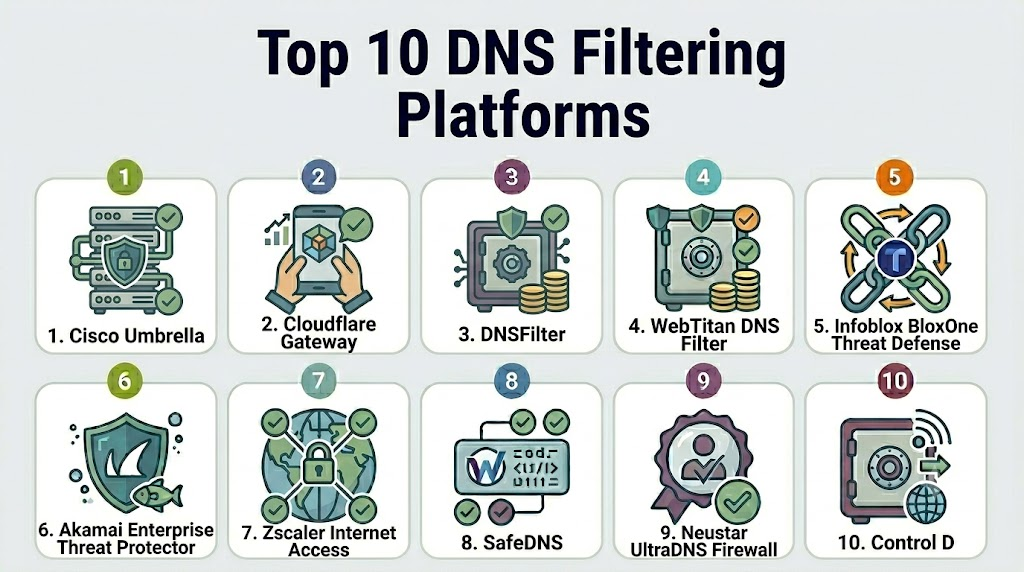
Top 10 DNS Filtering Platforms Tools
1- Cisco Umbrella
Short description: Cisco Umbrella is one of the most widely adopted cloud-delivered DNS security platforms. It provides DNS-layer protection, secure web gateway capabilities, and threat intelligence-backed blocking.
Key Features
- DNS-layer security
- Threat intelligence from Cisco Talos
- Secure web gateway
- Cloud firewall
- Remote user protection
- Application visibility
- Policy-based access controls
Pros
- Strong enterprise-grade protection
- Extensive threat intelligence
- Scales globally
Cons
- Premium pricing
- Some advanced features require higher-tier licensing
- Can be complex for smaller teams
Platforms / Deployment
- Web
- Cloud
Security & Compliance
- SSO/SAML
- MFA support
- RBAC
- Audit logging
- Encryption
Integrations & Ecosystem
Cisco Umbrella integrates well with broader Cisco security products and third-party security ecosystems.
- Cisco SecureX
- SIEM platforms
- Active Directory
- Identity providers
- Security orchestration tools
Support & Community
Strong enterprise support backed by Cisco’s global partner ecosystem and documentation.
2- Cloudflare Gateway
Short description: Cloudflare Gateway combines DNS filtering, secure web gateway functionality, and Zero Trust access controls in a unified cloud platform.
Key Features
- DNS filtering
- Secure web gateway
- Threat intelligence feeds
- Zero Trust integration
- Application controls
- Browser isolation support
- Detailed analytics
Pros
- Easy deployment
- Strong global infrastructure
- Unified Zero Trust platform
Cons
- Advanced features may require premium plans
- Reporting can be overwhelming initially
Platforms / Deployment
- Web
- Cloud
Security & Compliance
- SSO
- MFA
- RBAC
- Encryption
- Audit logs
Integrations & Ecosystem
Cloudflare offers extensive API support and security integrations.
- Identity providers
- SIEM platforms
- Endpoint tools
- Cloud applications
- API ecosystem
Support & Community
Strong documentation and growing enterprise support offerings.
3- DNSFilter
Short description: DNSFilter focuses specifically on DNS security and content filtering, making it a popular choice among MSPs and SMBs.
Key Features
- AI-driven threat detection
- Content filtering
- Roaming client
- Fast deployment
- Threat intelligence
- Reporting dashboard
- Multi-tenant management
Pros
- Easy administration
- MSP-friendly
- Competitive pricing
Cons
- Fewer broader security capabilities
- Less comprehensive than some enterprise suites
Platforms / Deployment
- Cloud
Security & Compliance
- MFA
- RBAC
- Encryption
Integrations & Ecosystem
DNSFilter supports common business and security integrations.
- Active Directory
- RMM tools
- MSP platforms
- APIs
- Security monitoring systems
Support & Community
Well-regarded customer support and strong MSP community adoption.
4- WebTitan DNS Filter
Short description: WebTitan provides DNS-layer security and web content filtering for businesses, schools, and managed service providers.
Key Features
- DNS filtering
- Malware protection
- Content categorization
- Policy enforcement
- Reporting
- Multi-tenant management
- Roaming users support
Pros
- Flexible deployment options
- Education sector friendly
- MSP capabilities
Cons
- Interface may feel dated
- Fewer advanced security capabilities
Platforms / Deployment
- Cloud
- Hybrid
Security & Compliance
- Encryption
- Role-based administration
Integrations & Ecosystem
Supports integration with business and security tools.
- Active Directory
- Reporting tools
- MSP management systems
Support & Community
Established support organization with experience serving education and SMB markets.
5- Infoblox BloxOne Threat Defense
Short description: Infoblox extends enterprise DNS management with advanced threat defense and DNS security capabilities.
Key Features
- DNS threat protection
- Threat intelligence
- Data exfiltration detection
- Enterprise DNS visibility
- Policy management
- Advanced analytics
- Cloud-based controls
Pros
- Excellent DNS expertise
- Strong enterprise visibility
- Advanced threat detection
Cons
- Enterprise-focused pricing
- More complex implementation
Platforms / Deployment
- Cloud
- Hybrid
Security & Compliance
- RBAC
- Encryption
- Audit logs
- SSO support
Integrations & Ecosystem
Works closely with enterprise infrastructure environments.
- SIEM platforms
- SOAR solutions
- Security tools
- Enterprise DNS infrastructure
Support & Community
Strong enterprise support and professional services.
6- Akamai Enterprise Threat Protector
Short description: Akamai Enterprise Threat Protector delivers DNS-based protection using Akamai’s extensive threat intelligence and global network.
Key Features
- DNS filtering
- Malware protection
- Threat intelligence
- Remote workforce security
- Data exfiltration protection
- Reporting
- Policy controls
Pros
- Global scale
- Strong threat intelligence
- Reliable performance
Cons
- Enterprise-oriented pricing
- Can require specialist expertise
Platforms / Deployment
- Cloud
Security & Compliance
- Encryption
- RBAC
- Access controls
Integrations & Ecosystem
Supports modern security environments.
- SIEM tools
- Identity systems
- Security operations platforms
Support & Community
Enterprise-grade support backed by Akamai.
7- Zscaler Internet Access
Short description: Zscaler Internet Access includes DNS security capabilities as part of a broader cloud security and Zero Trust platform.
Key Features
- DNS security
- Secure web gateway
- Zero Trust access
- Cloud firewall
- Data protection
- Threat intelligence
- Analytics
Pros
- Comprehensive security platform
- Strong remote worker support
- Global cloud infrastructure
Cons
- More than DNS filtering alone
- Higher implementation complexity
Platforms / Deployment
- Cloud
Security & Compliance
- SSO
- MFA
- RBAC
- Audit logs
Integrations & Ecosystem
Broad integration ecosystem supporting enterprise environments.
- Identity providers
- Endpoint security
- SIEM platforms
- Cloud services
Support & Community
Strong enterprise support and large customer base.
8- SafeDNS
Short description: SafeDNS provides cloud-based DNS filtering and content control solutions for organizations seeking straightforward protection.
Key Features
- DNS filtering
- Content filtering
- Malware protection
- User policies
- Reporting
- Whitelisting and blacklisting
- Cloud management
Pros
- Easy to deploy
- Cost-effective
- User-friendly administration
Cons
- Smaller ecosystem
- Limited enterprise features
Platforms / Deployment
- Cloud
Security & Compliance
- Encryption
- Administrative controls
Integrations & Ecosystem
Focused primarily on DNS protection and content filtering.
- APIs
- Directory services
- Reporting tools
Support & Community
Good customer support with straightforward onboarding.
9- Neustar UltraDNS Firewall
Short description: UltraDNS Firewall combines DNS resolution services with DNS-layer threat protection.
Key Features
- DNS security
- Threat intelligence
- Domain reputation analysis
- Malware blocking
- Policy controls
- Analytics
- Enterprise DNS services
Pros
- Strong DNS infrastructure
- Reliable performance
- Enterprise scalability
Cons
- Enterprise focus
- Less visibility than some competitors
Platforms / Deployment
- Cloud
Security & Compliance
- Encryption
- Access controls
- Audit capabilities
Integrations & Ecosystem
Designed for enterprise networking and security environments.
- SIEM solutions
- DNS infrastructure
- Security operations tools
Support & Community
Enterprise-focused support model.
10- Control D
Short description: Control D offers modern DNS filtering, privacy controls, and customizable internet access policies for businesses and advanced users.
Key Features
- DNS filtering
- Traffic redirection
- Malware blocking
- Content filtering
- Device-level policies
- Privacy protection
- Custom DNS rules
Pros
- Highly customizable
- Flexible policy controls
- Competitive pricing
Cons
- Smaller enterprise footprint
- Fewer large-scale integrations
Platforms / Deployment
- Cloud
Security & Compliance
- Encryption
- Policy management
Integrations & Ecosystem
Supports APIs and customizable deployment options.
- APIs
- Device management tools
- DNS management systems
Support & Community
Growing community with responsive support resources.
Comparison Table
| Tool Name | Best For | Platform(s) Supported | Deployment | Standout Feature | Public Rating |
|---|---|---|---|---|---|
| Cisco Umbrella | Enterprise Security | Web | Cloud | Cisco Talos Intelligence | N/A |
| Cloudflare Gateway | Zero Trust Security | Web | Cloud | Unified Zero Trust Platform | N/A |
| DNSFilter | SMBs and MSPs | Web | Cloud | AI Threat Detection | N/A |
| WebTitan | Education and MSPs | Web | Cloud/Hybrid | Multi-Tenant Filtering | N/A |
| Infoblox BloxOne Threat Defense | Large Enterprises | Web | Cloud/Hybrid | DNS Visibility | N/A |
| Akamai Enterprise Threat Protector | Global Enterprises | Web | Cloud | Threat Intelligence | N/A |
| Zscaler Internet Access | Zero Trust Deployments | Web | Cloud | Secure Access Platform | N/A |
| SafeDNS | SMB Content Filtering | Web | Cloud | Simplicity | N/A |
| Neustar UltraDNS Firewall | DNS Infrastructure | Web | Cloud | DNS Security Expertise | N/A |
| Control D | Flexible Filtering | Web | Cloud | Custom DNS Policies | N/A |
Evaluation & Scoring of DNS Filtering Platforms
| Tool | Core | Ease | Integrations | Security | Performance | Support | Value | Weighted Total |
|---|---|---|---|---|---|---|---|---|
| Cisco Umbrella | 10 | 8 | 10 | 10 | 10 | 9 | 7 | 9.15 |
| Cloudflare Gateway | 9 | 9 | 9 | 9 | 10 | 8 | 9 | 9.05 |
| DNSFilter | 8 | 9 | 8 | 8 | 8 | 9 | 10 | 8.60 |
| Infoblox BloxOne | 9 | 7 | 9 | 9 | 9 | 8 | 7 | 8.40 |
| Zscaler Internet Access | 9 | 7 | 9 | 10 | 9 | 9 | 7 | 8.50 |
| Akamai ETP | 8 | 7 | 8 | 9 | 9 | 8 | 7 | 8.00 |
| WebTitan | 8 | 8 | 7 | 8 | 8 | 8 | 9 | 8.05 |
| SafeDNS | 7 | 9 | 6 | 7 | 7 | 8 | 9 | 7.75 |
| Neustar UltraDNS Firewall | 8 | 7 | 8 | 8 | 9 | 8 | 7 | 7.95 |
| Control D | 7 | 9 | 6 | 7 | 8 | 7 | 9 | 7.75 |
Which DNS Filtering Platform Is Right for You?
Solo / Freelancer
Control D and SafeDNS are strong choices for individuals and small teams seeking straightforward DNS protection without enterprise complexity.
SMB
DNSFilter and WebTitan provide excellent balances between affordability, usability, and security capabilities.
Mid-Market
Cloudflare Gateway and DNSFilter offer strong security capabilities with manageable deployment complexity and scalability.
Enterprise
Cisco Umbrella, Zscaler Internet Access, Infoblox BloxOne Threat Defense, and Akamai Enterprise Threat Protector are best suited for large organizations requiring advanced security controls.
Budget vs Premium
For budget-conscious organizations, DNSFilter, SafeDNS, and Control D offer attractive value. Cisco Umbrella and Zscaler represent premium investments with broader capabilities.
Feature Depth vs Ease of Use
DNSFilter and Cloudflare Gateway provide strong usability. Cisco Umbrella and Zscaler deliver greater feature depth but may require more administrative expertise.
Integrations & Scalability
Cisco Umbrella, Cloudflare Gateway, Zscaler, and Infoblox provide the strongest enterprise integration ecosystems and scalability.
Security & Compliance Needs
Organizations with strict compliance requirements should evaluate Cisco Umbrella, Zscaler Internet Access, Cloudflare Gateway, and Infoblox BloxOne Threat Defense.
Frequently Asked Questions
1- What is DNS filtering?
DNS filtering blocks access to malicious or unwanted domains before a connection is established. It acts as an early security control that prevents users from reaching harmful destinations.
2- How does DNS filtering improve security?
It prevents access to phishing sites, malware-hosting domains, ransomware infrastructure, and command-and-control servers, reducing attack exposure.
3- Is DNS filtering enough for complete cybersecurity?
No. DNS filtering should be part of a layered security strategy alongside endpoint protection, identity security, email security, and network controls.
4- Can DNS filtering support remote workers?
Yes. Most modern platforms provide roaming agents or cloud-based protection that secures users regardless of location.
5- How long does implementation typically take?
Cloud-based DNS filtering platforms can often be deployed within hours or days, depending on organization size and policy complexity.
6- What are the common pricing models?
Most vendors use subscription-based pricing, typically calculated per user, per device, or by organization size.
7- Can DNS filtering block inappropriate content?
Yes. Most platforms provide content categorization and policy controls to restrict access to specific website categories.
8- Does DNS filtering affect internet performance?
Generally, modern DNS filtering solutions have minimal performance impact and may even improve browsing efficiency through optimized DNS resolution.
9- How difficult is it to switch DNS filtering providers?
Migration is usually straightforward, especially for cloud-based services. Planning policy migration and testing are important for a smooth transition.
10- What integrations should buyers prioritize?
Common priorities include identity providers, SIEM platforms, endpoint security solutions, Active Directory, and security orchestration tools.
Conclusion
DNS Filtering Platforms have evolved into a critical component of modern cybersecurity architectures. As organizations continue supporting remote work, adopting Zero Trust strategies, and defending against increasingly sophisticated threats, DNS-layer protection provides a highly effective first line of defense. While Cisco Umbrella, Cloudflare Gateway, and Zscaler lead the enterprise segment, DNSFilter, WebTitan, and SafeDNS offer compelling options for SMBs and managed service providers. The right choice depends on factors such as security requirements, deployment preferences, integration needs, budget, and operational complexity. Rather than selecting a platform solely based on feature lists, organizations should shortlist two or three candidates, conduct a pilot deployment, evaluate integration compatibility, validate security controls, and measure real-world effectiveness before making a long-term investment decision.

Find Trusted Cardiac Hospitals
Compare heart hospitals by city and services — all in one place.
Explore Hospitals
A practical consideration often overlooked is DNS resilience and failover planning. Beyond threat blocking features, organizations should assess logging, policy management, and integration with broader security operations to ensure reliable protection at scale.