Introduction
Web Content Filtering Tools help organizations control, monitor, and restrict access to websites, web applications, and online content based on security policies, compliance requirements, and productivity goals. These solutions inspect web traffic and determine whether users can access specific categories, domains, URLs, or content types. As organizations continue adopting hybrid work, cloud applications, and zero-trust security models, web content filtering has become a critical cybersecurity control. Modern solutions go beyond simple URL blocking by incorporating AI-powered threat detection, DNS security, malware protection, user behavior analysis, and policy-based access controls.
Real-world use cases include:
- Blocking malicious and phishing websites
- Enforcing acceptable internet usage policies
- Protecting remote and hybrid workers
- Meeting compliance and regulatory requirements
- Reducing malware and ransomware exposure
Evaluation criteria for buyers:
- URL categorization accuracy
- Threat intelligence quality
- DNS-layer protection
- Policy management flexibility
- Reporting and analytics
- Integration capabilities
- Performance impact
- Scalability
- Security controls
- Pricing and value
Best for: IT administrators, security teams, MSPs, educational institutions, healthcare organizations, government agencies, and enterprises seeking internet security and policy enforcement.
Not ideal for: Very small organizations with minimal internet exposure or businesses relying solely on endpoint security without centralized web governance requirements.
Key Trends in Web Content Filtering Tools
- AI-assisted threat detection is improving identification of newly created malicious websites.
- Secure Access Service Edge SASE architectures increasingly include web filtering capabilities.
- DNS-layer filtering continues gaining adoption due to easier deployment and lower latency.
- Zero Trust frameworks are integrating web filtering as a core security control.
- Remote workforce protection remains a primary purchasing driver.
- Browser isolation integration is becoming more common in enterprise platforms.
- Real-time threat intelligence feeds are replacing static URL databases.
- Granular application-level filtering is expanding beyond traditional website categories.
- Cloud-native deployment models are dominating new implementations.
- Compliance-focused reporting and audit capabilities are becoming more sophisticated.
How We Selected These Tools
The tools included in this list were evaluated using the following methodology:
- Market adoption and industry recognition
- Breadth and depth of filtering capabilities
- Security threat detection effectiveness
- Reliability and performance consistency
- Ease of deployment and administration
- Reporting and visibility features
- Integration ecosystem maturity
- Cloud and hybrid deployment support
- Customer fit across SMB, mid-market, and enterprise segments
- Long-term product innovation and roadmap strength
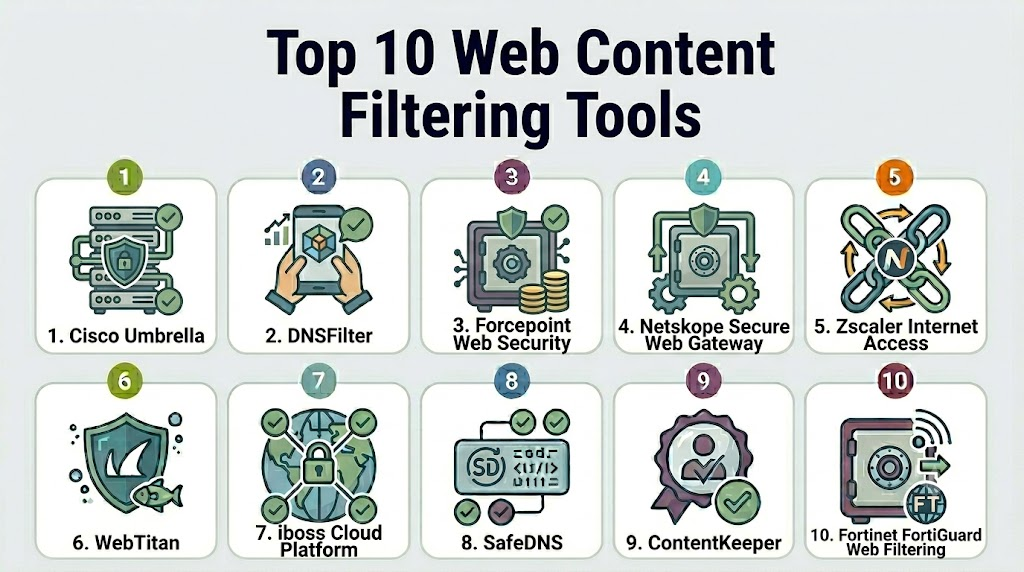
Top 10 Web Content Filtering Tools
1- Cisco Umbrella
Short description: Cisco Umbrella is a cloud-delivered security platform that provides DNS-layer security, web filtering, secure web gateway functionality, and threat protection for organizations of all sizes.
Key Features
- DNS-layer security
- Content filtering policies
- Secure web gateway
- Malware protection
- Application visibility
- Threat intelligence integration
- Roaming client protection
Pros
- Fast deployment
- Strong threat intelligence
- Excellent scalability
Cons
- Advanced features may increase costs
- Initial policy tuning may require effort
- Reporting customization can be complex
Platforms / Deployment
- Windows
- macOS
- Linux
- iOS
- Android
- Cloud
Security & Compliance
- SSO
- MFA support
- RBAC
- Audit logs
- Encryption
- GDPR support
Integrations & Ecosystem
Cisco Umbrella integrates deeply with Cisco security products and third-party security ecosystems.
- Cisco SecureX
- SIEM platforms
- Endpoint security tools
- Identity providers
- Security APIs
Support & Community
Strong enterprise support, extensive documentation, training resources, and a large global customer community.
2- DNSFilter
Short description: DNSFilter is a cloud-based DNS security and content filtering platform focused on simplicity, speed, and AI-driven threat protection.
Key Features
- AI-powered threat detection
- DNS filtering
- Content category blocking
- Roaming client protection
- Real-time threat feeds
- Multi-tenant management
- Detailed reporting
Pros
- Easy deployment
- MSP-friendly management
- Strong phishing protection
Cons
- Limited broader security stack
- Advanced analytics may be basic for large enterprises
- Less extensive ecosystem than larger vendors
Platforms / Deployment
- Windows
- macOS
- Linux
- iOS
- Android
- Cloud
Security & Compliance
- MFA
- Role-based access
- Audit logging
- Encryption
Integrations & Ecosystem
Provides integrations designed for MSPs and security administrators.
- PSA tools
- RMM platforms
- APIs
- Identity platforms
Support & Community
Well-regarded customer support with straightforward onboarding resources.
3- Forcepoint Web Security
Short description: Forcepoint Web Security delivers advanced web filtering, threat protection, and user behavior-based policy enforcement for enterprises.
Key Features
- URL filtering
- Malware detection
- User behavior analytics
- Data loss prevention integration
- Cloud and hybrid deployment
- Granular policy controls
- Compliance reporting
Pros
- Strong enterprise capabilities
- Advanced policy flexibility
- Excellent DLP integration
Cons
- Complex administration
- Longer deployment cycle
- Higher learning curve
Platforms / Deployment
- Windows
- Cloud
- Hybrid
Security & Compliance
- SSO
- RBAC
- Encryption
- Audit logs
Integrations & Ecosystem
Forcepoint integrates with broader enterprise security environments.
- DLP systems
- SIEM platforms
- Identity services
- Security analytics tools
Support & Community
Comprehensive enterprise support and professional services.
4- Netskope Secure Web Gateway
Short description: Netskope combines web filtering, cloud security, and Zero Trust access capabilities within a unified cloud-native platform.
Key Features
- Secure web gateway
- Cloud application visibility
- Data protection
- Threat prevention
- User behavior monitoring
- CASB integration
- Real-time analytics
Pros
- Strong cloud security capabilities
- Excellent visibility
- Modern architecture
Cons
- Premium pricing
- Advanced configuration complexity
- Best value in larger deployments
Platforms / Deployment
- Windows
- macOS
- Linux
- Mobile
- Cloud
Security & Compliance
- SSO
- MFA
- RBAC
- Encryption
- Audit logs
Integrations & Ecosystem
Strong ecosystem across cloud and security technologies.
- SIEM platforms
- CASB integrations
- Identity providers
- API ecosystem
Support & Community
Strong enterprise support with extensive documentation.
5- Zscaler Internet Access
Short description: Zscaler Internet Access delivers cloud-native web security, content filtering, and secure internet access for distributed organizations.
Key Features
- URL filtering
- SSL inspection
- Sandbox analysis
- Threat prevention
- Cloud security
- Application control
- User-based policies
Pros
- Global cloud infrastructure
- Strong scalability
- Comprehensive security stack
Cons
- Premium licensing
- Initial deployment planning required
- Feature-rich interface can be overwhelming
Platforms / Deployment
- Windows
- macOS
- Linux
- Mobile
- Cloud
Security & Compliance
- SSO
- MFA
- Encryption
- Audit logs
- RBAC
Integrations & Ecosystem
Supports extensive enterprise security integrations.
- SIEM tools
- Endpoint security
- Identity providers
- Security orchestration platforms
Support & Community
Large enterprise customer base and extensive support resources.
6- WebTitan
Short description: WebTitan provides DNS-based web filtering designed for SMBs, schools, and managed service providers.
Key Features
- DNS filtering
- Malware blocking
- Content control
- Reporting
- Multi-tenant management
- Policy customization
- Cloud deployment
Pros
- Easy administration
- Affordable deployment
- MSP-focused features
Cons
- Smaller ecosystem
- Limited advanced enterprise functionality
- Basic analytics compared to larger vendors
Platforms / Deployment
- Cloud
- Hybrid
Security & Compliance
- Role-based access
- Audit logging
- Encryption
Integrations & Ecosystem
Focuses on ease of management and service provider integration.
- RMM tools
- PSA platforms
- APIs
Support & Community
Responsive support and straightforward implementation guidance.
7- iboss Cloud Platform
Short description: iboss delivers cloud-native web security and content filtering for remote users and distributed enterprises.
Key Features
- Secure web gateway
- Content filtering
- Zero Trust architecture
- Threat prevention
- Cloud security
- Application control
- Analytics
Pros
- Remote workforce focus
- Cloud-native design
- Strong policy enforcement
Cons
- Enterprise-focused pricing
- Complex deployments
- Smaller community compared to larger vendors
Platforms / Deployment
- Windows
- macOS
- Linux
- Mobile
- Cloud
Security & Compliance
- SSO
- MFA
- RBAC
- Encryption
Integrations & Ecosystem
Integrates with modern security environments.
- SIEM platforms
- Identity providers
- Endpoint security
- APIs
Support & Community
Enterprise-grade support and onboarding assistance.
8- SafeDNS
Short description: SafeDNS provides cloud-based web filtering and DNS security for businesses, schools, and public institutions.
Key Features
- DNS filtering
- Website categorization
- Malware protection
- Reporting dashboard
- Policy management
- Safe search enforcement
- Application controls
Pros
- Easy deployment
- Cost-effective
- Education-friendly
Cons
- Fewer advanced enterprise features
- Smaller ecosystem
- Limited broader security functionality
Platforms / Deployment
- Cloud
- Hybrid
Security & Compliance
- Encryption
- Audit logging
- Role-based controls
Integrations & Ecosystem
Provides APIs and management integrations.
- Directory services
- APIs
- Reporting exports
Support & Community
Good documentation and responsive customer support.
9- ContentKeeper
Short description: ContentKeeper specializes in web filtering, education security, and compliance-focused internet protection.
Key Features
- Web filtering
- SSL inspection
- Reporting
- Compliance controls
- Threat protection
- Education-focused policies
- User management
Pros
- Strong education focus
- Granular filtering
- Compliance reporting
Cons
- Smaller global footprint
- Limited cloud ecosystem
- Less enterprise visibility
Platforms / Deployment
- Cloud
- Hybrid
- On-premises
Security & Compliance
- Audit logs
- Encryption
- Policy controls
Integrations & Ecosystem
Supports common enterprise and education integrations.
- Directory services
- Reporting tools
- APIs
Support & Community
Good support reputation within education and government sectors.
10- Fortinet FortiGuard Web Filtering
Short description: FortiGuard Web Filtering extends the Fortinet security ecosystem with URL filtering, category controls, and threat intelligence.
Key Features
- URL filtering
- Threat intelligence
- Application control
- Malware protection
- Category filtering
- Reporting
- Fortinet integration
Pros
- Excellent ecosystem integration
- Strong threat intelligence
- Enterprise scalability
Cons
- Best value within Fortinet environments
- Configuration complexity
- Learning curve for new users
Platforms / Deployment
- Cloud
- Hybrid
- Appliance-based
Security & Compliance
- SSO
- MFA
- Encryption
- Audit logging
- RBAC
Integrations & Ecosystem
Deep integration with Fortinet security products.
- FortiGate
- FortiAnalyzer
- FortiSIEM
- APIs
Support & Community
Strong enterprise support and large global user community.
Comparison Table
| Tool Name | Best For | Platform Supported | Deployment | Standout Feature | Public Rating |
|---|---|---|---|---|---|
| Cisco Umbrella | Enterprise DNS Security | Multi-platform | Cloud | DNS-layer protection | N/A |
| DNSFilter | SMB and MSP | Multi-platform | Cloud | AI threat detection | N/A |
| Forcepoint Web Security | Large Enterprises | Windows | Hybrid | User behavior policies | N/A |
| Netskope | Cloud-first Organizations | Multi-platform | Cloud | CASB integration | N/A |
| Zscaler Internet Access | Distributed Enterprises | Multi-platform | Cloud | Global SWG platform | N/A |
| WebTitan | SMB and Education | Multi-platform | Cloud | MSP management | N/A |
| iboss | Remote Workforce Security | Multi-platform | Cloud | Zero Trust architecture | N/A |
| SafeDNS | Schools and SMBs | Multi-platform | Cloud | Cost-effective DNS filtering | N/A |
| ContentKeeper | Education and Government | Multi-platform | Hybrid | Education-focused controls | N/A |
| FortiGuard Web Filtering | Fortinet Customers | Multi-platform | Hybrid | Fortinet ecosystem | N/A |
Evaluation & Scoring of Web Content Filtering Tools
| Tool | Core | Ease | Integrations | Security | Performance | Support | Value | Weighted Total |
|---|---|---|---|---|---|---|---|---|
| Cisco Umbrella | 9.5 | 8.5 | 9.5 | 9.5 | 9.5 | 9.0 | 8.5 | 9.16 |
| DNSFilter | 8.8 | 9.4 | 8.4 | 8.8 | 9.0 | 8.8 | 9.2 | 8.92 |
| Forcepoint | 9.2 | 7.8 | 8.8 | 9.3 | 9.0 | 8.8 | 7.8 | 8.66 |
| Netskope | 9.4 | 8.4 | 9.4 | 9.5 | 9.3 | 8.9 | 8.0 | 8.98 |
| Zscaler | 9.5 | 8.3 | 9.4 | 9.5 | 9.4 | 9.0 | 7.9 | 9.00 |
| WebTitan | 8.2 | 9.1 | 7.9 | 8.3 | 8.5 | 8.6 | 9.0 | 8.50 |
| iboss | 8.9 | 8.0 | 8.7 | 9.1 | 8.9 | 8.6 | 8.1 | 8.62 |
| SafeDNS | 8.0 | 9.0 | 7.8 | 8.1 | 8.4 | 8.3 | 9.1 | 8.38 |
| ContentKeeper | 8.1 | 8.3 | 7.5 | 8.5 | 8.4 | 8.4 | 8.6 | 8.18 |
| FortiGuard | 9.2 | 8.2 | 9.3 | 9.3 | 9.1 | 8.9 | 8.4 | 8.90 |
Which Web Content Filtering Tool Is Right for You?
Solo / Freelancer
DNSFilter and SafeDNS provide straightforward deployment and strong protection without requiring dedicated security teams.
SMB
WebTitan, DNSFilter, and SafeDNS offer an attractive balance of security, ease of use, and affordability.
Mid-Market
Cisco Umbrella, FortiGuard Web Filtering, and Netskope provide strong capabilities without excessive operational complexity.
Enterprise
Zscaler Internet Access, Netskope, Cisco Umbrella, and Forcepoint Web Security are strong options for large-scale deployments.
Budget vs Premium
Budget-focused buyers should consider SafeDNS and WebTitan. Premium buyers requiring broader security capabilities should evaluate Netskope, Zscaler, and Cisco Umbrella.
Feature Depth vs Ease of Use
DNSFilter and SafeDNS prioritize simplicity. Forcepoint, Netskope, and Zscaler offer deeper functionality but require more expertise.
Integrations & Scalability
Cisco Umbrella, Netskope, Zscaler, and Fortinet offer the strongest integration ecosystems and scalability.
Security & Compliance Needs
Organizations with strict compliance requirements should focus on Cisco Umbrella, Zscaler, Netskope, Forcepoint, and Fortinet.
Frequently Asked Questions
1- What is a web content filtering tool?
A web content filtering tool controls access to websites and online content based on organizational policies. It helps improve security, compliance, and productivity.
2- How is web filtering different from a firewall?
Firewalls primarily control network traffic, while web filtering specifically evaluates website content, URLs, categories, and user access policies.
3- Are DNS filtering and web filtering the same?
Not exactly. DNS filtering operates at the DNS layer, while web filtering may inspect URLs, content, applications, and encrypted traffic.
4- Can web filtering stop phishing attacks?
Yes. Modern solutions use threat intelligence and AI-based detection to block many phishing websites before users can access them.
5- Do web filtering tools affect internet speed?
Most cloud-based platforms have minimal impact on performance. Deployment architecture and SSL inspection policies influence overall latency.
6- Can these tools support remote workers?
Yes. Most modern platforms provide roaming clients, cloud gateways, and remote-user protection capabilities.
7- Are web filtering tools suitable for schools?
Absolutely. Many solutions include education-specific categories, student protection features, and compliance reporting.
8- What is the biggest implementation mistake?
Organizations often deploy overly restrictive policies without testing. Gradual policy rollout typically delivers better user acceptance.
9- How difficult is migration between vendors?
Migration complexity depends on policy size, reporting requirements, and integration dependencies. Most vendors provide migration assistance.
10- What alternatives exist to web filtering tools?
Alternatives include browser isolation platforms, secure web gateways, DNS security services, endpoint protection solutions, and SASE platforms. However, these often complement rather than replace web filtering.
Conclusion
Web content filtering remains one of the most effective ways to reduce web-based threats, enforce acceptable usage policies, and support compliance initiatives. Organizations now have access to solutions ranging from lightweight DNS filtering platforms to comprehensive secure web gateways that integrate with Zero Trust and SASE architectures. Cisco Umbrella, Zscaler Internet Access, Netskope, and Forcepoint lead the enterprise segment, while DNSFilter, WebTitan, and SafeDNS provide strong options for SMBs and educational environments. The right choice depends on your security requirements, deployment preferences, integration needs, and available budget. Before making a final decision, shortlist two or three products, conduct a pilot deployment, validate reporting and policy controls, and confirm compatibility with your broader security ecosystem.

Find Trusted Cardiac Hospitals
Compare heart hospitals by city and services — all in one place.
Explore Hospitals
One aspect that deserves more attention is policy management across hybrid and remote work environments. Organizations should also evaluate reporting capabilities, false-positive handling, and integration with existing security tools to maintain usability without compromising protection.