Introduction
Image Editing Software refers to tools that allow users to modify, enhance, and manipulate digital images. These tools range from simple photo editors for quick adjustments to advanced platforms used by professionals for design, branding, and visual storytelling.
In today’s content-driven digital environment, high-quality visuals are critical for communication, marketing, product design, and user experience. With the rise of AI-powered editing, automation, and cloud collaboration, image editing tools have evolved beyond basic photo correction into powerful creative ecosystems.
Common use cases include:
- Designing marketing creatives and social media posts
- Editing product images for e-commerce
- Creating UI/UX mockups and design assets
- Photo retouching and enhancement
- Generating AI-based visuals and content
What buyers should evaluate:
- Editing capabilities (basic vs advanced)
- AI-powered features and automation
- Ease of use and learning curve
- File format support (RAW, PSD, SVG, etc.)
- Performance and system requirements
- Collaboration and sharing options
- Integration with design and marketing tools
- Security and data privacy controls
- Pricing and licensing flexibility
Best for: Designers, marketers, content creators, photographers, product teams, and agencies that rely on visual content creation.
Not ideal for: Users who only need basic cropping or resizing occasionally or teams with strict no-cloud policies where offline-only tools are required.
Key Trends in Image Editing Software
- AI-powered background removal and object editing
- Generative AI for image creation and enhancement
- Cloud-based collaborative editing workflows
- Integration with marketing and design ecosystems
- Real-time editing and feedback features
- Increased focus on non-destructive editing
- Cross-device editing (mobile + desktop sync)
- Automation of repetitive design tasks
- Subscription-based pricing models
- Improved performance for high-resolution images
How We Selected These Tools (Methodology)
- Strong global adoption and brand recognition
- Feature depth across editing, design, and export workflows
- Performance with high-resolution files
- Stability and reliability in production use
- Security and data handling capabilities
- Integration with creative and business tools
- Suitability for beginners to professionals
- Continuous product innovation and updates
- Community support and documentation quality
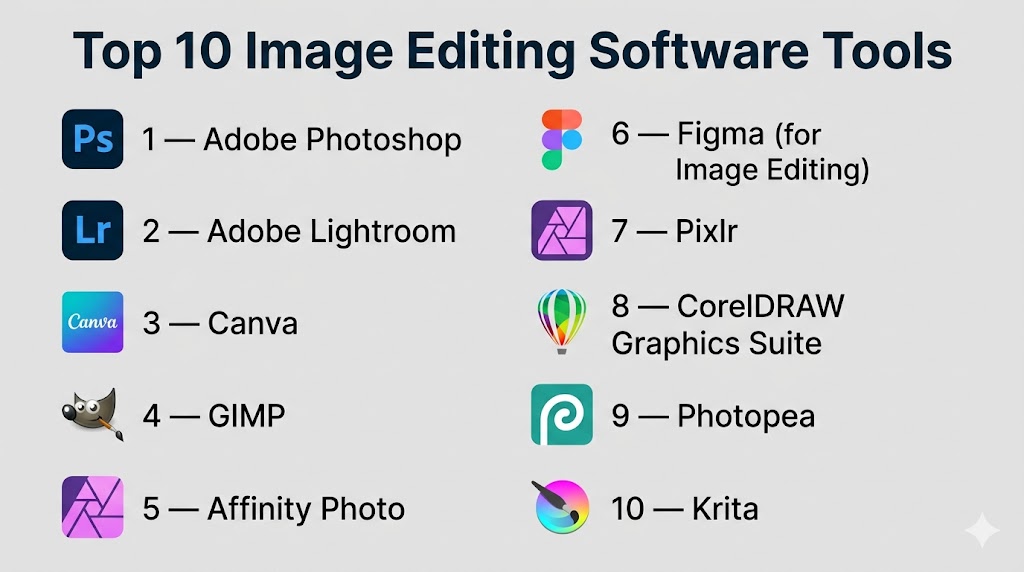
Top 10 Image Editing Software Tools
#1 — Adobe Photoshop
Short description: Industry-standard image editing software used by professionals for advanced photo manipulation and design.
Key Features
- Advanced layer-based editing
- AI-powered tools (object selection, generative fill)
- RAW image processing
- Extensive plugin ecosystem
- Typography and design tools
- Smart objects and filters
- Non-destructive editing
Pros
- Extremely powerful and flexible
- Widely used industry standard
Cons
- Steep learning curve
- Subscription-based pricing
Platforms / Deployment
Windows / macOS
Security & Compliance
Not publicly stated
Integrations & Ecosystem
Photoshop integrates deeply within the Adobe ecosystem and external tools.
- Adobe Creative Cloud apps
- Lightroom
- Illustrator
- Cloud storage tools
Support & Community
Very strong community, extensive tutorials, and professional support.
#2 — Adobe Lightroom
Short description: A photo editing and management tool focused on photographers and batch processing.
Key Features
- Non-destructive editing
- RAW photo processing
- Presets and batch editing
- Cloud sync
- AI-based adjustments
- Color grading tools
- Photo organization
Pros
- Excellent for photographers
- Easy workflow management
Cons
- Limited graphic design features
- Subscription model
Platforms / Deployment
Windows / macOS / iOS / Android / Web
Security & Compliance
Not publicly stated
Integrations & Ecosystem
- Adobe ecosystem
- Cloud storage
- Mobile apps
Support & Community
Strong community and learning resources.
#3 — Canva
Short description: A cloud-based design tool focused on ease of use and quick content creation.
Key Features
- Drag-and-drop editor
- Templates for social media
- AI image generation
- Background remover
- Brand kits
- Collaboration tools
- Stock assets library
Pros
- Very easy to use
- Great for non-designers
Cons
- Limited advanced editing
- Template-heavy output
Platforms / Deployment
Web / iOS / Android
Security & Compliance
SSO support, details not publicly stated
Integrations & Ecosystem
- Slack
- Google Drive
- Social media platforms
Support & Community
Large community and strong onboarding.
#4 — GIMP
Short description: A free, open-source image editor with powerful features for advanced users.
Key Features
- Layer-based editing
- Custom plugins
- Advanced image manipulation
- Script automation
- File format flexibility
- Open-source customization
Pros
- Free and powerful
- Highly customizable
Cons
- Outdated UI
- Steep learning curve
Platforms / Deployment
Windows / macOS / Linux
Security & Compliance
Not publicly stated
Integrations & Ecosystem
- Plugin ecosystem
- Open-source extensions
Support & Community
Strong open-source community support.
#5 — Affinity Photo
Short description: A professional-grade image editor offering advanced features without subscription.
Key Features
- RAW editing
- PSD compatibility
- Advanced retouching tools
- HDR merging
- Panorama stitching
- Layer-based editing
Pros
- One-time purchase
- High performance
Cons
- Smaller ecosystem
- Limited integrations
Platforms / Deployment
Windows / macOS / iOS
Security & Compliance
Not publicly stated
Integrations & Ecosystem
- File compatibility tools
- Export integrations
Support & Community
Growing community and documentation.
#6 — Figma (for Image Editing)
Short description: A collaborative design tool with image editing capabilities for UI/UX workflows.
Key Features
- Real-time collaboration
- Vector and raster editing
- Plugins
- Cloud-based workflows
- Design systems
- Version control
Pros
- Excellent collaboration
- Browser-based
Cons
- Limited advanced photo editing
- Internet dependency
Platforms / Deployment
Web / Windows / macOS
Security & Compliance
SSO, role-based access (details not publicly stated)
Integrations & Ecosystem
- Slack
- Jira
- Design tools
Support & Community
Strong design community.
#7 — Pixlr
Short description: A lightweight online image editor for quick edits and simple designs.
Key Features
- Browser-based editing
- AI tools
- Filters and effects
- Background removal
- Templates
- Quick export
Pros
- No installation required
- Easy to use
Cons
- Limited advanced tools
- Ads in free version
Platforms / Deployment
Web
Security & Compliance
Not publicly stated
Integrations & Ecosystem
Limited integrations
Support & Community
Basic support resources.
#8 — CorelDRAW Graphics Suite
Short description: A comprehensive design suite with strong image editing capabilities.
Key Features
- Vector and raster editing
- Layout tools
- Photo editing
- Typography tools
- Asset management
- Multi-page design
Pros
- All-in-one suite
- Strong design capabilities
Cons
- Expensive
- Learning curve
Platforms / Deployment
Windows / macOS
Security & Compliance
Not publicly stated
Integrations & Ecosystem
- Design tools
- File export systems
Support & Community
Established user base and documentation.
#9 — Photopea
Short description: A browser-based editor similar to Photoshop with strong compatibility.
Key Features
- PSD file support
- Layer editing
- Browser-based
- Multiple format support
- No installation required
- Familiar interface
Pros
- Free and accessible
- Photoshop-like experience
Cons
- Ads in free version
- Performance depends on browser
Platforms / Deployment
Web
Security & Compliance
Not publicly stated
Integrations & Ecosystem
Limited integrations
Support & Community
Active user community.
#10 — Krita
Short description: An open-source tool focused on digital painting and creative illustration.
Key Features
- Brush engine
- Layer management
- Animation support
- Open-source plugins
- Customizable UI
- High-resolution canvas support
Pros
- Free and powerful
- Great for artists
Cons
- Not focused on photo editing
- Learning curve
Platforms / Deployment
Windows / macOS / Linux
Security & Compliance
Not publicly stated
Integrations & Ecosystem
- Plugin support
- Creative tools
Support & Community
Strong creative community.
Comparison Table (Top 10)
| Tool Name | Best For | Platform(s) Supported | Deployment | Standout Feature | Public Rating |
|---|---|---|---|---|---|
| Adobe Photoshop | Professionals | Windows, macOS | Local | Advanced editing | N/A |
| Adobe Lightroom | Photographers | Cross-platform | Cloud/Local | Photo workflow | N/A |
| Canva | Beginners | Web, Mobile | Cloud | Templates | N/A |
| GIMP | Open-source users | Cross-platform | Local | Free editing | N/A |
| Affinity Photo | Professionals | Cross-platform | Local | One-time pricing | N/A |
| Figma | Designers | Web, Desktop | Cloud | Collaboration | N/A |
| Pixlr | Quick edits | Web | Cloud | Lightweight | N/A |
| CorelDRAW | Designers | Windows, macOS | Local | Full suite | N/A |
| Photopea | Web users | Web | Cloud | PSD support | N/A |
| Krita | Artists | Cross-platform | Local | Painting tools | N/A |
Evaluation & Scoring of Image Editing Software
| Tool Name | Core | Ease | Integrations | Security | Performance | Support | Value | Weighted Total |
|---|---|---|---|---|---|---|---|---|
| Photoshop | 10 | 7 | 9 | 7 | 9 | 9 | 6 | 8.4 |
| Lightroom | 9 | 8 | 8 | 7 | 8 | 9 | 7 | 8.2 |
| Canva | 7 | 10 | 8 | 7 | 8 | 8 | 9 | 8.3 |
| GIMP | 8 | 6 | 6 | 6 | 7 | 7 | 10 | 7.6 |
| Affinity | 9 | 8 | 6 | 6 | 9 | 7 | 9 | 8.0 |
| Figma | 7 | 9 | 9 | 7 | 8 | 8 | 8 | 8.1 |
| Pixlr | 6 | 9 | 5 | 6 | 7 | 6 | 8 | 7.2 |
| CorelDRAW | 9 | 7 | 7 | 6 | 8 | 8 | 6 | 7.8 |
| Photopea | 7 | 8 | 5 | 6 | 7 | 6 | 9 | 7.4 |
| Krita | 8 | 7 | 5 | 6 | 8 | 7 | 10 | 7.7 |
How to interpret scores:
These scores represent a relative comparison across tools based on key criteria. Higher scores indicate stronger capabilities in specific areas but do not guarantee suitability for all use cases. Users should align these scores with their specific workflow, budget, and technical requirements before making a decision.
Which Image Editing Software Tool Is Right for You?
Solo / Freelancer
Canva and Photopea are ideal due to simplicity and low cost.
SMB
Affinity Photo and Canva offer strong value and usability.
Mid-Market
Photoshop and Figma provide balance of power and collaboration.
Enterprise
Adobe ecosystem tools and Figma are best for scalability.
Budget vs Premium
Free tools like GIMP and Krita are strong alternatives to paid tools.
Feature Depth vs Ease of Use
Photoshop offers depth, Canva offers simplicity.
Integrations & Scalability
Figma and Adobe tools lead in integrations.
Security & Compliance Needs
Enterprises should validate vendor security features before adoption.
Frequently Asked Questions (FAQs)
1. What is image editing software used for?
It is used to modify, enhance, and create digital images for design, marketing, and communication.
2. Are free tools good enough?
Yes, tools like GIMP and Krita are powerful but may require more learning.
3. What is the best tool for beginners?
Canva is the easiest tool for beginners.
4. Can I use these tools on mobile?
Some tools like Canva and Lightroom support mobile platforms.
5. Do I need a powerful system?
Advanced tools like Photoshop may require higher system resources.
6. Are these tools secure?
Security varies; always review vendor policies.
7. Can I collaborate with teams?
Yes, tools like Figma and Canva support collaboration.
8. What file formats are supported?
Most tools support common formats like JPG, PNG, and PSD.
9. Is cloud storage included?
Cloud-based tools often include storage with limits.
10. How do I choose the right tool?
Consider your needs: simplicity, advanced features, budget, and integrations.
Conclusion
Image Editing Software plays a critical role in modern digital workflows, enabling individuals and teams to create high-quality visual content efficiently. From beginner-friendly tools like Canva to professional platforms like Photoshop, each tool offers unique strengths tailored to different use cases. The right choice depends on factors such as skill level, collaboration needs, budget, and feature requirements. Instead of selecting a single “best” tool, it is more effective to shortlist a few options, test them in real scenarios, and evaluate how well they integrate into your workflow. This approach ensures long-term value and productivity gains.

Find Trusted Cardiac Hospitals
Compare heart hospitals by city and services — all in one place.
Explore Hospitals
Image editing software can offer many powerful tools, but keeping edits consistent across a large set of images can take extra effort. Different sizes, file formats, and compression settings may also affect how images look after export. Using a clear editing and export workflow can help maintain quality from the original file to the final image.