Introduction
Desktop Publishing Software (DTP) refers to tools used to design, layout, and produce high-quality printed and digital documents such as magazines, brochures, books, catalogs, and marketing materials. These tools combine text formatting, image placement, and page layout capabilities to create professional-grade publications.
In today’s design-driven world, DTP software has become essential not just for print media but also for digital publishing, branding, and content marketing. With the rise of AI-assisted layouts, cloud collaboration, and multi-channel publishing, modern DTP tools are evolving into powerful creative platforms that support both designers and non-designers.
Common use cases include:
- Designing brochures, flyers, and marketing materials
- Creating magazines, newspapers, and books
- Producing corporate reports and presentations
- Developing digital publications and eBooks
- Building brand assets and print-ready designs
What buyers should evaluate:
- Page layout flexibility and control
- Typography and text formatting tools
- Image handling and resolution support
- Print-ready export capabilities (PDF/X, CMYK)
- Collaboration and sharing features
- Integration with design and asset tools
- Performance with large documents
- Template and automation features
- Cross-platform compatibility
- Pricing and licensing model
Best for: Graphic designers, publishers, marketing teams, agencies, and businesses producing professional documents at scale.
Not ideal for: Users needing only basic document editing (word processors may be sufficient) or those focused solely on image editing.
Key Trends in Desktop Publishing Software
- AI-powered layout suggestions and auto-formatting
- Cloud-based collaboration for distributed teams
- Integration with digital publishing platforms
- Automation of repetitive design tasks
- Cross-device editing workflows
- Enhanced typography and font management tools
- Hybrid print + digital publishing workflows
- Real-time preview for print and web formats
- Subscription and SaaS-based pricing models
- Integration with DAM (Digital Asset Management) systems
How We Selected These Tools (Methodology)
- High adoption in publishing and design industries
- Feature completeness for layout and typography
- Reliability with large and complex documents
- Performance and rendering quality
- Integration with creative ecosystems
- Suitability across freelancers, SMBs, and enterprises
- Innovation in AI and automation
- Strong documentation and onboarding support
- Active user communities and ecosystems
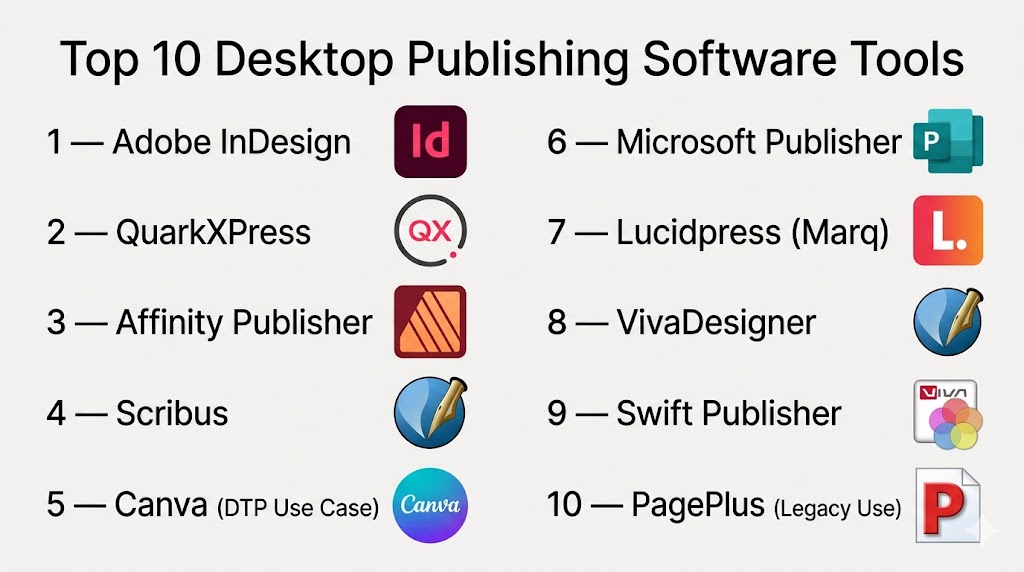
Top 10 Desktop Publishing Software Tools
#1 — Adobe InDesign
Short description: The industry-standard DTP tool used for professional publishing, magazines, and marketing materials.
Key Features
- Advanced page layout tools
- Master pages and templates
- Typography controls
- Interactive PDF and digital publishing
- Integration with Adobe Creative Cloud
- Preflight and print-ready export
- Style automation
Pros
- Industry benchmark for publishing
- Highly precise layout control
Cons
- Subscription-based
- Learning curve for beginners
Platforms / Deployment
Windows / macOS
Security & Compliance
Not publicly stated
Integrations & Ecosystem
Deep integration within Adobe ecosystem enables seamless workflows.
- Photoshop
- Illustrator
- Creative Cloud libraries
- Cloud storage
Support & Community
Extensive documentation, tutorials, and professional support.
#2 — QuarkXPress
Short description: A long-standing publishing platform known for print and digital layout design.
Key Features
- Advanced page layout
- Typography tools
- Digital publishing capabilities
- HTML5 export
- Color management
- Print-ready output
- Content automation
Pros
- Strong print capabilities
- No subscription model
Cons
- Less popular than competitors
- Smaller ecosystem
Platforms / Deployment
Windows / macOS
Security & Compliance
Not publicly stated
Integrations & Ecosystem
- Publishing workflows
- Export tools
- Content management systems
Support & Community
Moderate community and support resources.
#3 — Affinity Publisher
Short description: A modern DTP tool offering professional features with a one-time purchase model.
Key Features
- Advanced layout tools
- StudioLink integration (Photo + Designer)
- Master pages
- Preflight checking
- High-performance engine
- Print and digital export
- Non-destructive editing
Pros
- Affordable one-time pricing
- Fast performance
Cons
- Smaller plugin ecosystem
- Fewer integrations
Platforms / Deployment
Windows / macOS
Security & Compliance
Not publicly stated
Integrations & Ecosystem
- Affinity Photo
- Affinity Designer
- File export systems
Support & Community
Growing user base with strong documentation.
#4 — Scribus
Short description: A free, open-source desktop publishing tool suitable for print and layout design.
Key Features
- Page layout tools
- CMYK color support
- PDF export
- Typography controls
- Script automation
- Preflight tools
- Open-source customization
Pros
- Free and open-source
- Strong print capabilities
Cons
- Outdated interface
- Learning curve
Platforms / Deployment
Windows / macOS / Linux
Security & Compliance
Not publicly stated
Integrations & Ecosystem
- Open-source extensions
- File export workflows
Support & Community
Active open-source community.
#5 — Canva (DTP Use Case)
Short description: A cloud-based design tool used for quick publishing and marketing materials.
Key Features
- Drag-and-drop editor
- Templates for publications
- Collaboration tools
- AI design suggestions
- Brand kits
- Cloud storage
- Export options
Pros
- Extremely easy to use
- Great for non-designers
Cons
- Limited advanced layout control
- Template-driven
Platforms / Deployment
Web / iOS / Android
Security & Compliance
SSO support (details not publicly stated)
Integrations & Ecosystem
- Google Drive
- Slack
- Social media platforms
Support & Community
Large user base and strong onboarding resources.
#6 — Microsoft Publisher
Short description: A beginner-friendly publishing tool for simple layouts and business documents.
Key Features
- Templates for business documents
- Basic layout tools
- Text formatting
- Image insertion
- Print-ready output
- Easy interface
Pros
- Easy to learn
- Integrated with Microsoft ecosystem
Cons
- Limited advanced features
- Windows-only
Platforms / Deployment
Windows
Security & Compliance
Not publicly stated
Integrations & Ecosystem
- Microsoft Office
- OneDrive
- Business tools
Support & Community
Standard Microsoft support.
#7 — Lucidpress (Marq)
Short description: A cloud-based publishing platform focused on brand consistency and team collaboration.
Key Features
- Brand templates
- Cloud collaboration
- Lockable design elements
- Drag-and-drop editor
- Asset management
- Print and digital publishing
Pros
- Strong collaboration
- Brand control features
Cons
- Limited advanced design tools
- Subscription-based
Platforms / Deployment
Web
Security & Compliance
Not publicly stated
Integrations & Ecosystem
- Google Drive
- Brand asset systems
- Cloud storage
Support & Community
Good onboarding and documentation.
#8 — VivaDesigner
Short description: A professional DTP tool for print and digital publishing workflows.
Key Features
- Advanced layout tools
- Cross-media publishing
- XML-based workflows
- Typography controls
- Print-ready export
- Customizable interface
Pros
- Flexible publishing workflows
- Strong print support
Cons
- Less mainstream
- Complex setup
Platforms / Deployment
Windows / macOS / Linux / Web
Security & Compliance
Not publicly stated
Integrations & Ecosystem
- Publishing systems
- XML workflows
- Export tools
Support & Community
Limited but specialized support.
#9 — Swift Publisher
Short description: A macOS-focused publishing tool for small businesses and creatives.
Key Features
- Templates for publishing
- Layout tools
- Image editing
- Typography
- Print export
- Design assets
Pros
- Easy to use
- Affordable
Cons
- macOS only
- Limited advanced features
Platforms / Deployment
macOS
Security & Compliance
Not publicly stated
Integrations & Ecosystem
- Apple ecosystem
- File export systems
Support & Community
Moderate support resources.
#10 — PagePlus (Legacy Use)
Short description: A legacy desktop publishing tool still used in some environments for basic publishing tasks.
Key Features
- Page layout tools
- Templates
- Text formatting
- Image placement
- Print export
Pros
- Simple interface
- Lightweight
Cons
- Discontinued
- Limited modern features
Platforms / Deployment
Windows
Security & Compliance
Not publicly stated
Integrations & Ecosystem
Limited integrations
Support & Community
Varies / Not publicly stated
Comparison Table (Top 10)
| Tool Name | Best For | Platform(s) Supported | Deployment | Standout Feature | Public Rating |
|---|---|---|---|---|---|
| Adobe InDesign | Professionals | Windows, macOS | Local | Industry standard | N/A |
| QuarkXPress | Print publishing | Windows, macOS | Local | Print workflows | N/A |
| Affinity Publisher | Cost-conscious pros | Windows, macOS | Local | One-time pricing | N/A |
| Scribus | Open-source users | Cross-platform | Local | Free publishing | N/A |
| Canva | Beginners | Web, Mobile | Cloud | Templates | N/A |
| Microsoft Publisher | Small businesses | Windows | Local | Ease of use | N/A |
| Lucidpress | Teams | Web | Cloud | Brand control | N/A |
| VivaDesigner | Enterprises | Cross-platform | Hybrid | XML workflows | N/A |
| Swift Publisher | Mac users | macOS | Local | Simplicity | N/A |
| PagePlus | Legacy users | Windows | Local | Lightweight | N/A |
Evaluation & Scoring of Desktop Publishing Software
| Tool Name | Core | Ease | Integrations | Security | Performance | Support | Value | Weighted Total |
|---|---|---|---|---|---|---|---|---|
| InDesign | 10 | 7 | 9 | 7 | 9 | 9 | 6 | 8.4 |
| QuarkXPress | 9 | 7 | 7 | 7 | 9 | 8 | 7 | 8.0 |
| Affinity Publisher | 9 | 8 | 6 | 6 | 9 | 7 | 9 | 8.1 |
| Scribus | 8 | 6 | 5 | 6 | 7 | 7 | 10 | 7.6 |
| Canva | 7 | 10 | 8 | 7 | 8 | 8 | 9 | 8.3 |
| Microsoft Publisher | 6 | 9 | 7 | 6 | 7 | 7 | 8 | 7.5 |
| Lucidpress | 7 | 9 | 8 | 7 | 8 | 8 | 8 | 8.0 |
| VivaDesigner | 8 | 6 | 6 | 6 | 8 | 6 | 7 | 7.3 |
| Swift Publisher | 6 | 9 | 5 | 6 | 7 | 6 | 8 | 7.2 |
| PagePlus | 5 | 8 | 4 | 5 | 6 | 5 | 7 | 6.5 |
How to interpret scores:
These scores provide a relative comparison across tools based on core capabilities and usability. A higher score reflects stronger overall performance, but the right choice depends on your workflow, team size, and publishing needs. Always evaluate tools in real scenarios before deciding.
Which Desktop Publishing Software Tool Is Right for You?
Solo / Freelancer
Affinity Publisher or Canva offer strong value with ease of use.
SMB
Canva and Microsoft Publisher provide simplicity and quick output.
Mid-Market
Adobe InDesign and Affinity Publisher balance performance and features.
Enterprise
Adobe InDesign and VivaDesigner provide scalability and advanced workflows.
Budget vs Premium
Free tools like Scribus are powerful, while InDesign leads in premium capabilities.
Feature Depth vs Ease of Use
InDesign offers deep control, Canva offers simplicity.
Integrations & Scalability
Adobe tools and Lucidpress lead in integrations.
Security & Compliance Needs
Organizations should verify vendor policies before adoption.
Frequently Asked Questions (FAQs)
1. What is Desktop Publishing Software?
It is software used to design and produce professional print and digital documents.
2. Is DTP software still relevant?
Yes, it is essential for publishing, marketing, and branding workflows.
3. Are free tools good enough?
Tools like Scribus are capable but may lack polish.
4. What is the industry standard?
Adobe InDesign is widely considered the benchmark.
5. Can beginners use DTP tools?
Yes, tools like Canva are beginner-friendly.
6. Do these tools support collaboration?
Cloud tools like Canva and Lucidpress support collaboration.
7. Are these tools suitable for print?
Yes, most support print-ready formats.
8. Do I need powerful hardware?
Advanced tools benefit from better hardware.
9. Can I integrate with other tools?
Yes, many tools integrate with design ecosystems.
10. How do I choose the right tool?
Evaluate based on workflow, budget, and complexity needs.
Conclusion
Desktop Publishing Software remains a critical component of modern content creation, enabling professionals to design visually compelling and print-ready materials with precision. From industry leaders like Adobe InDesign to accessible tools like Canva, each platform serves a unique purpose depending on the user’s needs. The right tool is not about popularity but about alignment with your workflow, skill level, and business requirements. To make the best decision, shortlist a few tools, test them in real-world scenarios, and evaluate how well they integrate into your existing processes. This approach ensures long-term efficiency, scalability, and creative success.

Find Trusted Cardiac Hospitals
Compare heart hospitals by city and services — all in one place.
Explore Hospitals
Desktop publishing software gives users a lot of control over layouts, but printed results may not always look exactly like the screen preview. Fonts, image quality, margins, and color settings can affect the final output. Checking a test print before producing a large batch can help catch these issues early.