Introduction
Presentation Software has evolved from simple slide-making tools into powerful storytelling engines that drive business decisions, sales conversions, and knowledge sharing. At its core, presentation software helps users create structured visual narratives using slides, multimedia, and data—but today, it goes far beyond that. Modern platforms now combine AI-assisted design, real-time collaboration, and interactive experiences to make presentations faster, smarter, and more engaging.
In a world where attention spans are shrinking and remote communication is the norm, delivering clear, visually compelling presentations is no longer optional—it’s a competitive advantage. Whether you’re pitching to investors, training teams, or presenting analytics, the right tool can dramatically impact how your message is received.
Common use cases include:
- High-impact business presentations and executive briefings
- Sales pitches and product demos
- Training sessions and onboarding programs
- Marketing storytelling and campaign presentations
- Interactive webinars and virtual events
What buyers should evaluate:
- Ease of use and design flexibility
- AI-powered content and layout generation
- Collaboration and real-time editing
- Integration with business tools (CRM, analytics, docs)
- Export formats and compatibility (PPT, PDF, video)
- Performance during live presentations
- Security and access controls
- Cross-platform usability
- Template quality and customization
- Pricing and scalability
Best for: Business teams, founders, educators, marketers, consultants, and enterprises that rely on impactful communication and storytelling.
Not ideal for: Users who only need static documents, basic note-taking, or minimal visual formatting.
Key Trends in Presentation Software
- AI-generated presentations from prompts, documents, and data
- Real-time collaboration becoming the default workflow
- Shift from static slides to interactive storytelling formats
- Embedded analytics to track viewer engagement
- Browser-first tools replacing heavy desktop software
- Automation of design, layout, and formatting
- Deep integration with productivity ecosystems
- Multimedia-first presentations (video, animation, voice)
- Accessibility improvements (auto captions, voice narration)
- Rise of no-design tools for non-technical users
How We Selected These Tools (Methodology)
- Strong global adoption across industries
- Balanced feature sets (design, collaboration, AI)
- Proven reliability in real-world use
- Performance in live presentation scenarios
- Integration with modern business ecosystems
- Suitability for freelancers to enterprises
- Innovation in automation and AI capabilities
- Ease of onboarding and usability
- Strength of community and documentation
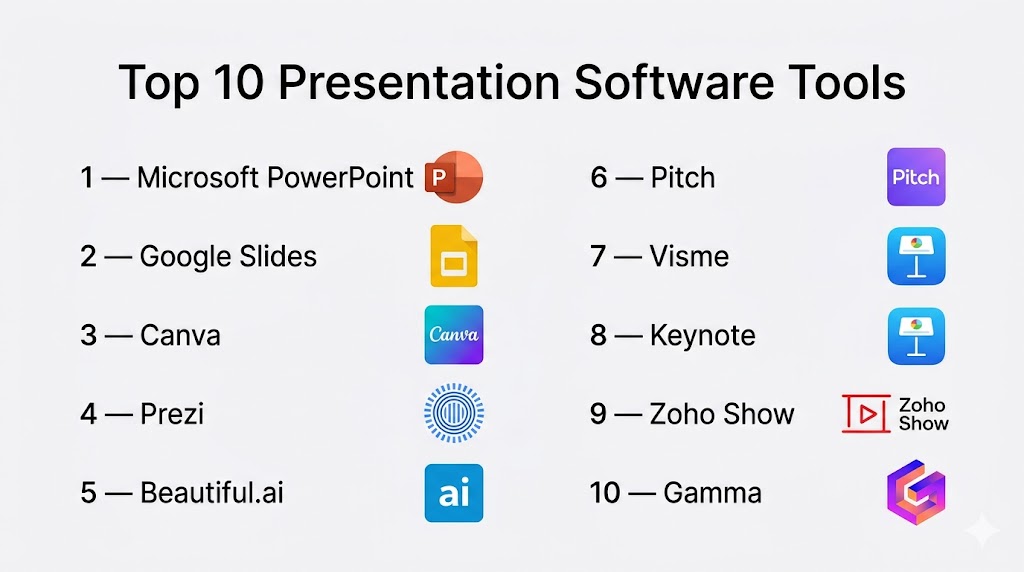
Top 10 Presentation Software Tools
#1 — Microsoft PowerPoint
Short description: The gold standard in presentation software, used globally for everything from boardroom decks to academic lectures.
Key Features
- Advanced slide creation and formatting
- Rich animation and transition effects
- AI-powered design suggestions
- Presenter view and rehearsal tools
- Extensive template library
- Export to video, PDF, and more
- Deep Microsoft 365 integration
Pros
- Universally accepted format
- Powerful and flexible
Cons
- Can feel heavy for simple tasks
- Full features require subscription
Platforms / Deployment
Windows / macOS / Web / iOS / Android
Security & Compliance
Enterprise-grade controls (details not publicly stated)
Integrations & Ecosystem
PowerPoint is deeply embedded in enterprise workflows.
- Microsoft Teams
- Excel and Word
- OneDrive
- Outlook
Support & Community
Massive global support ecosystem and documentation.
#2 — Google Slides
Short description: A cloud-native presentation tool built for seamless collaboration and accessibility.
Key Features
- Real-time multi-user editing
- Cloud-based storage
- Version history
- Easy sharing and permissions
- Templates and themes
- AI-assisted suggestions
- Cross-device accessibility
Pros
- Excellent for team collaboration
- Free and easy to use
Cons
- Limited advanced design capabilities
- Internet dependency for full features
Platforms / Deployment
Web / Android / iOS
Security & Compliance
Access controls and permissions available
Integrations & Ecosystem
- Google Docs and Sheets
- Google Drive
- Gmail
- Workspace tools
Support & Community
Strong documentation and enterprise adoption.
#3 — Canva
Short description: A design-first presentation tool that makes stunning slides accessible to everyone.
Key Features
- Drag-and-drop slide creation
- AI-generated presentations
- Massive template library
- Brand kits and assets
- Collaboration tools
- Media library (images, videos)
- Export to multiple formats
Pros
- Extremely beginner-friendly
- High-quality visual output
Cons
- Limited deep customization
- Template-heavy workflows
Platforms / Deployment
Web / iOS / Android
Security & Compliance
SSO available (details not publicly stated)
Integrations & Ecosystem
- Google Drive
- Social media platforms
- Team collaboration tools
Support & Community
Large, active global community.
#4 — Prezi
Short description: A dynamic presentation tool that replaces traditional slides with zoom-based storytelling.
Key Features
- Zooming canvas interface
- Non-linear storytelling
- Interactive presentation flow
- Templates
- Collaboration tools
- Cloud sharing
Pros
- Highly engaging visuals
- Unique storytelling format
Cons
- Learning curve
- Not ideal for traditional slide decks
Platforms / Deployment
Web / Windows / macOS
Security & Compliance
Not publicly stated
Integrations & Ecosystem
- Video conferencing tools
- Collaboration platforms
Support & Community
Strong education and training user base.
#5 — Beautiful.ai
Short description: An AI-driven presentation tool that automates slide design and layout.
Key Features
- Smart slide templates
- Automatic layout adjustments
- AI design engine
- Branding tools
- Collaboration features
- Cloud-based storage
Pros
- Saves time on design
- Clean, professional output
Cons
- Limited manual control
- Subscription required
Platforms / Deployment
Web
Security & Compliance
Not publicly stated
Integrations & Ecosystem
- Business tools
- Cloud workflows
Support & Community
Growing ecosystem and support.
#6 — Pitch
Short description: A modern presentation platform built for team collaboration and fast workflows.
Key Features
- Real-time collaboration
- Templates and design system
- Analytics and tracking
- Version control
- Workflow automation
- Integration-ready
Pros
- Built for teams
- Clean and modern UI
Cons
- Limited animation depth
- Requires internet
Platforms / Deployment
Web / Windows / macOS
Security & Compliance
Not publicly stated
Integrations & Ecosystem
- Slack
- Notion
- Google Workspace
Support & Community
Popular among startups and SaaS teams.
#7 — Visme
Short description: A presentation and visual content tool focused on data-driven storytelling.
Key Features
- Data visualization tools
- Charts and infographics
- Animation features
- Templates
- Brand kits
- Collaboration tools
Pros
- Excellent for data presentations
- Versatile use cases
Cons
- Learning curve
- Paid plans required
Platforms / Deployment
Web
Security & Compliance
Not publicly stated
Integrations & Ecosystem
- Analytics tools
- Marketing platforms
Support & Community
Good tutorials and documentation.
#8 — Keynote
Short description: Apple’s sleek presentation tool known for design quality and performance.
Key Features
- High-quality templates
- Smooth animations
- Real-time collaboration
- Apple ecosystem integration
- Export options
Pros
- Beautiful design output
- Optimized performance
Cons
- Limited to Apple ecosystem
- Fewer integrations
Platforms / Deployment
macOS / iOS
Security & Compliance
Not publicly stated
Integrations & Ecosystem
- Apple ecosystem
- iCloud
Support & Community
Standard Apple support.
#9 — Zoho Show
Short description: A cloud-based presentation tool integrated into the Zoho business ecosystem.
Key Features
- Cloud-based editing
- Collaboration tools
- Templates
- Integration with Zoho apps
- Export options
Pros
- Affordable
- Good for business workflows
Cons
- Limited advanced features
- Smaller ecosystem
Platforms / Deployment
Web
Security & Compliance
Not publicly stated
Integrations & Ecosystem
- Zoho CRM
- Business apps
- Cloud tools
Support & Community
Moderate support resources.
#10 — Gamma
Short description: A next-generation AI-first presentation tool focused on rapid content creation.
Key Features
- AI-generated presentations
- Content automation
- Interactive storytelling
- Templates
- Collaboration tools
Pros
- Extremely fast creation
- Modern user experience
Cons
- Limited customization
- Still evolving
Platforms / Deployment
Web
Security & Compliance
Not publicly stated
Integrations & Ecosystem
- AI workflows
- Cloud-based tools
Support & Community
Rapidly growing user base.
Comparison Table (Top 10)
| Tool Name | Best For | Platform(s) Supported | Deployment | Standout Feature | Public Rating |
|---|---|---|---|---|---|
| PowerPoint | Enterprise | Multi-platform | Hybrid | Industry standard | N/A |
| Google Slides | Teams | Web, Mobile | Cloud | Real-time collaboration | N/A |
| Canva | Beginners | Web, Mobile | Cloud | Templates | N/A |
| Prezi | Storytelling | Cross-platform | Cloud | Zoom interface | N/A |
| Beautiful.ai | AI design | Web | Cloud | Auto layouts | N/A |
| Pitch | Startups | Web, Desktop | Cloud | Team workflows | N/A |
| Visme | Data visuals | Web | Cloud | Visualization tools | N/A |
| Keynote | Apple users | macOS, iOS | Local | Design quality | N/A |
| Zoho Show | Businesses | Web | Cloud | Zoho integration | N/A |
| Gamma | AI-first users | Web | Cloud | AI generation | N/A |
Evaluation & Scoring of Presentation Software
| Tool Name | Core | Ease | Integrations | Security | Performance | Support | Value | Weighted Total |
|---|---|---|---|---|---|---|---|---|
| PowerPoint | 10 | 8 | 9 | 8 | 9 | 9 | 7 | 8.6 |
| Google Slides | 8 | 10 | 9 | 8 | 8 | 8 | 9 | 8.7 |
| Canva | 7 | 10 | 8 | 7 | 8 | 8 | 9 | 8.3 |
| Prezi | 8 | 7 | 7 | 7 | 8 | 7 | 7 | 7.6 |
| Beautiful.ai | 8 | 9 | 7 | 7 | 8 | 7 | 8 | 8.0 |
| Pitch | 8 | 9 | 8 | 7 | 8 | 8 | 8 | 8.2 |
| Visme | 8 | 8 | 7 | 7 | 8 | 8 | 7 | 7.8 |
| Keynote | 8 | 9 | 6 | 7 | 9 | 8 | 8 | 8.1 |
| Zoho Show | 7 | 8 | 8 | 7 | 7 | 7 | 8 | 7.6 |
| Gamma | 7 | 9 | 7 | 7 | 8 | 7 | 8 | 7.9 |
How to interpret scores:
These scores provide a relative comparison across tools—not absolute rankings. A higher score indicates stronger performance in key areas, but the best choice depends on your specific needs. Always align tool selection with real-world workflows, team size, and presentation goals.
Which Presentation Software Tool Is Right for You?
Solo / Freelancer
Canva and Gamma are perfect for fast, visually appealing presentations with minimal effort.
SMB
Google Slides and Pitch offer strong collaboration and flexibility.
Mid-Market
PowerPoint and Visme provide a balance of depth and usability.
Enterprise
PowerPoint and Google Slides dominate with integrations and scalability.
Budget vs Premium
Google Slides offers powerful free capabilities, while PowerPoint delivers premium control.
Feature Depth vs Ease of Use
PowerPoint offers depth; Canva offers simplicity and speed.
Integrations & Scalability
Google Slides and PowerPoint lead with ecosystem integration.
Security & Compliance Needs
Enterprise users should validate security features before adoption.
Frequently Asked Questions (FAQs)
1. What is presentation software used for?
It is used to create visual slideshows for communication, storytelling, and presentations.
2. What is the most widely used tool?
Microsoft PowerPoint remains the most widely adopted globally.
3. Are free tools good enough?
Yes, tools like Google Slides provide strong capabilities for most use cases.
4. What is the best tool for collaboration?
Google Slides is known for real-time collaboration.
5. Are AI tools worth using?
Yes, AI tools significantly speed up content creation and design.
6. Can I present offline?
Some tools support offline mode, but cloud tools require internet.
7. What formats can I export?
Most tools support PPT, PDF, and video formats.
8. Are these tools secure?
Security varies by provider; always review policies.
9. Can I integrate with other tools?
Yes, most tools integrate with productivity and collaboration platforms.
10. How do I choose the right tool?
Focus on your workflow, collaboration needs, and design requirements.
Conclusion
Presentation Software has transformed into a critical communication layer for modern organizations. It’s no longer just about slides—it’s about storytelling, engagement, and delivering ideas with impact. From the reliability of PowerPoint to the innovation of AI-driven tools like Gamma, the landscape offers something for every user. The key is not to chase trends but to choose a tool that aligns with your workflow, team needs, and communication style. Start by shortlisting a few options, test them in real scenarios, and evaluate how they perform in live presentations. That’s where real value—and real impact—comes from.

Find Trusted Cardiac Hospitals
Compare heart hospitals by city and services — all in one place.
Explore Hospitals
Presentation software can make slides look polished, but collaboration becomes important when several people work on the same deck. Conflicting edits, outdated copies, or missing assets can create problems just before a presentation. A clear review process and one shared version can make teamwork much smoother.