Introduction
A/B testing tools are software platforms that allow businesses to experiment with different variations of digital content, such as web pages, app interfaces, and marketing campaigns. By splitting traffic between two or more versions and analyzing how users interact with each, organizations can determine which variant achieves better outcomes for key metrics like conversions, engagement, or revenue.
In today’s competitive digital environment, making decisions based on real user behavior is critical. A/B testing enables data-driven insights, reduces guesswork, and ensures that user experience optimizations positively impact business goals.
Real-world use cases include:
- Testing different website headlines, CTA buttons, or layouts to boost conversion rates.
- Optimizing email campaigns by comparing subject lines, images, or content variations.
- Experimenting with mobile app flows to enhance engagement and retention.
- Personalizing product recommendations for e-commerce visitors.
- Measuring pricing, promotions, or feature adoption impact on user behavior.
Key evaluation criteria for A/B testing tools:
- Ease of experiment setup and variation creation.
- Statistical rigor and reliable reporting.
- Integration with web, mobile, and email platforms.
- Real-time analytics for fast decision-making.
- Support for multivariate and multipage testing.
- Audience segmentation and personalization capabilities.
- Collaboration and workflow features for cross-functional teams.
- Automation and insights powered by AI.
- Performance and scalability for high-traffic environments.
- Security and data privacy compliance.
Best for: Marketing teams, product managers, UX/UI designers, and developers across SMBs, mid-market, and enterprise organizations seeking to improve digital experiences.
Not ideal for: Small projects with minimal traffic, where statistically meaningful results cannot be achieved, or organizations with simple analytics needs.
Key Trends in A/B Testing Tools
- AI-driven experimentation: Many platforms now provide predictive recommendations to identify winning variants faster.
- Full-stack experimentation: Testing now extends to web, mobile, server-side logic, and API endpoints.
- Integration with analytics ecosystems: Seamless connectivity with CRM, data warehouse, and marketing platforms.
- Personalization at scale: Combining A/B testing with dynamic, targeted content per user segment.
- Real-time reporting: Continuous monitoring and automatic alerts for statistically significant results.
- Multivariate and multipage testing: Supporting complex workflows beyond simple page variations.
- Privacy-first data handling: Compliance with global regulations such as GDPR and CCPA.
- Collaboration and workflow automation: Tools now include experiment approval flows and team-based dashboards.
- Server-side testing and feature flags: Allows backend logic experiments without UI changes.
- Cloud-based deployment: SaaS adoption enables faster setup and easier scaling.
How We Selected These Tools (Methodology)
- Market adoption and mindshare across industries.
- Feature completeness, including multivariate, personalization, and reporting capabilities.
- Reliability and performance under high traffic.
- Security posture with access controls, encryption, and compliance certifications.
- Integration with popular web, mobile, and marketing platforms.
- Suitability across SMB, mid-market, and enterprise teams.
- Usability and ease of onboarding.
- Support and community engagement, including documentation and tutorials.
- Innovation, including AI-assisted insights and predictive analysis.
- Total cost of ownership, balancing features and pricing.
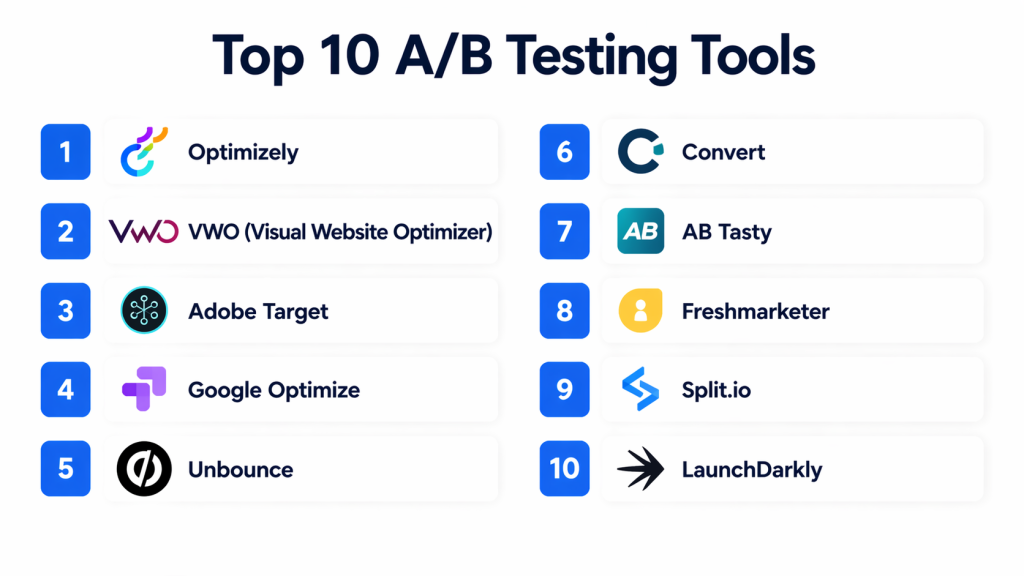
Top 10 A/B Testing Tools
#1 — Optimizely
Short description: Optimizely offers full-stack experimentation for web, mobile, and server-side applications, targeting enterprise teams seeking robust analytics and AI-driven insights.
Key Features
- Full-stack experimentation across multiple platforms.
- Multivariate and multipage testing.
- Real-time analytics dashboards.
- AI-driven recommendations.
- Audience segmentation and personalization.
- Integrations with marketing automation and analytics platforms.
- Workflow management and collaboration tools.
Pros
- Scales efficiently for large enterprise traffic.
- AI insights accelerate testing cycles.
- Flexible integrations with multiple ecosystems.
Cons
- Higher pricing may not suit smaller teams.
- Advanced features may require training.
Platforms / Deployment
- Web, iOS, Android
- Cloud / Hybrid
Security & Compliance
- SSO/SAML, RBAC
- SOC 2, ISO 27001, GDPR
Integrations & Ecosystem
Supports a broad ecosystem including Salesforce, HubSpot, Marketo, Google Analytics, Segment, and APIs for custom workflows.
Support & Community
Extensive documentation, professional services, and active user community.
#2 — VWO (Visual Website Optimizer)
Short description: VWO provides easy-to-use web and mobile testing for SMBs and mid-market teams, focusing on conversion rate optimization.
Key Features
- WYSIWYG editor for variations.
- Multivariate and split URL testing.
- Heatmaps and session recordings.
- Personalization engine for audience targeting.
- Reporting with confidence intervals.
- Analytics and marketing platform integrations.
Pros
- Intuitive interface for non-technical users.
- Combines testing and analytics in one platform.
Cons
- Limited server-side testing capabilities.
- Fewer AI recommendations than enterprise tools.
Platforms / Deployment
- Web, iOS, Android
- Cloud
Security & Compliance
- SSO/SAML
- GDPR compliant
Integrations & Ecosystem
Connects to Google Analytics, HubSpot, Salesforce, and supports API-driven custom workflows.
Support & Community
Varies / Not publicly stated
#3 — Adobe Target
Short description: Adobe Target enables enterprises to run A/B and multivariate tests with AI-powered personalization within the Adobe Experience Cloud.
Key Features
- AI-driven personalization.
- Multichannel experimentation (web, mobile, email).
- Advanced targeting and segmentation.
- Integration with Adobe Analytics and Experience Manager.
- Visual editor and server-side testing.
Pros
- Deep integration within Adobe ecosystem.
- Strong AI-powered recommendations.
Cons
- Higher cost and learning curve for small teams.
Platforms / Deployment
- Web, iOS, Android
- Cloud
Security & Compliance
- SOC 2, ISO 27001
- SSO/SAML
Integrations & Ecosystem
Supports Adobe Analytics, Experience Manager, and APIs for custom integrations.
Support & Community
Enterprise-grade documentation, training, and active user forums.
#4 — Google Optimize
Short description: Google Optimize offers a free, lightweight A/B testing solution integrated with Google Analytics for SMBs and marketers.
Key Features
- Visual editor and A/B testing.
- Multivariate and redirect tests.
- Integration with Google Analytics metrics.
- Experiment targeting by audience segment.
- Reporting dashboards for insights.
Pros
- Free and easy to set up.
- Native Google Analytics integration.
Cons
- Limited advanced experimentation and personalization features.
Platforms / Deployment
- Web
- Cloud
Security & Compliance
- GDPR compliance
- Not publicly stated: SSO/MFA
Integrations & Ecosystem
- Google Analytics, Google Tag Manager, APIs for custom data exports.
Support & Community
- Google documentation, community forums.
#5 — Unbounce
Short description: Unbounce focuses on landing page optimization, enabling marketers to run A/B tests without coding expertise.
Key Features
- Drag-and-drop landing page editor.
- A/B and multivariate testing.
- Conversion-focused templates.
- Popups and sticky bars for engagement.
- Reporting dashboards.
Pros
- Easy for non-technical teams.
- Quick setup and publishing.
Cons
- Limited server-side testing.
- Less suitable for full-site experimentation.
Platforms / Deployment
- Web
- Cloud
Security & Compliance
- Not publicly stated
Integrations & Ecosystem
- CRM, email marketing platforms, analytics tools.
Support & Community
- Documentation, live chat support, tutorials.
#6 — Convert
Short description: Convert emphasizes privacy compliance while providing multivariate and A/B testing for SMBs and mid-market companies.
Key Features
- Multivariate and split testing.
- Privacy-first GDPR/CCPA compliance.
- Real-time reporting dashboards.
- Segmentation and personalization.
- Integration APIs for analytics and marketing tools.
Pros
- Strong compliance features.
- Flexible and privacy-focused testing.
Cons
- Limited AI-driven optimization.
- Smaller community than enterprise tools.
Platforms / Deployment
- Web
- Cloud
Security & Compliance
- GDPR, CCPA
- Not publicly stated: SOC 2
Integrations & Ecosystem
- Analytics, CRM, API support for custom workflows.
Support & Community
- Documentation, email support, community forum.
#7 — AB Tasty
Short description: AB Tasty provides testing, personalization, and engagement solutions for mid-market and enterprise teams.
Key Features
- A/B and multivariate testing.
- Personalization and recommendations.
- Engagement tools: popups, banners.
- Analytics dashboards.
- Integration with marketing automation.
Pros
- Combined testing and engagement solution.
- Supports complex workflows.
Cons
- Learning curve for new users.
- Advanced analytics may require extra setup.
Platforms / Deployment
- Web
- Cloud
Security & Compliance
- GDPR compliance
- Not publicly stated: SOC 2
Integrations & Ecosystem
- Marketing automation, analytics, API access for custom use.
Support & Community
- Documentation, onboarding, support tiers.
#8 — Freshmarketer
Short description: Freshmarketer is an all-in-one conversion optimization suite for SMB marketing teams.
Key Features
- A/B and split URL testing.
- Funnel analysis and heatmaps.
- Personalization and targeting.
- Campaign automation integrations.
- Analytics dashboards.
Pros
- All-in-one tool for SMBs.
- Easy-to-use visual editor.
Cons
- Limited enterprise features.
- Smaller community support.
Platforms / Deployment
- Web
- Cloud
Security & Compliance
- Not publicly stated
Integrations & Ecosystem
- CRM, email marketing, analytics platforms.
Support & Community
- Documentation and email support.
#9 — Split.io
Short description: Split.io is a developer-focused experimentation platform with feature flags for A/B testing in backend code and applications.
Key Features
- Feature flag-based testing.
- Server-side A/B experimentation.
- Multivariate testing.
- Analytics dashboards.
- Integration with CI/CD pipelines.
Pros
- Ideal for engineering teams.
- Supports backend and mobile experiments.
Cons
- Less suitable for marketing teams.
- Requires developer resources.
Platforms / Deployment
- Web, iOS, Android
- Cloud / Hybrid
Security & Compliance
- Not publicly stated
Integrations & Ecosystem
- CI/CD pipelines, analytics, APIs.
Support & Community
- Documentation and developer community.
#10 — LaunchDarkly
Short description: LaunchDarkly enables server-side feature experimentation and A/B testing with a focus on DevOps teams.
Key Features
- Feature flag experimentation.
- Multivariate testing and targeting.
- Real-time feature rollouts.
- Integration with analytics and CI/CD.
- Developer SDKs for web and mobile.
Pros
- Excellent for DevOps and engineering teams.
- Supports large-scale deployments.
Cons
- Less marketer-friendly.
- Premium pricing for full feature set.
Platforms / Deployment
- Web, iOS, Android
- Cloud / Hybrid
Security & Compliance
- Not publicly stated
Integrations & Ecosystem
- CI/CD pipelines, analytics, SDK integrations.
Support & Community
- Documentation, developer support, community forums.
Comparison Table (Top 10)
| Tool Name | Best For | Platform(s) Supported | Deployment | Standout Feature | Public Rating |
|---|---|---|---|---|---|
| Optimizely | Enterprise | Web, iOS, Android | Cloud / Hybrid | Full-stack experimentation | N/A |
| VWO | SMB/Mid-market | Web, iOS, Android | Cloud | Visual editor & CRO tools | N/A |
| Adobe Target | Enterprise | Web, iOS, Android | Cloud | AI-powered personalization | N/A |
| Google Optimize | SMB | Web | Cloud | Google Analytics integration | N/A |
| Unbounce | Marketers | Web | Cloud | Landing page optimization | N/A |
| Convert | SMB/Mid-market | Web | Cloud | Privacy-first testing | N/A |
| AB Tasty | Mid-market | Web | Cloud | Testing + engagement | N/A |
| Freshmarketer | SMB | Web | Cloud | All-in-one CRO suite | N/A |
| Split.io | Developers | Web, iOS, Android | Cloud / Hybrid | Feature flag + backend experimentation | N/A |
| LaunchDarkly | DevOps | Web, iOS, Android | Cloud / Hybrid | Server-side experimentation | N/A |
Evaluation & Scoring of A/B Testing Tools
| Tool Name | Core (25%) | Ease (15%) | Integrations (15%) | Security (10%) | Performance (10%) | Support (10%) | Value (15%) | Weighted Total (0–10) |
|---|---|---|---|---|---|---|---|---|
| Optimizely | 10 | 8 | 9 | 9 | 9 | 8 | 8 | 9.0 |
| VWO | 8 | 9 | 8 | 8 | 8 | 7 | 9 | 8.3 |
| Adobe Target | 9 | 7 | 9 | 9 | 8 | 8 | 7 | 8.3 |
| Google Optimize | 7 | 9 | 7 | 7 | 8 | 8 | 9 | 7.9 |
| Unbounce | 7 | 9 | 7 | 7 | 7 | 8 | 9 | 7.8 |
| Convert | 8 | 8 | 7 | 9 | 8 | 7 | 8 | 8.0 |
| AB Tasty | 8 | 8 | 8 | 8 | 8 | 7 | 8 | 8.0 |
| Freshmarketer | 7 | 8 | 7 | 7 | 7 | 7 | 8 | 7.5 |
| Split.io | 9 | 7 | 8 | 8 | 9 | 7 | 7 | 8.0 |
| LaunchDarkly | 9 | 7 | 8 | 8 | 9 | 7 | 7 | 8.0 |
Scores are comparative, helping teams evaluate based on feature strength, usability, integrations, and security.
Which A/B Testing Tool Is Right for You?
Solo / Freelancer
- Google Optimize or Unbounce for lightweight, cost-effective experimentation.
SMB
- VWO or Freshmarketer for easy-to-use visual editors and all-in-one testing.
Mid-Market
- AB Tasty or Convert for personalization and compliance-focused experimentation.
Enterprise
- Optimizely or Adobe Target for full-stack experimentation with AI insights.
Budget vs Premium
- Budget: Google Optimize, Unbounce.
- Premium: Optimizely, Adobe Target, LaunchDarkly.
Feature Depth vs Ease of Use
- Developers: Split.io or LaunchDarkly for server-side experimentation.
- Marketers: VWO, Freshmarketer for visual experimentation.
Integrations & Scalability
- Optimizely, Adobe Target, and Split.io excel for enterprise-scale experimentation with extensive integrations.
Security & Compliance Needs
- Privacy-conscious organizations: Convert, AB Tasty, Optimizely enterprise editions.
Frequently Asked Questions (FAQs)
1. What pricing models are common?
Subscription-based tiers vary by traffic, experiments, and features; free versions exist for small projects.
2. How long does it take to set up an experiment?
Setup ranges from minutes (visual editors) to days (full-stack/server-side testing).
3. Can I run multivariate tests?
Yes, most platforms support multivariate and multi-page testing.
4. Are these tools suitable for mobile apps?
Yes, SDKs are available for iOS and Android experiments.
5. How do tools handle privacy compliance?
Platforms often include GDPR and CCPA compliance and anonymized data handling.
6. Do I need developers?
Visual tools reduce dependency; server-side experimentation requires developer input.
7. Can experiments integrate with analytics?
Yes, most integrate with Google Analytics, Segment, and other marketing platforms.
8. What are common mistakes?
Insufficient sample size, unclear objectives, and testing too many variations.
9. How is statistical significance measured?
Platforms calculate confidence intervals, p-values, and expected lift metrics.
10. Can I switch tools without losing data?
Exporting historical results may be necessary; not all tools support seamless migration.
Conclusion
The right A/B testing tool depends on traffic, team size, and experimentation goals. Freelancers and SMBs may choose Google Optimize or Unbounce, while mid-market and enterprise teams benefit from Optimizely, Adobe Target, or Split.io for advanced personalization and server-side experiments. Shortlist 2–3 tools, run pilots, and validate integrations, reporting, and security before scaling. Proper selection enables data-driven decisions, faster iteration, and improved digital outcomes.

Find Trusted Cardiac Hospitals
Compare heart hospitals by city and services — all in one place.
Explore Hospitals
This helps understand how testing two versions of a page can improve user response and conversions.