Introduction
A landing page builder is a specialized software-as-a-service (SaaS) platform designed to create standalone web pages that focus on a single, specific goal: conversion. Unlike a general-purpose website builder or a Content Management System (CMS), which manages a vast network of interconnected pages, a landing page builder is engineered to strip away distractions. These tools allow marketers and business owners to build high-performance pages—such as lead capture forms, product sales pages, or event registration portals—without needing to write a single line of code. By focusing on the “post-click” experience, these builders ensure that the promise made in an advertisement is fulfilled the moment a visitor arrives on the page.
In the modern digital landscape, the efficiency of an online marketing strategy is no longer determined solely by the quality of the ads but by the relevance of the destination. Landing page builders have become the essential bridge between curiosity and commitment. They empower growth teams to launch, test, and iterate on marketing assets with an agility that traditional web development cannot match. Whether it is a startup validating a new product idea or a global enterprise managing a multi-channel demand generation strategy, these tools provide the technical foundation to capture leads, sell products, and gather valuable first-party data in an increasingly privacy-conscious world.
Real-World Use Cases
- Ad Campaign Specificity: Creating dedicated pages for specific Google Ads or Meta Ads sets to ensure a 1:1 message match between the ad copy and the page content.
- Lead Magnet Hosting: Managing the distribution of e-books, whitepapers, or free templates where a user’s contact information is exchanged for high-value content.
- Product Launch Waitlists: Capturing early interest and building an email list for a product or feature that is currently in development.
- Event and Webinar Registrations: Providing a central location for attendees to sign up, with automated integrations into video conferencing and email platforms.
- Conversion Rate Optimization (CRO): Using split testing to compare two different versions of a sales pitch to see which pricing model or headline generates more revenue.
Evaluation Criteria for Buyers
- Ease of Use: The balance between an intuitive drag-and-drop interface and the flexibility to create bespoke designs.
- Conversion Feature Depth: The availability of native A/B testing, heatmaps, and dynamic text replacement tools.
- Page Load Speed: The technical optimization of the outputted code to ensure rapid load times and high scores in Core Web Vitals.
- Integration Ecosystem: How well the platform connects to existing CRMs, email marketing software, and analytics suites.
- Artificial Intelligence (AI) Utility: The presence of AI tools for generating copy, optimizing traffic, or suggesting layout improvements.
- Mobile Responsiveness: The level of control provided over how the page looks and functions on smartphones and tablets.
- Security and Compliance: Support for SSL, SSO, and adherence to global privacy regulations like GDPR and CCPA.
- Scalability: The ability to manage a high volume of pages across multiple subdomains or client accounts.
Best for: Growth marketers, demand generation managers, digital agencies, and business owners who need to create high-converting marketing assets rapidly and independently of IT teams.
Not ideal for: Building complex, multi-page web applications with deep backend logic, hosting large-scale e-commerce stores with hundreds of products, or developers who require full control over server-side infrastructure.
Key Trends in Landing Page Builders
- Generative AI Orchestration: Builders are evolving from simple editors to intelligent assistants that can generate entire page layouts, headlines, and calls to action from a single text prompt.
- Server-Side Tracking Integration: As third-party cookies disappear, modern builders are integrating server-side tracking to ensure accurate data attribution while maintaining user privacy.
- Hyper-Personalization at Scale: The rise of tools that swap out content, images, and offers in real-time based on the visitor’s industry, location, or previous interaction history.
- The Rise of Zero-Party Data: Increasing use of interactive elements like quizzes, calculators, and assessments within landing pages to collect data directly from users.
- Headless Architecture Compatibility: The ability to design pages in a visual builder but deploy them as raw data via API into high-security enterprise environments.
- Edge-Side Rendering: Utilizing global edge computing networks to render pages closer to the user, ensuring near-instantaneous load times across the world.
- Predictive Conversion Modeling: AI-driven simulations that predict where users will click or scroll before a page is even launched.
- Privacy-First Design: Builders are incorporating native consent management and “Privacy Sandbox” compatibility as standard features.
How We Selected These Tools (Methodology)
- Market Mindshare and Reliability: We analyzed tools with a proven track record of uptime and a significant presence in the professional marketing community.
- Conversion Toolset: A primary selection factor was the presence of native optimization features like split testing and dynamic text replacement.
- Technical Performance: We prioritized platforms that generate clean, fast-loading code that meets modern web standards.
- Ecosystem Connectivity: Preference was given to tools that offer deep, native integrations with the most common sales and marketing stacks.
- Security Posture: We looked for platforms that demonstrate a commitment to enterprise-grade security, including SSO and role-based access controls.
- User Experience (UX): We evaluated the learning curve of the builder against the degree of creative freedom it provides to the user.
- Innovation Velocity: We focused on platforms that have actively released features related to AI, mobile speed, and privacy compliance.
- Segment Versatility: We ensured the list covers a range of needs—from simple creator-focused tools to high-end enterprise solutions.
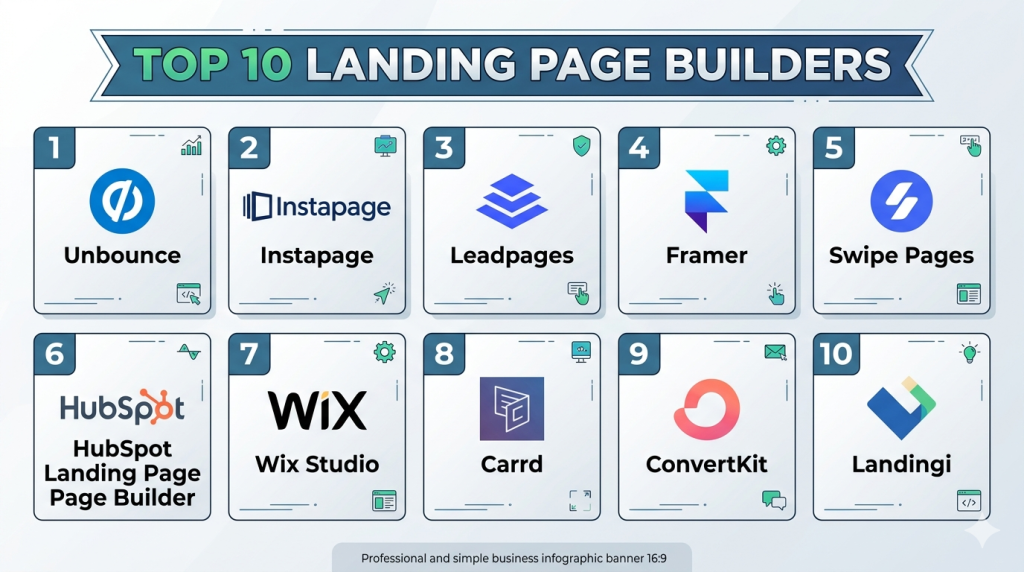
Top 10 Landing Page Builders
1. Unbounce
Short description: A high-performance conversion platform famous for its AI-powered “Smart Traffic” features. It is built for marketers and agencies who prioritize optimization over simple design.
Key Features
- Smart Builder: An AI-driven design interface that generates page layouts based on your specific industry and conversion goals.
- Smart Traffic: An automated tool that analyzes visitor behavior and routes traffic to the page variant where they are most likely to convert.
- Dynamic Text Replacement: Automatically swaps out keywords on your page to match the user’s specific Google search query.
- Advanced A/B Testing: Robust split-testing capabilities with detailed statistical breakdowns and confidence intervals.
- Pixel-Perfect Editor: A “free-form” builder that allows you to drag and drop any element anywhere on the canvas without grid restrictions.
- Multi-Account Management: Features dedicated spaces for different clients or internal departments, making it an agency favorite.
Pros
- The AI optimization features (Smart Traffic) can increase conversions without the need for manual data analysis.
- Extremely flexible design interface that allows for unique, non-templated layouts.
Cons
- The pricing model is relatively high compared to entry-level builders, which may deter solo entrepreneurs.
- There is a steeper learning curve to master the more advanced optimization features.
Platforms / Deployment
- Web / Cloud
Security & Compliance
- SSO/SAML (Enterprise), Two-Factor Authentication, SSL encryption.
- GDPR compliant.
Integrations & Ecosystem
Unbounce features an extensive integration suite that connects seamlessly with the wider marketing stack.
- Salesforce
- HubSpot
- Marketo
- Google Ads
- Mailchimp
- Zapier
Support & Community
Unbounce offers tiered support including 24/7 email support, live chat during business hours, and a very active community forum where users share optimization strategies.
2. Instapage
Short description: A premium, enterprise-grade platform designed for companies running high-spend advertising campaigns. It focuses on “post-click automation” and maximizing ad relevancy.
Key Features
- AdMap: A visual tool that allows you to map your Google Ads campaigns directly to specific landing pages for perfect message match.
- Thor Render Engine: Proprietary rendering technology that ensures pages load almost instantly by optimizing the delivery of CSS and JS.
- Global Blocks: The ability to edit a single block (like a header or footer) and have it update across hundreds of pages simultaneously.
- Native Heatmaps: Built-in visual tracking to see where visitors are clicking, scrolling, and interacting with your content.
- Collaboration Suite: In-app commenting and feedback tools that allow teams to review and approve designs directly on the page.
Pros
- Unrivaled page load speeds, which significantly improve conversion rates on mobile traffic.
- Superior collaboration features that replace the need for external feedback or project management tools for design.
Cons
- One of the most expensive platforms on the market, typically requiring a high-level subscription.
- Overkill for small businesses that do not have a significant advertising budget.
Platforms / Deployment
- Web / Cloud
Security & Compliance
- SSO/SAML, Audit Logs, RBAC (Role-Based Access Control).
- SOC 2 Type II, GDPR, HIPAA (on specialized plans).
Integrations & Ecosystem
Designed to sit at the center of a sophisticated enterprise marketing stack.
- Marketo
- Eloqua
- Salesforce
- Autopilot
- Google Analytics 4
Support & Community
Enterprise-level support including dedicated customer success managers, 24/7 priority chat, and comprehensive technical onboarding.
3. Leadpages
Short description: A conversion-focused builder prioritized for small businesses and entrepreneurs. It is known for its speed of creation, reliability, and high-converting templates.
Key Features
- Lead Meter: A real-time optimization tool that critiques your design and copy as you build, predicting your conversion success.
- Unlimited Lead Generation: No caps on the number of leads you can collect or the amount of traffic your pages can handle.
- Pop-ups and Alert Bars: Native tools to capture attention and collect emails on both your landing pages and external websites.
- Integrated Checkouts: Built-in payment processing via Stripe, allowing for the direct sale of products or services.
- Mobile-Responsive Templates: Every template is designed to automatically adapt to any screen size without manual tweaking.
Pros
- Extremely fast and easy to use, making it ideal for those without a background in design or development.
- One of the most cost-effective professional builders on the market for small teams.
Cons
- Design flexibility is more limited compared to Unbounce, as it uses a more rigid, grid-based layout.
- Testing and analytics features are basic compared to the deep insights provided by enterprise tools.
Platforms / Deployment
- Web / Cloud
Security & Compliance
- SSL encryption, GDPR compliance.
- Not publicly stated.
Integrations & Ecosystem
Connects with a wide variety of tools, focusing on the needs of small businesses and creators.
- ConvertKit
- Drip
- ActiveCampaign
- Stripe
- AWeber
Support & Community
Provides standard email and chat support with a highly rated knowledge base and a library of marketing education resources.
4. Framer
Short description: A designer-first platform that has pivoted from prototyping to a powerful web and landing page builder. It is ideal for startups that want “agency-level” aesthetics.
Key Features
- Advanced Animation Engine: Professional-grade scroll effects, hover states, and 3D transitions that feel like custom-coded sites.
- AI Site Generation: Describe your page in a simple prompt, and the AI generates the design, layout, and copy automatically.
- Figma Import: A seamless workflow that allows designers to move layouts from Figma directly into a live, functional page.
- Native CMS: A powerful system for managing dynamic data like testimonials, team members, or portfolio items.
- Adaptive Breakpoints: Precise control over how layouts shift and reflow across desktop, tablet, and mobile devices.
Pros
- Produces the most visually impressive and unique landing pages currently possible in a no-code environment.
- High code quality that performs exceptionally well on performance metrics and SEO.
Cons
- Higher learning curve for traditional marketers who are not familiar with modern design software concepts.
- Lacks native marketing features like A/B testing or predictive traffic routing found in Unbounce.
Platforms / Deployment
- Web / macOS / Windows (App version) / Cloud
Security & Compliance
- SSL encryption, GDPR compliance.
- Not publicly stated.
Integrations & Ecosystem
Focuses more on design fidelity but supports essential marketing triggers via custom embeds and Zapier.
- Typeform
- YouTube
- Mailchimp
- Zapier
- Intercom
Support & Community
Boasts a massive and highly active community of designers who share free templates, components, and tutorials on Discord.
5. Swipe Pages
Short description: A mobile-first landing page builder that specializes in Google AMP (Accelerated Mobile Pages) to provide near-instant loading on mobile devices.
Key Features
- Native AMP Support: One-click conversion of your landing pages into Google AMP format for the fastest possible mobile experience.
- Mobile-Slide Experience: The ability to create “app-like” swipable landing pages specifically for social media ad traffic.
- Dynamic Text Replacement: Personalized messaging based on URL parameters to increase ad relevancy.
- Global Blocks: Reusable components that allow you to maintain brand consistency across multiple pages efficiently.
- E-commerce Checkout: Direct integrations with Stripe and PayPal for selling products directly from a landing page.
Pros
- Exceptional mobile performance, which is critical as the majority of web traffic is now mobile-centric.
- The high page speed often leads to a lower cost-per-click (CPC) on search and social ads.
Cons
- Desktop-specific design features are slightly less mature than the mobile-focused tools.
- The overall template library is smaller compared to industry giants like Wix or Leadpages.
Platforms / Deployment
- Web / Cloud
Security & Compliance
- SSL encryption, 2FA, GDPR compliant.
- Not publicly stated.
Integrations & Ecosystem
Focuses on the essential stack for digital agencies and e-commerce marketers.
- HubSpot
- Zoho CRM
- Slack
- Campaign Monitor
- Google Tag Manager
Support & Community
Offers responsive email and chat support, with a dedicated knowledge base for agency workflows.
6. HubSpot Landing Page Builder
Short description: A powerful builder integrated directly into the HubSpot Marketing Hub. It is the gold standard for B2B companies that want perfectly synced lead data.
Key Features
- Native CRM Integration: Every form submission instantly creates or updates a lead record in the HubSpot CRM.
- Smart Content: The ability to show different page content to visitors based on their lifecycle stage or previous behavior.
- Integrated SEO Tools: Real-time optimization suggestions provided as you build your landing pages.
- A/B Testing: Built-in split testing that tracks performance through the entire sales pipeline, not just clicks.
- Native Forms: Deeply customizable forms that feed directly into HubSpot’s powerful automation workflows.
Pros
- Perfect data integrity; no third-party connectors are needed to bridge your marketing and sales data.
- Incredible automation triggers (e.g., notifying a sales rep the second a prospect visits a specific page).
Cons
- Can become very expensive as you move into the tiers required for advanced landing page features.
- The builder itself is less flexible in terms of “pixel-perfect” creative design compared to Unbounce or Framer.
Platforms / Deployment
- Web / Cloud
Security & Compliance
- SSO/SAML, 2FA, RBAC, encryption at rest.
- SOC 2, ISO 27001, GDPR, HIPAA (with enterprise add-on).
Integrations & Ecosystem
Has one of the largest software ecosystems in the world, with thousands of native “App Marketplace” connections.
- Salesforce
- Zoom
- Google Ads
- Shopify
- Slack
Support & Community
World-class support including 24/7 phone and chat, HubSpot Academy for training, and a global network of user groups.
7. Wix Studio
Short description: The professional version of Wix built specifically for agencies and designers who need high-end design capabilities with a drag-and-drop interface.
Key Features
- Responsive AI: A tool that automatically adjusts your page layout for all screen sizes with a single click.
- Velo Development: For advanced users, the ability to write custom JavaScript to connect to external APIs and databases.
- Concurrent Editing: Multiple team members can work on the same landing page simultaneously without overwriting changes.
- Multi-site Management: A dashboard designed for agencies to manage hundreds of different client landing pages in one place.
- Advanced CSS Control: Deep control over styling, animations, and transitions for bespoke layouts.
Pros
- Strikes a unique balance between extreme ease of use and professional design power.
- Includes robust hosting and enterprise-grade security as part of the ecosystem.
Cons
- The interface can be cluttered for someone who only needs a very simple one-page lead form.
- Once a page is built on this platform, it cannot be easily migrated to another builder (platform lock-in).
Platforms / Deployment
- Web / iOS / Android (Management App) / Cloud
Security & Compliance
- SSL, 2FA, DDoS protection.
- PCI DSS Level 1, ISO 27001, GDPR.
Integrations & Ecosystem
Includes a vast “App Market” where you can add everything from booking engines to advanced analytics.
- Google Analytics
- Mailchimp
- QuickBooks
- Hotjar
- various payment gateways
Support & Community
Extensive support including 24/7 callbacks and a massive community of certified partners and agencies.
8. Carrd
Short description: A minimalist, highly efficient builder specialized in simple, responsive, one-page websites and landing pages. It is the premier choice for low-cost projects.
Key Features
- One-Page Focus: Specifically optimized for single-page architectures, ensuring they are lean and fast.
- Responsive by Default: Pages look perfect on mobile devices with zero manual editing required.
- Custom Domain Support: The ability to point your pages to your own URLs on Pro plans.
- Simple Form Integration: Basic lead capture forms that connect directly to major email services.
- Widget Embeds: Support for custom code and third-party widgets like PayPal or Stripe buttons.
Pros
- Unbeatable value for money; the cost of a year of Pro is often less than a month of other tools.
- Extremely fast to build and deploy; you can go from zero to a live page in under 20 minutes.
Cons
- Lacks advanced marketing features like A/B testing, heatmaps, or predictive analytics.
- Not suitable for complex enterprise requirements or large-scale campaigns.
Platforms / Deployment
- Web / Cloud
Security & Compliance
- SSL encryption.
- GDPR basics.
Integrations & Ecosystem
Functional but limited to the most popular creator tools.
- Mailchimp
- Stripe
- Revue
- Typeform
- Google Analytics
Support & Community
Documentation is concise and easy to follow. Support is primarily handled via an email ticketing system.
9. ConvertKit
Short description: A landing page builder integrated directly into an email marketing platform. It is specifically designed for creators, authors, and bloggers to grow their audience.
Key Features
- Creator-Centric Templates: Design layouts specifically focused on newsletter sign-ups and digital product sales.
- Direct Lead Magnet Delivery: Automatically sends a file (PDF, video link, etc.) immediately after a user signs up.
- Free Hosting: Offers a generous free tier for landing pages hosted on a ConvertKit subdomain.
- Creator Network: An innovative system that allows you to recommend other creators’ newsletters on your thank-you page.
- Digital Commerce: Built-in tools for creators to sell subscriptions and digital products without an external store.
Pros
- The transition from “landing page visitor” to “email subscriber” is smoother than any other tool.
- Highly focused and simple to use for non-technical users who want to focus on content.
Cons
- Design flexibility is quite limited compared to dedicated design tools like Framer.
- Not built for high-scale B2B lead generation or complex PPC needs.
Platforms / Deployment
- Web / Cloud
Security & Compliance
- SSL encryption, GDPR compliance.
- Not publicly stated.
Integrations & Ecosystem
Deeply integrated with the tools creators use most to run their online businesses.
- Teachable
- Shopify
- Mighty Networks
- Gumroad
- Monday.com
Support & Community
Strong support for creators, including a massive knowledge base, community forum, and regular training webinars.
10. Landingi
Short description: A versatile, feature-rich platform that offers high creative freedom and specialized tools for “post-click” funnel management.
Key Features
- Dynamic Text Replacement: Automatically change headlines and copy based on the source of the traffic.
- Landing Page Export: A unique feature that allows you to export your pages as code to host on your own server.
- Smart Sections: Allows for global editing of sections (like a testimonial block) across all your pages simultaneously.
- Event Tracking: Built-in micro-conversion tracking to see exactly how users engage with your page elements.
- Digital Asset Management: A robust system for managing and organizing all your brand’s images and videos.
Pros
- Offers enterprise-level features (like global blocks) at a more mid-market price point.
- The builder provides a high degree of “free-form” design flexibility.
Cons
- The AI features are currently less mature compared to pioneers like Unbounce.
- The interface can be a bit busy for first-time users who want a simple setup.
Platforms / Deployment
- Web / Cloud / Self-hosted (via Export)
Security & Compliance
- SSL, 2FA, GDPR compliant.
- Not publicly stated.
Integrations & Ecosystem
Features a very strong integration library covering the entire marketing and sales funnel.
- Pipedrive
- Salesforce
- AWeber
- Google Analytics 4
- Mixpanel
Support & Community
Highly rated customer support, including live chat and an extensive library of video tutorials and webinars for agency users.
Comparison Table
| Tool Name | Best For | Platform(s) Supported | Deployment | Standout Feature | Public Rating |
|---|---|---|---|---|---|
| Unbounce | Agencies & PPC Marketers | Web | Cloud | AI Smart Traffic | 4.4/5 |
| Instapage | Enterprise Teams | Web | Cloud | AdMap & Thor Engine | 4.3/5 |
| Leadpages | Small Business & SMB | Web | Cloud | Lead Meter Optimization | 4.2/5 |
| Framer | High-end Design | Web / Desktop | Cloud | Advanced Animations | 4.5/5 |
| Swipe Pages | Mobile-First Campaigns | Web | Cloud | Native AMP Support | 4.7/5 |
| HubSpot Landing Page Builder | Integrated B2B Teams | Web | Cloud | CRM Smart Content | 4.4/5 |
| Wix Studio | Creative Agencies | Web / Mobile App | Cloud | Responsive AI Layouts | 4.6/5 |
| Carrd | Solo Creators | Web | Cloud | Minimalist Simplicity | 4.8/5 |
| ConvertKit | Authors & Bloggers | Web | Cloud | Creator Network | 4.3/5 |
| Landingi | Mid-Market Agencies | Web | Cloud / Self-host | Smart Sections | 4.5/5 |
Evaluation & Scoring of Landing Page Builders
The scoring below is a comparative model intended to help shortlisting candidates for specific marketing workflows.
| Tool Name | Core (25%) | Ease (15%) | Integrations (15%) | Security (10%) | Performance (10%) | Support (10%) | Value (15%) | Weighted Total |
|---|---|---|---|---|---|---|---|---|
| Unbounce | 10 | 7 | 9 | 8 | 8 | 9 | 7 | 8.65 |
| Instapage | 10 | 8 | 9 | 10 | 10 | 9 | 5 | 8.70 |
| Leadpages | 7 | 10 | 7 | 6 | 7 | 8 | 9 | 7.60 |
| Framer | 9 | 6 | 6 | 7 | 10 | 7 | 8 | 7.75 |
| Swipe Pages | 8 | 8 | 7 | 7 | 10 | 8 | 9 | 8.10 |
| HubSpot Landing Page Builder | 9 | 7 | 10 | 10 | 8 | 10 | 6 | 8.55 |
| Wix Studio | 8 | 8 | 8 | 9 | 8 | 9 | 8 | 8.15 |
| Carrd | 5 | 10 | 5 | 6 | 9 | 6 | 10 | 6.90 |
| ConvertKit | 6 | 9 | 7 | 7 | 8 | 8 | 9 | 7.55 |
| Landingi | 9 | 8 | 8 | 7 | 8 | 9 | 8 | 8.20 |
How to Interpret the Scores
- Core (25%): Covers A/B testing, AI tools, and design freedom.
- Ease (15%): Measures the learning curve for a new marketing user.
- Integrations (15%): Evaluates native connectivity to CRM and automation platforms.
- Performance (10%): Focuses on page load speeds and Core Web Vitals.
- Weighted Total: Use this as a primary metric for overall tool strength within the market.
Which Landing Page Builder Tool Is Right for You?
Solo / Freelancer
If you are a solo practitioner or freelancer, the priority is usually speed and cost. Carrd is the undisputed winner for simple, high-impact pages on a budget. For those specifically building a personal brand through a newsletter or blog, ConvertKit offers the best environment to grow an audience.
SMB
For small to medium businesses that need high-converting templates without needing a full-time designer, Leadpages offers the best out-of-the-box experience. If your SMB is design-conscious and wants a modern, “tech-startup” look, Framer is the superior choice.
Mid-Market
Growing companies with dedicated marketing teams should look at Unbounce or Landingi. These platforms provide the A/B testing and AI optimization tools necessary to scale advertising spend efficiently across hundreds of campaigns.
Enterprise
For global organizations where data integrity and security are paramount, Instapage and HubSpot Landing Page Builder are the leading choices. Instapage is better for dedicated advertising performance, while HubSpot is better for companies that want an all-in-one CRM and marketing ecosystem.
Budget vs Premium
- Budget: Carrd, ConvertKit.
- Premium: Instapage, Unbounce, HubSpot Landing Page Builder.
Feature Depth vs Ease of Use
- Feature Heavy: Unbounce, Instapage, Wix Studio.
- High Ease of Use: Carrd, Leadpages, ConvertKit.
Integrations & Scalability
If your strategy involves complex lead routing and multi-channel automation across several departments, HubSpot Landing Page Builder and Instapage provide the robust architecture required for enterprise scale.
Security & Compliance Needs
If you operate in a highly regulated industry like healthcare or finance, prioritize Instapage or HubSpot Landing Page Builder for their SOC 2, HIPAA-ready, and advanced SSO/SAML configurations.
Frequently Asked Questions (FAQs)
- What is the difference between a website builder and a landing page builder?
A website builder is designed for multi-page exploration and brand storytelling. A landing page builder focuses on a single “Call to Action,” removing navigation and distractions to maximize the conversion rate of a specific marketing campaign. - Can I use a landing page builder for free?
Yes, tools like Carrd and ConvertKit offer free versions. However, free tiers usually include the platform’s branding (e.g., “Made with Carrd”) and often prevent you from using a custom domain. - Do I need to know how to code to use these tools?
No. All the tools on this list are “no-code” or “low-code.” They utilize visual drag-and-drop editors. While some allow for custom CSS or JavaScript for advanced users, it is not a requirement for building professional pages. - How long does it take to get a landing page live?
With a template-based tool like Leadpages or Carrd, you can have a page live in under an hour. More complex, custom-designed pages in Unbounce or Framer may take a few days to perfect and integrate with your CRM. - Can I connect my own domain name?
Yes, almost all professional tiers allow you to connect a custom domain or a subdomain. This is critical for brand trust and ensuring your tracking pixels (like Meta or Google) function correctly. - Are landing page builders secure for sensitive data?
Top-tier tools offer SSL encryption by default. Enterprise-focused tools like HubSpot and Instapage offer additional security layers like SSO, RBAC, and SOC 2 compliance to ensure data privacy for large organizations. - What happens to my leads if I cancel my subscription?
Most builders allow you to export your leads as a CSV file. If your leads are synced to a CRM like Salesforce or HubSpot, the data remains in your CRM even if you stop using the builder. - Is AI design actually effective for conversions?
AI design is excellent for speed and data-backed testing. While a human designer can create more unique brand expressions, AI-driven layouts are often based on massive datasets of what converts, often outperforming human intuition in split tests. - Can I host the landing page on my own server?
Most builders are “hosted,” meaning they live on the vendor’s servers for speed and security. However, Landingi allows you to export the code to host yourself, though you may lose access to dynamic features like form processing. - Do landing page builders help with SEO?
Most builders have built-in SEO settings for meta tags and fast loading. However, because landing pages are often temporary and lack internal linking, they are generally optimized for paid advertising rather than long-term organic search rankings.
Conclusion
Selecting the right landing page builder depends on the balance between your design ambitions, your marketing budget, and your data security requirements. While Instapage and HubSpot Landing Page Builder represent the gold standard for enterprise-level data integration and security, tools like Framer and Unbounce provide the creative and AI-driven edge that growth-focused teams need to stay competitive. The most important step is to choose a tool that integrates seamlessly with your existing sales stack and allows your team to move with speed. We recommend shortlisting two or three tools from this list and running a 14-day trial to validate the design experience and integration quality before making a long-term commitment.

Find Trusted Cardiac Hospitals
Compare heart hospitals by city and services — all in one place.
Explore Hospitals
Landing page builders are useful for launching campaigns quickly, but the page itself is only part of the conversion process. If form submissions, tracking data, or leads do not reach the right system correctly, a well-designed page can still lose valuable results. Testing the full journey from visitor action to lead follow-up is worth doing before a campaign goes live.