Introduction
Application Lifecycle Management ALM Suites help organizations manage the full lifecycle of software applications from planning and requirements through development, testing, deployment, release, maintenance, and retirement. Instead of using disconnected tools for requirements, coding, testing, defects, releases, and governance, ALM suites create a connected workspace where teams can track work, maintain traceability, improve quality, and align software delivery with business goals. ALM suites matter because software delivery now involves distributed teams, cloud-native systems, security reviews, compliance needs, rapid releases, AI-assisted development, and complex integration pipelines. A good ALM suite gives teams visibility across the entire delivery lifecycle.
Real World Use Cases
- Managing requirements, development tasks, tests, defects, and releases in one lifecycle
- Connecting business requirements with engineering work and QA validation
- Supporting regulated software development with traceability and audit history
- Improving collaboration across product, engineering, QA, DevOps, security, and compliance teams
- Tracking software delivery progress across multiple products, teams, and portfolios
Evaluation Criteria for Buyers
- End-to-end lifecycle coverage
- Requirements and traceability management
- Agile planning and backlog support
- Test management and defect tracking
- DevOps and CI/CD integration
- Release and deployment visibility
- Security, permissions, and audit logs
- Reporting, dashboards, and analytics
- Scalability across multiple teams and products
- Ease of adoption for technical and business users
Best for: Enterprise software teams, DevOps teams, QA teams, product teams, systems engineering groups, regulated industries, IT organizations, and companies that need structured governance across the software lifecycle.
Not ideal for: Very small teams that only need basic task tracking, startups that prefer lightweight developer-first tools, or organizations that already manage work effectively with separate best-of-breed tools.
Key Trends in Application Lifecycle Management ALM Suites
- AI-assisted lifecycle workflows: ALM suites are increasingly adding AI support for requirement analysis, test generation, issue summarization, backlog refinement, risk detection, and developer productivity.
- DevSecOps integration: Security is becoming part of the lifecycle instead of a final checkpoint. Buyers expect ALM suites to connect planning, code, testing, security scanning, and release workflows.
- End-to-end traceability: Traceability from requirements to code, tests, defects, risks, and releases is now essential for regulated and enterprise software delivery.
- Cloud and hybrid deployment models: Cloud ALM platforms are growing, but regulated teams still evaluate hybrid and self-hosted options for data control and compliance needs.
- Value stream visibility: Teams want to measure flow, bottlenecks, cycle time, release readiness, quality trends, and delivery predictability across the lifecycle.
- Integration-first architecture: Modern ALM suites must connect with Git tools, CI/CD systems, test automation, ITSM platforms, collaboration tools, and reporting systems.
- Better support for agile and hybrid delivery: Many organizations now combine agile teams with enterprise governance, portfolio planning, compliance documentation, and release controls.
- Quality management inside ALM: Requirements, tests, defects, automation results, and release gates are increasingly managed together to improve software quality.
- Compliance-ready workflows: Audit trails, approval records, baseline management, access control, and reporting are becoming key buying factors.
- Cross-functional adoption: ALM is no longer only for engineering. Product, QA, security, operations, compliance, and leadership teams all need role-based visibility.
How We Selected These Tools
- We selected tools that are widely recognized in ALM, DevOps, software delivery, requirements management, testing, release management, and lifecycle governance.
- We prioritized platforms that cover multiple lifecycle stages instead of only one narrow function.
- We included a balanced mix of enterprise ALM platforms, DevOps-native suites, regulated-industry tools, and modern software delivery platforms.
- We considered integration strength with repositories, CI/CD pipelines, test tools, issue trackers, collaboration systems, and reporting platforms.
- We evaluated support for requirements traceability, testing, defect management, release visibility, and audit readiness.
- We considered suitability for startups, SMBs, mid-market companies, and complex enterprise organizations.
- We looked at security posture signals such as permissions, SSO support, admin governance, and audit capabilities.
- We considered usability for developers, QA teams, product managers, compliance teams, and leadership stakeholders.
- We avoided guessing public ratings, unsupported certifications, or unverified compliance claims.
- We focused on practical buyer fit rather than naming one universal best tool.
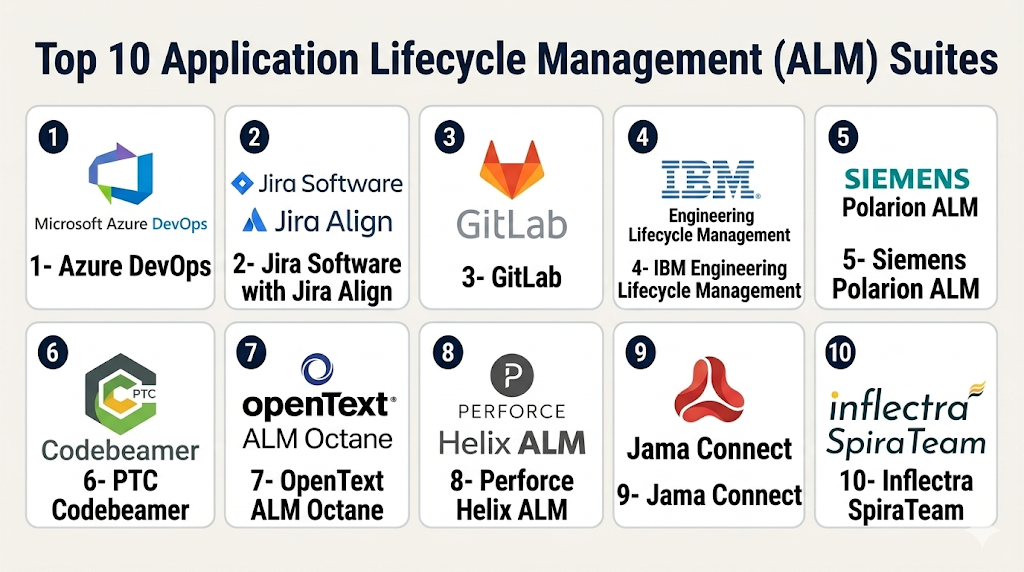
Top 10 Application Lifecycle Management ALM Suites
1- Azure DevOps
Short description: Azure DevOps is a Microsoft software delivery suite that supports planning, repositories, pipelines, testing, artifacts, and collaboration. It is a strong ALM option for teams that want work tracking, code, CI/CD, and test workflows connected in one ecosystem.
Key Features
- Boards for work items, bugs, backlogs, and sprint planning
- Repos for Git-based source control
- Pipelines for CI/CD automation
- Test Plans for manual and exploratory testing
- Artifacts for package management
- Dashboards and reporting for delivery visibility
- Strong Microsoft ecosystem alignment
Pros
- Strong fit for Microsoft-centric engineering teams
- Connects planning, code, testing, and deployment workflows
- Scales well for enterprise software delivery
Cons
- Can feel complex for smaller teams
- Best value comes when using multiple Azure DevOps services
- Advanced governance may require skilled administration
Platforms / Deployment
Web
Cloud / Server options may vary
Security & Compliance
Security depends on Microsoft identity, configuration, and plan. Buyers should verify SSO, RBAC, audit logs, encryption, access policies, data governance, and compliance documentation through their Microsoft environment.
Integrations & Ecosystem
Azure DevOps works well across Microsoft development, cloud, and enterprise environments. It can also integrate with third-party development and collaboration tools.
- GitHub
- Microsoft Teams
- Visual Studio
- Azure cloud services
- Test automation tools
- CI/CD and deployment systems
Support & Community
Microsoft provides documentation, training resources, enterprise support, partner services, and a large professional ecosystem. Support depth depends on subscription and enterprise agreement.
2- Jira Software with Jira Align
Short description: Jira Software with Jira Align supports agile planning, issue tracking, portfolio visibility, and enterprise delivery alignment. It is well suited for organizations that need team-level execution connected with strategic planning.
Key Features
- Scrum and Kanban boards
- Backlog and sprint planning
- Custom issue workflows
- Roadmaps and release planning
- Enterprise portfolio alignment through Jira Align
- Dashboards and reporting
- Large marketplace and integration ecosystem
Pros
- Strong adoption across software teams
- Highly customizable for agile and hybrid workflows
- Large ecosystem of apps, templates, and integrations
Cons
- Configuration can become complex without governance
- Enterprise portfolio alignment requires process maturity
- Smaller teams may not need the full suite
Platforms / Deployment
Web / iOS / Android
Cloud / Deployment options vary by product
Security & Compliance
Security capabilities depend on Atlassian plan and configuration. Buyers should verify SSO, SAML, SCIM, MFA, permissions, audit logs, data controls, and compliance documentation before enterprise rollout.
Integrations & Ecosystem
Jira has a broad ecosystem that connects agile planning with code, testing, service management, documentation, and DevOps workflows.
- Bitbucket
- GitHub
- GitLab
- Confluence
- Slack
- Microsoft Teams
- CI/CD and test management tools
Support & Community
Atlassian provides documentation, community forums, marketplace apps, training content, and enterprise support options. Support level depends on plan.
3- GitLab
Short description: GitLab is a DevSecOps platform that supports source control, issue tracking, CI/CD, security scanning, package management, release workflows, and collaboration. It is a strong ALM suite for teams that want a single platform for planning, building, securing, and delivering software.
Key Features
- Issue tracking and agile planning
- Git repositories and merge requests
- Built-in CI/CD pipelines
- Security and compliance workflow support
- Package and container registry
- Release and deployment management
- Value stream and DevOps analytics
Pros
- Strong end-to-end DevSecOps coverage
- Good fit for engineering teams wanting fewer disconnected tools
- Supports cloud and self-managed deployment models
Cons
- Requires adoption across engineering workflows to get full value
- Advanced features may depend on plan
- Non-technical stakeholders may need onboarding
Platforms / Deployment
Web
Cloud / Self-hosted
Security & Compliance
Security features vary by plan and deployment. Buyers should verify SSO, SAML, SCIM, audit events, role permissions, compliance controls, security scanning, and data governance requirements.
Integrations & Ecosystem
GitLab is strongest when teams use it as a unified DevSecOps platform, but it also connects with external tools.
- Kubernetes
- Slack
- Jira integration options
- Security scanning tools
- Cloud platforms
- APIs and webhooks
Support & Community
GitLab provides documentation, community resources, enterprise support, and professional services depending on plan. Its open-core model gives teams flexibility in deployment and extension.
4- IBM Engineering Lifecycle Management
Short description: IBM Engineering Lifecycle Management is an enterprise ALM and systems engineering suite for requirements, workflow management, testing, reporting, and lifecycle traceability. It is often used in complex, regulated, and engineering-heavy environments.
Key Features
- Requirements management
- Workflow and change management
- Test management and quality tracking
- Lifecycle traceability
- Configuration and baseline management
- Reporting and analytics
- Engineering governance for complex systems
Pros
- Strong enterprise lifecycle governance
- Suitable for regulated and complex engineering environments
- Deep traceability across requirements, tests, changes, and defects
Cons
- Can be complex for smaller teams
- Implementation may require specialist expertise
- Best suited for organizations with mature engineering processes
Platforms / Deployment
Web
Cloud / Self-hosted / Hybrid options may vary
Security & Compliance
Security capabilities depend on deployment and configuration. Buyers should verify SSO, permissions, audit logs, encryption, access governance, and compliance documentation with IBM.
Integrations & Ecosystem
IBM Engineering Lifecycle Management is strongest in complex engineering environments where requirements, tests, changes, and releases must remain connected.
- IBM engineering tools
- Test management systems
- Change management tools
- Reporting platforms
- ALM and PLM integrations
- APIs and connectors
Support & Community
IBM provides enterprise documentation, support services, training, and professional services. Large organizations may use implementation partners for governance and rollout.
5- Siemens Polarion ALM
Short description: Siemens Polarion ALM is a lifecycle management platform for requirements, development, testing, traceability, and compliance. It is especially useful for engineering organizations that need strong visibility across software and systems development.
Key Features
- Requirements management
- Live traceability across lifecycle artifacts
- Test management and defect tracking
- Workflow automation and approvals
- Change and configuration management
- Reporting and dashboards
- ALM and PLM integration support
Pros
- Strong traceability across requirements, tests, and defects
- Good fit for regulated and engineering-heavy teams
- Useful for connecting ALM with broader product lifecycle workflows
Cons
- May require setup and configuration planning
- Can be more complex than lightweight DevOps platforms
- Best value often comes in structured enterprise environments
Platforms / Deployment
Web
Cloud / Self-hosted / Hybrid options may vary
Security & Compliance
Security capabilities depend on deployment and configuration. Buyers should verify SSO, RBAC, audit logs, encryption, access controls, and compliance documentation before purchase.
Integrations & Ecosystem
Polarion works well for organizations that need ALM traceability connected with engineering, quality, development, and product lifecycle systems.
- Jira
- Git tools
- Test management workflows
- PLM systems
- Siemens ecosystem tools
- APIs and integration frameworks
Support & Community
Siemens provides documentation, enterprise support, training resources, and partner-led implementation services. Support depth may vary by agreement.
6- PTC Codebeamer
Short description: PTC Codebeamer is an ALM platform focused on requirements management, risk management, test management, software development, and regulatory compliance workflows. It is a strong fit for regulated product development and complex engineering teams.
Key Features
- Requirements management and traceability
- Risk management workflows
- Test management and verification tracking
- Change control and impact analysis
- Agile and hybrid development support
- Review and approval workflows
- Reporting and compliance evidence support
Pros
- Strong fit for regulated industries
- Connects requirements, risks, tests, and development work
- Useful for teams needing lifecycle governance
Cons
- May be more advanced than simple software teams require
- Implementation needs process planning
- Configuration complexity can increase at enterprise scale
Platforms / Deployment
Web
Cloud / Self-hosted / Hybrid options may vary
Security & Compliance
Security and compliance capabilities vary by deployment and plan. Buyers should verify SSO, permissions, audit logs, authentication, encryption, and regulatory documentation directly with the vendor.
Integrations & Ecosystem
Codebeamer supports connected ALM workflows where requirements, risks, tests, defects, and releases must stay linked.
- Jira
- Git-based tools
- CI/CD workflows
- Test management tools
- PLM systems
- APIs and connectors
Support & Community
PTC provides documentation, enterprise services, support resources, and partner implementation options. Regulated teams should validate onboarding and validation support needs.
7- OpenText ALM Octane
Short description: OpenText ALM Octane is an enterprise ALM and quality management platform designed to support agile delivery, test management, release visibility, and application quality governance. It is useful for QA-heavy teams and enterprises that need traceability across development and testing.
Key Features
- Agile planning and backlog management
- Test management and quality tracking
- Defect management
- Release and pipeline visibility
- Requirements and traceability support
- Analytics and dashboards
- Integration with DevOps toolchains
Pros
- Strong focus on application quality and testing
- Useful for enterprise QA and release governance
- Supports traceability across requirements, tests, and defects
Cons
- May be heavier than modern lightweight tools
- Best value depends on quality management maturity
- Implementation may require process alignment
Platforms / Deployment
Web
Cloud / Hybrid options may vary
Security & Compliance
Security capabilities vary by deployment and plan. Buyers should verify SSO, RBAC, audit logs, encryption, access controls, and compliance documentation directly with the vendor.
Integrations & Ecosystem
OpenText ALM Octane is useful for organizations that need quality management connected with agile and DevOps workflows.
- CI/CD tools
- Test automation tools
- Defect tracking systems
- Agile planning tools
- Reporting systems
- APIs and connectors
Support & Community
OpenText provides enterprise documentation, support options, and professional services. Support experience depends on customer agreement and deployment model.
8- Perforce Helix ALM
Short description: Perforce Helix ALM is an ALM platform that connects requirements management, test case management, issue tracking, and traceability. It is useful for teams that need lifecycle control across requirements, tests, and defects.
Key Features
- Requirements management
- Test case management
- Defect and issue tracking
- Traceability across lifecycle artifacts
- Impact analysis and reporting
- Workflow and approval support
- Baseline and change management
Pros
- Good fit for QA-heavy and regulated teams
- Combines requirements, tests, and defects in one system
- Supports traceability across the lifecycle
Cons
- May require onboarding for teams new to ALM tools
- Less developer-native than GitLab or Azure DevOps
- Best value comes when multiple modules are used together
Platforms / Deployment
Web / Windows options may vary
Cloud / Self-hosted / Hybrid options may vary
Security & Compliance
Security capabilities vary by deployment and configuration. Buyers should verify SSO, access permissions, audit logs, encryption, and compliance documentation with the vendor.
Integrations & Ecosystem
Helix ALM works well in environments where quality, compliance, and lifecycle traceability are important.
- Version control tools
- Jira
- CI/CD tools
- Test automation systems
- Reporting platforms
- APIs and connectors
Support & Community
Perforce provides documentation, support resources, and enterprise services. Support options may vary by deployment and licensing model.
9- Jama Connect
Short description: Jama Connect is a requirements management and traceability platform often used as part of broader ALM workflows. It is especially strong for teams that need review workflows, requirements governance, impact analysis, and compliance-ready traceability.
Key Features
- Requirements management
- End-to-end traceability
- Review and approval workflows
- Baselines and version comparison
- Impact analysis
- Traceability matrix reporting
- Collaboration across product, engineering, QA, and compliance teams
Pros
- Strong for complex requirements and traceability
- Good fit for regulated product development
- Useful for aligning requirements with tests and risks
Cons
- Not a full DevOps platform by itself
- Best used alongside development and test tools
- May require structured onboarding for large programs
Platforms / Deployment
Web
Cloud / Hybrid options may vary
Security & Compliance
Security capabilities vary by plan and deployment. Buyers should verify SSO, SAML, MFA, RBAC, audit logs, encryption, retention, and compliance documentation directly with the vendor.
Integrations & Ecosystem
Jama Connect fits well into ALM ecosystems where requirements need to connect with delivery, testing, and compliance evidence.
- Jira
- Azure DevOps
- Test management tools
- Risk management workflows
- PLM and ALM tools
- APIs and integration platforms
Support & Community
Jama provides documentation, onboarding resources, training, and enterprise support options. Support depth may vary by plan and implementation scope.
10- Inflectra SpiraTeam
Short description: Inflectra SpiraTeam is an ALM platform that combines requirements management, test management, project planning, defect tracking, and release management. It is suitable for teams that want a unified lifecycle platform without adopting a very heavy enterprise suite.
Key Features
- Requirements management
- Test case and test execution management
- Defect and issue tracking
- Release and sprint planning
- Traceability across requirements, tests, and defects
- Reporting and dashboards
- Integrations with development and automation tools
Pros
- Broad ALM coverage in one platform
- Useful for QA, development, and project teams
- Practical option for mid-market and quality-focused teams
Cons
- May not have the same enterprise footprint as larger ALM suites
- Advanced integrations should be validated before purchase
- Teams may need onboarding to standardize lifecycle workflows
Platforms / Deployment
Web
Cloud / Self-hosted options may vary
Security & Compliance
Security capabilities vary by plan and deployment. Buyers should verify SSO, permissions, audit logs, encryption, and compliance documentation with the vendor.
Integrations & Ecosystem
SpiraTeam connects requirements, tests, defects, releases, and automation workflows for software delivery teams.
- Jira
- GitHub
- GitLab
- Test automation tools
- CI/CD systems
- APIs and integration connectors
Support & Community
Inflectra provides documentation, support resources, training materials, and implementation guidance. Support levels may vary by plan.
Comparison Table
| Tool Name | Best For | Platform Supported | Deployment | Standout Feature | Public Rating |
|---|---|---|---|---|---|
| Azure DevOps | Microsoft-centric software delivery teams | Web | Cloud / Server varies | Planning, repos, pipelines, testing, and artifacts in one ecosystem | N/A |
| Jira Software with Jira Align | Agile teams and enterprise portfolio alignment | Web / iOS / Android | Cloud / Varies | Team execution connected with strategic planning | N/A |
| GitLab | DevSecOps and code-to-deployment workflows | Web | Cloud / Self-hosted | Unified planning, code, CI/CD, security, and release workflows | N/A |
| IBM Engineering Lifecycle Management | Enterprise systems engineering | Web | Cloud / Self-hosted / Hybrid varies | Deep lifecycle traceability and governance | N/A |
| Siemens Polarion ALM | Regulated and engineering-heavy teams | Web | Cloud / Self-hosted / Hybrid varies | Requirements, tests, defects, and traceability in one ALM environment | N/A |
| PTC Codebeamer | Regulated product development | Web | Cloud / Self-hosted / Hybrid varies | Requirements, risk, testing, and compliance workflows | N/A |
| OpenText ALM Octane | Enterprise QA and application quality teams | Web | Cloud / Hybrid varies | Quality management and agile lifecycle visibility | N/A |
| Perforce Helix ALM | Requirements, tests, and defect traceability | Web / Windows varies | Cloud / Self-hosted / Hybrid varies | Lifecycle traceability across requirements, tests, and issues | N/A |
| Jama Connect | Requirements-heavy ALM workflows | Web | Cloud / Hybrid varies | Review workflows and requirements traceability | N/A |
| Inflectra SpiraTeam | Unified ALM for mid-market and QA teams | Web | Cloud / Self-hosted varies | Requirements, tests, defects, and releases in one platform | N/A |
Evaluation & Scoring of Application Lifecycle Management ALM Suites
| Tool Name | Core 25% | Ease 15% | Integrations 15% | Security 10% | Performance 10% | Support 10% | Value 15% | Weighted Total |
|---|---|---|---|---|---|---|---|---|
| Azure DevOps | 9 | 8 | 9 | 9 | 9 | 9 | 8 | 8.70 |
| Jira Software with Jira Align | 9 | 7 | 10 | 9 | 8 | 9 | 8 | 8.60 |
| GitLab | 9 | 8 | 9 | 8 | 9 | 8 | 8 | 8.55 |
| IBM Engineering Lifecycle Management | 10 | 6 | 9 | 9 | 9 | 9 | 7 | 8.50 |
| Siemens Polarion ALM | 9 | 7 | 9 | 8 | 8 | 8 | 8 | 8.25 |
| PTC Codebeamer | 9 | 7 | 8 | 8 | 8 | 8 | 8 | 8.10 |
| OpenText ALM Octane | 8 | 7 | 8 | 8 | 8 | 8 | 7 | 7.75 |
| Perforce Helix ALM | 8 | 7 | 8 | 8 | 8 | 8 | 8 | 7.85 |
| Jama Connect | 8 | 8 | 8 | 8 | 8 | 8 | 8 | 8.00 |
| Inflectra SpiraTeam | 8 | 8 | 8 | 7 | 8 | 8 | 8 | 7.85 |
Which Application Lifecycle Management ALM Suite Is Right for You?
Solo / Freelancer
Solo developers and consultants usually do not need a full enterprise ALM suite. GitLab, Azure DevOps, or Jira can work well if the project needs issue tracking, code management, and deployment workflows. For requirements-heavy consulting work, Jama Connect or SpiraTeam may be useful if the client requires structured traceability.
SMB
SMBs should focus on ease of adoption, cost, and practical lifecycle coverage. GitLab, Azure DevOps, Jira, and SpiraTeam are strong options depending on existing tools. If the team wants one platform for planning, code, pipelines, and releases, GitLab or Azure DevOps can reduce tool sprawl. If agile planning is the main need, Jira may be easier to adopt.
Mid-Market
Mid-market companies usually need stronger reporting, release visibility, traceability, and workflow standardization. Jira with Jira Align, Azure DevOps, GitLab, SpiraTeam, Helix ALM, and Jama Connect are good candidates. Teams should evaluate integrations with current repositories, CI/CD systems, test tools, and project management workflows before committing.
Enterprise
Enterprise organizations should prioritize governance, security, auditability, traceability, integrations, and scalability. IBM Engineering Lifecycle Management, Siemens Polarion ALM, PTC Codebeamer, Azure DevOps, Jira with Jira Align, GitLab, and OpenText ALM Octane are strong candidates. Regulated industries should run a detailed pilot with engineering, QA, compliance, security, and business stakeholders.
Budget vs Premium
Budget-conscious teams may prefer GitLab, Azure DevOps, Jira, or SpiraTeam depending on team size and required modules. Premium buyers may choose IBM, Polarion, Codebeamer, OpenText, or Jama when they need advanced traceability, compliance workflows, audit reporting, and enterprise governance. The best value is not always the cheapest tool; it is the one that reduces lifecycle risk and manual work.
Feature Depth vs Ease of Use
IBM Engineering Lifecycle Management, Polarion, Codebeamer, and OpenText ALM Octane provide strong lifecycle depth but may require more process maturity. GitLab and Azure DevOps provide modern DevOps workflows with strong developer adoption. Jira is flexible and widely understood, but needs governance to prevent complexity. SpiraTeam and Helix ALM offer broad ALM features with a more focused quality and traceability orientation.
Integrations & Scalability
ALM suites should connect with repositories, CI/CD tools, test automation, ITSM systems, collaboration platforms, cloud services, security tools, and reporting platforms. Buyers should test integration depth, field synchronization, permission mapping, and workflow automation before purchasing. Large organizations should also evaluate API flexibility, data migration, cross-team administration, and reporting scalability.
Security & Compliance Needs
Security-sensitive teams should verify SSO, SAML, MFA, SCIM, RBAC, audit logs, encryption, data residency, retention policies, admin controls, and compliance documentation. Regulated organizations should also evaluate baseline management, approval workflows, traceability matrices, validation support, and audit-ready reports. Self-hosted or hybrid deployments may offer more control but also require stronger internal operations responsibility.
Frequently Asked Questions
1. What is an ALM suite?
An ALM suite is a platform that helps manage the full lifecycle of an application, including planning, requirements, development, testing, release, maintenance, and governance. It connects teams and artifacts across the software delivery process.
2. How is ALM different from DevOps?
DevOps focuses heavily on automation, CI/CD, collaboration, and operational delivery. ALM is broader and includes planning, requirements, governance, testing, quality, maintenance, and lifecycle traceability.
3. What teams need an ALM suite?
Software development teams, QA teams, DevOps teams, product teams, compliance teams, IT teams, and regulated engineering organizations often need ALM suites. They are especially valuable when multiple teams must coordinate complex releases.
4. Is Jira an ALM suite?
Jira can support many ALM workflows when combined with Jira Align, Confluence, Bitbucket, marketplace apps, and integrations. It is strongest for agile planning and issue tracking, while additional tools may be needed for deep requirements or test management.
5. Is GitLab an ALM suite?
GitLab can function as a modern DevSecOps-oriented ALM suite because it supports planning, source control, CI/CD, security workflows, packages, releases, and deployment visibility. Requirements and compliance needs should still be evaluated carefully.
6. What is the best ALM suite for regulated industries?
IBM Engineering Lifecycle Management, Siemens Polarion ALM, PTC Codebeamer, Jama Connect, OpenText ALM Octane, and Helix ALM are often evaluated for regulated environments. The right choice depends on traceability, compliance, validation, and integration needs.
7. What features should buyers look for in ALM software?
Buyers should look for requirements management, work tracking, test management, defect tracking, CI/CD integration, release visibility, dashboards, traceability, permissions, audit logs, and reporting. Integration depth is also very important.
8. Can ALM suites replace multiple tools?
Yes, some ALM suites can replace multiple tools for planning, development, testing, and release management. However, many organizations still use a hybrid toolchain and rely on integrations rather than replacing every existing tool.
9. What are common ALM implementation mistakes?
Common mistakes include buying a suite without defining workflows, ignoring stakeholder adoption, over-customizing processes, skipping integration testing, and failing to assign governance ownership. A pilot with real projects helps reduce these risks.
10. How long does ALM implementation take?
Implementation time depends on team size, migration complexity, integrations, permissions, and governance needs. Small teams may launch quickly, while enterprise rollouts often require phased adoption, training, process design, and security review.
Conclusion
Application Lifecycle Management ALM Suites help organizations bring structure, visibility, and governance to the full software lifecycle. The right suite can connect requirements, planning, code, tests, defects, releases, security, and compliance into a more reliable delivery process. Azure DevOps is strong for Microsoft-centered teams, Jira with Jira Align is useful for agile delivery and portfolio alignment, and GitLab is a strong DevSecOps platform for teams that want planning, code, CI/CD, and security in one environment. IBM Engineering Lifecycle Management, Siemens Polarion ALM, PTC Codebeamer, OpenText ALM Octane, Perforce Helix ALM, Jama Connect, and Inflectra SpiraTeam each fit different levels of enterprise, regulated, quality, and traceability needs. The best choice depends on your workflows, existing ecosystem, compliance requirements, team maturity, and implementation capacity. Start by shortlisting two or three ALM suites, test them with real lifecycle data, validate integrations and security controls, involve all major stakeholders, and then scale the platform that best supports your delivery model.

Find Trusted Cardiac Hospitals
Compare heart hospitals by city and services — all in one place.
Explore Hospitals
ALM suites help development teams manage the entire application lifecycle more efficiently, from planning and testing to deployment and maintenance.